---
description: 您需要的唯一 WhatsApp Business 終極指南。 我們將介紹 WhatsApp 商業帳戶的類型、其功能、限制和定價。
title: WhatsApp Business: WhatsApp 商業帳號概覽
image: https://assets2-proxy.respond.io/ph8r57dk1q9w/4bh3uulLovXu83f35Hms6r/f01d22aa5b0d379e33560ea83d95060c/UltimateGuideWhatsAppBusiness2_0COVER_21a5e1193e66037d7edd2965c8078c26.png
---
1. [首頁 ](/tw)
2. [\> 部落格 ](/tw/blog)
3. [\> Concepts](/tw/category/concepts)
# WhatsApp 商業:WhatsApp 商業帳號概覽
[](/tw/author/gabriella)
[Gabriella](/tw/author/gabriella)
· 28 Oct 2025
·
18 分鐘


首次使用 WhatsApp 進行商務活動? 這份 WhatsApp Business 一體化指南將協助您了解有關 WhatsApp Business 產品的所有資訊。 我們將涵蓋 WhatsApp Business 帳戶的類型和註冊方法、它們的定價以及每種帳戶類型的功能和限制 最後,我們將協助您決定哪種 WhatsApp 產品最適合您的業務。
## 什麼是 WhatsApp Business?
WhatsApp Business 是一套 WhatsApp 產品,為各種規模的企業提供一個在 WhatsApp 上與客戶溝通的平台。
它在2018年[推出](https://blog.whatsapp.com/introducing-the-whats-app-business-app),當時WhatsApp意識到公司正在將個人應用程序用於商業。 Meta(前身為 Facebook)將此視為透過免費應用程式賺錢的絕佳機會。 因此,它創建了一套 WhatsApp 商業解決方案。
這將把商業和個人溝通分開,幫助企業建立官方形象,並為企業提供一套專門用於客戶對話的工具。 如今,超過[5,000萬企業正在使用WhatsApp Business](https://bloggingwizard.com/whatsapp-statistics/)來接觸WhatsApp受歡迎的地區的客戶。
## WhatsApp 在哪裡流行?
WhatsApp是世界上[最受歡迎的消息應用程序](https://www.statista.com/statistics/258749/most-popular-global-mobile-messenger-apps/),擁有約[27.8億月活躍用戶](https://www.statista.com/statistics/1306022/whatsapp-global-unique-users/#:~:text=In April 2022, WhatsApp had,unique users in June 2022.%29)。 它是[在230個使用WhatsApp的國家和地區中,188個國家和地區的最主要消息應用](https://respond.io/tw/blog/top-messaging-apps#toc-mobile-13)。
[印度擁有全球最多的WhatsApp用戶,其次是巴西、印尼、美國、俄羅斯和墨西哥。](https://www.businessofapps.com/data/whatsapp-statistics/)巴西擁有最多的WhatsApp用戶市場,是亞洲以外的地區,擁有超過[96%的居民為WhatsApp活躍用戶](https://www.statista.com/topics/7731/whatsapp-in-brazil/#topicHeader%5F%5Fwrapper)。
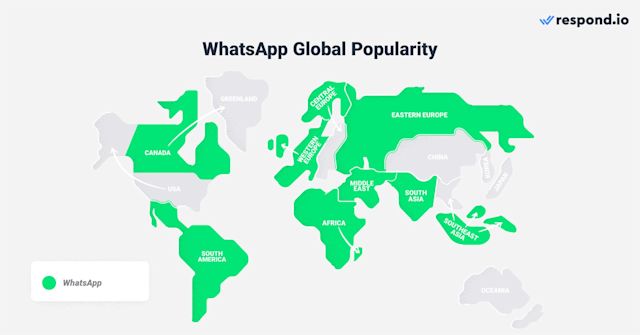
截至2022年6月,WhatsApp的重度使用導致[WhatsApp Business應用的下載量達到2.92億次](https://www.statista.com/statistics/1276030/whatsapp-business-downloads-leading-countries/)。
每天交換最高[1,000億條消息](https://techcrunch.com/2020/10/29/whatsapp-is-now-delivering-roughly-100-billion-messages-a-day/),顯示WhatsApp不僅受歡迎,還擁有高參與率。 相比於傳統通信方式如電子郵件,WhatsApp的消息開啟率高達[98%](https://www.inventiva.co.in/trends/top-10-best-whatsapp-marketing-2/)。
現在您已經了解了 WhatsApp 的重要性,以下是您應該了解的有關 WhatsApp Business 的資訊。
使用 respond.io 的官方 WhatsApp API 將對話轉換為客戶 ✨
在這裡管理 WhatsApp 通話和聊天!
[預約演示 ](https://cta-service-cms2.hubspot.com/web-interactives/public/v1/track/redirect?encryptedPayload=AVxigLJZtM4BfRkXBKSL59L5j/laJ4+zD1NHrw8UnfY3qlAjv5e5x/LC6kTHaAzy+ZArNHjwEPBjeaY/legh7/lItLGZbpOSlRy+3HaHdvJTbK4816w=&webInteractiveContentId=131307604004&portalId=7250147&%5F%5Fhstc=4958508.ec36eb4a1acb5a2f1d2caa097ff2cfe6.1725863681681.1736738541926.1736745026317.279&%5F%5Fhssc=4958508.5.1736745026317&%5F%5Fhsfp=1189922200)[開始免費試用 ](https://app.respond.io/user/register)
## WhatsApp 商業帳號:基礎知識
本節將討論 WhatsApp Business 政策、WhatsApp Business 帳戶類型以及每種帳戶類型的定價。
### WhatsApp 商業政策
WhatsApp 旨在為用戶提供高品質的體驗。 為了確保該平台保持無垃圾郵件,企業必須遵循WhatsApp的[商業](https://www.whatsapp.com/legal/business-policy/?lang=en)和[商務政策](https://www.whatsapp.com/legal/commerce-policy/?lang=en),這些政策保護用戶的隱私並禁止非法產品和服務的交易。
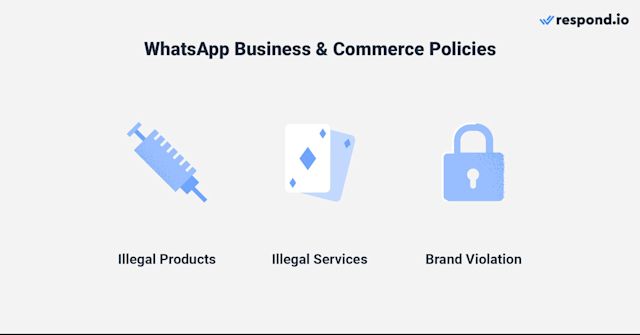
企業也必須確保其企業資料中的網站網址和客戶支援號碼等資訊準確且最新。 他們不得冒充其他企業或提供有關其業務性質的誤導性資訊。
如果企業違反政策,WhatsApp 將無限期限製或取消其對 WhatsApp Business 產品的存取權。 現在你已經了解了這些政策,讓我們來看看 WhatsApp Business 帳戶的類型
### WhatsApp 商業帳戶類型
在這裡,我們將根據您的業務規模列出您可以選擇的 WhatsApp 帳戶類型以及每個帳戶的註冊方法。
#### WhatsApp 商業應用程式帳戶
[WhatsApp Business App帳戶](https://respond.io/tw/blog/whatsapp-business-app)為希望通過WhatsApp與客戶溝通的小型企業提供服務。 企業可以通過設置[快速回覆](https://respond.io/tw/blog/whatsapp-business-app#toc-mobile-8)和[自動歡迎和離開消息](https://respond.io/tw/blog/whatsapp-business-app#toc-mobile-9)來管理它們的對話。
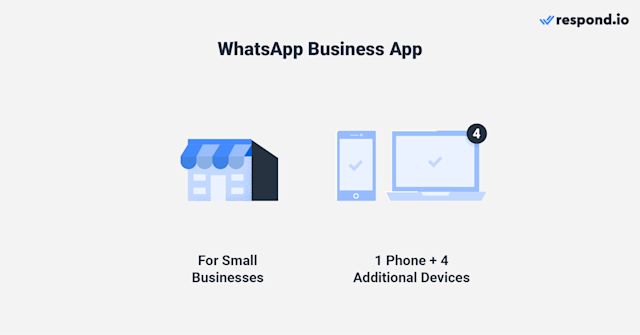
企業最多可以在五台裝置上使用企業應用程式帳戶,包括一部手機和四台其他裝置。 要在最多10個設備上使用它,它們可以訂閱[WhatsApp Business Premium](https://faq.whatsapp.com/1121107608484746/?cms%5Fplatform=android)。 不過,該計劃目前僅在某些國家/地區提供。
請記住,您只能在單個手機上安裝WhatsApp Business App,並必須使用[WhatsApp Business Web](https://respond.io/tw/blog/whatsapp-business-web)來連接其他設備。
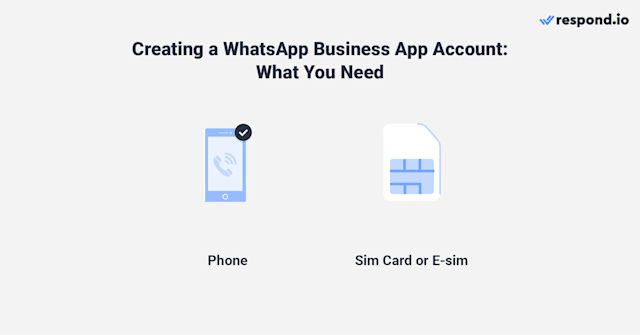
要[創建帳戶](https://respond.io/tw/blog/whatsapp-business-app#toc-mobile-1),您只需一張SIM卡或電子SIM和一部手機。 只需安裝 WhatsApp Business 應用程式並將您的電話號碼連接到它。 就這樣,您就可以開始使用 WhatsApp Business 應用程式了。
如果您使用 Meta Business Suite 透過 Facebook Messenger 和 Instagram 與客戶溝通,那麼這裡還有另一個選擇。 現在可以[將WhatsApp Business帳戶添加](https://www.facebook.com/business/help/353293243562513)到Meta Business Suite收件箱。
無論您選擇哪種方式,您使用的電話號碼都無法連結到任何現有的 WhatsApp 帳戶。 這同樣適用於 API 帳戶,我們將在下一節中討論。
#### WhatsApp 商業 API 帳戶
WhatsApp Business API是為想要[與多個用戶一起使用平台](https://respond.io/tw/blog/whatsapp-business-multiple-users)的中型到大型公司設計的,適用於[行銷](https://respond.io/tw/blog/whatsapp-marketing)、[銷售](https://respond.io/tw/blog/whatsapp-sales)和[支持](https://respond.io/tw/blog/whatsapp-customer-service)。 因為API沒有用戶界面,必須[連接到像respond.io這樣的客戶對話管理軟件](https://help.respond.io/l/tw/whatsapp),才能發送和接收消息。
這使企業能夠使用高級自動化來簡化[潛在客戶資格審核](https://help.respond.io/l/tw/sales-use-case/inbound-sales-enrich-contact-data-and-qualify-leads)、[聊天路由](https://respond.io/tw/blog/chat-routing-contact-routing-workflows-module-respondio)和[自動分配](https://respond.io/tw/blog/auto-assignment-automatic-assignment-respondio),以及使用AI來[自動回應](https://respond.io/tw/blog/respond-ai#toc-mobile-3)、[在發送前改善消息](https://respond.io/tw/blog/respond-ai#toc-mobile-4)以及[幫助代理快速回復消息](https://respond.io/tw/blog/respond-ai#toc-mobile-5)。
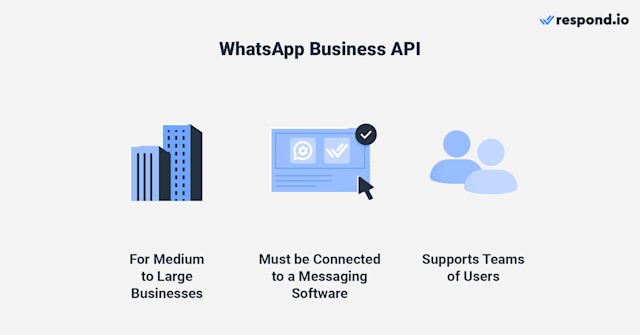
WhatsApp Business API有兩種形式:WhatsApp本地API和[WhatsApp Cloud API](https://respond.io/tw/blog/whatsapp-cloud-api)。
[要獲取WhatsApp本地API](https://respond.io/tw/blog/how-to-get-whatsapp-api#toc-mobile-3),企業必須與[商業解決方案提供商(BSP)](https://respond.io/tw/blog/whatsapp-business-api#toc-mobile-1)合作,該提供商作為您的業務和WhatsApp之間的中介。 WhatsApp API 將託管在 BSP 伺服器或單獨的業務伺服器上。
| **WhatsApp 本機 API** | **WhatsApp 雲端 API** | |
| ------------------- | ------------------- | ----------- |
| **如何取得 API 存取權限。** | BSP | BSP 或 Meta。 |
| **託管** | BSP 伺服器或企業個人伺服器。 | Meta 伺服器。 |
另一方面,企業可以直接從 Meta 或透過 BSP 取得 WhatsApp Cloud API 存取權。 與本機 API 不同,此 API 託管在 Meta 的雲端伺服器上。 值得注意的是,[自行設置Cloud API帳戶](https://respond.io/tw/blog/whatsapp-cloud-api#toc-mobile-8)需要技術專業知識。
如果希望簡化獲得WhatsApp Cloud API訪問的過程,建議選擇像respond.io這樣的BSP,提供免費API訪問和[無憂的申請過程](https://respond.io/tw/blog/how-to-get-whatsapp-api#toc-mobile-5)。 接下來,讓我們來看 WhatsApp Business 帳戶的成本。
### WhatsApp Business 定價。
現在你已經知道了可用的 WhatsApp Business 帳戶類型,讓我們看看每個帳戶的價格。
#### WhatsApp for Business 定價:商業應用。
WhatsApp 不會對企業使用應用程式收費,但會有一些相關的成本。 例如,您需要一個專用的電話號碼,因為禁止使用同一號碼作為個人和商業 WhatsApp。
如果您擁有雙SIM手機或支援電子SIM的手機,您可以購買額外的SIM並將該號碼分配給[商業應用](https://respond.io/tw/blog/whatsapp-business-app)。 如果不這樣做,您將需要購買一部新手機來使用該應用程式。
雖然企業不需要花太多時間使用 WhatsApp Business App,但 API 卻不然。
#### WhatsApp for Business 定價:WhatsApp API
WhatsApp API 定價取決於兩個關鍵因素:API 的類型(雲端或本地)和您選擇的業務解決方案提供者 (BSP)。
提供本地 API 的 BSP 通常會在 WhatsApp 基本費用的基礎上收取額外費用,而這些費用可能差異很大。 例如,SleekFlow 對每個電話號碼每月收取 15 美元。 相較之下,像 respond.io 這樣的平台為 WhatsApp Cloud API 提供無加價或隱藏費用,企業只需支付 WhatsApp 的直接費用。
| WhatsApp 本機 API | WhatsApp 雲端 API | |
| --------------- | --------------------- | ----------------------- |
| 伺服器設置 | 可能包含安裝費 | 無需設定伺服器 |
| 託管 | 自託管 | 由 Meta 主辦 |
| 定價模型 | 每個模板訊息(透過 BSP,可能帶有標記) | 每個範本訊息(無需透過直接 BSP 進行標記) |
WhatsApp 現在按發送的範本訊息向企業收取費用。 此定價適用於雲端和本地 API。 以下是 Meta 於 2025 年 7 月 1 日引入的一些額外要點:
* 您只需為發送給用戶的訊息付費。
* WhatsApp 對每個範本訊息單獨收費,具體取決於類型:實用程式、身份驗證或行銷。 例如,發送一條行銷訊息和一條實用訊息將產生兩筆費用。
* 在 24 小時客戶服務窗口內發送的自由格式和實用訊息不收費。
* 適用基於數量的折扣 - 您發送的實用程式或驗證訊息越多,每個訊息的費率就越低。
此外,所有 WhatsApp 商業帳戶每月均可獲得 1,000 次免費用戶發起的服務對話,並在所有連接的電話號碼之間共享。 點擊 WhatsApp 廣告或 Facebook 頁面 CTA 按鈕發起的對話還會解鎖 72 小時的免費訊息窗口,在此期間所有回應(包括模板訊息)都是免費的。
透過這些更新,企業可以更好地控製成本並提高透明度,尤其是在使用無需支付額外費用即可轉嫁 WhatsApp 費用的直接 BSP 時。 現在您已經了解了 WhatsApp API 的定價方式,讓我們來探索每種類型的帳戶提供的訊息功能。
## WhatsApp Business:透過 WhatsApp 向客戶發送訊息
WhatsApp Business 應用程式和 API 的設計考慮了特定的業務規模;因此,與帳戶相關的訊息功能和限制反映了這一點。
### WhatsApp 商業版:一對一訊息傳遞
本節將解釋有關商業應用程式和 API 帳戶上的 1:1 訊息傳遞的所有內容。
#### 使用商業應用程式帳戶進行一對一訊息傳遞
WhatsApp Business App 帳號為使用該平台的小型企業提供了極大的彈性。 例如,企業可以以任何格式發送無限制數量的免費消息,並在擁有客戶的號碼的情況下,發送首條消息。
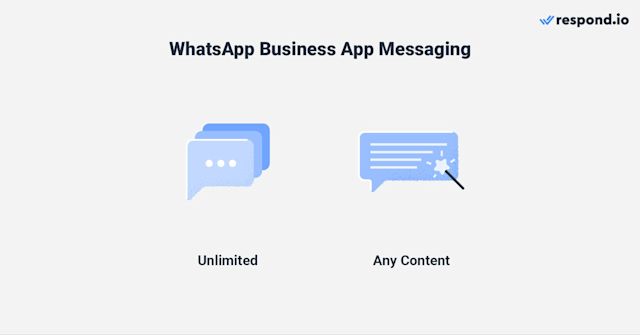
企業仍需遵守 WhatsApp 的商業和貿易政策以避免向客戶發送垃圾郵件。 如果許多客戶封鎖或舉報某商業帳戶,WhatsApp 將會禁止該帳戶。
由於大型企業通常擁有更多的財務資源和客戶,您會發現與商業應用程式相比,API 帳戶有更多的訊息傳遞規則。
#### 這些政策可以防止企業向客戶發送垃圾郵件,並鼓勵他們快速回覆客戶。
通過WhatsApp Business API帳戶,企業必須在向其聯絡人發送消息之前[獲得同意](https://respond.io/tw/blog/whatsapp-business-api#toc-mobile-15),並且必須在24小時的客戶服務窗口內回復。 [服務對話](https://respond.io/tw/blog/whatsapp-business-api#toc-mobile-10)當企業在 24 小時訊息視窗內回應使用者發起的對話時發生。
WhatsApp API對話有兩種類型,[正如前面提到的](https://respond.io/tw/blog/whatsapp-business#toc-mobile-5)。 [服務對話](https://respond.io/tw/blog/whatsapp-business-api#toc-mobile-10)發生在企業在24小時消息窗口內回應用戶發起的對話時。
相對的,當企業在消息窗口外發起對話時,則需要[消息模板](https://respond.io/tw/blog/whatsapp-business-api#toc-mobile-14)。
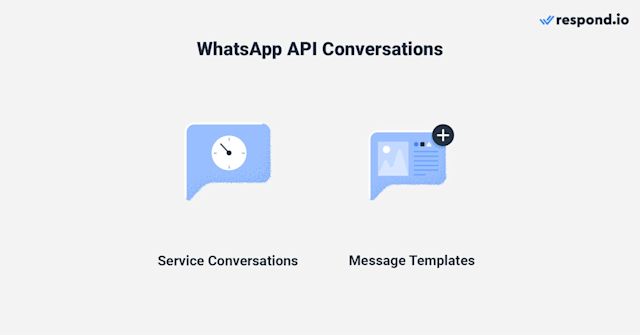
消息模板[必須經WhatsApp預先批准](https://respond.io/tw/blog/whatsapp-template-message#toc-mobile-0)才能發送。 儘管WhatsApp可能因多種原因[拒絕您的消息模板](https://respond.io/tw/blog/whatsapp-template-message#toc-mobile-9),但遵循一些[最佳實踐](https://respond.io/tw/blog/whatsapp-template-message#toc-mobile-20)能提高審核通過的機率。
在服務對話中,企業可以發送任何類型的內容,只要遵守 WhatsApp 的政策。 最棒的部分是,這兩種對話類型都支援互動式訊息,可幫助客戶傳達他們的需求並輕鬆回覆企業。
> 這個新中心提供逐步說明,以簡化您的 API 設置並管理訊息符合性。 立即檢查您的模板審查和上訴狀態,現在您可以用預先批准的模板更快地啟動活動。 [廣播訊息](https://respond.io/tw/blog/whatsapp-broadcast) 是一次接觸大量受眾的好方法。
雖然這聽起來很有趣,但您需要了解有關使用 WhatsApp Business 應用程式和 API 進行廣播的知識。
### 使用 WhatsApp 商業應用程式進行廣播簡單且直接。
[廣播消息](https://respond.io/tw/blog/whatsapp-broadcast)是一種有效地同時觸及大眾的方法。 他們可以[使用商業應用程式](https://respond.io/tw/blog/whatsapp-broadcast#toc-mobile-3)中提供的標籤,將聯絡人組織成群組。
#### 這將有助於他們向正確的受眾發送引人注目、有針對性的 WhatsApp 訊息。
WhatsApp 商業廣播:透過 WhatsApp 商業應用程式進行廣播簡單且直接。 企業可以自由廣播任何形式的內容給每個[廣播列表](https://respond.io/tw/blog/whatsapp-broadcast#toc-mobile-0)中的256人。 它們可以[使用商業應用程序中提供的標籤](https://respond.io/tw/blog/whatsapp-broadcast#toc-mobile-3)將聯絡人組織分組。
這將幫助他們向正確的受眾發送引人注目的、有針對性的 WhatsApp 訊息。
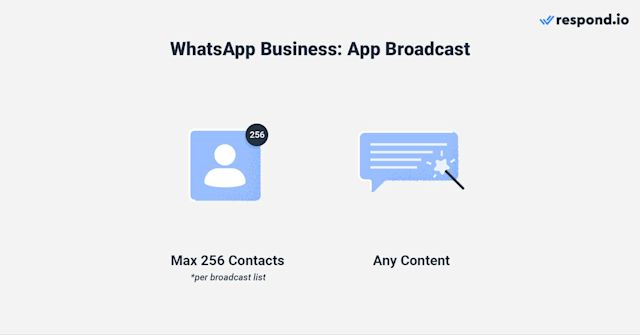
然而,使用該應用程式發送廣播訊息也存在缺點。 例如,企業必須手動將聯絡人新增至手機,並且只有儲存號碼的聯絡人才可以接收廣播訊息。
雖然企業在使用 API 時不會遇到這些問題,但它們有不同的廣播規則和功能。
#### 使用 WhatsApp 商業 API 帳戶進行廣播消息。
通過WhatsApp API發送廣播的唯一方法是使用經批准的[消息模板](https://respond.io/tw/blog/whatsapp-template-message#toc-mobile-0)。 消息模板有三個類別,即[市場行銷、實用及驗證對話。](https://developers.facebook.com/docs/whatsapp/updates-to-pricing#four-new-conversation-categories-effective-june-1--2023)
話雖如此,請注意,從2025年3月起,WhatsApp 將通過優先考慮與之互動更頻繁的用戶來改進行銷訊息的發送方式。 這確保企業能夠接觸到最容易接受的受眾,同時提高整體參與率。
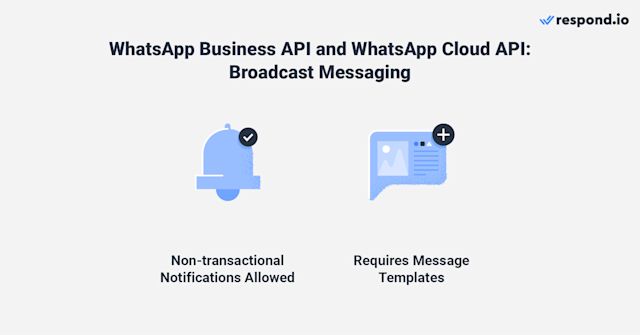
雖然WhatsApp Business應用對每次廣播有[明確的聯絡人限制](https://respond.io/tw/blog/whatsapp-bulk-message#toc-mobile-0),但企業通過API進行廣播的聯絡人數量取決於其[消息限制](https://developers.facebook.com/docs/whatsapp/messaging-limits/)。 此外,廣播功能在很大程度上取決於您將 WhatsApp API 連接到的軟體。
例如,[respond.io的廣播模組](https://help.respond.io/l/tw/broadcasts-module/broadcasts-overview)允許您建立消息模板並提交以供審核,[安排消息](https://respond.io/tw/blog/whatsapp-schedule-message)以及獲取所有活動的廣播分析。
此外,針對美國客戶的企業應知悉,從 2025 年 4 月起,WhatsApp 將暫時暫停向美國號碼發送行銷消息,以進行平台的持續改進。
除了使用廣播與多個 WhatsApp 使用者同時溝通外,企業還可以利用群組消息進行此操作。
### WhatsApp 商業版:群組消息
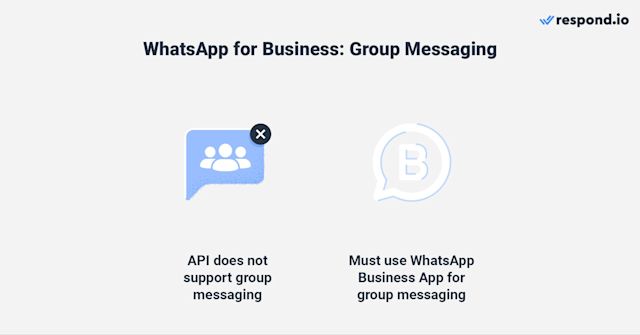
API帳戶不支持[群組消息發送](https://respond.io/tw/blog/whatsapp-group)。 企業創建群組的唯一方式是透過應用程序。 企業可以利用WhatsApp群組消息發送來與大眾連接,這與發送廣播的方式相同。
然而,群組訊息是用於 WhatsApp 群組中各方之間的雙向溝通。 例如,企業可以與重要客戶建立 WhatsApp 群組,討論任何問題、更新等。
WhatsApp Catalog 現已在 WhatsApp API 上可用。
現在我們已經涵蓋了有關訊息傳遞的所有內容,以下是一些值得注意的 WhatsApp 商業功能。
## WhatsApp 商業特別功能
在這個部分,我們將討論特殊的 WhatsApp 功能,例如 WhatsApp 目錄、WhatsApp 購物車和 WhatsApp 支付。 這些功能僅適用於 WhatsApp 商業應用程式。 話雖如此,讓我們來詳細看看這些功能。
### WhatsApp 目錄和 WhatsApp 購物車
[WhatsApp目錄](https://respond.io/tw/blog/whatsapp-catalog-whatsapp-shopping-catalog)是專為小型企業展示其產品和服務而設計的。 [設置目錄](https://respond.io/tw/blog/whatsapp-business-app#toc-mobile-2)很簡單。 企業只需上傳產品或服務的圖片並為每項增加描述和價格。
> WhatsApp 目錄現在在 WhatsApp API 上可用。 將您的產品上傳到[商貿管理](https://www.facebook.com/business/help/2371372636254534?id=533228987210412),並將它們與respond.io連接。 在大多數國家,企業必須引導客戶到第三方支付網關進行付款,因為 WhatsApp Pay 尚未普及。
企業還可以通過[分享目錄鏈接或產品鏈接](https://respond.io/tw/blog/whatsapp-business-app#toc-mobile-2)在應用內或在其他網站和消息渠道中推廣目錄。
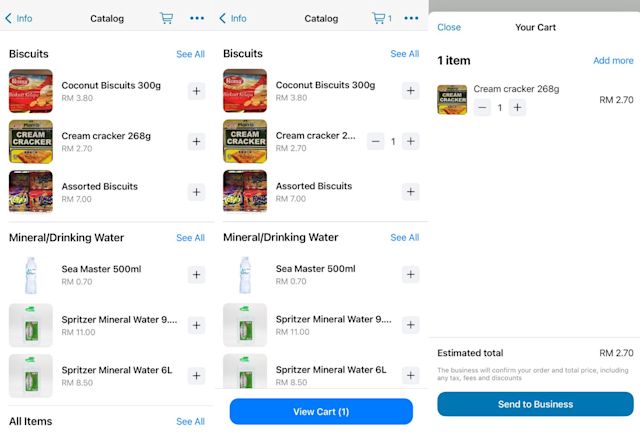
一旦目錄設置完成並獲得 WhatsApp 批准,客戶可以瀏覽列表,將商品添加至 WhatsApp 購物車,然後向企業發送消息以確認交易。
在大多數國家,企業必須指導客戶使用第三方支付閘道進行付款,因為 WhatsApp Pay 並未廣泛提供。
### WhatsApp Pay 是 WhatsApp 商業帳戶的一個功能,允許消費者在應用內付款。
[WhatsApp Pay](https://respond.io/tw/blog/whatsapp-pay-everything-about-whatsapp-payment)是一種讓消費者能在應用內支付的功能。 WhatsApp Pay 是 WhatsApp 商業帳戶的一個功能,允許消費者在應用內付款。
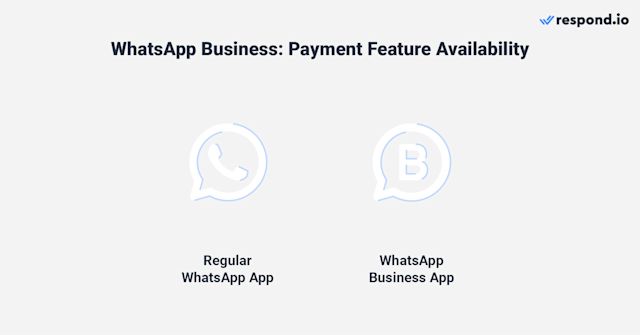
目前,WhatsApp Pay僅在巴西和印度可用,並且僅限於美國的選定用戶使用。 因此,只有位於WhatsApp Pay可用地區的客戶才能使用此功能。
現在我們已經涵蓋了每種類型帳戶的所有內容,讓我們看看它們之間的差異。
## WhatsApp 商業應用程式與 WhatsApp 商業 API
現在您應該知道哪種 WhatsApp 產品最適合您的業務 為了讓您更容易做出決定,我們將總結並比較它們的特徵
### 您應該使用哪個 WhatsApp 產品?
WhatsApp 商業應用程式非常適合接收低量訊息的小型企業 從 WhatsApp 商業應用程式開始非常簡單又便宜,因為企業只需下載並獲得新的電話號碼 他們也可以使用與 WhatsApp 帳戶無關的現有號碼
它支持廣播及簡單的自動化功能,如[快速回覆](https://respond.io/tw/blog/whatsapp-quick-reply)、[歡迎和離開消息](https://respond.io/tw/blog/whatsapp-auto-reply#toc-mobile-0)。 不過,一旦開始接收更高數量的消息,您會意識到需要像AI和自動化這樣的高級功能來管理您的對話。
這時 WhatsApp 商業 API 就發揮作用了 簡而言之,您可以選擇 WhatsApp 本地 API 或 WhatsApp 雲端 API
| **類別** | **WhatsApp Business應用程式** | **WhatsApp本地API** | **WhatsApp雲端API** |
| ----------------------------------------------------- | ---------------------------------------------------------------- | --------------------------------------------------------------------------------------------------------------------------------------- | ------------------------------------------- |
| **易於實施** | 非常簡單 | 向最多 256 個聯絡人發送廣播 | 自助服務:需要技術知識 BSP:非常簡單 |
| **入職速度** | 非常快 | 因 BSP 而異 | 快速 |
| **自由的** | 因BSP而異 | 由於透過BSP[取得本地API存取權限存在一些缺點](https://respond.io/tw/blog/whatsapp-cloud-api#toc-mobile-5),因此企業應考慮從BSP取得WhatsApp Cloud API存取權限,以避免額外的成本或加價。 | 使用者 |
| **使用者** | 1 部手機 + 4 部附加設備 | 最重要的是,它允許您完全管理您的WhatsApp API——從設定WhatsApp商業帳戶到管理您的WhatsApp費用。 | 無限使用者與設備 |
| **直到最近,企業不得不在使用 WhatsApp 商務應用或 WhatsApp API 之間做出選擇。** | 現在,借助 WhatsApp 共存,您可以在同一個號碼上同時使用兩者。 | \- 提供 24 小時客戶服務窗口\- 消息範本需要事先獲得 WhatsApp 批准 | \- 適用 24 小時客戶服務窗口\- 訊息範本需要事先獲得 WhatsApp 的批准 |
| **廣播功能** | 向最多 256 個聯絡人發送廣播 | \- 支援非交易通知\- 廣播限制取決於企業的訊息限制 | 保持現有的號碼、客戶聊天記錄和應用程式訪問權限,即使在連接至 API 之後。 |
| **特殊功能** | ⚠️ 注意:一些 WhatsApp Business 應用程式的功能,如群組聊天、廣播清單和消失的消息,在 API 端無法使用。 | 支援連接到消息軟體和 WhatsApp CRM | 準備好利用全球最受歡迎的消息應用的力量嗎? |
| **自動化** | 問候訊息、離開訊息和快速回覆 | 進階自動化 \* 取決於所連接的軟體 | WhatsApp CRM:使用 Respond.io 和 WhatsApp 進行整合 |
由於通過BSP獲得本地API訪問[有一些缺點](https://respond.io/tw/blog/whatsapp-cloud-api#toc-mobile-5),企業應考慮從BSP獲得WhatsApp Cloud API訪問,以避免額外費用或加價。 此外,企業可以快速獲得最新功能,如[WhatsApp Business Calling API](https://help.respond.io/l/tw/whatsapp/whatsapp-business-calling-api)。
Respond.io是一個[人工智慧驅動的客戶對話管理軟件](https://respond.io/tw/blog/conversational-ai-platform)提供者,提供免費的WhatsApp Cloud API訪問。 當您從respond.io獲得API訪問後,您可以將其連接到[全渠道收件箱](https://respond.io/tw/blog/omnichannel-communication),使用AI和自動化功能來管理對話等。
最重要的是,這使您能夠完全管理您的 WhatsApp API——從設置 WhatsApp 商業帳戶到管理您的 WhatsApp 費用。
### 新功能:同時使用 WhatsApp 商業應用程式和 API
直到最近,企業不得不在使用 WhatsApp Business 應用程式或 WhatsApp API 之間做出選擇。 現在,藉助 WhatsApp 共存,您可以在同一個號碼上同時使用兩者。 這意味著您可以保留現有的 WhatsApp 商業應用號碼,同時將其連接到 WhatsApp 商業平台(雲 API)透過 respond.io — 無需失去對應用程式的訪問或需要新號碼。
#### 這對於希望擁有 WhatsApp API 功能但仍然希望保留其習慣應用便利性的成長團隊來說是理想的設置。
共存讓您的團隊靈活地:
* 通過 respond.io 使用多用戶、自動化、AI 路由和 CRM 整合等先進的 API 功能。
* 繼續使用 WhatsApp 商業應用程式進行簡單的 1:1 對話或商業工具,如目錄和快速回覆。
* 保持現有的號碼、客戶聊天記錄和應用程式訪問權限,即使在連接到 API 之後。
此設置非常適合想要使用 WhatsApp API 的強大功能而不犧牲他們習慣應用便利性的成長團隊。
> ⚠️ 注意:一些 WhatsApp 商業應用程式的功能,如群組聊天、廣播清單和消失的消息,在 API 端無法使用。 此外,如果您啟用共存,您將暫時失去綠色勾號(可以在設置後重新申請)
準備好利用世界上最受歡迎的消息應用的力量了嗎? [試用respond.io及其WhatsApp Business API,完全免費](https://app.respond.io/settings/channels/connectChannel/whatsapp%5Fbusiness)!
使用 respond.io 的官方 WhatsApp API 將對話轉換為客戶 ✨
在這裡管理 WhatsApp 通話和聊天!
[預約演示 ](https://cta-service-cms2.hubspot.com/web-interactives/public/v1/track/redirect?encryptedPayload=AVxigLJZtM4BfRkXBKSL59L5j/laJ4+zD1NHrw8UnfY3qlAjv5e5x/LC6kTHaAzy+ZArNHjwEPBjeaY/legh7/lItLGZbpOSlRy+3HaHdvJTbK4816w=&webInteractiveContentId=131307604004&portalId=7250147&%5F%5Fhstc=4958508.ec36eb4a1acb5a2f1d2caa097ff2cfe6.1725863681681.1736738541926.1736745026317.279&%5F%5Fhssc=4958508.5.1736745026317&%5F%5Fhsfp=1189922200)[開始免費試用 ](https://app.respond.io/user/register)
## 延伸閱讀
如果您喜歡這篇文章並想了解有關 WhatsApp Business 的更多信息,請查看以下文章。
* [WhatsApp CRM:使用 Respond.io 和 WhatsApp 集成](https://respond.io/tw/blog/whatsapp-crm)
* [如何讓多個使用者使用 WhatsApp Business](https://respond.io/tw/blog/whatsapp-business-multiple-users)
* [WhatsApp 綠色勾號:WhatsApp 業務認證指南](https://respond.io/tw/blog/whatsapp-green-tick)
分享這篇文章
[](https://api.whatsapp.com/send?text=https://respond.io/blog/whatsapp-business)[](https://www.facebook.com/sharer/sharer.php?u=https://respond.io/blog/whatsapp-business)[](https://www.linkedin.com/sharing/share-offsite/?url=https://respond.io/blog/whatsapp-business)[](https://twitter.com/share?url=https://respond.io/blog/whatsapp-business)
相關帖子 👩💻
* [](/tw/blog/best-omnichannel-crm)
[十大最佳全通路 CRM 平台:功能與定價比較}\]},十大最佳全通路 CRM 平台:respond.io、Kustomer、Kommo、Salesforce、HubSpot、Zendesk、Intercom、Zoho CRM、Zendesk 與 Freshdesk。](/tw/blog/best-omnichannel-crm)
* [](/tw/blog/best-ai-chatbots-for-website)
[網站最佳 AI 聊天機器人:比較頂尖平台發現2025年最佳網站AI聊天機器人:Respond.io、Intercom、Zendesk AI、Tidio、Chatbase、Drift、HubSpot聊天機器人、ManyChat、Landbot](/tw/blog/best-ai-chatbots-for-website)
* [](/tw/blog/best-ai-agents-for-customer-support)
[2025 年最佳 AI 代理用於客戶支持:優缺點及定價探索 2025 年最佳的 AI 代理,用於客戶支持。 比較 respond.io 和 Intercom 等頂級平台的優缺點和定價。](/tw/blog/best-ai-agents-for-customer-support)
用 Respond.io 增加 3 倍的業務成果 🚀
[聯絡銷售](/tw/demo)[開始免費試用](https://app.respond.io/user/register)
2025-12-05T05:18:30.299Z
blogs
```json
[{"@context":"https://schema.org","@type":"Article","image":"https://assets2-proxy.respond.io/ph8r57dk1q9w/4bh3uulLovXu83f35Hms6r/f01d22aa5b0d379e33560ea83d95060c/UltimateGuideWhatsAppBusiness2_0COVER_21a5e1193e66037d7edd2965c8078c26.png","thumbnailUrl":"https://assets2-proxy.respond.io/ph8r57dk1q9w/4bh3uulLovXu83f35Hms6r/f01d22aa5b0d379e33560ea83d95060c/UltimateGuideWhatsAppBusiness2_0COVER_21a5e1193e66037d7edd2965c8078c26.png","headline":"WhatsApp Business: WhatsApp 商業帳號概覽 ","alternativeHeadline":"WhatsApp Business: WhatsApp 商業帳號概覽 ","genre":["Concepts"],"publisher":{"@type":"Organization","name":"Respond.io","sameAs":"https://respond.io","logo":{"@type":"ImageObject","url":"https://respond.io/logo/respond-io.webp"}},"url":"https://respond.io/tw/blog/whatsapp-business","datePublished":"2025-04-24T00:00:00.000Z","dateCreated":"2025-04-24T00:00:00.000Z","dateModified":"2025-10-28T00:42:08.793Z","description":"本文涵蓋了有關商業 WhatsApp 的所有內容,包括 WhatsApp 商業帳戶的類型、WhatsApp 商業功能及其限制和定價,以協助您入門。","author":{"@type":"Person","name":"Gabriella","url":"https://respond.io/tw/author/gabriella"},"mainEntityOfPage":{"@type":"WebPage","@id":"https://respond.io/tw/blog/whatsapp-business"}},{"@context":"https://schema.org","@type":"BreadcrumbList","itemListElement":[{"@type":"ListItem","position":1,"name":"Home","item":"https://respond.io/tw"},{"@type":"ListItem","position":2,"name":"Blog","item":"https://respond.io/tw/blog"},{"@type":"ListItem","position":3,"name":"Concepts","item":"https://respond.io/tw/category/concepts"}]}]
{"@context":"https://schema.org","@type":"VideoObject","name":"WhatsApp Business App vs API in 2025: How to Choose the Right One for Your Business","uploadDate":"2025-12-05T05:18:30.520Z","description":"WhatsApp Business App vs API in 2025: How to Choose the Right One for Your Business","thumbnailUrl":"https://i.ytimg.com/vi/rNcothG_jfI/hqdefault.jpg","contentUrl":"https://www.youtube.com/watch?v=rNcothG_jfI","embedUrl":"https://www.youtube.com/embed/rNcothG_jfI"}
```