

In this article, you’ll learn how to track Contact engagement from TikTok ads and automatically store the data for performance analysis. This Workflow Template adds a Tag to Contacts based on the Channel they interacted with and saves the data to a Google Sheet for campaign optimization.
By tracking engagement when a lead clicks a TikTok Messaging Ad, you can analyze performance across Channels to identify which ones work best, enabling you to refine future campaigns more effectively.
Benefits
Performance tracking across Channels: Compare how well TikTok Messaging Ads perform on different platforms (e.g., WhatsApp, Messenger) to identify the most effective Channel.
Data-driven decisions: Store Contact engagement data in Google Sheets for detailed performance insights and better campaign optimization.
Segmentation and follow-up: Segment leads based on the Channel they used to engage with your ad, allowing for more personalized follow-up campaigns.
Workflow Setup
To use the TikTok Messaging Ads: Conversion Tracker Workflow Template, navigate to Workflows, click Add Workflow, then select TikTok Messaging Ads: Conversion Tracker, and click Use Template.
Workflow Steps and their functions
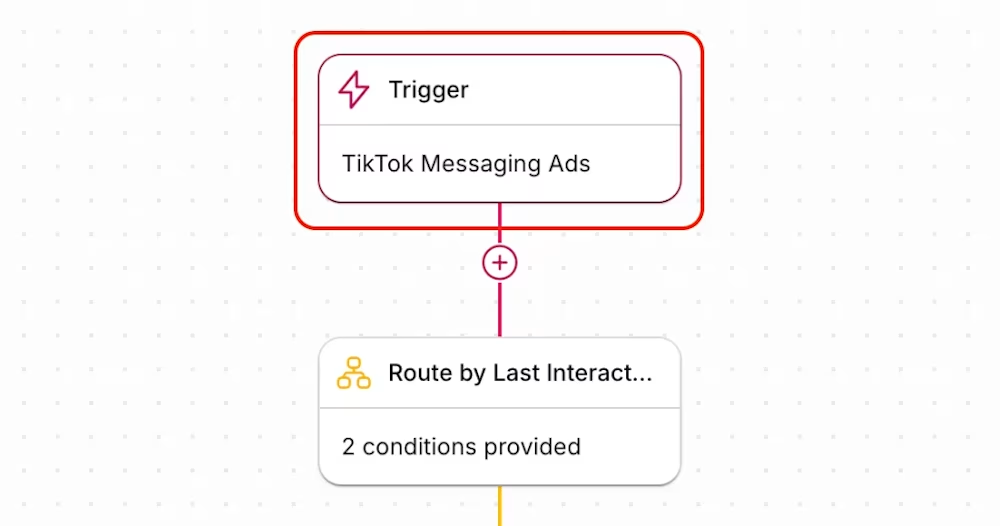
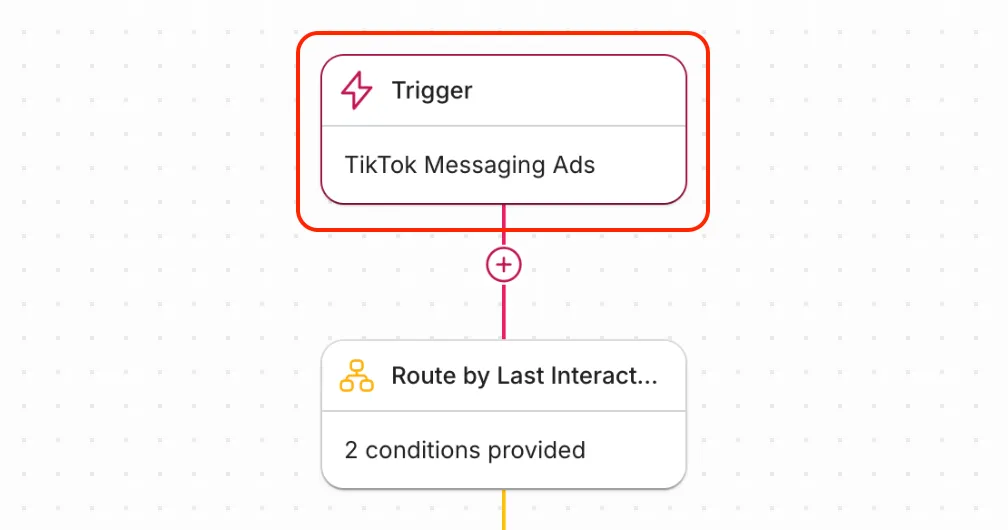
Trigger: The Workflow is triggered when a lead interacts with a TikTok Messaging Ad. Use TikTok Messaging Ads as the trigger event.
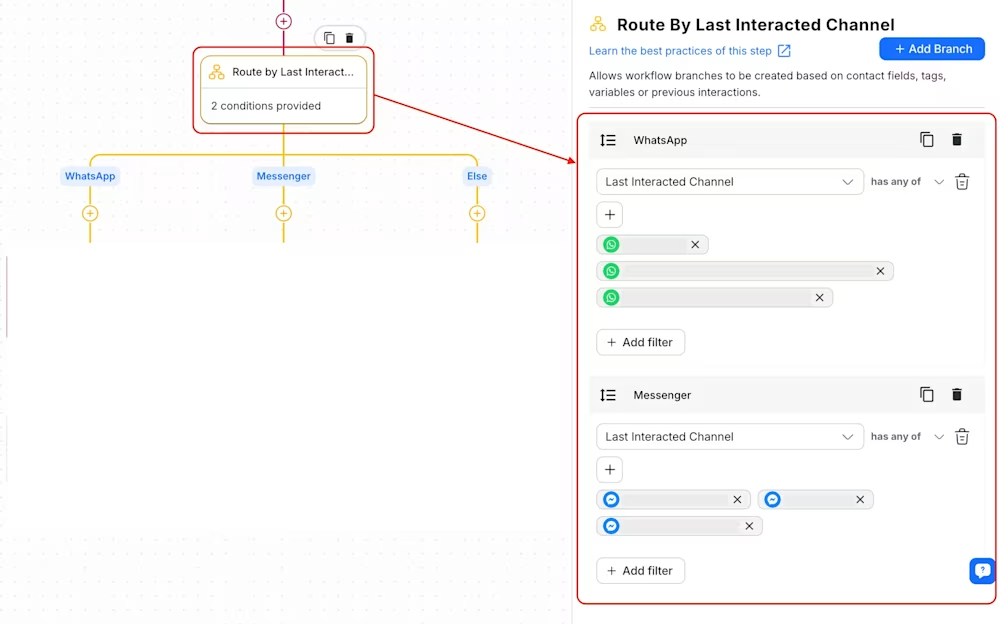
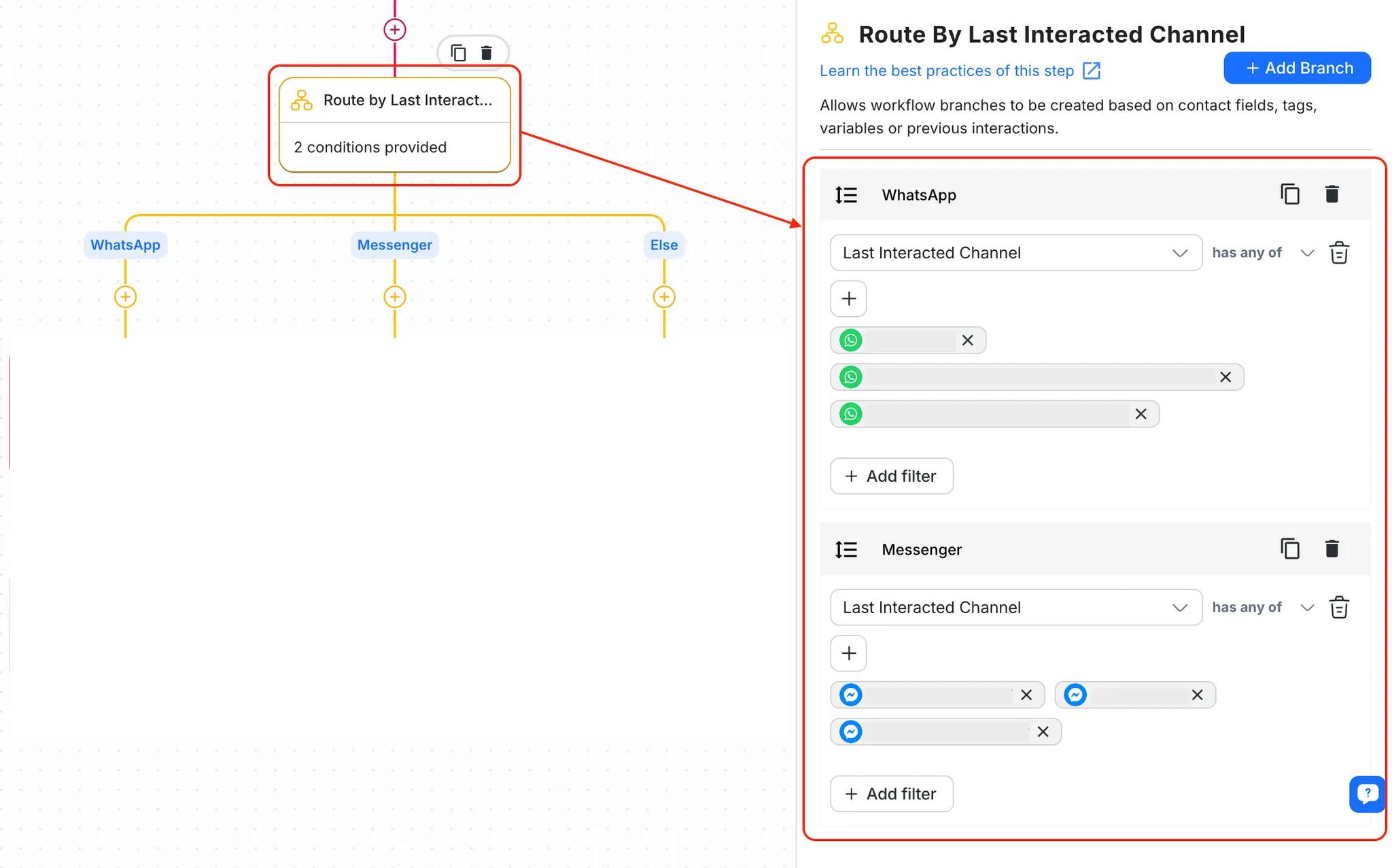
Route by Last Interacted Channel: The Workflow routes the Contact with a Branch Step based on their last interacted Channel (e.g., WhatsApp, Messenger). If the Channel doesn’t match either of these, the Workflow moves to the “Else” branch.
Add leads tag
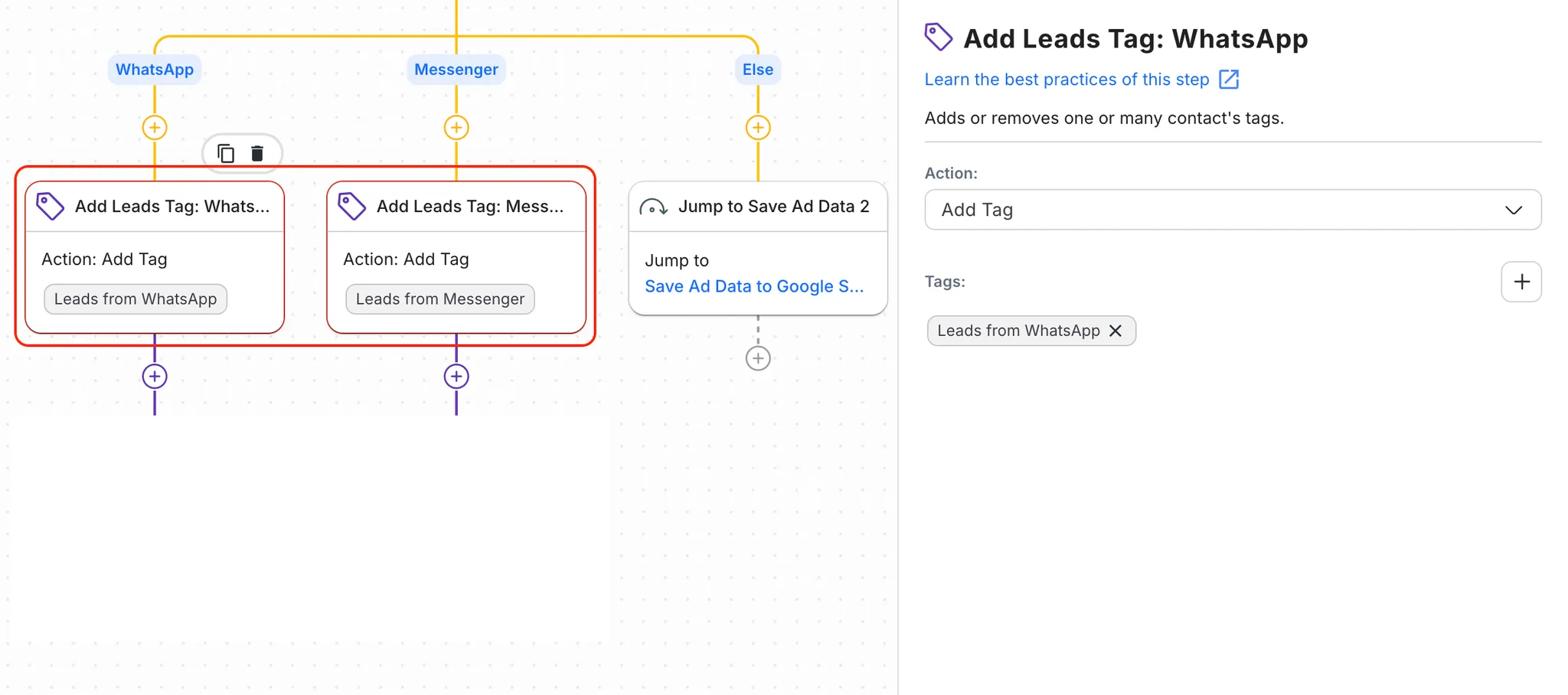
In this step, a tag is added to the Contact based on the Channel they used. Tags such as “Leads from WhatsApp” or “Leads from Messenger” are added for future segmentation.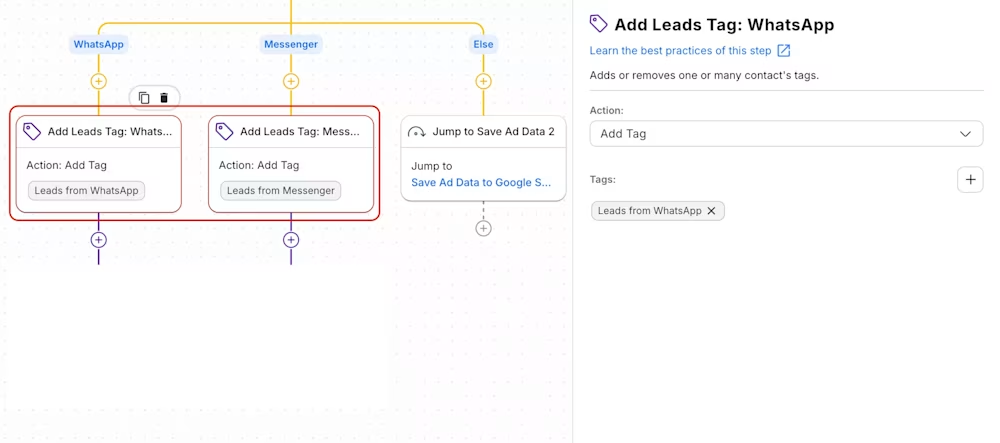
Save ad data to Google Sheets
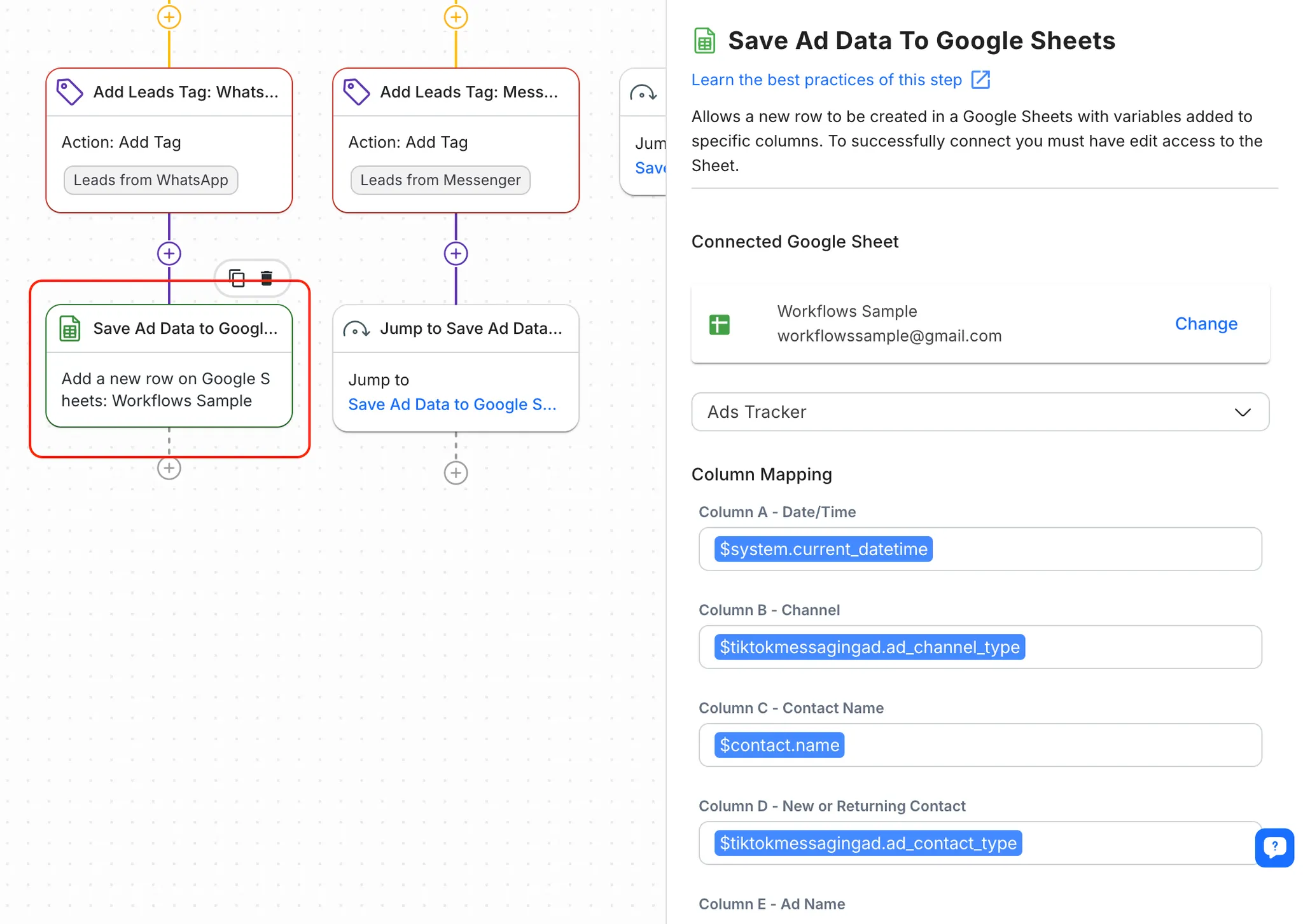
This step automatically logs ad performance data, including the Channel and Contact details, into a Google Sheet. This allows your team to analyze which Channel is generating the most valuable leads.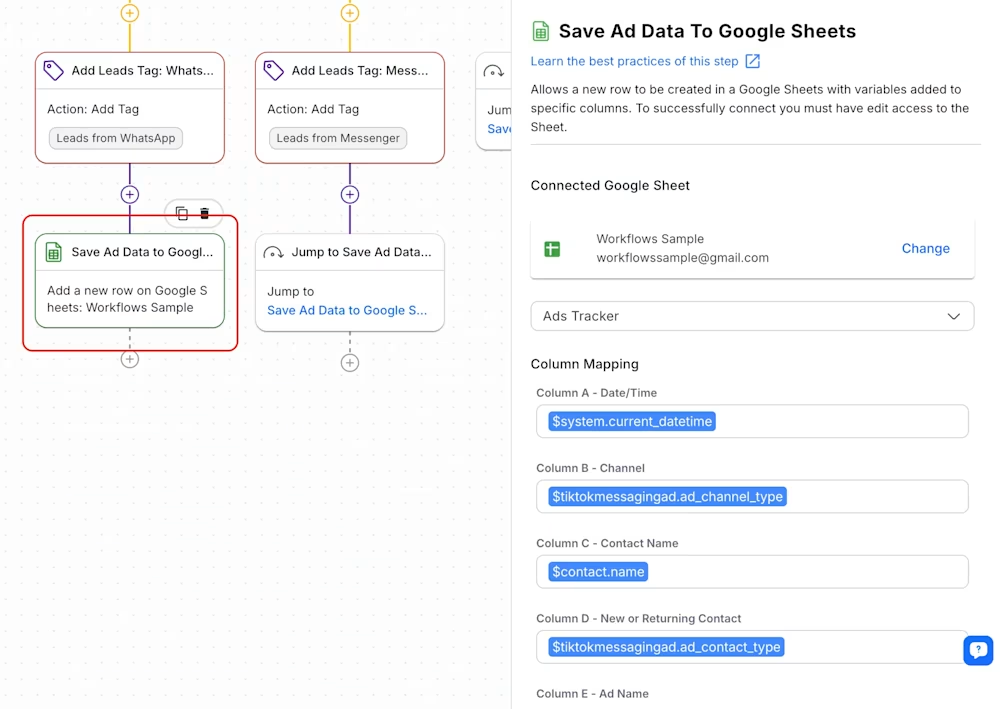
Download the Google Sheets template here.
Once your workflow is set up and running, you’ll be able to monitor TikTok Messaging Ads’ performance across different Channels, track conversion data, and refine future campaigns based on the collected insights.


