

Tip: Please see our specific API Documentation here for more information.
Developer APIs empower any developer or team to build custom solutions and integrations. Respond.io’s Developer API allows users to take advantage of many core features in respond.io, including automating messages, syncing CRMs and triggering Workflows.
Getting Started
Developer API is only available for Growth Plan and above.
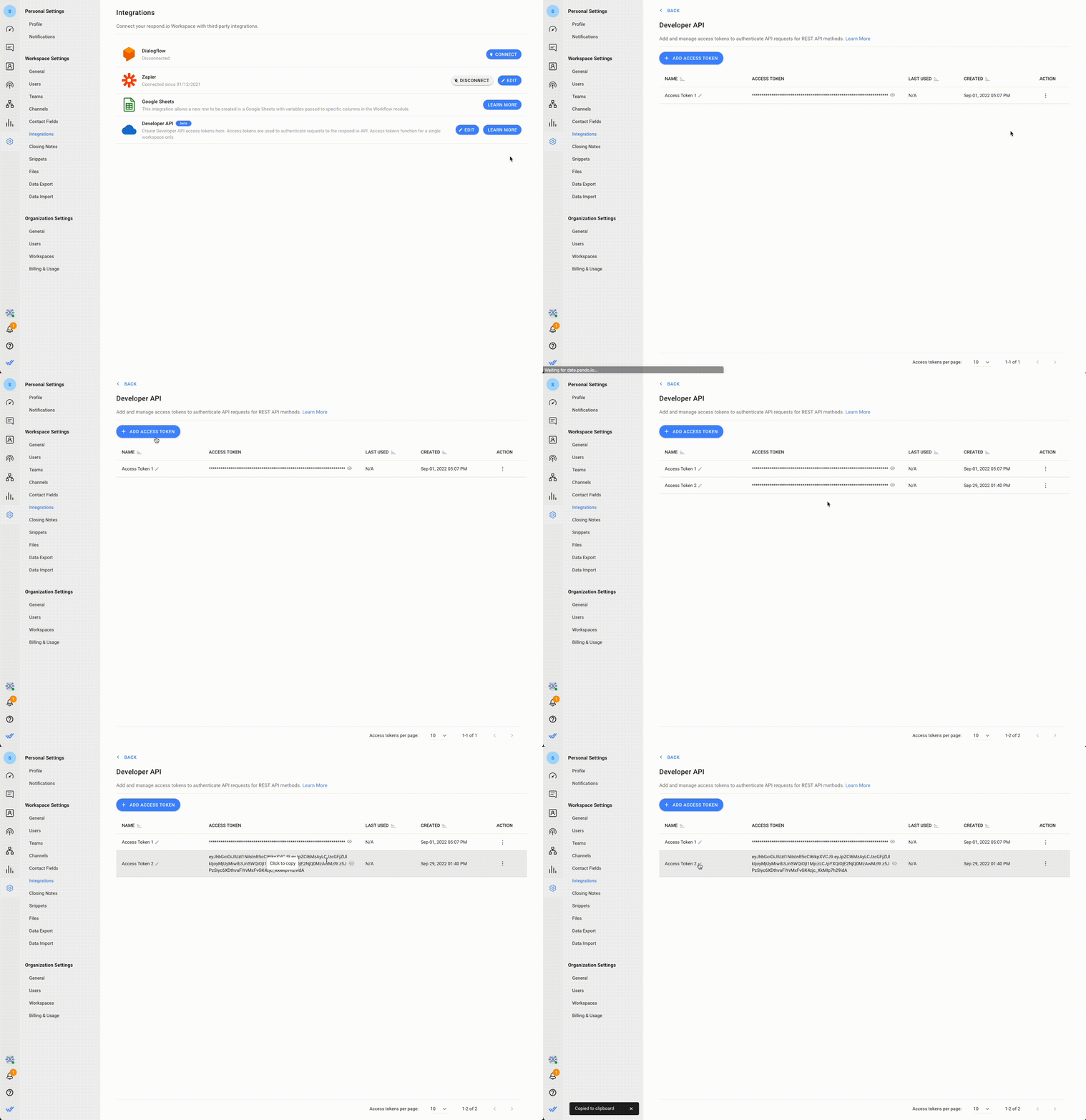
Step 1: Navigate to Integrations in Workspace Settings.
From the Settings Module, navigate to the menu item, Integrations.
Step 2: Navigate to Developer API
From the list, search for Developer API and press Edit.
Step 3: Add Access Token
Press Add Access Token to add a new access token. This token is needed to access our API endpoints.
FAQ and Troubleshooting
Why didn't my AI Agent send a reply after being assigned via Developer API?
This is expected behavior. When an AI Agent is assigned via Developer API, the assignment itself will not trigger the AI Agent to reply. The AI Agent will respond once the Contact sends a message.
For more details, see assignment via external tools.


