

Invite teammates
Once you have done the above, you can invite teammates to co-manage this organization with you. We have different organization access levels to suit your organization's needs.

You can learn more about the different organization access levels provided in respond.io.
Create Workspaces and Invite Users
You can create multiple workspaces and invite users to the workspaces.
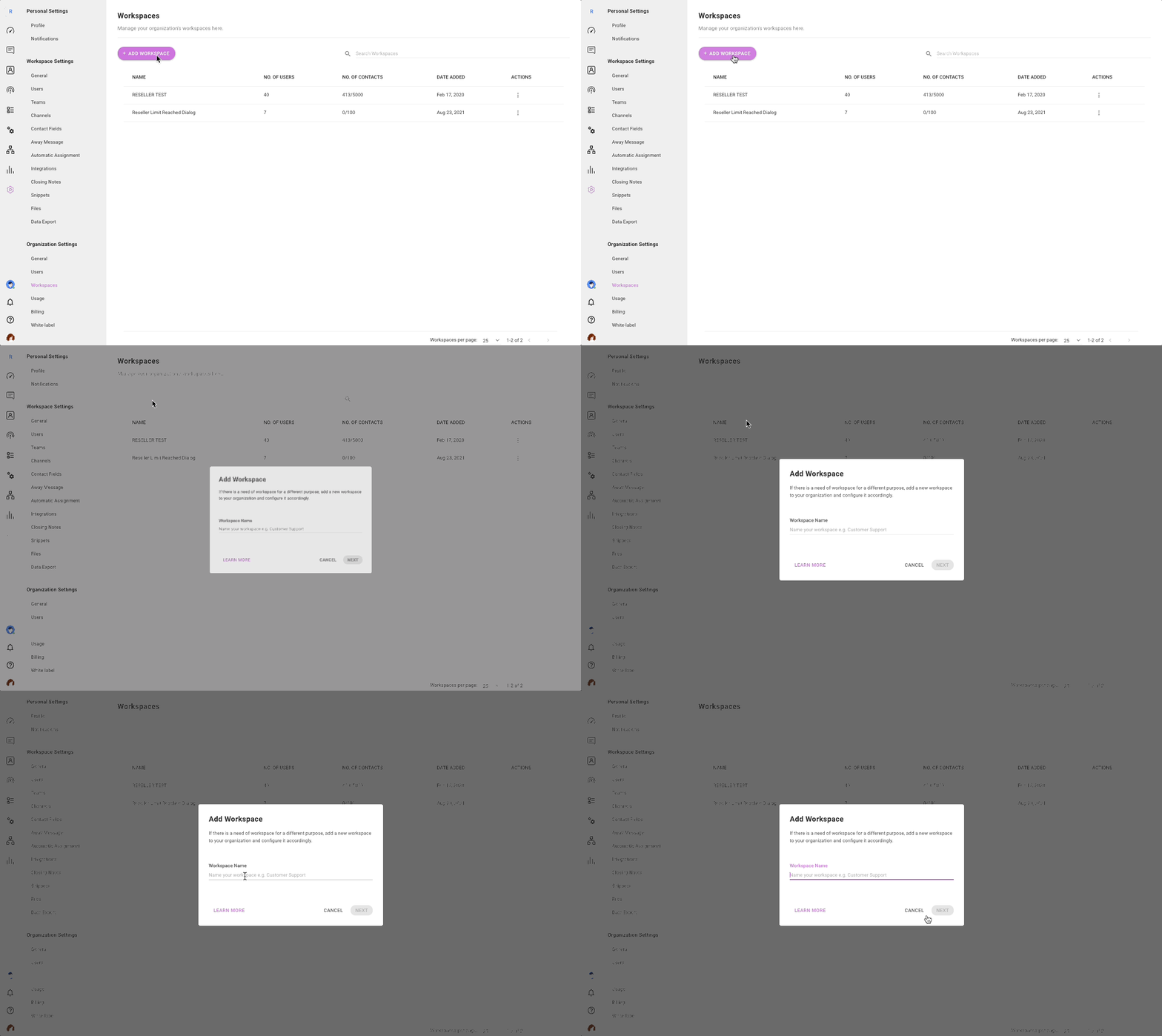
Learn more on how to manage workspaces and users:
Best Practices
1. Provide Manager or Agent access to your customers and their users
If you have a client or a customer, invite the person in charge of the space as a Manager or Agent instead of an Owner. This way, you can restrict them from deleting any important configuration within the platform.
2. Ensure that you only provide Organization Member access to your customer and their users
Organization members do not have access to the organization settings and therefore they cannot make changes to this module at all.
3. Engage a user admin to manage the user accounts of the organizations
We provide an organization role, User Admin to manage the users and their access levels within the organizations. This role will enable a user to add, delete or edit a user, their access to spaces and access levels within the organization.
4. Wait until all is sorted out before inviting your customer and their users to the platform
To prevent your customers and their users from receiving marketing emails from respond.io, we will need to manually remove your organization from the marketing subscription list. It will require 7 working days to process the unsubscription. If you would like to escalate this process, please contact our support team on this.


