


Connect your WeChat Official Account to respond.io to receive and reply to WeChat messages directly from your workspace Inbox. This guide walks through connecting, testing and configuring your WeChat Channel.
Before You Begin
A verified WeChat Official Account is required. Create one here if you don't have one yet.
Administrator access to the WeChat Official Account is required to authorize the connection.
Unverified accounts cannot send or receive messages via API.
How to connect WeChat
Navigate to Settings > Channels in your respond.io workspace.
Click Add Channel.
SelectWeChat and click Connect.
ClickConnect on the WeChat connection page. A QR code pop-up from WeChat appears.
Open the WeChat mobile app and scan the QR code using the administrator account of your WeChat Official Account.
Follow the on-screen instructions in the WeChat app to authorize respond.io as a third-party platform.
During authorization, respond.io is granted permission to:
Receive messages sent to your WeChat Official Account
Send replies from respond.io
Synchronize account information
The authorization must be completed on the WeChat Official Account Platform before returning to respond.io.
Confirm the connection. A success message appears: “You have successfully connected WeChat Official Account!”
How to test the WeChat Channel connection
Open the WeChat mobile app on your phone.
Scan the QR code displayed on the confirmation screen.
Send a message to your WeChat Official Account.
Go to the Inbox module in respond.io.
Verify the message appears in your workspace Inbox.
If the message appears, the WeChat Channel is successfully configured.
WeChat audio messages may not play in Google Chrome because the .wav format is not supported by the browser.
ClickComplete to finalize the Channel setup.
How to configure your WeChat Channel
Navigate to Settings > Channels.
Locate your connected WeChat Channel and click Manage.
Review the available configuration fields:
Channel Name — the internal name used to identify this WeChat Channel in your workspace. Not visible to Contacts. Edit at any time.
App ID — the unique identifier assigned to your WeChat Official Account. Automatically retrieved during authorization. This field cannot be edited.
FAQ and Troubleshooting
Why can’t I receive inbound messages?
To receive inbound messages via WeChat, ensure that:
Your WeChat Official Account is verified
You have completed the connection flow successfully
You tested the connection by sending a message via QR code
If your account is not verified, messages cannot be sent or received via API.
To learn more, read our guide on WeChat Official Account Verification.
Why did my WeChat connection fail?
If you see an error message about connection failure, this is returned directly from the WeChat Official Account Platform, not from respond.io.
Common reasons for connection failure include:
Incomplete authorization during login
Insufficient administrator permissions on the WeChat Official Account
Expired or timed-out login session
Attempting to connect an unsupported account type
What to Do
Restart the connection process from Settings > Channels
Log in again to the WeChat Official Account Platform
Ensure you are using an administrator account
Complete all authorization steps
Why aren’t my messages arriving?
If a WeChat user changes their password, the permissions will become outdated and will need to be refreshed.
Step 1: Go to Settings > Channels
Step 2: Find the WeChat Channel > Manage > Troubleshoot
Step 3: Click on Refresh Permission
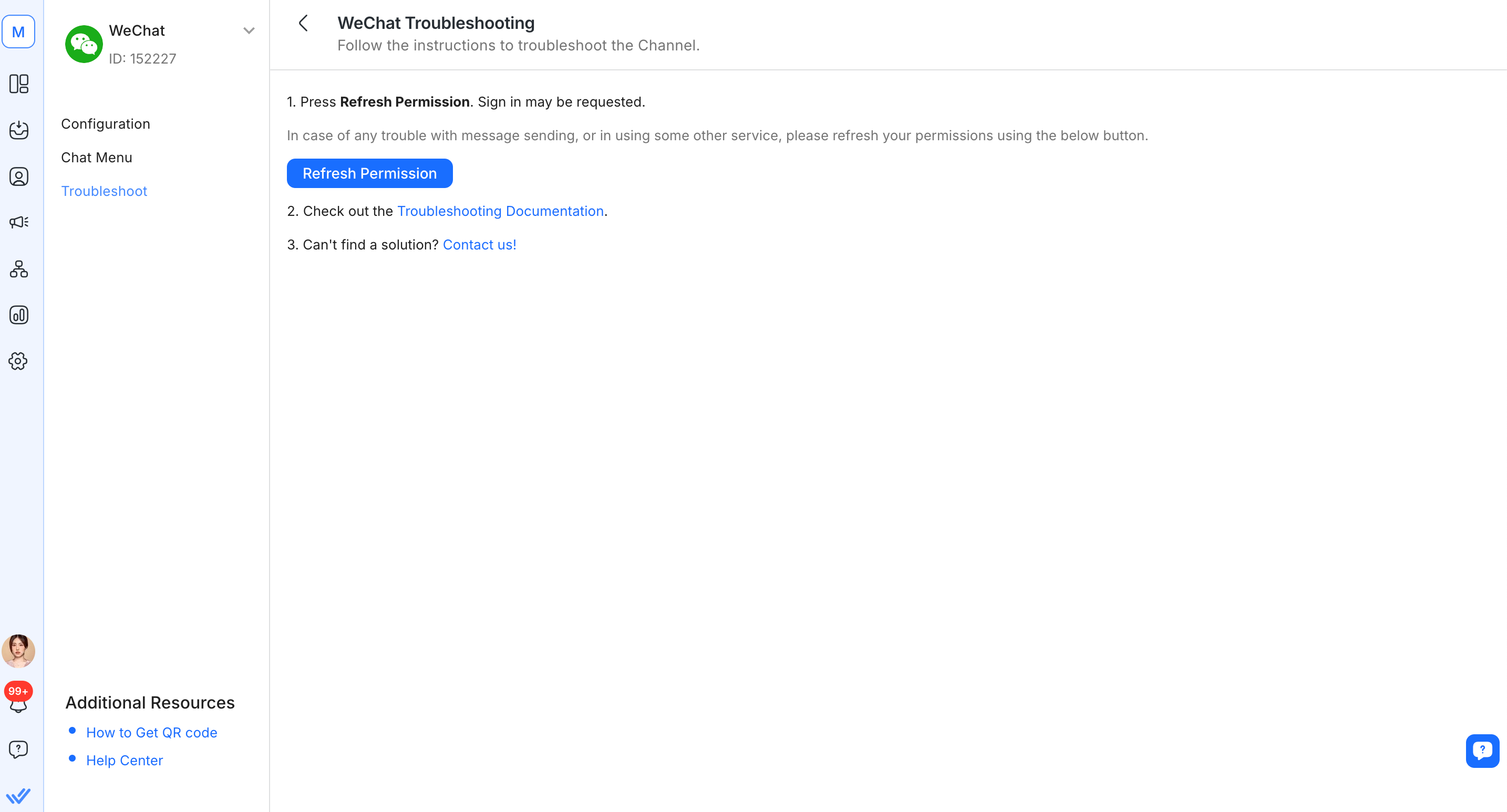
Step 4: Send a test message to the WeChat Channel and check if it has arrived


