

Joshua Lim
less than a minute read
This Step closes a conversation with the Contact.
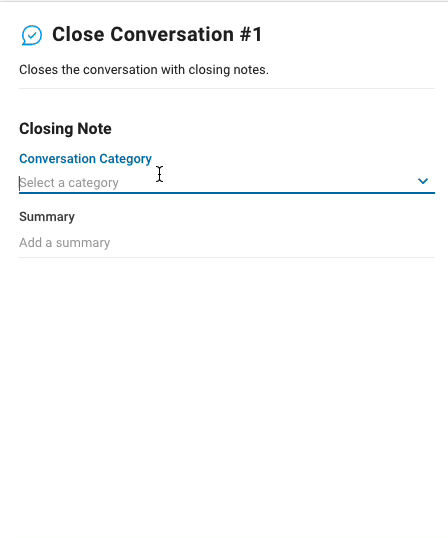
Configuration
Both configurations in the Close Conversation step are optional but might prove useful for documentation or analytics. The two configurations are:
Conversation Category: Users can select the appropriate category from the available options in Closing Notes on the platform.
Summary: This provides a summary of the conversation.
How It Works
When triggered, the conversation with the Contact will close. If the conversation category and summary are configured, the conversation will close with the Closing Notes appended.
Suggested Use Cases
Manage Spam: Use the close conversation step to automatically close conversations once the Contact has been determined as spam by the workflow.


