

หมายเหตุสำคัญ: ใช้งานได้กับ ทุกแผนของ respond.io,รวมถึงการทดลองใช้ฟรี ยกเว้น Starter.
การบูรณาการกับ n8n ช่วยให้คุณเชื่อมพื้นที่ทำงาน respond.io กับ n8n ซึ่งเป็นแพลตฟอร์มอัตโนมัติที่ทรงพลัง. ด้วยการบูรณาการนี้ คุณสามารถสร้างเวิร์กโฟลว์ขั้นสูงโดยใช้ทริกเกอร์และแอ็กชันของ respond.io โดยตรงใน n8n.
ด้วยการบูรณาการนี้ คุณสามารถ:
ทำให้เวิร์กโฟลว์ที่ซับซ้อนเป็นอัตโนมัติด้วยตรรกะแบบ low-code.
เชื่อมต่อ respond.io กับแอปหลายร้อยแอปผ่าน n8n.
ใช้ทริกเกอร์ของ respond.io (เช่น ข้อความใหม่, อัปเดตผู้ติดต่อ) ภายใน n8n.
ดำเนินการ respond.io (เช่น ส่งข้อความ, อัปเดตฟิลด์ผู้ติดต่อ) จากใน n8n.
สิ่งที่คุณต้องเตรียม
บทบาท ผู้ดูแลระบบ หรือ ผู้จัดการ ใน respond.io.
บัญชี n8n
คีย์ API สำหรับ n8n ที่สร้างใน
respond.io (Workspace Settings > Integrations > n8n).
การตั้งค่าการบูรณาการ
ขั้นตอนที่ 1: สร้างคีย์ API ใน respond.io
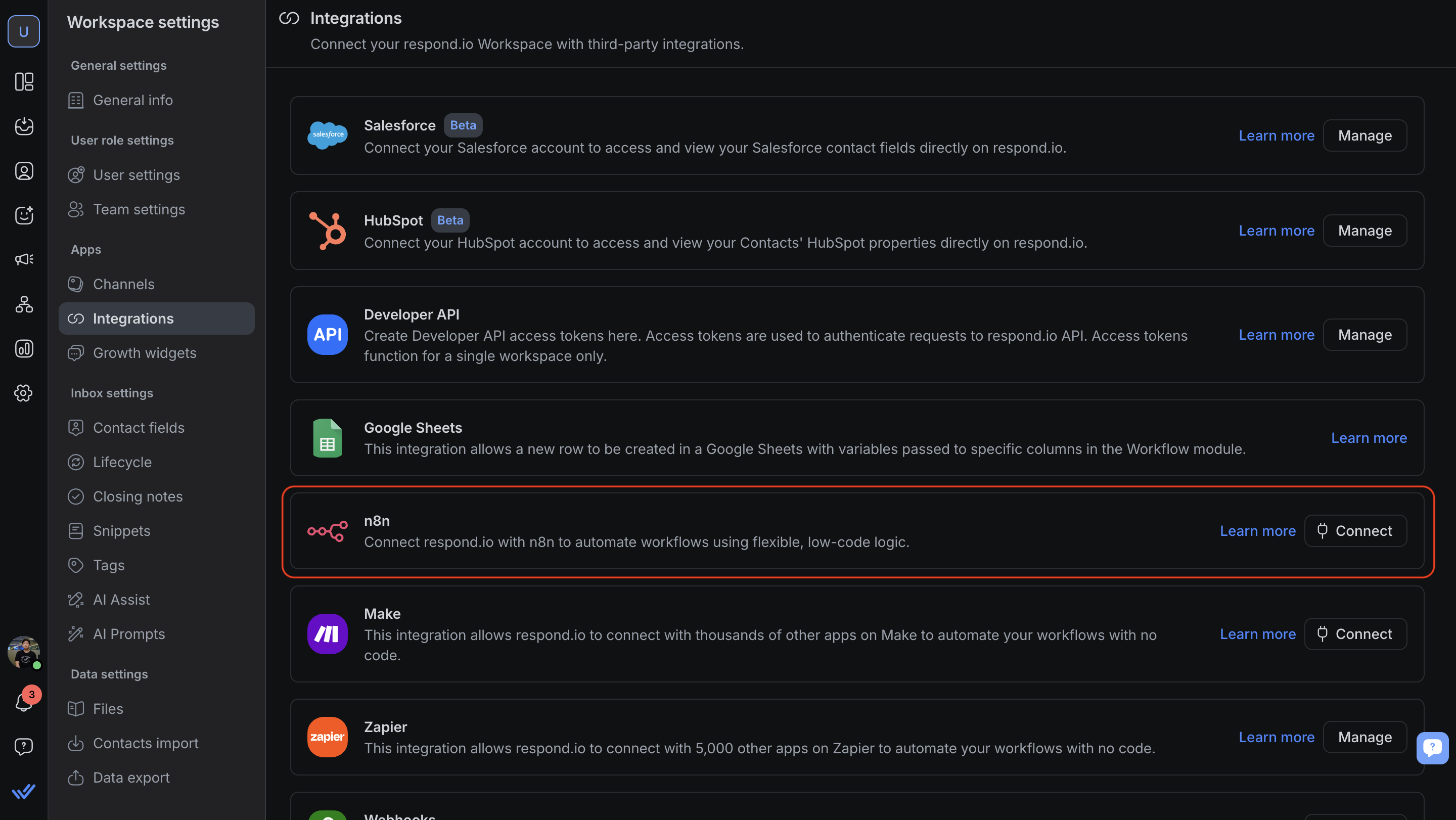
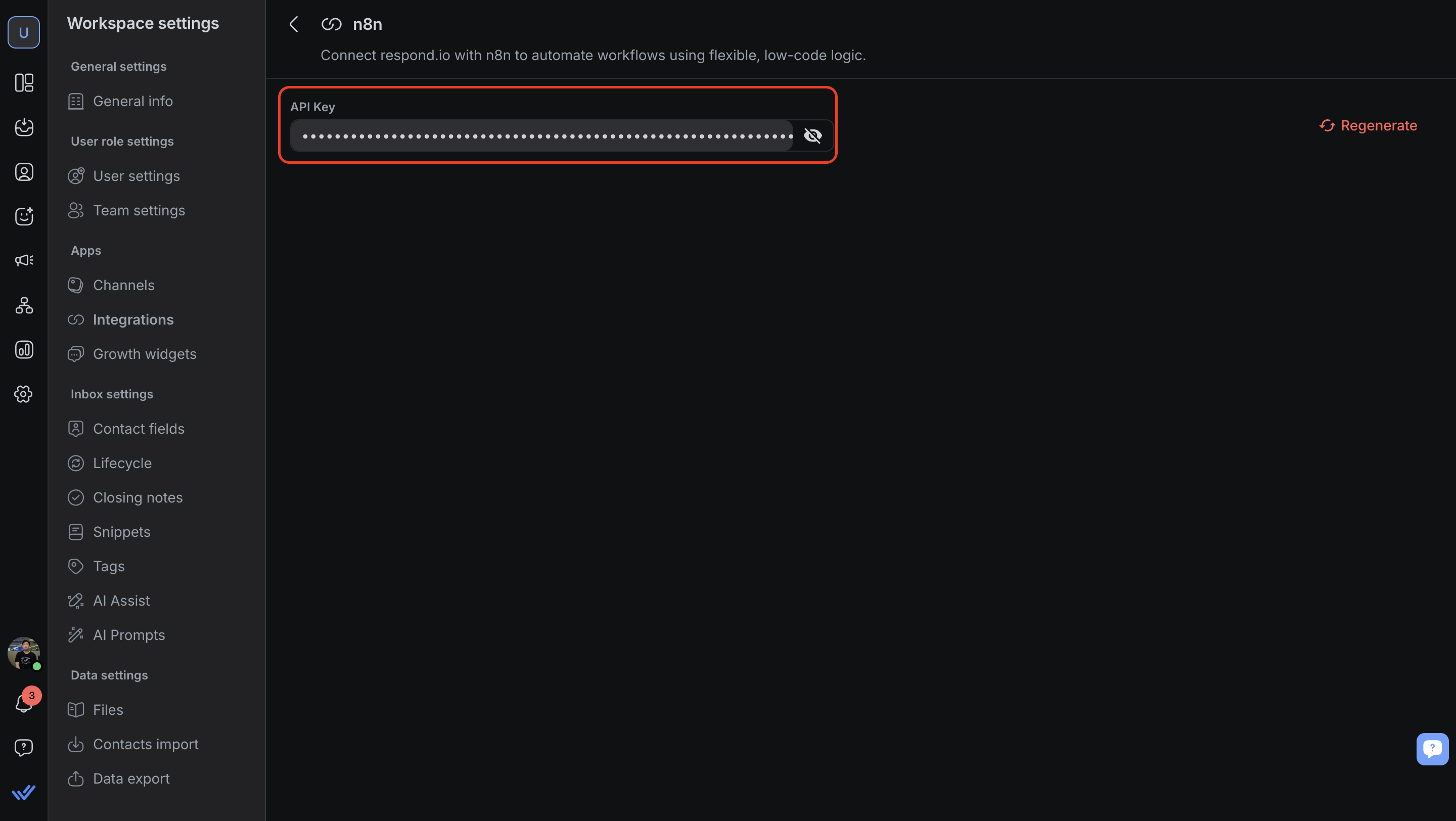
ในพื้นที่ทำงาน respond.io ของคุณ ไปที่ การตั้งค่าพื้นที่ทำงาน > การบูรณาการ > n8n แล้วคลิก เชื่อมต่อ.
คัดลอกคีย์ API ที่สร้างขึ้นและจัดเก็บอย่างปลอดภัย.
หากจำเป็น คุณสามารถสร้างคีย์ API ใหม่ได้ตลอดจากหน้านี้.
ขั้นตอนที่ 2: ติดตั้ง respond.io node ใน n8n
สำหรับ n8n Cloud: Node จะปรากฏใน marketplace (คุณจะต้องติดตั้ง Node เพื่อเริ่มใช้งาน). ดูข้อมูลเพิ่มเติมเกี่ยวกับ การติดตั้งโนดสำหรับ n8n cloud.
สำหรับ n8n ที่ติดตั้งด้วยตนเอง: ติดตั้ง node ของ respond.io ด้วยตนเองโดยทำตาม คู่มือการติดตั้งโนดชุมชนของ n8n.
ชื่อ node ของ respond.io:
@respond-io/n8n-nodes-respond-io
ขั้นตอนที่ 3: สร้างเวิร์กโฟลว์ใน n8n
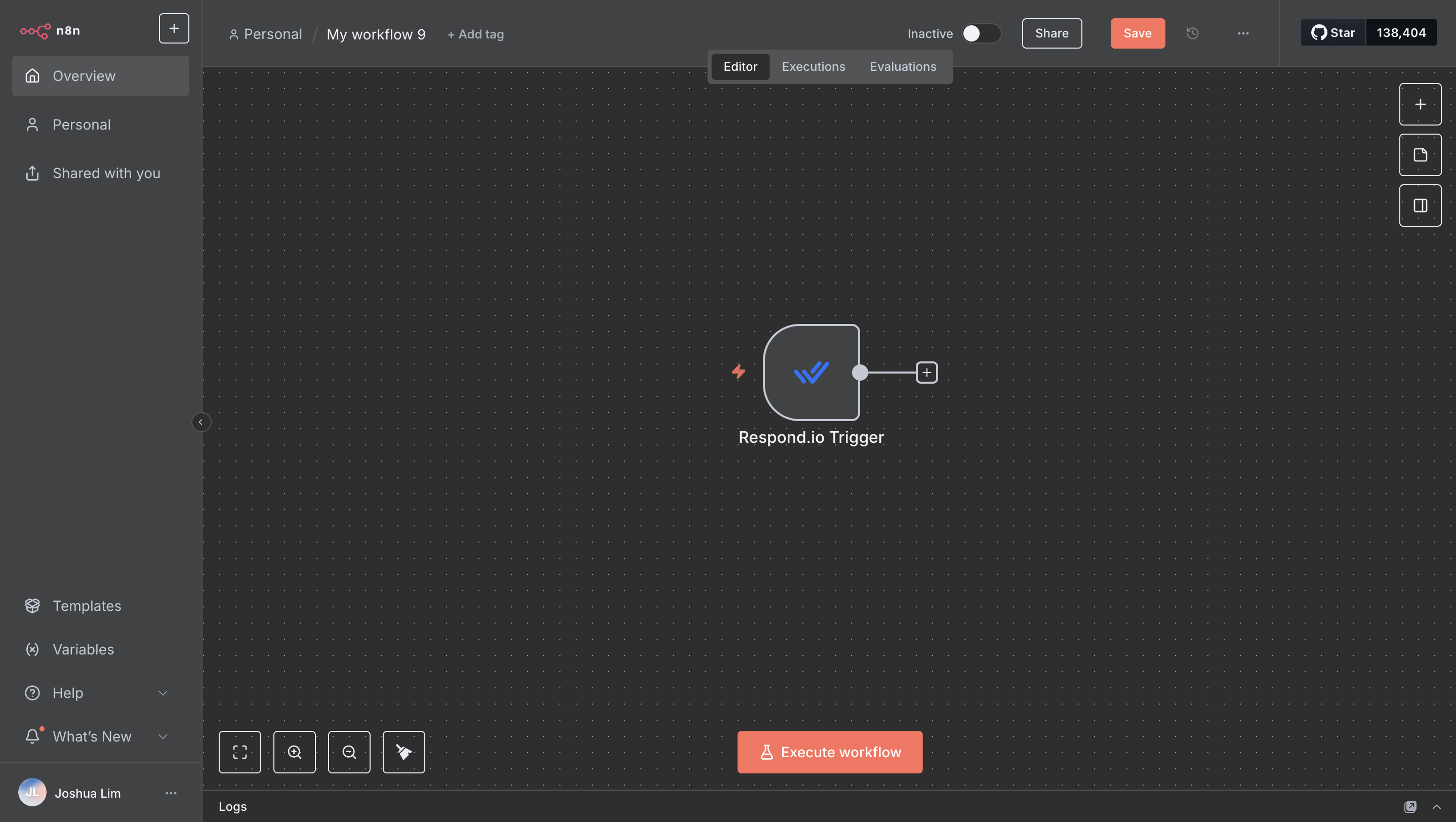
ใน n8n ให้เพิ่ม respond.io node เป็นทั้ง ทริกเกอร์ หรือ แอ็กชัน.
ทริกเกอร์ที่พร้อมใช้งาน:
ผู้รับผิดชอบของผู้ติดต่อถูกอัปเดต
ข้อความขาเข้าใหม่
ข้อความขาออกใหม่
ความคิดเห็นใหม่
การสนทนาถูกปิด
การสนทนาเปิดขึ้น
ผู้ติดต่อใหม่
แท็กของผู้ติดต่อถูกอัปเดต
ผู้ติดต่อถูกอัปเดต
สถานะวงจรชีวิตของผู้ติดต่อถูกอัปเดต
การดำเนินการที่มีอยู่:
รับช่องทางทั้งหมด
รับบันทึกการปิดทั้งหมด
เพิ่มความคิดเห็น
เพิ่มแท็กพื้นที่
ลบแท็กสเปซ
อัปเดตแท็กสเปซ
นำแท็กออก
ลบข้อมูลติดต่อ
ผสานติดต่อ
ค้นหาช่องทางของผู้ติดต่อ
ค้นหาผู้ติดต่อ
เพิ่มแท็ก
รับผู้ติดต่อจำนวนมาก
อัปเดตผู้ติดต่อ
สร้างหรืออัปเดตผู้ติดต่อ
สร้างผู้ติดต่อ
รับฟิลด์แบบกำหนดเองทั้งหมด
ค้นหาฟิลด์ที่กำหนดเอง
สร้างฟิลด์แบบกำหนดเอง
มอบหมายหรือยกเลิกการมอบหมายบทสนทนา
เปิดหรือปิดบทสนทนา
นำสถานะวงจรชีวิตของผู้ติดต่อออก
อัปเดตสถานะวงจรชีวิตของผู้ติดต่อ
ค้นหาข้อความ
ส่งข้อความ
ค้นหาผู้ใช้
รับผู้ใช้ทั้งหมด
คำถามที่พบบ่อยและการแก้ปัญหา
ฉันสามารถใช้คีย์ API เดียวกันสำหรับเวิร์กโฟลว์หลายรายการได้หรือไม่?
ใช่ คีย์ API หนึ่งตัวสามารถใช้งานซ้ำได้กับเวิร์กโฟลว์หลายรายการในพื้นที่ทำงานเดียวกัน.
จะเกิดอะไรขึ้นหากฉันสร้างคีย์ API ใหม่?
เวิร์กโฟลว์ n8n ที่มีอยู่ทั้งหมดที่ใช้คีย์เก่าจะหยุดทำงานจนกว่าจะอัปเดตเป็นคีย์ใหม่.
มีข้อจำกัดในการร้องขอหรือไม่?
การรวมระบบเป็นไปตามขีดจำกัดอัตราการเรียก API มาตรฐานของ respond.io.


