

As conversations grow in volume, Inbox provides tools to help you organize and prioritize conversations. This article explains how to filter and sort conversations, including advanced filters and unreplied conversations.
Filter and sort conversations
You can filter and sort conversations in Inbox to manage them more easily.
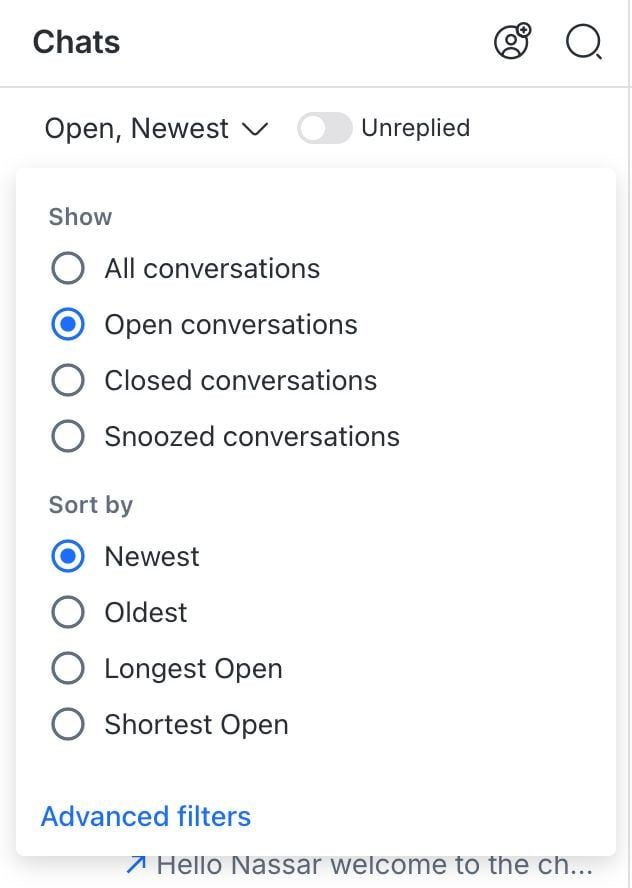
Use the following options to organize conversations in Inbox:
Filter
Filters let you narrow down conversations based on specific criteria.
The following filter options are available:
All: Shows all conversations in the selected inbox.
Open: Shows only open conversations.
Closed: Shows only closed conversations.
Snoozed: Shows only snoozed conversations.
Sort
Sorting controls the order in which conversations appear in your Inbox.
The sorting options are available:
Newest: Sorts conversations from newest to oldest based on the most recent message. Broadcast messages do not affect this order.
Oldest: Sorts conversations from oldest to newest based on message activity. Broadcast messages do not affect this order.
Longest (Open/Closed/Snoozed): Sorts conversations from longest to shortest based on how long they have been open, closed, or snoozed.
For unsnoozed conversations, the time before the snooze occurred is used.
Conversations without closed data appear at the top of the list.
Shortest (Open/Closed/Snoozed): Sorts conversations from shortest to longest based on how long they have been open, closed, or snoozed.
For unsnoozed conversations, the time before the snooze occurred is used.
Conversations without closed data appear at the bottom of the list.
- The All filter is not available when using the Longest or Shortest sorting options.
- In the Blocked Contacts inbox, the filter option defaults to All and cannot be changed.
- Conversations for blocked Contacts are only shown in the Blocked Contacts inbox, regardless of the selected filter.
Advanced filters
In the same filter dropdown, there’s an advanced filters option. It lets you create more specific views of conversations. You can save these views as Custom Inboxes for quick access.
Advanced filters are best for views you want to keep and reuse. To look up a conversation by a single field once — for example, a Contact ID or a company name — the command palette is faster. Press Cmd + K on Mac or Ctrl + K on Windows, type conversation@, then select the field.
Learn more about filtering conversations by field in the command palette.
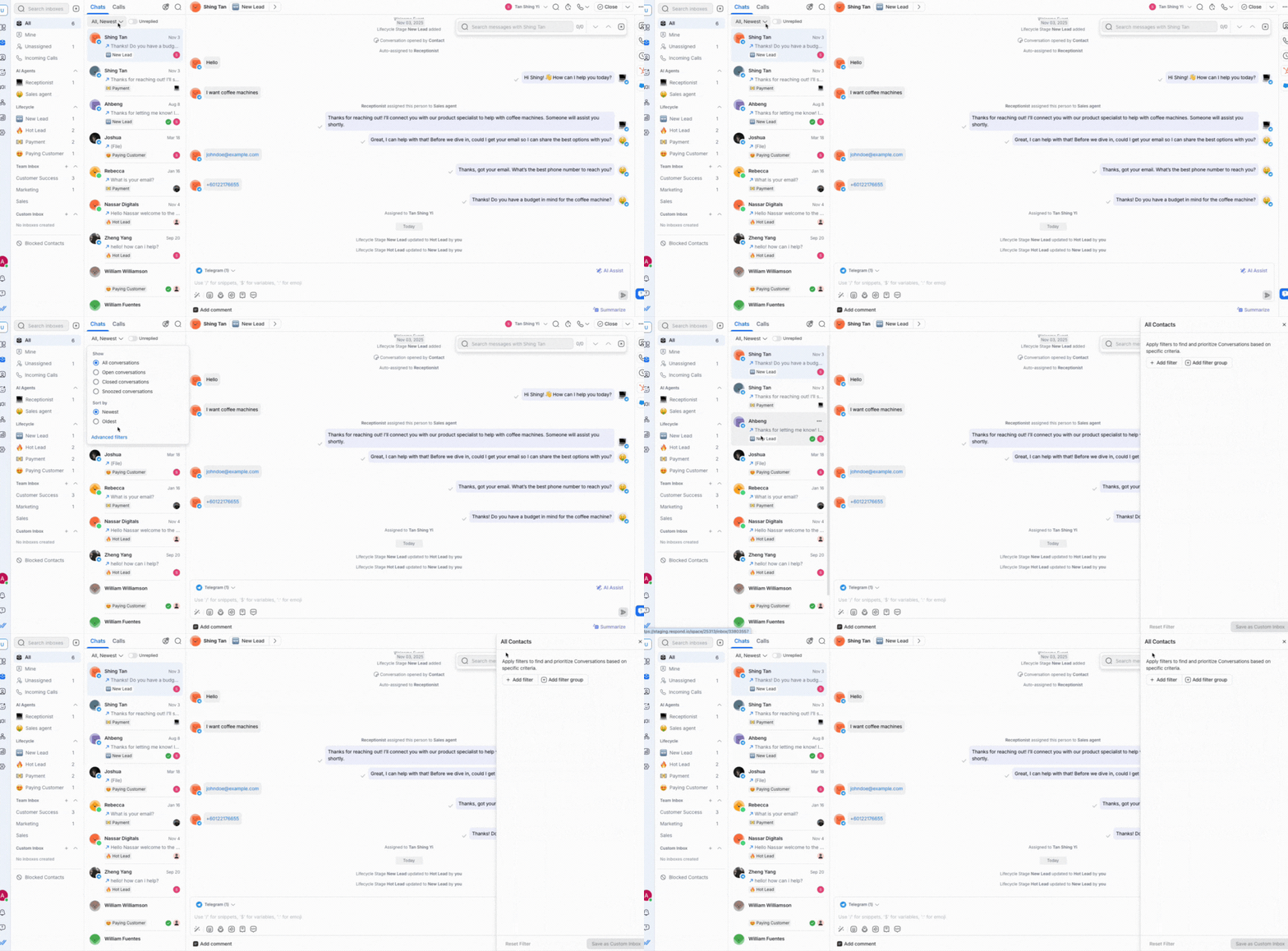
Unreplied
The Unreplied filter option shows conversations that you or your team have not yet replied to. This is displayed as a toggle next to the filter dropdown.
A conversation appears in the Unreplied filter if its most recent message is an incoming message from the Contact.
Important:
- Replies sent via Broadcast messages do not count, so the conversation will still appear in the Unreplied filter.
- Automated messages count as replies. Once an automated message is sent to your Contact, the conversation will no longer appear in the Unreplied filter.
Next steps
You’ve learned how to organize conversations in Inbox using filters and sorting options. Next, learn how to find conversations quickly with the command palette or how to manage calls in Inbox.


