

Eligibility: Only Workspaces on paid plans are allowed to top up the WABA balance. Trial plans cannot top up. Learn more about our paid plans.
This module allows you to manage your WhatsApp Business Account (WABA) connected to the respond.io WhatsApp Business API, including:
Topping up your WABA balance
Configuring auto-recharge or balance alerts
Viewing top-up and usage history
Getting Here
To access WhatsApp fees:
Go to Organization Settings
Select WhatsApp fees
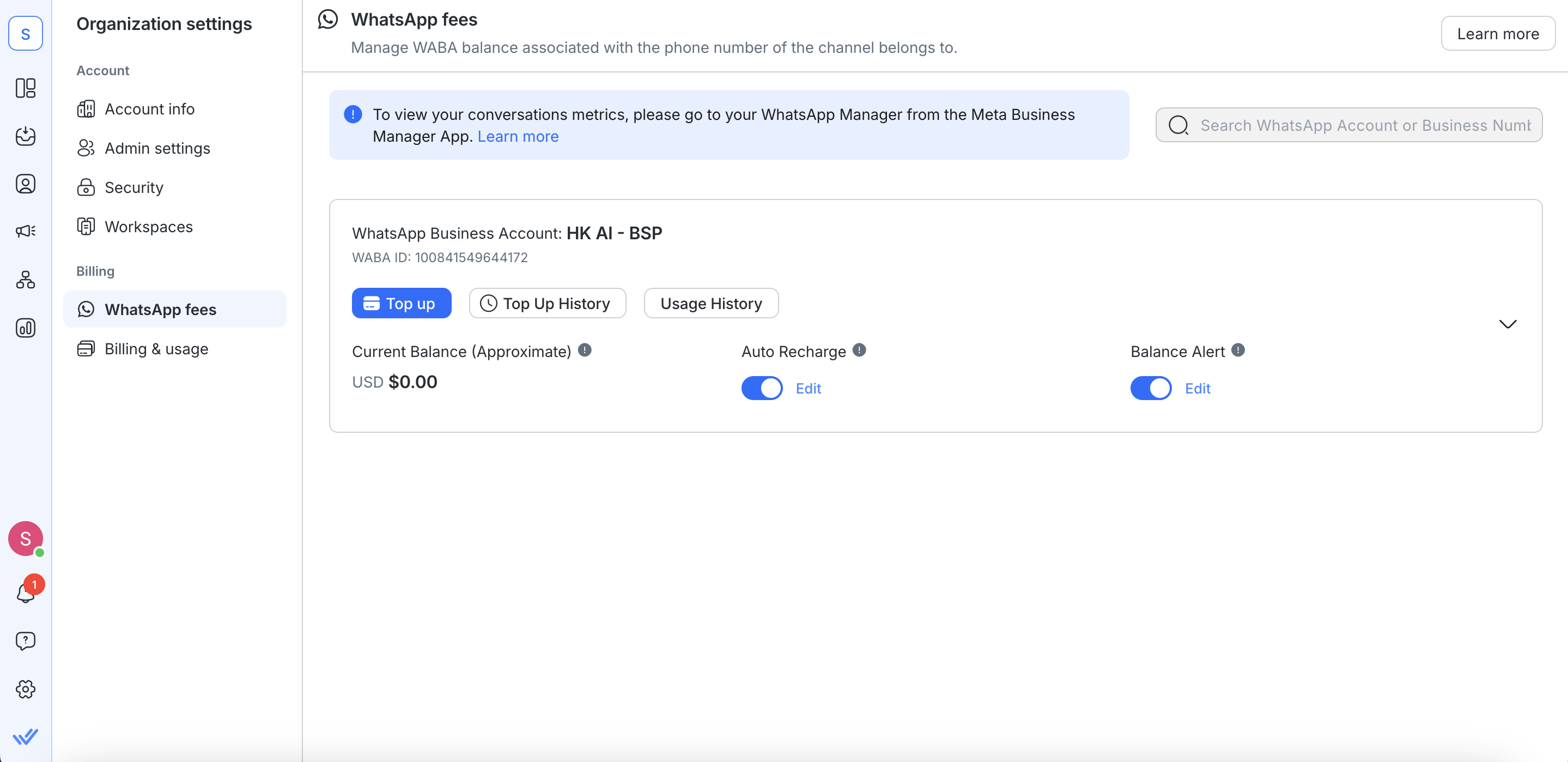
WhatsApp fees is:
Available if you’ve connected the respond.io WhatsApp Business API to your organization.
Accessible by Organization Admins and Billing Admins only.
WhatsApp Business Account (WABA)
Each phone number connected via the respond.io API is associated with one WABA.
Shared Balance: The WABA balance is shared across all connected phone numbers.
Details Displayed: Lists the phone number, channel name, and workspace name for each connected API.
Hide inactive WABAs: Turn on this toggle to hide inactive WABAs from the list.
A WABA is considered inactive when both of these conditions are met:
Its balance is $0.00.
It has no connected WhatsApp channels.

Current Balance
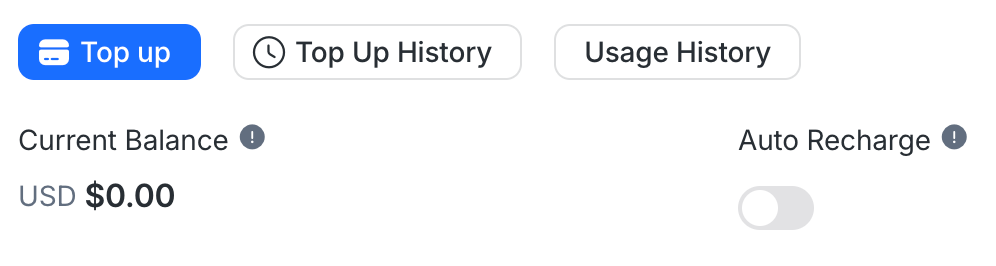
The current balance shows your WABA’s remaining credit, deducted immediately for paid service messages and template messages (Marketing, Utility, Authentication).
If your balance reaches 0, you won’t be able to send paid messages. Each business phone number’s first 1,000 service messages per month don’t need balance. Service messages beyond that, and all template messages, will fail if your balance is empty.
To avoid disruptions, ensure a sufficient balance or enable auto recharge.
The current balance shows the approximate remaining balance of your WABA. Your balance will be deducted immediately when a paid message is sent.
Top Up Balance
To top up your WABA balance:
Select Top Up and enter an amount with a minimum of $10 and maximum of $2,000 per transaction.
A 5.5% transaction fee (charged by Stripe) normally applies — this is waived from 1 October 2026 until further notice. Learn more.
After payment, your balance updates instantly, and a receipt is sent to your billing email (Go to Organization Settings > Billing & Usage > Update Billing Information to find your billing email).
Auto Recharge
Enable Auto Recharge to automatically top up your WABA balance when it falls below a set amount.
Configure trigger and recharge amounts via the dialog box after toggling Auto Recharge. Use the Edit button to update settings anytime.
A 5.5% transaction fee (charged by Stripe) normally applies — this is waived from 1 October 2026 until further notice. Learn more.
Auto Recharge helps prevent insufficient balance and account suspension.
Balance Alert
Enable Balance Alert to receive platform and email notifications when your WABA balance drops below a set amount.
Set the trigger amount and recipients in the dialog box after toggling Balance Alert. Use Edit to update settings anytime.
Notifications are sent only to Organization Admins and Billing Admins.
Top Up History
View all top-up transactions by clicking Top Up History. Download receipts using the View Receipt button.
Usage History
A monthly invoice summarizing WhatsApp charges is generated at the start of each month. It includes per-message charges for service messages beyond the free allowance and for template messages (Marketing, Utility, Authentication).
View your usage and download invoices via the Usage History and View Invoice buttons.
FAQ and Troubleshooting
How many free service messages do I get?
From 1 October 2026, each business phone number gets 1,000 free service messages per month. Meta charges per message from the 1,001st, and unused free messages don't roll over.
A service message is any non-template message sent within the 24-hour customer service window. See WhatsApp Pricing for details.
How to view my free conversations usage and all conversations metrics?
You can monitor your conversation insights in the Insights tab of Meta WhatsApp Manager. From there, you can view the number of Service Conversations you’ve opened, as well as all template message usage. Learn more about conversation metrics here.

How is each WhatsApp message charged?
From 1 October 2026, Meta charges every message type per message, not per conversation:
Service messages: The first 1,000 per business phone number each month are free. After that, rates match the Utility and Authentication rates for the same market, with no volume discounts.
Marketing templates: Charged per message sent.
Utility templates: Charged per message sent, inside or outside the 24-hour customer service window.
Authentication templates: Charged per message sent.
Free entry point conversations: All message types are free during the window. It lasts up to 7 days from a Click to WhatsApp ad, or 72 hours from a Facebook Page Call-to-Action button.
Charges vary by recipient country and message category. For exact rates, see Meta's rate cards effective 1 October 2026.
How will I be charged?
Your WABA balance is deducted instantly whenever charges apply. Specifically:
Service messages are free for the first 1,000 per business phone number each month, then billed per message.
Template messages (Marketing, Utility, Authentication) are billed per message.
If your balance is insufficient, your WhatsApp Channel will be suspended until you top up. During suspension, you cannot send messages (including broadcasts, workflows, or automation).
Why is my WABA Current Balance showing a negative amount?
If you send paid template messages without enough balance, your WABA balance may go negative. In this case, all WhatsApp Channels linked to that WABA will be suspended, and you won’t be able to send messages until you top up. Once payment is made, the balance will be adjusted to offset the negative amount and your channels will be reactivated.
How is the transaction processing fee calculated for top-up or auto recharge?
A 5.5% transaction processing fee (charged by Stripe) applies to every top-up or auto-recharge. Formula:
This fee is waived from 1 October 2026 until further notice — you’ll only be charged the top-up amount during this period. The formula below applies once the waiver ends.
Total Charges = Top-Up Amount x (1 + 5.5%)
For example, topping up $100 will then cost $105.50.
Is it possible to receive a refund from my WhatsApp balance?
Only full refunds of WhatsApp fees are possible. To request one, you must delete your WhatsApp Business Account (WABA) as a channel on the platform, since WhatsApp fees are tied to the WABA. For more details on the refund process and assistance with your specific situation, please contact us.
Can I delete a WABA ID from respond.io?
No. A WABA ID cannot be deleted from respond.io once connected, as monthly settlement with Meta requires it to remain active on the platform.
If you fully offboard from respond.io and move to a different BSP, there is no impact — the credit line associated with rocketbots.io will be revoked as part of the offboarding process. See Phone Number Migration for offboarding steps.
Can I add a different credit card for each WABA (WhatsApp Business Account) I create?
Yes, you can use different credit cards for each WABA.
Can I use a different credit card that was not used for my respond.io plan subscription to top up my WABA balance?
Yes. You are not restricted to using the same credit card for your respond.io plan subscription as the one you use for your WABA(s).
How can I re-download the top-up receipt if the receipt link has expired?
As a security measure, receipt links expire within 30 days. Expired receipt links require you to provide the original email address you registered in Stripe to resend the receipt.
What happens if my WABA balance goes negative, and how can I check my usage?
If your WABA (WhatsApp Business Account) balance goes negative, all WhatsApp channels associated with the WABA will be suspended, and you will be unable to send messages to your Contacts until you top up your balance to cover the negative amount.
To check your usage and understand the charges leading to the negative balance:
Monthly Invoice: A consolidated invoice for WABA fees is generated at the beginning of the following month. This invoice provides a summary of the total charges for the previous month. However, note that it does not include a detailed breakdown of individual conversations.
Meta WhatsApp Manager (Insights Tab): Visit the Insights tab in your Meta WhatsApp Manager to view detailed metrics about your conversations, including free and paid conversation usage. Learn more


