TL;DR - What are the best AI chat agents?
The best AI chat agent depends on your operational needs, whether you’re scaling B2C sales, running marketing funnels, managing social commerce or automating support.
B2C sales-focused AI agents – respond.io, Zendesk, Kommo.
Built for high-volume, revenue-driven messaging with CRM-aware automation, omnichannel routing and lifecycle tracking.
Winner: Respond.io
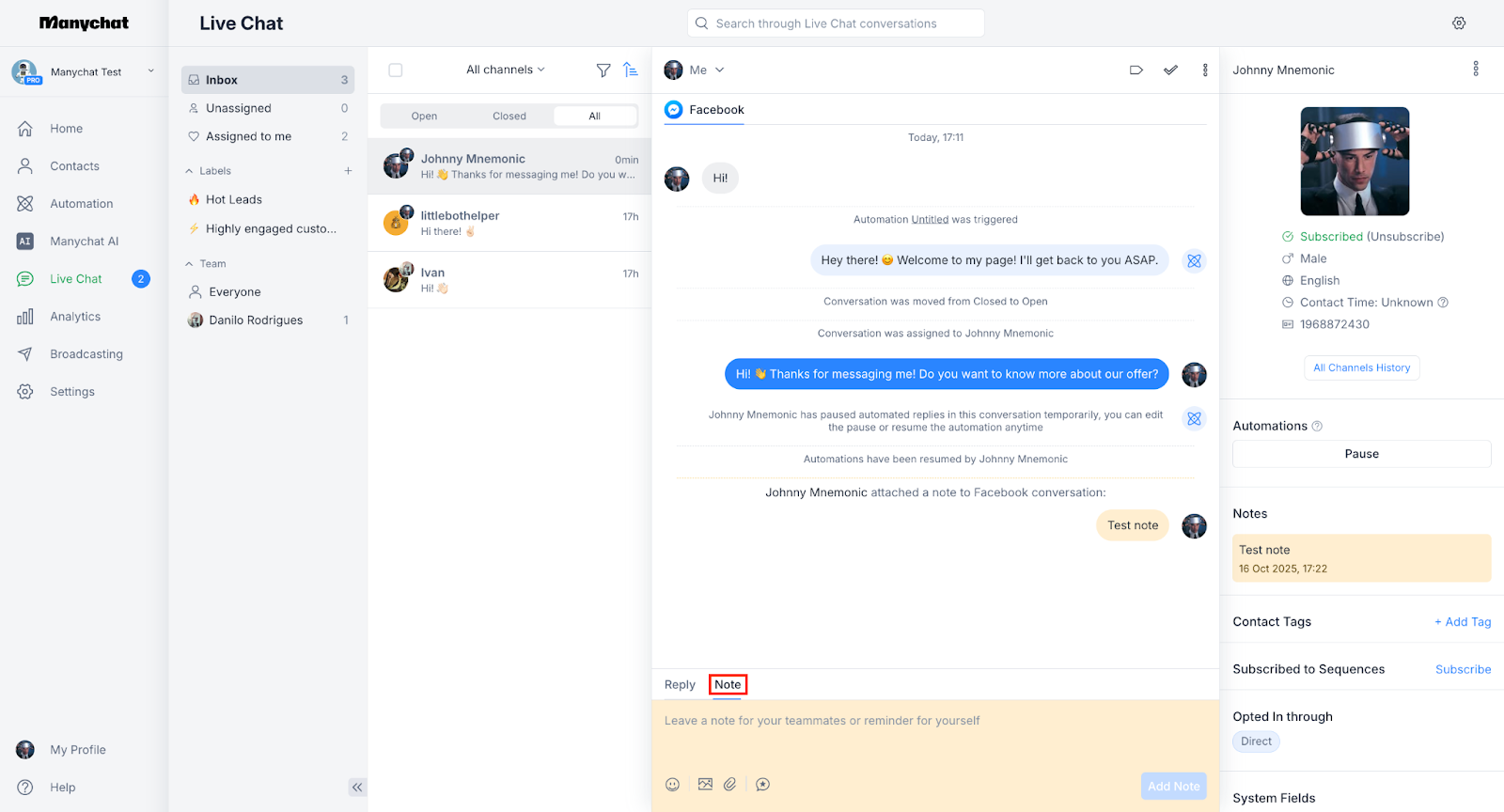
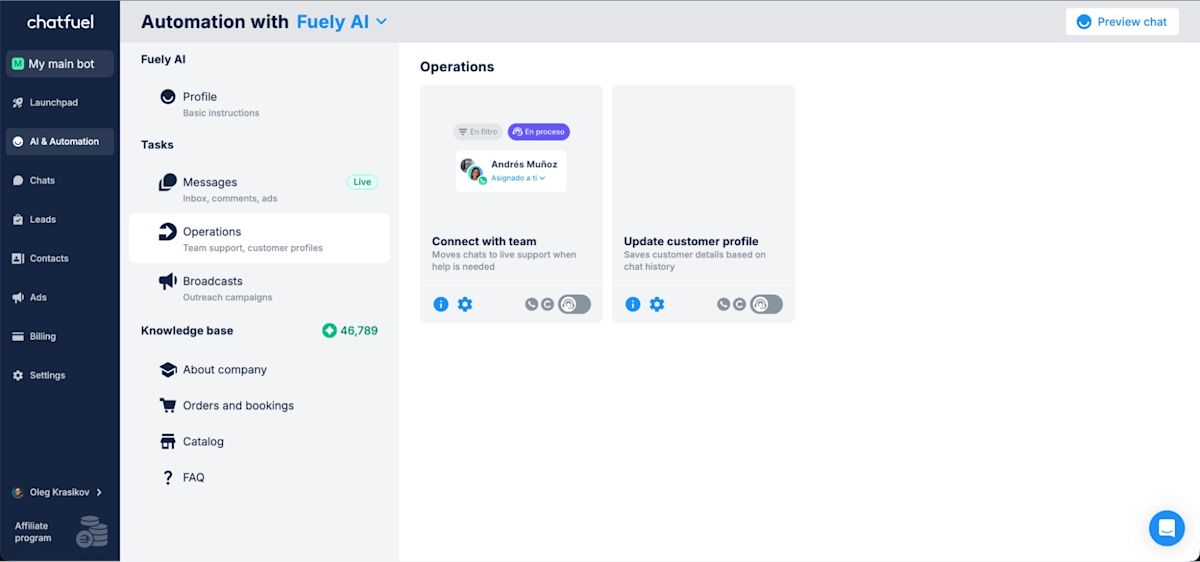
Marketing & growth AI agents – ManyChat, Chatfuel
Best for Instagram and Messenger ad funnels, comment-to-DM automation and fast campaign execution.
Winner: ManyChat
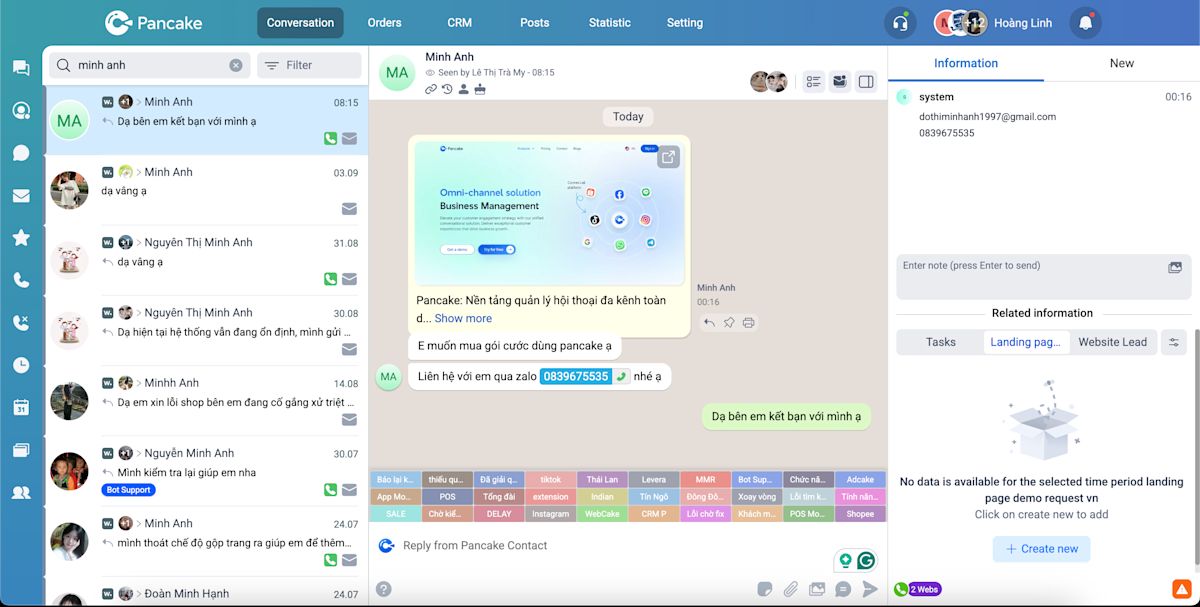
Commerce & inbox-based AI agents – Pancake, SleekFlow
Designed for WhatsApp-first sales and social commerce teams managing chat-to-order workflows.
Winner: Pancake
Customer support AI agents – Zendesk, Freshchat, Zenvia, Trengo
Strongest for helpdesk-driven automation, SLA monitoring and ticket-based support operations.
Winner: Zendesk
Nowadays, businesses expect AI Agents to do more than just answer FAQs. They are expected to understand intent, route conversations, update records and support teams.
As messaging channels like WhatsApp, Instagram and web chat become revenue channels, chat automation stops being a support add-on and becomes an operational system.
Leads arrive through ads, customers follow up on purchases and support inquiries flow in continuously. At scale, response time directly impacts conversion and missed follow-ups translate into lost revenue.
Modern AI chat agents are built to:
Interpret free-text customer intent
Make real-time decisions such as qualification, routing and prioritization
Trigger actions that affect revenue and operations
Operate inside unified systems rather than disconnected tools
But not all “AI chat agents” tools are built for the same operational demands. Some focus on scaling sales conversations, others specialize in support deflection. These are just some examples.
In this guide, we’ll:
Explain what AI chat agents are (and how they differ from traditional chatbots)
Break down the main types of AI chat agents
Compare the 10 best AI chat agents for businesses in 2026
Help you choose based on your operational needs
What is an AI chat agent?

An AI chat agent is an AI system that can both converse and execute operational actions (routing, tagging, CRM updates, workflow triggers) inside your messaging operations—so it doesn’t just answer questions, it moves work forward.
Unlike traditional chat automation tools, AI Agents are not limited to predefined logic or static flows. They combine conversational intelligence with operational execution.
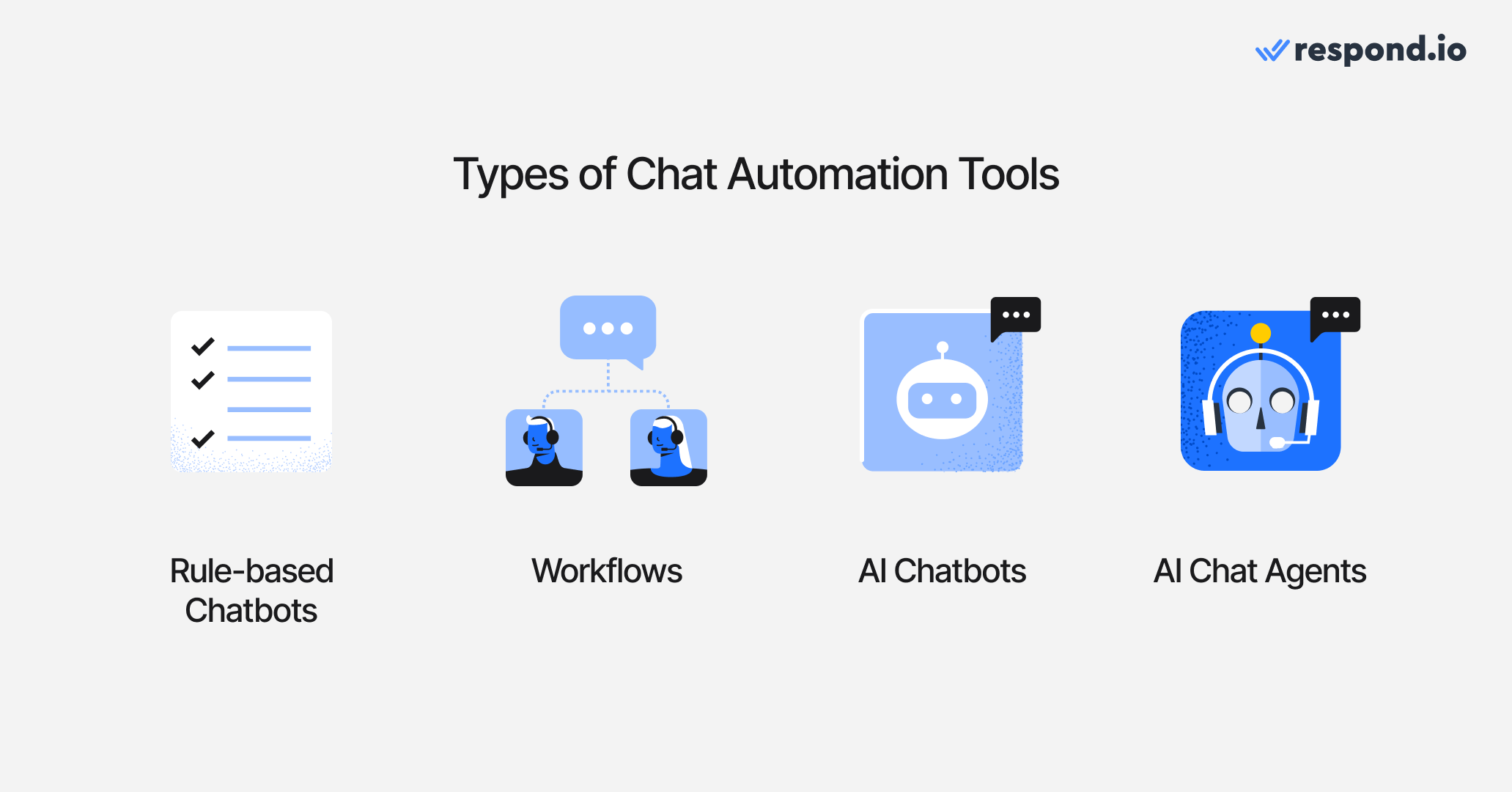
To understand the difference, it helps to compare AI Agents with the main types of chat automation tools businesses use today.
Rule-based chatbots
Rule-based chatbots rely on predefined scripts, buttons and keyword triggers. They work well for predictable FAQ flows but struggle when conversations go off-script. Every possible path must be manually configured in advance, which makes them difficult to scale as complexity increases.
Workflows and rule-based automation
Workflows execute structured logic based on clear triggers and conditions. They are useful for routing, tagging, assigning conversations or sending follow-ups — as long as the inputs are precise and predictable.
However, workflows do not understand free-text intent, as they depend on clearly defined rules. When customers change topics, respond unpredictably or return later with new context, workflows alone cannot adapt dynamically.
AI chatbots
AI chatbots use natural language processing to generate more flexible responses than rule-based bots. They can understand questions in different phrasings and reply conversationally.
But many AI chatbots still focus primarily on answering questions. They may generate responses well, yet lack deep integration with CRM systems, lifecycle tracking or operational workflows.
AI chat agents
AI chat agents go further. Powered by large language models (LLMs), they can:
Recognize intent from free-text conversations
Retain context across sessions and multiple agents
Decide when to trigger workflows or structured automation
Update contact records, lifecycle stages and CRM data
Add or remove predefined tags based on conversation outcomes
Route conversations based on language, intent, region or availability
Escalate to human agents when required
This is where modern platforms differ significantly. Many tools offer conversational AI. Fewer embed decision-making AI directly inside an operational messaging system connected to routing logic, CRM data and reporting.
Now, let’s fully switch our focus to AI chat Agents. Let’s go through the distinct categories of AI chat agents you can find for your business.
Turn customer conversations into business growth with respond.io. ✨
Manage calls, chats and emails in one place!
What are the different types of AI chat agents?
Most “best AI chat agent” lists fail because they compare tools across different job-to-be-done categories. First pick the category that matches your operations; then pick the best tool inside that category.
B2C sales-focused AI agents
For high-volume inbound messaging, complex routing, CRM synchronization and multi-team workflows across regions or departments.
Target market: Mid-market and large operations leaders managing structured messaging at scale.
These AI agents are built for organizations where messaging is revenue-linked and operationally critical. They operate inside shared inboxes and support real-time decision-making across sales, support and customer success teams.
Must-have capabilities:
Unified omnichannel inbox (WhatsApp, Instagram, Messenger, web chat, etc.)
Intent-based routing and prioritization
CRM-aware automation and lifecycle tracking
Workflow orchestration
Real-time data updates and API integrations
Auditability and reporting across teams
Controlled permissions and escalation logic
Marketing & growth AI agents
For lead generation funnels, comment-to-DM flows, ad automation and broadcast-driven growth campaigns.
Target market: Performance marketers, agencies and small growth teams focused on top-of-funnel acquisition. These tools prioritize campaign automation over operational depth. They are typically used for Instagram, Facebook Messenger and WhatsApp lead flows tied to ads.
Must-have capabilities:
Prebuilt campaign templates
Comment-to-DM automation
Click-to-chat ad flows
Broadcast funnels and segmentation
Native social media integrations
Commerce & inbox-based AI agents
For sales and support coordination in a shared inbox, often with WhatsApp-first operations.
Target market: E-commerce brands, retailers and WhatsApp-driven sales teams. These tools combine automation with team collaboration. They are typically optimized for order inquiries, product recommendations and WhatsApp-centric sales operations.
Must-have capabilities:
Shared team inbox
Basic routing and tagging
Automation rules
Catalog and payment integrations (in some cases)
Team assignment and collaboration
Customer support AI agents
For ticket deflection, helpdesk automation and faster resolution times.
Target market: Support teams and service leaders focused on reducing ticket volume and improving SLA performance. These AI agents are typically embedded inside helpdesk systems and grounded in knowledge bases.
Must-have capabilities:
Knowledge base grounding
Escalation logic to human agents
SLA monitoring
Ticket creation and management
Helpdesk integrations
With that context in mind, let’s go through the top AI chat agents for businesses.
Top 10 best AI chat agents for businesses in 2026
Category | Use Cases | Winner |
B2C sales-focused AI agents | High-volume inbound messaging, complex routing, CRM synchronization, lifecycle tracking and multi-team workflows | Respond.io: Most complete decision-layer AI with CRM-aware automation and omnichannel routing |
Marketing & growth AI agents | Lead generation funnels, comment-to-DM flows, click-to-chat ad automation and broadcast campaigns | ManyChat: Strongest native ad + social funnel automation |
Commerce & inbox-based AI agents | WhatsApp-first sales and support, shared inbox collaboration, order inquiries and basic routing | Pancake: Built for fast-moving social commerce teams |
Customer support AI agents | Ticket deflection, helpdesk automation, SLA monitoring and knowledge base grounding | Zendesk: Deepest helpdesk ecosystem with mature support automation |
While the table gives a quick snapshot, choosing the right platform requires a closer look at how each category performs in practice. Let’s start with the most operationally complex segment: B2C sales-focused AI agents.
B2C sales-focused AI agents
Choose this category if messaging is revenue-critical (B2C sales + support), you run high volume, and you need routing + lifecycle + CRM actions. If you only need ad funnels or ticket deflection, this category is usually overbuilt.
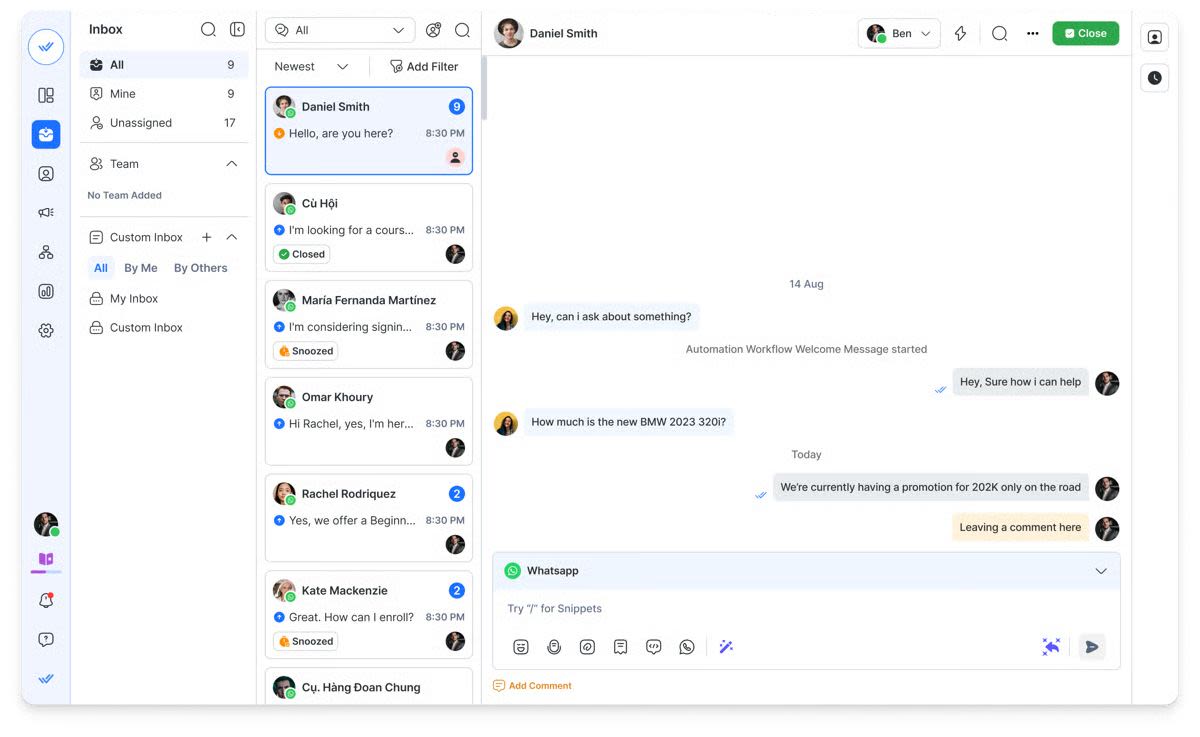
Respond.io

Respond.io is an enterprise-grade AI chat agent platform designed for high-volume, AI-driven conversations across messaging and voice channels. It enables businesses to automate qualification, routing and customer lifecycle management while operating from a unified omnichannel inbox.
Best for
Mid-size and enterprise businesses that need AI Agents to manage conversations across WhatsApp, Instagram, TikTok, Messenger, SMS, email, web chat and calls — while automating sales and support workflows at scale.
Customer sentiment and platform rating
Users consistently highlight respond.io’s powerful AI Agents, reliable omnichannel infrastructure and flexible automation builder. Teams value the ability to centralize conversations and operational logic in one system. Some users note that pricing may be higher than lightweight tools and that advanced setups may require onboarding support.
G2 rating: 4.8/5
Capterra rating: 4.6/5
Pros
Advanced AI Agents that understand intent, qualify leads, route conversations, update CRM data and trigger workflows
Unified inbox covering messaging channels and voice calls
Lifecycle tracking for full visibility across the customer journey
Visual automation builder for structured operational workflows
Deep integrations with Salesforce, HubSpot, Google Sheets and more
Enterprise-level reporting and performance analytics
Dedicated onboarding and customer success support
Stable infrastructure built for global, high-volume operations
Cons
May be too advanced for small teams with simple messaging needs
Higher price point compared to basic chatbot tools
Enterprise capabilities may require initial onboarding to configure properly
Pricing
The Growth plan starts at $199/month for 10 users. It includes unlimited workflows, full AI Agent functionality, CRM integrations and advanced reporting tools.
Kommo

Kommo (previously amoCRM) is a conversation-driven CRM built to streamline sales communication. It enables small and growing teams to manage customer chats across multiple messaging channels while keeping pipeline tracking and contact management centralized.
Best for
Small to mid-sized businesses looking for a messaging-first CRM that integrates sales conversations directly into their pipeline.
Customer sentiment & platform rating
Users often highlight the platform’s intuitive layout and its strong focus on WhatsApp-based workflows. Many appreciate having CRM functionality and messaging automation combined in a single system.
G2 rating: 3.8/5 (35 reviews)
Capterra rating: 4.3/5 (165 reviews)
Pros
CRM and messaging automation in one platform
Straightforward setup and easy-to-manage automations
Well-optimized for WhatsApp-driven sales processes
Cons
More limited AI capabilities compared to advanced AI agent platforms
Customization options may not scale well for larger teams
Interface design feels dated compared to newer tools
Pricing
Entry-level plans start at approximately $15 per user per month (with a six-month minimum commitment). Mid-tier plans are typically around $25 per user per month.
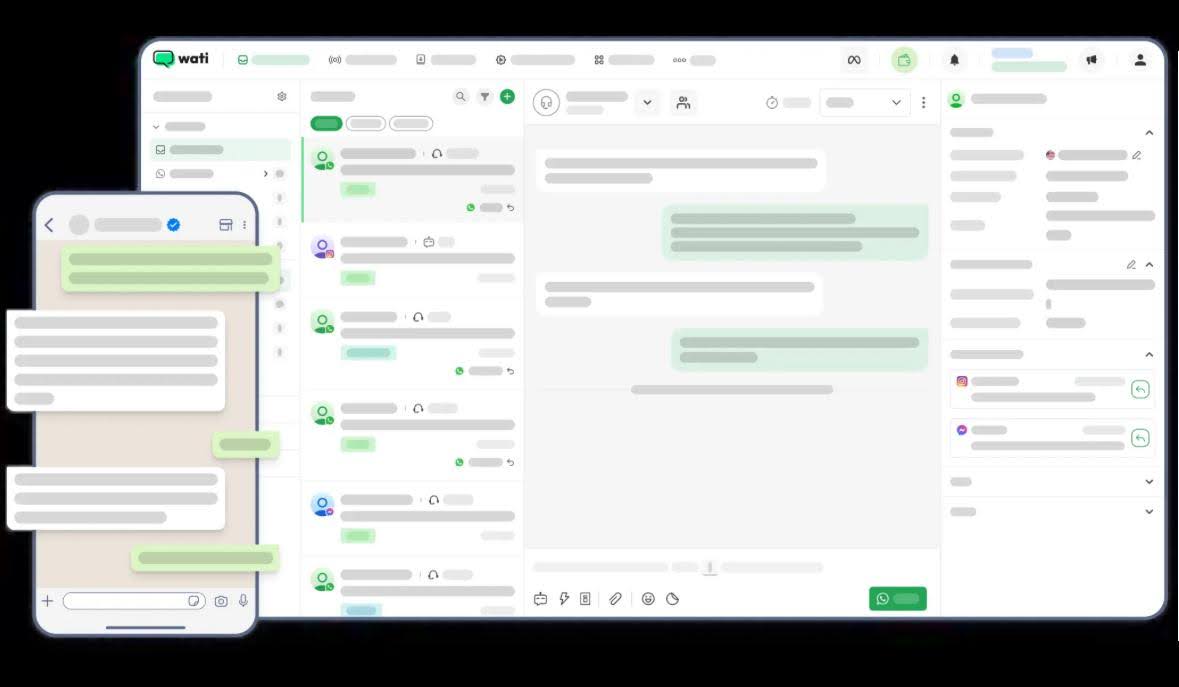
Wati

Wati is a messaging automation platform built primarily around Meta’s messaging ecosystem. It enables businesses to manage sales conversations, automate message templates and coordinate inbound and outbound communication across WhatsApp, Instagram and Facebook.
Best for
Businesses that depend heavily on WhatsApp as their main channel for customer communication and sales engagement.
Customer sentiment
Users frequently highlight the platform’s stability for WhatsApp automation and its wide selection of template messaging options. Many teams appreciate the broadcast functionality and the relatively simple onboarding experience.
G2 rating: 4.6/5 (425 reviews)
Capterra rating: 4.6/5 (185 reviews)
Pros
Designed with a strong WhatsApp focus
Simple broadcast and notification automation
Accessible pricing for small and growing teams
Cons
Limited omnichannel capabilities beyond Meta platforms
AI functionality is still developing and remains relatively basic
Additional markup applied to WhatsApp API costs
Pricing
Plans typically begin at around $49 per month, excluding WhatsApp API charges. Mid-tier plans are generally priced from $99 per month, plus API fees.
Marketing & growth AI agents
Choose this category if your core job is launching growth campaigns on Meta channels (ad-to-DM, comment-to-DM, broadcasts). Don’t choose it for complex multi-team operations—routing + CRM governance is where these tools typically break.
ManyChat

ManyChat is a marketing automation platform built primarily for social messaging channels. It focuses on campaign-driven automation rather than operational messaging workflows.
Best for
Small and mid-sized businesses, creators and ecommerce brands that use Instagram and Messenger to run promotions, nurture audiences, automate DMs and recover abandoned carts — without needing complex technical setup.
Customer sentiment & platform rating
Users often highlight how easy it is to build automated flows and launch campaigns quickly. The visual builder and ready-made templates are frequently praised. However, some customers mention limitations in integrations, scalability and support responsiveness.
G2 rating: 4.5/5
Capterra rating: 4.6/5
Pros
Intuitive visual automation builder
Strong fit for Instagram and Messenger marketing funnels
Effective for giveaways, promotions and DM growth campaigns
Solid audience segmentation tools
Cons
Not designed for cross-team operational workflows
Multi-language bots require manual configuration
Limited CRM-level depth for larger organizations
Pricing
Mid-tier plans begin at around $15 per month for up to three users and 500 contacts, with pricing increasing based on contact volume and advanced automation requirements.
Chatfuel

Chatfuel is a long-standing Messenger-first chatbot builder designed for quick setup and basic automation.
Best for
Businesses needing straightforward Messenger bots for lead gen, FAQs and promotions.
Customer sentiment & platform rating
Customers value Chatfuel’s ease of use and straightforward automation. While some praise its affordability, others note a lack of transparency in pricing. Customer support is reported to be poor.
G2 rating: 4.4/5
Capterra rating: 4.3/5
Pros
Intuitive no-code interface
Templates for FAQs, lead capture and bookings
Affordable starting price
Cons
Limited AI capabilities and integrations
Only supports Instagram, Facebook and WhatsApp
Not ideal for complex automation or routing
Minimal analytics and reporting
Pricing
Instagram access starts at $23.99/month, with WhatsApp and Facebook priced separately at $39/month and 23.99/month.
Commerce & inbox-based AI Agents
Choose this category if you run WhatsApp/social-commerce chat-to-order workflows and need a team inbox plus lightweight automation. If you need enterprise routing, lifecycle governance and deep reporting across channels, this category can break under scale.
Pancake

Pancake is a social commerce inbox designed to help businesses manage product-driven conversations across social platforms. It is primarily built for catalog sales and chat-to-order interactions rather than advanced operational automation.
Best for
Small social commerce brands and sellers that rely on Messenger and other social channels to showcase products and close sales directly in chat.
Customer sentiment & platform rating
Users in the social selling space appreciate Pancake’s catalog features and its ability to streamline chat-based orders. It is often described as easy to adopt for small businesses. However, reviewers mention that automation depth, reporting capabilities and scalability are limited compared to more advanced platforms.
G2 rating: 4.4/5
Capterra rating: 4.6/5
Pros
Supports key social commerce channels including Facebook, Instagram, TikTok and WhatsApp
Straightforward setup for small B2C teams handling chat-based sales
Includes Botcake for automated replies during high message volumes
Budget-friendly pricing tailored to small sellers
Cons
Lacks a fully unified omnichannel inbox
Minimal AI functionality compared to enterprise AI agent platforms
Basic reporting and analytics
Advanced automation requires separate Botcake configuration, adding complexity
Pricing
The Standard mid-tier plan costs approximately $54.70 for three months (around $18 per month) and includes three users and three connected social channels, suitable for basic social commerce workflows.
Additional fees may apply for extra users (about $5 per month each), additional channels (around $4 per month each), and Botcake Pro for higher automation needs.
SleekFlow

SleekFlow is a conversational commerce platform that blends chatbot automation with sales and support workflows across social messaging channels. It is positioned as a solution for managing product inquiries and customer conversations in retail-driven environments.
Best for
Support and social commerce teams that handle both sales and post-purchase inquiries across multiple messaging channels.
Customer sentiment & platform rating
Users appreciate SleekFlow’s multi-channel capabilities and its retail-focused workflow design. It is often seen as suitable for small to mid-sized commerce teams. However, feedback indicates that its automation depth, analytics and scalability fall short of more enterprise-oriented platforms.
G2 rating: 4.3/5
Capterra rating: 4.4/5
Pros
Supports multiple messaging channels
Designed with commerce-oriented workflows in mind
Suitable for teams handling combined sales and support conversations
Cons
Limited scalability for larger operations
Reporting and automation features are relatively lightweight
Performance may decline under high conversation volumes
Pricing
The mid-tier plan starts at approximately $399 per month and includes five users. Pricing is calculated based on the total number of stored contacts, not just active conversations.
The platform also applies usage-based limits. Accounts typically include 500 AI Agent credits by default. Different AI Agent types consume credits at different rates: basic support interactions use one credit per message, while more advanced sales or custom agents consume two credits per message. Automation workflows require separate enrollment credits, which are billed independently.
Customer support AI Agents
Choose this category if your main goal is support deflection + SLA performance inside a ticketing/helpdesk model. If your primary goal is revenue-linked messaging and lifecycle automation, these tools can become restrictive.
Freshchat

Freshchat is a customer messaging platform built primarily for support teams. Its AI functionality is designed to reduce ticket volume by answering common questions and directing conversations to the appropriate agents within a helpdesk environment.
Best for
Support teams managing conversations across multiple channels that need AI-assisted triage, FAQ automation and a structured workspace for agent collaboration.
Customer sentiment & platform rating
Users generally appreciate Freshchat’s automation features and its integration with the broader Freshworks ecosystem. However, some report occasional chatbot performance issues and note that reporting capabilities can feel limited compared to more advanced platforms.
G2 rating: 4.4/5
Capterra rating: 4.1/5
Pros
Native integration with Freshdesk for ticket management
AI-powered routing and FAQ automation
Supports messaging across Instagram, WhatsApp and web chat
Designed to scale from mid-sized teams to larger support organizations
Cons
Initial setup may be complex for smaller teams
Primarily focused on support rather than full lifecycle automation
Limited flexibility in customizing chat flows
Costs can increase significantly with additional features and add-ons
Pricing
The Pro plan begins at approximately $49 per agent per month. Advanced AI and automation capabilities are typically available on higher-tier plans.
Zenvia

Zenvia is a customer communication platform widely used in Latin American markets. Its AI chat functionality is positioned within a broader messaging and support suite that combines chat and voice channels for service operations.
Best for
Businesses in LATAM that rely on messaging and voice channels to manage customer support workflows and moderate conversation volumes.
Customer sentiment & platform rating
Users commonly praise Zenvia for its straightforward setup, reliable message delivery across channels and ease of use for daily support tasks. However, reviews often mention slower support response times, limited advanced analytics and lighter automation capabilities compared to more enterprise-focused platforms.
G2 rating: 4.4/5
Capterra rating: 4.5/5
Pros
Supports WhatsApp, Instagram, Facebook, SMS and email within one platform
AI chatbots provide contextual replies and basic case routing
Support-oriented reporting for tickets and agent performance
Integrations available with HubSpot and Salesforce
Cons
Limited channel breadth and no unified contact merge across channels
Pricing scales quickly due to conversation caps and required channel bundles
Reporting is centered on support metrics rather than full lifecycle visibility
AI functionality is relatively basic, with limited multimedia handling and workflow execution compared to advanced AI agent platforms
Pricing
The Specialist mid-tier plan is priced at approximately $130 per month and includes 10 users, 500 conversations and up to five chatbot flows. A mandatory message package (starting at $20+) is required, covering a defined volume of SMS, WhatsApp messages or emails.
Additional costs apply, including a setup fee of around $137. Per-message charges typically include $0.05 per outbound WhatsApp message, $0.02 per inbound WhatsApp message, $0.02 per SMS and approximately $0.04 per 50 emails
Zendesk

Zendesk is an AI-powered customer support platform that embeds AI agents within a helpdesk environment to automate ticket handling and deflect routine inquiries.
Best for
Customer support teams that want AI agents to handle FAQs, triage incoming conversations and escalate complex issues — all within a structured ticketing system.
Customer sentiment & platform rating
Zendesk is widely recognized for its reliability, mature support ecosystem and strong ticket management capabilities. However, users often mention higher costs, implementation complexity and limited flexibility outside traditional support workflows.
G2 rating: 4.4/5
Capterra rating: 4.4/5
Pros
Preconfigured AI bots tailored for support scenarios
Robust ticketing, escalation and SLA management workflows
Strong enterprise-grade security and compliance features
Stable infrastructure designed for large support teams
Cons
Primarily designed for customer support rather than sales or lifecycle automation
AI customization is more constrained outside ticket-based flows
Higher total cost of ownership compared to lighter automation tools
Messaging channels function mainly as support entry points, not full growth or revenue systems
Pricing
The Suite Professional plan is typically priced around USD 149 per agent per month (monthly billing).
Additional costs often apply, including approximately:
USD 50 per agent/month for advanced AI capabilities
USD 25–50 per agent/month for Workforce Management or QA tools
Around USD 50 per agent/month for advanced security and compliance features (including HIPAA)
Usage-based charges may also apply for high API volume, automated resolution usage or additional data storage, depending on region and consumption.
How to choose the best AI chat agent for your business
When evaluating AI chat agents, pick the platform that matches your operating model (revenue messaging vs ticketing vs growth funnels vs social commerce). The wrong match is what causes failure under scale—not neccesarily the AI model quality.
Below are the core factors to consider, informed by how leading platforms like respond.io position their AI Agent capabilities and enterprise-grade messaging infrastructure.
AI chat agent features to consider
The most important thing is selecting the AI chat agent that aligns with how your business operates, scales and generates revenue. The areas below separate basic chatbot tools from true operational AI platforms.
AI Agent capabilities

Look for agents that do more than generate replies — they should interpret intent, make decisions, and take actions. Modern AI Agents can:
Use verified business knowledge sources (e.g., documents, website content, help center) for accurate responses.
Operate autonomously within defined guardrails and escalate when needed.
Perform operational tasks such as lead qualification, lifecycle updates, tagging, routing and context-rich actions that influence outcomes.
Understand multimedia inputs like images, voice notes and files to deliver richer replies.
Agents that can act within conversations (not just respond) give you real automation rather than a glorified autoresponder. If a tool can’t execute structured actions (tag/rout/update/pull data), it’s an AI chatbot—not an operational AI agent.
CRM & system integrations

AI chat agents should connect seamlessly with your backend systems so conversations drive real business processes:
Sync contact and lifecycle data with major CRMs like HubSpot and Salesforce.
Update records, check lead status or pull external info in real time via API calls during conversations.
Integrate with automation platforms (Zapier, Make) and other operational systems to maximize downstream actions.
Agents that bridge messaging and business systems help close the loop between customer intent and operational execution. If CRM updates happen outside the conversation (manual exports, delayed sync), you’ll lose speed and auditability at scale.
An omnichannel inbox

A unified inbox ensures all customer interactions — across WhatsApp, Instagram, Messenger, TikTok, SMS, web chat, email and voice — are visible to your team in one place.
This central hub supports:
consistent context across agents and channels
fewer missed messages or fragmented threads
cross-channel automation that doesn’t lose conversation history
Without a true omnichannel view, AI automation risks operating in silos rather than as part of a coherent communication strategy.
Customer lifecycle tracking

Understanding where a contact is in your funnel — from lead to repeat buyer — improves prioritization and automation logic. Look for platforms that offer:
lifecycle stage updates based on AI interactions
segmentation for follow-ups, broadcasts and re-engagement
visibility into drop-off points and conversion paths.
Lifecycle-aware agents help teams make strategic decisions rather than just reactive replies. Without lifecycle visibility, teams optimize fast replies but still lose revenue through poor prioritization and weak follow-up.
Escalation & human handoff

A good AI Agent should handle routine tasks independently but also recognize when human judgement is required. Key capabilities include:
automatic escalation triggers based on intent or scenario complexity
seamless handoff where human agents inherit full context and history
the ability to silence the AI when an agent takes over to avoid confusion.
This is non-negotiable for B2C at scale: the fastest teams are hybrid (AI intake + human close/resolve).
Reporting & operational visibility

Choose solutions that expose real operational metrics — not just chat volume. Essential reporting includes:
response times, automation rates and SLA adherence
conversions tied to messaging outcomes
channel performance and campaign attribution.
If reporting can’t tie conversations to outcomes (qualified leads, bookings, resolved tickets), you can’t improve the system—only the scripts.
With that foundation in place, the next step is matching your operational needs to the right type of AI chat agent.
What breaks if you pick the wrong type of AI chat agent?
The wrong category “works” at low volume, then breaks under scale—usually when routing complexity, reporting needs, and data updates become mandatory for revenue or SLA performance.
Here are some of the most common failure modes:
Using marketing-funnel bots for operational sales: Breaks when multiple teams need routing, lifecycle stages, audit trails and CRM updates. You’ll get missed follow-ups, duplicate contacts, and unclear ownership. (FIX)
Using WhatsApp-only inbox tools for omnichannel growth: Breaks when leads come from multiple channels (IG, web chat, ads) and you need unified history + cross-channel automation.
Using “AI chatbot” tools without an execution layer: Breaks when AI can answer but can’t act (no structured tagging, routing, API calls, or lifecycle updates).
AI chat agent recommendations for your use case
If you are running high-volume, revenue-critical messaging across sales and support, choose respond.io.
If you want deep ticketing, SLA tracking and helpdesk-driven automation, choose Zendesk.
If you want to run Instagram and Messenger marketing funnels with fast campaign setup, choose ManyChat.
If you rely heavily on WhatsApp for sales conversations and simple automation, choose Pancake
(social commerce) or SleekFlow (multi-channel commerce workflows).
If you want a CRM-centered messaging workflow for a small to mid-sized sales team, choose Kommo.
If you operate in LATAM and need messaging + support in one regional platform, choose Zenvia.
If you prioritize support automation within the Freshworks ecosystem, choose Freshchat.
If you want a shared inbox to centralize multi-channel conversations with collaboration features, choose Trengo.
If you want a Messenger-first bot builder for basic campaigns/FAQs, choose Chatfuel.
While understanding where each tool fits is helpful, the real differentiator becomes clear when you look at measurable business outcomes.
How businesses increase sales with respond.io AI chat agents
To see what operational AI looks like in practice, here’s how companies are using respond.io AI Agents to drive revenue and efficiency.
How ParcelDaily increased conversions by 60% with respond.io AI chat Agents
ParcelDaily was generating high volumes of conversations from Meta and TikTok ads, but spam, slow replies and fragmented team workflows were limiting results. Agents were spending valuable time filtering low-quality leads and manually collecting basic customer information.
After unifying teams inside respond.io and improving ad targeting with Meta’s Conversion API, ParcelDaily implemented AI Agents to handle early-stage conversations automatically.
AI Agents collected customer details upfront, prepared conversations for human follow-up and reduced repetitive qualification work. This allowed agents to focus only on high-intent leads, improving response times during peak periods without increasing headcount.
Key results:
60% more conversions
35% more Facebook and TikTok leads
10% lower cost per lead
Faster replies with less operational friction
How Praga Medica recovered 70% more leads with respond.io AI chat Agents
Praga Medica struggled with fragmented communication, manual CRM updates and high volumes of spam from webchat. Consultants were spending time on low-quality inquiries while genuine international leads dropped off due to slow responses and lack of follow-up visibility.
After switching to WhatsApp API with respond.io, the business centralized conversations and implemented AI Agents to automate early-stage engagement.
AI Agents automatically collected patient information, filtered out spam and qualified leads before routing them to consultants. This ensured only high-intent conversations reached the team. At the same time, instant AI-powered replies reduced delays across time zones, helping Praga Medica engage global prospects the moment they reached out.
Key results:
70% more leads recovered through better contact capture
97% of spam filtered automatically
50% reduction in first response times
Faster consultant follow-ups with CRM data synced automatically
How GETUTOR increased sales by 24% with respond.io AI chat Agents
GETUTOR was losing 10–20% of potential leads due to missed messages, manual qualification and lack of structured routing. Conversations piled up in WhatsApp, agents handled chats reactively and valuable sales opportunities slipped through the cracks.
After switching to respond.io, GETUTOR implemented AI Agents to automate initial lead engagement and streamline its course booking process.
AI Agents collected student requirements upfront, compiled structured information and automatically assigned qualified leads to available human agents. This removed manual back-and-forth, ensured faster follow-ups and allowed the team to focus on high-intent inquiries instead of sorting through unstructured chats.
By combining AI-driven intake with lifecycle tracking and centralized routing, GETUTOR transformed its sales funnel into a more predictable, conversion-focused system.
Key results:
24% more classes booked within two months
50% more leads handled per day
0 missed messages
Faster qualification and improved prioritization of high-intent leads
Get started with the best AI chat agent for B2C sales
Most tools offer conversational AI. Few offer operational AI. Respond.io is an operational AI layer embedded directly inside your messaging system. Its AI Agents interpret intent, make structured decisions and execute actions that impact revenue and workflows.
Autonomous AI Agents: Qualify leads, update lifecycle stages, tag contacts, trigger workflows and escalate within guardrails.
Shared inbox across teams: Unify sales, support and marketing in one omnichannel workspace with full context.
CRM-aware automation: Sync data, update records and call external APIs in real time during conversations.
Omnichannel support: Manage WhatsApp, Instagram, Messenger, TikTok, SMS, web chat, email and voice in one platform.
Guardrails & controlled actions: Define permissions and escalation logic for safe, predictable automation.
Reporting & SLA visibility: Track response times, automation impact and conversions tied to real outcomes.
Start a free respond.io trial and test AI Agents inside your inbox today.
Turn customer conversations into business growth with respond.io. ✨
Manage calls, chats and emails in one place!
FAQs about the best AI chat agents
Why is my AI Agent not behaving as expected in workflows?
Most AI Agent issues are caused by workflow configuration, unclear instructions, or missing guardrails — not by the AI model itself.
If your AI Agent behaves inconsistently, check:
Where the AI is triggered inside the workflow
Whether you’re editing the correct AI instruction step
If escalation or fallback logic is defined
Whether routing conditions are too broad or conflicting
AI performance depends heavily on how well the workflow defines when to respond, what rules to follow, and when to escalate.
Why doesn’t changing the AI persona update the AI’s behavior?
Persona settings affect tone, but they don’t override workflow-level AI instructions unless configured correctly.
If changes don’t reflect:
Make sure you're editing the AI instructions inside the active workflow step
Separate tone/personality guidance from operational rules
Keep instruction rules explicit and behavior-focused
For example:
Tone: “Be friendly and concise.”
Rule: “Do not ask for confirmation unless the request is ambiguous.”
Persona alone won’t enforce operational constraints.
Why is my AI Agent making up answers (hallucinating)?
Hallucinations occur when the AI is allowed to answer outside your knowledge source or when your knowledge base is incomplete.
To reduce hallucinations:
Restrict replies to your knowledge source
Add a rule: “If not in knowledge, say you don’t know and escalate.”
Structure your knowledge clearly (FAQs, policies, pricing, etc.)
If the AI has permission to “answer creatively,” it may generate confident but incorrect responses — especially in areas where your knowledge is empty.
Why did my AI answer something that isn’t in my knowledge base?
Your AI is likely configured to reply outside its knowledge source.
If your knowledge base does not include certain information but the AI responds anyway:
Check your “reply outside knowledge” settings
Enable strict knowledge mode if accuracy is critical
Add compliance rules for high-risk claims (legal, medical, certifications, guarantees)
Without strict knowledge constraints, LLMs may infer answers that sound plausible but are incorrect.
Can I send videos or media through workflows?
Yes — media can be sent through workflow message steps, depending on channel limitations.
To send a video:
Create a keyword or trigger
Add a message step
Attach the video file
Important considerations:
Each channel has file size and format restrictions
Always test media delivery before launching campaigns
Does the AI Agent support voice messages?
AI Agents process text input. Voice support depends on whether transcription is enabled in your setup.
If voice transcription is available:
Convert voice to text
Feed transcribed text to the AI Agent
If not:
Route voice-message users to a human agent
Ask the user to type their request
Voice handling depends on channel and configuration.
Can I send WhatsApp broadcasts and let AI reply automatically?
Yes — but outbound messages must follow WhatsApp template and opt-in rules.
Recommended setup:
Send an approved template broadcast
When users reply → AI Agent handles qualification and FAQs
Escalate high-intent leads to humans
Do not use AI for uncontrolled outbound messaging. Always follow channel policy guidelines.
Further reading
If you found this blog helpful, be sure to also read: