
















 Điện tử
 Thời trang & Trang phục
 Nội thất
 Trang sức và Đồng hồ
 Các hoạt động ngoại khóa
 Thể thao & Sức khỏe
 Trung tâm làm đẹp
 Phòng khám nha khoa
 Phòng khám y tế
 Dịch vụ dọn dẹp nhà và người giúp việc
 Nhiếp ảnh & Quay phim
 Đại lý ô tô
 Công ty du lịch & Nhà điều hành tour


TL;DR - Đại lý chat AI nào tốt nhất?
Trợ lý chat AI tốt nhất phụ thuộc vào nhu cầu vận hành của bạn — bạn đang mở rộng bán hàng B2C, vận hành phễu marketing, quản lý thương mại xã hội hay tự động hóa bộ phận hỗ trợ.
Trợ lý AI tập trung vào bán hàng B2C – respond.io, Zendesk, Kommo.
Được thiết kế cho nhắn tin khối lượng lớn hướng tới doanh thu, với tự động hóa tích hợp CRM, định tuyến đa kênh và theo dõi vòng đời.
Người chiến thắng: Respond.io - Lớp AI vận hành mạnh nhất cho phân loại, định tuyến và thực thi vòng đời trên nhiều kênh và đội ngũ.
Trợ lý AI cho Marketing & tăng trưởng – ManyChat, Chatfuel
Phù hợp nhất cho phễu quảng cáo trên Instagram và Messenger, tự động hóa chuyển bình luận thành DM và triển khai chiến dịch nhanh chóng.
Người chiến thắng: ManyChat - Tối ưu nhất cho tự động hóa tăng trưởng theo chiến dịch và triển khai phễu trên mạng xã hội theo cách nguyên bản.
Trợ lý AI cho thương mại & dựa trên Inbox – Pancake, SleekFlow
Thiết kế cho các đội bán hàng ưu tiên WhatsApp và thương mại xã hội, quản lý quy trình từ chat đến đặt hàng.
Người chiến thắng: Pancake - Được xây dựng cho thương mại xã hội tốc độ cao với bán hàng qua chat dựa trên danh mục sản phẩm.
Trợ lý AI hỗ trợ khách hàng – Zendesk, Freshchat, Zenvia, Trengo
Mạnh nhất cho tự động hóa theo mô hình helpdesk, giám sát SLA và vận hành hỗ trợ theo phiếu.
Người chiến thắng: Zendesk - Hệ thống quản lý phiếu hỗ trợ toàn diện và quản trị SLA cho các đội hỗ trợ có cấu trúc.
Ngày nay, doanh nghiệp kỳ vọng các trợ lý AI làm nhiều hơn việc chỉ trả lời câu hỏi thường gặp. Các trợ lý chat AI được kỳ vọng hiểu được ý định, định tuyến cuộc trò chuyện, cập nhật hồ sơ và hỗ trợ các nhóm.
Khi các kênh nhắn tin như WhatsApp, Instagram và trò chuyện trên web trở thành kênh doanh thu, tự động hóa chat không còn là tiện ích hỗ trợ mà trở thành hệ thống vận hành.
Khách hàng tiềm năng đến từ quảng cáo, khách hàng theo dõi giao dịch mua và yêu cầu hỗ trợ liên tục đổ về. Ở quy mô lớn, thời gian phản hồi ảnh hưởng trực tiếp tới chuyển đổi và bỏ lỡ theo dõi đồng nghĩa mất doanh thu.
Các đại lý chat AI hiện đại được thiết kế để:
Nhận diện ý định khách hàng từ văn bản tự do
Đưa ra quyết định theo thời gian thực như sàng lọc, định tuyến và ưu tiên
Kích hoạt các hành động ảnh hưởng tới doanh thu và hoạt động
Hoạt động bên trong hệ thống hợp nhất thay vì các công cụ rời rạc
Nhưng không phải mọi công cụ “đại lý chat AI” đều được xây dựng để đáp ứng cùng yêu cầu vận hành. Một số tập trung vào mở rộng các cuộc trò chuyện bán hàng, số khác chuyên về giảm tải hỗ trợ. Đây chỉ là một vài ví dụ.
Trong hướng dẫn này, chúng tôi sẽ:
Giải thích Đại lý chat AI là gì (và khác với chatbot truyền thống như thế nào)
Phân tích các loại Đại lý chat AI chính
So sánh 10 Đại lý chat AI tốt nhất cho doanh nghiệp năm 2026
Giúp bạn lựa chọn dựa trên nhu cầu vận hành của mình
Đại lý chat AI là gì?
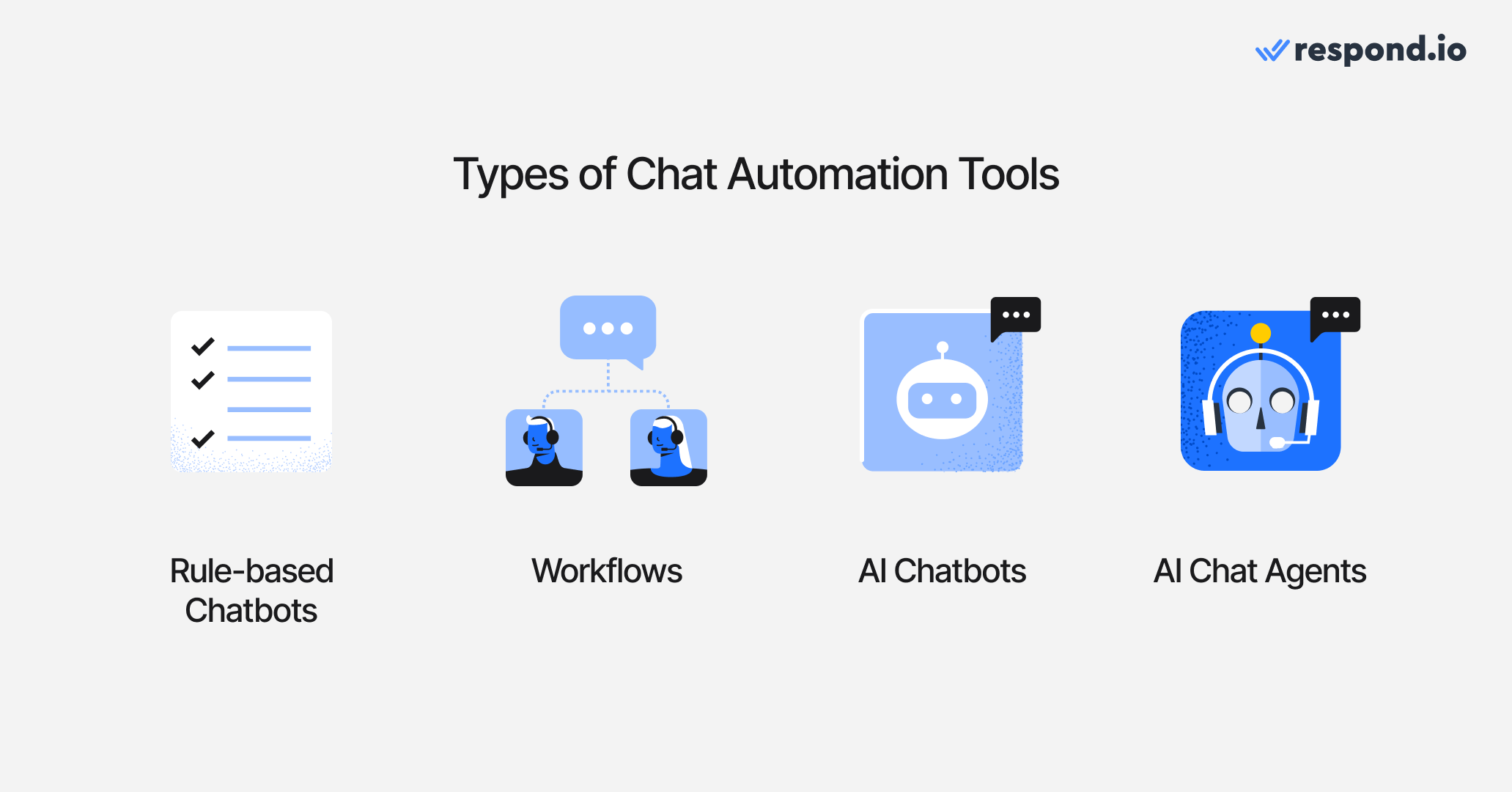
Một đại lý chat AI là một hệ thống AI vừa có thể hội thoại và thực hiện các hành động vận hành (định tuyến, gắn thẻ, cập nhật CRM, kích hoạt luồng công việc) trong hoạt động nhắn tin của bạn — nó không chỉ trả lời câu hỏi mà còn thúc đẩy công việc.
Không giống các công cụ tự động hóa chat truyền thống, các Đại lý AI không bị giới hạn bởi logic định sẵn hay luồng tĩnh. Chúng kết hợp trí tuệ hội thoại với khả năng thực thi vận hành.
Để hiểu sự khác biệt, hãy so sánh Đại lý AI với các loại công cụ tự động hóa chat doanh nghiệp dùng hiện nay.
Chatbot dựa trên quy tắc
Chatbot dựa trên quy tắc sử dụng kịch bản định sẵn, nút và kích hoạt theo từ khóa. Chúng phù hợp cho luồng FAQ dự đoán được nhưng gặp khó khi cuộc trò chuyện đi chệch kịch bản. Mọi đường đi có thể xảy ra phải được cấu hình thủ công từ trước, khiến chúng khó mở rộng khi độ phức tạp tăng lên.
Luồng công việc và tự động hóa dựa trên quy tắc
Luồng công việc thực thi logic có cấu trúc dựa trên các kích hoạt và điều kiện rõ ràng. Chúng hữu ích cho định tuyến, gắn thẻ, phân công cuộc trò chuyện hoặc gửi theo dõi — miễn là đầu vào chính xác và có thể dự đoán.
Tuy nhiên, luồng công việc không hiểu ý định văn bản tự do, vì chúng phụ thuộc vào quy tắc định nghĩa rõ ràng. Khi khách hàng đổi chủ đề, phản ứng không theo dự đoán hoặc quay lại với ngữ cảnh mới, luồng công việc đơn thuần không thể thích ứng động.
Chatbot AI
Chatbot AI dùng xử lý ngôn ngữ tự nhiên để tạo ra phản hồi linh hoạt hơn so với bot dựa trên quy tắc. Chúng có thể hiểu câu hỏi với cách diễn đạt khác nhau và trả lời theo phong cách hội thoại.
Nhưng nhiều Chatbot AI vẫn chủ yếu tập trung vào trả lời câu hỏi. Chúng có thể tạo phản hồi tốt nhưng thiếu tích hợp sâu với hệ thống CRM, theo dõi vòng đời hoặc luồng công việc vận hành.
Các đại lý chat AI
Các đại lý chat AI tiến xa hơn. Được hỗ trợ bởi các mô hình ngôn ngữ lớn (LLMs), chúng có thể:
Nhận diện ý định từ cuộc trò chuyện văn bản tự do
Giữ ngữ cảnh xuyên suốt các phiên và qua nhiều đại lý
Quyết định khi nào kích hoạt luồng công việc hoặc tự động hóa có cấu trúc
Cập nhật hồ sơ liên hệ, các giai đoạn vòng đời và dữ liệu CRM
Thêm hoặc gỡ các thẻ định sẵn dựa trên kết quả cuộc trò chuyện
Định tuyến cuộc trò chuyện dựa trên ngôn ngữ, ý định, khu vực hoặc tình trạng sẵn có
Chuyển lên nhân viên khi cần
Đây là nơi các nền tảng hiện đại khác biệt đáng kể. Nhiều công cụ cung cấp AI hội thoại. Ít công cụ tích hợp AI ra quyết định trực tiếp bên trong hệ thống nhắn tin vận hành kết nối với logic định tuyến, dữ liệu CRM và báo cáo.
Bây giờ hãy chuyển trọng tâm hoàn toàn sang các đại lý chat AI. Hãy điểm qua các danh mục Đại lý chat AI bạn có thể sử dụng cho doanh nghiệp.
Biến các cuộc trò chuyện với khách hàng thành tăng trưởng doanh nghiệp với respond.io. ✨
Quản lý cuộc gọi, trò chuyện và email ở cùng một nơi!
Có những loại đại lý chat AI nào?
Hầu hết các danh sách "đại lý chat AI tốt nhất" thất bại vì chúng so sánh công cụ giữa các danh mục nhiệm vụ khác nhau. Trước tiên chọn danh mục phù hợp với hoạt động của bạn; rồi chọn công cụ tốt nhất trong danh mục đó.
Đại lý AI tập trung vào bán hàng B2C
Dành cho nhắn tin đầu vào khối lượng lớn, định tuyến phức tạp, đồng bộ CRM và luồng công việc đa đội giữa các vùng hoặc phòng ban.
Thị trường mục tiêu: Người lãnh đạo vận hành ở doanh nghiệp vừa và lớn quản lý nhắn tin có cấu trúc ở quy mô lớn.
Những đại lý AI này được xây dựng cho tổ chức nơi nhắn tin gắn trực tiếp với doanh thu và có vai trò vận hành quan trọng. Chúng hoạt động bên trong Inbox dùng chung và hỗ trợ việc ra quyết định theo thời gian thực cho đội bán hàng, hỗ trợ và chăm sóc khách hàng.
Các khả năng cần có:
Inbox hợp nhất đa kênh (WhatsApp, Instagram, Messenger, web chat, v.v.)
Định tuyến dựa trên ý định và ưu tiên
Tự động hóa tương tác với CRM và theo dõi vòng đời
Điều phối luồng công việc
Cập nhật dữ liệu theo thời gian thực và tích hợp API
Khả năng kiểm toán và báo cáo giữa các đội
Phân quyền kiểm soát và logic tăng cấp
Trợ lý AI cho Marketing & tăng trưởng
Cho phễu tạo khách hàng tiềm năng, luồng chuyển bình luận thành DM, tự động hóa quảng cáo và các chiến dịch tăng trưởng dựa trên gửi tin hàng loạt.
Thị trường mục tiêu: Nhà tiếp thị performance, agency và các nhóm tăng trưởng nhỏ tập trung vào thu hút ở đầu phễu. Các công cụ này ưu tiên tự động hóa chiến dịch hơn là chiều sâu vận hành. Chúng thường dùng cho luồng khách hàng tiềm năng trên Instagram, Facebook Messenger và WhatsApp liên kết với quảng cáo.
Các khả năng cần có:
Mẫu chiến dịch có sẵn
Tự động hóa chuyển bình luận thành DM
Luồng quảng cáo click-to-chat
Phễu gửi tin hàng loạt và phân khúc
Tích hợp trực tiếp với mạng xã hội
Đại lý AI cho thương mại & dựa trên Inbox
Dành cho điều phối bán hàng và hỗ trợ trong một Inbox dùng chung, thường ưu tiên WhatsApp.
Thị trường mục tiêu: Thương hiệu thương mại điện tử, nhà bán lẻ và đội bán hàng ưu tiên WhatsApp. Những công cụ này kết hợp tự động hóa với cộng tác nhóm. Chúng thường tối ưu cho yêu cầu đặt hàng, đề xuất sản phẩm và vận hành bán hàng tập trung vào WhatsApp.
Các khả năng cần có:
Inbox chia sẻ của nhóm
Định tuyến và gắn thẻ cơ bản
Quy tắc tự động hóa
Tích hợp danh mục và thanh toán (trong một số trường hợp)
Phân công và cộng tác trong nhóm
Các đại lý AI hỗ trợ khách hàng
Để giảm tải phiếu hỗ trợ, tự động hóa trung tâm trợ giúp và rút ngắn thời gian giải quyết.
Thị trường mục tiêu: Các đội hỗ trợ và lãnh đạo dịch vụ tập trung vào giảm khối lượng phiếu hỗ trợ. Những trợ lý AI này thường được tích hợp vào hệ thống helpdesk và dựa trên cơ sở tri thức.
Các khả năng cần có:
Dựa trên cơ sở tri thức
Cơ chế tăng cấp cho nhân viên
Tạo và quản lý phiếu hỗ trợ
Tích hợp helpdesk
Với bối cảnh đó, hãy cùng xem qua các đại lý chat AI hàng đầu cho doanh nghiệp.
10 đại lý chat AI tốt nhất cho doanh nghiệp năm 2026
Nhóm | Các trường hợp sử dụng | Người chiến thắng |
Đại lý AI tập trung vào bán hàng B2C | Nhắn tin đầu vào khối lượng lớn, định tuyến phức tạp, đồng bộ CRM, theo dõi vòng đời và luồng công việc đa đội. | Respond.io: Lớp quyết định AI toàn diện nhất với tự động hóa tích hợp CRM và định tuyến đa kênh |
Trợ lý AI cho Marketing & tăng trưởng | Phễu tạo khách hàng tiềm năng, luồng chuyển bình luận thành DM, tự động hóa quảng cáo nhấp để chat và chiến dịch gửi tin hàng loạt | ManyChat: Tự động hóa phễu quảng cáo gốc và phễu mạng xã hội mạnh nhất |
Trợ lý AI cho thương mại & dựa trên Inbox | Ưu tiên WhatsApp cho bán hàng và hỗ trợ, cộng tác Inbox dùng chung, xử lý yêu cầu đặt hàng và định tuyến cơ bản | Pancake: Được xây dựng cho các đội thương mại xã hội tốc độ cao |
Các đại lý AI hỗ trợ khách hàng | Giảm tải phiếu hỗ trợ, tự động hóa trung tâm trợ giúp và dựa trên cơ sở tri thức | Zendesk: Hệ sinh thái helpdesk toàn diện nhất với tự động hóa hỗ trợ đã trưởng thành |
Dù bảng tóm tắt cho cái nhìn nhanh, chọn nền tảng phù hợp cần xem kỹ cách mỗi danh mục hoạt động trong thực tế. Hãy bắt đầu với phân khúc phức tạp nhất về vận hành: Đại lý AI tập trung vào bán hàng B2C.
Đại lý AI tập trung vào bán hàng B2C
Chọn danh mục này nếu nhắn tin ảnh hưởng tới doanh thu (bán hàng B2C + hỗ trợ), bạn vận hành khối lượng lớn và cần định tuyến + vòng đời + hành động CRM. Nếu bạn chỉ cần phễu quảng cáo hoặc giảm số lượng phiếu hỗ trợ, danh mục này thường quá dư thừa
Respond.io
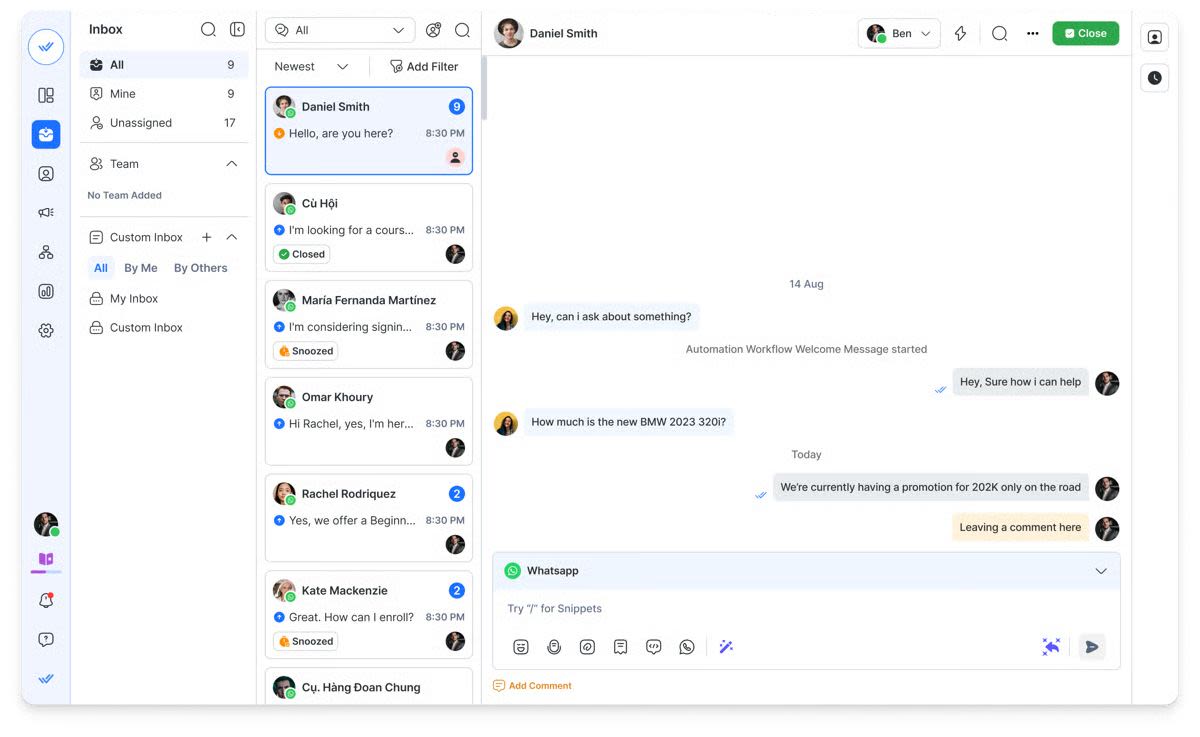
Respond.io là nền tảng đại lý chat AI cấp doanh nghiệp, được thiết kế cho các cuộc trò chuyện quy mô lớn do AI điều khiển trên các kênh nhắn tin và thoại. Nó giúp doanh nghiệp tự động hóa việc đánh giá khách hàng tiềm năng, định tuyến và quản lý vòng đời khách hàng trong khi vận hành từ một Inbox hợp nhất đa kênh.
Phù hợp nhất cho
Doanh nghiệp vừa và lớn cần Đại lý AI để quản lý cuộc trò chuyện qua WhatsApp, Instagram, TikTok, Messenger, SMS, email, web chat và cuộc gọi — đồng thời tự động hóa quy trình bán hàng và hỗ trợ ở quy mô lớn.
Ý kiến khách hàng và đánh giá nền tảng
Người dùng thường nhấn mạnh các Đại lý AI mạnh mẽ của Respond.io, hạ tầng đa kênh đáng tin cậy và trình tạo tự động hóa linh hoạt. Các đội đánh giá cao khả năng tập trung các cuộc trò chuyện và logic vận hành vào một hệ thống. Một số người dùng lưu ý giá có thể cao hơn công cụ nhẹ và việc thiết lập nâng cao có thể cần hỗ trợ triển khai.
Đánh giá trên G2: 4.8/5
Đánh giá trên Capterra: 4.6/5.
Ưu điểm
Đại lý AI nâng cao hiểu ý định, phân loại khách hàng tiềm năng, định tuyến cuộc trò chuyện, cập nhật dữ liệu CRM và kích hoạt quy trình công việc
Inbox hợp nhất bao phủ các kênh nhắn tin và cuộc gọi thoại
Theo dõi vòng đời khách hàng để có tầm nhìn toàn diện về hành trình khách hàng
Trình tạo tự động hóa trực quan cho các luồng công việc vận hành có cấu trúc
Tích hợp sâu với Salesforce, HubSpot, Google Sheets và các hệ thống khác
Báo cáo cấp doanh nghiệp và phân tích hiệu suất nâng cao
Hỗ trợ triển khai và chăm sóc khách hàng chuyên dụng
Hạ tầng ổn định cho hoạt động toàn cầu khối lượng lớn
Nhược điểm
Có thể quá phức tạp đối với các đội nhỏ có nhu cầu nhắn tin đơn giản
Giá cao hơn so với các công cụ chatbot cơ bản
Các tính năng ở cấp doanh nghiệp có thể cần quá trình triển khai ban đầu để cấu hình đúng cách
Bảng giá
Gói Growth bắt đầu từ $199/tháng cho 10 người dùng. Bao gồm luồng công việc không giới hạn, đầy đủ chức năng đại lý AI, tích hợp CRM và công cụ báo cáo nâng cao.
Kommo
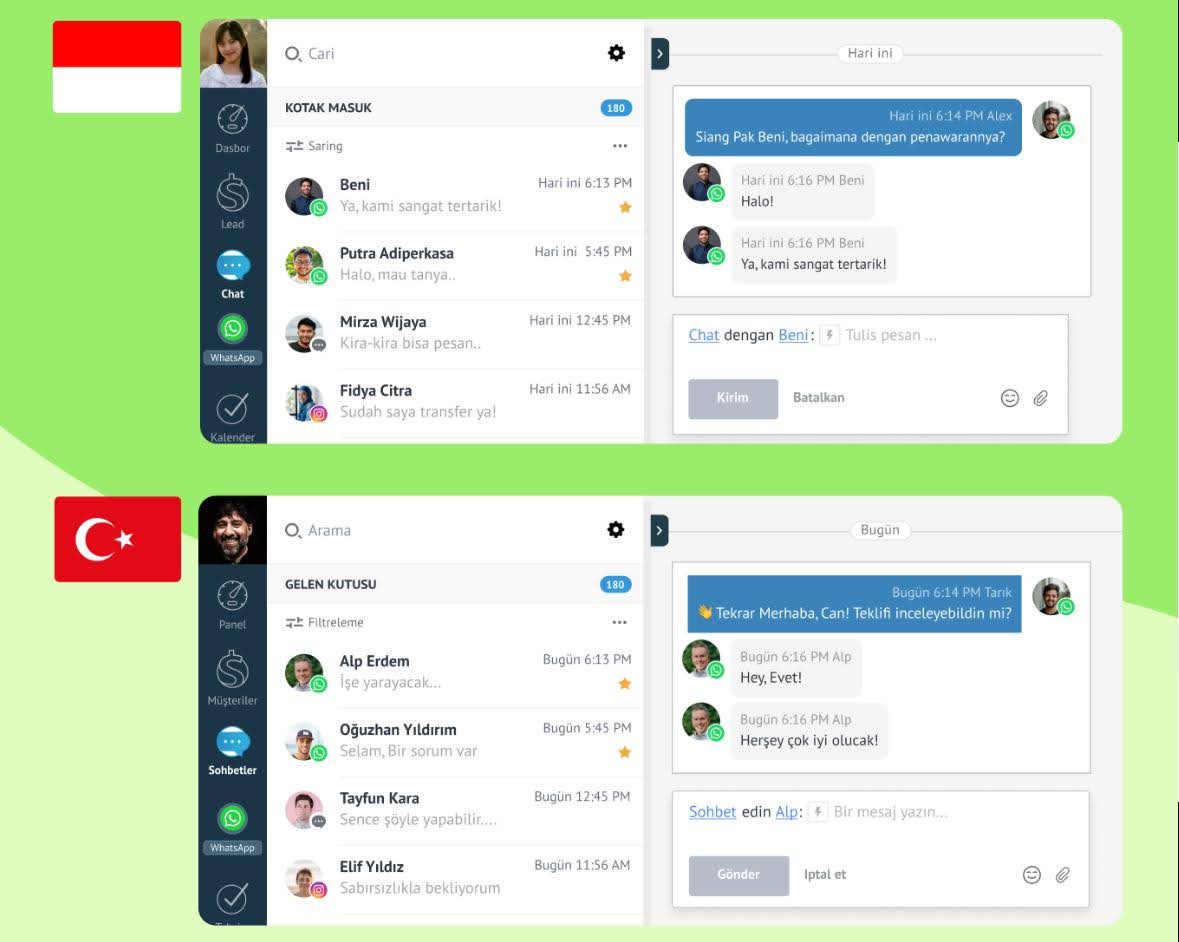
Kommo (trước là amoCRM) là một CRM hướng cuộc trò chuyện, được xây dựng để tinh giản giao tiếp bán hàng. Nó cho phép các nhóm nhỏ và đang phát triển quản lý cuộc trò chuyện với khách hàng trên nhiều kênh, đồng thời tập trung hóa việc theo dõi quy trình bán hàng và quản lý liên hệ.
Phù hợp nhất cho
Doanh nghiệp nhỏ và vừa tìm kiếm CRM ưu tiên nhắn tin, tích hợp các cuộc trò chuyện bán hàng trực tiếp vào quy trình bán hàng.
Ý kiến khách hàng & đánh giá nền tảng
Người dùng thường khen bố cục trực quan và tập trung mạnh vào luồng công việc dựa trên WhatsApp. Nhiều người đánh giá cao việc kết hợp chức năng CRM và tự động hóa nhắn tin trong cùng hệ thống.
Đánh giá trên G2: 3.8/5 (35 đánh giá)
Đánh giá trên Capterra: 4.3/5 (165 đánh giá)
Ưu điểm
CRM và tự động hóa nhắn tin trong cùng nền tảng
Cài đặt đơn giản và tự động hóa dễ quản lý
Tối ưu cho quy trình bán hàng dựa trên WhatsApp
Nhược điểm
Khả năng AI hạn chế hơn so với nền tảng Đại lý AI tiên tiến
Các tùy chọn tùy chỉnh có thể không mở rộng tốt cho đội ngũ lớn hơn
Giao diện cảm thấy lỗi thời so với các công cụ mới hơn.
Bảng giá
Gói cấp cơ bản bắt đầu khoảng $15/người dùng/tháng (kèm cam kết tối thiểu sáu tháng). Gói trung cấp thường khoảng $25/người dùng/tháng.
Wati
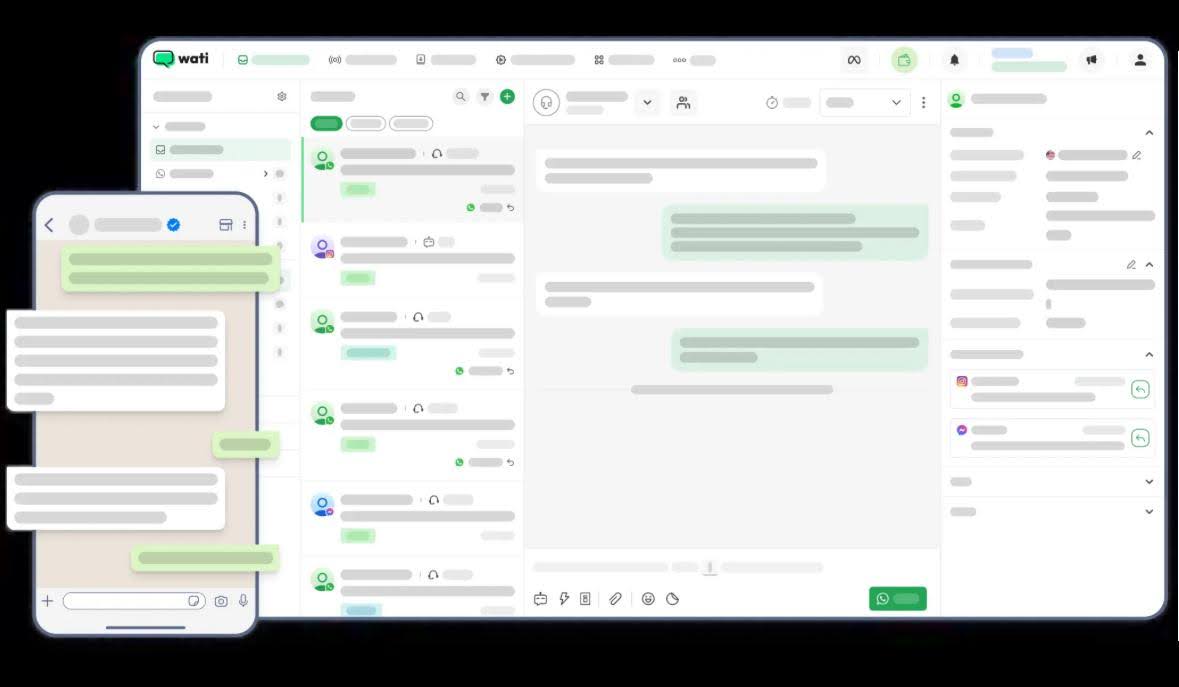
Wati là nền tảng tự động hóa nhắn tin chủ yếu xoay quanh hệ sinh thái nhắn tin của Meta. Nó cho phép doanh nghiệp quản lý cuộc trò chuyện bán hàng, tự động hóa mẫu tin nhắn và điều phối liên lạc đến/đi qua WhatsApp, Instagram và Facebook.
Phù hợp nhất cho
Doanh nghiệp phụ thuộc nhiều vào WhatsApp làm kênh chính cho giao tiếp khách hàng và tương tác bán hàng.
Phản hồi khách hàng
Người dùng thường nhấn mạnh tính ổn định cho tự động hóa WhatsApp và đa dạng tùy chọn mẫu tin nhắn. Nhiều đội ưa chức năng gửi tin hàng loạt và trải nghiệm triển khai đơn giản.
Đánh giá trên G2: 4.6/5 (425 đánh giá)
Đánh giá trên Capterra: 4.6/5 (185 đánh giá)
Ưu điểm
Thiết kế tập trung mạnh vào WhatsApp
Tự động hóa gửi tin hàng loạt và thông báo đơn giản
Giá cả phù hợp cho các nhóm nhỏ và đang phát triển.
Nhược điểm
Khả năng đa kênh hạn chế ngoài các nền tảng Meta
Chức năng AI còn phát triển và tương đối cơ bản
Tính thêm phụ phí vào chi phí WhatsApp API
Bảng giá
Các gói thường bắt đầu khoảng $49/tháng, chưa bao gồm phí WhatsApp API. Gói trung cấp thường từ $99/tháng, cộng phí API.
Trợ lý AI cho Marketing & tăng trưởng
Chọn danh mục này nếu công việc chính của bạn là chạy chiến dịch tăng trưởng trên kênh Meta (ad-to-DM, comment-to-DM, gửi tin hàng loạt). Đừng chọn cho vận hành đa đội phức tạp—định tuyến và quản trị CRM là nơi các công cụ này thường gặp vấn đề.
ManyChat
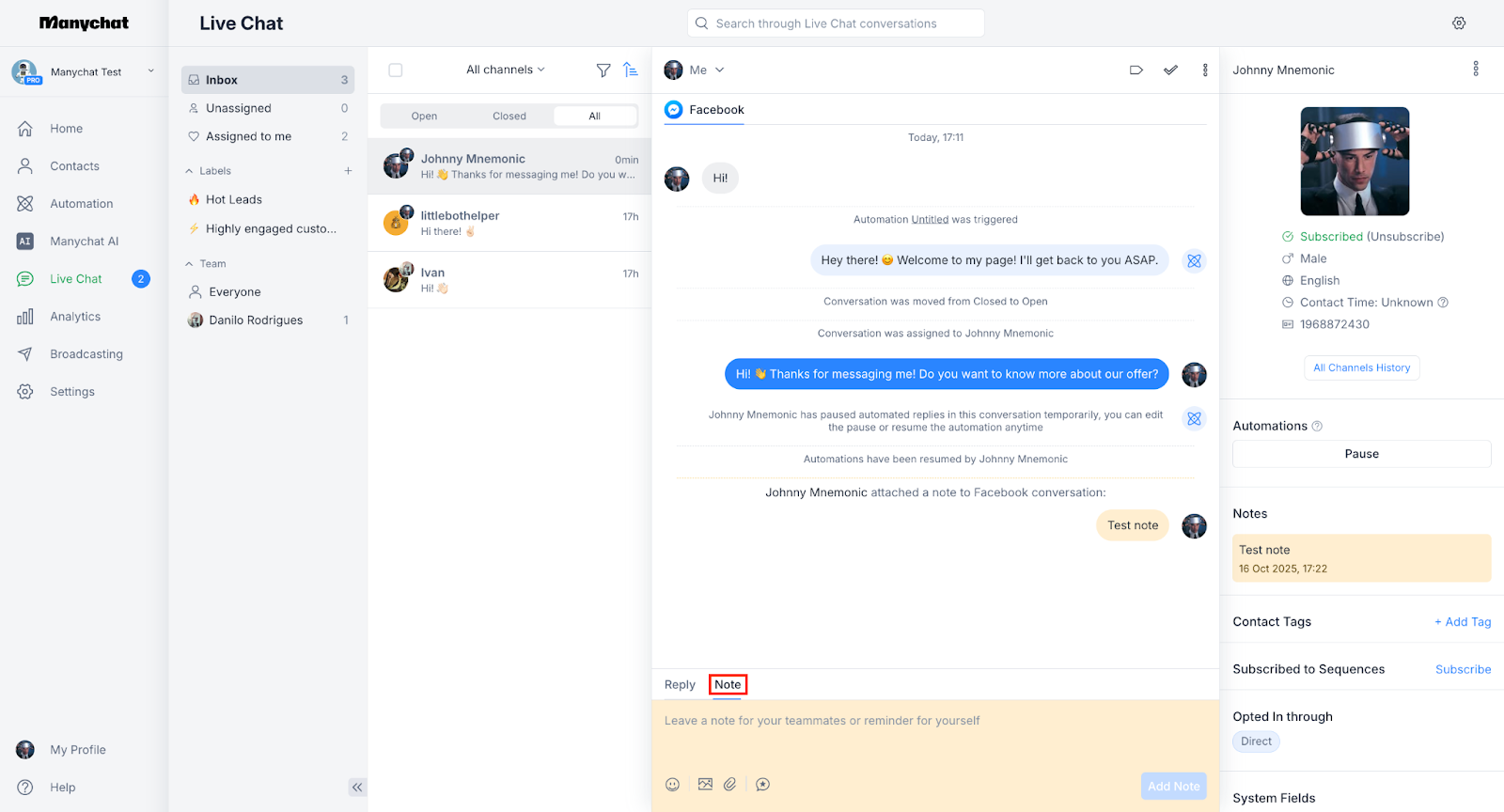
ManyChat là nền tảng tự động hóa marketing xây dựng chủ yếu cho kênh nhắn tin xã hội. Nó tập trung vào tự động hóa theo chiến dịch hơn luồng nhắn tin vận hành.
Phù hợp nhất cho
Doanh nghiệp nhỏ và vừa, creator và thương hiệu ecommerce dùng Instagram và Facebook Messenger để chạy khuyến mãi, nuôi dưỡng khán giả, tự động hóa DM và thu hồi giỏ hàng bị bỏ — không cần cài đặt kỹ thuật phức tạp.
Ý kiến khách hàng & đánh giá nền tảng
Người dùng thường khen việc dễ dàng xây dựng luồng tự động và khởi chạy chiến dịch nhanh chóng. Trình tạo trực quan và các mẫu có sẵn thường được đánh giá cao. Tuy nhiên, một số khách hàng nhắc tới hạn chế về tích hợp, khả năng mở rộng và phản hồi hỗ trợ.
Đánh giá trên G2: 4.5/5
Đánh giá trên Capterra: 4.6/5
Ưu điểm
Trình tạo tự động hóa trực quan, dễ dùng
Phù hợp tốt cho phễu marketing trên Instagram và Facebook Messenger
Hiệu quả cho chương trình tặng quà, khuyến mãi và chiến dịch tăng trưởng qua DM.
Công cụ phân khúc đối tượng mạnh mẽ
Nhược điểm
Không được thiết kế cho các luồng công việc vận hành liên nhóm
Các bot đa ngôn ngữ cần được cấu hình thủ công
Độ sâu tính năng CRM hạn chế đối với các tổ chức lớn hơn
Bảng giá
Gói trung cấp bắt đầu khoảng $15/tháng cho tối đa 3 người dùng và 500 liên hệ; giá tăng theo khối lượng liên hệ và yêu cầu tự động hóa nâng cao.
Chatfuel
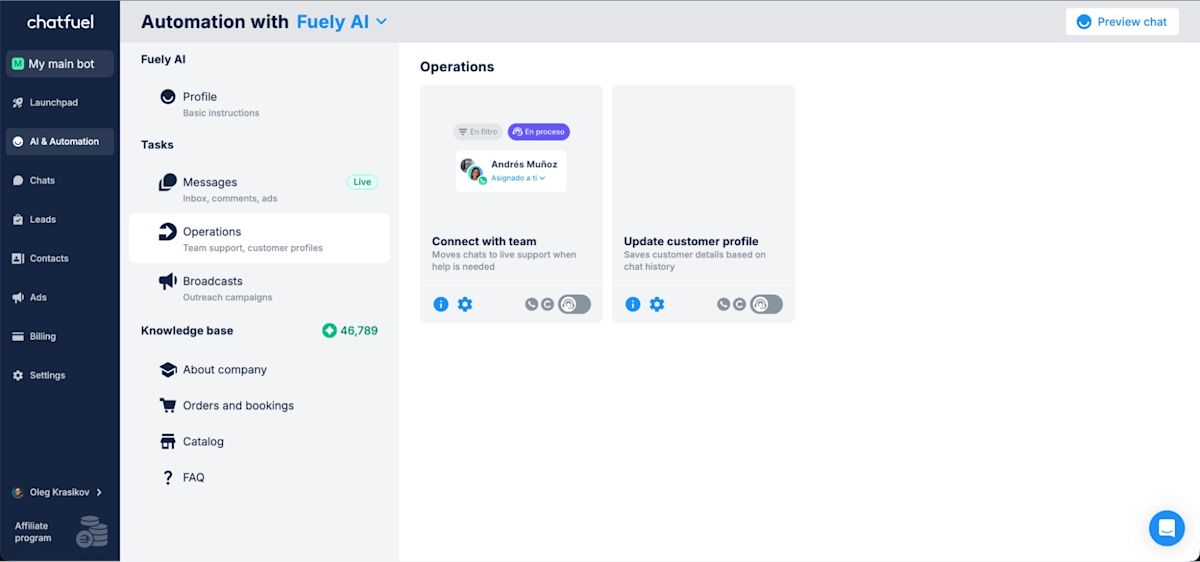
Chatfuel là nền tảng xây bot ưu tiên Facebook Messenger lâu năm, thiết kế cho triển khai nhanh và tự động hóa cơ bản.
Phù hợp nhất cho
Doanh nghiệp cần bot Messenger đơn giản để tạo khách hàng tiềm năng, trả lời câu hỏi thường gặp và chạy khuyến mãi.
Ý kiến khách hàng & đánh giá nền tảng
Khách hàng đánh giá cao tính dễ dùng và tự động hóa đơn giản của Chatfuel Trong khi một số khen tính phải chăng, một số khác nhận xét thiếu minh bạch về giá. Dịch vụ hỗ trợ khách hàng được cho là kém.
Đánh giá trên G2: 4.4/5
Đánh giá trên Capterra: 4.3/5
Ưu điểm
Giao diện no-code trực quan
Mẫu cho câu hỏi thường gặp (FAQ), thu thập khách hàng tiềm năng và đặt chỗ
Giá khởi điểm phải chăng
Nhược điểm
Khả năng AI và các tích hợp còn hạn chế
Chỉ hỗ trợ Instagram, Facebook và WhatsApp
Không lý tưởng cho tự động hóa hoặc định tuyến phức tạp
Phân tích và báo cáo hạn chế
Bảng giá
Truy cập Instagram bắt đầu từ $23.99/tháng; WhatsApp và Facebook có giá riêng lần lượt $39/tháng và $23.99/tháng.
Đại lý AI cho thương mại & dựa trên Inbox
Chọn danh mục này nếu bạn vận hành luồng chat-to-order trên WhatsApp/thương mại xã hội và cần Inbox cho nhóm cùng tự động hóa nhẹ. Nếu bạn cần định tuyến ở cấp doanh nghiệp, quản trị vòng đời và báo cáo sâu trên nhiều kênh, danh mục này có thể không đáp ứng khi quy mô tăng.
Pancake
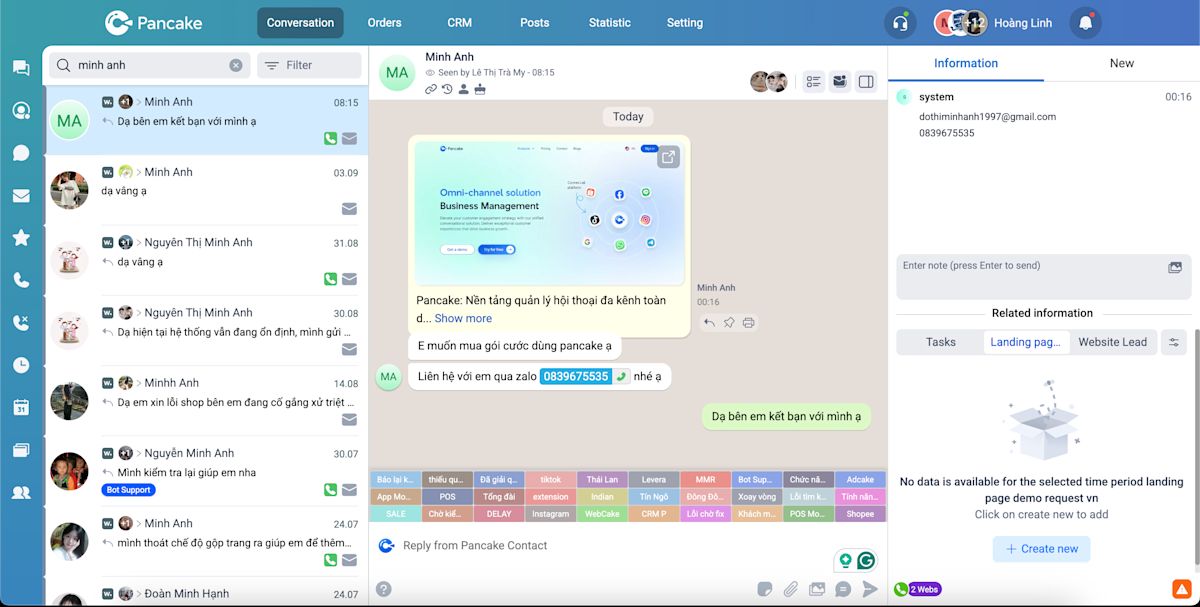
Pancake là Inbox thương mại xã hội được thiết kế để giúp doanh nghiệp quản lý các cuộc trò chuyện liên quan tới sản phẩm trên các nền tảng xã hội. Nó được xây dựng chủ yếu cho bán hàng theo danh mục và tương tác chat‑to‑order hơn là tự động hóa vận hành nâng cao.
Phù hợp nhất cho
Các thương hiệu thương mại xã hội nhỏ và người bán dựa vào Messenger và các kênh xã hội khác để trưng bày sản phẩm và chốt đơn trực tiếp trong chat.
Ý kiến khách hàng & đánh giá nền tảng
Người dùng trong lĩnh vực bán hàng trên mạng xã hội đánh giá cao tính năng danh mục của Pancake và khả năng đơn giản hóa đặt hàng qua chat. Nó thường được mô tả là dễ áp dụng cho các doanh nghiệp nhỏ. Tuy nhiên, đánh giá cho rằng độ sâu tự động hóa, khả năng báo cáo và khả năng mở rộng hạn chế so với nền tảng tiên tiến hơn.
Đánh giá trên G2: 4.4/5
Đánh giá trên Capterra: 4.6/5
Ưu điểm
Hỗ trợ các kênh thương mại xã hội chính bao gồm Facebook, Instagram, TikTok và WhatsApp
Cài đặt đơn giản cho nhóm B2C nhỏ xử lý bán hàng qua chat
Bao gồm Botcake cho trả lời tự động khi khối lượng tin nhắn cao
Giá thân thiện với người bán nhỏ
Nhược điểm
Thiếu một Inbox omnichannel hợp nhất hoàn chỉnh
Chức năng AI hạn chế so với các nền tảng đại lý AI dành cho doanh nghiệp
Báo cáo và phân tích cơ bản
Tự động hóa nâng cao yêu cầu cấu hình Botcake riêng, làm tăng độ phức tạp.
Bảng giá
Gói Standard mức trung khoảng $54.70 cho 3 tháng (khoảng $18/tháng), gồm 3 người dùng và 3 kênh xã hội kết nối, phù hợp cho luồng thương mại xã hội cơ bản.
Có thể áp phí thêm cho người dùng bổ sung (~$5/người/tháng), kênh bổ sung (~$4/kênh/tháng) và Botcake Pro cho nhu cầu tự động hóa cao hơn.
SleekFlow
SleekFlow là nền tảng thương mại hội thoại kết hợp chatbot với luồng bán hàng và hỗ trợ trên kênh nhắn tin xã hội. Nó được định vị là giải pháp để quản lý yêu cầu sản phẩm và các cuộc trò chuyện với khách hàng trong môi trường bán lẻ.
Phù hợp nhất cho
Các đội hỗ trợ và thương mại xã hội xử lý cả bán hàng và thắc mắc sau mua trên nhiều kênh nhắn tin.
Ý kiến khách hàng & đánh giá nền tảng
Người dùng đánh giá cao khả năng đa kênh của SleekFlow và thiết kế luồng công việc hướng đến bán lẻ. Nó thường được coi là phù hợp cho các đội thương mại cỡ nhỏ đến vừa. Tuy nhiên, một số người dùng phản ánh các vấn đề hiệu suất như giao diện chậm/giật và thời gian phản hồi lâu vào giờ cao điểm.
Đánh giá trên G2: 4.6/5
Đánh giá trên Capterra: 4.4/5
Ưu điểm
Hỗ trợ nhiều kênh nhắn tin
Được thiết kế với các luồng công việc hướng tới thương mại
Phù hợp cho các đội xử lý đồng thời các cuộc trò chuyện bán hàng và hỗ trợ.
Nhược điểm
Hiệu suất có thể giảm khi khối lượng cuộc trò chuyện cao
Người dùng phản ánh hỗ trợ chậm; hỗ trợ phản hồi nhanh hơn chỉ có trong gói Business Consultancy Service (US$499/tháng)
Bảng giá
Gói Premium AI của SleekFlow bắt đầu từ US$399/tháng (5 người dùng, bao gồm 1.000 liên hệ, giới hạn ở 12,000) theo mô hình Monthly Active Contacts, với các số WhatsApp Business API được tính phí riêng là US$15/tháng mỗi số.
Các đại lý AI hỗ trợ khách hàng
Chọn danh mục này nếu mục tiêu chính của bạn là giảm tải hỗ trợ trong mô hình quản lý phiếu/helpdesk. Nếu mục tiêu chính của bạn là nhắn tin liên kết với doanh thu và tự động hóa vòng đời khách hàng, những công cụ này có thể trở nên hạn chế.
Freshchat
Freshchat là nền tảng nhắn tin khách hàng được xây dựng chủ yếu cho các đội hỗ trợ. Chức năng AI của nó được thiết kế để giảm khối lượng phiếu hỗ trợ bằng cách trả lời các câu hỏi phổ biến và chuyển hướng cuộc trò chuyện đến đại lý phù hợp trong môi trường helpdesk.
Phù hợp nhất cho
Các đội hỗ trợ quản lý cuộc trò chuyện trên nhiều kênh, cần phân loại bằng AI, tự động hóa câu hỏi thường gặp và một không gian làm việc có cấu trúc để các đại lý cộng tác.
Ý kiến khách hàng & đánh giá nền tảng
Người dùng đánh giá cao tính năng tự động hóa của Freshchat và khả năng tích hợp của nó với hệ sinh thái rộng hơn của Freshworks. Tuy nhiên, một số người dùng báo cáo thỉnh thoảng có vấn đề về hiệu suất của chatbot và cho rằng khả năng báo cáo có phần hạn chế so với các nền tảng tiên tiến hơn.
Đánh giá trên G2: 4.4/5
Đánh giá trên Capterra: 4.1/5
Ưu điểm
Tích hợp nguyên bản với Freshdesk để quản lý phiếu hỗ trợ
Định tuyến do AI hỗ trợ và tự động hóa câu hỏi thường gặp (FAQ)
Hỗ trợ nhắn tin trên Instagram, WhatsApp và trò chuyện trên web
Được thiết kế để mở rộng từ các đội vừa đến tổ chức hỗ trợ lớn
Nhược điểm
Cài đặt ban đầu có thể phức tạp đối với các đội nhỏ
Tập trung chủ yếu vào hỗ trợ thay vì tự động hóa toàn bộ vòng đời khách hàng
Hạn chế linh hoạt trong tùy chỉnh luồng chat
Chi phí có thể tăng đáng kể khi thêm tính năng và add-ons
Bảng giá
Gói Pro bắt đầu khoảng $49/đại lý/tháng. Các tính năng AI và tự động hóa nâng cao thường chỉ có sẵn trên các gói cao cấp hơn.
Zenvia
Zenvia là nền tảng giao tiếp với khách hàng được sử dụng rộng rãi ở các thị trường Mỹ Latinh. Chức năng chat AI của nền tảng nằm trong một bộ công cụ nhắn tin và hỗ trợ rộng hơn, kết hợp kênh chat và thoại cho hoạt động dịch vụ
Phù hợp nhất cho
Doanh nghiệp ở LATAM phụ thuộc vào nhắn tin và kênh thoại để quản lý quy trình hỗ trợ khách hàng và xử lý khối lượng cuộc trò chuyện vừa phải
Ý kiến khách hàng & đánh giá nền tảng
Người dùng khen Zenvia về thiết lập đơn giản, khả năng gửi tin đáng tin cậy trên nhiều kênh và dễ sử dụng cho các nhiệm vụ hỗ trợ hàng ngày Tuy nhiên, các đánh giá thường nêu thời gian phản hồi hỗ trợ chậm, phân tích nâng cao hạn chế và khả năng tự động hóa yếu hơn so với các nền tảng hướng tới doanh nghiệp
Đánh giá trên G2: 4.4/5
Đánh giá trên Capterra: 4.5/5
Ưu điểm
Hỗ trợ WhatsApp, Instagram, Facebook, SMS và email trong cùng nền tảng
Các chatbot AI cung cấp phản hồi có ngữ cảnh và định tuyến vụ việc cơ bản
Báo cáo tập trung vào phiếu hỗ trợ và hiệu suất nhân viên hỗ trợ
Có tích hợp với HubSpot và Salesforce
Nhược điểm
Phạm vi kênh hạn chế và không có cơ chế hợp nhất liên hệ hệ thống giữa các kênh
Giá tăng nhanh do giới hạn cuộc trò chuyện và yêu cầu gói kênh
Báo cáo tập trung vào chỉ số hỗ trợ thay vì tầm nhìn vòng đời đầy đủ
Chức năng AI tương đối cơ bản; khả năng xử lý đa phương tiện và thực thi quy trình làm việc hạn chế so với các nền tảng đại lý AI tiên tiến
Bảng giá
Gói Specialist (mức trung) có giá khoảng $130/tháng và bao gồm 10 người dùng, 500 cuộc trò chuyện và tối đa 5 luồng chatbot Yêu cầu phải có gói tin nhắn (bắt đầu từ $20+) để bao gồm một lượng SMS, tin nhắn WhatsApp hoặc email nhất định
Có chi phí bổ sung, bao gồm phí cài đặt khoảng $137 Phí theo tin nhắn thường là $0.05 cho mỗi tin WhatsApp đi, $0.02 cho mỗi tin WhatsApp đến, $0.02 cho mỗi SMS và khoảng $0.04 cho mỗi 50 email
Zendesk
Zendesk là nền tảng hỗ trợ khách hàng được trang bị AI, tích hợp các đại lý AI vào môi trường helpdesk để tự động hóa xử lý phiếu hỗ trợ và giảm các yêu cầu lặp lại
Phù hợp nhất cho
Các đội hỗ trợ khách hàng muốn các đại lý AI xử lý các câu hỏi thường gặp (FAQ), phân loại các cuộc trò chuyện đến và tăng cấp các vấn đề phức tạp — tất cả trong hệ thống quản lý phiếu hỗ trợ có cấu trúc
Ý kiến khách hàng & đánh giá nền tảng
Zendesk nổi tiếng về độ tin cậy, hệ sinh thái hỗ trợ trưởng thành và khả năng quản lý phiếu hỗ trợ mạnh mẽ Tuy nhiên, người dùng thường nhắc đến chi phí cao hơn, độ phức tạp khi triển khai và tính linh hoạt hạn chế ngoài các luồng hỗ trợ truyền thống
Đánh giá trên G2: 4.4/5
Đánh giá trên Capterra: 4.4/5
Ưu điểm
Bot AI được cấu hình sẵn cho các kịch bản hỗ trợ
Luồng quản lý phiếu và quy trình xử lý leo thang mạnh mẽ
Tính năng bảo mật và tuân thủ cấp doanh nghiệp
Hạ tầng ổn định cho đội hỗ trợ lớn
Nhược điểm
Được thiết kế chủ yếu cho hỗ trợ khách hàng, không phải cho bán hàng hoặc tự động hóa vòng đời khách hàng
Việc tùy chỉnh AI bị hạn chế hơn ngoài các luồng xử lý phiếu hỗ trợ
Tổng chi phí sở hữu cao hơn so với các công cụ tự động hóa nhẹ
Các kênh nhắn tin chủ yếu đóng vai trò là điểm tiếp nhận hỗ trợ, chứ không phải là hệ thống toàn diện cho tăng trưởng hoặc tạo doanh thu
Bảng giá
Gói Suite Professional thường có giá khoảng USD 149 mỗi nhân viên hỗ trợ/tháng (thanh toán hàng tháng).
Thường có chi phí bổ sung, bao gồm khoảng:
Khoảng USD 50/nhân viên hỗ trợ/tháng cho khả năng AI nâng cao
USD 25–50/nhân viên hỗ trợ/tháng cho các công cụ Quản lý lực lượng lao động (Workforce Management) hoặc QA
Khoảng USD 50/nhân viên hỗ trợ/tháng cho các tính năng bảo mật và tuân thủ nâng cao (bao gồm HIPAA)
Có thể áp phí theo mức sử dụng cho lưu lượng API cao, việc sử dụng tính năng giải quyết tự động hoặc lưu trữ dữ liệu bổ sung, tùy khu vực và mức tiêu thụ
Cách chọn đại lý chat AI tốt nhất cho doanh nghiệp của bạn
Khi đánh giá đại lý chat AI, hãy chọn nền tảng phù hợp với mô hình vận hành của bạn (nhắn tin tạo doanh thu, quản lý phiếu hỗ trợ, phễu tăng trưởng hoặc thương mại trên mạng xã hội). Lựa chọn sai là nguyên nhân thất bại khi tăng quy mô — không nhất thiết do chất lượng mô hình AI.
Dưới đây là các yếu tố cốt lõi để cân nhắc, dựa trên cách các nền tảng hàng đầu như respond.io định vị khả năng đại lý AI và hạ tầng nhắn tin cấp doanh nghiệp.
Những tính năng của đại lý chat AI cần cân nhắc
Điều quan trọng nhất là chọn trợ lý chat AI phù hợp với cách doanh nghiệp bạn vận hành, mở rộng và tạo doanh thu. Các mục dưới đây phân tách công cụ chatbot cơ bản với nền tảng AI vận hành thực thụ
Khả năng của đại lý AI
Tìm đại lý làm nhiều hơn việc chỉ tạo phản hồi — họ nên diễn giải ý định, đưa ra quyết định và thực hiện hành động Đại lý AI hiện đại có thể:
Sử dụng nguồn tri thức doanh nghiệp đã được xác minh (ví dụ: tài liệu, nội dung website, trung tâm trợ giúp) để trả lời chính xác
Hoạt động tự chủ trong giới hạn đã định và tăng cấp khi cần
Thực hiện các nhiệm vụ vận hành như phân loại khách hàng tiềm năng, cập nhật vòng đời, gắn thẻ, định tuyến và các hành động giàu ngữ cảnh ảnh hưởng tới kết quả
Hiểu đầu vào đa phương tiện như hình ảnh, ghi âm và tệp để đưa ra phản hồi phong phú hơn
Các đại lý có thể hành động trong cuộc trò chuyện (không chỉ trả lời) mới mang lại tự động hóa thực sự thay vì chỉ là bộ trả lời tự động nâng cấp Nếu công cụ không thể thực thi hành động có cấu trúc (gắn thẻ/định tuyến/cập nhật/truy xuất dữ liệu), đó là một AI chatbot — chứ không phải đại lý AI vận hành
Tích hợp CRM & hệ thống
Các đại lý chat AI nên kết nối liền mạch với hệ thống backend của bạn để các cuộc trò chuyện thúc đẩy quy trình kinh doanh thực tế:
Đồng bộ dữ liệu liên hệ và vòng đời với các CRM lớn như HubSpot và Salesforce.
Cập nhật hồ sơ, kiểm tra trạng thái khách hàng tiềm năng hoặc truy xuất thông tin bên ngoài theo thời gian thực qua API trong cuộc trò chuyện.
Tích hợp với các nền tảng tự động hóa (Zapier, Make) và các hệ thống vận hành khác để tối đa hóa các hành động hạ nguồn
Các đại lý kết nối nhắn tin và hệ thống doanh nghiệp giúp khép kín vòng lặp giữa ý định khách hàng và việc thực thi vận hành Nếu cập nhật CRM xảy ra ngoài cuộc trò chuyện (xuất dữ liệu thủ công, đồng bộ chậm), bạn sẽ mất tốc độ và khả năng kiểm toán khi ở quy mô
Một Inbox đa kênh
Một Inbox hợp nhất đảm bảo mọi tương tác của khách hàng — trên WhatsApp, Instagram, Messenger, TikTok, SMS, web chat, email và thoại — đều hiển thị tập trung cho đội ngũ của bạn ở một nơi
Trung tâm này hỗ trợ:
bối cảnh nhất quán giữa các đại lý và các kênh
ít tin nhắn bị bỏ lỡ hoặc chuỗi hội thoại bị phân mảnh
tự động hóa xuyên kênh không làm mất lịch sử cuộc trò chuyện
Không có cái nhìn đa kênh thực sự, tự động hóa AI có nguy cơ hoạt động tách rời thay vì trở thành một phần của chiến lược giao tiếp nhất quán.
Theo dõi vòng đời khách hàng
Hiểu vị trí của liên hệ trong phễu — từ khách hàng tiềm năng đến khách hàng mua lại — giúp cải thiện việc ưu tiên và logic tự động hóa. Tìm các nền tảng cung cấp:
cập nhật giai đoạn vòng đời dựa trên tương tác với AI
phân khúc cho theo dõi, phát tin hàng loạt và tái tương tác
tầm nhìn về các điểm rời bỏ và hành trình chuyển đổi.
Các trợ lý nắm bắt vòng đời khách hàng giúp đội ngũ đưa ra quyết định chiến lược thay vì chỉ phản hồi mang tính ứng phó. Thiếu tầm nhìn về vòng đời khách hàng, đội ngũ có thể tối ưu hóa tốc độ phản hồi nhưng vẫn mất doanh thu do ưu tiên sai và theo dõi yếu
Tăng cấp & bàn giao cho nhân viên
Một trợ lý AI tốt nên tự xử lý các nhiệm vụ thường ngày nhưng cũng phải nhận biết khi nào cần đến phán đoán của con người. Các khả năng chính bao gồm:
các trình kích hoạt tăng cấp tự động dựa trên ý định hoặc độ phức tạp của kịch bản
bàn giao liền mạch, nơi nhân viên tiếp nhận đầy đủ ngữ cảnh và lịch sử
khả năng tắt AI khi nhân viên tiếp quản để tránh gây nhầm lẫn.
Điều này không thể thỏa hiệp đối với B2C ở quy mô lớn: các đội nhanh nhất là mô hình kết hợp (AI tiếp nhận + con người chốt/giải quyết)
Báo cáo & tầm nhìn vận hành
Chọn giải pháp hiển thị các chỉ số vận hành thực tế — không chỉ khối lượng chat. Báo cáo thiết yếu bao gồm:
thời gian phản hồi và tỷ lệ tự động hóa
chuyển đổi liên quan đến kết quả nhắn tin
hiệu suất kênh và phân bổ chiến dịch.
Nếu báo cáo không thể liên kết cuộc trò chuyện với kết quả (khách hàng tiềm năng đủ điều kiện, các lượt đặt lịch, phiếu hỗ trợ đã được giải quyết), bạn không thể cải thiện hệ thống — chỉ có thể cải thiện các kịch bản
Khi nền tảng đó đã có, bước tiếp theo là đối chiếu nhu cầu vận hành của bạn với loại đại lý trò chuyện AI phù hợp
Chuyện gì sẽ xảy ra nếu bạn chọn sai loại đại lý trò chuyện AI?
Danh mục sai “vẫn hoạt động” ở khối lượng thấp, nhưng sẽ vỡ khi tăng quy mô — thường xảy ra khi độ phức tạp trong định tuyến, nhu cầu báo cáo và việc cập nhật dữ liệu trở nên bắt buộc để đảm bảo doanh thu hoặc hiệu suất hỗ trợ.
Dưới đây là một số dạng lỗi phổ biến nhất:
Sử dụng bot phễu marketing cho hoạt động bán hàng: Sẽ gặp sự cố khi nhiều đội cần định tuyến, các giai đoạn vòng đời, nhật ký kiểm toán và cập nhật CRM. Bạn sẽ bỏ lỡ các lần theo dõi, có các liên hệ trùng lặp và không rõ ai chịu trách nhiệm. (FIX)
Dùng công cụ Inbox chỉ cho WhatsApp để tăng trưởng đa kênh: Sẽ vỡ khi khách hàng tiềm năng đến từ nhiều kênh (IG, trò chuyện trên web, quảng cáo) và bạn cần lịch sử hợp nhất + tự động hóa xuyên kênh
Sử dụng công cụ “AI chatbot” mà không có lớp thực thi: Sẽ gặp sự cố khi AI có thể trả lời nhưng không thể hành động (không có gắn thẻ có cấu trúc, định tuyến, gọi API hoặc cập nhật vòng đời).
Đề xuất đại lý trò chuyện AI cho trường hợp sử dụng của bạn
Nếu bạn đang vận hành nhắn tin có khối lượng lớn và ảnh hưởng trực tiếp tới doanh thu cho cả bán hàng và hỗ trợ, hãy chọn respond.io.
Nếu bạn cần quản lý ticket chuyên sâu và tự động hóa hướng tới bộ phận trợ giúp, hãy chọn Zendesk.
Nếu bạn muốn chạy phễu marketing trên Instagram và Messenger với việc thiết lập chiến dịch nhanh chóng, hãy chọn ManyChat.
Nếu bạn phụ thuộc nhiều vào WhatsApp cho các cuộc trò chuyện bán hàng và tự động hóa đơn giản, hãy chọn Pancake
(thương mại xã hội) hoặc SleekFlow (luồng thương mại đa kênh).
Nếu bạn muốn luồng nhắn tin lấy CRM làm trung tâm cho đội bán hàng nhỏ đến vừa, hãy chọn Kommo.
Nếu bạn hoạt động ở LATAM và cần nhắn tin + hỗ trợ trên một nền tảng khu vực, hãy chọn Zenvia.
Nếu bạn ưu tiên tự động hóa hỗ trợ trong hệ sinh thái Freshworks, hãy chọn Freshchat.
Nếu bạn phụ thuộc nhiều vào WhatsApp làm kênh chính cho giao tiếp với khách hàng và tương tác bán hàng, hãy chọn Wati.
Nếu bạn muốn trình tạo bot ưu tiên cho Messenger để chạy các chiến dịch/FAQ cơ bản, hãy chọn Chatfuel.
Biết công cụ phù hợp ở đâu hữu ích, nhưng điểm khác biệt thực sự rõ khi nhìn vào kết quả kinh doanh đo được.
Doanh nghiệp tăng doanh số như thế nào nhờ các Đại lý AI của respond.io
Để thấy AI vận hành trong thực tế, đây là cách công ty dùng các Đại lý AI của respond.io để thúc đẩy doanh thu và hiệu quả.
Cách ParcelDaily tăng chuyển đổi 60% với Đại lý chat AI của respond.io
ParcelDaily tạo lượng lớn cuộc trò chuyện từ quảng cáo Meta và TikTok, nhưng spam, trả lời chậm và quy trình làm việc phân mảnh giữa các đội đã hạn chế kết quả. Nhân viên tốn thời gian lọc các khách hàng tiềm năng chất lượng thấp và thu thập thủ công thông tin cơ bản.
Sau khi hợp nhất các đội vào respond.io và cải thiện nhắm mục tiêu quảng cáo bằng Conversion API của Meta, ParcelDaily triển khai các đại lý AI để tự động xử lý các cuộc trò chuyện giai đoạn đầu.
Các đại lý AI thu thập thông tin khách hàng ngay từ đầu, chuẩn bị cuộc trò chuyện để nhân viên theo dõi và giảm công việc phân loại lặp đi lặp lại. Điều này cho phép nhân viên chỉ tập trung vào khách hàng tiềm năng có ý định cao, cải thiện thời gian phản hồi vào giờ cao điểm mà không tăng biên chế.
Kết quả chính:
Tăng 60% chuyển đổi
Tăng 35% số khách hàng tiềm năng từ Facebook và TikTok
Giảm 10% chi phí trên mỗi khách hàng tiềm năng
Phản hồi nhanh hơn với ít ma sát vận hành
Cách Praga Medica thu hồi thêm 70% khách hàng tiềm năng với các Đại lý chat AI của respond.io
Praga Medica gặp khó khăn với giao tiếp phân mảnh, cập nhật CRM thủ công và lượng spam lớn từ trò chuyện trên web. Các tư vấn viên tốn thời gian xử lý các yêu cầu chất lượng thấp, trong khi các khách hàng tiềm năng quốc tế thực sự bị bỏ lỡ do phản hồi chậm và thiếu khả năng theo dõi.
Sau khi chuyển sang WhatsApp API với respond.io, doanh nghiệp đã tập trung các cuộc trò chuyện và triển khai các đại lý AI để tự động hóa tương tác giai đoạn đầu.
Các đại lý AI tự động thu thập thông tin bệnh nhân, lọc spam và xác định các khách hàng tiềm năng đủ điều kiện trước khi chuyển cho tư vấn viên. Điều này đảm bảo chỉ những cuộc trò chuyện có mức độ quan tâm cao mới được chuyển tới đội ngũ. Đồng thời, các phản hồi tức thì do AI hỗ trợ giảm độ trễ giữa các múi giờ, giúp Praga Medica tương tác với khách hàng tiềm năng toàn cầu ngay khi họ liên hệ.
Kết quả chính:
Thu hồi thêm 70% khách hàng tiềm năng nhờ cải thiện việc thu thập thông tin liên hệ
97% spam được lọc tự động
Giảm 50% thời gian phản hồi đầu tiên
Tư vấn viên theo dõi nhanh hơn nhờ dữ liệu CRM đồng bộ tự động
Cách GETUTOR tăng doanh số 24% nhờ các đại lý chat AI của respond.io
GETUTOR mất 10–20% khách hàng tiềm năng do tin nhắn bị bỏ lỡ, phân loại thủ công và thiếu định tuyến có cấu trúc. Các cuộc trò chuyện dồn ứ trên WhatsApp, nhân viên xử lý chat một cách phản ứng và những cơ hội bán hàng giá trị bị bỏ lỡ.
Sau khi chuyển sang respond.io, GETUTOR đã triển khai các trợ lý AI để tự động hóa việc tương tác ban đầu với khách hàng tiềm năng và tối ưu hóa quy trình đặt lớp.
Các Đại lý AI thu thập yêu cầu của học viên ngay từ đầu, tổng hợp thông tin thành dạng có cấu trúc và tự động phân công các khách hàng tiềm năng đủ điều kiện cho nhân viên có sẵn. Điều này loại bỏ việc trao đổi thủ công, giúp rút ngắn thời gian theo dõi và cho phép đội ngũ tập trung vào những truy vấn có ý định cao thay vì phân loại các cuộc trò chuyện không có cấu trúc.
Bằng cách kết hợp tiếp nhận do AI điều khiển với theo dõi vòng đời và định tuyến tập trung, GETUTOR biến phễu bán hàng thành hệ thống dễ dự đoán hơn, tập trung vào chuyển đổi.
Kết quả chính:
Tăng 24% số lớp được đặt trong vòng hai tháng
Xử lý nhiều hơn 50% khách hàng tiềm năng mỗi ngày
0 tin nhắn bị bỏ lỡ
Rút ngắn thời gian phân loại và cải thiện việc ưu tiên cho các khách hàng tiềm năng có mức độ quan tâm cao
Bắt đầu với trợ lý chat AI tốt nhất cho bán hàng B2C
Hầu hết các công cụ cung cấp AI hội thoại. Chỉ một vài công cụ cung cấp AI vận hành. Respond.io là một lớp AI vận hành được nhúng trực tiếp vào hệ thống nhắn tin của bạn. Các đại lý AI của Respond.io diễn giải ý định, đưa ra các quyết định có cấu trúc và thực hiện các hành động ảnh hưởng tới doanh thu và quy trình công việc.
Các đại lý AI tự động: Phân loại khách hàng tiềm năng, cập nhật giai đoạn vòng đời, gắn thẻ liên hệ, kích hoạt luồng công việc và tăng cấp trong phạm vi các ràng buộc an toàn.
Inbox dùng chung cho các nhóm: Hợp nhất bộ phận bán hàng, hỗ trợ và marketing trong một không gian làm việc đa kênh với ngữ cảnh đầy đủ.
Tự động hóa tích hợp với CRM: Đồng bộ dữ liệu, cập nhật hồ sơ và gọi API bên ngoài theo thời gian thực trong cuộc trò chuyện.
Hỗ trợ đa kênh: Quản lý WhatsApp, Instagram, Messenger, TikTok, SMS, trò chuyện trên web, email và thoại trong một nền tảng.
Ràng buộc an toàn & hành động được kiểm soát: Xác định quyền và logic tăng cấp để đảm bảo tự động hóa an toàn và có thể dự đoán được.
Báo cáo & khả năng hiển thị: Theo dõi thời gian phản hồi, tác động của tự động hóa và các chuyển đổi liên quan tới kết quả thực tế.
Bắt đầu dùng thử respond.io miễn phí và thử các Đại lý AI ngay trong Inbox của bạn hôm nay.
Biến các cuộc trò chuyện với khách hàng thành tăng trưởng doanh nghiệp với respond.io. ✨
Quản lý cuộc gọi, trò chuyện và email ở cùng một nơi!
Câu hỏi thường gặp về các đại lý chat AI hàng đầu
Tại sao Đại lý AI của tôi không hoạt động như mong đợi trong luồng công việc?
Hầu hết các vấn đề của Đại lý AI là do cấu hình luồng công việc, hướng dẫn không rõ ràng hoặc thiếu ràng buộc — không phải do chính mô hình AI.
Nếu Đại lý AI của bạn hoạt động không nhất quán, hãy kiểm tra:
Nơi Đại lý AI được kích hoạt trong luồng công việc
Bạn có đang chỉnh sửa đúng bước chỉ dẫn AI hay không
Đã định nghĩa logic tăng cấp hoặc logic dự phòng chưa
Liệu các điều kiện định tuyến có quá rộng hoặc mâu thuẫn không
Hiệu suất AI phụ thuộc nhiều vào cách luồng công việc xác định khi nào nên phản hồi, quy tắc cần tuân theo và khi nào cần tăng cấp. Trước khi xuất bản, hãy sử dụng trình kiểm tra xác thực hướng dẫn tích hợp sẵn để phát hiện các quy tắc mâu thuẫn, các tham chiếu đến biến bị hỏng hoặc thiếu logic leo thang.
Tại sao thay đổi persona của AI không cập nhật hành vi của AI?
Cài đặt persona ảnh hưởng đến giọng điệu, nhưng sẽ không ghi đè các chỉ dẫn AI ở cấp luồng công việc trừ khi được cấu hình chính xác.
Nếu các thay đổi không được phản ánh:
Hãy chắc chắn rằng bạn đang chỉnh sửa các chỉ dẫn AI trong bước luồng công việc đang hoạt động
Tách hướng dẫn giọng điệu/nhân cách khỏi quy tắc vận hành
Giữ các quy tắc hướng dẫn rõ ràng và tập trung vào hành vi
Ví dụ:
Giọng điệu: “Thân thiện và súc tích.”
Quy tắc: “Không hỏi xác nhận trừ khi yêu cầu mơ hồ.”
Chỉ riêng persona sẽ không thể thực thi các ràng buộc vận hành.
Tại sao Đại lý AI của tôi lại đưa ra các câu trả lời bịa đặt?
Hiện tượng bịa đặt xảy ra khi AI được phép trả lời ngoài nguồn tri thức của bạn hoặc khi cơ sở tri thức không đầy đủ.
Để giảm hiện tượng bịa đặt:
Giới hạn phản hồi trong nguồn tri thức của bạn
Thêm quy tắc: "Nếu thông tin không có trong cơ sở tri thức, hãy nói 'Tôi không biết' và chuyển cấp."
Sắp xếp cơ sở tri thức rõ ràng (FAQ, chính sách, giá cả, v.v.)
Nếu AI được phép "trả lời sáng tạo", nó có thể tạo ra các câu trả lời nghe có vẻ tự tin nhưng không chính xác — đặc biệt ở những lĩnh vực mà cơ sở tri thức còn thiếu.
Tại sao AI trả lời điều không có trong cơ sở tri thức của tôi?
Có khả năng Đại lý AI của bạn được cấu hình để trả lời ngoài nguồn tri thức của nó.
Nếu cơ sở tri thức không bao gồm thông tin nhưng Đại lý AI vẫn trả lời:
Kiểm tra cài đặt "reply outside knowledge" của bạn
Bật chế độ tri thức nghiêm ngặt nếu độ chính xác là yếu tố quan trọng
Thêm quy tắc tuân thủ cho những khẳng định có rủi ro cao (pháp lý, y tế, chứng nhận, bảo đảm)
Nếu không có ràng buộc tri thức nghiêm ngặt, các LLM có thể suy luận ra các câu trả lời nghe có vẻ hợp lý nhưng sai.
Tôi có thể gửi video hoặc tệp phương tiện qua luồng công việc không?
Có — các tệp phương tiện có thể được gửi qua các bước tin nhắn trong luồng công việc, tùy theo hạn chế của từng kênh.
Để gửi video:
Tạo một từ khóa hoặc trình kích hoạt
Thêm một bước tin nhắn
Đính kèm tệp video
Những cân nhắc quan trọng:
Mỗi kênh có giới hạn kích thước và định dạng tệp
Luôn kiểm tra việc gửi phương tiện trước khi khởi chạy chiến dịch
Đại lý AI có hỗ trợ tin nhắn thoại không?
Các Đại lý AI xử lý đầu vào dưới dạng văn bản Việc hỗ trợ thoại phụ thuộc vào việc có bật tính năng chuyển giọng nói thành văn bản trong cấu hình của bạn hay không
Nếu có phiên âm giọng nói:
Chuyển giọng nói thành văn bản
Gửi văn bản đã phiên âm tới Đại lý AI
Nếu không:
Chuyển người dùng gửi tin nhắn thoại sang nhân viên
Yêu cầu người dùng gõ yêu cầu
Việc xử lý thoại phụ thuộc vào kênh và cấu hình
Tôi có thể gửi tin nhắn hàng loạt trên WhatsApp và để AI trả lời tự động không?
Có — nhưng các tin nhắn gửi đi phải tuân theo mẫu WhatsApp đã được phê duyệt và các quy tắc opt-in
Cấu hình được đề xuất:
Gửi một tin nhắn hàng loạt theo mẫu đã được phê duyệt
Khi người dùng trả lời → Đại lý AI xử lý phân loại khách hàng tiềm năng và trả lời các câu hỏi thường gặp
Chuyển các khách hàng tiềm năng có ý định cao cho nhân viên
Không sử dụng AI cho các tin nhắn gửi đi không được kiểm soát Luôn tuân thủ các hướng dẫn chính sách của từng kênh
Tìm đọc thêm
Nếu bạn thấy bài viết này hữu ích, hãy đọc thêm:


