
















 Electronics
 Fashion & Apparel
 Furniture
 Jewelry and Watches
 Afterschool Activities
 Sport & Fitness
 Beauty Center
 Dental Clinic
 Medical Clinic
 Home Cleaning & Maid Services
 Photography & Videography
 Car Dealership
 Travel Agency & Tour Operator


TL;DR: Best AI chat agents for business by use case
Choose respond.io for B2C sales conversations that drive revenue across channels. It’s a customer conversation platform for mid-market B2C businesses whose customers chat before buying or booking. AI Agents answer product questions, qualify buyers, save their details and route them to sales. Lifecycle tracking, workflows and CRM integrations connect those conversations with follow-up and conversion reporting, helping your team turn more inquiries into sales and bookings.
Choose Kommo when your priority is a messaging-first CRM. It combines customer chats with lead records and sales pipelines.
Consider Manychat or Chatfuel for social messaging automation. They suit comment, DM and campaign flows; check which AI features work on your required channels.
Consider Pancake or SleekFlow for retail operations or multichannel messaging. Compare their store connections, AI configuration and plan requirements against the work your team needs to complete.
Consider Zendesk or Freshchat for helpdesk-led customer support. They suit teams organizing customer service around support requests and escalation. Wati’s Astra and Zenvia are additional options for specific channel and regional requirements.
When customer conversations drive sales, answering quickly is only part of the job. Your team also needs to identify serious buyers, capture their requirements and follow up before they lose interest. If your current tool leaves those steps to staff or splits them across disconnected systems, more inquiries can mean more missed sales and bookings.
Nowadays, businesses expect AI Agents to do more than just answer FAQs. They are expected to understand intent, route conversations, update records and support teams.
This guide is for mid-market B2C businesses that have outgrown their current chatbot or messaging setup. You’ll see which tools can help your team qualify customers, manage sales conversations and handle support, along with the trade-offs and monthly costs to consider.
How should you compare AI chat agents for business?
To compare AI chat agents, evaluate whether they can move a customer from an inquiry to the next sales or service step. Look beyond the wording of a reply: check the information saved, the action completed and the context handed to your team.
An AI chat agent uses business information and conversation context to respond and carry out configured actions. A rule-based chatbot follows predefined paths, while an AI assistant helps a human write or summarize messages. A platform may include all three, so establish which work its AI Agent can perform itself.
Evaluation criterion | What a good platform should demonstrate |
|---|---|
Accurate answers from business knowledge | Answers product, service and policy questions from approved sources; asks for missing information instead of inventing it |
Lead qualification and saved customer details | Collects requirements such as budget, location and preferred appointment time, then saves them in usable customer fields |
Customer records and CRM integration | Sends qualification details to the correct record and supports the specific lookups or updates your team needs |
Actions in order or booking systems | Retrieves current information or completes a configured action, with the result recorded in the connected system |
Routing and human handoff | Assigns the customer to the appropriate team based on their request, language or qualification, with conversation history and collected details |
AI coverage across customer channels | Supports the required AI actions on WhatsApp, Instagram, Messenger or other channels—not just a connection to those channels |
Lifecycle tracking and follow-up workflows | Shows where the customer is in the buying journey and supports the next follow-up step without staff rebuilding the context |
Reporting tied to sales and service outcomes | Shows qualification, response times, handoffs and conversions where supported, so your team can identify where inquiries stall |
Reliability, team access and language support | Provides high uptime, permissions and support, and handles the languages and conversation volume your customers bring |
Pricing and behavior at usage limits | Explains charges for contacts, users and AI usage, including whether responses continue or pause when an allowance is exhausted |
To see how a platform would handle your customers, ask the vendor to demonstrate a familiar conversation. For example, a parent asks about tutoring, shares the student’s age and curriculum, then changes the preferred schedule and asks for an advisor. The AI Agent should update the details and pass them to the advisor, so the parent doesn’t have to repeat everything.
For a retailer, use an order-status lookup. For an appointment business, check whether the booking is recorded in the booking system. These are illustrative trial scenarios: the useful evidence is what the platform completes, not how polished its answer sounds.
Top 10 best AI chat agents for businesses — Quick comparison
This comparison focuses on mid-tier paid plans for growing B2C teams. Prices use monthly billing wherever available, so you can compare them with respond.io’s monthly subscription. Kommo requires at least six months upfront, while Botcake charges by usage. For Zenvia, we show the Expert plan and its starting channel package. AI and channel fees are noted below.
Tool | Who it is best for | What it is mainly used for | Plan and pricing |
|---|---|---|---|
Respond.io | Mid-market B2C businesses growing revenue through customer conversations | AI qualification, sales routing, Lifecycle tracking and follow-up across channels | Growth: US$199/month, billed monthly; 10 users |
Kommo | Sales teams wanting messaging inside a CRM | Customer chats, lead records and pipeline management | Advanced: US$35/user/month; minimum six-month subscription |
Wati / Astra AI | Businesses prioritizing WhatsApp and website inquiries | AI qualification, FAQ replies and handoff through Wati | Astra Pro: US$99/month, billed monthly; Wati and channel charges may apply |
Manychat | Teams running social messaging campaigns | Comment and DM automation, AI Steps and Instagram AI features | Business: US$99/month, billed monthly; regional and account availability varies |
Chatfuel | Businesses needing social messaging automation | Replies, lead capture and configured booking conversations | Business: US$20/month, billed monthly; US$20 in monthly AI credits |
Pancake / Botcake | Retailers connecting social messages with orders | Product information and configured Pancake POS order workflows | Charges for Botcake Pro start at US$30 per 3 million automated messages; OpenAI usage and Pancake tools extra |
SleekFlow | Teams centralizing multichannel messages | Messaging, team assignment and configured integrations | Premium: US$349/month, billed monthly; WhatsApp hosting and usage extra |
Freshchat | Support teams using Freshworks | AI support, routing and human collaboration | Pro: US$59/human user/month, billed monthly; Freddy AI extra |
Zenvia | Businesses seeking customer communication in Latin America | Messaging, AI responses and customer-service workflows | Customer Cloud Expert: from US$410/month, billed monthly; US$421 setup fee |
Zendesk | Teams managing support through tickets | AI support resolutions and structured escalation | Suite Professional: US$149/human user/month, billed monthly; additional AI resolutions extra |
Top 10 best AI chat agents for businesses — Detailed comparison
Each tool has a different role in your customer conversations. If your customers ask about products, courses or appointments before buying, look for AI that can collect their requirements and help your team move the conversation forward. Here’s what each platform offers, where it fits and what you’ll pay.
1. Respond.io — For B2C sales conversations that drive revenue
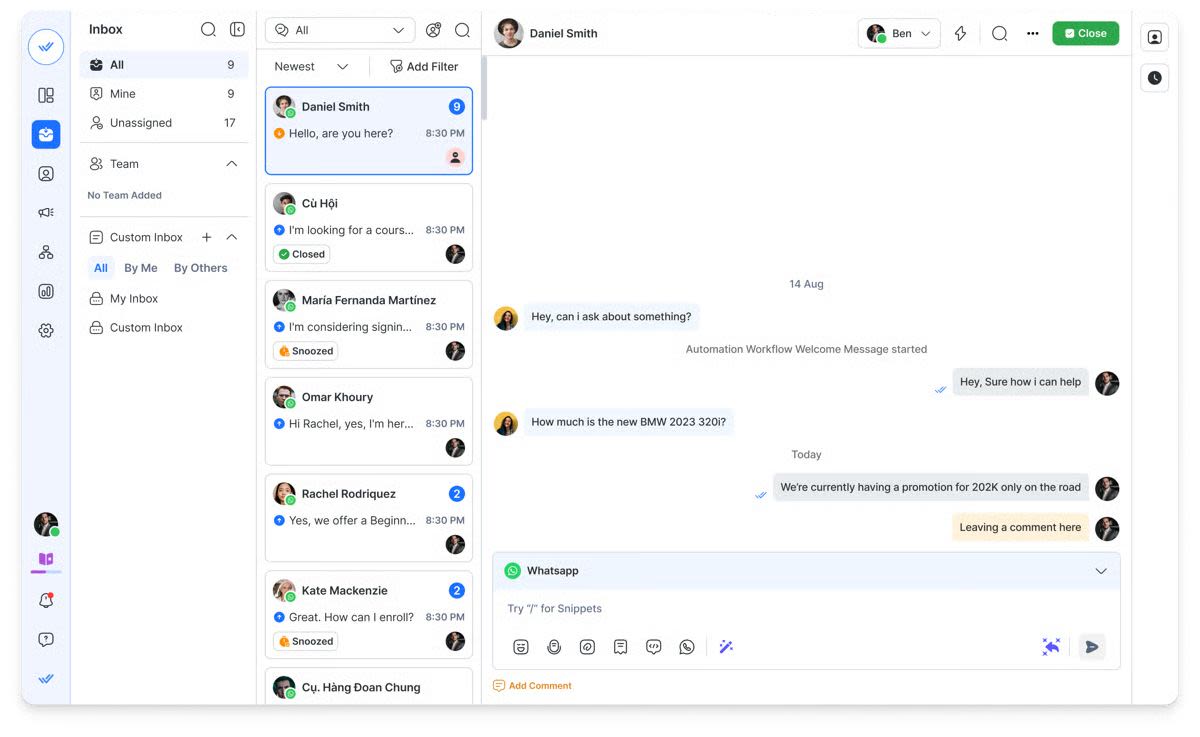
Respond.io is a customer conversation platform for mid-market B2C businesses whose customers chat before buying or booking. It connects AI Agents, human teams and customer data across channels, so inquiries can move through qualification, sales follow-up and post-purchase support in the same platform.
Best for
Businesses receiving high volumes of sales inquiries through WhatsApp, Instagram, Messenger and other channels, where the team still spends too much time qualifying customers, recording details and finding the right person to help.
Pros
AI Agents answer product questions, collect requirements and save customer details before a salesperson joins.
Manage WhatsApp, Instagram, TikTok, Messenger, SMS, email, web chat and supported calls together, so your team can handle customer conversations without switching tools.
Assign conversations to the right person or team with the chat history and qualification details available in the same inbox.
Update customer stages and help the team identify inquiries that need attention or follow-up.
Build structured qualification, routing and follow-up processes, then let AI Agents trigger the appropriate workflow. Workflows can also add collected details to Google Sheets.
Native HubSpot and Salesforce connections let your team view CRM information during conversations. Use n8n, Zapier or Make for configured data updates and automation across other tools. On eligible plans, chat AI Agents can use HTTP requests for configured external lookups and actions.
Review response times, campaign performance and conversions to understand where customer conversations produce results or stall.
The MCP connector lets authorized teams create and update AI Agents, improve prompts and configure their actions using natural-language instructions.
Copilot helps your team create, test and improve AI Agents inside respond.io. Get 24/7 customer support when you need help, with an onboarding program available as an add-on for guided migration and setup.
Respond.io publishes 99.999% uptime to support high-volume customer conversations.
Cons
Advanced workflows and AI configuration have a learning curve. Copilot and 24/7 support help teams get set up, but your business still needs clear qualification and handoff rules.
It costs more than a basic chatbot. The investment makes more sense when missed inquiries, manual qualification or fragmented follow-up affect sales.
Pricing
Growth starts at US$199/month, billed monthly, and includes 10 users, chat AI Agents, workflow automation and advanced reports. Voice AI Agents are also available on Advanced, starting at US$349/month, billed monthly, if your team needs to extend the setup to calls.
Customer sentiment and platform rating
Users highlight respond.io’s centralized customer conversations, automation capabilities and helpful support. Teams value managing several channels without moving between disconnected tools. Some reviewers raise concerns about pricing or missing features, making workflow fit important when assessing the investment.
Platform rating: G2 — 4.8/5.
2. Kommo — Messaging-first CRM
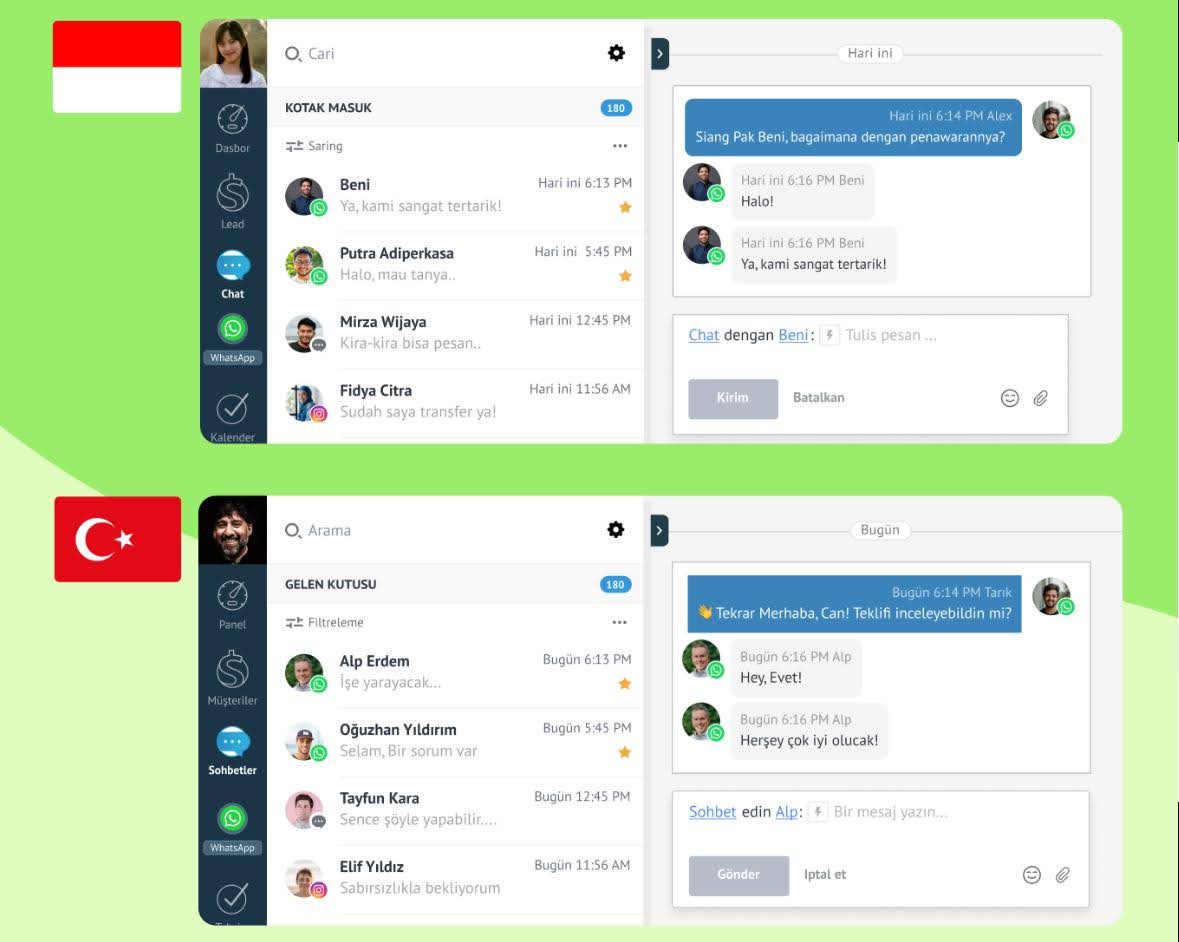
Kommo, previously amoCRM, combines customer messaging with lead records and sales pipelines.
Best for
Consumer-facing sales teams that want customer conversations managed directly inside their CRM.
Pros
Customer chats and lead records in one workspace.
Pipeline automation for sales follow-up.
AI Agents available on the Advanced plan.
Cons
Adopting it may mean changing how your team uses an existing CRM.
Advanced limits the number of AI Agents and connected channels; larger configurations may require Pro.
A six-month minimum subscription reduces flexibility compared with monthly contracts.
Pricing
Advanced costs US$35/user/month with a six-month minimum. It includes up to three AI Agents and 1,250 AI credits per paid seat/month. Extra seats increase the allowance; additional credit packages are available. Unused credits do not roll over.
Customer sentiment and platform rating
Users highlight ease of use, automation and integrations. Some mention onboarding and support difficulties or dissatisfaction with pricing changes.
Platform rating: G2 — 4.2/5.
For a closer comparison, read our Kommo alternative guide.
3. Wati’s Astra AI — For WhatsApp and website qualification
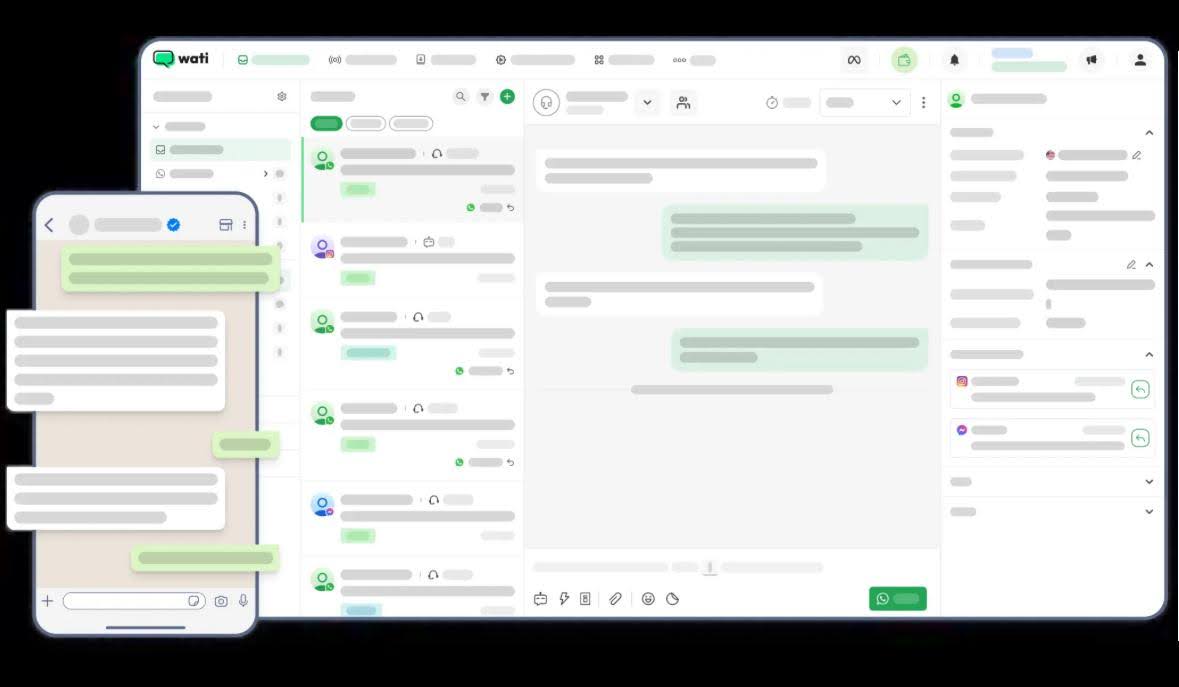
Wati focuses on customer messaging, while its Astra offering handles AI qualification and replies on WhatsApp and websites.
Best for
Businesses that rely on WhatsApp for customer inquiries and want AI qualification connected to Wati’s team inbox.
Pros
WhatsApp and website AI responses.
FAQ handling and conversational lead capture.
Human assignment through the Wati inbox.
Pro integrations for HubSpot lead syncing and Slack alerts.
Cons
Astra’s listed chat channels are WhatsApp and web; confirm coverage if other channels drive your sales.
Wati adds a markup to WhatsApp messaging fees.
Wati lists Astra as an add-on priced separately from its platform subscription.
Pricing
Astra Pro costs US$99/month, billed monthly, for up to three AI Agents, three team members and 5,000 monthly credits. Extra credits cost US$20 per 1,000. Business costs US$399/month, billed monthly, for higher allowances and API actions. Include any required Wati subscription and WhatsApp charges when budgeting for your setup.
Customer sentiment and platform rating
Wati reviewers highlight ease of use, WhatsApp integration and automation. Pricing and missing features also appear in feedback.
Platform rating: G2 — 4.6/5 for Wati overall; Astra does not have a separate rating included here.
For a closer comparison, read our Wati vs. respond.io guide.
4. Manychat — For turning social engagement into conversations
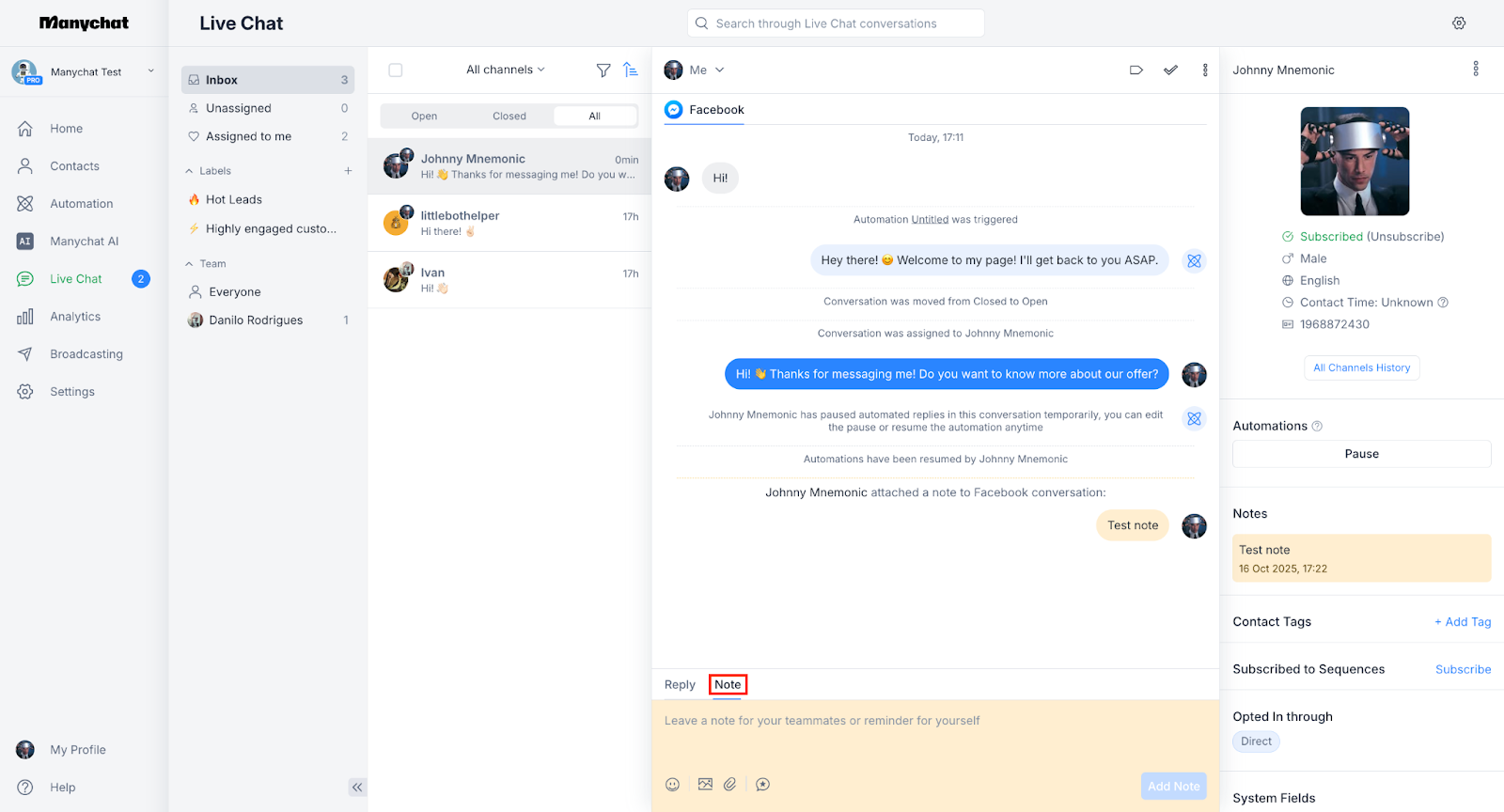
Manychat is a social messaging automation platform used for comment, DM and campaign flows.
Best for
Businesses running promotions and lead-capture campaigns through Instagram, Messenger and other supported channels where human agent involvement is minimal.
Pros
Visual automation builder for social messaging flows.
Comment and DM automation for campaigns.
AI Steps for collecting information and generating contextual replies.
Team Inbox and assignment capabilities on Business.
Cons
Autonomous AI Replies, Comments and Goals are documented as Instagram-only and in beta.
Active-contact overages and additional Inbox seats increase cost.
Pricing
Business costs US$99/month, billed monthly, with 7,500 active contacts, five users and three Inbox seats. Additional contacts and Inbox seats cost extra. The newer pricing model’s availability varies by region and account.
Customer sentiment and platform rating
Users praise ease of use and automation. Some report limitations in features, support responsiveness and pricing.
Platform rating: G2 — 4.5/5.
For a closer comparison, read our Manychat alternative guide.
5. Chatfuel — For social messaging automation
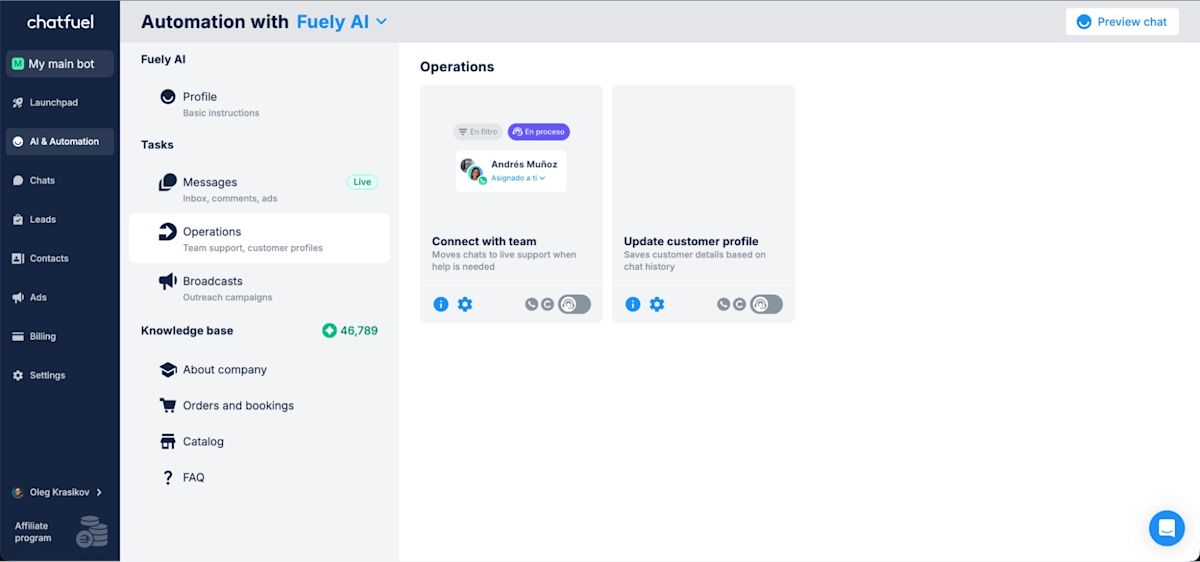
Chatfuel is a no-code messaging automation product with AI responses and lead-capture capabilities.
Best for
Businesses needing social messaging flows for FAQs, promotions and customer inquiries with minimal human agent involvement, similar to Manychat.
Pros
No-code setup for messaging automation.
Comment replies and lead qualification.
WhatsApp meeting booking and CRM sync listed in its Business offering.
Cons
AI replies pause when the documented usage allowance is exhausted.
AI consumption depends on business knowledge, instructions and conversation history, making volume estimates important.
Confirm the exact CRM or booking action your configuration supports.
Pricing
Business costs US$20/month, billed monthly, and includes US$20 in monthly AI credits. This is Chatfuel’s standard plan for one business. AI usage limits apply, so check the allowance against the number of customer conversations you expect.
Customer sentiment and platform rating
Reviewers highlight ease of use and straightforward automation. Some mention cost and customer-support concerns.
Platform rating: G2 — 4.4/5.
6. Pancake’s Botcake — For retail operations
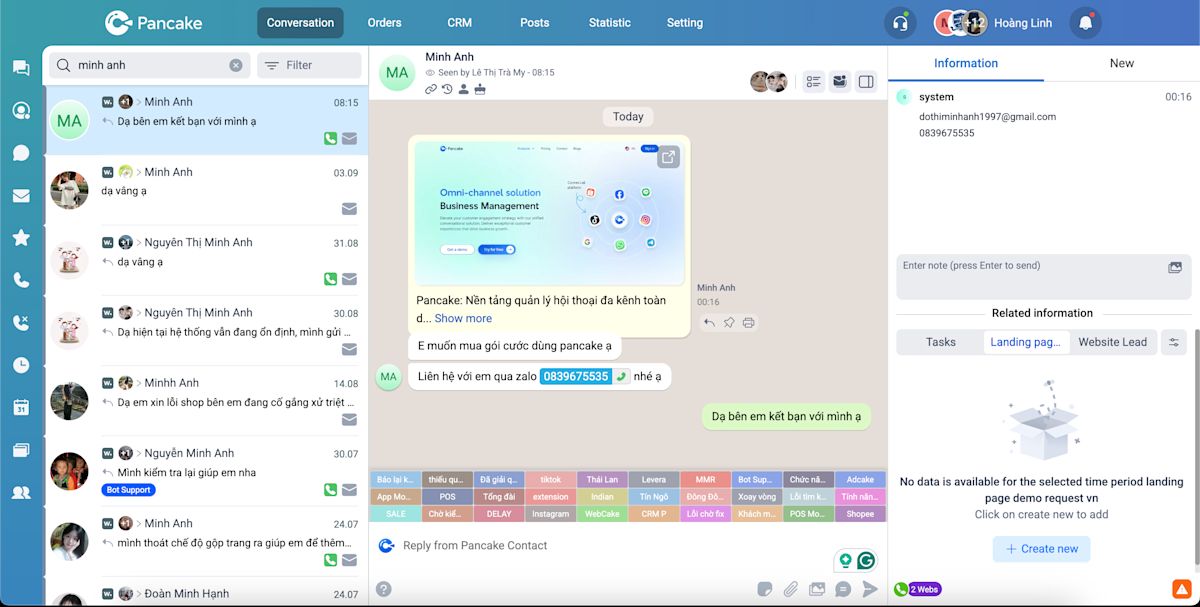
Pancake connects social messages with retail tools. Botcake provides configured automation and AI capabilities within that ecosystem.
Best for
Retailers using customer chats to answer product questions and create orders in Pancake POS.
Pros
Product information can be imported from Pancake POS into Botcake AI.
Configured flows collect customer details and create POS orders.
Retail tools support connected product and order processes.
Cons
The AI workflow requires Botcake configuration alongside the relevant retail tools.
Businesses using a different store or order system need to assess integration and migration work.
A Pancake inbox subscription alone does not establish the cost of the required AI setup.
Pricing
Charges for Botcake’s paid automation start at US$30 per 3 million messages. Botcake AI uses your own OpenAI account, so you pay separately for the tokens it consumes. If you also need Pancake’s inbox or POS, include those subscriptions and channel charges in your budget. This is usage-based pricing rather than a flat monthly AI subscription.
Customer sentiment and platform rating
The available Botcake reviews are too limited to give a reliable picture of customer sentiment. If you’re considering it, ask retailers with a similar order setup about day-to-day use and support.
Platform rating: No verified Botcake rating available from the G2 listing reviewed.
7. SleekFlow — For multichannel messaging
SleekFlow combines customer messaging, team assignment and AI configuration with business-system integrations.
Best for
Teams wanting a shared workspace for messages across channels, with configured connections to customer or store data.
Pros
Multichannel inbox and team assignment.
Workflow builder and AI capabilities.
Premium integrations for HubSpot, Zoho and webhooks.
Cons
Custom AI integrations require Premium rather than the lower Pro plan.
WhatsApp number hosting is charged separately.
Pricing
Premium costs US$349/month, billed monthly, with 10 users and an allowance starting at 1,000 monthly active contacts. WhatsApp number hosting adds US$15/month, with messaging usage charged separately.
Customer sentiment and platform rating
Users highlight ease of use and customer support. Missing features and cost also appear among review concerns.
Platform rating: G2 — 4.6/5.
For a closer comparison, read our SleekFlow alternative guide.
8. Freshchat — For AI support within Freshworks
Freshchat is a customer messaging product focused on support, with Freddy AI for customer responses and human-team collaboration.
Best for
Support teams that need FAQ handling, routing and a shared workspace, particularly within the Freshworks ecosystem.
Pros
Freddy AI for customer-support conversations.
Team inbox with supported social messaging channels.
Pro includes intelligent routing, custom reporting and multiple service policies.
Cons
Its primary operating model is customer support rather than sales-pipeline management.
Freddy AI session charges are separate from human-user subscriptions.
Connector tasks and other add-ons can increase the total.
Pricing
Pro costs US$59 per human user/month, billed monthly. Freddy AI includes 500 free sessions once per account, followed by US$49 per 100 sessions. Freddy Copilot is a separate add-on for your human team.
Customer sentiment and platform rating
Users highlight ease of use and setup. Some report AI limitations, chatbot issues or reporting needs.
Platform rating: G2 — 4.4/5.
9. Zenvia — For customer communication in Latin America
Zenvia Customer Cloud combines messaging, generative AI and customer-data capabilities, with a business presence rooted in Latin America.
Best for
Businesses in Latin America looking for messaging and customer-service capabilities suited to their regional operation.
Pros
Channels include WhatsApp, Instagram, Messenger and web chat.
Generative AI for customer conversations.
Connections to CRMs, ERPs and other business tools.
Cons
Plan and channel-package requirements need to be scoped for your market.
Platform integrations do not establish which actions its AI can perform independently.
Confirm reporting and sales-follow-up requirements in the proposed configuration.
Pricing
Regional pricing on Zenvia’s English-language page lists Customer Cloud Expert at US$390/month, billed monthly, for 30 users and 2,000 interaction credits. The starting US$20 channel package brings the monthly total to US$410, plus a US$421 setup fee in the first month. Higher channel usage, extra users and interaction credits increase the cost.
Customer sentiment and platform rating
Reviewers highlight an intuitive interface and straightforward customer messaging. Some report support delays and limited conversation reporting. The review history includes older Sirena-era feedback, so assess recent reviews for the package you are considering.
Platform rating: Capterra — 4.1/5 for Zenvia Customer Cloud.
10. Zendesk — For AI support within a structured helpdesk
Zendesk is an AI-powered customer support platform that embeds AI agents within a helpdesk environment to automate ticket handling and deflect routine inquiries.
Best for
Customer-support teams that want AI responses, ticket handling and escalation within a structured helpdesk.
Pros
AI Agents within the customer-support workspace.
Ticketing, routing and escalation workflows.
Integration tools for external data and configured actions.
Professional-plan reporting and service-management controls.
Cons
The platform centers on support, which may not match a sales-led conversation process.
Human seats and automated resolutions affect the total separately.
Copilot, QA and other optional capabilities carry additional charges.
Pricing
Suite Professional costs US$149 per human user/month, billed monthly. It includes 10 automated resolutions per human seat/month, subject to the published annual cap. Additional resolutions are listed at US$1.50 committed or US$2 pay-as-you-go. Copilot is separate from autonomous AI Agent usage.
Customer sentiment and platform rating
Users highlight ticket management, automation and centralized support. Some mention higher costs and the work needed to configure more complex workflows.
Platform rating: G2 — 4.3/5 for Zendesk for Customer Service.
Which AI chat agent should you choose when your current tool falls short?
Choose respond.io if your current tool leaves your team qualifying buyers, copying customer details or chasing follow-ups by hand. Its AI Agents, shared inbox, Lifecycle tracking and workflows help B2C teams turn inquiries into sales and bookings across channels.
For a narrower need, shortlist Kommo for messaging in your CRM, Manychat or Chatfuel for social automation, Pancake for retail operations, or Zendesk and Freshchat for helpdesk support.
How B2C businesses use AI Agents to handle more customer inquiries
AI Agents are most useful when they address a specific operational problem, such as filtering campaign traffic, collecting customer details or preventing inquiries from being missed. These customer stories show how AI worked alongside workflows, inbox management and other platform capabilities.
GETUTOR: Handling tutoring inquiries without missing potential students
GETUTOR, a tutoring business, needed a better way to manage incoming inquiries and connect students with suitable classes.
Its respond.io implementation combined AI Agents, workflows, Lifecycle management and a shared team inbox to handle qualification and follow-up. GETUTOR reported 24% more classes sold within two months, alongside increased daily lead handling.
The takeaway for education businesses is simple: answering a parent’s course questions helps, but the details also need to reach the advisor who can help them choose and enroll.
Praga Medica: Filtering spam so staff can focus on genuine inquiries
Praga Medica, a healthcare provider, needed to distinguish genuine patient inquiries from spam while collecting the information its team required.
AI Agents helped filter 97% of spam. Its broader customer-conversation improvements also produced 70% more lead contact data, giving staff more useful information for follow-up.
This is relevant to businesses receiving large volumes of campaign inquiries: the goal is to surface real customers and collect the details needed to help them.
Parcel Daily: Connecting customer conversations with conversion tracking
Parcel Daily, a logistics business, used respond.io to improve its customer-conversation process and connect advertising with conversion data.
Its implementation included AI-assisted information collection and Meta Conversions API tracking. The business reported a 60% increase in conversions from the broader approach.
For businesses using messaging ads, the lesson is to connect customer intake with conversion tracking. Parcel Daily’s increase came from that combined setup, so it reflects more than AI replies alone.
Turn more customer conversations into sales and bookings with AI Agents that qualify buyers, capture their details and connect them with your team. Try respond.io free for seven days and give your team more time to sell.
FAQs about choosing the best AI chat agents for business
When should you replace a chatbot with an AI chat agent?
Replace your chatbot when customer requests regularly require staff to repeat qualification, interpret changing requirements or move information between systems. An AI chat agent can help when it understands the request and performs the configured next step.
If predictable replies and basic assignment already meet your needs, a simpler chatbot may remain sufficient. For cross-channel B2C workflows, respond.io connects qualification and customer information with human handoff.
How can you assess AI answer accuracy before choosing a platform?
Use your approved business information to test questions with clear answers, missing information and conflicting customer details. A reliable configuration should distinguish what it knows from what needs clarification or human help.
For a beauty brand, that could mean answering a product question from approved information without inventing a medical benefit. For a travel agency, it could mean explaining a package without promising an unverified visa outcome.
Respond.io provides pre-launch AI Agent testing so teams can review responses and actions before deploying their configuration.
Can you keep your CRM when switching AI chat agent platforms?
Yes. Choose a platform that connects to your existing CRM and supports the information exchange your team needs, so you can improve customer conversations without replacing your CRM.
Respond.io has native connections to Salesforce and HubSpot, allowing your team to view CRM information without leaving the conversation. Use n8n, Zapier or Make to connect other tools and build workflows that create records, update fields or pass qualification details between systems.
Is a shared inbox enough, or do you need an AI chat agent?
A shared inbox may be enough when the main problem is organizing messages and assigning them to staff. An AI chat agent becomes more useful when staff also spend significant time answering repeated questions or collecting the same qualification details.
Respond.io combines a shared inbox, AI Agents and workflows, helping your team manage messages, qualify customers and handle follow-up in the same workspace.
Which AI chat agent should you choose for WhatsApp, Instagram and Messenger?
Choose a platform that supports your required channels and lets the team continue conversations with the information collected by AI. Check the availability of the specific AI features on each channel, not just whether the platform connects to it.
Respond.io supports WhatsApp, Instagram, Messenger and other channels in one inbox, so your team can handle AI qualification and human follow-up together. A WhatsApp-focused tool may be sufficient if that is the only channel your customers and team need.
Can an AI chat agent complete a booking or check an order?
Yes, when it has a supported connection to the system holding the order or booking information and the required action has been configured.
Ask the vendor to demonstrate the recorded result. Sending a booking link is different from confirming an appointment, and quoting a shipping policy is different from retrieving an order’s current status. Respond.io’s chat AI Agents can use HTTP requests for configured external lookups and actions.
How important is platform uptime when choosing an AI chat agent?
Uptime matters when missed inquiries can delay purchases or bookings. Review the platform’s published availability, status history and support arrangements alongside the AI Agent’s accuracy and handoff behavior.
Respond.io publishes 99.999% uptime. That is a platform-availability claim; answer quality still depends on your business information, configuration and testing.
Further reading
Now that you’ve compared the platforms, explore the options most relevant to your next step:
Best AI Agents for B2C customer conversations for a closer look at consumer-facing sales and support.
WhatsApp AI Agent: How to choose and set up one if WhatsApp is central to your customer conversations.
Best WhatsApp chatbots to compare WhatsApp-focused alternatives.


