
















 Electronics
 Fashion & Apparel
 Furniture
 Jewelry and Watches
 Afterschool Activities
 Sport & Fitness
 Beauty Center
 Dental Clinic
 Medical Clinic
 Home Cleaning & Maid Services
 Photography & Videography
 Car Dealership
 Travel Agency & Tour Operator

TL;DR: Choosing a WhatsApp AI Agent for chats and calls
For mid-market B2C teams whose customers chat or call before buying or booking, WhatsApp AI Agents can reduce repetitive replies, manual qualification and slow routing. Here are the key takeaways:
Use chat AI for messaging and Voice AI for calls: Chat agents can answer questions, qualify leads and retrieve live information through configured integrations. Voice agents can answer routine inbound calls and transfer callers to your team. Their capabilities differ.
Choose a platform that completes the next step: Prioritize saved lead details, reliable routing, human handoff and the integrations your sales or booking process needs. Check chat and call limits, plus the total cost.
Choose respond.io when: You want to handle WhatsApp chats and calls in a unified omnichannel inbox, with AI Agents, lead qualification, routing and Lifecycle tracking to move sales and bookings forward faster.
Keep a simpler setup when: A basic chatbot or shared inbox already handles your questions and assignment needs reliably.
Your WhatsApp tool may already automate replies or use AI, yet your team still repeats qualification questions, switches systems and fixes slow handoffs. As inquiry volumes grow, those gaps can delay purchases and bookings. A WhatsApp AI Agent can answer questions, collect buying requirements and connect customers with your team. Chat AI Agents handle messages, while Voice AI Agents handle inbound calls.
If your team has outgrown its current WhatsApp tool, this guide will help you identify the tasks your next platform should handle, compare AI Agent capabilities and set up chat and voice on respond.io.
When should you upgrade your WhatsApp tool to an AI Agent?
Consider upgrading when your current tool leaves your team handling routine qualification, unanswered inquiries or slow handoffs despite the automation you have in place. Your next platform should help customers complete more of the steps toward buying or booking and support your team as conversation volumes grow.
Problem | What breaks | AI Agent solution |
|---|---|---|
Routine messages wait until the next working day | Buyers cannot get information needed to proceed | Answers routine questions from your business information and hands over when needed |
Salespeople repeat the same qualification questions | Time goes toward gathering details instead of helping serious buyers | Asks qualification questions and saves the answers for Sales |
Customers frequently reach the wrong department | Transfers delay the next step and repeat information gathering | Sends the chat to the right team with the details already collected |
Customers call while the team is unavailable | Inbound inquiries go unanswered | Answers routine inbound calls and transfers callers who need human help |
Staff switch systems for every status check | Repetitive lookups slow replies | Retrieves current information from connected systems during chat |
Your automation struggles when requirements change | Routine conversations need manual intervention | Follows changed requirements without forcing customers through a fixed menu |
The table helps you identify the work your next platform needs to handle. Use the examples below to see how AI Agents can reduce that work in practice.
How can WhatsApp AI Agents improve lead qualification, customer replies and call handling?
The best starting point is a task your team repeats every day: sorting inquiries, asking qualification questions, checking a status or directing a caller. The use cases below show how the right capabilities can reduce that work and help customers move toward a purchase or booking.
Filter spam and qualify low-intent inquiries before they reach Sales
Spam, unrelated requests and early-stage inquiries can arrive together through WhatsApp, Instagram DMs and Messenger. A chat AI Agent can ask what the customer needs and collect qualifying details, helping your team separate irrelevant messages from potential buyers. Someone who is still exploring may need more information or a later follow-up rather than an immediate sales handoff. If the AI Agent cannot confidently classify an inquiry, it should leave the decision to a human agent.
JU Productions uses respond.io’s AI Agents to collect information such as brand name and service interest, filter irrelevant contacts and route high-intent customers. The company also reports 47.2% lower cost per qualified lead and 718% more sales from broadcasts. These results reflect its broader use of Meta Conversions API, broadcasts and workflows—not AI qualification alone.
Qualify sales inquiries before they reach your sales team
When salespeople keep asking about budget, location and purchase timeline, they have less time to advise buyers. A chat AI Agent can ask those questions first, save the answers and apply your qualification rules before handing the inquiry to Sales. If the customer changes a requirement, the saved details should reflect that change.
For a motorbike dealership, this could mean separating buying, selling and service inquiries, then giving each team the details it needs. Respond.io’s AI Agents for lead qualification can save Contact fields, update Lifecycle stages and assign the conversation. They can also trigger an existing workflow.
iMotorbike, a motorbike marketplace operating in Malaysia and Vietnam, used respond.io’s AI Agents to support different customer journeys and route serious buyers to its team. It reports handling twice as many leads daily, responding 67% faster and having AI manage more than 70% of conversations.
Help customers choose products and prepare booking requests
Customers often need help narrowing their options before buying or booking. An AI Agent can ask about their preferences, explain suitable products or services and pass the details to an adviser. A furniture retailer might share dimensions and a brochure, while an education provider might ask about the student’s subject, level and preferred schedule.
Respond.io’s chat AI Agents can read images and PDFs customers send and share relevant product photos or brochures to help them choose. With a supported connection to your booking system, they can also check availability or send a booking request.
Answer routine questions and status inquiries outside business hours
Customers asking about visa requirements or an application update should not have to wait until your team returns to work. An AI Agent can answer routine questions from your approved information. For details that change, such as order or application status, it needs access to the system holding the latest information. Questions it cannot resolve should go to a human agent.
A travel business, for example, can answer visa questions and check an application’s progress in the same chat. Respond.io lets you add documents and webpages as AI Knowledge Sources. Its chat AI Agents can also retrieve a status from a connected CRM or application system and use the response in the conversation.
Only Tourism, a Dubai-based travel agency, connected respond.io’s AI Agent to its business knowledge and application-status system. It reports automating 80% of visa inquiries, handling twice as many conversations daily and supporting six times as many monthly leads.
Route chats to the right department without repeating customer details
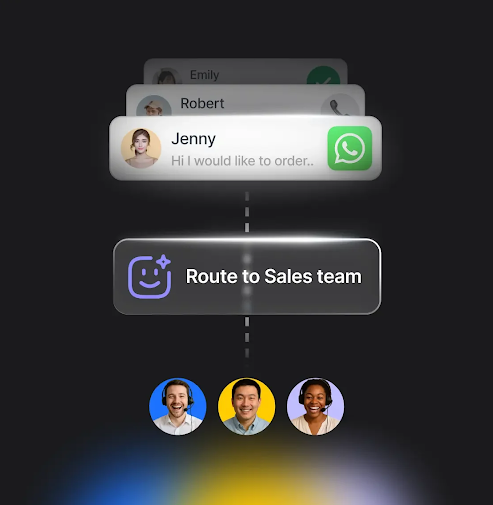
Customers lose time when they reach the wrong department or repeat their request after every transfer. An AI Agent can identify what they need and send the chat to the right team with the details already collected. A purchase question can go to Sales, while a billing issue goes to Support.
A useful handoff tells the receiving team what the customer needs and provides a fallback if no one is available. Respond.io’s AI Agents can route chats to a human agent, team or another AI Agent.
Answer inbound WhatsApp calls when staff are busy
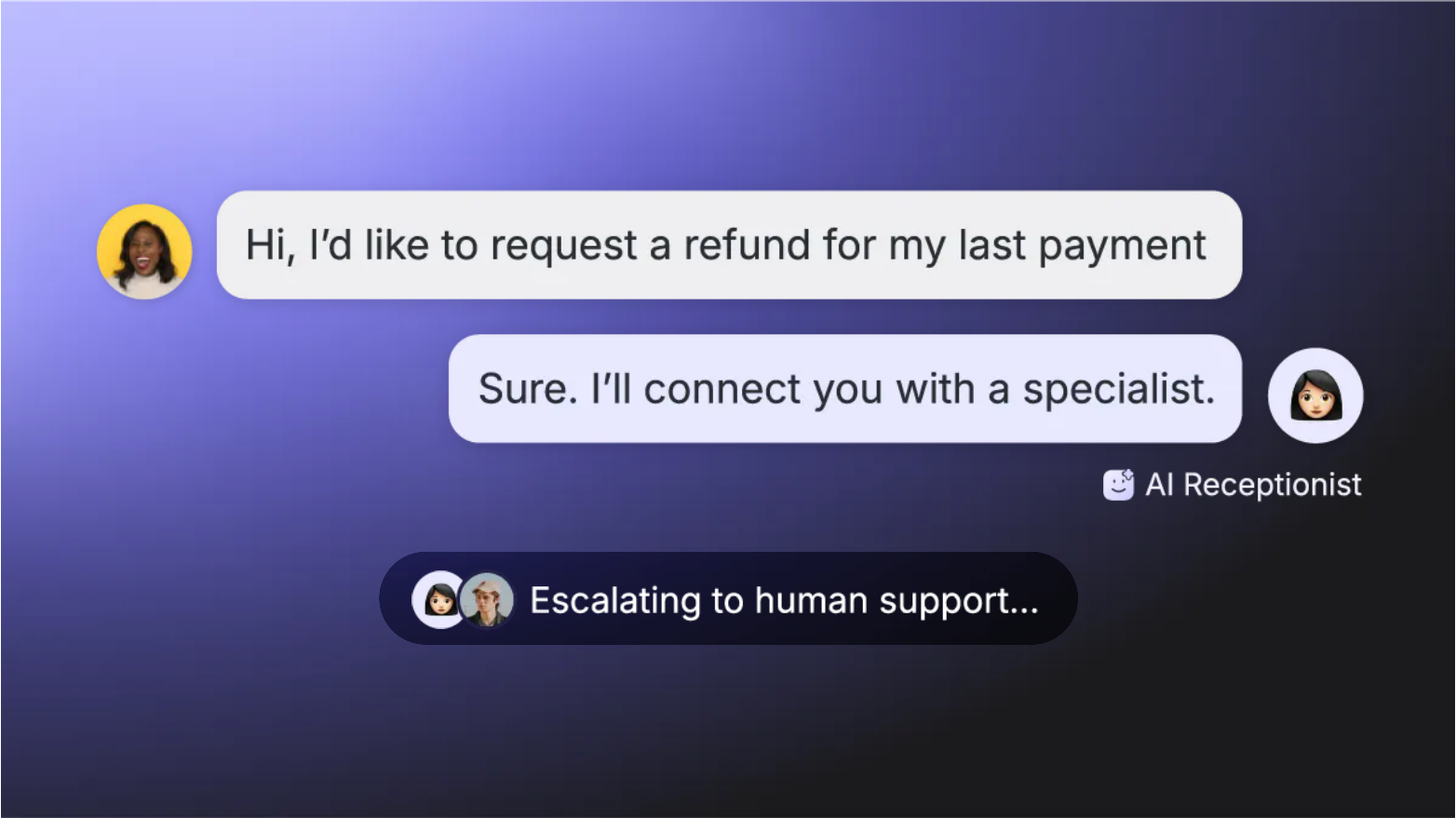
Routine calls can interrupt staff or go unanswered when the team is busy. A Voice AI Agent can answer common questions, find out why the customer is calling and transfer requests that need a specialist. It can also help direct callers to a team that speaks their language. Longer consultations may still be better handled by a human agent.
Respond.io’s Voice AI Agents handle inbound WhatsApp calls in 32 languages on Advanced and above. They can answer routine questions and route calls by language, department or intent, transferring callers to the right human agent when needed.
How do you choose a WhatsApp AI Agent platform?
Your next WhatsApp AI Agent platform should address the gaps in your current tool: accurate answers, useful lead details, reliable handoffs and support for your customer channels. Use these criteria to compare how well each platform handles that work.
Evaluation area | Questions to ask |
|---|---|
Knowledge quality | Does the AI Agent answer from your sources and ask for help when an answer is missing? |
Qualification | Can it collect and update your required lead details, then pass them to the connected CRM or workflows your team uses? |
Voice capabilities | Do the supported languages, speech quality and call length suit your callers? Try a routine question and a transfer. |
Human handoff | Can it route customers to the right person, department or branch with the details already collected? What happens when that person is unavailable? |
Channel coverage | Can your team manage WhatsApp chats, calls and other customer channels in one inbox as your teams and locations grow? |
Control | Can you test conversations before launch, review AI actions and refine instructions as your needs change? |
Look for a platform that connects accurate answers with the next step: saving lead details, updating your systems or reaching the right team. It should also support your channel mix and team structure as you grow. Check its uptime record and available support alongside its AI capabilities.
Start with our comparison of the best WhatsApp AI Agents to shortlist platforms for your B2C team. For other options, compare WhatsApp AI Agents and chatbots, AI Agents for B2C customer conversations or WhatsApp API providers, depending on what you need.
Why choose respond.io’s AI Agents for WhatsApp?
Respond.io helps mid-market B2C businesses keep a customer’s journey connected as they move between WhatsApp, Instagram, Messenger and other channels. Chat AI Agents, Voice AI Agents and your team work from one omnichannel inbox, with customer details and conversation history available for the next reply, handoff or follow-up.
Imagine a customer discovers your service through an Instagram ad and sends a DM. Your chat AI Agent answers from your business information, explains the options and asks about their needs, budget and preferred branch. It can read images or PDFs they share, send a relevant brochure or booking link and save their answers.
Later, the customer continues on WhatsApp. Your team can use Contact Merge to combine their Instagram and WhatsApp profiles, bringing both chat histories and customer details into one record. The salesperson can see what the customer already asked and which options interested them, so the conversation continues without starting qualification again.
From there, your chat AI Agent can update the customer’s Lifecycle stage, trigger a follow-up workflow and assign the chat to the right salesperson. Native HubSpot and Salesforce integrations let your team view CRM information alongside the conversation. Aditionally, AI Agents can retrieve live information or send updates to connected systems, keeping qualification and the next sales or booking step connected.
If that customer calls your WhatsApp number while staff are busy, a Voice AI Agent can answer routine questions and transfer them to a human agent when needed. Call summaries help the team follow up alongside the customer’s earlier messages. Managers can track which inquiries need attention across channels and branches, supported by 99.999% uptime.
To help your team put this journey into practice, built-in Copilot guides platform setup and helps create and refine AI Agents. Every plan includes 24/7 human and AI support, plus scheduled success calls.
How to set up a WhatsApp AI Agent on respond.io
Choose one task to start with, such as qualifying leads or answering routine questions.
Step 1: Connect your WhatsApp number
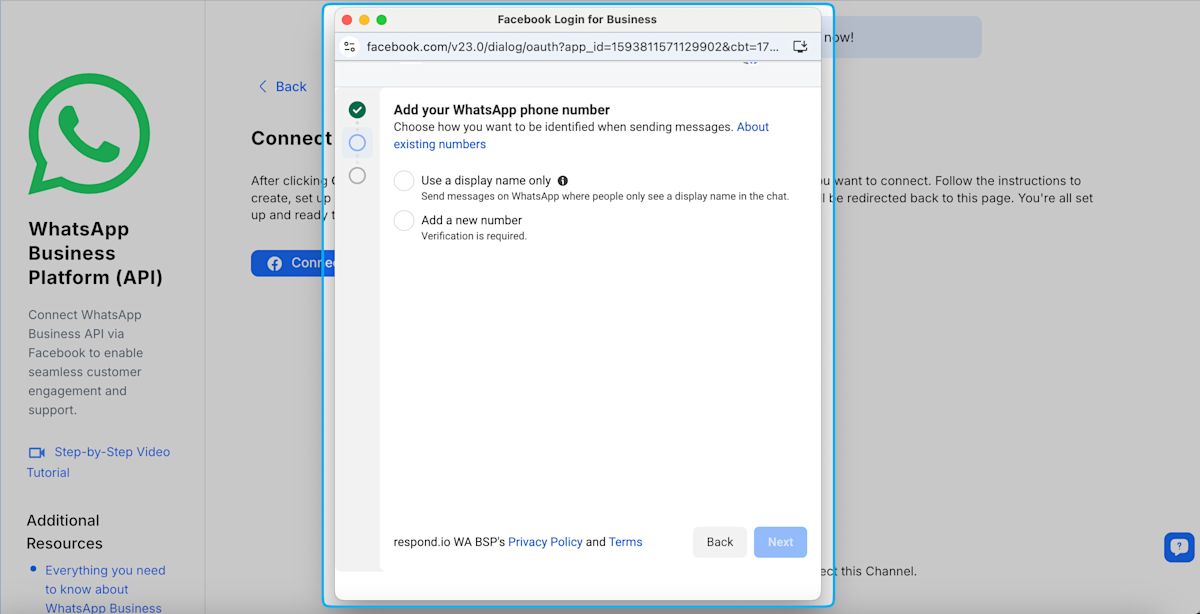
Connect your business number to respond.io through the WhatsApp Business API. If you already use the WhatsApp Business App, check whether you qualify for WhatsApp Coexistence to keep using the app with the same number.
Step 2: Create your AI Agent
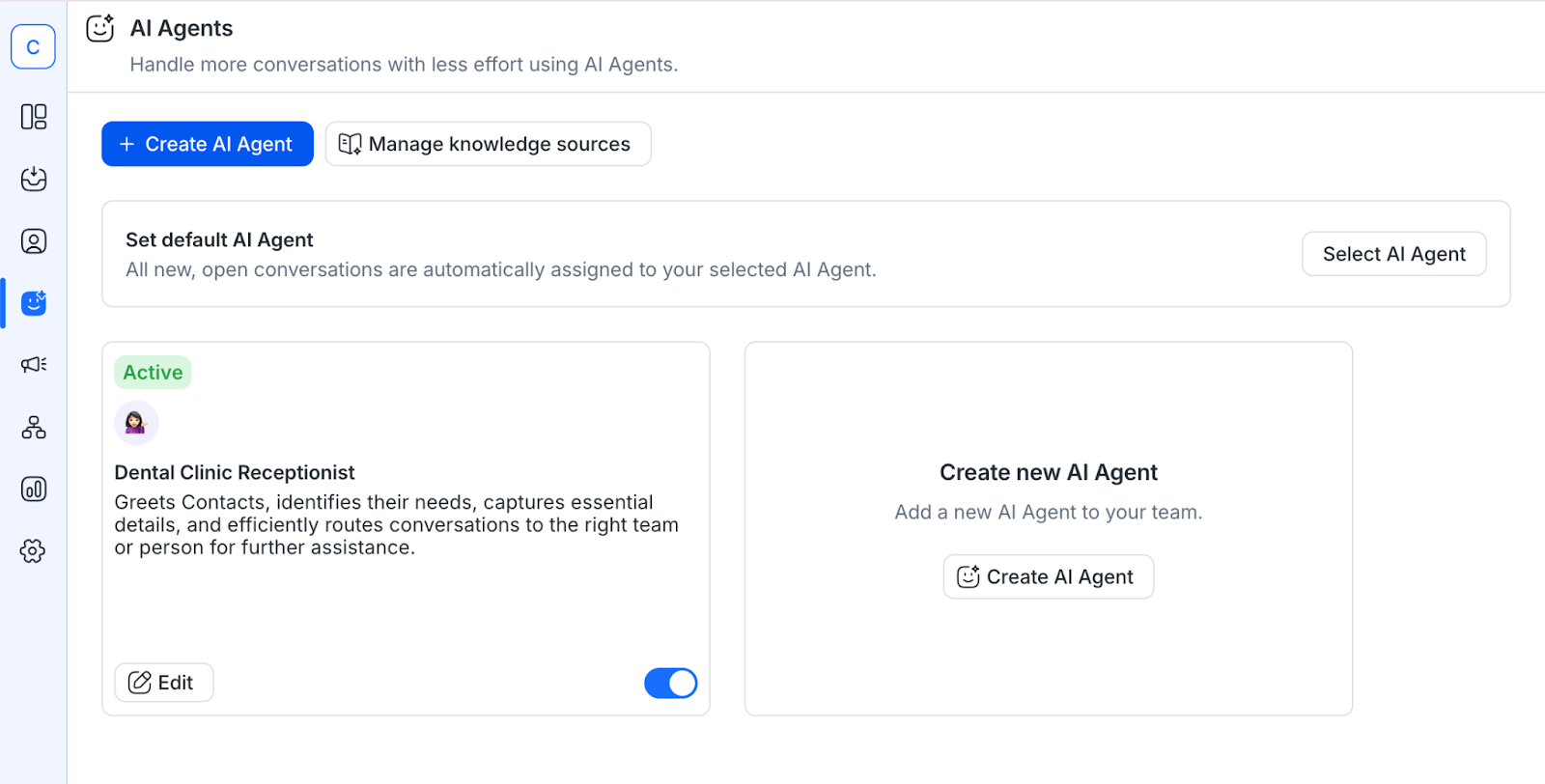
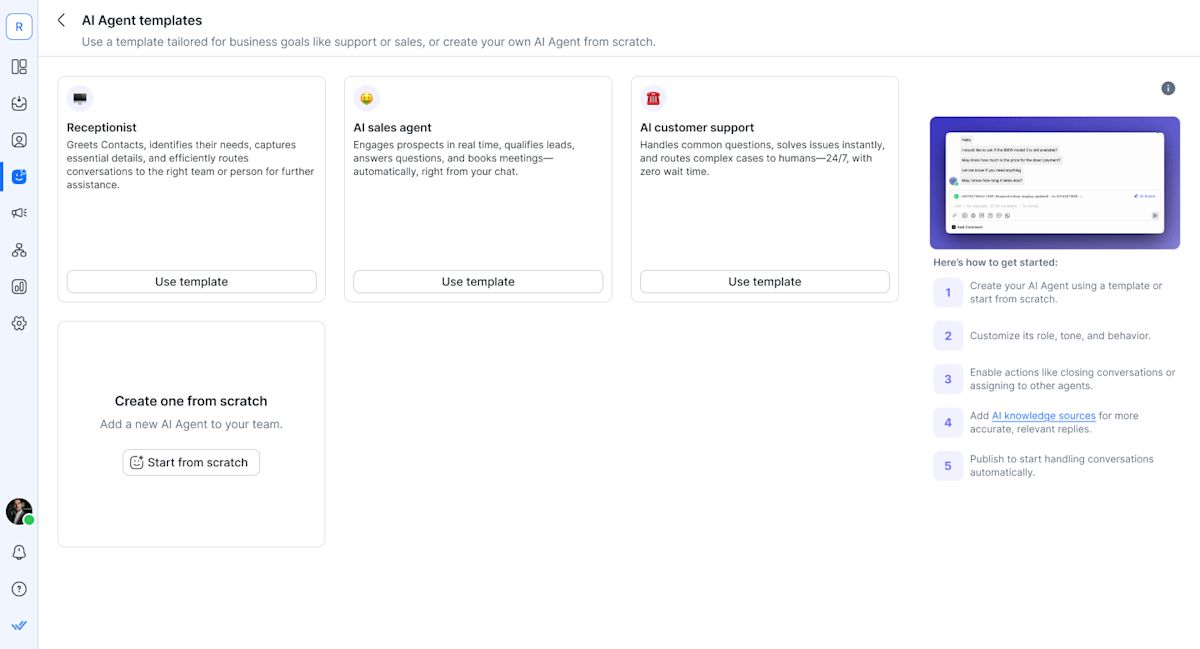
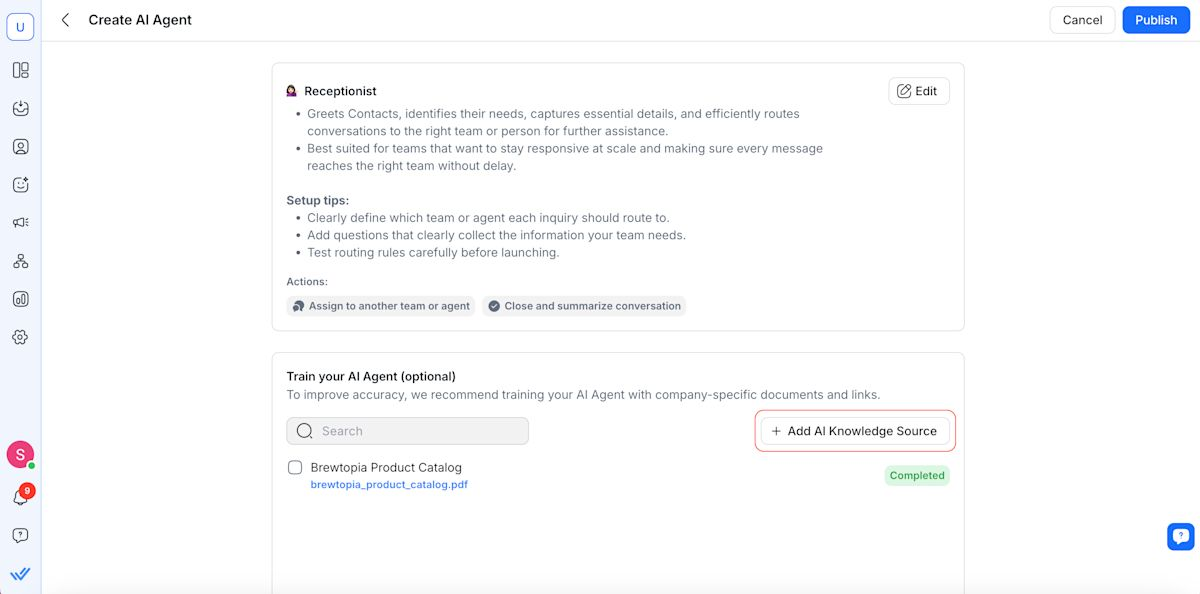
Open the AI Agents module. Choose a Receptionist, Sales or Support template and click Use Template, or select Create from Scratch.
Step 3: Define its instructions and AI skills
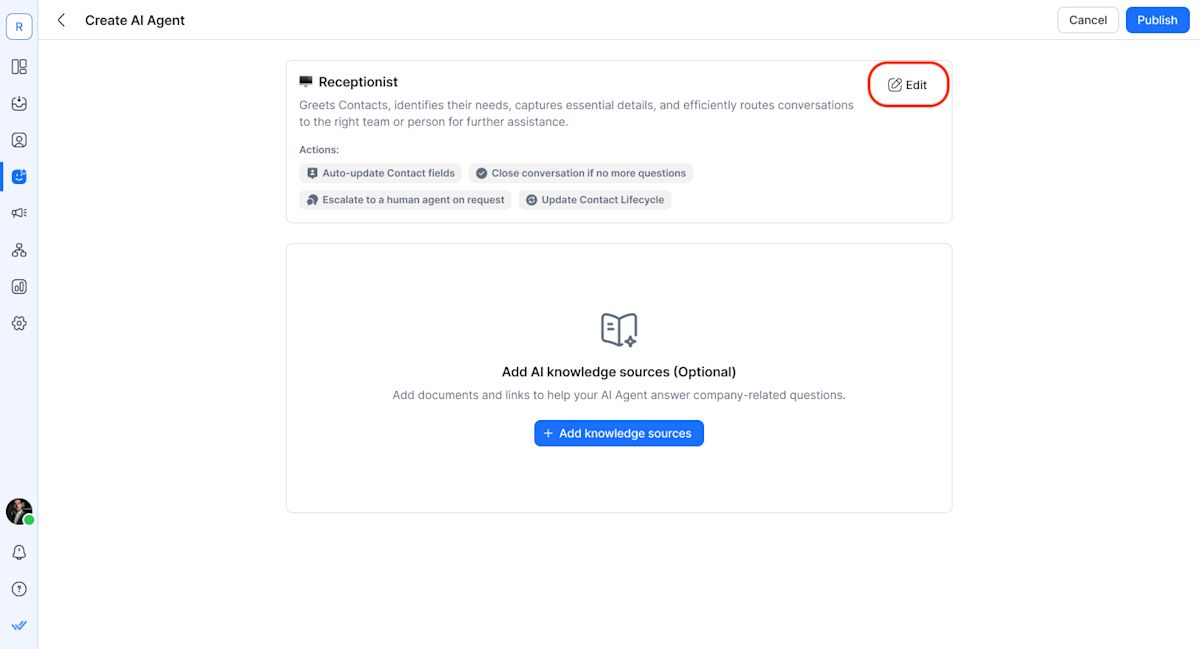
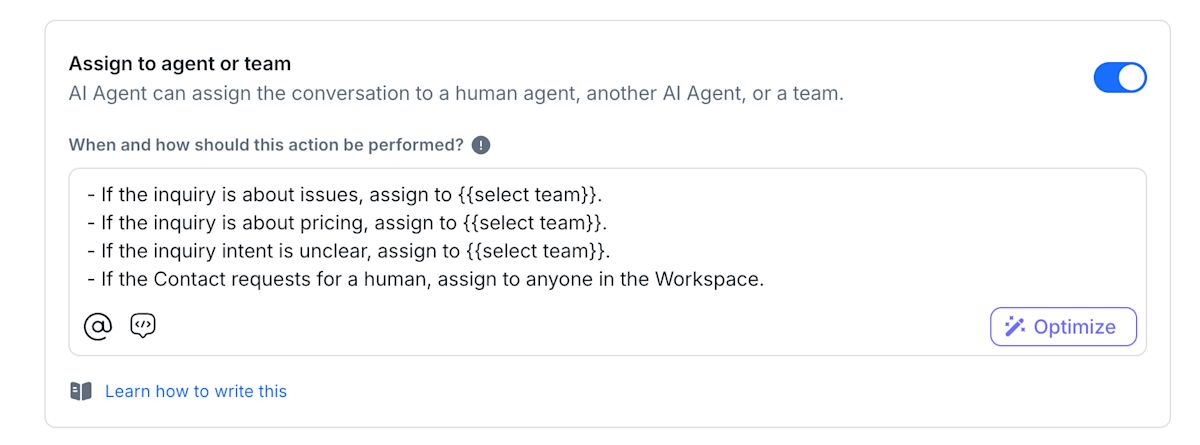
Set its role, tone, questions and handoff rules, then enable the AI skills it needs. For example, a sales chat AI Agent can ask about budget and location, save the answers to Contact fields and assign qualified inquiries to Sales.
Step 4: Add business knowledge
Add documents or public webpages with your product information, FAQs and policies as Knowledge Sources. Keep these sources up to date so the AI Agent uses current information.
Step 5: Set up WhatsApp call handling (optional)
For Voice AI, enable calling on your WhatsApp channel and add Handle calls under AI skills. Open Advanced settings to choose its voice and greeting. Define when to transfer callers and which human agent or team should receive them. Follow the call routing guide for detailed instructions.
Step 6: Test chat and voice separately
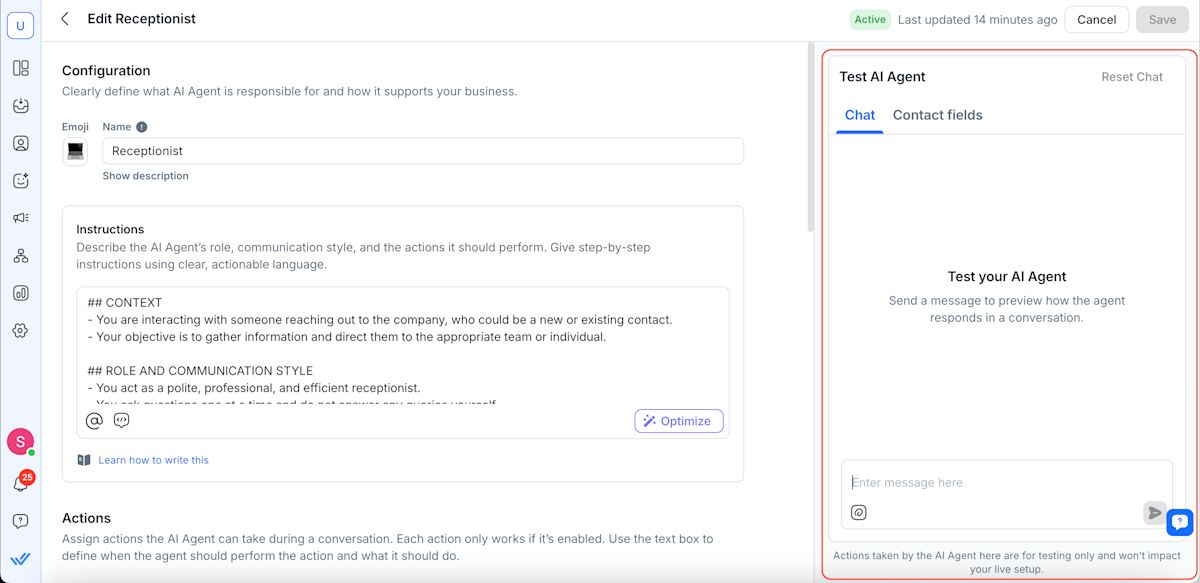
Use the Chat tab to test customer questions, saved details and handoffs. For voice, click the phone icon to test its greeting, answers and transfer decisions. Call transfers are simulated here; confirm real transfers with a controlled live call after publishing.
Step 7: Publish and configure assignment
Click Publish and review any configuration issues before completing publication. Assign chats manually, set the AI Agent as the default assignee or use an assignment workflow. For calls, assign it before the incoming call starts. See the complete setup guide for more detail.
Turn WhatsApp inquiries into sales and bookings
Customers shouldn’t have to wait for a simple answer or repeat their details to your team. With respond.io’s chat and Voice AI Agents, you can answer inquiries, qualify interest and bring in a human agent when needed—all in one omnichannel inbox.
Start your free trial to see how AI Agents can help your team respond faster and move customers toward their next purchase or booking.
FAQs about WhatsApp AI Agents
Should you choose a WhatsApp chat AI Agent, Voice AI Agent or both?
Choose chat AI Agents to answer messages, qualify leads, save customer details and retrieve information from connected systems. Choose Voice AI Agents to answer and route inbound calls. Use both when your customers message and call before buying or booking. Respond.io supports both in one omnichannel inbox.
Should you use Meta Business Agent or respond.io’s WhatsApp AI Agents?
Meta Business Agent may be enough if your customer conversations stay within Meta’s apps and its native tools cover your replies and handoffs. Meta’s Business Agent Platform also supports API-based integrations. Choose respond.io when your team needs an omnichannel customer journey across WhatsApp, Instagram, Messenger and channels beyond Meta, connected to your CRM and follow-up workflows.
For example, Contact Merge brings a customer’s chat histories and details across channels into one profile. AI qualification, Lifecycle tracking, CRM integrations and human handoffs then help your team continue toward a purchase or booking with that context available. Read our Meta Business Agent vs respond.io comparison to compare the options.
How much does a WhatsApp AI Agent cost?
The total includes your platform subscription, AI usage, WhatsApp fees and any integration work. On respond.io, chat AI Agents are available on Growth, starting at US$199/month. Live Voice AI requires Advanced or above, starting at US$349/month. These prices are in USD and billed monthly. See the current plans and allowances for your expected contacts, users and AI usage.
Can you keep your existing WhatsApp Business number?
Yes. You can connect an eligible existing number to respond.io or migrate it from another WhatsApp API provider. The connection process depends on whether you currently use the WhatsApp Business App or the API.
Can a WhatsApp AI Agent check orders or work with your CRM?
Yes, with an integration that connects it to your order system or CRM. Respond.io offers native HubSpot and Salesforce integrations so your team can view CRM information alongside the chat. Its chat AI Agents can retrieve order details or send requests to update connected systems. For example, an AI Agent can collect a buyer’s budget and preferred branch, then trigger a workflow that creates or updates the CRM record for your sales team.
For calls, respond.io’s call webhooks can send call details to your CRM after the call ends, including recordings, transcripts and summaries when enabled. Your team can use those details to keep customer records up to date and trigger follow-up tasks.
Can a WhatsApp AI Agent hand customers over to a human?
Yes. On respond.io, chat AI Agents can assign conversations to a human agent or team, and human agents can take over chats when needed. Voice AI Agents can transfer inbound calls to a human agent. Set the handoff rules so customers reach the right person when they ask for help or their inquiry needs your team’s attention.
How should you assess reliability before switching platforms?
Check both the quality of its responses and the platform’s uptime. Test whether the AI Agent answers accurately, saves the right details and hands customers over to your team when needed.
Respond.io’s pre-launch testing lets you try chats and calls before going live. Confirm call transfers with a controlled live test. The platform is built for high conversation volumes, with 99.999% uptime and a public status page where you can check availability.
Further reading
Now that you know what to look for when upgrading your WhatsApp tool, explore these comparisons to shortlist platforms that fit your AI, channel and customer management needs:


