A multi-agent team inbox for WhatsApp Business App and WhatsApp API

WhatsApp Business App isn’t built for growing teams. Unlock expanded multiuser capabilities, advanced automation, AI and more by connecting WhatsApp Business App or WhatsApp API to respond.io.

How to Use WhatsApp Business App vs WhatsApp API for Multiple Users (2025 Guide) | Respond.io

WhatsApp Business App vs WhatsApp Business API: Which is best for multiple users?

The WhatsApp Business App is free and built for small businesses with a few users. One number runs on 1 phone plus up to 4 linked devices, without shared-inbox controls like chat assignment, user permissions or reporting.

For businesses handling high volumes of chats, calls or users, the WhatsApp Business Platform (API) is a scalable solution. When connected to a software like respond.io, it enables unlimited users in a team inbox, AI and automation, CRM integrations and more.

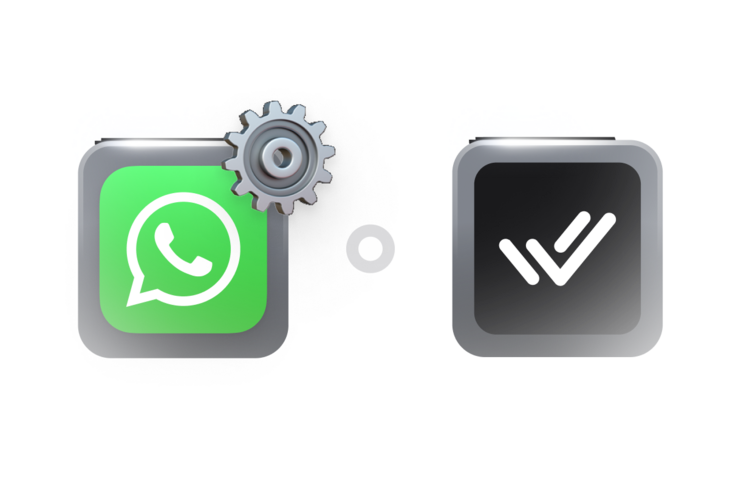
You can move to the API without switching off the WhatsApp Business App. With WhatsApp Coexistence on respond.io, the App and the API run on the same phone number, so you can:

  • Send and receive messages from both the App and the API on one number
  • See messages sent from the App in respond.io
  • Give your team unlimited users, AI, automation and reports while the App stays in use

Coexistence suits a gradual move or a parallel test before you commit to the API. The Help Center lists which App features carry over.


WhatsApp Business App

WhatsApp Business API

Best for

Small businesses

Medium to large businesses

Number of Users

1 phone + up to 4 linked devices

Unlimited

Broadcast Limit

256 contacts per broadcast

Unlimited

Automation Capabilities

Limited

Advanced AI and automation

Supports Third-party Integrations

Not available

Yes, on respond.io

Supports Voice Call

Yes, in the app

Yes, on respond.io

Verified Badge

Yes

Yes

Reports/Analytics

Not available

Yes, on respond.io

Lead Management

Simple tagging

Manage the entire customer lifecycle on respond.io

WhatsApp Business App & API Coexistence

Available on respond.io

Available on respond.io

Optimize full customer journeys over WhatsApp API and other channels

Empower your teams to work independently or collaborate seamlessly— all on one omnichannel platform.

Marketing

Sales

Customer service

Reach customers over voice calls, email, WhatsApp, TikTok, Messenger, Instagram, Telegram, Viber and more

Leverage Meta and TikTok ads, your website and QR codes in physical locations to get new customers

Track and manage your entire customer lifecycle so no opportunity slips through the cracks

Optimize ad and broadcast campaigns with performance analytics to maximize ROI

10x

More leads

125%

More revenue-driving chats

50%

Boosted sales

Secure and organize conversations with role-based access

Respond.io offers comprehensive team permission features to enhance collaboration and security within your teams.

Restrict reading and replying to chats

Define which categories of chats agents can handle so conversations are managed by appropriate team members.

Limit actions that can be taken on chats

Specify who can assign, reassign, resolve, delete, block or export contacts.

Define approved message types 

Control whether agents can send media, audio, location and contact cards to align with your business standards.

Control contacts access and editing

Determine which agents can view, edit and create contacts to safeguard sensitive customer information.

Hide contacts' numbers from agents

Decide whether agents can see your contacts' phone numbers for better privacy and security.

Set up WhatsApp Business multiple users in 3 steps

The only thing you need is a computer or cellphone for each agent. The onboarding process is quick and simple and does not require help from a developer. Anyone could do it.

1. Sign up for a respond.io account

  • You can start with a free trial before switching to your ideal plan.

2. Connect the WhatsApp Business API or the WhatsApp Business App

  • We’ll guide you step by step either way.

3. Add users to your respond.io Workspace

  • Arrange them into different teams, manage their restrictions and start boosting agent productivity.

Frequently asked questions

What is WhatsApp Business multiple users?

How can I use WhatsApp Business on multiple devices?

Why do I need a team inbox for multiple agents?

How do I switch from WhatsApp Business App to WhatsApp API without downtime?

Can multiple agents use the same WhatsApp number?

Is there a user limit per WhatsApp Business account?

Can I protect customer data while using WhatsApp for business?

How much does WhatsApp Business for multiple agents cost?

Can I access all WhatsApp Business App and API features with WhatsApp Coexistence on respond.io?

Real success stories from customers

3x your business results with respond.io 🚀