
















 Electronics
 Fashion & Apparel
 Furniture
 Jewelry and Watches
 Afterschool Activities
 Sport & Fitness
 Beauty Center
 Dental Clinic
 Medical Clinic
 Home Cleaning & Maid Services
 Photography & Videography
 Car Dealership
 Travel Agency & Tour Operator


TL;DR – Best AI chatbots for customer service
Looking for the best chatbots for customer service? Here’s how the leading options compare:
Respond.io – Best all-rounder with a shared omnichannel inbox, WhatsApp API access, Lifecycle tracking, automation, CRM integrations and more
Freshchat – Smooth choice if you already use Freshdesk or Freshsales
Intercom – Strong fit for SaaS with in-app service and proactive messaging
Zendesk – Reliable service platform with AI bots and agent assist
Kommunicate – Simple bot plus easy handoff to humans
Chatfuel – Quick setup for WhatsApp, Instagram and Messenger service
Lindy – Flexible no-code agents you can spin up fast
This isn’t 2015 anymore. AI chatbots have grown up. They’re no longer the clunky FAQ machines we used to roll our eyes at. The best AI chatbots in 2026 feel like actual teammates. They understand intent, tackle tricky problems, update records on the fly and know just when to bring in a human agent.
But why does this matter? Because customer service is under more pressure than ever. 80% of customers say their experience with a company is as important as its products or services, and by 2026, 89% of businesses will compete on customer experience over price or product alone. Customers expect instant help across channels, and they won’t tolerate long waits or fragmented experiences.
If you’re looking for the best AI chatbots to power your customer service, you’re in the right place. We’ll walk you through what to look for, then break down the top platforms so you can pick the one that fits your business best.
What do AI chatbots offer for customer service?
Before we dive into selecting tools, let’s clear the air on what customer service actually means. Customer service is about helping people before, during and after they buy: from answering questions and guiding choices to making sure they leave happy and come back again. Think of it as relationship-building.
That’s different from customer support, which usually kicks in when something breaks. Support is fixing the glitchy login or refunding the order that went sideways. Service is making sure customers never feel like just another ticket in the queue.
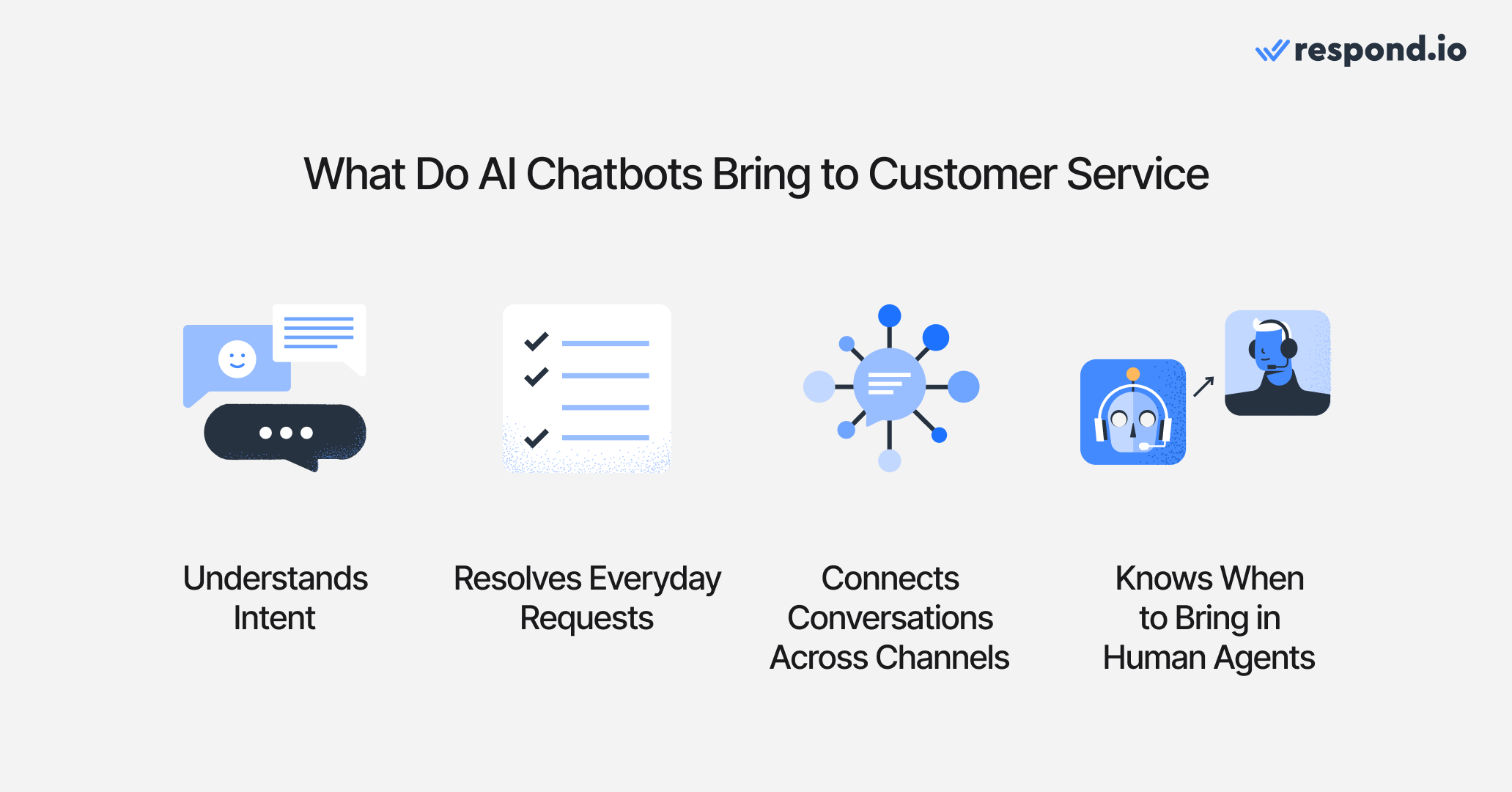
AI chatbots fit neatly into this picture. They’re not just spitting out canned replies, they’re handling real conversations, smoothing out the customer journey and taking pressure off your team. Here’s what they actually do in practice:
1. Understand intent
AI chatbots in the past needed the exact keyword or they’d crumble. AI chatbots today can easily read between the lines, figure out what the customer’s really asking and respond in plain language. It feels more like chatting with a person than shouting at a search bar.
2. Resolve everyday requests instantly
Want to check an order status, update a delivery address or get the return policy? A chatbot can handle that in seconds. Customers get quick wins, and your human team is freed up to tackle the gnarlier, higher-value conversations.
3. Keep conversations connected across channels
A customer might start on WhatsApp, switch to Instagram and follow up by email. Instead of scattering those chats into different silos, the chatbot keeps it all linked as one conversation. To the customer, it feels seamless. To your team, it’s less chaos.
4. Hand off to humans
When things get too complex, a good chatbot doesn’t panic or stall. Instead, it routes the chat to the right human agent with a tidy summary of what’s already been said. No one likes repeating themselves, and this makes sure they don’t have to.
What to look for in an AI chatbot for customer service
Now that we’ve nailed down what these bots actually do, let’s talk about how to spot a good one. Not every platform that slaps “AI” on the label is worth your time.

Here’s what separates the real deal from the rest:
Depth of service
A good AI chatbot should handle everyday service tasks, not just spit out answers. Think booking appointments, checking order status, updating delivery details or nudging a customer to the right next step. These are the routine requests that make or break a customer’s impression of your brand.
Ability to close conversations
Great service means resolution, not loose ends. Look for chatbots that can summarize a chat, mark why it ended and trigger a follow-up task or survey. This keeps inboxes tidy, helps with reporting and reassures customers that their request was actually taken care of.
CRM integrations
In customer service, nothing kills trust faster than having to repeat yourself. A strong chatbot should pull customer history from your CRM and push updates back in as it chats. You can also connect Google Calendar to view a contact's upcoming and past meetings directly in the conversation sidebar, giving agents instant context on scheduled calls or follow-ups. That way, if someone asks about their last order today and comes back with a new question tomorrow, your team already has the full picture.
Omnichannel coverage
Your customers will message you wherever it’s easiest for them, not where it’s easiest for you. A strong service chatbot doesn’t just appear on multiple channels, it makes the experience consistent, so tone, data and context stay aligned whether the chat happens on WhatsApp, Instagram, VoIP, TikTok and beyond.
Flexibility
Customer service looks different before and after a purchase. Sometimes you need a friendly receptionist to greet new inquiries, sometimes a product guide to answer pre-sale questions, and sometimes an aftercare agent to handle returns or warranty checks. The best platforms let you create flexible AI chatbots that can fit any role, so customers get the right kind of help at the right time.
Turn customer conversations into business growth with respond.io. ✨
Manage calls, chats and emails in one place!
The 7 best AI chatbots for customer service in 2026
There’s no shortage of “AI chatbots” out there, but not all of them are built for customer service. Some are campaign tools, some are helpdesk add-ons and a few are genuinely strong service platforms.
To save you the trouble of sifting through the noise, here’s a quick snapshot of the seven standouts worth your attention:
Platform | Channels supported | AI chatbot features | Pricing (mid-tier) | Suited for |
|---|---|---|---|---|
Respond.io | WhatsApp, WhatsApp Calls, VoIP, Instagram, Messenger, Telegram, TikTok, email and more | Role-based AI agents, AI agent voice call, AI agent follow up, AI call summaries, AI-triggered workflows, smart routing, Lifecycle view, enterprise safeguards, Test AI Agent, reporting and analytics | Growth plan starts at $199/mo for 10 users and offers unlimited automation and AI Agent usage | Mid to large B2C companies needing omnichannel automation |
Freshchat | WhatsApp, Instagram, Email, SMS, LINE and Google Business Messages | Freddy AI for intent detection, replies, summaries | Growth plan starts at $23/mo (includes 500 AI sessions; $100 per 1,000 extras) | Teams already using Freshdesk or Freshsales |
Intercom | In-app messenger, email, WhatsApp, Messenger | Fin AI answers from help docs, proactive tours | Advanced plan starts at $99/seat/mo; Fin AI billed at $0.99/resolution | SaaS teams with in-app service needs |
Zendesk | WhatsApp, LINE, Facebook, X, email and more | AI bots for FAQs, summaries | Suite Professional plan at $149/agent/mo | Enterprise teams already standardized on Zendesk |
Kommunicate | WhatsApp, Messenger, SMS and more | No-code FAQ bot, multilingual, human handoff | Professional plan at $200/mo (2 AI agents, 2,000 conversations) | SMBs that want affordable simplicity |
Chatfuel | Instagram, Messenger, WhatsApp | Templates & flows for FAQs, DM automation | Business plan starts at $39/mo (WhatsApp & IG) or $23.99/mo (Facebook) | Small businesses focused on IG/Messenger DMs |
Lindy | Email, Slack and voice | integrations)No-code agent builder, workflow templates | Pro plan starts at $29.99/mo | Small–mid teams wanting flexible setup |
This table gives you the quick lay of the land. Next, let’s break each one down.
#1 Respond.io
Best for: Mid to large B2C companies that need reliable automation across multiple channels
Respond.io pulls WhatsApp, Instagram, Facebook, Telegram, TikTok, email and voice into one inbox. Its AI Agents can act as receptionists, sales or support, or be customized for specific workflows. They handle FAQs, qualify leads, send links, update CRM fields, add or remove contact tags for segmentation and escalate complex issues with full context, backed by GDPR compliance, ISO 27001 certification and 99.999% uptime.
Key Features
Shared omnichannel inbox across WhatsApp, VoIP, Instagram, Messenger, Telegram, TikTok, email and more
Smart routing to the right human agent with full conversation context
AI agents trigger no-code automation Workflows for routing, auto replies, reminders and handoffs with internal comments added automatically
AI Agents that can handle live chats, live calls and handoff to human agents if needed
AI Agents can make live API requests to external systems
AI Agents read WhatsApp catalog products and orders to answer availability and pricing questions
Test AI Agent feature that lets you run trial chats before launching
Smarter, more efficient AI that responds faster and avoids unnecessary processing or errors. Configurable wait times (1 second to 5 minutes) let each AI Agent pause for the full message before replying, reducing jumpy responses when customers type in bursts.
Seamless human takeover — the AI stops instantly, ensuring smooth handoffs in every module.
Native MCP connector for configuring AI Agents from Claude or ChatGPT
Lifecycle view to qualify leads, track funnel stages and prioritize follow-ups
Native CRM integrations with HubSpot, Salesforce and more
AI assist for suggested replies and handling routine questions
Transparent pricing with no hidden broadcast markups
Reliable 24/7 always-on customer support with live calls, chats and guided onboarding
Enterprise-grade safeguards with GDPR, ISO 27001 and 99.999% uptime
Pricing
The Growth plan starts at $199/month for 10 users, with unlimited AI agent use and advanced automation. Pricing is more predictable than most usage-based tools, since AI Agent usage draws from plan-included AI credits, and overage bills in fixed blocks so workflows don't stop mid-cycle if credits run out. Teams should still plan ahead for seat growth and advanced workflow needs as they scale.
#2 Freshchat
Best for: teams already using Freshdesk or Freshsales who want quick AI wins
Freshchat blends live chat with Freddy AI across web, WhatsApp, Instagram and other channels. Its real strength is how smoothly it plugs into the rest of Freshworks. If you already use Freshdesk for tickets or Freshsales for CRM, adding Freshchat feels less like a new tool and more like flipping on an extra feature.
Key Features
Freddy AI detects intent and suggests service replies
Summarizes chats for smoother agent pickup
Answers simple FAQs across WhatsApp, Instagram and web
Routes conversations directly into Freshdesk or Freshsales
Supports multilingual chats for global service teams
Pricing
Freshchat’s Growth plan starts at $23/month and includes access to the Freddy AI Agent with 500 free sessions. Additional sessions are billed at $100 per 1,000.
#3 Intercom
Best for: SaaS teams that want in-app service plus proactive guidance
Intercom is known for its in-app messenger and Fin AI agent, which answers routine questions by pulling from your help docs. It also offers proactive messages and product tours, making it practical if most of your service happens inside your product rather than on external channels.
Key Features
Fin AI answers questions from your help center and docs
Provides service directly inside your app’s messenger
Uses product tours and proactive prompts to cut down on questions
Flags complex issues and summarizes them for human agents
Strong fit for SaaS teams where most service happens in-app
Pricing
Intercom’s Advanced plan starts at $99/seat/month and includes full access to the Fin AI Agent, which is billed at $0.99 per resolution.
#4 Zendesk
Best for: Large teams already standardized on Zendesk
Zendesk is the enterprise classic. Its ticketing backbone is battle-tested, and the AI layer now adds answer suggestions, conversation summaries and intent detection. For companies already running on Zendesk, enabling AI is less about learning a new product and more about upgrading what you already know. It’s serious, structured and built for scale.
Key Features
AI bots deflect simple service requests before they hit agents
Summarizes chats and suggests replies to speed up work
Escalates to human agents with tickets and full history
Runs across email, chat and voice for consistent service
Ideal for high-volume enterprise teams already on Zendesk
Pricing
Zendesk’s Suite Professional plan is $149/agent/month and includes AI agents, generative replies and customizable reporting.
#5 Kommunicate
Best for: SMBs that want a low-cost bot
Kommunicate focuses on practicality. It gives you a no-code bot, smooth handoff to human agents, and integrations with WhatsApp, web and mobile apps. It’s not overloaded with features, but it’s affordable, easy to use and helps small teams save time on repetitive queries while still keeping the human touch.
Key Features
No-code AI bot for FAQ-level service requests
Smooth handoff to human agents mid-conversation
Supports WhatsApp, Messenger, SMS and more
Multilingual responses for small global teams
Pricing
Kommunicate’s Professional plan is $200/month and includes 2 AI agents and 2,000 conversations. Additional agents can be added for $30/month.
#6 Chatfuel
Best for: Smaller businesses handling customer service in WhatsApp, Instagram or Messenger
Chatfuel lives where your customers most likely scroll: WhatsApp, Messenger and Instagram. It lets you build bots with visual flows, automate replies to comments and messages, and use templates to get started fast. It’s not for complex, enterprise-level service, but if most of your customer interactions happen in social DMs, Chatfuel is a simple and affordable way to stay responsive.
Key Features
Automates replies in WhatsApp, Instagram and Messenger
Templates for FAQs, product inquiries and promotions
Comment-to-DM and story reply flows for quick engagement
Escalates to human agents when chats go beyond the bot
Pricing
Chatfuel’s Business plan starts at $39/month for WhatsApp and Instagram, and $23.99/month for Messenger. Both include chatbots, auto-replies, a shared inbox and live chat.
#7 Lindy
Best for: Teams that want flexible AI workflows without too many technical barriers
Lindy pitches itself as the no-code agent builder for modern teams. You can spin up a chatbot by describing what you want it to do, then connect it to your apps and data. It’s not as deep as enterprise tools, but for small to mid-sized teams that want automation without engineering headaches, it’s a clever way to get started.
Key Features
No-code builder for designing custom service agents
Handles tasks like scheduling, triage and record updates
Template library for quick start with common service flows
Multilingual prompts to handle international customers
Pricing
Lindy’s Pro plan starts at $29.99/month. It includes up to 20 million characters in the knowledge base and the ability to invite team members.
What is the Best AI Chatbot for customer service?
Most tools that call themselves “AI chatbots” still act like glorified FAQ machines. They can answer one or two questions, but fall apart when a customer needs something more.
Respond.io stands out because its AI Agents behave like real teammates instead of simple chatbots. You can deploy them as receptionists, sales reps or support agents or even build a custom agent specific to your industry. They greet customers, qualify leads, answer FAQs, even read images as well as PDFs and send payment or booking links. When an issue gets complex, they escalate with full context so no one repeats themselves.
But even beyond providing the best AI chatbots for customer service, respond.io also provides:
A Lifecycle view to track customers across every stage of the funnel, from first touch to repeat purchase
Full support for VoIP and WhatsApp calling, so your team can jump from chat to voice without losing context
Detailed reporting and analytics to monitor response times, resolution rates and team performance
True omnichannel messaging that unifies WhatsApp, Instagram, Messenger, Telegram, TikTok, email and more in one inbox
Seamless CRM integrations and no-code automation that keep data synced and service workflows running smoothly
But don't take just our word for it. Businesses from noonmar to Automax®, Praga Medica and Yoho are already scaling rapidly with respond.io—growing customers, boosting ROI and cutting response times to deliver the best possible customer service experience.
Turn customer conversations into business growth with respond.io. ✨
Manage calls, chats and emails in one place!
Can the AI agent speak my customer’s language and still answer accurately?
Yes. Modern AI chatbots can detect and reply in multiple languages, so if a customer texts in Spanish, Malay or Arabic, they’ll get a response in that language. Accuracy depends on having a solid knowledge base, but once you feed the right info, the bot can serve multilingual markets confidently.
Will the bot recognize when to hand a lead to a human agent?
You can set routing rules so if the bot detects a high-value lead, a complex request or a specific intent, it automatically transfers the chat to the right human rep with a neat summary. AI Agents can also tag contacts based on intent during the conversation, preparing them for downstream workflows.
How do I “train” the AI agent?
Training usually means uploading or connecting structured docs like PDFs, spreadsheets or knowledge base articles. The clearer the formatting, the better the bot can surface answers. Many platforms even let you plug in a Google Drive folder or CMS as a source.
Can the AI recommend products, generate quotes or do price calculations?
Yes, with the right setup. You can teach the bot to recommend SKUs, fetch prices from your product sheet, and even calculate totals (e.g., “200 tumblers at $5 each”). Think of it as a digital sales assistant, not just a support FAQ.
Does it work across all my channels from one inbox?
The better platforms let you handle WhatsApp, Instagram, Facebook, Telegram, web chat and even email in one place. That means your team doesn’t juggle six dashboards just to see who asked what.
Can it handle voice notes or send voice replies on WhatsApp or Instagram?
Yes, but this depends on the platform. Some support transcribing incoming voice notes and replying with text, while others can even send voice clips back. It’s a big demand in APAC and LATAM, where voice is the norm.
How do I capture lead details and push them to my CRM or Google Sheets?
Most chatbots can map captured fields (like name, email, budget) to your CRM or zap them into Google Sheets. Once set up, every lead is logged automatically, so your sales team doesn’t rely on copy-paste.
Can I broadcast promotional WhatsApp messages through the AI, and what are the limits?
Yes, if you’re on an official WhatsApp Business API provider. You’ll need pre-approved templates for outbound promos, and there are per-conversation fees. AI can help personalize or segment those broadcasts, but the sending rules come from WhatsApp.
Is there an API or webhook so we can plug in our own models?
Most advanced platforms offer open APIs and webhook triggers. On respond.io, AI Agents can make HTTP requests to external APIs during live conversations—checking order status, confirming availability or triggering CRM updates—then use the response to decide what to say or do next.
How do I measure the performance of both the bot and my team?
You can track things like the number of conversations resolved by the AI, average handling time, lead assignment, and even closing notes. On the human side, dashboards show which rep handled which chats and how outcomes compare, so managers can reward top performers.
Can AI Agents answer business calls?
Yes, AI agents can answer voice calls if you use the right tool. On respond.io, you can configure the AI agent’s voice, add instructions and test the experience before going live. This gives you full control over how calls are handled. Unlike standalone voice bots, respond.io’s AI Voice Agent is fully integrated into a unified inbox, allowing businesses to manage messaging and voice interactions in a seamless thread with every customer, with shared logs and reporting.
How can I use AI Agents to follow up on customer conversations?
If conversations are left hanging pending a customer’s response, you can set your AI Agent to nudge them with a relevant follow-up question. For example, respond.io’s AI Agent goes beyond simple time-based nudges or workflow triggers. It uses conversation history to understand its context and determines when and how to follow up. This understanding helps it avoid contacting customers whose issues are already resolved, and to send personalized, human-like nudges at the right time.
Can I get transcripts from customer phone calls?
Yes. With respond.io, VoIP and WhatsApp Business API calls can be automatically transcribed into clear, searchable records. Each call transcript includes speaker names, timestamps and full text, so managers can quickly review conversations without listening to entire recordings. This feature is limited to specific plans.
These transcripts make it easy to audit agent performance, spot coaching opportunities and train new staff with real examples from actual calls. They’re also valuable for compliance and accountability, since all transcripts are securely stored in-platform and can be accessed through the Contact Drawer or Reports Module. This gives managers full visibility across teams and supports consistent, data-driven quality control.
Can AI Agents understand and respond to audio messages?
Yes. Respond.io’s AI Agents can now process voice notes and audio recordings sent by customers across supported messaging channels. The platform automatically transcribes audio into text and integrates it directly into the AI Agent’s conversation context. This means the AI can understand the intent, nuance, and details of spoken messages and respond naturally, maintaining a seamless conversational flow, whether the customer prefers typing or speaking.
Agents can also manually transcribe inbound voice notes using a Transcribe button, with the transcript shared across the workspace to reduce duplicate effort and support smoother handovers.
This feature is especially valuable for voice-first users, common in regions like the US, LATAM and Southeast Asia, where people frequently communicate via voice notes.
How can I transfer customer calls to another agent?
To transfer a call, you’ll need a business communication or call management platform that supports call forwarding. With it, you can move an ongoing conversation to another agent or phone number without disconnecting the customer. On respond.io, you can transfer calls on WhatsApp Business Calling API and other VoIP channels to your teammates or agents in other departments. Call recordings and transcripts remain intact during a transfer, so customers experience a smooth handoff while agents gain full conversation history for context.
How can AI Agent chats feel less robotic and more human?
AI Agents on respond.io hold natural, human-like conversations by understanding intent, context and tone, not just following scripts. They chat fluidly across WhatsApp, Messenger, Instagram, TikTok and more, drawing context from conversation history and responding according to your rules or criteria.
To make them sound even more human:
Define an AI persona with a tone that fits your brand.
Use typing indicators to mimic real response pauses.
Configure reply wait times (up to 5 minutes) so the AI Agent pauses for complete messages before responding.
Feed it quality sources so responses are accurate and contextual.
Allow human handoff for complex or sensitive topics.
The result: fast, natural conversations that feel genuinely human — even when they’re not.
Further reading
If you enjoyed our article, you should check these out:


