
















 Electronics
 Fashion & Apparel
 Furniture
 Jewelry and Watches
 Afterschool Activities
 Sport & Fitness
 Beauty Center
 Dental Clinic
 Medical Clinic
 Home Cleaning & Maid Services
 Photography & Videography
 Car Dealership
 Travel Agency & Tour Operator

TL;DR — Best Bulk WhatsApp Marketing Software in 2026
The best WhatsApp marketing software to send bulk messages depends on your goals and how you use WhatsApp in your business.
Respond.io: Best for mid-market B2C businesses that send high-volume broadcasts and need to act on the replies. It's a customer conversation platform that includes compliant, segmented broadcasts, automation and multi-agent reply management in one place.
Brevo: Good for teams that mainly run email/SMS campaigns but want simple WhatsApp broadcasts included
AiSensy / WATI: Solid for SMBs that need quick setup and basic broadcast features with chatbots
SendWo: Cheapest way to send compliant broadcasts, though features are minimal
Twilio: Developer-first option; broadcasts possible only with custom build or third-party frontend
Bulk messaging has long been a key communication strategy, traditionally through SMS and email. Over time, however, those channels have become saturated with spam, leading customers to ignore them.
While WhatsApp also faced spam issues in its early days, Meta has since introduced strict rules and safeguards that have significantly reduced the problem.
As a result, customers are more likely to open and engage with WhatsApp messages, making it a preferred channel for business communication.
This shift has raised the bar for message quality. In 2026, bulk messaging isn’t about blasting the same text to everyone — it’s about sending relevant, personalized messages that prompt action and build lasting relationships.
In this guide, we’ve tested and compared today’s leading bulk WhatsApp messaging tools. We’ll examine how they handle the essentials — such as creating and sending broadcasts — and the extra features that can make a big difference, including automation, segmentation, inbox workflows, analytics, onboarding and pricing clarity.
Whether you’re starting fresh or upgrading your current setup, you’ll come away with a clear understanding of what’s available and which platform best fits your needs.
What is WhatsApp marketing software?
WhatsApp marketing software is a tool that helps businesses send messages at scale on WhatsApp in a compliant, organized and measurable way. Unlike WhatsApp Business App, these platforms are built to handle bulk messaging, manage replies, personalize campaigns and track results. They connect to the official WhatsApp Business API (WhatsApp Business Platform) through verified providers, ensuring stability and compliance with Meta’s rules.
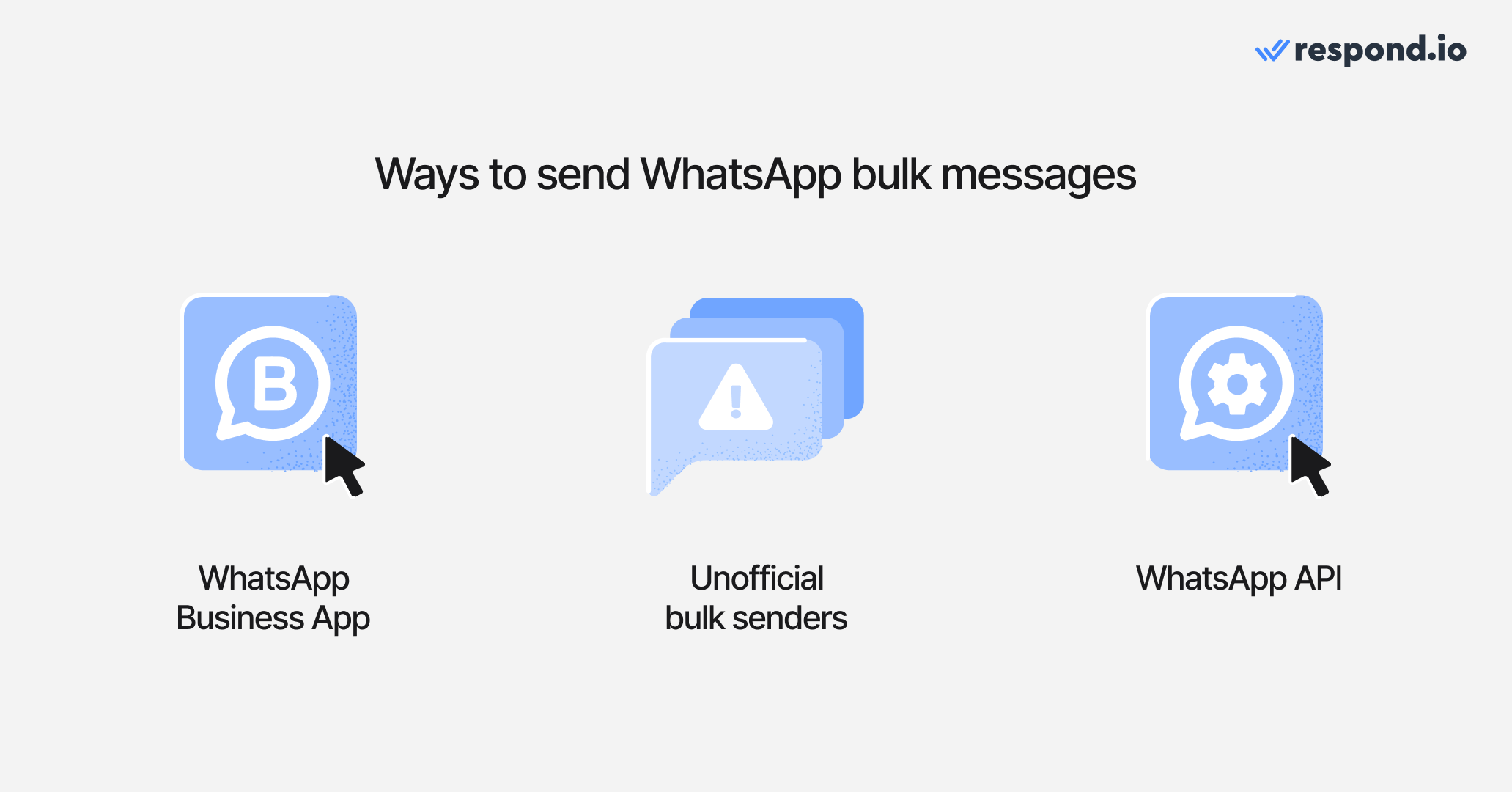
These are the different kinds of options businesses typically use for bulk messaging:
1. WhatsApp Business App
Free and easy to use, but limited to sending messages to 256 contacts at a time. Fine for small businesses, but it lacks automation, advanced analytics and efficient reply management. As message volume grows, the manual workload becomes unsustainable.
2. Unofficial bulk senders
Third-party tools that log into your WhatsApp account via unofficial methods. While cheap or free, they violate WhatsApp’s terms, carry high ban risks and often lack reliable features for handling replies.
3. WhatsApp API
WhatsApp API, also known as WhatsApp Business Platform, is Meta’s official solution for sending messages at scale. Meta does not provide a built-in interface for WhatsApp API, so applying directly means you would need developers to build and maintain your own tools to use it.
Most companies instead work with an official Business Solution Provider (BSP), which simplifies setup and provides ready-made features for sending broadcasts, managing replies and contacts.
Compared to the WhatsApp Business App, WhatsApp API is more powerful but comes with per-message costs and opt-in requirements. In return, it ensures reliability and unlocks advanced features like automation, personalization and integrations.
For small businesses just starting out, the WhatsApp Business App is usually sufficient. As your audience and messaging needs grow, upgrading to WhatsApp API becomes worthwhile.
Unofficial bulk senders may look appealing for their low cost, but they can carry serious risks — from account bans to compromised data. We won’t be covering or recommending them. For peace of mind, stick to platforms that work with WhatsApp API.
How to choose a bulk WhatsApp messaging software
Choosing bulk WhatsApp marketing software isn’t just about sending messages — it’s about finding a platform that fits your budget, scales with your business and gives you the features you need to manage replies, automation and reporting.
While API access itself is free, these platforms typically charge for usage on top of Meta’s per-message fees and some add extra markups. Even if a subscription looks cheap or free, keep in mind that broadcasts are often restricted in trials because Meta charges per template message and most providers avoid covering those costs.
Some let you send test messages to yourself or a small internal list, while others require a wallet top-up or paid plan before you can send real broadcasts.
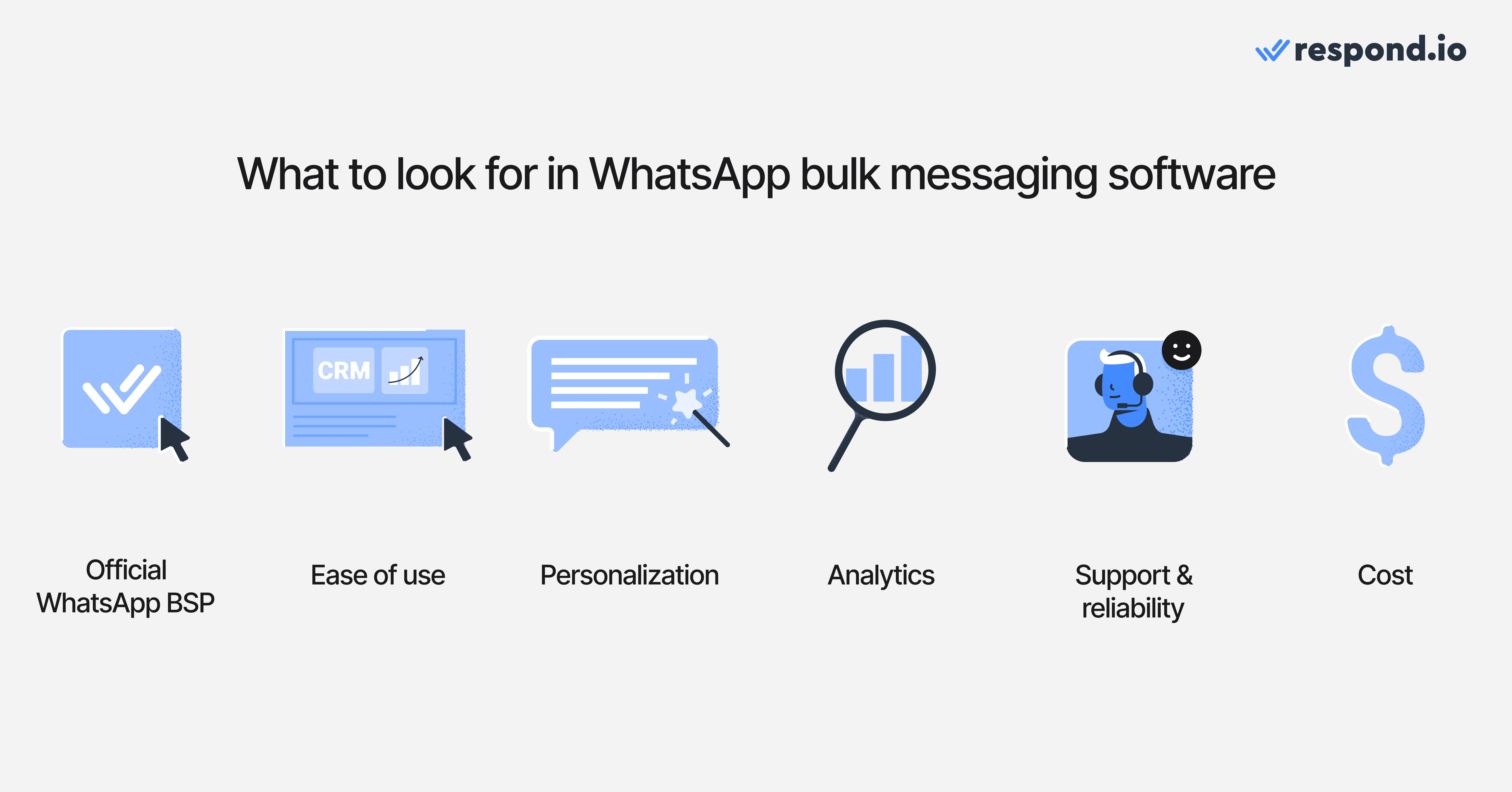
With that in mind, choosing the right platform isn’t just about whether it can send messages. The real difference lies in the features, usability and pricing that shape how effective and scalable your campaigns will be. Here are the main things to compare when reviewing tools:
Official API access, compliance and template workflow — Using an official Business Solution Provider (BSP) keeps messaging on Meta's verified path and makes it easier to manage approved templates safely. Before signing up, check that the provider is listed in Meta's Business Partner Directory. Then compare how the platform handles template creation, approval visibility, reuse, personalization fields and support for media or call-to-action buttons, because slow or error-prone template management delays campaign launches and costs sales.
Ease of use — Look for a simple WhatsApp message template builder, smooth contact import and flexible scheduling. Clear onboarding helps you launch campaigns quickly.
Personalization, segmentation and omnichannel context — Dynamic fields and CRM integrations help teams send relevant messages at scale. If customers move across messaging channels, voice calls and email before buying, the platform should keep one conversation history and support coordinated follow-ups across channels so teams don't lose momentum when a customer switches touchpoints.
Automation and AI Agents — Broadcasts generate replies; AI, automation, chatbots and flow builders help manage them without overwhelming your team. It's also worth checking whether the platform can capture leads from click-to-WhatsApp ads, tag which ad they came from and route high-intent chats to the right agent, so ad spend can be tied to real conversations and sales.
Analytics and reporting — Track sent, delivered, read and failed messages, plus reply and opt-out rates. Businesses should also check whether the platform can tie campaigns and automations to qualified leads, purchases, repeat orders, lifecycle stage changes and campaign-level revenue so spend can be defended with commercial evidence, not just message activity.
Pricing transparency — Understand whether the platform passes Meta’s fees directly or adds extra markups, and whether pricing scales predictably as volumes grow.
Support and reliability — Responsive support and stable infrastructure reduce downtime and setup headaches.
Match the tool to your use case
Promotions and product launches — Prioritize segmentation, template reuse, scheduling and campaign reporting so offers reach the right customers without driving opt-outs.
Lead follow-up — Look for AI Agents, routing rules and CRM sync so new replies are qualified quickly and passed to the right agent with context.
Abandoned cart and win-back campaigns — Check for automation, drip sequences and retargeting for non-responders so interested customers don't go cold.
Order updates and reminders — Make sure the platform sends approved templates reliably and keeps reply history attached when customers ask follow-up questions.
Best bulk WhatsApp marketing software comparison
Features | Respond.io | Brevo | AiSensy | WATI | SendWo | Twilio |
Setup & Onboarding (embedded signup, activation, guides) | ✅ | ✅ | ✅ | ✅ | ✅ | ❌ |
Broadcast creation (templates, scheduling, personalization) | ✅ | ✅ | ✅ | ✅ | ✅ | ✅ |
Upload contacts (CSV/integrations) | ✅ | ✅ | ✅ | ✅ | ✅ | ❌ |
Segment contacts for broadcast | ✅ | ✅ | ✅ | ✅ | ✅ | ❌ |
Delivery & reporting dashboard | ✅ | ✅ | ✅ | ✅ | ✅ | ❌ |
Automation & flow builder | ✅ | ✅ | ✅ | ✅ | ✅ | ✅ |
Drip sequences | ✅ | ✅ | ⚠️ Only via 3rd-party integrations | ✅ | ✅ | ✅ |
Retarget non-responders | ✅ | ✅ | ✅ | ✅ | ✅ | ❌ |
Inbox & 2-way chat (multi-agent, roles, conversation history) | ✅ | ✅ | ⚠️ Notes unsupported | ✅ | ⚠️ Notes unsupported | ❌ |
CRM integrations | ✅ | ✅ | ⚠️ Only via 3rd-party integrations | ✅ | ⚠️ Only via 3rd-party integrations | ✅ |
Channels beyond WhatsApp | ✅ Instagram, Facebook Messenger, TikTok, Telegram, LINE, Viber, WeChat, voice calls and email | ✅ Email, live chat and phone | ❌ WhatsApp only | ✅ Instagram and Facebook Messenger | ✅ Instagram, Facebook Messenger, Telegram and website chat | ⚠️ SMS, voice and email via API, custom build required |
Campaign metrics (open, reply, opt-out) | ✅ | ✅ | ✅ | ✅ | Minimal | Partial |
Compliance (template use, opt-outs) | ✅ | ✅ | ✅ | ✅ | ✅ | ✅ |
Quality rating monitoring | ✅ | ✅ | ✅ | ✅ | ❌ | ❌ |
Ease of use & stability (UI, performance) | ✅ | ✅ | ❌ Dated UI, unintuitive | ✅ | ❌ Unintuitive UI, inconsistent behavior | ❌ Depends on user implementation |
Mobile app available | ✅ | ✅ | ✅ | ✅ | ❌ | ✅ |
Meta message markup | ✅ No markup | ❌ Markup | ❌ Markup | ❌ Markup | ✅ No markup | ❌ Markup |
Low-volume testing | ✅ | ✅ | ✅ | ✅ Single recipient test | ✅ | ✅ Single recipient test |
Support & resources (chat/email, docs, onboarding) | ✅ | ⚠️ Ticketing only | ✅ | ⚠️ Live chat only on Pro/Business plan | ⚠️ Live chat only on Pro/Enterprise plan | ⚠️ Live chat only for paid support plans, email for everyone |
Bulk WhatsApp marketing software: pros, cons and pricing
Every platform reviewed here can send compliant WhatsApp broadcasts, but total cost depends on three layers: Meta messaging charges, the platform's own pricing model and any extra markups or support fees. Meta's charges now cover reply handling too, since free-form service messages are billed after 1,000 per phone number each month. Businesses should check what triggers each cost, how billing scales as campaign volume grows and whether important features are locked behind higher plans.
That comparison matters because two tools can look similar on the surface but become very different in cost once the contact base and reply volume increase. At a glance, the pricing models differ. Respond.io uses Monthly Active Contacts (MAC) pricing with no markup on Meta's fees, so cost follows how many contacts the team actively talks to each month. Brevo, AiSensy and WATI combine a platform plan with Meta's charges plus their own markup. SendWo offers a free plan with no markup but only basic features, while Twilio charges for API usage, with extra costs if the business needs a third-party frontend or paid support.
The cheapest headline plan isn't always the lowest total cost once message volume, reply handling and required features grow. Compare the pricing model first, then the plan price, markup and which features or support sit behind higher tiers.
Respond.io
Respond.io is a customer conversation platform built for B2C businesses that manage high-volume customer conversations. Beyond compliant broadcasts, AI Agents can qualify leads, update lifecycle stages, trigger workflows, route conversations by intent, escalate high-value opportunities and generate summaries for handovers.
With a shared team inbox, automation, reporting and CRM integrations, it is a strong fit for teams that need to turn campaign replies into faster sales conversations across WhatsApp and other key messaging, social, voice and email channels.
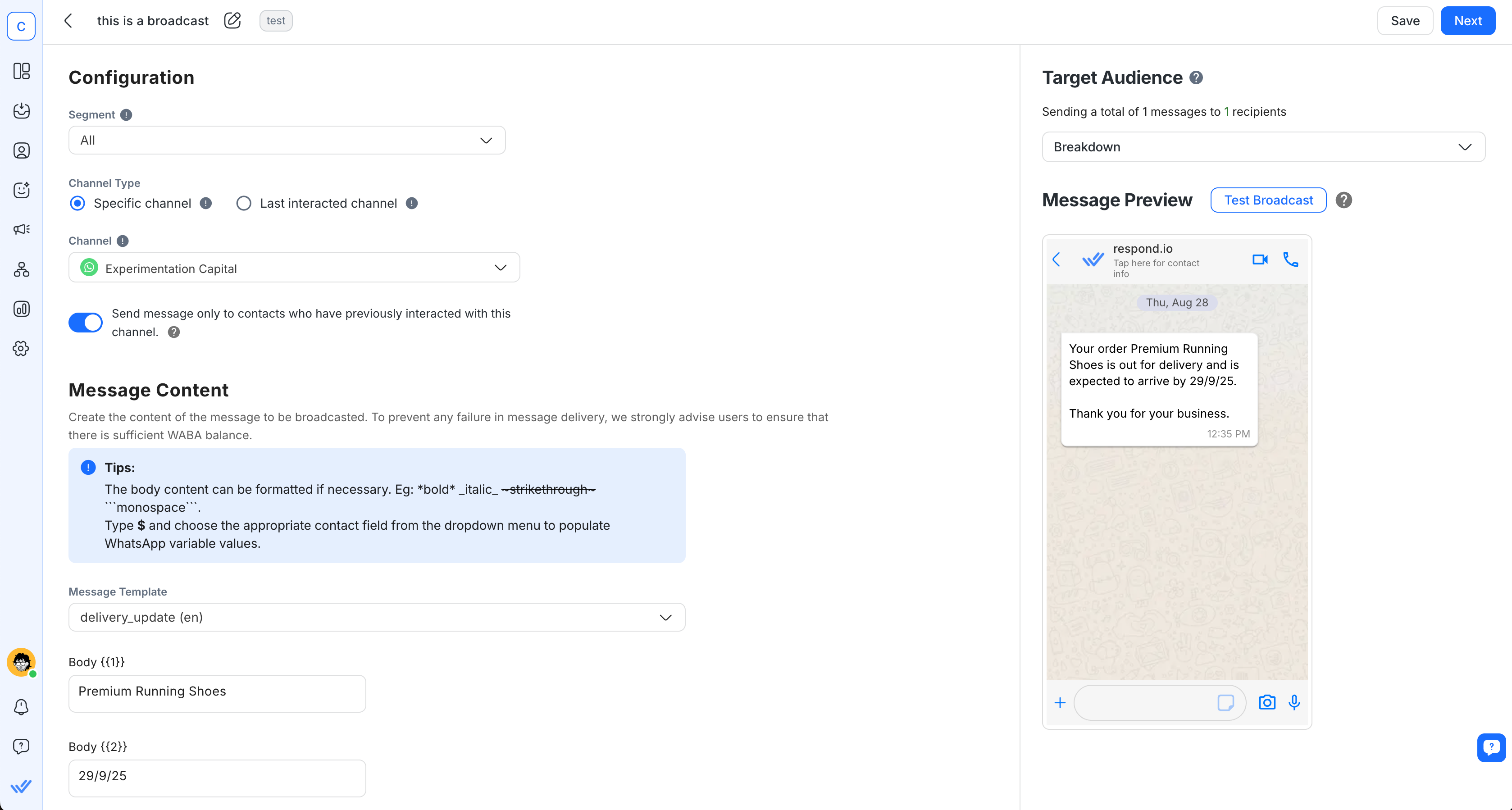
Pros:
Handles high-volume broadcasts without lag
Advanced automation and analytics
Autonomous AI Agents that qualify leads, answer FAQs, route chats and more
Unified inbox for managing inbound conversations across multiple channels
Deep CRM integrations
Cons:
More advanced features may be overkill for very small teams
Pricing:
Transparent pricing, no markup fees
No forever free plan
Best for:
Best for mid-market B2C businesses whose broadcasts start conversations that sales and support teams need to follow up. It's a customer conversation platform that includes segmented, compliant broadcasts, automated reply handling and multi-agent routing in one inbox, so replies to a campaign reach the right person instead of piling up unanswered. WhatsApp fees are passed through from Meta at cost, with no markup, setup fees or maintenance fees on top.
Brevo
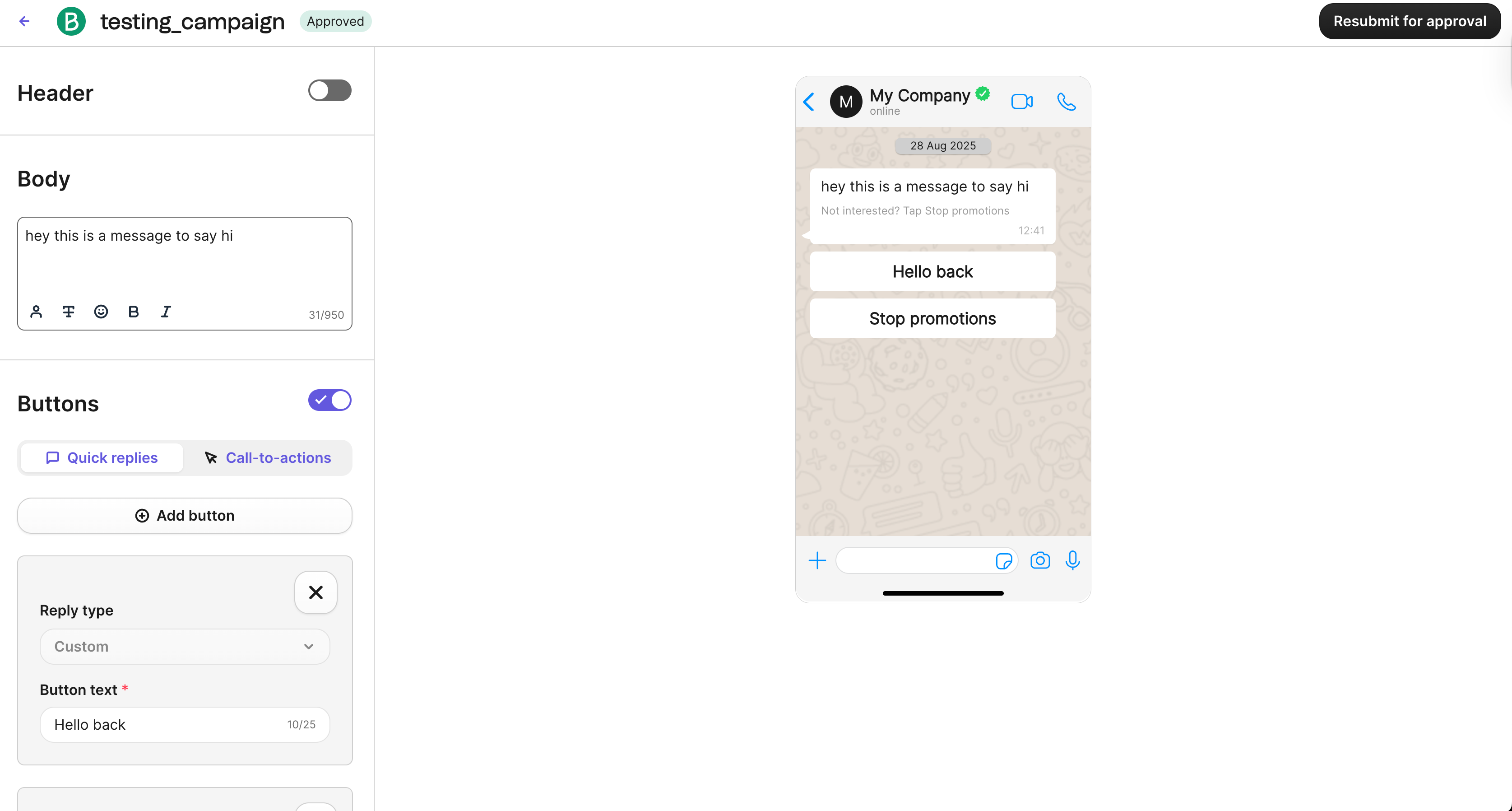
Brevo (formerly Sendinblue) is an email and SMS marketing platform that includes WhatsApp Business API functionality. In addition to being an official WhatsApp BSP, Brevo features no-code campaign creation, automation workflows, CRM contact management and rich media campaign support within a unified interface.
Pros:
Combines Email, SMS and WhatsApp in one platform
Built-in CRM and marketing automation
Cons:
WhatsApp features are less advanced than email/SMS tools
No live chat support
Pricing:
Free plan available
Has markup charges on top of Meta’s messaging fees
Best for:
Businesses seeking a budget-friendly solution to run email and SMS campaigns but also need official WhatsApp support in the same platform.
AiSensy
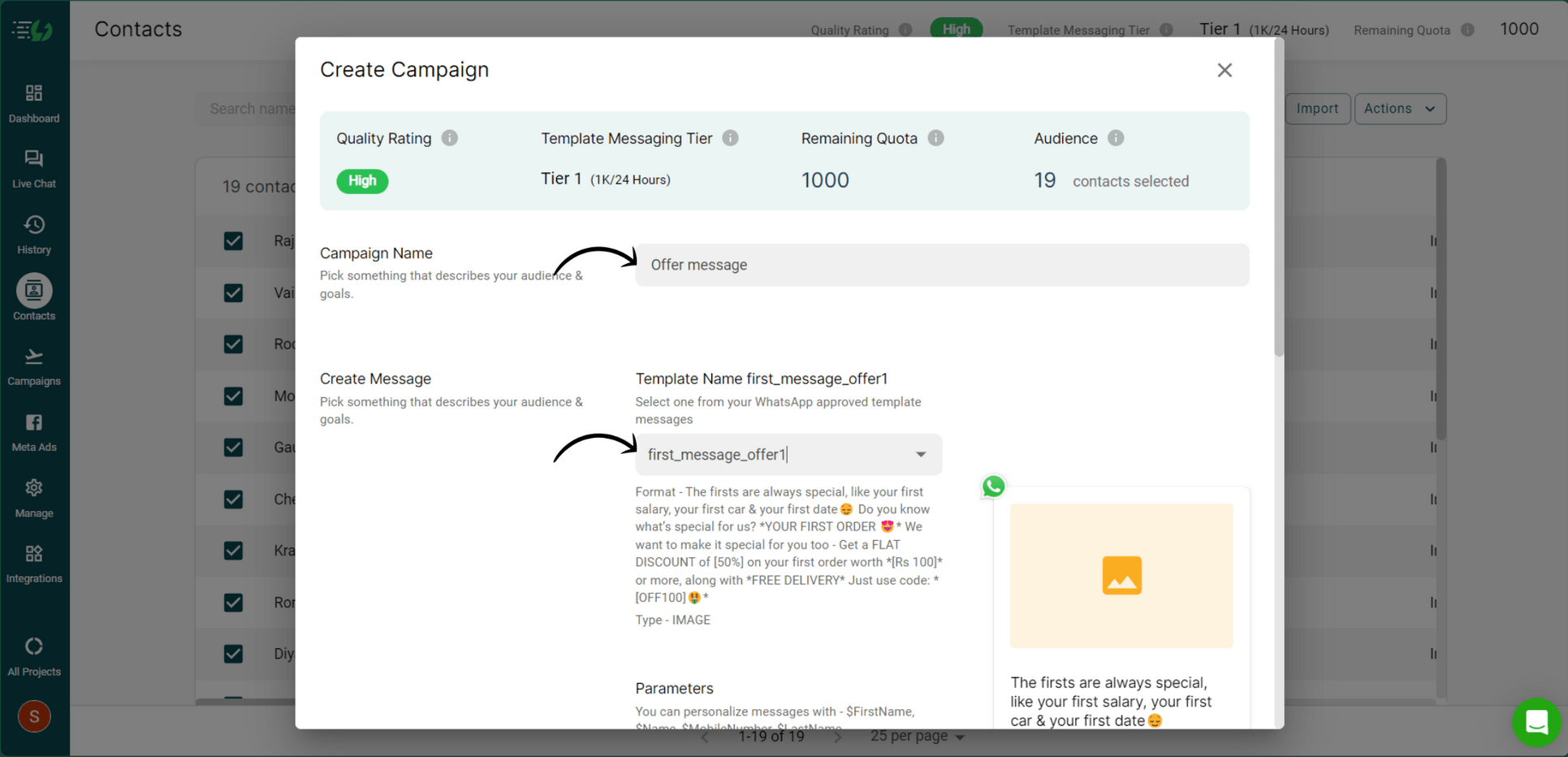
AiSensy is a WhatsApp‑focused marketing platform aimed at SMBs. It offers embedded signup, fast onboarding, a campaign builder with personalization/segmentation and a visual flow builder for basic automations. However, a number of functions will require third‑party integrations. While AiSensy has a free tier, it doesn’t support bulk messaging.
Pros:
Can create and run ads directly from the platform
Supports in-app payments on WhatsApp
Cons:
Dated, unintuitive UI
Free tier doesn’t support bulk messaging
Relies on third‑party tools for many integrations
No internal notes in inbox
Pricing:
Affordable entry pricing
Has markup charges on top of Meta’s messaging fees
Best For:
SMBs that want a low-cost, WhatsApp-first platform with quick setup. Particularly suited for businesses running Click-to-WhatsApp ads or looking to enable in-chat payments, but who don’t need advanced analytics or deep native integrations.
Wati
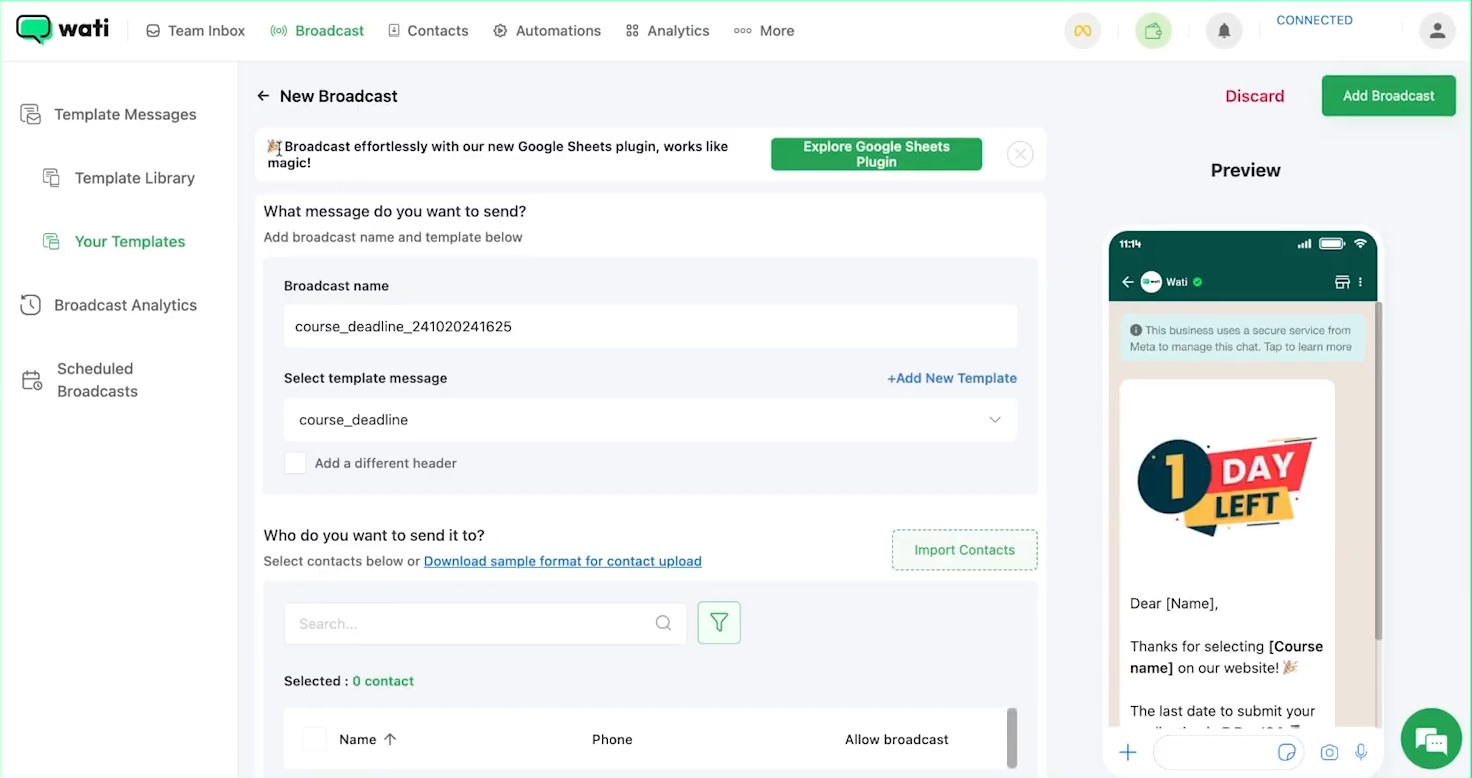
Wati (WhatsApp Team Inbox) is a WhatsApp-first customer engagement platform built for SMBs. It’s an official WhatsApp BSP with simple onboarding and a visual chatbot builder for automating responses. Wati’s interface is designed for teams that want to manage both marketing broadcasts and customer service from the same place.
Pros:
Sleek, modern-looking UI
Built-in chatbot builder
Easy onboarding and setup
Cons:
Live chat support is only available for Pro and Business plan users
Limited analytics depth
Has performance issues
Pricing:
SMB-friendly pricing
Has markup charges on top of Meta’s messaging fees
Best for:
SMBs and agencies that need an easy-to-use WhatsApp marketing and support tool with strong automation and team collaboration features. A solid choice for businesses that want to combine broadcasts, chatbots and shared inbox workflows in one platform, but may not require advanced analytics or enterprise-level customization.
SendWo
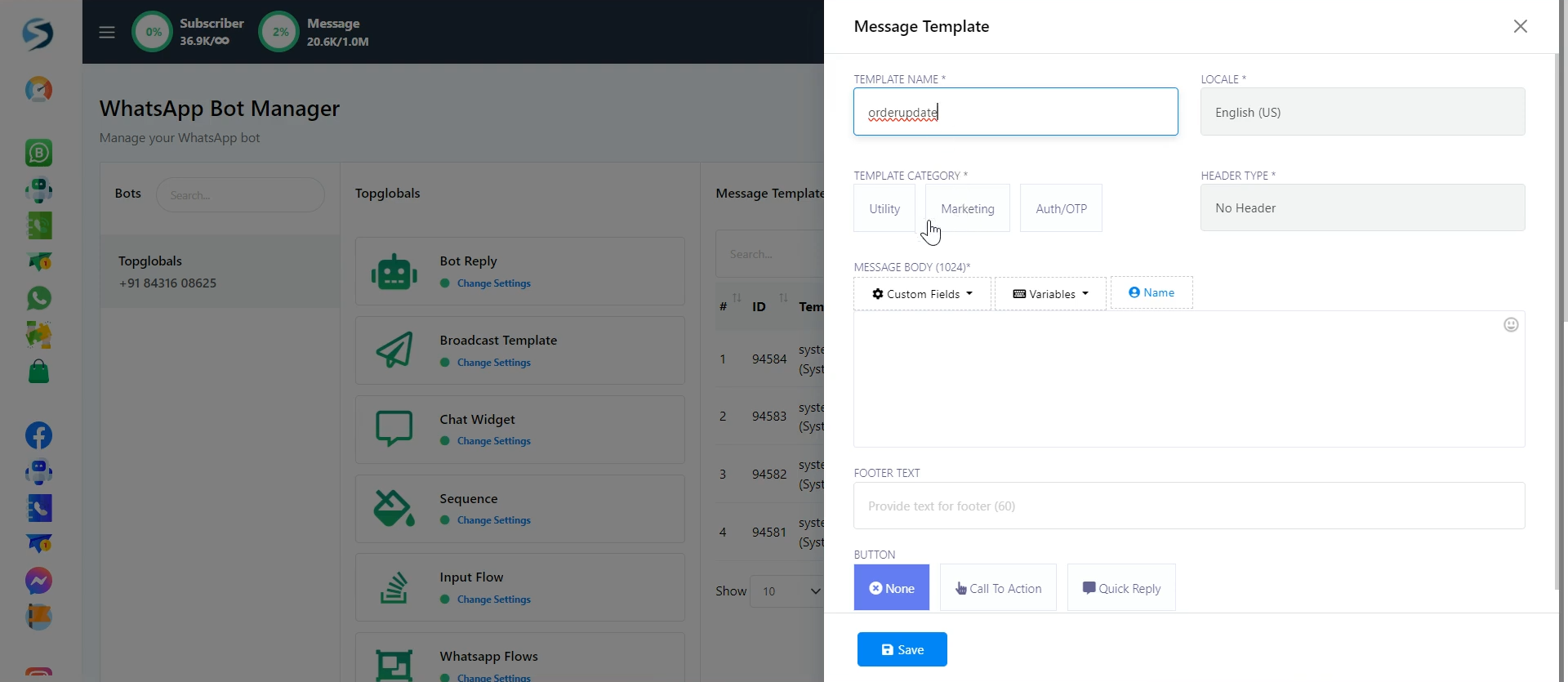
SendWo is a lightweight WhatsApp marketing tool built for straightforward, compliant bulk messaging without extra costs. It offers the core broadcast features you need in a simple, no-frills package, but its limited onboarding support and clunky interface can make it harder to get started.
Pros:
Supports in-chat payments
Cons:
Unintuitive UI with inconsistent behavior
Minimal analytics and reporting features
Limited automation and AI capabilities
Few integrations compared to other platforms
Poor documentation/help center
Pricing:
Free plan available
No markup fees on top of Meta’s rates
Best for:
Budget-conscious businesses that only need basic, compliant WhatsApp broadcasts at the lowest possible cost, and can work without advanced features or deep integrations.
Twilio
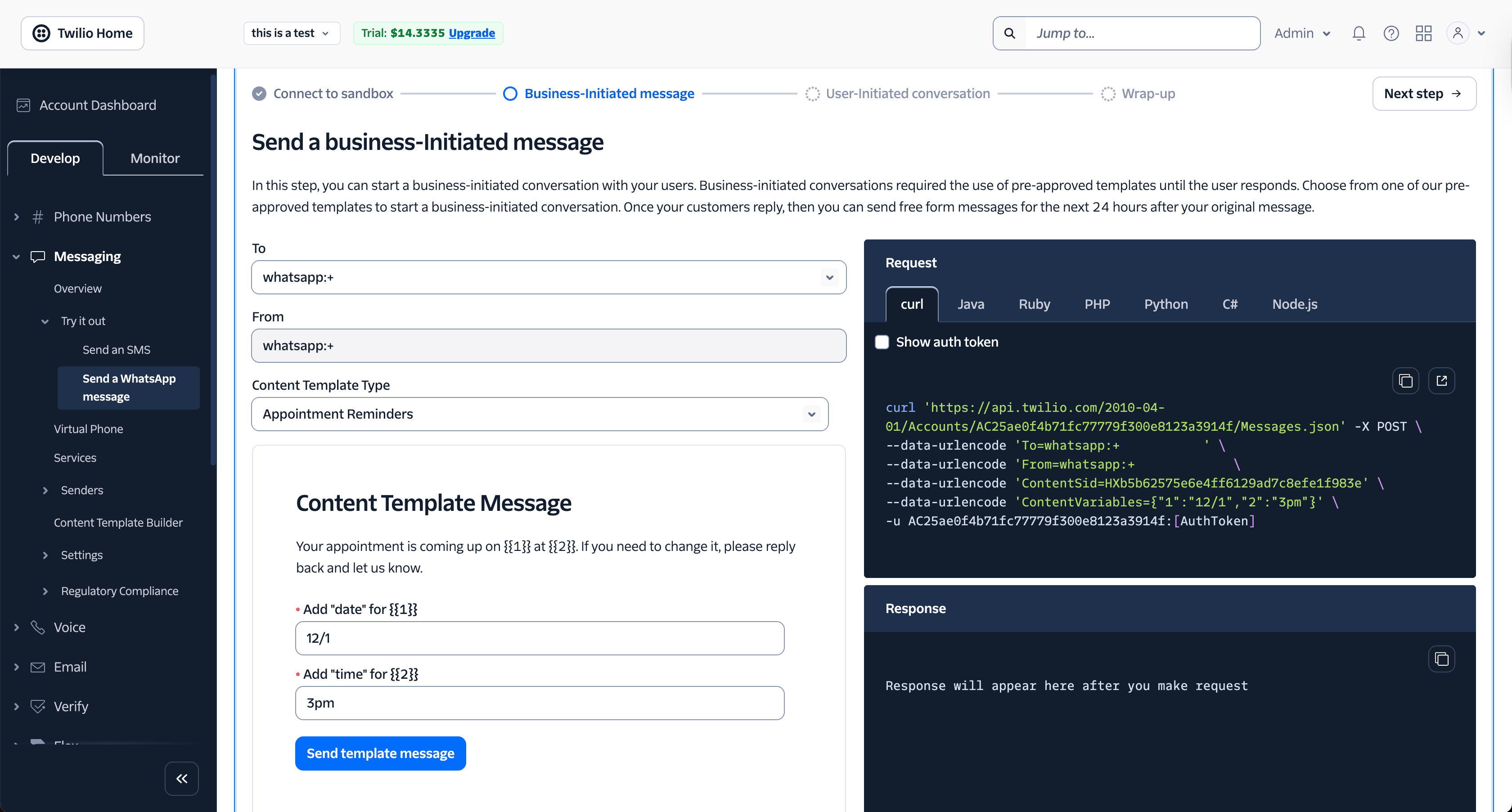
Twilio is a developer-centric communications platform that offers the WhatsApp Business API as part of its messaging suite. It’s an official WhatsApp BSP, but unlike plug-and-play tools, Twilio does not provide a built-in interface for sending bulk messages. Instead, you’ll need to build your own frontend or connect Twilio to a third-party tool to run campaigns.
Pros:
Highly flexible API for custom workflows and integrations
Extensive developer documentation and SDKs
Scalable infrastructure for high-volume messaging
Supports multi-channel communication (SMS, voice, WhatsApp and more)
Cons:
No native campaign builder or shared inbox — requires custom development or third-party software
Steeper learning curve for non-technical teams
Setup can be time-consuming compared to plug-and-play solutions
Pricing:
API pricing plus potential extra costs from third-party frontends
Best for:
Businesses with in-house developers or technical teams who want maximum control and customization over WhatsApp messaging, or enterprises integrating WhatsApp into broader multi-channel systems.
Which is the best bulk WhatsApp marketing software your business needs?
Choosing the right platform depends on your business size, technical resources and whether you need more than just sending broadcasts.
Brevo — Best for teams running multi-channel campaigns that combine email, SMS and WhatsApp in one platform.
AiSensy or WATI — Strong fits for SMBs that want quick setup, affordability and simple chatbot tools without enterprise-level complexity.
Twilio — Suited for developer-led teams that need full control, scalability and custom integrations rather than plug-and-play tools.
SendWo — The most budget-friendly option if all you need is compliant WhatsApp broadcasts at the lowest possible cost.
Respond.io — The best all-rounder for businesses that treat WhatsApp as a core revenue channel while also needing to manage other channels. It combines compliant bulk messaging with automation, segmentation, shared inbox workflows, transparent pricing and omnichannel support — making it the platform to scale with.
How can the right WhatsApp marketing tool grow your business?
Bulk WhatsApp messaging in 2026 isn’t about blasting the same text to everyone. It’s about sending relevant, timely messages at scale — with consent, compliance and a plan for the replies you’ll receive.
While every platform we reviewed can send compliant bulk messages, the real difference lies in what happens beyond “send.” Once a customer replies, the platform should help the business move the conversation toward a sale, not leave the team sorting replies by hand. Businesses should look for fast intent qualification, routing for high-value conversations, clear handoff to human agents and context that stays intact through the buying journey so revenue is not lost between first interest and final action.
That’s where respond.io stands out. It’s built for businesses that treat WhatsApp as a serious revenue channel and not just a broadcast tool.
Automation and drip campaigns to engage customers without manual follow-ups
Manage responses with AI using AI Agents that reply instantly, hand off to human agents with internal comments that preserve key context and add tags for future broadcast targeting
Shared inbox + roles/notes so teams can resolve conversations faster
Segmentation + CRM integration to write messages people actually want to read
No extra fees on top of Meta so you can scale predictably
What success looks like in practice
The difference between sending broadcasts and growing sales shows up after the send. Here's how two B2C businesses turned WhatsApp campaigns into results with respond.io.
Lamarsa Coffee: 50% more sales across 6 countries
Lamarsa Coffee sells coffee equipment across Malaysia, Singapore, Brunei, the Philippines, Taiwan and Australia. On the WhatsApp Business App, the team couldn't segment customers or share the workload across sales, orders and after-sales inquiries. After moving to the WhatsApp API on respond.io, they tagged customers by category to send targeted broadcasts about promotions, pre-orders and shipment updates. Workflows routed each inquiry to the right team and assigned high-value customers to dedicated salespeople. Quarter-on-quarter sales grew 50% in under a year, and first response times got 38% faster.
Qobolak: 95% more lead conversions from broadcasts
Qobolak, a student placement service in Saudi Arabia, was running conversations across 20 personal WhatsApp accounts with no visibility into how leads were handled. The team consolidated them into one WhatsApp API number on respond.io, alongside Facebook Messenger and Instagram in a single inbox. They then used WhatsApp broadcasts to promote their education fair events, sending 49,800 messages over 8 months. Lead conversions rose 95%, and fair attendance improved.
In both cases, the broadcast was only the starting point. Segmentation decided who received each message, and one shared inbox made sure every reply reached someone who could act on it.
If you’re ready to go beyond basic sending and run campaigns that actually drive results, respond.io is the platform to grow with.
Sign up with respond.io and launch your first compliant, segmented WhatsApp campaign this week!
Turn conversations into customers with respond.io's official WhatsApp API ✨
Manage WhatsApp calls and chats in one place!
FAQs about WhatsApp bulk marketing
Is WhatsApp bulk marketing legal?
WhatsApp bulk marketing is legal when messages are sent to contacts who have provided clear, verifiable opt‑in and when delivery uses Meta’s official WhatsApp Business Platform (API) via a Business Solution Provider (BSP). Using the API enforces template review, quality monitoring and user controls such as block and opt‑out options, which reduces spam and protects sender reputation.
Unofficial bulk senders that log into personal or business accounts through unsupported methods violate WhatsApp’s terms, increase the risk of number bans and offer limited safeguards. For businesses, the compliant path is to collect consent, send approved templates for marketing notifications and provide easy opt‑out. This approach preserves deliverability, avoids enforcement actions and creates a reliable channel for recurring, high‑volume broadcasts.
How much does it cost?
The cost of WhatsApp broadcasts has two parts: Meta’s per‑message charges and any fees from your chosen platform. Meta charges per message, with rates varying by country and message type such as marketing or utility. Free-form replies inside the 24-hour customer service window are also charged after the first 1,000 per phone number each month, and utility templates are charged whether sent inside or outside that window.
Platforms may add subscription fees, usage fees, or markups on top of Meta’s rates, while others pass Meta’s pricing through with clearer billing. A basic budget plan estimates expected monthly conversations, country mix, and message types, then checks whether the platform adds extra fees.
Can I track revenue from WhatsApp campaigns and automation?
Yes, if the platform connects broadcasts and reply handling to downstream outcomes. Buyers should look for reporting that goes beyond sent, delivered and reply rates to show qualified leads, purchases, repeat orders, lifecycle stage changes and campaign-level revenue.
The strongest setups also sync customer and order data with the CRM so teams can see which message, segment or automation influenced the sale. Without that commercial view, it is much harder to prove return on spend or improve future campaigns.
Can I get banned for sending bulk messages?
WhatsApp numbers get restricted or banned when senders cause high block or report rates, use unapproved templates, or rely on unofficial tools. The safest path is simple: send only to opted‑in contacts, use approved templates and include a clear opt‑out in every message.
Keep broadcasts relevant by segmenting your audience and pacing sends so people are not overwhelmed. After each campaign, review delivery, read, and block trends to spot lists or templates that underperform. Consistently following these practices lowers complaints and helps maintain a healthy sender reputation, which reduces the risk of enforcement actions.
What’s the best tool for small vs. large business?
Small businesses that send occasional updates can start with the free WhatsApp Business App and move to a simple API tool as volumes grow. When replies increase, features like audience segmentation, a shared inbox, and basic chatbots help teams handle conversations efficiently.
Larger or fast‑growing organizations usually need more: workflow automation, CRM integrations, role‑based access, detailed analytics, and reliable performance for high‑volume sends—plus clear pricing and responsive support.
For teams at this stage, respond.io is a strong fit: it’s an official BSP that combines compliant broadcasts with automation, AI assistants, a unified inbox, CRM integrations, and reporting, with transparent pricing and no markup on Meta fees.
The right choice ultimately depends on how often you broadcast, the complexity of reply handling and which systems you need to connect—but if WhatsApp (and other channels) drive revenue and you’re ready to scale, respond.io covers those needs in one platform.
Do I need technical knowledge to use bulk WhatsApp marketing software?
Usually not if the business chooses a platform with embedded signup, template management, campaign tools and no-code automation. Most marketing teams can launch and manage compliant broadcasts without building their own interface.
Technical help becomes more important when the business wants a direct API setup, custom frontends or deeply tailored workflows. Buyers should match the tool to the team's actual resources so setup does not slow down time to launch.
Can I test WhatsApp bulk messaging before paying?
Most platforms include a free trial or tier, but broadcasts are usually restricted since Meta charges per conversation even during trials. Some providers let you test by sending messages to yourself or a small internal list, while others require a wallet top-up or paid plan to run real campaigns.
Use these trials as short test runs to check message relevance, list quality, and your team’s ability to manage replies. A simple plan is to import a small opted-in segment, get one or two templates approved, and send to a handful of contacts. Track sent and delivered rates to verify everything is working as expected.
Is WhatsApp marketing software free?
Not for serious bulk messaging. The WhatsApp Business App can be used without software fees, but it is not built for compliant high-volume broadcasts, team workflows or advanced automation.
Once a business needs the WhatsApp Business Platform (API), there are Meta messaging charges and usually platform fees. Some vendors offer a free trial or limited tier, but broadcast sending is often restricted until the account is on a paid setup.
How do I access the WhatsApp Business API?
Businesses can request access to the WhatsApp Business Platform (API) through Meta’s Business Manager, but Meta itself does not provide a usable interface for sending or managing messages. To run campaigns, you need to connect the API to a platform—typically an official Business Solution Provider (BSP). At a minimum, these platforms give you tools to submit and manage message templates and use a shared inbox to handle replies. Many also include extra features like automation, AI chatbots, CRM integrations, or analytics depending on your business needs.
BSPs also ensure compliance with Meta’s policies and can escalate issues such as rejected templates, account quality drops, or number bans. In practice, you apply via Meta, but you rely on a BSP or messaging platform (like respond.io) to actually send broadcasts and manage conversations at scale.
Can WhatsApp marketing integrate with my CRM and other channels?
Yes. The right platform should sync contacts, conversation history and lifecycle data with the CRM so teams can personalize campaigns, route replies with context and keep follow-ups consistent.
It should also support WhatsApp and other key messaging, social, voice and email channels in one workspace. That matters when a customer clicks an ad on one channel, asks questions on another and completes the purchase somewhere else.
Further reading
We hope you found this guide helpful! If you want to learn more about bulk messaging over WhatsApp API, check out these articles:


