
















 Electronics
 Fashion & Apparel
 Furniture
 Jewelry and Watches
 Afterschool Activities
 Sport & Fitness
 Beauty Center
 Dental Clinic
 Medical Clinic
 Home Cleaning & Maid Services
 Photography & Videography
 Car Dealership
 Travel Agency & Tour Operator


TL;DR - Best Kommo Alternatives
Kommo is a budget-friendly CRM with messaging add-ons built for small B2B sales teams. If your business drives revenue from high-volume WhatsApp conversations — lead capture, qualification, campaign follow-up, multi-agent handling — it hits a ceiling on automation depth, AI maturity, channel coverage, and cost predictability as you scale.
The right alternative depends on what's actually breaking:
If your primary need is a clean omnichannel inbox for multi-channel inbound support: Trengo
If you run high-volume revenue conversations across WhatsApp, voice, and multiple channels and need autonomous AI Agents, intent-based routing, and Monthly Active Contacts (MAC)-based pricing with no WhatsApp markup: Respond.io
If you're an India-based ecommerce or D2C business running WhatsApp broadcasts and abandoned cart recovery: Interakt
If you need a no-code chatbot builder for top-of-funnel Instagram and Facebook lead capture: Manychat
If you're an open-source-friendly team that wants a self-hosted multi-channel helpdesk: Chatwoot
Mid-market B2C businesses managing revenue conversations do not treat WhatsApp as a support ticket queue. When a customer messages after clicking an ad, that is a lead — and the platform handling that conversation determines whether it converts. Kommo was built for visual B2B pipelines, not high-volume B2C revenue workflows. When teams outgrow it, they evaluate tools built differently. This article covers seven options, what each is actually built for, and how to choose.
How to evaluate a Kommo alternative
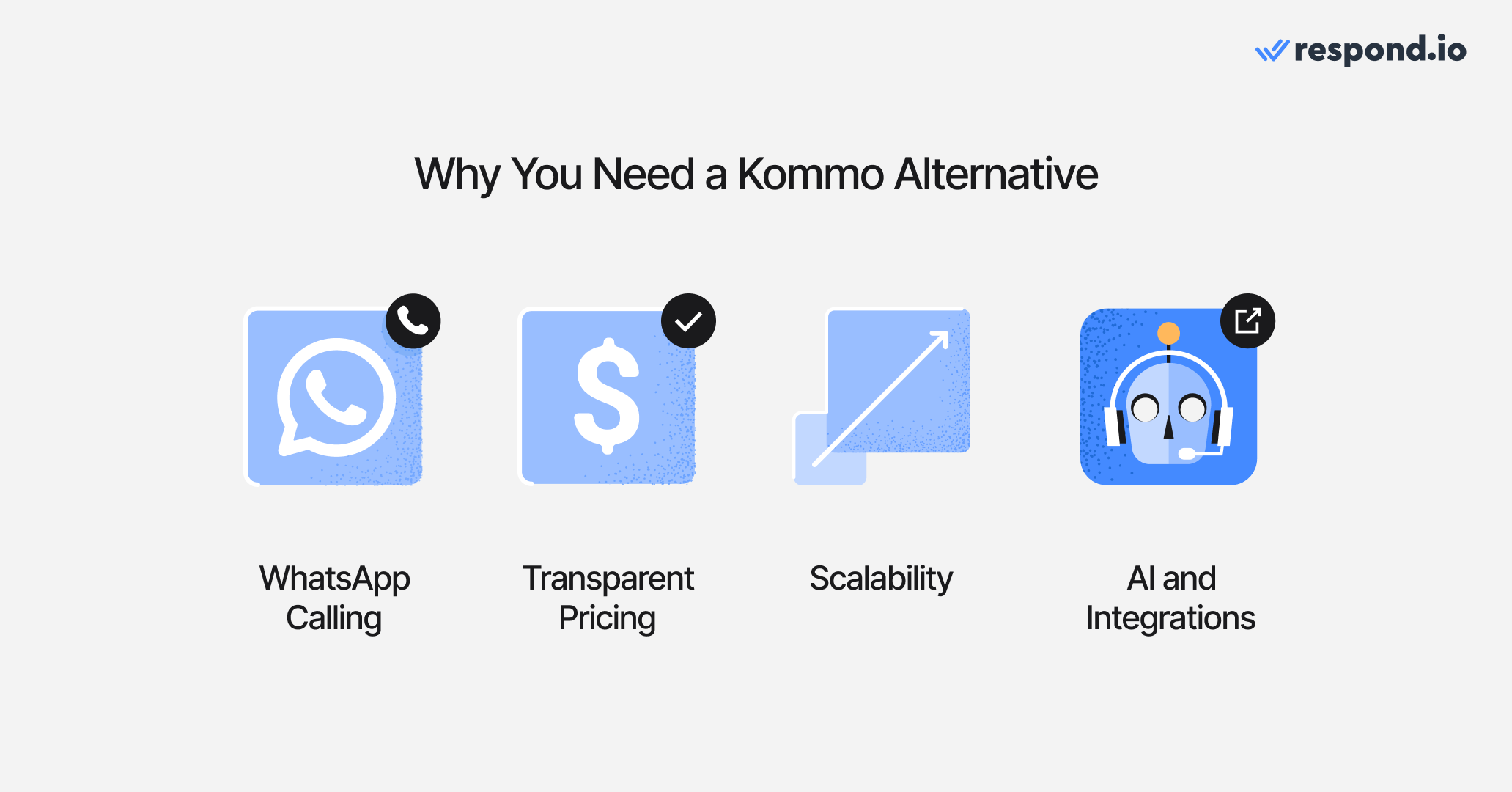
Evaluate a Kommo alternative on six criteria: WhatsApp calling and channel coverage, multi-agent handling and conversation ownership, AI readiness, attribution and reporting, and pricing at scale.
Most buyers leaving Kommo are not hunting for generic feature upgrades. They are trying to solve specific problems that surfaced as conversation volume, team size, or sales complexity grew, while keeping lead capture and routing stable during the switch.
The six criteria below reflect the actual reasons teams switch, including time-to-value: how much workflow rebuilding, onboarding support and internal effort a new platform requires before it starts handling revenue conversations reliably.
WhatsApp calling and channel coverage
For ecommerce and direct-to-consumer teams, that means checking whether store events can trigger abandoned cart follow-up, order updates, catalog sharing and re-engagement inside the conversation platform, not just whether a Shopify or WooCommerce integration exists.
If the business runs more than one store, branch, brand or market, confirm not only that the platform supports the right channels, but also how many WhatsApp numbers, social accounts or business units each plan can run before an upgrade is required. Channel coverage on paper is not enough if number limits force teams to split operations across tools or delay new launches.
When WhatsApp drives a large share of inbound demand, architecture matters as much as the channel list. In a CRM-first setup, messaging is one activity inside the deal record. In a customer conversation platform, the conversation drives routing, ownership, AI Agent qualification and lifecycle actions across WhatsApp and other key messaging, social, voice and email channels. For revenue teams, the wrong model shows up as slower handoffs, split ownership and extra software overhead that still leaves agents working around the inbox.
Respond.io is a safer fit for businesses centralizing high-volume conversations across WhatsApp and other key messaging, social, voice and email channels because scaling numbers and teams does not depend on narrow plan-level rationing becoming the next bottleneck.
Multi-agent handling and conversation ownership
Kommo's shared inbox requires manual assignment and lacks automatic routing by intent or team. When conversation volume grows, unassigned threads pile up, agents double-reply to the same contact, and managers lose visibility. Before shortlisting an alternative, verify: can multiple agents work from one WhatsApp number with automatic assignment, full conversation history per contact, and protection against duplicate replies? Clear ownership at the conversation level is what prevents leads from dying in handoffs.
CRM replacement vs CRM integration
A second decision sits underneath the feature checklist: replace the CRM, or add a customer conversation platform that syncs with the CRM already used by sales and marketing. For many mid-market B2C teams, ripping out the existing CRM creates avoidable risk - duplicate records, broken attribution and slower adoption while teams relearn daily workflows.
Respond.io fits businesses that want WhatsApp and other key messaging, social, voice and email conversations to become structured pipeline activity without forcing a full CRM migration. The better question is not which tool has the most features in one place, but which setup keeps conversations, lifecycle data and reporting aligned across the systems the business already trusts.
AI readiness
Kommo's AI is limited to basic reply suggestions and simple chatbot flows. For teams where AI needs to qualify leads, update lifecycle fields, trigger follow-up sequences, and hand off to a human with full context — that model creates a bottleneck. The meaningful distinction is whether a platform's AI Agents can execute revenue work or only respond to simple inbound questions, and whether that capability is included in the plan under review or sold separately with usage limits. Buyers should ask three questions upfront: is artificial intelligence included, what can it actually execute and what happens to cost when usage rises.
On respond.io, AI Agents can qualify leads, update lifecycle stages, trigger workflows, route by intent, escalate high-value opportunities and generate summaries for handovers. Evaluate what the AI does autonomously, not just that it exists. Buyers should also confirm whether broadcasts, routing and workflow automation are available on the plan they would actually buy, because those are the capabilities that keep revenue conversations moving once volume rises. Respond.io's Growth plan is the practical entry point where AI Agents, workflows and broadcasts become part of the operating model rather than a surprise upsell after rollout.
Attribution and reporting
Kommo's reporting covers deal pipeline and basic conversation metrics. There is no conversation-to-revenue attribution back to specific campaigns, channels, or agents. As teams scale spend on WhatsApp, TikTok, and Instagram ads, the inability to close the loop between ad click and closed deal makes campaign optimization impossible. Before committing to an alternative, confirm whether it can attribute conversions back to the campaign, agent, and channel that drove them.
Pricing at scale
Kommo charges per user regardless of whether those users are active or how many contacts they handle. That matters once the team adds branch managers, overflow agents, campaign specialists or temporary coverage, because software cost rises with every new teammate before revenue rises with them.
For growing mid-market B2C teams, the harder issue is billing flexibility: multi-month commitments, forcing all users onto the same tier and charging extra for artificial intelligence features or WhatsApp-related usage can make the real monthly cost less predictable than the headline plan suggests. A lower headline price is less attractive if the vendor locks the team into a multi-month commitment before the new workflow has proved itself.
When evaluating alternatives, model the full bill at projected volume, including any lead, contact and artificial intelligence usage ceilings that can trigger the next upgrade even when headcount stays flat. Sticker price stops being the cheaper option once inbound campaigns are working but the plan caps how many contacts can be worked, how much AI can run or how many broadcasts can be sent.
Respond.io combines Monthly Active Contacts (MAC) pricing with monthly billing: cost scales with how many contacts the team actually talks to, and the Growth plan includes 10 users. AI Agents are included on Growth and above within a fair use limit, so check that limit against projected AI volume alongside contact volume. The 7-day free trial lets teams validate real usage before committing.
Turn customer conversations into business growth with respond.io. ✨
Manage calls, chats and emails in one place!
Comparison table: Kommo alternatives for B2C revenue teams (2026)
Tool | Best For | Main Uses | Pricing (USD, monthly billing) |
|---|---|---|---|
Wati | Small WhatsApp-first B2C teams with simple inbound needs | WhatsApp inbox, broadcasts, basic chatbot flows, AI Copilot | Pro $149/mo (5 users); WhatsApp fees above Meta's published rates |
Respond.io | Mid-market B2C revenue teams running high-volume, multi-channel conversations with AI-driven qualification | Lead capture, AI Agents, intent-based routing, broadcasts, lifecycle tracking, WhatsApp calling | Growth $199/mo (10 users); Monthly Active Contacts (MAC)-based; no WhatsApp markup |
Trengo | Multi-channel B2C support teams needing a clean team inbox | WhatsApp, email, social inbox, basic flowbots, assignment routing | Boost from ~$113/mo; AI interactions billed separately at $0.34/conversation |
Interakt | India-based ecommerce and D2C teams on WhatsApp and Instagram | WhatsApp broadcasts, abandoned cart recovery, basic chatbot flows, Shopify/WooCommerce integrations | Growth $49/mo; Meta fees apply separately |
Manychat | B2C businesses automating top-of-funnel lead capture on Instagram and Facebook | Instagram DM automation, Facebook Messenger flows, WhatsApp broadcasts, lead capture | Pro $39/mo (contact-based); Meta fees apply to WhatsApp broadcasts |
Chatwoot | Tech-savvy teams wanting a self-hosted open-source multi-channel helpdesk | Email, WhatsApp, live chat, social inbox, basic automation, self-hosted or cloud | Business $39/agent/mo (cloud); open-source self-hosted free |
SleekFlow | Shopify and WooCommerce stores automating order and cart messaging | Social messaging inbox, AgentFlow AI, broadcasts, Shopify/WooCommerce integrations | Premium $349/mo; Monthly Active Contacts (MAC)-based; per-number WhatsApp fee applies |
Whether you’re using Kommo and looking for alternatives or are just trying out a conversation platform for the first time, here are 7 options to consider. Each summary includes strengths, trade-offs and mid-range plan pricing so you can shortlist fast.
7 Kommo alternative options: Pros, cons and pricing
1. Wati — Best for small WhatsApp-first B2C teams with simple inbound needs
Wati is a WhatsApp Business API platform for smaller teams that want quick setup, accessible pricing, and basic automation on a single channel.
Wati best fit
Small B2C businesses with 3–10 agents whose customer conversations happen primarily on WhatsApp, where broadcast and rule-based chatbot flows cover most automation needs and multi-channel coverage is not a current requirement.
Wati pros
Fast setup with no technical expertise required for basic flows
Shared WhatsApp inbox with broadcast, keyword-based rules, and no-code chatbot builder
AI Copilot (suggested replies) and Knowbot (FAQ knowledge base) included on all plans
AI Agent for autonomous conversation handling on Pro and above
7-day free trial on all plans
Shopify integration available as an add-on
Wati cons
WhatsApp-only at core — Instagram DM is early-stage; no TikTok, LINE, Viber, voice calling, or email; not designed for true multi-channel operation
AI Agent not available on Growth — teams needing autonomous AI must start at Pro
Growth plan hard-caps at 3 users with no add-on option; a fourth agent forces a jump to Pro
AI handles FAQ deflection only — lead qualification, lifecycle stage updates, and intent-based routing still require human involvement
No lifecycle management or revenue-stage visibility
WhatsApp number migration requires deleting the existing account — conversation history does not transfer when you switch providers
Progressive Web App only — no native iOS or Android app
Wati pricing
Monthly billing: Pro $149/mo (5 users, +$39/user/mo, AI Agent included). WhatsApp fees run above Meta's published rates. Automation trigger caps apply and require additional purchases when exceeded.
Wati customer sentiment
4.6/5 on G2 (460+ reviews). Ease of use and fast initial setup are the most cited positives. Common criticisms include the 3-user cap on Growth with no add-on option, WhatsApp message fees above Meta's published rates, and the absence of AI Agent on the entry plan.
2. Respond.io — Best for mid-market B2C revenue teams running high-volume, multi-channel conversations
Respond.io is a customer conversation platform — not a CRM, not a chatbot tool, and not a shared inbox. It is purpose-built for mid-market B2C businesses that drive revenue from customer conversations across WhatsApp, TikTok, Instagram, email, and voice.
Respond.io best fit
Mid-market B2C businesses with 10–1,000 employees in high-volume conversation industries — retail, automotive, education, travel, healthcare, and ecommerce — that already engage customers over WhatsApp, Instagram, or TikTok, and where sales, marketing, and support operate from a single revenue pipeline.
Respond.io pros
Natively integrates WhatsApp (including WhatsApp Business Calling API), Instagram, Facebook Messenger (including Messenger calls), TikTok, Telegram, LINE, Viber, WeChat, email, VoIP, and custom channels via open API — all in a single inbox with unified contact records and a shared workflow engine
AI Agents qualify leads against configurable criteria, update lifecycle stage fields, trigger downstream workflows, handle conversations end-to-end or hand off to a human with full context
Built to handle revenue conversations at scale — the platform grows with your business
Enterprise-grade infrastructure for 99.999% reliability under load
No WhatsApp messaging markup, hosting or setup fees — unlike most competitors, pay only what Meta charges you
Monthly Active Contacts pricing: pay for the contacts you talk to, not just store
Meta Business and TikTok Marketing Partner for early access to new features
9+ years of platform maturity
24/7 human and AI support for all plans
Respond.io cons
Growth plan is the practical entry point for automation, AI Agents, and broadcasts — Starter covers inbox and lifecycle management only
API access available from Growth upward only
Workflow configuration has a learning curve for teams new to automation design
Pricing is prohibitive small businesses, impact and value are only visible at scale
Advanced workflow and AI configuration have a learning curve that is overcome by onboarding support
AI performance depends on the quality and structure of training materials
Some advanced features are available only on higher-tier plans
Subject to channel rules such as WhatsApp messaging policies, restrictions and fees (enforced by Meta and other providers, not respond.io)
Respond.io pricing
Monthly billing: Growth $199/mo (10 users, +$29/user/mo). Monthly Active Contacts (MAC)-based — cost per contact decreases as volume grows. No markup on WhatsApp fees. AI Agents included within a fair use limit on Growth and above. 7-day free trial on all plans.
Respond.io customer sentiment
4.8/5 on G2 (500+ reviews); 4.6/5 on Capterra. Reviewers consistently cite automation depth, AI Agent capability, and 24/5 live support as standout strengths. The most common criticism is pricing for teams below Growth plan volume.
3. Trengo — Best for multi-channel B2C support teams needing a clean team inbox
Trengo is a team inbox platform built for inbound support operations across WhatsApp, email, Instagram, Facebook, and live chat.
Trengo best fit
B2C support teams managing multi-channel inbound volume where the primary need is clean conversation routing, assignment rules, and a shared inbox — not revenue workflow automation or AI-driven lead qualification.
Trengo pros
Covers WhatsApp, Facebook, Instagram, Messenger, email, SMS, live chat, and Telegram natively in one inbox
Clean UI with assignment rules, team inboxes, and conversation labeling suited to support team structure
Flowbots handle basic FAQ deflection and routing without developer involvement
Voice available as a VoIP add-on (Trengo Voice) on Boost and Pro plans
Contact export available
Trengo cons
AI workflow integration is unavailable on the Boost plan entirely; restricted to API access on Pro and Enterprise — meaning most Trengo users have no AI in automation at all
AI HelpMate suggests replies and deflects FAQs — does not qualify leads, update lifecycle stages, or trigger revenue workflows
AI interactions billed at $0.34/conversation on top of the base plan — costs compound at volume
No WhatsApp Business Calling API; voice is a standard VoIP add-on outside the messaging thread
Broadcasts are an add-on that draws from a capped conversation allowance — can be exhausted mid-campaign
No TikTok support; no lifecycle stage management; no revenue attribution
Live support not available on Boost; Pro and Enterprise only
Multiple Capterra and G2 reviewers report monthly invoices doubling or tripling after the 2024 pricing migration
Trengo pricing
Monthly billing: Boost from approximately $113/mo (conversation-based); Pro and Enterprise pricing on request. AI interactions billed separately at $0.34/conversation. Broadcasts and voice are additional add-ons. API access restricted to Pro and Enterprise. Build the actual bill — base plan plus AI usage plus broadcast add-on plus voice — before comparing against headline plan prices.
Trengo customer sentiment
4.0/5 on G2. Reviewers cite clean UI and ease of setup as positives. Common criticisms include the 2024 pricing migration that significantly raised costs for existing customers, AI availability gaps on Boost, and broadcast cost unpredictability.
4. Interakt — Best for India-based ecommerce teams on WhatsApp
Interakt is a WhatsApp Business Solution Provider targeting India-based ecommerce and D2C businesses running WhatsApp-first sales and marketing operations.
Interakt best fit
India-based B2C businesses in ecommerce, retail, or D2C that run WhatsApp broadcasts, abandoned cart recovery, and basic chatbot automation on WhatsApp and Instagram, with Shopify or WooCommerce as the ecommerce backend.
Interakt pros
Strong Shopify and WooCommerce integrations with native commerce automation — abandoned cart recovery, order status updates, product catalog sharing
Broadcast campaigns, drip sequences, and basic chatbot flows on WhatsApp and Instagram
Click-to-WhatsApp ad lead capture supported
Accessible entry pricing for small teams
14-day free trial
Interakt cons
WhatsApp and Instagram only — no TikTok, LINE, email, or voice channels
AI features are basic chatbot flows — no autonomous AI Agents, no lead qualification, no lifecycle stage management
No multi-agent routing by intent — assignment is manual or rule-based
Meta conversation fees apply separately on top of platform subscription; total monthly cost can be harder to forecast at volume
No WhatsApp Business Calling API support
Reporting covers campaign delivery metrics — no revenue attribution or pipeline-level analytics
Interakt pricing
Monthly billing (USD): Growth $49/mo (WhatsApp + Instagram, broadcasts, basic automation, basic chatbot flows). Meta WhatsApp conversation fees charged separately.
Interakt customer sentiment
4.2/5 on G2. Reviewers in India-based ecommerce cite ease of setup and Shopify integration as standout strengths. Common criticisms include limited channel coverage, AI depth, and the unpredictability of total monthly cost when Meta fees are added.
5. Manychat — Best for top-of-funnel lead capture on Instagram and Facebook
Manychat is a chatbot builder — not a customer conversation platform. It is purpose-built for automating top-of-funnel conversations via Instagram DMs, Facebook Messenger, and WhatsApp broadcasts.
Manychat best fit
B2C businesses that want to automate lead capture and broadcast messaging at the top of funnel via Instagram and Facebook — where no shared multi-agent inbox is needed and conversations are primarily automated flows, not human-handled revenue conversations.
Manychat pros
Best-in-class Instagram DM automation — comment triggers, DM flows, lead capture sequences
Facebook Messenger flows for lead capture and FAQ deflection
WhatsApp broadcast support (via WhatsApp Business API connection)
No-code flow builder accessible to non-technical teams
Large template library for ecommerce, beauty, education, and fitness use cases
Free tier available (capped at 25 contacts — effectively a sandbox)
Manychat cons
No shared multi-agent inbox — Manychat is a broadcast and chatbot tool, not a conversation platform; human handoff has limited structure and no ownership management
No lifecycle stage management, pipeline visibility, or revenue attribution
WhatsApp support is for broadcasts only — no WhatsApp Business Calling API, no native WhatsApp inbox
No TikTok native integration at inbox level
Once a conversation requires a human agent, context management falls outside Manychat's core design — teams typically route out to a separate tool
Per-contact pricing scales steeply as the list grows
Manychat pricing
Monthly billing (USD): Pro $39/mo (up to 2,500 contacts, scales with contact count). WhatsApp Business API connection requires a separate BSP setup. Meta fees apply to WhatsApp broadcasts. AI features are a separate $29/mo add-on not included in any plan.
Manychat customer sentiment
4.6/5 on G2. Reviewers praise Instagram automation depth, ease of flow building, and the free tier for early-stage testing. Common criticisms include the steep per-contact pricing at scale, limited human handoff structure, and the gap between Manychat's chatbot model and a full customer conversation platform.
6. Chatwoot — Best for tech-savvy teams wanting a self-hosted multi-channel helpdesk
Chatwoot is an open-source omnichannel helpdesk with a shared inbox across email, WhatsApp, live chat, and social channels. It appeals to engineering-led teams that want to avoid SaaS subscription costs by self-hosting.
Chatwoot best fit
Tech-savvy teams or cost-conscious businesses that want a self-hosted, open-source multi-channel inbox and have the engineering capacity to manage their own infrastructure. Best evaluated as a Kommo alternative when the primary need is inbound support across multiple channels — not revenue workflow automation.
Chatwoot pros
Open-source — full access to source code; self-hosted deployment is free
Covers WhatsApp, email, live chat, Facebook, Instagram, Twitter/X, and Telegram in a single inbox
Basic automation covers assignment rules, routing, and canned responses
Cloud-hosted option available for teams that don't want to manage infrastructure
Active open-source community with frequent updates
Full data portability — contacts, conversations, and attachments exportable
Chatwoot cons
Self-hosting adds real engineering overhead — setup, maintenance, security patching, and scaling fall entirely on the team; non-technical teams consistently underestimate this cost
No built-in AI Agents; AI features in Chatwoot are early-stage extensions, not a production-ready AI execution layer
Automation is shallow — assignment rules and canned responses; no multi-step qualification flows, lifecycle stage management, or revenue attribution
No WhatsApp Business Calling API; no TikTok support
Cloud plan per-agent pricing scales linearly — cost efficiency of self-hosting disappears on cloud
Support for self-hosted deployments relies primarily on community forums; commercial support is limited
Chatwoot pricing
Monthly billing (USD): Business $39/agent/mo cloud (all channels, unlimited conversations, automation). Open-source self-hosted is free on licensing but carries engineering and maintenance overhead that represents real team cost.
Chatwoot customer sentiment
4.4/5 on G2. Reviewers praise the open-source model, UI quality relative to price, and channel breadth. Common criticisms include setup complexity for non-technical teams, shallow automation, and limited AI capability compared to paid alternatives.
7. SleekFlow — Best for Shopify and WooCommerce stores automating order and cart messaging
SleekFlow is an omnichannel messaging platform targeting smaller ecommerce businesses. It combines a social messaging inbox with basic CRM fields, broadcast tools, and ecommerce integrations.
SleekFlow best fit
Retail and ecommerce businesses running Shopify or WooCommerce where ecommerce automation — abandoned cart recovery, order confirmations, product catalog sharing — is the primary use case.
SleekFlow pros
Strong Shopify and WooCommerce integrations with native commerce automation — abandoned cart, order status, product catalog
WhatsApp, Instagram, Facebook, WeChat, LINE, and email in a single inbox with a well-regarded collaboration UI
AgentFlow AI handles FAQ responses, basic lead qualification, and commerce actions like order status checks from Shopify
Monthly Active Contacts (MAC)-based pricing — pay only for contacts interacted with in a given month
SleekFlow cons
No WhatsApp Business Calling API; no voice channel — a structural gap for teams whose revenue motion includes calling or TikTok lead generation
AgentFlow setup requires a paid, custom-quoted consultation even on Enterprise — no self-serve AI configuration path
Workflow automation is condition-based only — complex multi-step qualification logic, lifecycle stage transitions, or real-time CRM sync quickly hit the ceiling
Per-number fee for each WhatsApp Business phone number connected on top of subscription
Revenue attribution back to specific campaigns or agents requires Premium plan and is not granular
WhatsApp number migration requires setting up a new WABA — conversation history does not transfer when you switch providers
SleekFlow pricing
SleekFlow's Premium plan starts at US$349/month (10 users, starting at 1,000 monthly active contacts) on a Monthly Active Contacts model, with WhatsApp Business API numbers billed separately at US$15/month each. Enterprise AgentFlow setup requires a separately quoted paid consultation. Broadcast cost overruns and contact quota limits are a commonly reported source of billing surprise.
SleekFlow customer sentiment
4.3/5 on G2. Reviewers in retail and ecommerce praise the Shopify integration, collaboration tools, and inbox UI. Common criticisms include steep pricing relative to feature access on lower plans, broadcast cost overruns, contact quota surprises, and the requirement for a paid consultation to configure AI on any plan.
Verdict: Which Kommo alternative should you choose?
Choose respond.io if your team handles over 500 chats and calls from customers a month across WhatsApp and other channels; choose a lighter tool if your breaking point with Kommo is a single channel, a simple support inbox or top-of-funnel automation. Respond.io is built for mid-market B2C businesses where conversations drive revenue, not just resolve tickets. It offers Monthly Active Contacts (MAC) pricing with no markup on WhatsApp fees. Respond.io is not the right fit if your primary use case is post-purchase ticket resolution without a sales motion, or if you are a team under 10 agents with no current automation needs.
Choose Wati if WhatsApp is your only channel, your team is under 10 agents, and basic broadcast and chatbot flows cover your automation needs. Build your actual bill at realistic message volume before committing — WhatsApp fees above Meta's published rates compound quickly once campaigns run at scale.
Choose Trengo if your team handles multi-channel inbound support across WhatsApp, email, and Instagram and the primary need is a clean shared inbox with basic routing — not revenue workflow automation. Verify your plan tier before signing: AI automation is unavailable on Boost entirely, and broadcast costs are an add-on that can be exhausted mid-campaign.
Choose Interakt if you are an India-based ecommerce or D2C business running WhatsApp-first sales and marketing with Shopify or WooCommerce, and your channel needs do not go beyond WhatsApp and Instagram. Factor Meta conversation fees into your projected monthly cost before comparing plans.
Choose Manychat if your primary need is automating top-of-funnel lead capture and broadcast flows on Instagram or Facebook — and you understand that Manychat is a chatbot builder, not a customer conversation platform. Plan for a separate tool or handoff process once conversations require a human agent.
Choose Chatwoot if you have engineering capacity to manage a self-hosted deployment and your primary use case is multi-channel inbound support without revenue workflow automation. If you are not technical, factor the real cost of self-hosting — maintenance, patching, and scaling — before comparing it against SaaS pricing.
Choose SleekFlow if you are a retail or ecommerce business where Shopify integration is core to your workflow, and you do not need voice calling or a self-serve path to configure AI Agents. Account for the per-number WhatsApp fee and the paid consultation requirement for AI configuration before finalizing your budget.
B2C businesses show measurable growth with respond.io
Srikandi, a Mitsubishi dealership network with 47 branches, had agents operating from personal WhatsApp numbers — no central visibility, inconsistent routing, and no way for managers to track performance across locations. Moving to respond.io, Srikandi consolidated all branches under a single WhatsApp number with Facebook Messenger connected, routing every inbound conversation automatically to the right branch and agent. Within five months: 20,100 promotional messages broadcast, a 125% rise in customer conversations, and 88% of conversations automatically routed without manual intervention — significantly reducing missed leads across all 47 branches.
Praga Medica, an international medical tourism provider, was losing inbound leads from WhatsApp because agents across multiple markets had no shared inbox, no routing logic, and no way to re-engage contacts who went cold after initial inquiry. Moving to respond.io, the team centralized all WhatsApp conversations into a single inbox with automated routing by market and intent, and used broadcast sequences to re-engage stalled leads. The result: 70% more global leads recovered, with response times cut significantly across all markets.
Start a free 7-day trial to test routing, qualification, broadcasts, and reporting against your actual workflow before committing to a migration or contact us for a free consultation.
FAQs about Kommo alternatives
Which Kommo alternative is best for B2C teams managing revenue conversations at scale?
Respond.io is usually the strongest fit for mid-market B2C businesses handling high conversation volumes across WhatsApp and other channels. It is a customer conversation platform with autonomous AI Agents, intent-based routing, WhatsApp Business Calling API support, and Monthly Active Contacts (MAC) pricing where cost per contact decreases as volume grows. Teams that only need a simple WhatsApp inbox for small-scale inbound support will find lighter tools like Wati or Interakt more cost-effective.
At what point does a B2C team outgrow Kommo and need respond.io?
The signal is usually one of four things:
Conversation volume that manual routing cannot keep up with
The need for AI that qualifies leads and updates pipeline stages without human approval at each step
A requirement for channels beyond Kommo's integrations — TikTok, WhatsApp calling, or LINE
The need for revenue attribution that traces outcomes back to specific campaigns and agents
For mid-market B2C businesses in retail, automotive, education, travel, healthcare, or ecommerce with 10+ employees engaging customers over WhatsApp, Instagram, or TikTok — those are the conditions where respond.io's automation and infrastructure become the better structural fit.
Is respond.io more expensive than Kommo?
Not necessarily — the two platforms bill on different models, so a direct price comparison is misleading without modeling actual usage. Kommo charges per user on a tiered plan; respond.io uses Monthly Active Contacts (MAC) pricing where you pay for contacts you actually talk to in a month, with cost per contact decreasing as volume grows. For B2C teams where conversation volume scales faster than headcount, respond.io's model typically becomes more cost-efficient over time. The 7-day free trial lets you validate the real monthly cost against your actual usage before committing.
How hard is it to switch from Kommo to respond.io?
Manageable in stages — the three factors that determine effort are contact import size, WhatsApp number portability, and how much automation needs to be rebuilt. Your WhatsApp number stays in your own WhatsApp Business Account, so it can be connected to respond.io without re-registering it. Approved templates need to be moved or recreated, contacts can be imported and any important deal or lifecycle data should be mapped before the switch. Legacy conversation history usually stays in the previous platform rather than moving into the new one, so revenue teams should keep the old workspace accessible during the transition while new conversations begin in respond.io. Before starting, document your current Kommo automation logic so it can be rebuilt in respond.io's Flow Builder. Respond.io provides a structured onboarding program for teams migrating from other platforms.
Does respond.io support WhatsApp Business Calling API?
Yes — and of the seven tools covered in this article, it is the only one that supports WhatsApp Business Calling API natively. Agents can move from a text exchange to a voice call without the customer switching apps or the conversation context resetting. Trengo offers VoIP via a separate add-on that runs outside the messaging thread; Wati, Interakt, Manychat, Chatwoot, and SleekFlow do not currently support WhatsApp Business Calling API. Note that outbound WhatsApp calling is currently unavailable in the US, Canada, Vietnam, and Nigeria due to Meta restrictions — not a platform limitation.
Does respond.io support Instagram comment-to-DM lead capture?
Yes. Respond.io can capture Instagram leads with Auto Private Replies, then move those replies into AI Agent qualification, agent assignment and follow-up across WhatsApp and other key messaging, social, voice and email channels. That is the difference between campaign-only comment automation and a customer conversation platform: the comment trigger starts the conversation, but the platform also owns routing, lifecycle updates and human handoff after the lead replies.
What kind of business should stay on Kommo instead of switching?
Kommo is a reasonable fit if your team is primarily B2B and sales-focused with a visual pipeline at the center of your workflow, conversation volume is low and predictable, and you do not need multi-channel automation beyond WhatsApp and Instagram. If those conditions hold and Kommo's pricing is working for your account size, the migration cost and disruption outweigh the upside of switching. Respond.io's Growth plan ($199/mo) is the practical entry point for automation and AI Agents — if your current volume and complexity do not justify that investment, staying on Kommo or moving to a simpler tool like Wati is the more cost-effective decision.
Further reading
If you've found this article helpful, consider these others to learn more about choosing the best customer conversation platform.


