
















 Electronics
 Fashion & Apparel
 Furniture
 Jewelry and Watches
 Afterschool Activities
 Sport & Fitness
 Beauty Center
 Dental Clinic
 Medical Clinic
 Home Cleaning & Maid Services
 Photography & Videography
 Car Dealership
 Travel Agency & Tour Operator


TL;DR — WhatsApp API for travel businesses
WhatsApp API helps travel businesses deliver faster, more reliable customer communication at scale. With growing traveler expectations for instant, personalized responses, traditional channels like email and SMS no longer suffice.
Automate booking confirmations, reminders, and updates to reduce manual work and speed up replies.
Centralize all guest conversations — from lead generation to post-trip follow-ups — across messaging channels.
Personalize recommendations and upsells in real time to drive more revenue and improve traveler satisfaction.
Integrate with booking systems, CRMs, and payment platforms to streamline operations and maintain data accuracy.
Travel brands use platforms like respond.io to manage these conversations efficiently and unlock the full potential of WhatsApp API. For real-world use cases across the travel journey, see 14 WhatsApp API use cases in the travel industry.
How WhatsApp transforms travel communication
When it comes to time-sensitive communication, particularly when a booking or payment is involved, travelers don’t like to wait. Every delay erodes trust and adds unnecessary stress. Over time, travel businesses have adapted to this fast-paced environment, initially using channels like email and SMS to keep travelers informed and help businesses stay connected at every stage of the journey. But as those channels became crowded with spam and unreliable delivery, customers stopped paying attention to them. That’s why both businesses and travelers have moved to WhatsApp: a faster and more reliable way to communicate in real-time.
WhatsApp is the world’s most-used messaging app and it’s no surprise that travelers use it: it’s fast, flexible and familiar. WhatsApp messages are more likely to be seen and responded to than email or phone calls, and businesses can instantly gain credibility with verified business profiles — it’s no surprise that businesses have also moved to it.
While many companies start with the free WhatsApp Business App, it isn’t built for scale. Travel brands handling hundreds of conversations simultaneously need WhatsApp Business API (also known as WhatsApp Business Platform), a more advanced version of the channel built for business messaging at scale. In this post, we’ll explore how travel companies are using WhatsApp API to improve operations and customer experience and how respond.io helps make it happen.
7 benefits of WhatsApp API for travel businesses
Travelers today expect instant, personalized communication — especially when they’re booking tours, making payments, or adjusting plans on the go. Here’s how WhatsApp API helps tourism businesses meet those expectations at scale:
Automate repetitive tasks
Send booking confirmations, itinerary updates, and check-in reminders for city tours automatically. Automating routine updates reduces response time, allowing your team to focus on more complex interactions.
Scale customer conversations efficiently
Whether you’re a travel agency, tour operator, or hotel concierge, WhatsApp API helps you manage hundreds of conversations across multiple agents and locations without losing context or speed. Assign messages based on tour type, language, or destination and never lose track of a lead or guest request again.
Streamline operations with integrations
Connect WhatsApp to your booking platform, CRM, or payment system to automatically sync guest details, tour preferences and payment confirmations. This reduces manual work and improves data accuracy.
Drive revenue with personalization and upsells
Use chat to suggest optional excursions, private tour upgrades, or last-minute activity add-ons based on a traveler’s preferences. For instance, offer a cooking class after a food tour or recommend a boat rental after a beach trip — all in a single, ongoing conversation. These tailored messages feel helpful, nonintrusive and can directly increase conversions.
Enhance customer experience across the journey
From answering pre-booking questions, such as visa requirements and weather conditions, to sending live updates during trips — like rescheduling due to rain — WhatsApp keeps your guests informed and supported at every step. You can even follow up post-tour with a thank-you message, exclusive return promos or collect customer feedback.
Build loyalty through consistency and trust
Having a verified WhatsApp business profile and reliable communications ensures guests know they’re speaking with a real, trusted company. Quick replies, proactive service, and helpful follow-ups leave a strong impression — increasing your chances of repeat bookings and word-of-mouth referrals.
Reach travelers around the world
Tourism is global, and so is WhatsApp. Support international guests in their native language using multilingual agents (human or AI). Whether your customer is in Madrid or Manila, you can offer a consistent, high-quality experience across time zones and borders while keeping everything organized in one platform.
These benefits help travel businesses stay responsive, organized and efficient, while delivering the kind of service today’s travelers expect. Next, let’s examine how the WhatsApp API is utilized throughout the entire travel journey, from the initial click to the final thank-you.
14 WhatsApp API use cases in the travel industry
Whether you’re a tour operator, travel agent, hotel concierge, or activity provider, WhatsApp API helps you deliver a better customer experience from the first click to the final thank-you. Here’s how travel businesses are using it across the entire customer journey.
Pre-booking: inspire & convert
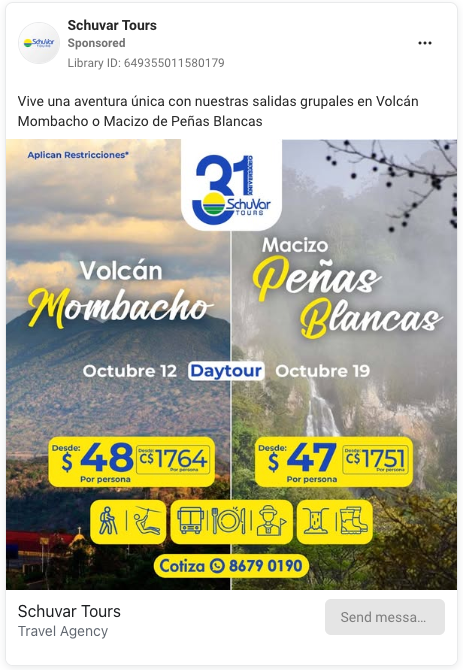
Capture leads via click-to-chat ads or website widgets, then respond instantly before they look elsewhere. Travelers often compare options across multiple sites — being the first to reply via WhatsApp increases your chance of closing the booking. Replying within 24 hours to a chat started from a Click-to-WhatsApp ad also opens a free entry point window lasting up to 7 days.
Answer questions about travel packages, itineraries, or availability. Provide real-time answers to common inquiries, such as destinations, pricing, and accommodation options.
Share brochures, destination guides, and curated content. Send images, PDFs, or videos to showcase seasonal packages and help travelers make confident decisions.
Send tailored quotes and itineraries. Personalize offers based on preferences like group size, trip duration, or activity type to boost conversions.
Booking & confirmation: fast and frictionless
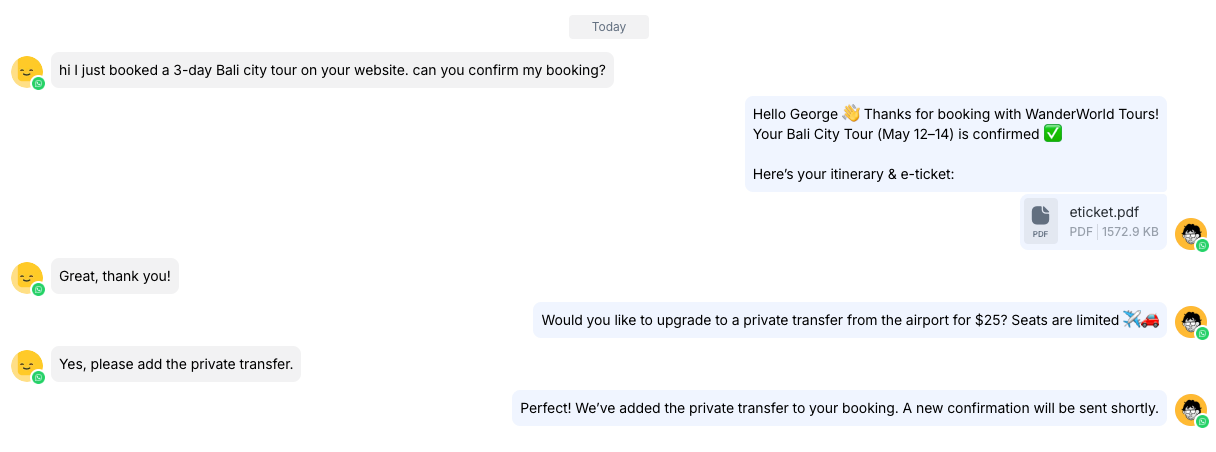
Confirm bookings instantly. Avoid delays and prevent drop-off by sending real-time confirmations when travelers complete a booking.
Deliver travel documents, such as e-tickets and hotel vouchers. Make essential documents easy to access and hard to lose — no more searching through inboxes or spam folders.
Offer optional upgrades. Follow up with relevant offers such as private transfers, extended stays, or travel insurance to drive upsells.
During travel: real-time support

Send automated reminders for check-in, departure, and pickup times. Help guests stay on schedule with timely nudges, complete with maps or meeting point details.
Keep travelers informed about delays or rescheduling. Notify customers instantly when plans change to reduce confusion and frustration.
Allow last-minute changes. Support quick adjustments like changing pickup locations or adding a guest. Two-way messaging makes it easy to respond to evolving needs while on the go.
Provide urgent support without long wait times. Be available via chat or voice to resolve issues like missed connections, lost bookings, or other emergencies.
Post-trip: build loyalty
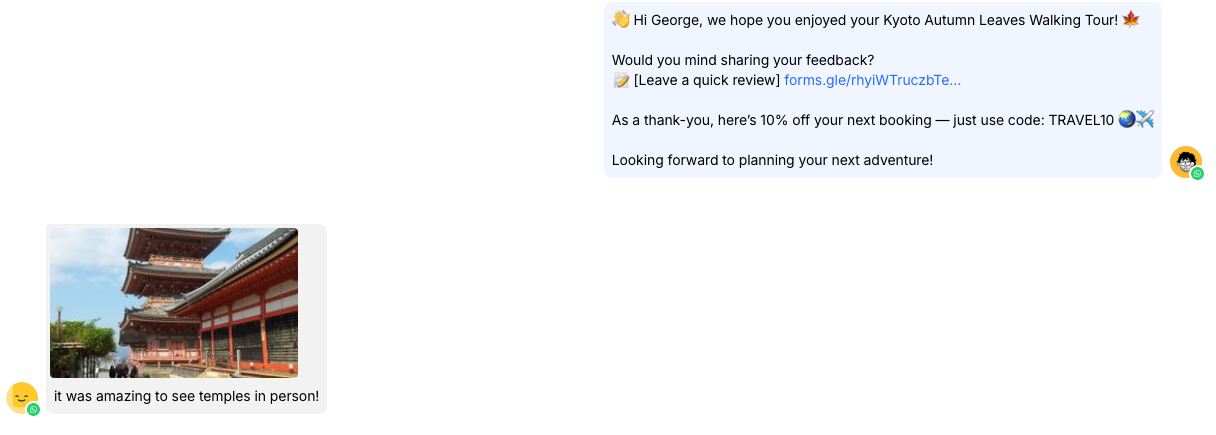
Thank guests and ask for reviews. A simple follow-up message strengthens the relationship and encourages feedback or social proof.
Share loyalty rewards, rebooking offers, or referral codes. Keep customers engaged after their trip with perks that encourage them to book again or refer friends.
Send personalized follow-up suggestions. Recommend future destinations or experiences based on their last trip to stay top of mind for the next booking.
Using WhatsApp API: what travel businesses should know
You’ve seen how WhatsApp API can support every stage of the travel journey — from lead generation to post-trip follow-ups. But before you get started, there’s one key detail to understand: Unlike the free WhatsApp Business App, the API version doesn’t include a built-in interface. It’s designed for businesses that need to message at scale, and to use it, you’ll need a third-party platform to manage and respond to conversations. That’s where respond.io comes in.
What makes respond.io the right platform for WhatsApp API
Using WhatsApp API is a smart move for any travel business — but without the right platform to manage it, you risk creating more work instead of less. That’s why travel companies choose respond.io: it’s purpose-built for handling high message volumes, coordinating between teams, and delivering a great experience before, during, and after a trip.
Here’s why respond.io is the perfect fit for the travel industry:
One inbox for all channels, all locations
Travelers don’t just message on WhatsApp — they might DM you on Instagram, send a Facebook message, or follow up via email. Respond.io consolidates all these messages into a single shared inbox, allowing your team to respond quickly and consistently, regardless of where the conversation originated.
Example: A guest books a tour via WhatsApp, follows up with a question on Instagram, and then requests an airport transfer by email — your team can see the full conversation history in one place.
Smarter conversations with AI agents
Use AI Agents to instantly greet travelers, qualify leads, answer FAQs, or suggest relevant trips — without the wait. This ensures that guests receive fast, consistent responses, even during peak booking seasons or outside business hours.
When human help is needed, agents can step in easily, picking up the conversation with internal comments that capture key details and context from the AI. AI Agents can also make live API calls to external systems—like CRMs or booking tools—to retrieve real-time data or trigger actions during the conversation. This lets teams serve more customers without compromising quality or continuity.
Built-in calling for complex needs
Some questions are too important to resolve over chat — like visa requirements, flight changes, or urgent rebookings. With built-in WhatsApp Business Calling API and VoIP support, your agents can jump on a call directly from the inbox without switching tools.
This is especially useful for last-minute trip changes, language barriers, or handling guests who prefer to talk. Respond.io also streamlines the entire call experience:
AI-powered call summaries automatically capture key points and next steps after each call, making follow-ups and handovers effortless.
Seamless call transfers on web and mobile let agents route live calls to the right teammate with helpful context notes, ensuring customers get the fastest, most accurate support.
Easy integrations with booking & CRM tools
Connect respond.io to your CRM, booking system, or payment processor using no-code automation. You can sync guest details, trigger itinerary reminders, and log conversations — automatically.
This keeps everything up to date without the need for manual copying and pasting or switching between systems. You can also connect Google Calendar to view a contact's meeting history directly in the Inbox sidebar, giving agents instant context on past and upcoming appointments. Voice call data—including transcripts, recordings, and AI-generated summaries—can also be forwarded to your CRM or data warehouse via webhook for unified reporting and compliance.
Route messages to the right team or office
Running tours in multiple cities? Managing properties across different countries? Respond.io’s advanced routing features let you assign incoming messages based on location, language, or inquiry type — so guests always talk to someone who can actually help.
Example: A guest asking about a Bali snorkeling tour gets routed to the Indonesia team, while a question about Swiss Alps skiing goes to your European agents — all automatically.
Customize workflows around your operations
Respond.io adapts to how your business works — not the other way around. You can build automations to trigger messages based on booking status, send arrival reminders based on check-in dates, or flag VIP guests for personal handling.
Whether you’re running fixed tour dates, custom itineraries, or last-minute deals, the platform gives you total flexibility.
Know what’s working and where to improve
With reporting dashboards, internal notes, and Lifecycle tracking, you can monitor every stage of the customer journey — from first contact to post-trip follow-up.
See which conversations lead to bookings, how efficiently your team is responding, and where improvements can be made. These insights help you optimize staffing during peak seasons, refine your messaging, and identify opportunities to upsell or re-engage customers.
Next, you’ll see examples of travel businesses using respond.io to unlock the full power of WhatsApp API.
Case studies: how travel businesses use respond.io + WhatsApp API
Travel businesses around the world are already seeing the impact of using WhatsApp API — from faster response times to higher booking rates and better customer experiences. With respond.io, they manage all their chats, calls, and automations in one place while scaling operations across teams and destinations.
Here are a few real-world examples of how travel companies are using respond.io to turn WhatsApp into a powerful tool for communication, service, and growth.

SchuVar Tours (Nicaragua, 8 branches) used respond.io to revamp its lead management and sales workflows across multiple branches. Without a centralized system, leads were often missed or left waiting, and agents were juggling unstructured communication. By connecting their channels such as WhatsApp API, Facebook Messenger, Instagram and email into a single team inbox, automating replies to collect lead information and auto-assigning chats in a round-robin system, they were able to speed up follow-ups and close deals faster. They also introduced lead status tracking to prioritize high‑intent leads, and optimized marketing by identifying which ads were driving quality leads. The result? A 60% shorter sales cycle, nearly 100% follow-up rate, and the ability to scale ad campaigns, tripling their lead volume.
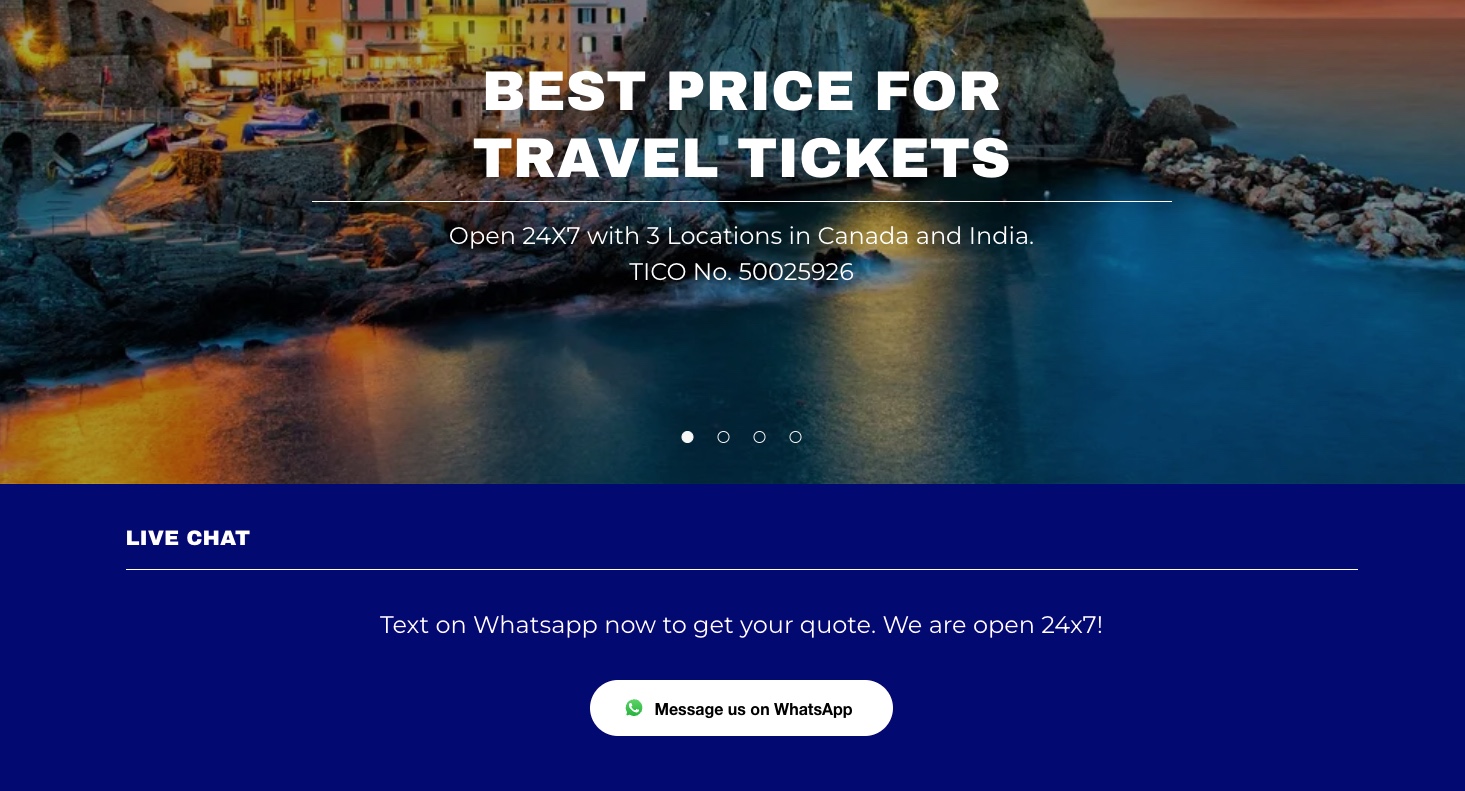
My Dream Travel & Tours (Canada & India) used respond.io to unify chat and calling via the WhatsApp API, enabling customers to switch seamlessly between messages and voice calls without leaving the platform. They integrated WhatsApp Business Calling, enabling agents to continue chats while handling calls within a single interface. As a result, they doubled chat volume, saw a 30 % increase in new leads, and now about 10 % of bookings start with a WhatsApp call.
Those success stories show what’s possible — now let’s walk through how you can get started using WhatsApp API with respond.io for your own travel business!
How to start using WhatsApp API with respond.io
Getting started with WhatsApp API might sound complex, but with the right partner, it’s a smooth process. For more detailed setup instructions, visit our help center. But basically, here’s a rundown of what you need to do:
Prepare prerequisites
Respond.io Account — You’ll need an active respond.io workspace to begin.
Phone Number — Use a valid number that can receive an SMS or phone call for OTP. If it’s already linked to a WhatsApp app account, make sure you use coexistence.
Meta Business Manager (MBM) — You need a Meta Business Manager account. If you don’t have one, you can create it during setup.
Business Details & Website — Ensure your business site is valid and that your domain aligns with your business information.
Connect WhatsApp API via respond.io
In your respond.io workspace, navigate to Channels → Add Channel → WhatsApp Business Platform (API)
Follow the “Connect with Facebook / Meta” flow, authorising your business profile, selecting the phone number, and setting up the WhatsApp Business profile
Once connected, respond.io links with the Mobile App (if using coexistence) or becomes your primary API channel
Create & submit message templates (for travel use cases)
Template messages are required to initiate conversations with your contacts.
For travel businesses, you’ll want templates such as:
“Your booking is confirmed: [Details]”
“Reminder: your flight leaves in [hours] — check-in opens at [time]”
“Your itinerary: [link or file]”
“We’ve upgraded your room! Details: [info]”
Submit these templates in respond.io (or via Meta) and wait for approval before using them in broadcasts or notifications.
Build messaging workflows
Use respond.io’s workflow builder to automate common travel messaging paths, e.g.:
Trigger welcome/greeting messages when a new lead lands
After booking, send confirmation, itinerary, and pre-trip reminders
Mid-trip: delay alerts, itinerary changes, check-out reminders
Post-trip: feedback request, loyalty offers
Personalize these workflows using variables such as traveler name, booking date, destination, and other relevant details.
Train AI agents
Configure how your AI should respond. Set the AI’s tone, role, and behavior through its “instructions” or persona settings. For example: “You’re a travel assistant that answers questions about tour schedules, guide services, and local policies.”
Add knowledge sources/documentation. Upload internal manuals, FAQs, or helpful guides (PDFs, URLs, text files) to serve as the AI’s reference. This helps it answer domain‑specific questions (e.g., “What is the cancellation policy?”).
Define fallback or handover conditions. Specify when the AI should hand over to a human — for example, if the customer explicitly asks for a human, or if the AI is unsure (no relevant answer found in knowledge sources).
Test & refine. Run sample conversations and test your AI agents to see how it responds. Look for errors, irrelevant or incomplete answers. Use those as feedback to improve or expand knowledge sources or tweak instructions.
Support collaboration with human agents. Human agents should be able to see what the AI has responded to, intervene smoothly, and continue the conversation with full context. This ensures that when a conversation escalates, the guest doesn’t feel they’re repeating themselves.
Monitor performance and update continuously. Use reporting tools or conversation tagging to identify where AI provides weak or incorrect answers, and update the knowledge sources or prompts accordingly.
Launch, monitor, & improve
Go live and monitor your dashboard: response times, conversion rates, volume by destination or package
Tag conversations to uncover patterns (e.g., “flight delay”, “room upgrade request”)
Use insights to optimize workflows, staffing during peak seasons, and template messaging
Iterate — add new templates, refine automations, improve handovers
Best practices for travel businesses using WhatsApp API
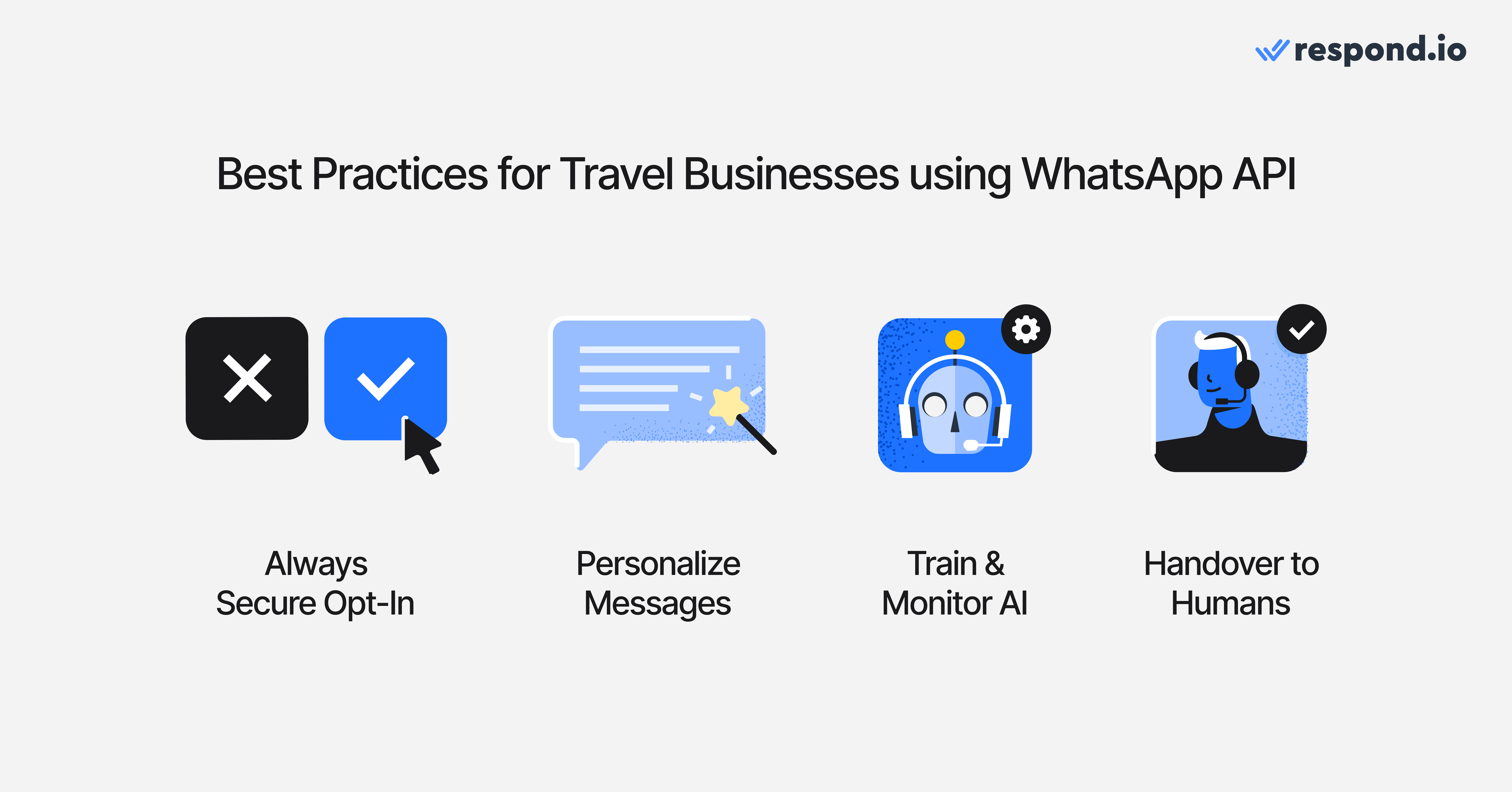
Now that you know how to set up and run WhatsApp API with respond.io, here are some smart practices to get the most out of it.
Always secure customer opt‑in before messaging
Ensure that travelers explicitly opt in to receive WhatsApp messages — for example, via a checkbox on your booking form, QR codes, or a website form.
This ensures compliance, avoids spam complaints, and preserves user trust.
Travel businesses often do this post-booking: “Would you like to get updates via WhatsApp?”
Personalize based on traveler data
Use booking details (names, travel dates, destination, room type) to make messages feel relevant.
E.g. “Hi Alice, your check-in at Bali Beach Resort is in 2 days — here’s your itinerary.”
But avoid overpersonalization (too many variables) that increases error risk.
Use approved templates for outbound messages only
Only template messages (pre‑approved by Meta) should be used for business‑initiated communication (e.g., confirmations, reminders).
Keep template text crisp and predictable: “Your booking is confirmed: [BookingID]”
Do not use templates to mass‑promote sales or offers without context or opt-in.
Clear handover rules between AI & humans
Define when AI should escalate to a human agent — e.g., when the AI cannot answer a question or the customer explicitly requests assistance.
Ensure the human agent gets full context (chat history, metadata) so the traveler doesn’t repeat themselves.
Maintain continuity in tone and messaging in the handover.
Reply quickly & stick to the 24-hour rule
According to WhatsApp's policy, once a user messages you, a 24-hour customer service window opens for free-form replies. Each business phone number gets 1,000 free service messages a month, which reset on the 1st and don't roll over. Replies beyond that are charged at the regional utility rate, and utility templates sent inside the window are charged from the first message. After the window closes, only templates are allowed.
Try to reply well within that window — fast replies increase trust and conversions.
Keep messages short, clear & helpful
Travelers often read messages while on the move (at airports, on trains, etc.).
Keep content direct and actionable: dates, times, links. Avoid long blocks of text.
Use bullet points or line breaks for clarity.
Segment & route based on language, destination, inquiry type
Route messages intelligently: e.g., inquiries about Europe are directed to European agents; Bali tours are routed to the Indonesia team.
Segment customers based on language or region so they get agents who understand them.
This reduces misunderstandings and service delays.
Monitor & optimize with tags & dashboards
Use conversation tags (e.g., “flight change,” “room upgrade request”) to categorize and track common queries.
Leverage reporting dashboards to monitor response times, conversion rates, and volume by travel segment or location.
Utilize insights to optimize workflows, staffing, and template usage during peak travel seasons.
Train AI agents & maintain knowledge base
Configure your AI’s instructions or persona — e.g., “You are a travel assistant for tour bookings and schedules.”
Feed it domain-specific knowledge (FAQs, policies, local info) so responses are accurate.
Periodically review AI’s responses, correct errors, and refine its knowledge sources.
Support multilingual & multi-region travel experiences
Use multilingual templates or auto-translation where feasible for international travelers.
Agents should be staffed by language proficiency or have fallback support available.
Ensure content is culturally appropriate (time formats, expressions, etc.).
Turn conversations into customers with respond.io's official WhatsApp API ✨
Manage WhatsApp calls and chats in one place!
Take control of the travel experience with WhatsApp API + respond.io
The traveler’s journey doesn’t begin at check‑in, and it doesn’t end at check‑out — it starts from the first message and extends long after they return home. With WhatsApp API powered by respond.io, you gain the tools to own that entire experience:
Deliver timely, personalized communication at every step
Automate routine tasks and free your team for high-touch interactions
Respond faster across time zones with unified messaging and smart routing
Use insights and reporting to refine operations and drive better results
Ready to make WhatsApp your travel business’s most powerful communication channel? Start your free trial with respond.io or schedule a demo to see it in action.
FAQs about WhatsApp API for travel businesses
What is WhatsApp API and how does it differ from the WhatsApp Business App for travel businesses?
WhatsApp API, also known as WhatsApp Business Platform, is designed for businesses that handle a high volume of messages and need automation, integrations, and multi‑agent support. Unlike the free WhatsApp Business App, which has a single interface and is limited to small teams, WhatsApp API has no built‑in interface. Travel businesses access it through a customer conversation platform such as respond.io to manage conversations at scale, automate workflows and integrate with booking or CRM systems.
Why should travel businesses use WhatsApp API instead of email or SMS?
Travel businesses benefit from WhatsApp API because it provides faster, more reliable, and more visible communication than email or SMS. Messages sent via WhatsApp are less likely to be lost in spam folders and are typically read within minutes. This is critical for time‑sensitive information such as booking confirmations, check‑in reminders, or itinerary changes, where delays can erode trust and cause stress for travelers.
Can travel agencies and tour operators send booking confirmations and itineraries through WhatsApp API?
Yes. With WhatsApp API, travel agencies and tour operators can send booking confirmations, e‑tickets, hotel vouchers, and itineraries directly in the chat. These messages can be automated using pre‑approved templates, making it easy to deliver essential documents instantly without relying on email inboxes or paper printouts.
How does WhatsApp API help travel businesses handle high volumes of customer messages?
WhatsApp API supports multi‑agent access and can route incoming messages to the right team or office based on language, location, or inquiry type. Combined with a platform like respond.io, it enables multiple staff members to collaborate in one shared inbox, track conversation history, and use AI and automation to reduce manual work — even when managing hundreds of concurrent conversations.
Can WhatsApp API be integrated with booking systems, CRMs, or payment platforms?
Yes. WhatsApp API can be connected to booking platforms, CRM systems, and payment gateways through a third‑party platform like respond.io. This allows travel businesses to sync guest details, trigger itinerary reminders, log interactions automatically, and forward voice call data—including transcripts, recordings, and summaries—to external systems for reporting and compliance.
How can travel businesses use WhatsApp API to upsell and personalize offers?
Travel businesses can use WhatsApp API to send tailored upsell or cross‑sell messages based on traveler preferences. For example, after a customer books a city tour, you can automatically offer a related excursion, private transfer, or travel insurance in the same chat. These messages feel helpful and timely, increasing the likelihood of additional bookings.
Does WhatsApp API support multilingual communication for international travelers?
Yes. WhatsApp API supports multilingual communication when combined with human agents or AI agents trained in multiple languages. Travel businesses can use multilingual templates or auto‑translation features to communicate with guests in their preferred language, ensuring a consistent and culturally appropriate experience across time zones and regions.
How can AI agents improve WhatsApp messaging for travel businesses?
AI agents can instantly greet travelers, answer FAQs, recommend trips, and qualify leads on WhatsApp. By adding knowledge sources such as FAQs, policy documents, or destination guides, AI agents can give accurate, fast responses around the clock. AI Agents can also make live API calls to check booking status, retrieve account details, or trigger actions in external systems during the chat. When a question is too complex, the AI can hand over to a human agent with full context.
Can travel businesses collect payments directly through WhatsApp API?
Yes. Travel businesses can use WhatsApp API to send secure payment links, allowing customers to pay for bookings, upgrades, or add‑ons without leaving the chat, reducing friction and speeding up the purchase process.
Can my travel agency have a shared WhatsApp inbox for multiple agents?
Yes. With WhatsApp API on respond.io, you can set up a shared inbox for your entire team. Messages can be routed automatically to the right agent or department based on destination, language, or request type. This is ideal for travel businesses managing multiple locations or teams.
How do I manage multiple WhatsApp numbers for different branches or brands?
Respond.io supports connecting multiple WhatsApp API numbers to a single workspace. You can assign each number to a specific brand, branch, or destination team. Each number can have its own inbox, automations, message templates, and reporting.
How can I use AI agents for travel-related WhatsApp conversations?
With respond.io, you can deploy AI agents to greet customers, answer FAQs, suggest trips, and collect lead info. Travel businesses can upload knowledge sources (like FAQs or itineraries), configure AI personas (e.g. a tour guide or booking assistant), and set rules for when AI should hand over to human agents.
Further reading
Liked this guide? Here are more resources on WhatsApp API you might find useful:


