
















 Electronics
 Fashion & Apparel
 Furniture
 Jewelry and Watches
 Afterschool Activities
 Sport & Fitness
 Beauty Center
 Dental Clinic
 Medical Clinic
 Home Cleaning & Maid Services
 Photography & Videography
 Car Dealership
 Travel Agency & Tour Operator



TL;DR – How to Choose a WhatsApp Business Solution Provider
This guide is for consumer-facing businesses and B2C sales and support teams evaluating a WhatsApp business solution provider (WhatsApp BSP) to get WhatsApp API access without hidden fees, lock-in, or onboarding delays.
Phase 1: Understand costs + restrictions. Phase 2: Choose + validate a BSP.
What they do: A BSP acts as a middleman, handling the technical setup and providing a platform to manage customer conversations, since Meta doesn’t offer a direct interface for the API.
Features: Look for a platform with features for business growth.
Pricing: Some providers charge extra fees, so look for a BSP with transparent pricing.
Support: Choose a provider that offers reliable customer support.
Flexibility: Be aware of providers that may lock you into a custom platform or make it difficult to switch later.
For mid-market B2C sales and support teams evaluating a WhatsApp business solution provider (WhatsApp BSP), getting WhatsApp API access without hidden fees, lock-in, or onboarding delays is the core decision. This guide covers what a BSP is, what they cost, what restrictions to watch for, and how to choose one — including a repeatable checklist and a step-by-step selection process.
What is a WhatsApp Business Solution Provider?
WhatsApp Business Solution Providers (BSPs) are Meta-approved third-party companies that help consumer-facing businesses get access to the WhatsApp Business API and operate WhatsApp messaging at team scale (multi-agent, integrations, and governance).
WhatsApp BSPs are sometimes referred to as “WhatsApp Partners” or “WhatsApp Business Service Providers.” However, Meta officially calls them “WhatsApp Business Solution Providers.” It’s helpful to know this in case you encounter different terms online—they all refer to the same type of provider.
WhatsApp Business App vs WhatsApp Business Platform: when do you need a BSP?
The free WhatsApp Business App works for solo operators or very small teams handling low conversation volume manually. Once you hit any of these limits, you need the WhatsApp Business Platform (API) — and a BSP to access it:
Capability | WhatsApp Business App | WhatsApp Business Platform (API) |
|---|---|---|
Users | One main account with linked devices; higher device and agent limits may be available with Meta Verified | Multiple agents via shared inbox or BSP platform, depending on provider plan |
Automation | Basic tools such as greeting messages, away messages, labels and quick replies | Chatbots, workflow automation, routing and AI through a BSP or custom build |
Broadcasts | Broadcasts for smaller contact lists, managed manually in the app | Template-based campaigns at scale, subject to opt-in, template approval, messaging limits and pricing |
CRM sync | No native CRM sync | Native or API-based integrations, depending on provider |
Reporting | Basic chat and broadcast engagement metrics, depending on feature availability | Conversation analytics, campaign performance and agent reporting, depending on provider |
Monthly volume | Low-volume, manual customer conversations | Higher-volume sales, support and marketing conversations |
Rule of thumb: The WhatsApp Business App is usually enough when one person can manage conversations manually and detailed reporting is not critical. Once multiple agents need access, outbound campaigns need approved templates, or sales and support need CRM sync and manager-level reporting, staying on the app starts to slow response times and hide performance issues.
At that point, the WhatsApp Business Platform is the better fit because it supports structured routing, approved outbound messaging and stronger operational control. Verified business identity can also matter more at this stage because trust on first contact becomes part of conversion and service quality, not just setup.
Why does WhatsApp work with WhatsApp partners?
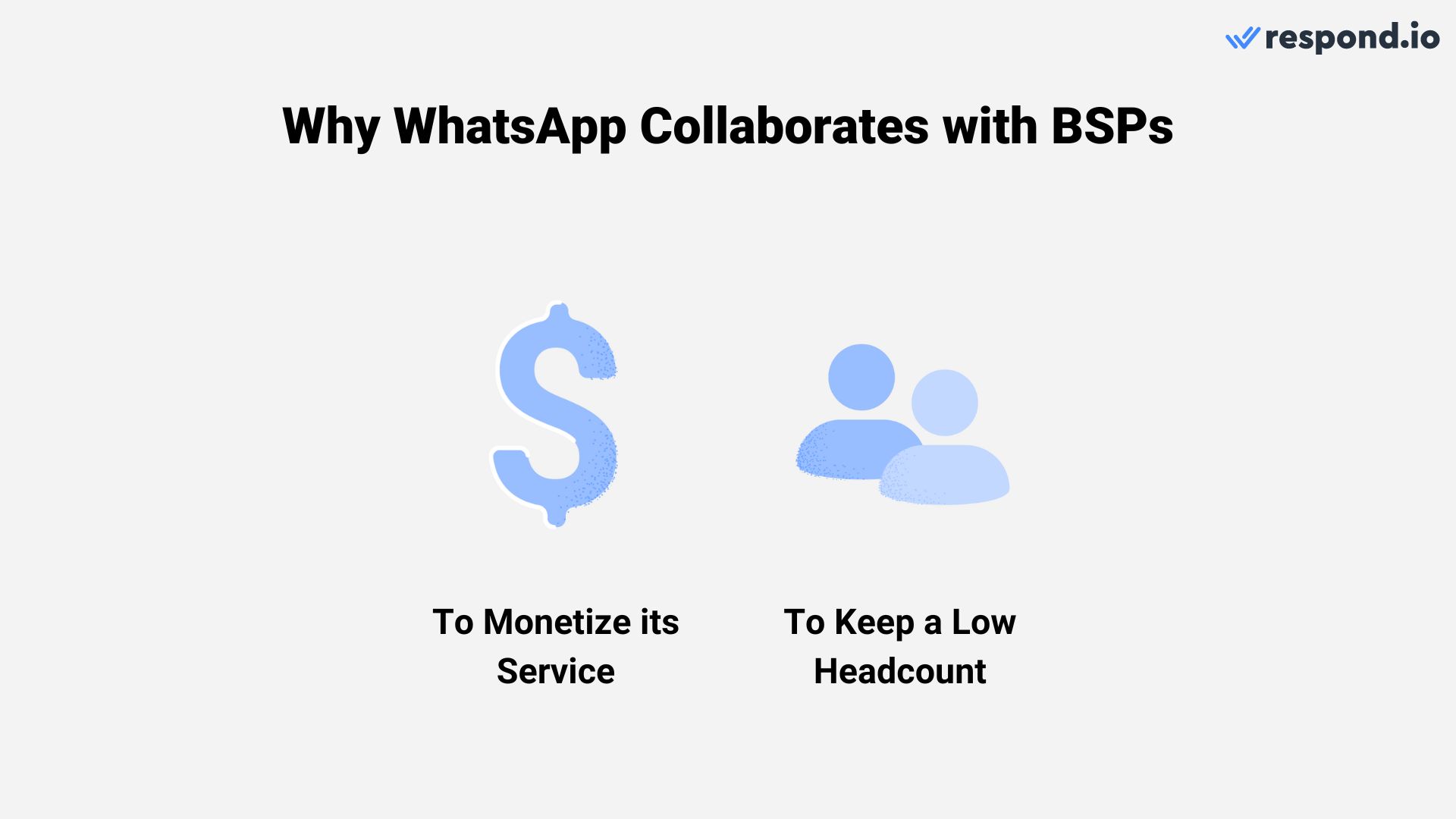
WhatsApp works with BSPs to offload onboarding, compliance, and technical support so businesses can access the WhatsApp Business API with less operational effort.
The first one was profitability. After Meta acquired WhatsApp for $19 billion, the company pledged never to have ads on WhatsApp, so it needed a different business model. The solution was the WhatsApp Business API.
The second priority was to keep a low headcount. Despite being acquired for a high price, WhatsApp only had about 35 engineers back then. Outsourcing the process to partners is less resource-intensive and more cost-effective as it eliminates the need to hire additional employees.
Next, we’ll give you a quick overview of the different types of integrations made available by WhatsApp Business Solution Providers.
How does a WhatsApp BSP work?
A WhatsApp BSP provisions your WhatsApp Business Account (WABA), connects your phone number, and often provides the messaging software layer (inbox, automation, and integrations) so your team can run WhatsApp conversations.
When looking for a BSP, here are the core capabilities to evaluate:
Capability | Business Outcome |
|---|---|
Shared team inbox | Multiple agents handle conversations without overlap; managers see workload |
Workflow automation | Route chats by intent, priority, or team; trigger follow-ups automatically |
Broadcast messaging | Send promotional or transactional campaigns to opted-in audiences at scale |
Template management | Submit, track, and iterate on templates without leaving the platform |
Rich messaging (images, buttons, lists) | Higher engagement on product showcases, quick replies, and menu navigation |
AI Agents / chatbots | Qualify leads, answer FAQs, and deflect routine queries 24/7 |
Human handoff | Seamless escalation from AI to agent with full conversation context |
CRM and e-commerce integrations | Sync contact records, order data, and lifecycle stages for personalized conversations |
Analytics and reporting | Track response time, resolution rate, campaign performance, and agent productivity |
When comparing BSPs, map each capability to the revenue motion it needs to support. Lead qualification and Click-to-WhatsApp follow-up depend on AI Agents, routing and customer relationship management integration so high-intent contacts reach sales fast with context intact.
Promotional broadcasts and abandoned-cart recovery need approved templates, audience control, rich media and e-commerce sync. Order updates and support triage need reliable template delivery, clear ownership and fast handoff between automation and agents so marketing, sales and support can work from one flow instead of separate tools.
Click-to-WhatsApp ads deserve a separate check during evaluation. Buyers should confirm whether ad-sourced chats are tagged automatically, whether AI Agents can qualify them before handoff, whether sales can see campaign context inside the conversation and whether reporting follows the chat past the ad click to a qualified lead or sale.
Today, businesses can access the WhatsApp API in two ways:
Directly through Meta: A straightforward path to access it.
Through a WhatsApp Business Solution Provider (BSP): A preferred option for many businesses.
Access Path | What You Get | What You Build Yourself | Best For |
|---|---|---|---|
Direct via Meta | API access, webhook delivery and message-sending capabilities | Inbox, automation, routing, integrations, reporting and hosting | Dev teams with resources to build and maintain custom messaging infrastructure |
Through a WhatsApp BSP | API access plus provider support; some BSPs also include inbox, automation, integrations and reporting | Minimal if using a full-platform BSP; more setup if using an API-first provider | Revenue teams that want to launch faster without building from scratch |
For mid-market B2C teams focused on revenue from conversations — not building messaging infrastructure — a BSP is usually the faster, lower-risk path. Choose direct API only if you have developers available and a clear reason to own the stack.
So, why choose a BSP? The reason is simple: BSPs continue to provide value in different ways. Let’s explore what makes them still relevant.
Turn conversations into customers with respond.io's official WhatsApp API ✨
Manage WhatsApp calls and chats in one place!
Do BSPs offer any real advantage over native WhatsApp Business API?
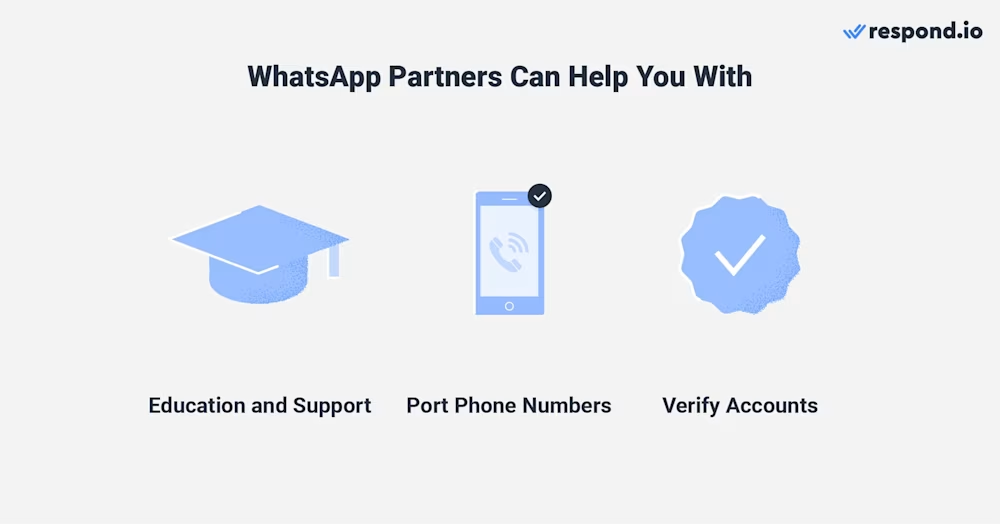
Choosing a BSP is the easiest way to get started with the WhatsApp Business API. Instead of managing everything yourself through the native setup, a BSP can guide you through the process, handle technical steps, and provide tools and support that save time and reduce complexity. Meta is building WhatsApp into the primary channel for business-customer communication, and BSPs are essential to that vision.
Here’s what BSPs can help you with — and why partnering with the right one makes a big difference.
Education and support
Guide you through every step of the WhatsApp API setup, from onboarding to launch
Help you understand complex messaging rules, including business-initiated messaging limits
Keep you updated on evolving WhatsApp policies and pricing changes
Offer bundled messaging software, so you don’t need to integrate a separate inbox
Provide customer support to troubleshoot issues and optimize your setup
Port phone numbers
Assist with porting your existing number — mobile, landline, or toll-free — into the WhatsApp API
Offer alternatives like using WhatsApp-provided virtual numbers, if preferred
Ensure minimal downtime during number migration so you don’t lose conversations or contacts
Verify accounts
Handle the WhatsApp Business API account verification process on your behalf
Support a verified badge application if the business meets Meta's requirements. The badge signals trust on first contact, but approval stays with Meta — a BSP can guide the process, not guarantee the outcome.
Help you obtain the WhatsApp Green Tick if eligible
Ensure your business profile is compliant and optimized for customer trust. Compliance and security: what affects your account health.
WhatsApp enforces strict policies to protect users — and violations can block your outbound campaigns or suspend your account. Here's what your BSP should help you manage:
Compliance Area | What It Means | Why It Matters for Revenue |
|---|---|---|
Opt-in collection | Customers must explicitly agree to receive WhatsApp messages | No opt-in = no legal broadcast; poor consent = spam reports |
Template approval | All business-initiated messages must use Meta-approved templates | Rejected templates delay campaigns; policy violations risk account flags |
24-hour service window | Free-form replies allowed only within 24 hours of customer message | Outside the window, you must use templates. Inside it, each number gets 1,000 free service messages a month, then they're charged. |
Quality rating | Meta scores your account based on user feedback (blocks, reports) | Low quality = reduced messaging limits; very low = account suspension |
End-to-end encryption | All WhatsApp messages are encrypted in transit | Builds customer trust; no action needed but worth communicating |
Before launch, mid-market B2C teams should confirm how they will build an opted-in audience for proactive messaging. Common sources include website forms, email capture flows, QR codes and Click-to-WhatsApp ads. Good consent should state the business name, the types of messages the contact will receive and a simple opt-out path.
What to ask your BSP: How do you help us collect compliant opt-ins? Do you flag risky template content before submission? Can we monitor quality rating and messaging limits in your dashboard? A good BSP treats compliance as operational support, not a checkbox.
How much does a WhatsApp BSP cost?
Before choosing a BSP, don’t forget to review their pricing model. Some charge additional markups or platform fees. Not all WhatsApp Business Solution Providers price their services the same way. Here’s what to watch for.
Setup and platform fees
Certain BSPs charge a one-time setup fee to get started. Most require you to use their platform, which may include a messaging inbox, automation, and reports. These platform features are helpful but often come with extra costs, and opting out usually isn’t an option.
Hosting fees
Some BSPs charge a monthly hosting fee for each WhatsApp Business account (WABA) or phone number connected to the WhatsApp Business Platform. This fee covers the cost of maintaining your WhatsApp number on Meta’s servers via the BSP’s infrastructure.
Message markups
Some BSPs add extra charges on top of WhatsApp's official messaging fees. Because Meta now charges for service messages and in-window utility templates, any markup applies to more of your volume, so check if you're paying more than necessary.
Cost Component | Who Charges It | Typical Range | Revenue Implication / Question to Ask |
|---|---|---|---|
Marketing message fee | Meta | Around $0.02–$0.15+ per message (varies by country) | Higher-cost markets erode campaign margin — ask for country-specific rates |
Utility message fee | Meta | Around $0.005–$0.05+ per message | Charged at the same rate inside or outside the 24-hour window — separate transactional flows from marketing in reporting |
Authentication message fee | Meta | Around $0.02–$0.10+ per message | OTP costs add up at scale — confirm your BSP passes through Meta rates only |
Platform subscription | BSP | Around $0–$500+/month | Covers inbox, automation, analytics — compare what's included vs. add-on |
Per-seat pricing | BSP | Around $15–$100/seat/month | Costs rise with team size — model your 12-month headcount |
Monthly Active Contact (MAC) pricing | BSP | Around $0.01–$0.05/contact/month | Costs rise with database size — model your contact growth |
Message markup | BSP | Around $0–$0.01+ per message | Hidden markups compound at volume — ask for written confirmation of zero markup |
Onboarding/setup fee | BSP | Around $0–$2,000 one-time | One-time cost — confirm what's included (training, migration, templates) |
AI/automation add-on | BSP | Around $0–$200+/month | Some platforms include AI; others charge extra — clarify before signing |
Tip: Request a full pricing sheet from each shortlisted BSP and model your expected monthly cost at current volume and at 3× volume. The cheapest option today may become expensive as you scale.
How to avoid hidden costs
Look for BSPs with clear, transparent pricing listed on their website.
Avoid providers that hide fees or charge for features you don’t need.
Tip: Platforms like respond.io offer WhatsApp API access with no message markups, so you pay only what Meta charges. Meta now charges for WhatsApp service messages past the first 1,000 per number each month, and for utility templates sent within the 24-hour window, so any BSP markup applies to a wider set of messages.
Complex onboarding
Some providers ask for a lot of business information before granting access. This can delay setup or feel unnecessarily complicated.
Next, we’ll look at usage limitations some BSPs may impose.
What are common WhatsApp Business Solution Provider restrictions?
While WhatsApp partners help businesses get API access, some may come with limitations that can affect flexibility and long-term scalability.
Limited feature access
Some BSPs use their own custom version of the WhatsApp API. This can delay access to new WhatsApp features or make them completely unavailable.
Custom platform or CRM
Many BSPs bundle the API with their own messaging platform or built-in CRM. In some cases, this can limit your ability to integrate with third-party CRMs like Salesforce or HubSpot.
Your BSP shouldn’t restrict your freedom to integrate with your existing software. Plus, you may end up paying for features you don’t need if you’re already using another system.
Switching providers isn’t always simple
Switching BSPs doesn't require migrating your WhatsApp number, since your number and WhatsApp Business Account stay with your business. But templates, billing and everything built inside the old platform don't come with you. Sadly, some businesses only discover this after signing up, making it hard to switch.
What stays with you:
Your phone number
WhatsApp Business Account (WABA)
Display name and business profile
What usually does NOT transfer:
Conversation history (messages stay on the old platform)
Approved templates (must be moved or recreated, and moved templates restart their quality rating)
Automation workflows (must be rebuilt in the new platform)
Contact lists (exportability depends on the old BSP's policies)
Expected timing: Your number doesn't need to migrate, so timing depends on moving templates (allow 2–4 weeks for moved templates to rebuild their quality rating) and rebuilding workflows and integrations.
Pre-sale questions to avoid lock-in:
Can I export my contact list and conversation history?
Who owns the account that holds our templates and billing — us or you?
What's the process and timeline if I decide to switch BSPs?
Are there any exit fees or contractual lock-in periods?
Get answers in writing before you sign. The first BSP choice matters because switching later can delay template reuse, force webhook or integration updates and require workflows to be rebuilt before teams are fully operational again.
Even though the number itself doesn't need to move, a cutover can briefly interrupt sending, slow lead response and pause campaigns until templates, automations and reporting are working in the new setup. That extra implementation work becomes a real commercial cost, not just a technical task.
Tip: Before committing, ensure the BSP supports the features, tools, and integrations your business actually needs.
How to choose a WhatsApp BSP
Choose a WhatsApp BSP by working through these six steps listed below - and score each provider against what affects launch speed, team coordination and revenue continuity. Once WhatsApp moves beyond one operator, buyers should verify automatic assignment rules, queue routing, collision detection, role-based permissions and manager reporting by agent or team.
Those controls are what stop hot leads from sitting unassigned, prevent duplicate replies and give managers a clear view of response speed, workload and conversion performance. Teams should also confirm that these controls can be set up during onboarding and adjusted later without slow support cycles or manual workarounds.
In our article 5 best WhatsApp Business Solution Providers, we break down these factors and compare the most popular BSPs side by side.
Evaluation criteria to score
Score each shortlisted BSP against the criteria below. Template operations deserve extra weight: check whether the BSP supports in-platform submission for marketing, utility and authentication templates, status tracking, rejection guidance, quality monitoring and fast iteration after a rejection.
If template handling is slow or unclear, promotions, abandoned-cart recovery, reactivation and order-update programs stall even when the number, inbox and routing are already live.
Criterion | What to verify | Why it matters for revenue |
|---|---|---|
Official Meta partner status | Listed in Meta's Partners Directory | Ensures API access won't disappear and you get new features |
Transparent pricing | All fees published; no hidden markups | Protects campaign margin as volume scales |
Integration quality | Native connectors for your CRM and e-commerce stack | Keeps customer data synced so sales and support work from one record |
Automation depth | Workflow builder, conditional routing, AI Agents | Reduces manual load and speeds lead response |
Template tooling | In-platform submission, approval tracking, rejection guidance | Faster campaign launches, fewer blocked sends |
Support responsiveness | Live human support, onboarding help | Unblocks issues before they stall revenue programs |
Onboarding speed | Clear timeline from signup to first live conversation | Gets you generating ROI sooner |
Exit flexibility | Number portability, contact export, no lock-in clauses | Protects future growth if you need to switch |
Step 1: Confirm your requirements
Before comparing providers, confirm Meta Business Manager access, business verification readiness, the phone number you plan to use, your target use case, estimated monthly message volume, the integrations you need and a clear internal owner for implementation. Then ask each BSP to map the launch path in five stages: business verification, WhatsApp Business Account setup, phone number activation, template submission and opt-in readiness. A fast onboarding motion depends on Meta Business Manager access, completed business verification, an eligible phone number, approved or draft templates and one internal owner who can move documents and approvals without delay.
Buyers should also ask whether the BSP supports Embedded Signup, which setup steps it completes directly, what can still block go-live after contract signature and what must be ready before the first live message is sent. That makes launch risk visible before a campaign or support rollout stalls.
The BSP should own the setup legwork, document collection, dashboard setup and template guidance. Meta still controls business verification, display name approval and template approval, so buyers should ask which steps the provider handles directly, which approvals can stall launch and what must be completed before the first live message is sent. This makes launch risk visible before campaigns, lead routing or support migration are delayed.
System Type | Why It Matters | Common Examples | What to Verify with the BSP |
|---|---|---|---|
CRM | Sync contact records so sales sees full conversation history | HubSpot, Salesforce, Zoho, Pipedrive | Native connector or API? Real-time or batch sync? |
E-commerce platform | Trigger cart recovery, order updates, and post-purchase flows | Shopify, WooCommerce, Magento, BigCommerce | Event triggers available? Product catalog sync? |
Help desk / ticketing | Route WhatsApp conversations into existing support workflows | Zendesk, Freshdesk, Intercom, Gorgias | Ticket creation? Agent assignment? |
Marketing automation | Enroll WhatsApp contacts in lifecycle campaigns | Klaviyo, ActiveCampaign, Mailchimp, Braze | Segment sync? Campaign triggers? Suppression lists? |
Analytics / BI | Report on WhatsApp performance alongside other channels | Google Analytics, Looker, Tableau, Power BI | Event export? API access? Pre-built dashboards? |
How to use this table: List the systems your team already uses, then confirm each shortlisted BSP supports the integration type you need - ideally with a native connector, not just a generic API. Native integrations reduce setup time and ongoing maintenance.
For commerce-heavy teams, go deeper than a simple platform logo check. Buyers should verify abandoned-cart triggers, order update events, customer and order data sync and whether agents can see product or order context inside the conversation so recovery, upsell and support flows do not depend on custom development.
Step 2: Build a shortlist
Select 3 to 5 BSPs from Meta’s partner ecosystem and score them against a requirements matrix.
Provider Type | Best For | Pricing Model | Integrations | Automation & AI | Channels | Migration | Support |
|---|---|---|---|---|---|---|---|
Full-platform BSP, e.g., respond.io | Mid-market B2C teams needing inbox, automation and CRM sync | Subscription + Meta fees; check for markups | Native or API-based CRM/e-commerce integrations | Advanced workflows, AI Agents, routing and handoff | WhatsApp + other messaging channels, depending on provider | Number migration usually possible; data portability varies | Live support and onboarding, depending on plan |
Lightweight BSP | Small teams wanting quick WhatsApp API setup | Per-seat or low monthly fee + Meta fees; possible markups | Limited native integrations; may need Zapier or API | Basic automation or chatbot | Mostly WhatsApp-first | Number migration may be possible; exports may be limited | Email or business-hours chat |
Telco / CPaaS BSP | Dev teams building custom messaging infrastructure | Usage-based API pricing + Meta fees; possible markups | API-based; requires custom build | API primitives; workflows usually built separately | Multi-channel via API | Lower platform lock-in, but custom build required | Docs + ticketed technical support |
Enterprise BSP | Large enterprises needing a managed rollout | Custom contract + Meta fees | Enterprise CRM/help desk integrations | Enterprise automation and governance | Omnichannel, sometimes including voice | Managed migration may be available | Dedicated account manager |
How to use this table: Match the provider type to your team size, technical resources and integration needs. A full-platform BSP is best if the business wants to launch fast without building from scratch, while a communications platform as a service option fits teams with developers who want more control.
WhatsApp-only BSP can be enough when all revenue conversations start and end in one channel. It becomes a bottleneck when leads also arrive through Instagram, Facebook Messenger, TikTok or other channels and the team has to manage separate inboxes, separate routing rules and separate reports.
Before signing, buyers should confirm whether agents can work from one workspace across WhatsApp and other key messaging, social, voice and email channels, and whether managers get one view of response speed, pipeline progress and handoff quality. That is what reduces missed leads, duplicate follow-up and tool sprawl later.
Step 3: Calculate total cost
Request pricing sheets and compare Meta conversation fees, platform fees, hosting charges, and any message markups.
Step 4: Validate migration and support
Ask about number porting, Business Manager constraints and onboarding timelines, then verify what support looks like when revenue conversations are live.
Buyers should ask for coverage hours, the escalation path for delivery or routing issues, access to technical specialists, incident updates during outages and who owns coordination with Meta if a critical issue sits outside the platform. If a service-level agreement is offered, get the response and escalation terms in writing before signing. Weak support does not just slow setup. It can leave leads unanswered, campaigns paused and service queues stalled during business hours.
Step 5: Run a proof-of-concept
Connect your WhatsApp Business Account or test environment, send a template, and check routing, reporting, and agent workflows. If trialing respond.io, connect your WABA, route incoming chats to a team inbox, and test one automation (e.g. lead qualification and handoff) before committing. When testing any BSP's AI capabilities, validate these outcomes during your proof-of-concept:
What to Test | What Good Looks Like | Why It Matters |
|---|---|---|
Lead qualification | AI asks qualifying questions, scores intent, and routes hot leads to sales | Faster response to high-intent buyers; less manual triage |
FAQ deflection | AI answers common questions accurately without human intervention | Lower support cost; agents focus on complex cases |
Containment rate | 40–60%+ of conversations resolved by AI alone | Measures real efficiency gain, not just chatbot presence |
Human handoff | Seamless escalation with full conversation context; AI stops immediately | No message overlap; agents don't repeat questions |
Multi-format understanding | AI handles images, PDFs, voice notes — not just text | Supports real customer behavior, especially in commerce |
Workflow triggers | AI updates contact records, triggers follow-ups, closes conversations | Automation extends beyond chat into CRM and lifecycle |
Red flags: If the AI can't hand off cleanly, misunderstands simple queries, or requires heavy scripting to work, it will create friction instead of efficiency. Test with real scenarios from your support and sales queues.
Step 6: Define success criteria
Document what “done” looks like — response time, routing accuracy, reporting visibility, and readiness for rollout.
While many platforms work well for small businesses at first, they often fall short as you grow — whether it’s due to limited automation, lack of support for other channels, or unstable infrastructure. Migrating later can be costly and disruptive.
Examples of WhatsApp BSPs buyers typically compare
Most shortlists narrow down to four routes, and the right one depends on launch speed, workflow control, migration flexibility and how costs scale as contact volume grows.
A full-platform option such as respond.io fits mid-market B2C teams that want WhatsApp and other key messaging, social, voice and email channels in one workspace. Respond.io is a customer conversation platform with AI Agents that qualify leads, update lifecycle stages, trigger workflows, route by intent, escalate high-value opportunities and generate summaries for handovers.
It is usually the best fit when sales and support need to launch fast without building their own routing, reporting and integration layer. Respond.io uses Monthly Active Contacts pricing, with plans at $99 per month, $199 per month and $349 per month. Enterprise pricing is available on request.
An API-first provider suits teams with developers who want more control over infrastructure. The trade-off is that the business still owns more build work across inbox setup, automation, reporting and maintenance, which can slow time to value when sales or support teams need changes quickly.
A lightweight BSP can work when the goal is basic WhatsApp setup with limited workflow complexity. The trade-off is that lower-cost entry points often come with shallower routing, weaker reporting and more migration risk if multiple teams later need shared ownership, stronger integrations or cleaner data export.
An enterprise-heavy provider usually offers formal procurement, managed rollout and deeper governance. The trade-off is that mid-market B2C teams can end up paying for complexity they will not use, with longer setup cycles and less flexibility when campaigns, routing rules or handoff flows need to change fast.
Respond.io as your WhatsApp BSP layer
For mid-market B2C sales and support teams handling high WhatsApp volume, respond.io is a customer conversation platform that combines WhatsApp access with workflow control across routing, automation and integrations without switching tools. Respond.io also supports WhatsApp Coexistence, which lets teams use the WhatsApp Business App and the WhatsApp Business Platform on the same number during transition.
That reduces migration risk because live sales and support conversations can keep moving while the team rolls out reporting, lifecycle automation and CRM connections. For teams that cannot afford downtime during rollout, coexistence makes it easier to adopt the platform without interrupting active revenue or service workflows.
Workflow control at scale: Route chats by team or priority and track outcomes so managers can see what happens after onboarding.
Integration-ready operations: Connect WhatsApp conversations to CRM records so sales and support can work in one process instead of separate silos.
Robust WhatsApp API features
Powerful AI Agent and automation
Early access to new features like WhatsApp Business Calling API
Native integrations with CRMs like HubSpot and Salesforce
Transparent pricing — pay only what Meta charges — and plans that scale with you
24/7 human and AI support
If you only need a single WhatsApp number for very low volume and don’t need multi-agent workflows or integrations, going direct via Meta or using a simpler BSP may be enough.
If respond.io matches your workflow needs, shortlist it alongside 2–3 other BSPs, request full pricing (including any markups), and run a 7-day proof-of-concept to validate routing, automation and reporting before you commit. Start with a free respond.io trial to test the setup with your team.
What strong WhatsApp BSP performance looks like
Choosing the right BSP shows up in measurable business outcomes. Here's what mid-market B2C teams typically achieve when WhatsApp is set up well:
Lamarsa Coffee: Managed customer conversations across 6 countries with respond.io, resulting in a
50% sales boost.
Sleek: Moved sales inquiries to WhatsApp and used respond.io’s automation and analytics, generating
3x more qualified leads.
Sport Center Los Naranjos: Managed sales inquiries through respond.io and achieved 20% more conversions.
Praga Medica: Used WhatsApp with respond.io to manage international leads and recovered
70% more global leads.
Automax: Used WhatsApp broadcasts, AI qualification and routing on respond.io to generate
42.5x ROI from WhatsApp broadcasts.
800 Storage: Used respond.io automation and data integration for WhatsApp conversations, resulting in
30% more conversions.
These results come from capabilities that matter when choosing a BSP: automation depth, lead routing, AI qualification, CRM or data integrations, broadcast tools and visibility across the customer journey. When evaluating providers, ask for customer stories that match your use case — whether that’s lead generation, sales conversion, customer support or re-engagement.
Best practices to avoid BSP lock-in and hidden costs
Use these best practices to reduce lock-in risk and avoid surprise costs when evaluating a WhatsApp BSP:
Ask for written confirmation of all markups and platform fees
Confirm how templates and billing are handled if you switch later
Avoid custom API versions that may delay access to new WhatsApp features
Require exportability of contacts and conversation history where applicable
How to choose your WhatsApp BSP — the short version
Choosing the right WhatsApp BSP matters most for mid-market B2C teams that need scalable messaging, clear pricing, reliable onboarding, and flexibility to integrate or migrate later.
Shortlist 3 BSPs, request full pricing including markups, and run a 7-day proof-of-concept to validate routing, automation, reporting, and support before you commit. If respond.io fits your workflow needs, a free trial lets you test the setup with your team before making a decision.
Turn conversations into customers with respond.io's official WhatsApp API ✨
Manage WhatsApp calls and chats in one place!
FAQs about choosing a WhatsApp Business Solution Provider
Can I have a WhatsApp Business API BSP list?
You can find a WhatsApp Business API BSP list in Meta's official Partners Directory; use it to shortlist providers, then compare pricing markups, onboarding support, and migration terms.
How to get started on the WhatsApp Business Platform?
Start by confirming Meta Business Manager access, business verification readiness, the phone number to connect, the first use case to launch and how the team will collect compliant opt-ins. Then decide whether to go direct through Meta or work with a BSP that can handle onboarding, templates, routing and integrations.
Before rollout, the team should also name an internal owner, prepare message templates and define what must work on day one, such as lead routing, campaign sending or support handoff.
What is the best WhatsApp Business Solution Provider?
The best WhatsApp BSP depends on your business needs. For growing teams that want an all-in-one solution with team inbox, automation, AI, and CRM integrations, respond.io is a top-rated choice. It offers direct access to the WhatsApp API with no message markups or hidden fees, so you only pay what Meta charges.
Which WhatsApp API provider is best for e-commerce integrations?
The best provider for e-commerce integrations is the one that supports native event triggers for abandoned carts and order updates, syncs customer and order data cleanly and gives agents product context inside the conversation view. That is what makes WhatsApp useful for recovery, post-purchase updates and support - not just message sending.
For mid-market B2C teams that want these workflows alongside WhatsApp and other key messaging, social, voice and email channels, respond.io is a customer conversation platform that combines AI Agents, routing and integrations in one workspace.
What’s the cheapest WhatsApp BSP if I want no message markups?
The cheapest WhatsApp BSP option is typically the one that charges no message markups on top of Meta’s conversation fees. Respond.io is one such option — you pay only for the messages you send, based on WhatsApp’s official rates, with no additional per-message charges from the platform.
How do I reduce my WhatsApp API costs?
Reduce WhatsApp API cost by separating Meta fees from provider fees and asking for every charge in writing before signing. Buyers should review platform subscription, setup, hosting, seat, Monthly Active Contacts and message markup charges against current and projected volume.
Cost control also depends on avoiding the wrong pricing model for the team, and on message habits, since service messages beyond 1,000 per number each month and in-window utility templates are charged. Replying within 24 hours to chats started from Click-to-WhatsApp ads or a Facebook Page WhatsApp button opens a free entry point window. A cheaper entry point can become expensive if extra seats, add-ons or hidden markups grow faster than conversation volume.
What is the best WhatsApp API provider for fast setup and scaling?
The best WhatsApp API provider for fast setup and scaling is the one that offers reliable onboarding, clear pricing, and workflows your team can run day-to-day. Respond.io offers WhatsApp Business API access with automation, integrations, and multi-user support — without extra fees or complicated pricing tiers.
How long does it take to go live with a BSP?
Go-live can be fast when Meta Business verification is complete, the phone number is eligible and message templates are ready. It takes longer when the business still needs document approval, display name approval or template approval before the first live send.
Before signing, buyers should ask whether the BSP supports Embedded Signup, who owns each setup step and what can still block launch after contract signature.
How do WhatsApp messaging limits affect campaign scale and launch timing?
New WhatsApp Business Platform accounts usually start with lower sending reach, then scale as account quality stays healthy and usage remains consistent. That means teams should not assume full campaign volume on day one.
Before signing, buyers should ask each BSP how it supports warm-up planning, quality monitoring, template readiness and number expansion if outbound demand grows across markets or teams.
What is the difference between a WhatsApp-first platform and a social automation platform?
A WhatsApp-first platform is built around WhatsApp operations such as template management, opt-in handling, routing, agent handoff and day-to-day inbox control. A social automation platform is usually built for comment management, direct messages and campaign activity across social networks, with WhatsApp treated as one channel rather than the operating center.
For mid-market B2C sales and support teams, the right choice depends on where revenue conversations actually happen. If the team needs one workspace across WhatsApp, Instagram, Facebook Messenger, TikTok, Telegram, LINE, Viber, WeChat, voice calls and email, a customer conversation platform like respond.io is the better fit.
When is respond.io not the right WhatsApp BSP choice?
If you only need a single WhatsApp number for very low volume and don’t need multi-agent workflows or integrations, going direct via Meta or using a simpler BSP may be enough. Respond.io is built for teams managing high-volume inbound where routing, automation and CRM sync create operational value — at low volume, the overhead isn’t justified.
What is the difference between an entry-level WhatsApp tool and a BSP built for operational scale?
An entry-level WhatsApp tool usually fits one or two operators who need basic sending, simple automations and limited reporting. A BSP built for operational scale is designed for larger teams that need queue routing, collision detection, role-based permissions, customer relationship management synchronization, template oversight and manager-level performance visibility.
The difference matters when missed ownership turns into missed revenue. Mid-market B2C teams should look for a platform that can handle WhatsApp and other key messaging, social, voice and email channels in one process, while AI Agents qualify leads, update lifecycle stages, trigger workflows and escalate high-value conversations when a human should step in.
How do BSPs differ in AI capabilities?
Not all BSPs provide AI. Some offer basic chatbots only. Platforms like respond.io provide advanced AI Agents that can:
Qualify leads
Understand images, PDFs, files and voice notes
Update contact records and lifecycle stages
Follow up automatically
Close conversations with summaries
Respond.io’s AI also runs more efficiently thanks to step-based processing, which reduces errors and unnecessary computation. And when a human joins the conversation, instant takeover ensures the AI stops immediately, preventing any message overlap.
What is the difference between an operations-focused WhatsApp platform and a marketing-led WhatsApp platform?
A marketing-led WhatsApp platform prioritizes audience segmentation, campaign sending and promotional reporting. An operations-focused platform prioritizes inbound ownership, queue management, service levels, handoff between teams and clean records in the systems sales and support already use. Mid-market B2C teams usually need both, but not as separate workflows.
A customer conversation platform like respond.io combines broadcast messaging with AI Agents, automation, routing and integrations so marketing campaigns, lead qualification and support follow-up can run in one operating model.
Does using a BSP guarantee better customer engagement?
No. A BSP gives the business access, tooling and support, but better engagement depends on execution.
Results improve when the team has compliant opt-ins, relevant templates, fast routing, customer relationship management context and AI Agents that qualify leads and hand off cleanly when a human should take over. A customer conversation platform like respond.io brings those pieces together across WhatsApp and other key messaging, social, voice and email channels, but the outcome still depends on how well the workflow is designed and managed.
Does WhatsApp API pricing include WhatsApp Green Tick verification?
No. WhatsApp API pricing covers Meta's messaging charges and any provider fees, but WhatsApp Green Tick verification is separate and never guaranteed. A BSP can guide the application, but buyers should still ask whether there are extra onboarding or advisory fees tied to verification support.
Before comparing quotes, confirm who owns the application steps, whether the business profile and display name are ready and what support the BSP provides if Meta requests changes or rejects the application.
Which WhatsApp BSP is best for high-volume messaging?
The best WhatsApp BSP for high-volume messaging is the one that keeps routing, ownership and reporting stable as conversation volume rises. Mid-market B2C teams should prioritize automatic assignment, queue control, template operations, customer relationship management sync and clean handoff between AI Agents and human agents.
For businesses that also need WhatsApp and other key messaging, social, voice and email channels in one workspace, respond.io is a customer conversation platform built for high-volume B2C teams. It uses Monthly Active Contacts pricing and gives teams AI Agents, workflows and manager visibility without relying on per-seat pricing.
Further reading
Want to learn more about WhatsApp Business? Here are some related guides:


