
















 Electronics
 Fashion & Apparel
 Furniture
 Jewelry and Watches
 Afterschool Activities
 Sport & Fitness
 Beauty Center
 Dental Clinic
 Medical Clinic
 Home Cleaning & Maid Services
 Photography & Videography
 Car Dealership
 Travel Agency & Tour Operator

TL;DR: TikTok AI Agent setup (Respond.io + TikTok Business Messaging)
A TikTok AI Agent lets businesses handle high-volume DMs automatically — qualifying leads, answering questions, booking appointments and routing conversations to the right agent. To build one on respond.io using the Workflows automation builder:
Step 1: Select the Sales and Support AI Agents template. Start from a pre-built workflow in the Workflows module
Step 2: Add a TikTok branch. Filter incoming messages by Last Interacted Channel and select your TikTok account
Step 3: Configure the AI Agent. Set the objective, persona and knowledge sources so the agent qualifies leads, updates lifecycle stages and escalates when needed
Step 4: Add a Send TikTok Lower Funnel Event step. Track conversions from AI Agent interactions back to your TikTok ad campaigns
Step 5: Test and publish. Verify routing, response accuracy and escalation logic before going live

When you need a TikTok AI Agent
TikTok generates real buying intent — but at scale, managing those conversations manually breaks down fast. Response times slip, agents get overloaded and high-intent leads drop off before they convert.
A TikTok AI Agent fixes this by automating replies, qualifying leads and routing conversations to the right person — so your team only steps in when it matters. This guide walks B2C sales teams through setting up a TikTok AI Agent workflow in respond.io, from confirming prerequisites to going live.
Before you start, you'll need a TikTok Business Account with Advanced Access and TikTok Business Messaging enabled. By the end, a test TikTok DM will trigger your workflow, the AI Agent will respond and escalation routing will be working.
One thing to keep in mind: AI responses are only as good as the knowledge sources behind them. If your inputs are incomplete, replies can be off-brand or inaccurate. Set an escalation rule for low-confidence questions and review transcripts weekly to catch gaps early.
This setup is built for B2C sales teams managing high DM volume across TikTok and other channels, where routing, tagging and lifecycle updates need to happen automatically. If you only need a basic single-channel auto-reply with no routing or reporting, TikTok's native replies or a lightweight rules-based tool may be enough.
What can TikTok AI Agents do?
TikTok AI Agents serve a variety of business functions, making them essential tools for brands looking to streamline communication, boost engagement and drive conversions.
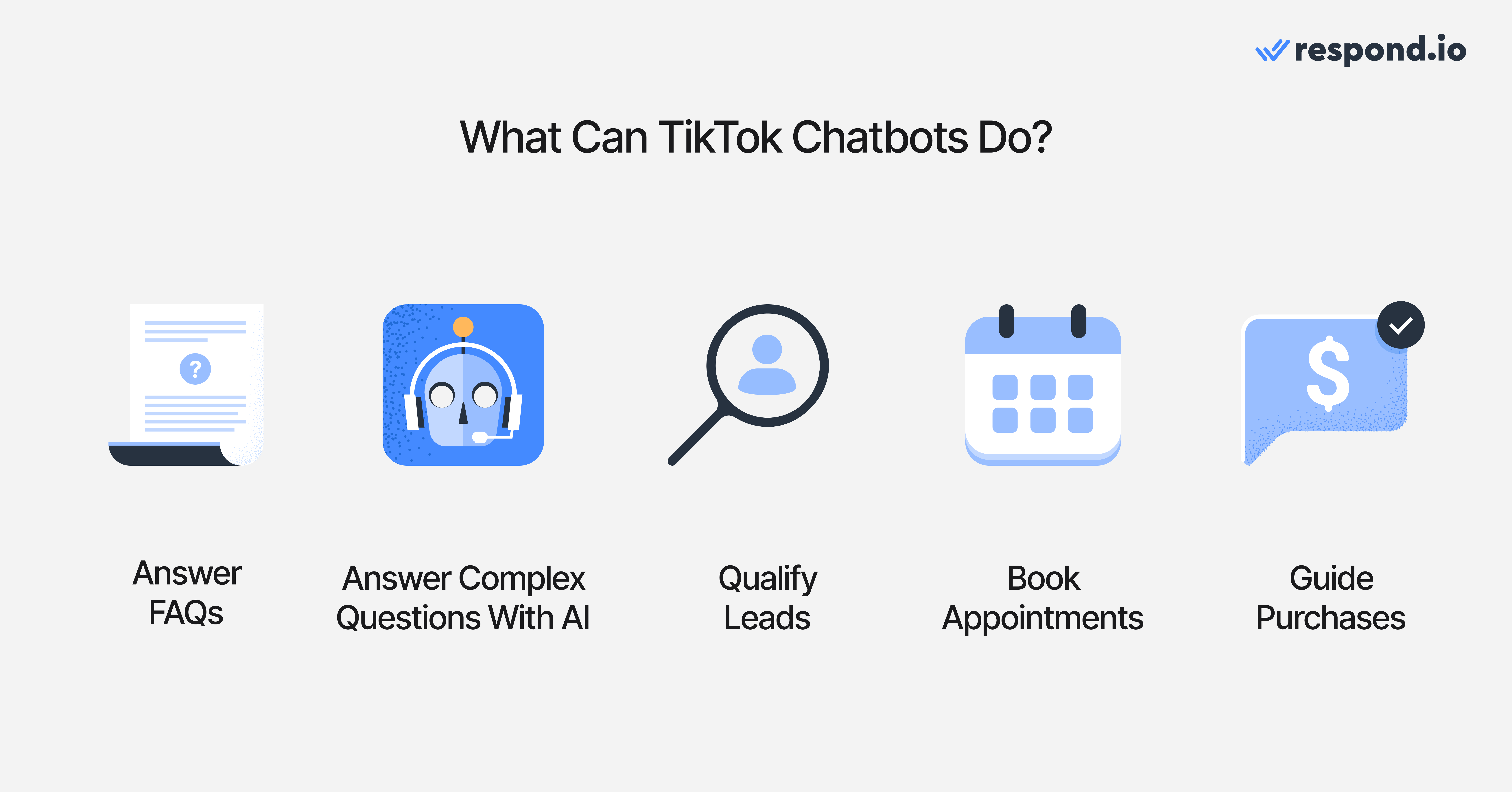
Here are some of their key capabilities:
Answer FAQs
Customers often ask repetitive questions about pricing, product availability, store locations, shipping details and more. An AI Agent can instantly provide these answers, ensuring quick response times while freeing up human agents for more complex tasks.
Answer complex questions with AI
For businesses leveraging AI-powered agents like respond.io's AI Agent, it doesn’t just provide predefined responses—it can understand nuance, provide helpful context-aware replies, qualify leads, book appointments, collect and update customer information and even close conversations with a summary once resolved.
For example, if a customer asks about product comparisons on your TikTok Shop, an AI Agent can pull the right details, recommend the best option and collect the customer’s information so your sales team can follow up.
Qualify leads
An AI Agent can filter potential leads by asking a series of pre-determined questions. It can assess whether a customer is genuinely interested in purchasing and gather key details like budget, preferences and urgency before escalating hot leads to sales agents.
Appointment booking
Service-based businesses, such as beauty salons, clinics and consultants, can use TikTok AI Agents to schedule appointments. The AI Agent can display available slots, confirm bookings and send reminders without requiring human intervention.
Guide Purchases
An AI Agent can act as a virtual shopping assistant, helping users discover products. If you integrate a TikTok AI Agent, you can provide personalized recommendations and guide customers through the checkout process. This can significantly increase conversion rates on TikTok.
Before you can implement a TikTok AI Agent to perform tasks, you’ll need two things before can do that.
Attract on TikTok, convert on respond.io ✨
Elevate your TikTok strategy today with TikTok Messaging Ads!
TikTok AI Agent prerequisites
To set up a TikTok AI Agent, you need a TikTok Business Account with TikTok Business Messaging access and a connected customer conversation platform.
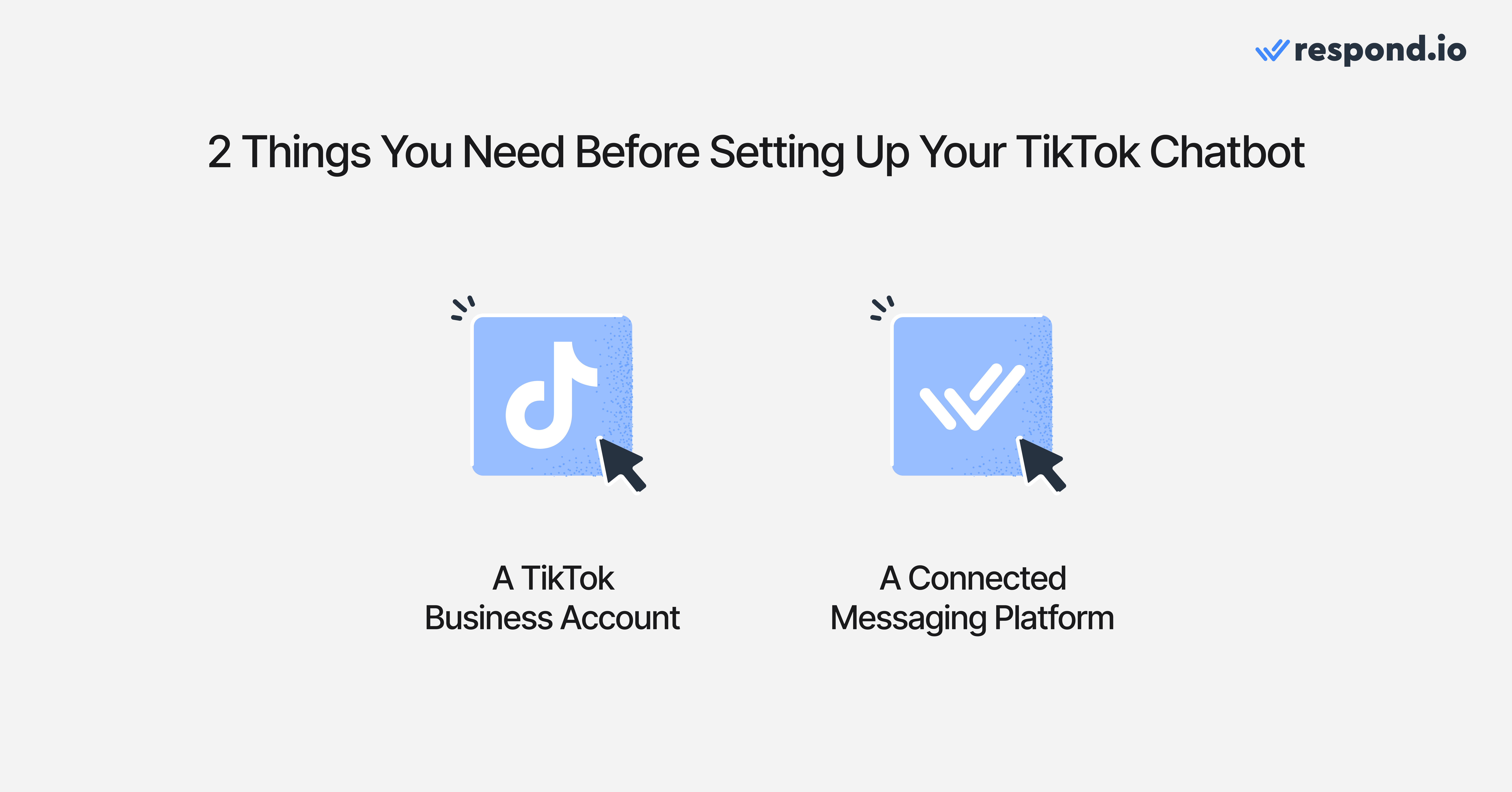
1. A TikTok business account
Only TikTok Business Accounts can integrate AI Agents. If you currently have a personal account, you’ll need to switch to a Business Account through your TikTok settings. This gives you access to features like TikTok Ads. To use TikTok Business Messaging, your account must also have Advanced Access, which requires linking to TikTok for Business (Business Center).
2. A connected customer conversation platform
To enable AI Agent functionality, you must connect your TikTok Business Account to a customer conversation platform. This gives you additional functionality like automating processes, building AI Agents and connecting conversation outcomes back to your ad performance.
Respond.io is a customer conversation platform — not a chatbot tool. Chatbot tools respond to messages; respond.io is built for revenue conversations at scale. Its AI Agents qualify leads, update lifecycle stages, route by intent and escalate high-value conversations to the right human with full context intact.
What makes that possible at scale is infrastructure: Respond.io is backed by partnerships with OpenAI and AWS that give it the headroom most chatbot tools don't have, meaning performance holds as TikTok DM volume grows.
As a badged TikTok Marketing Partner, every qualified lead, booked appointment or closed sale that starts from a TikTok ad gets attributed back to the campaign that generated it — so you can double down on what's working and stop wasting budget on what isn't. Check out how to connect TikTok to respond.io below.

Once these two prerequisites are met, you’re ready to build your TikTok AI Agent. We’ll look at that next.
How to set up a TikTok AI Agent on respond.io in 5 steps
With respond.io, you can create an AI Agent for your needs. Your TikTok must be connected to respond.io and you must have permission to publish workflows. To do this, you need to use the Workflows automation builder. By the end of these 5 steps, a TikTok DM will trigger a respond.io workflow that replies with AI/FAQ answers, tracks a lower-funnel event and routes the chat to sales or support when needed.
Step 1: Select the assignment: Sales and Support AI Agents template
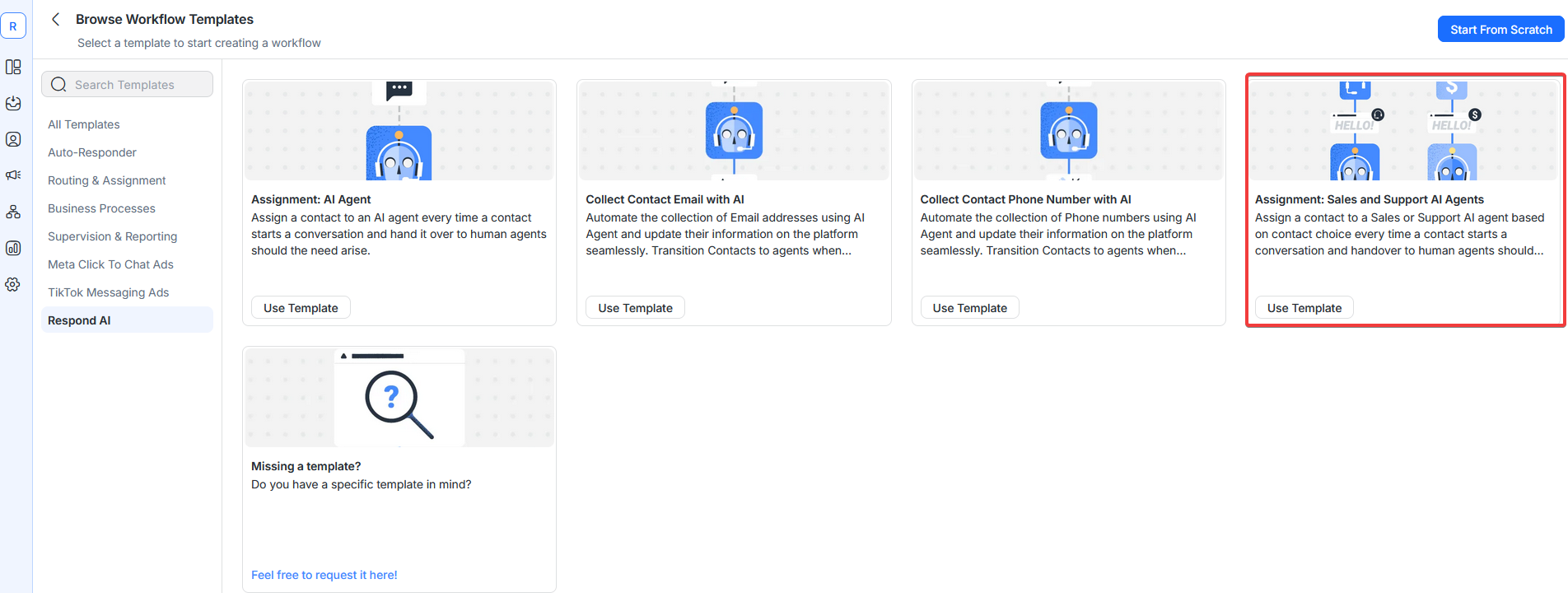
Navigate to the Workflows Module and select the Sales and Support AI Agents template.
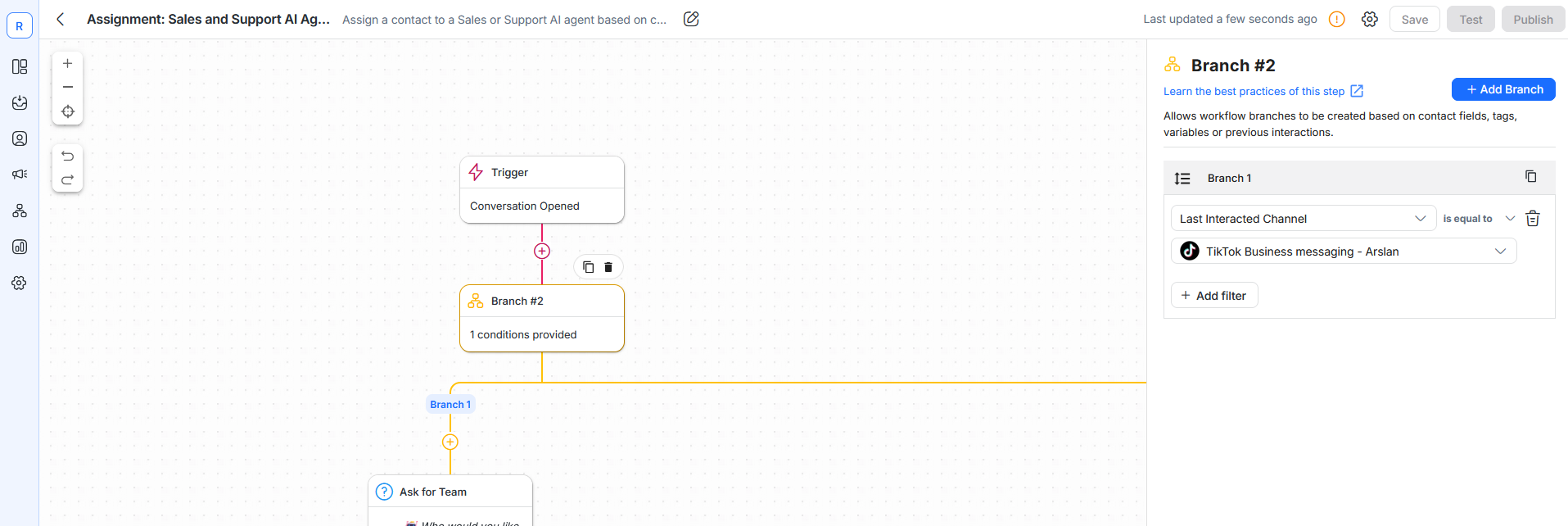
Step 2: Add a new branch
To specifically handle incoming messages from TikTok, you’ll need to add a new Branch. Select Last Interacted Channel, set the operator to is equal to and select your TikTok channel.
Step 3: Configure the AI Agent settings
You can configure the Respond.io AI Agent by manually filling in the objective, persona and knowledge sources. Alternatively, you can use the AI Agent Builder where you can configure the AI Agent with a simple chat interface, or use AI Copilot—an in-platform setup assistant that can answer product questions, guide you through configuration and generate a complete AI Agent draft from a plain-language description.
That said, note that with the latest update, AI Agents do more than reply to messages. They can now update CRM fields and Lifecycle stages, apply tags, automatically summarize conversations and trigger Workflows based on contact events. They can even process images or PDFs sent by customers, broadening the range of queries that can be handled automatically. AI Agents can also apply or remove contact tags based on conversation context, enabling automatic lead classification and segmentation.
These autonomous actions reduce manual workload and keep your contact data accurate and up-to-date, while still handing off to a human agent whenever the AI is unsure or escalation is required. Before publishing, use the built-in instruction validation to catch gaps, conflicts or broken references in your prompts and apply suggested fixes.
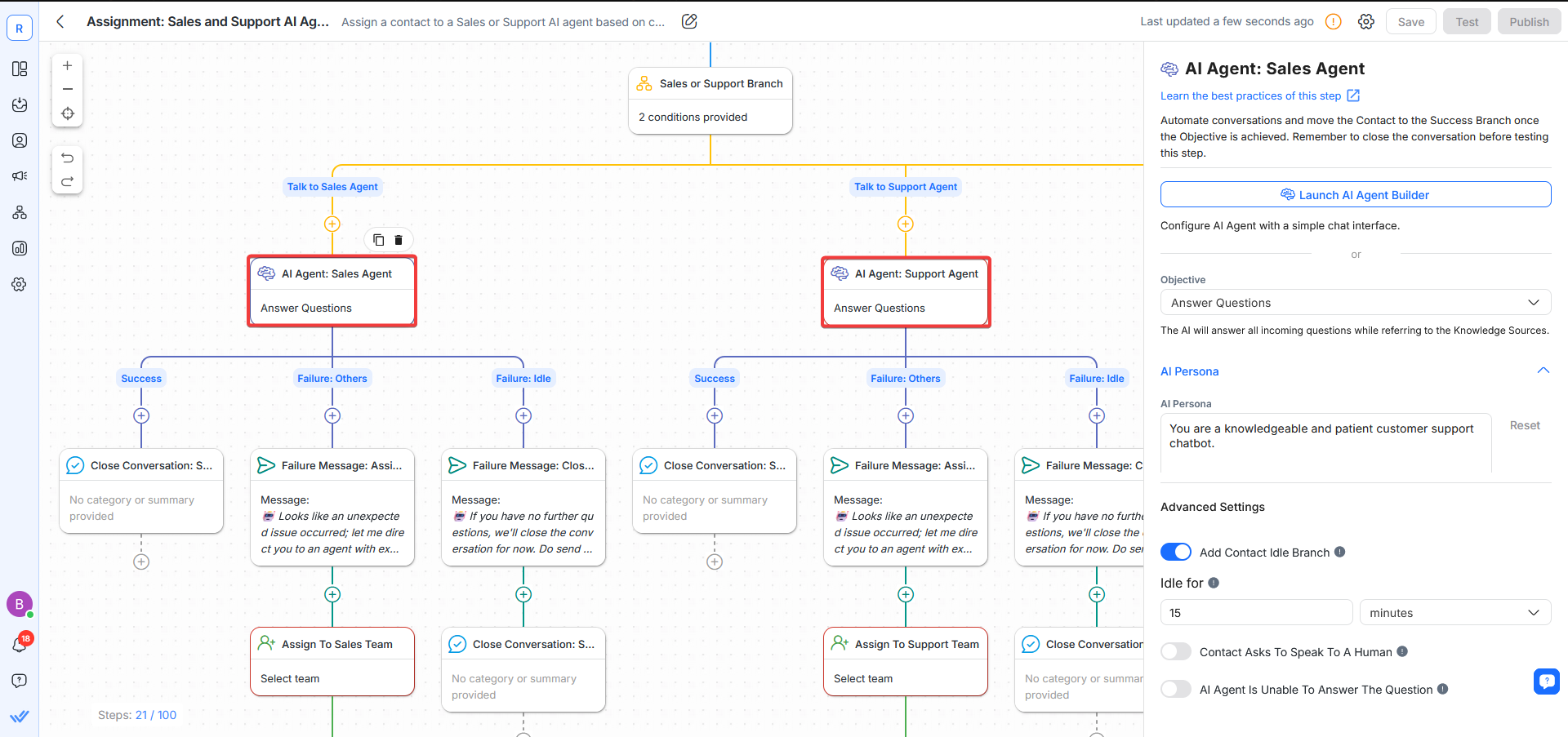
With these optimizations, the AI Agent will provide personalized and context-aware responses rather than generic replies. However, there's a trade-off: if your knowledge sources are incomplete, AI answers may be inaccurate. Run the built-in instruction check before publishing to catch gaps and conflicts, then set a low-confidence escalation to a human agent and review misanswers weekly.
Step 4: Add a Send TikTok Lower Funnel Event Step
TikTok provides Lower Funnel Events to track interactions that lead to conversions. Adding this step ensures that customer actions—such as form submissions, purchases, or bookings—are recorded as measurable conversion events.
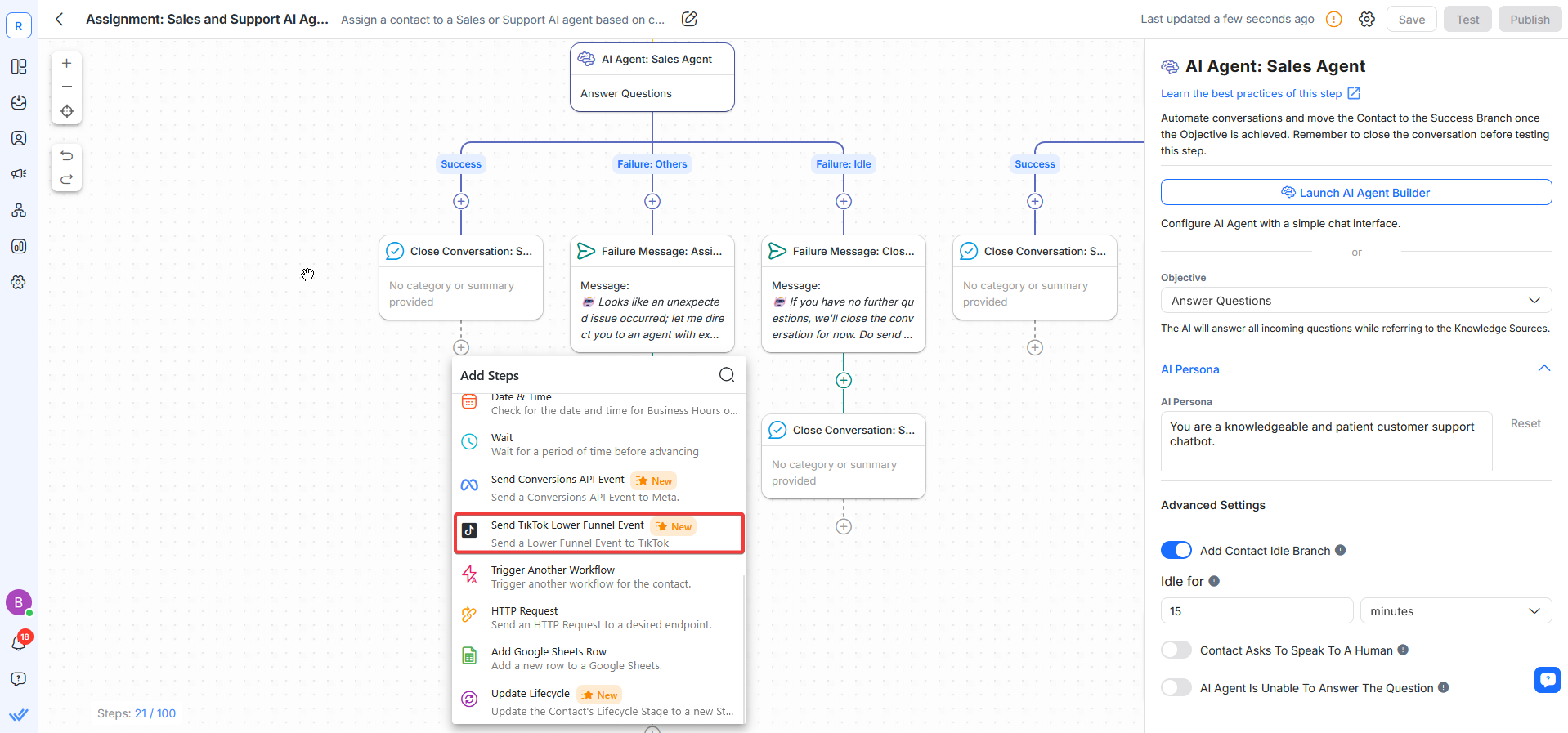
This is crucial for businesses that want to track AI Agent effectiveness and optimize their TikTok advertising strategy.
Step 5: Test and publish your Workflow
Before going live, run a test conversation to verify that the AI Agent responds correctly. Test different user inputs to ensure that:
The AI Agent recognizes common inquiries
AI responses are accurate and relevant
The AI Agent routes conversations correctly when necessary
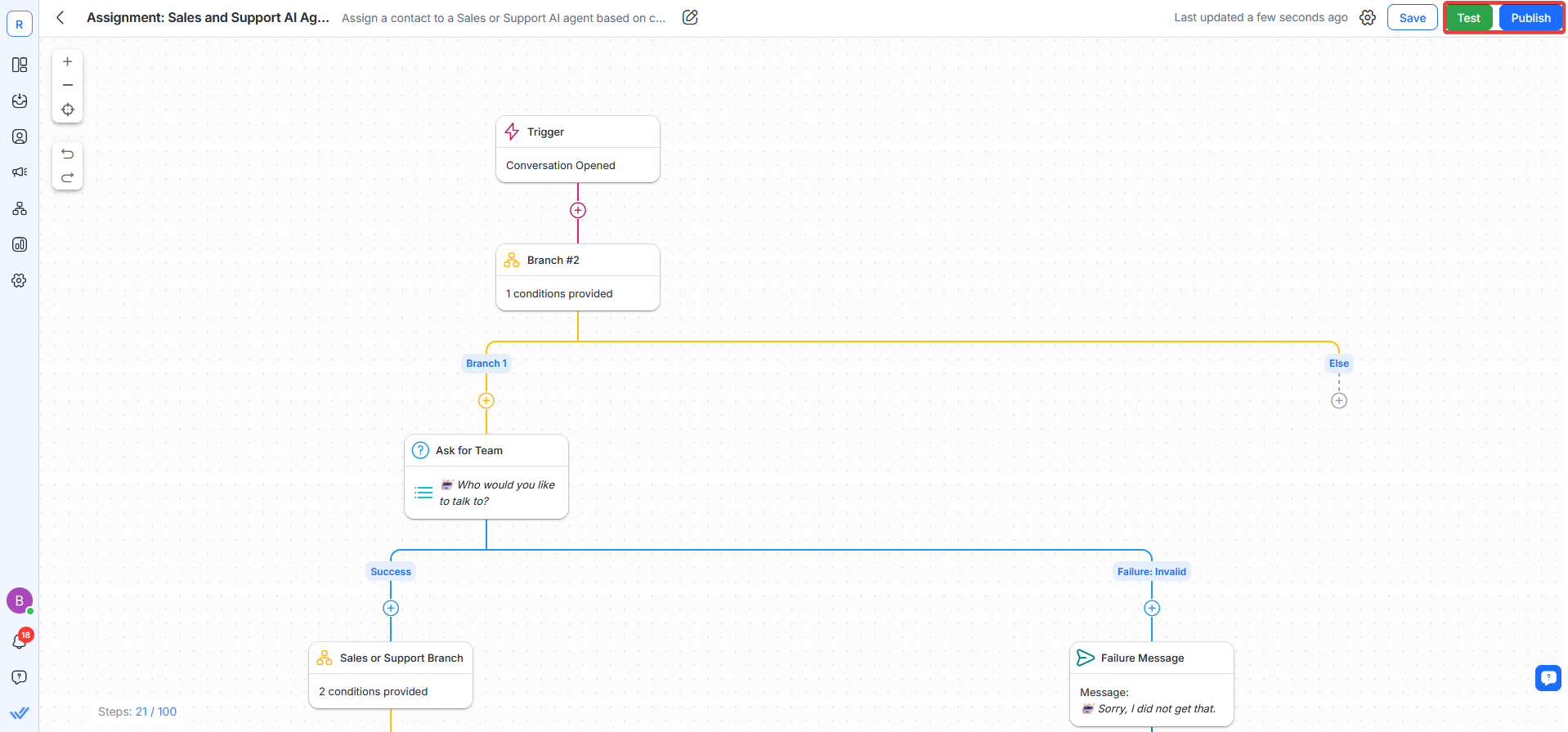
Once testing is complete, publish your AI Agent and start engaging with TikTok users automatically!
Success check:
TikTok DM triggers the TikTok branch
AI Agent answers an FAQ correctly
Escalation routes to the right team
Lower-funnel event fires for the target action
And remember: AI Agents are not limited to answering questions — they can take autonomous actions that keep your CRM and customer data synchronized without manual effort.
Combine the power of TikTok and respond.io to accelerate business results
Businesses can now connect with TikTok leads directly on WhatsApp and Messenger — to offer consultations, schedule appointments and close sales in a single conversation. But when ad volume scales, so does the complexity: leads arriving across TikTok, WhatsApp and Messenger simultaneously need to be routed, tagged and tracked automatically or they slip through the cracks.
Respond.io is a customer conversation platform built for exactly that — B2C teams managing high DM volume across TikTok and other channels, where routing, tagging and lifecycle updates need to happen automatically. It includes TikTok DM workflows, AI Agent escalation and lower-funnel event tracking to keep response times fast and handoffs clean.
Not the right fit if you only need a simple single-channel auto-reply with no routing, reporting or multi-agent handoff — a lightweight rules-only tool will do.
Attract on TikTok, convert on respond.io ✨
Elevate your TikTok strategy today with TikTok Messaging Ads!
FAQs about TikTok AI Agents
Do I need the TikTok Business Messaging API to use a TikTok chatbot?
Yes — a TikTok chatbot for business use depends on TikTok Business Messaging access so your DM workflow can receive, process and reply to customer conversations at scale.
What’s the best platform for a TikTok chatbot for B2C sales and support teams?
The best platform for high-volume B2C sales and support use cases is one that combines TikTok DM routing, automation, AI replies, agent handoff and conversion tracking in a single workspace.
When should I avoid using an AI TikTok chatbot and use a rules-based flow instead?
A rules-based flow is better when your questions are narrow, predictable and high-risk to answer incorrectly, or when you only need a simple single-channel auto-reply without AI variability.
Further reading
If you enjoyed reading this article, then read these TikTok and AI Agent blogs to learn more:


