
















 Электроника
 Мода и одежда
 Мебель
 Ювелирные изделия и часы
 Внеурочные занятия
 Спорт и фитнес
 Центр красоты
 Стоматологическая клиника
 Медицинская клиника
 Услуги по уборке и няням
 Фотография и видеосъемка
 Автосалон
 Турагентство и оператор туров

Кратко — Управление лидами в WhatsApp
Компании теряют лиды в WhatsApp, когда нарушаются скорость ответа, последовательность квалификации и процессы сопровождения — особенно в пиковые сезоны.
Эффективное управление лидами в WhatsApp означает структурирование полного жизненного цикла: сбор лидов, квалификация намерений, передача в нужную команду, конвертация покупателей с высокой готовностью к покупке и реактивация неактивных контактов.
Главные сценарии управления лидами в WhatsApp в 2026 году охватывают электронную коммерцию, автомобильную отрасль, туризм, здравоохранение и образование — они демонстрируют, как структурированные процессы и ИИ помогают командам обрабатывать больше лидов с большей точностью.
Ключевые практики включают использование утверждённых шаблонов, корректный сбор согласий, персонализацию разговоров, сочетание ИИ с человеческим контролем и отслеживание ключевых показателей эффективности.
Чтобы реализовать это в масштабе, компаниям нужна платформа WhatsApp API, такая как respond.io, чтобы централизовать разговоры, автоматизировать квалификацию и маршрутизацию, синхронизировать данные CRM и измерять результаты в одном месте.
Если вы работаете с конечными потребителями и обрабатываете большой объём запросов в WhatsApp, это руководство покажет, как создать повторяемый процесс управления лидами в WhatsApp, который сохраняет быстрое время ответа и высокий показатель конверсии в пиковые периоды. Он предназначен для команд продаж и поддержки B2C, которым нужна общая видимость, последовательная квалификация и надёжное сопровождение десятков или тысяч чатов.
Вопросы о акциях, графике работы, наличии товаров и ценах приходят одновременно. Операторы ведут несколько разговоров одновременно, часто выбирая между ответом новым лидам и продолжением уже начатых чатов. Это приводит к задержкам в ответах, перегрузке команд и к тому, что расстроенные потенциальные клиенты уходят незамеченными.
Если ответы приходят несвоевременно, исход предсказуем: потеря дохода, недовольные клиенты и упущенные возможности в самые важные периоды продаж года.
Что такое управление лидами в WhatsApp?
Управление лидами в WhatsApp — это структурированный процесс захвата, организации, квалификации, маршрутизации, дальнейшей работы и конверсии лидов, которые обращаются в бизнес через WhatsApp.
WhatsApp — эффективный канал для взаимодействия с потенциальными клиентами благодаря высоким показателям отклика, удобству и привычности. Однако по мере роста объёма сообщений опираться на ручные ответы или увеличение штата — не масштабируемо. Многие входящие сообщения повторяются, имеют низкую ценность или не от реальных покупателей, и без структурированной системы команды быстро перегружаются.
Решение этих проблем — грамотное управление лидами в WhatsApp. При ясном процессе обработки каждого этапа пути лида компании сохраняют и скорость, и качество — даже во время пиков продаж.
Прежде чем подробно рассматривать управление лидами в WhatsApp, важно понять разные способы доступа к WhatsApp для бизнеса.
Как управлять лидами в WhatsApp
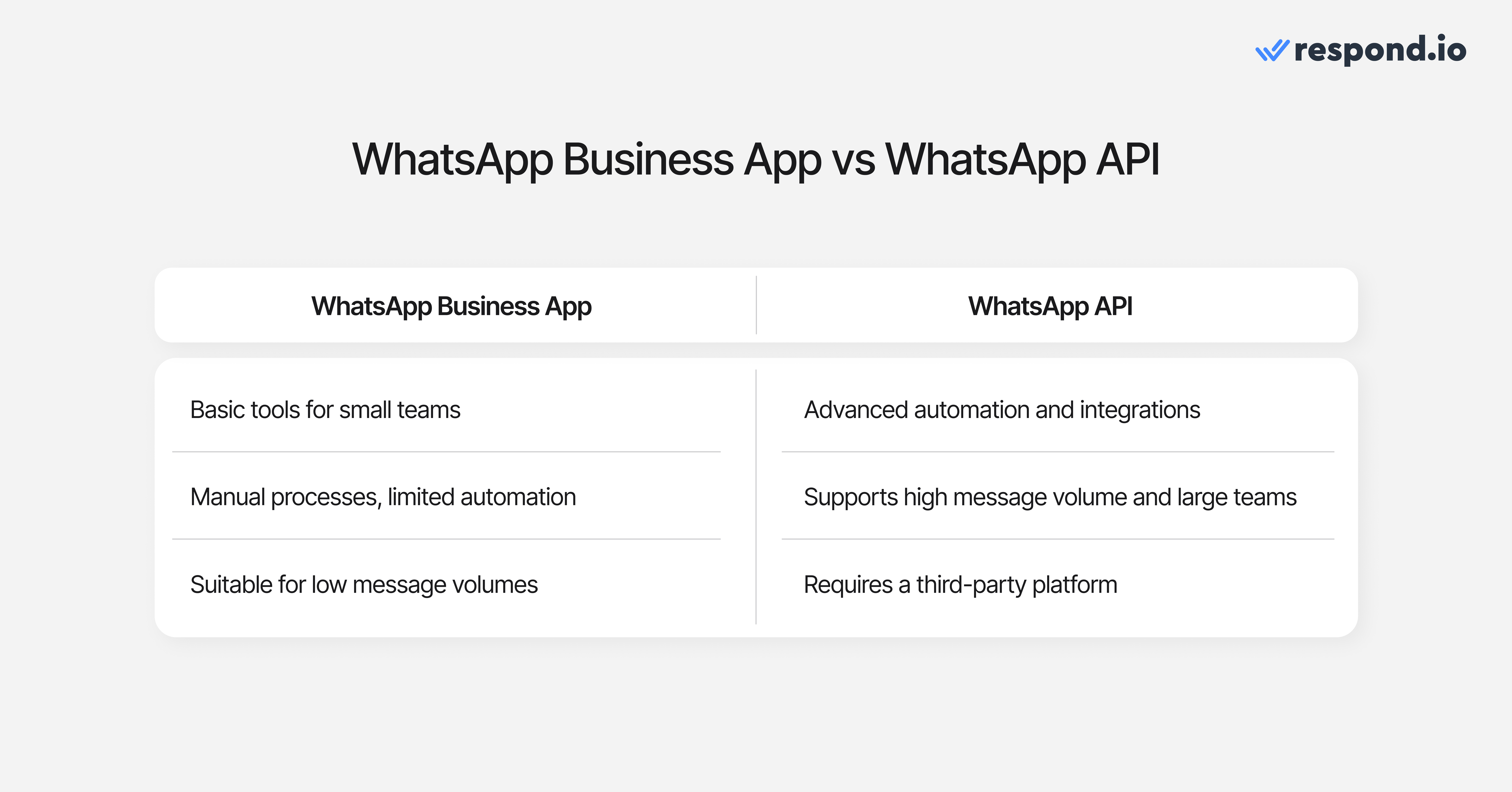
Для надёжного управления лидами в WhatsApp выберите WhatsApp Business App для ручной обработки при низком объёме или WhatsApp API с платформой для автоматизации, маршрутизации и отчётности в масштабе.
WhatsApp Business App: Подходит для начала
Многие команды, работающие с потребителями и имеющие небольшой объём сообщений, используют WhatsApp Business App для управления лидами: отвечают вручную, организуют контакты с помощью меток и ведут беседы с одного устройства или на общем телефоне.
WhatsApp Business App включает базовые функции для небольших команд, такие как:
Базовый список контактов
Пользовательские списки
Функции чата
Ограниченная поддержка нескольких пользователей
При небольшом объёме сообщений приложение достаточно. Однако по мере роста числа запросов или расширения команд ограничения становятся заметны. При больших объёмах компаниям требуется автоматизация, маршрутизация, поддержка ИИ, синхронизация с CRM и многое другое — функции, для которых Business App не предназначено.
WhatsApp API: Создан для масштабирования
Когда объём лидов превышает возможности WhatsApp Business App, компании переходят на WhatsApp API, чтобы эффективнее обрабатывать разговоры.
WhatsApp API открывает расширенный функционал недоступный в Business App. Это включает автоматизацию, интеграции, аналитику, поддержку неограниченного числа пользователей и структурированную обработку лидов. Эти возможности становятся необходимыми, когда компания управляет большим объёмом лидов.
В отличие от Business App, WhatsApp API не бесплатен и не включает собственный интерфейс. Его нужно использовать через стороннюю платформу, а доступные платформы различаются по возможностям, надёжности и функциям.
В этом руководстве под завершённой настройкой понимается, что каждый новый лид WhatsApp захватывается с тегом источника, автоматически квалифицируется или ставится в очередь, направляется в нужную команду, отслеживается на этапе жизненного цикла и отражается в отчётах с показателями времени ответа и конверсии.
Типовой жизненный цикл лида в WhatsApp: от первого сообщения до конверсии
При управлении лидами в WhatsApp лид проходит несколько этапов, прежде чем стать клиентом. Эффективная работа на каждом этапе обеспечивает более быстрые ответы, более высокие коэффициенты конверсии и более последовательный опыт для операторов и клиентов.
Привлекай лидов в WhatsApp
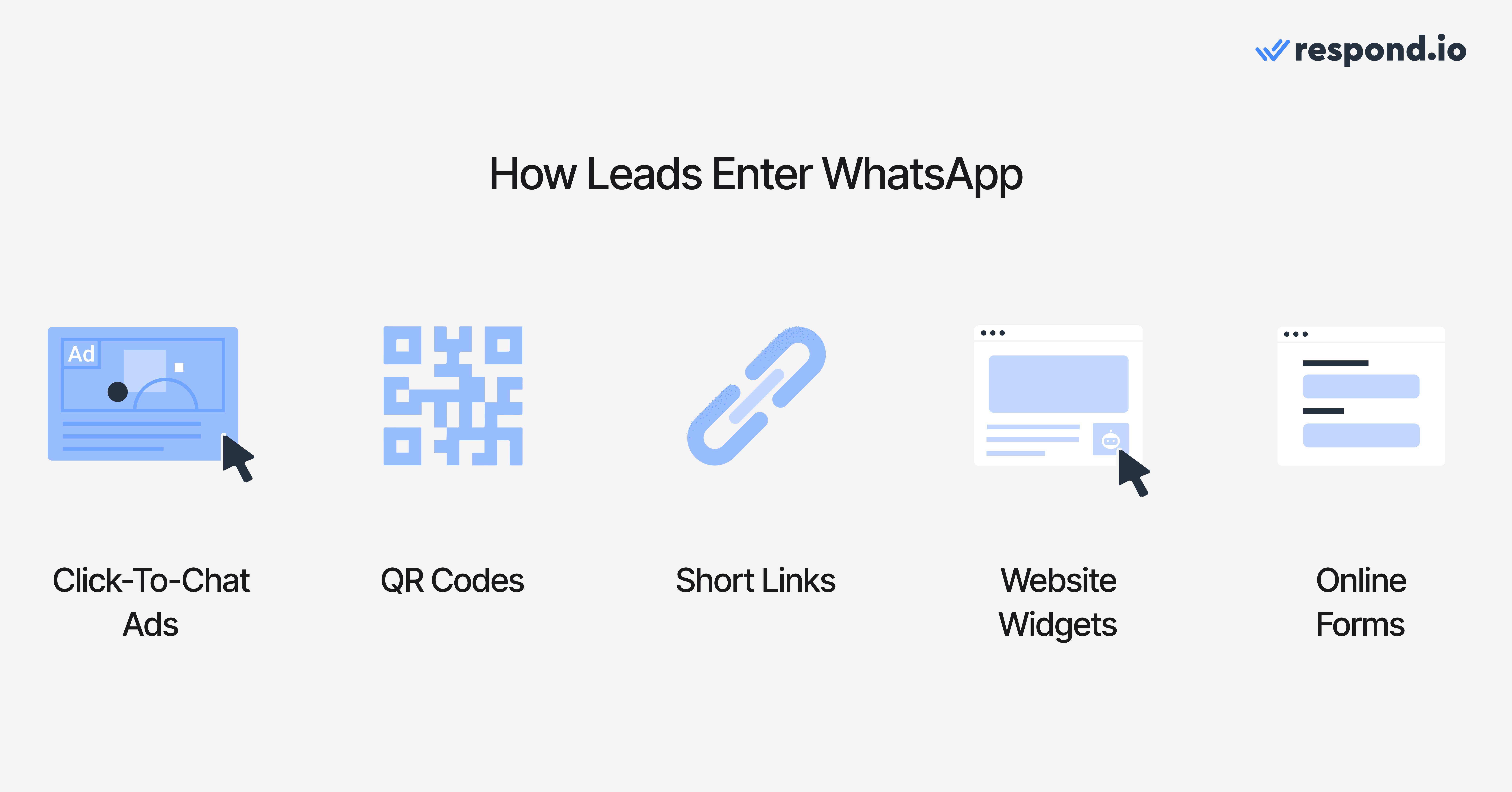
Жизненный цикл начинается с привлечения лидов в твой WhatsApp Inbox через надёжные точки входа, такие как:
Реклама WhatsApp Click-to-Chat на социальных платформах Meta
QR-коды и короткие ссылки, размещённые на сайтах, упаковке, в магазинах или в офлайн‑материалах
Виджеты на сайте на ключевых страницах, таких как страницы товаров, цены или FAQ
Онлайн‑формы, которые собирают контактные данные и запрашивают согласие на получение сообщений в WhatsApp
Цель этого этапа — максимально упростить людям начало беседы в WhatsApp, независимо от того, где они нашли ваш бизнес.
Квалифицируй и фильтруй лидов с помощью Агентов ИИ
Когда разговоры начинаются, следующий шаг — определить, какие запросы представляют реальные возможности.
Квалификация лидов включает определение намерений лида, требований, бюджета или соответствия. Раньше это требовало сложных ручных процессов, но современные инструменты ИИ могут автоматизировать большую часть этого процесса.
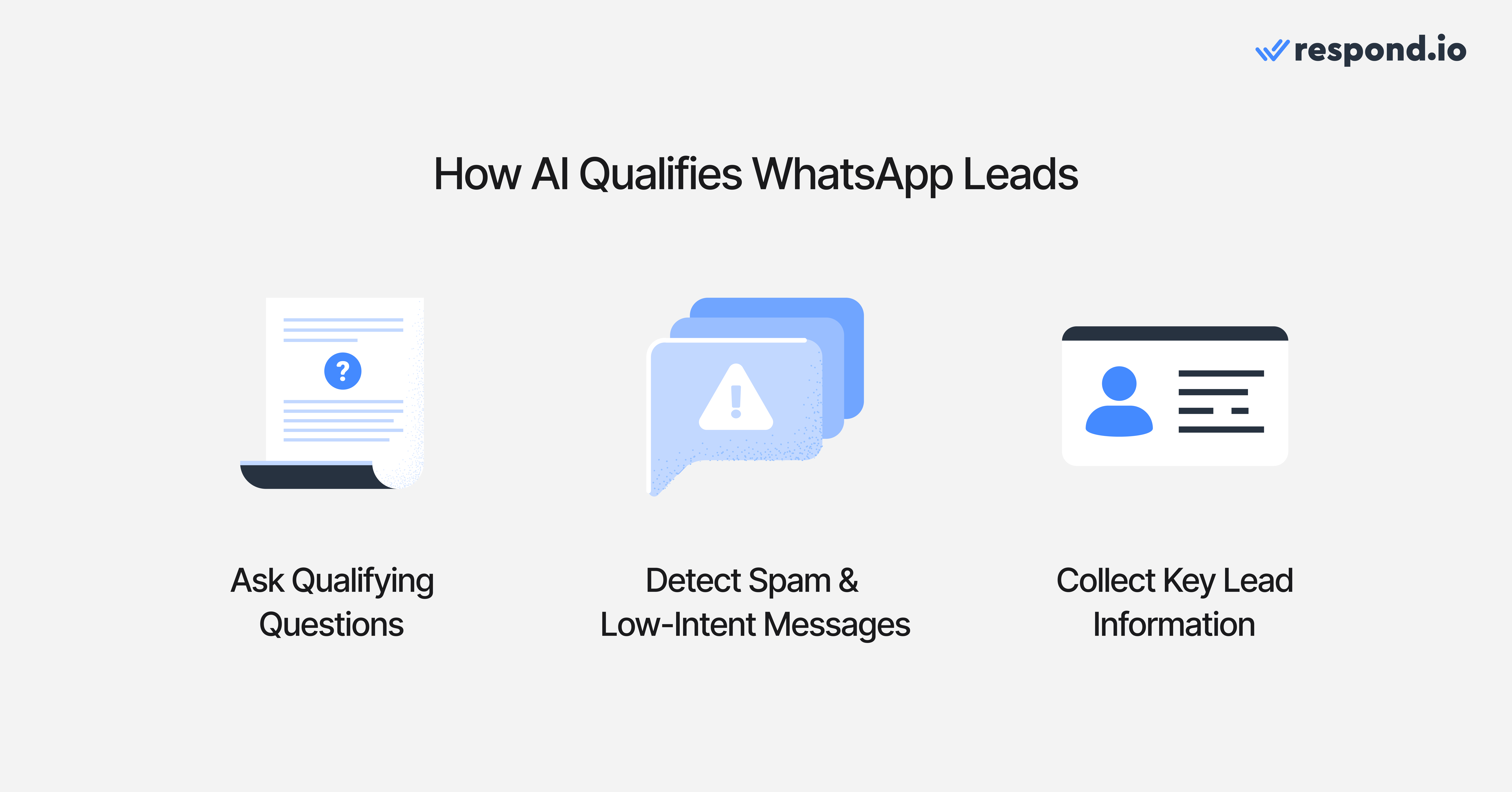
ИИ может:
Задавать вопросы для квалификации
Обнаруживать спам или нерелевантные запросы
Собирать информацию, необходимую для маршрутизации или последующих действий
Это снижает ручную нагрузку и гарантирует, что команды продаж сосредоточатся на качественных разговорах.
Маршрутизируй лиды из WhatsApp в нужную команду в реальном времени
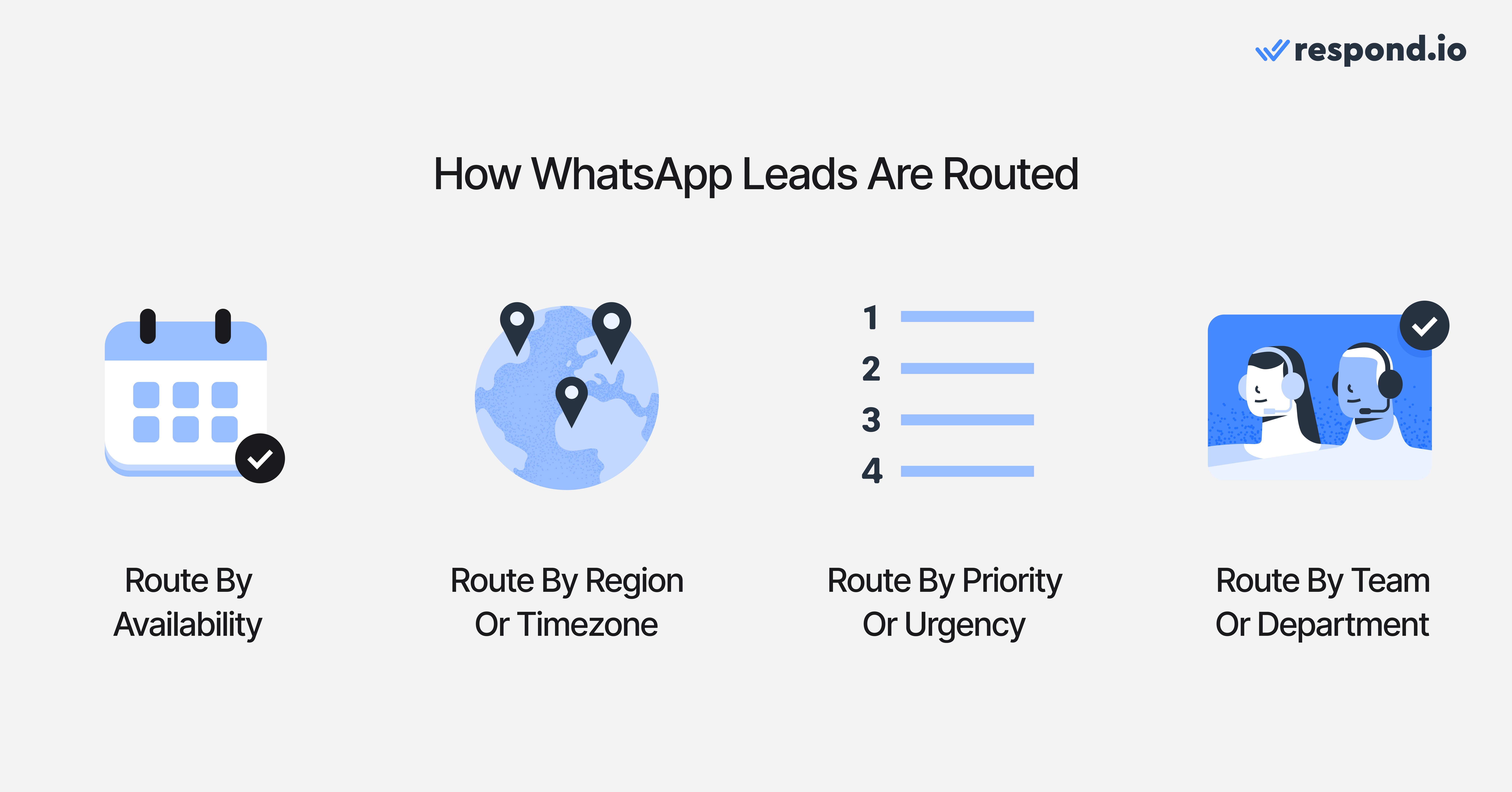
Скорость важна, но не менее важна точность ответов. Маршрутизация гарантирует, что лиды попадут к самому подходящему оператору или команде.
Лиды можно направлять на основе:
Доступность оператора
Регион или часовой пояс
Приоритет или срочность
Продукт или услуга
Конкретная команда или отдел
Когда для квалификации требуется нюанс или сложное решение, ИИ должен передать чат живому оператору для корректной обработки.
Конвертируй квалифицированные лиды в клиентов
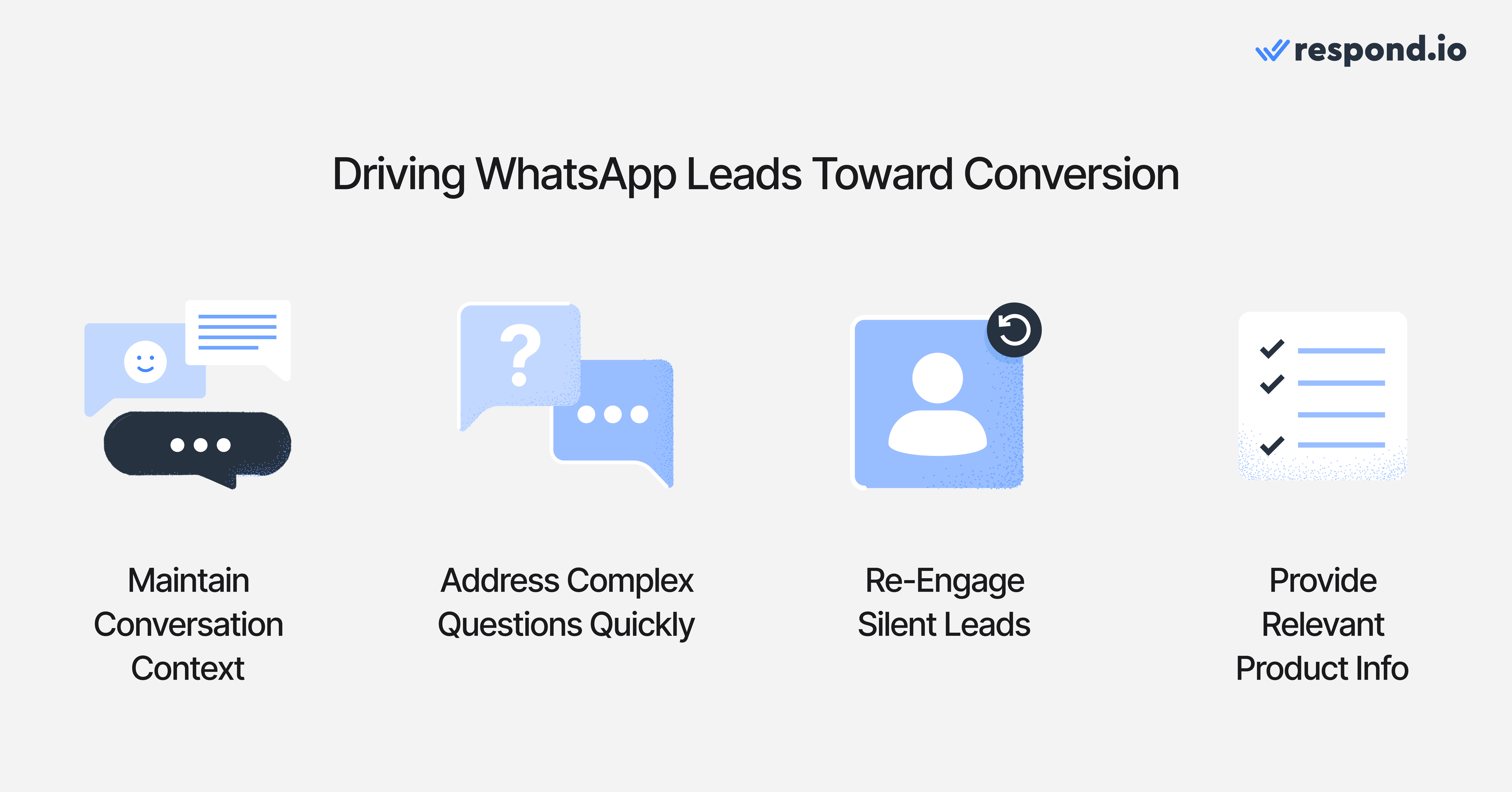
После квалификации лида фокус смещается на предоставление чёткой информации, сохранение контекста и ведение лида к покупке или подтверждённому действию.
Полезные инструменты на этом этапе включают:
Командный Inbox, обеспечивающий видимость сообщений и непрерывность
WhatsApp Calling или VOIP, для быстрого решения сложных вопросов
Автоматические повторные сообщения, чтобы вернуть лидов, которые перестали отвечать
Каталоги товаров, сохранённые ответы и персонализированные сообщения, чтобы операторам было проще отвечать
Плавный этап конверсии гарантирует, что лиды чувствуют поддержку от первого контакта до окончательного решения.
Верни спящие лиды с помощью рассылок и сегментации
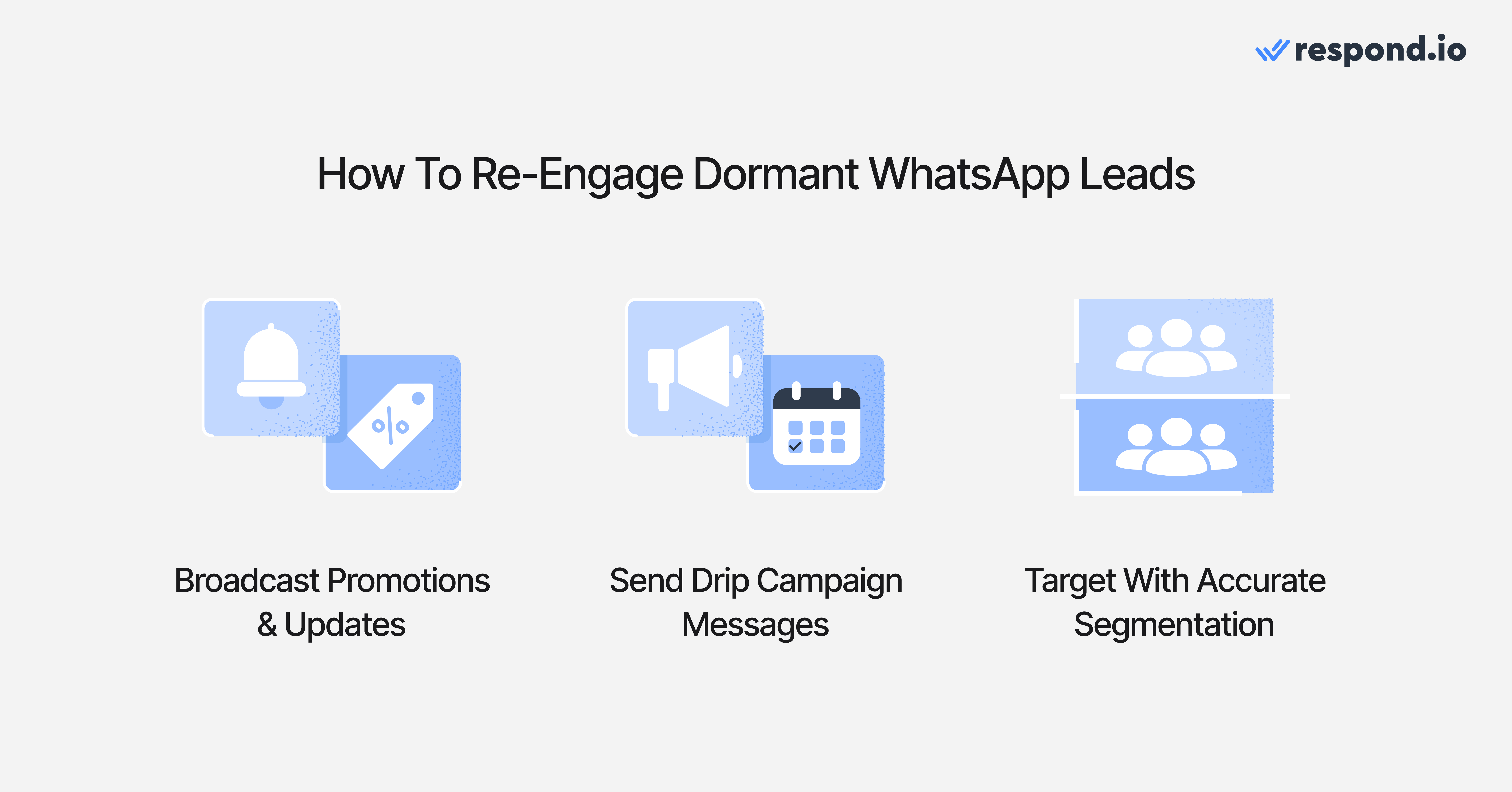
Не все лиды конвертируются сразу, и это нормально. Поддержание видимости помогает твоему бизнесу оставаться в поле зрения клиентов.
Эффективные методы повторного вовлечения включают:
Рассылки в WhatsApp для акций, напоминаний или обновлений
Рекламные кампании, которые прогревают лидов со временем
Точная сегментация, чтобы контакты получали только релевантные сообщения
Обновление данных лида — этапов жизненного цикла, тегов и заметок — обеспечивает точность и эффективность кампаний повторного вовлечения.
Предпосылки
Прежде чем настраивать масштабное управление лидами в WhatsApp, убедитесь, что у вас есть:
Мета Бизнес Портфолио и аккаунт WhatsApp Business (WABA)
Подтверждённый номер телефона для WhatsApp API (если используете API)
Задокументированные стадии лида, например New, Qualified и Won/Lost
Правила маршрутизации по языку, региону или продукту
Активы соответствия, включая тексты согласия (opt-in) и утверждённые шаблоны для исходящих сообщений
Поля CRM, которые вы хотите синхронизировать, например владелец, стадия, источник и теги
Как настроить управление лидами в WhatsApp
Настройка управления лидами в WhatsApp требует подключения правильного пути доступа к общему проекту с автоматизацией и отчётностью. Вот шаги:
Шаг 1: Выберите WhatsApp Business App для ручной обработки при низком объёме или WhatsApp API, если вам нужна общая видимость, автоматизация, маршрутизация и отчётность.
Шаг 2: Подключите WhatsApp API к respond.io и создайте Inbox — подключите номер, создайте команды или Inbox и настройте правила назначения, например круговое распределение для новых лидов.
Шаг 3: Настройте источники захвата — подключите объявления Click-to-WhatsApp, QR‑коды, короткие ссылки, веб-виджеты и формы, чтобы каждый лид попадал в один и тот же автоматизированный алгоритм с тегом источника.
Шаг 4: Постройте правила квалификации и маршрутизации — определите вопросы, логику передачи между ИИ и человеком и правила назначения по языку, региону, продукту или приоритету.
Шаг 5: Автоматизируйте последующие действия, этапы жизненного цикла и повторное вовлечение — перемещайте контакты по стадиям лида автоматически, запускайте напоминания и планируйте повторное вовлечение, когда переписки становятся неактивными.
Шаг 6: Проверьте настройку на тестовых лидах и просмотрите информационные панели — настройка считается завершённой, когда тестовый лид из каждого источника захвачен с правильным тегом, автоматически квалифицирован, направлен в нужную команду и отображается в отчётах с отслеживанием времени ответа.
Измеряй результаты и оптимизируй
После внедрения жизненного цикла лида следующий шаг — оценка эффективности. Измерение управления лидами в WhatsApp гарантирует, что каждый этап работает как положено, и помогает выявить зоны для улучшения.
Ключевые метрики для отслеживания включают:
Время ответа: Как быстро твоя команда отвечает новым лидам
Коэффициент конверсии: Сколько разговоров заканчиваются продажей или выполненным действием
Источник лида → чат → конверсия: Какие точки входа приносят лидов наивысшего качества
Успешность повторных контактов: Сколько лидов возвращаются после напоминаний или автоматических повторных сообщений
Показатели рассылок: клики и реактивация: Какие кампании успешно возвращают спящие лиды
Отслеживание этих метрик даёт видимость работы системы, что позволяет принимать более обоснованные решения и распределять ресурсы эффективнее.
Как respond.io упрощает управление лидами в WhatsApp от начала до конца
Когда WhatsApp API внедрён, выбор платформы, которая помогает команде эффективно управлять лидами в масштабе, становится критичным. respond.io — это платформа управления разговорами с клиентами, которая помогает B2C-командам полностью управлять большим объёмом лидов в WhatsApp с помощью общего Inbox, автоматизации, квалификации с поддержкой ИИ, маршрутизации, синхронизации с CRM и аналитики.
Подключение WhatsApp API к respond.io обеспечивает согласованность на каждом этапе жизненного цикла лида — от захвата лидов до квалификации, маршрутизации, конверсии, повторного вовлечения и измерения эффективности.
Вот как respond.io поддерживает каждый этап управления лидами в WhatsApp:
Захват лидов через объявления Click-to-WhatsApp
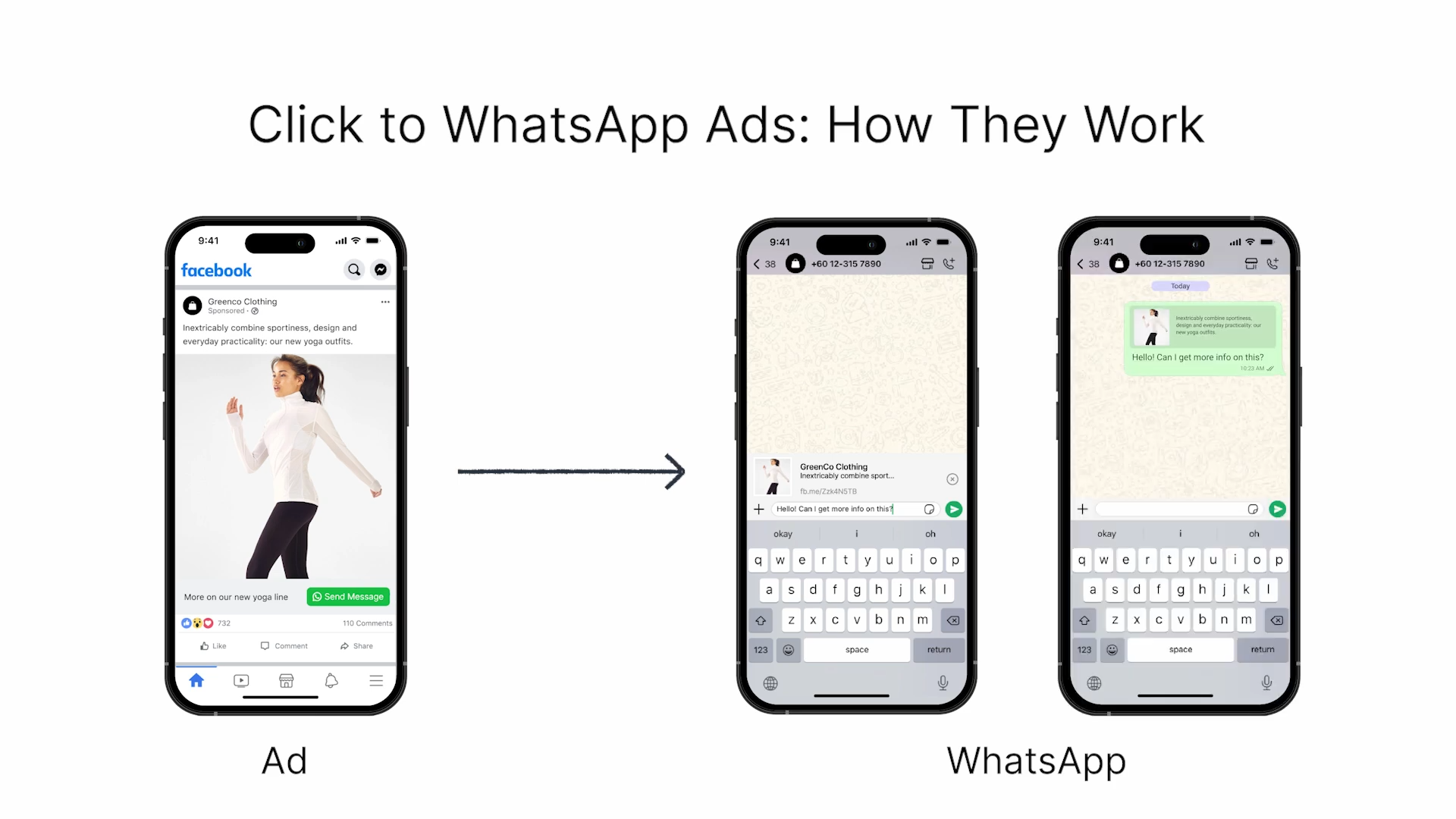
Respond.io получает все разговоры от Click-to-WhatsApp Ads, назначает их нужной команде и сохраняет полную атрибуцию источника. С Meta Conversion API (CAPI) вы также получаете точную атрибуцию и более ясное понимание того, какие объявления приводят квалифицированных лидов, бронирования или продажи.
Единый вход для команд
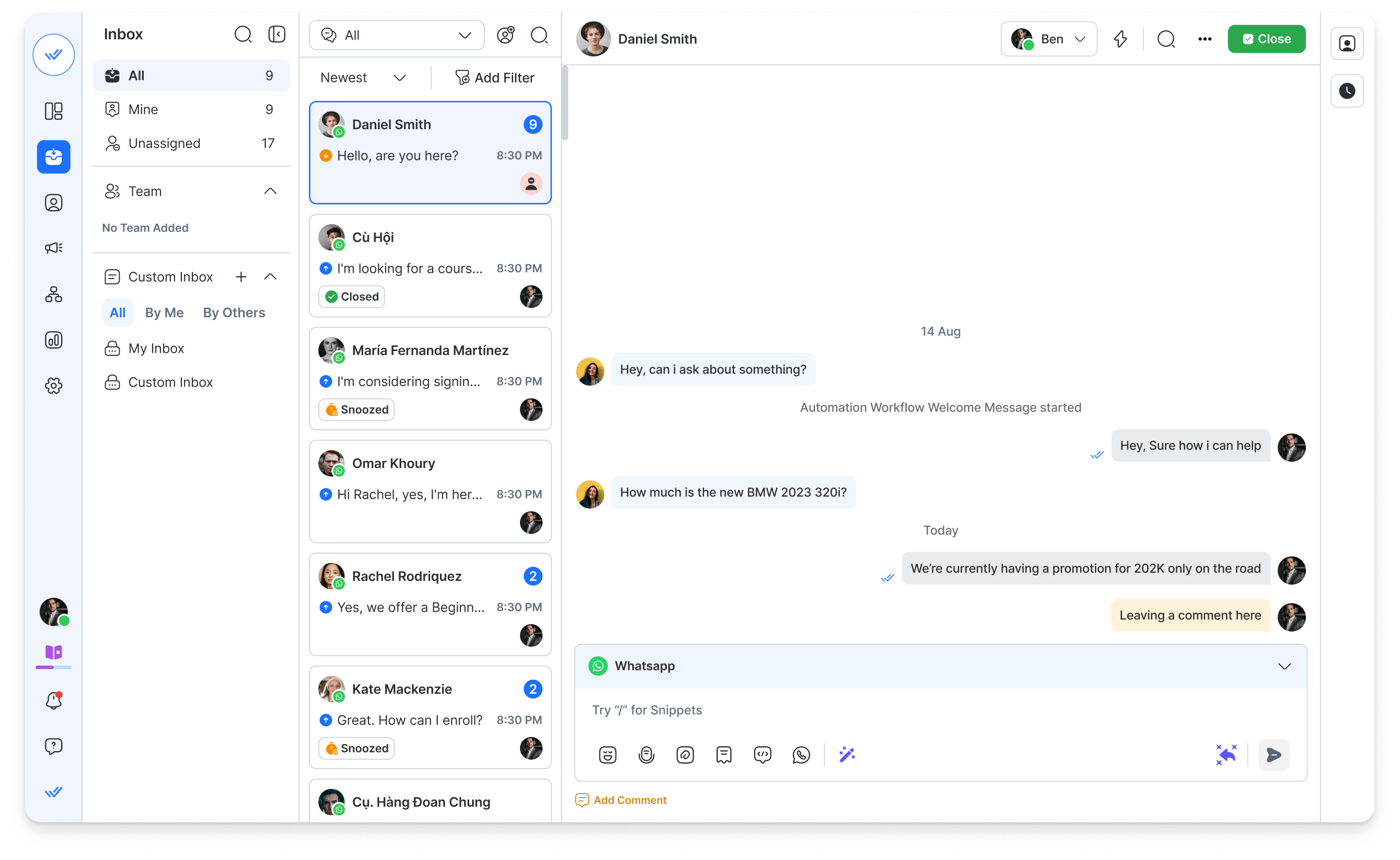
Все разговоры WhatsApp отображаются в одном общем проекте с полным контекстом. Respond.io поддерживает неограниченное число пользователей и несколько каналов, включая Facebook Messenger, Instagram, TikTok и другие, поэтому разговоры никогда не оказываются изолированными или потерянными.
Агенты ИИ
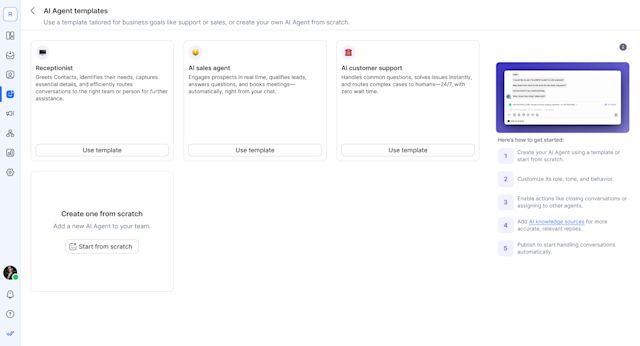
Настраиваемый с вашими источниками знаний и инструкциями, он также понимает изображения, PDF, голосовые сообщения, может выполнять действия на платформе и маршрутизировать беседы. Используй агентов ИИ для обработки повторяющихся вопросов, квалификации обращений, борьбы со спамом, оставления внутренних комментариев, фиксирующих контекст, и добавления тегов для будущего таргетинга, снижая загрузку операторов.
Автоматизированные алгоритмы
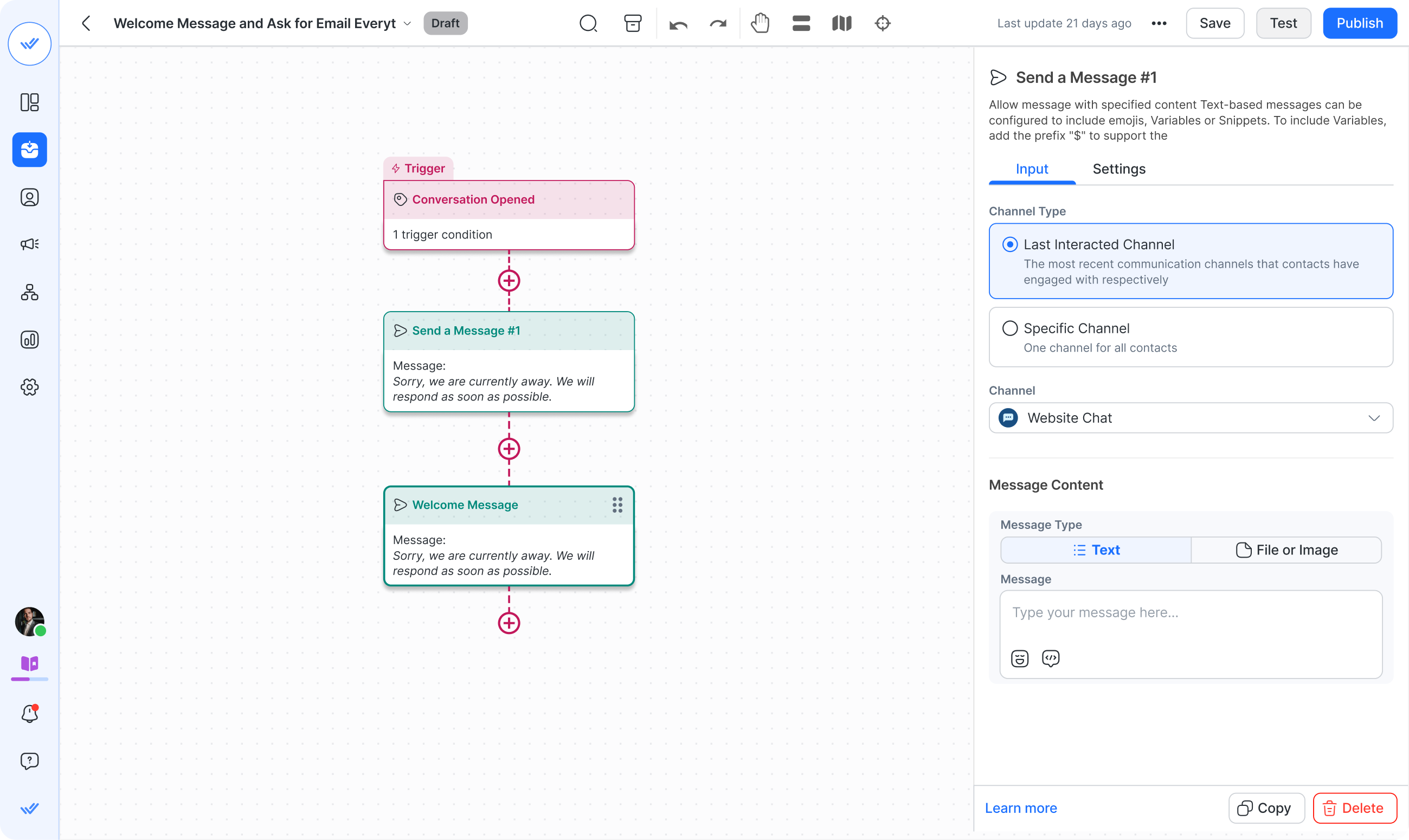
Направляй лидов по региону, интересу к продукту, доступности или приоритету. Автоматически сегментируй контакты, запускай повторные сообщения и отправляй сообщения на основе поведения клиента.
Модуль жизненного цикла
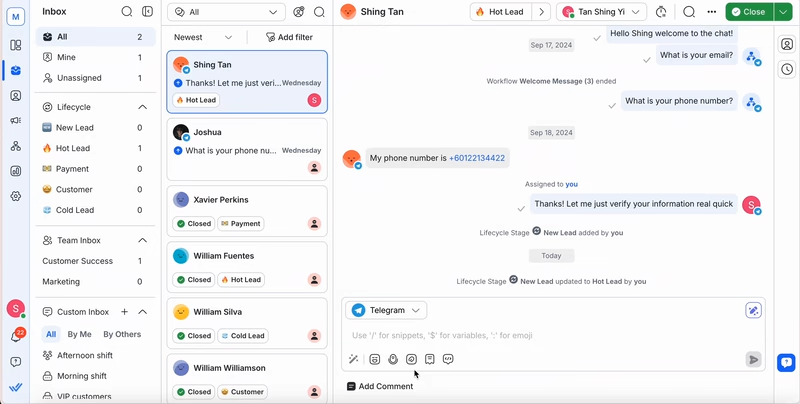
Показывает, на каком этапе клиентского пути находится каждый лид, чтобы операторы могли правильно приоритизировать задачи и не упускать возможности.
Интеграция CRM
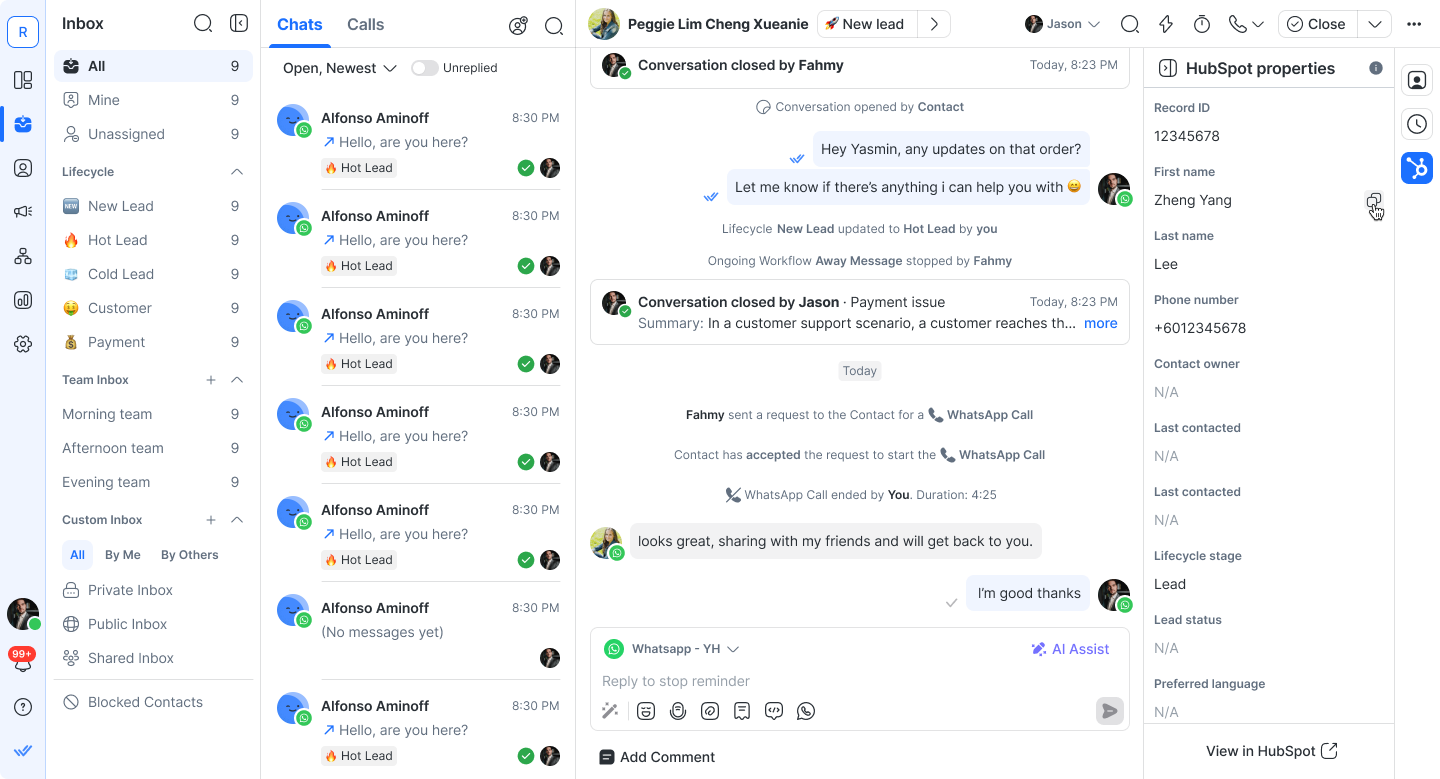
Respond.io поддерживает интеграцию WhatsApp с CRM, синхронизируя контакты, этапы жизненного цикла и историю разговоров с CRM такими как HubSpot или Salesforce, обеспечивая точные данные для персонализации сообщений.
Отчеты и аналитика
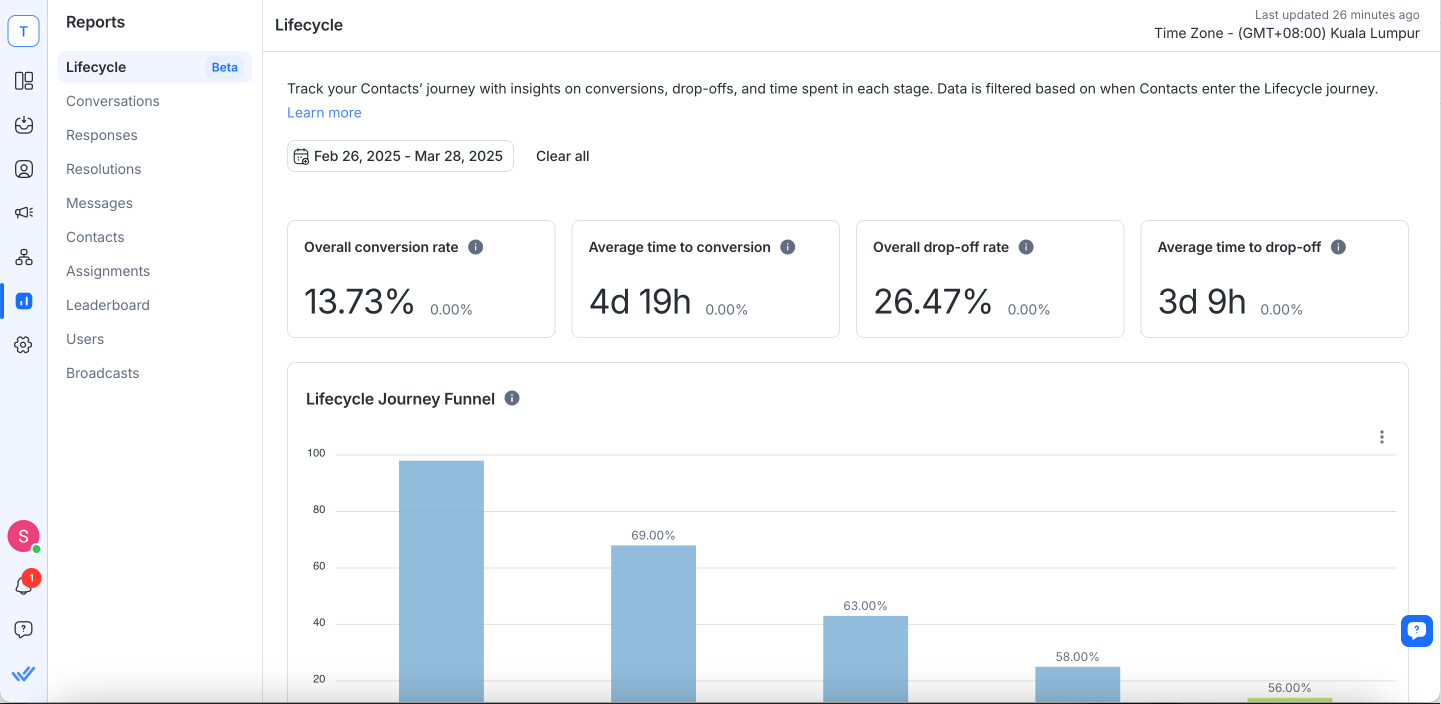
Отслеживает ключевые метрики, такие как время ответа, продуктивность операторов, эффективность конверсии и результаты рекламных кампаний, помогая понять, куда инвестировать рекламный бюджет и какие кампании нужно улучшить.
WhatsApp Calling и VOIP
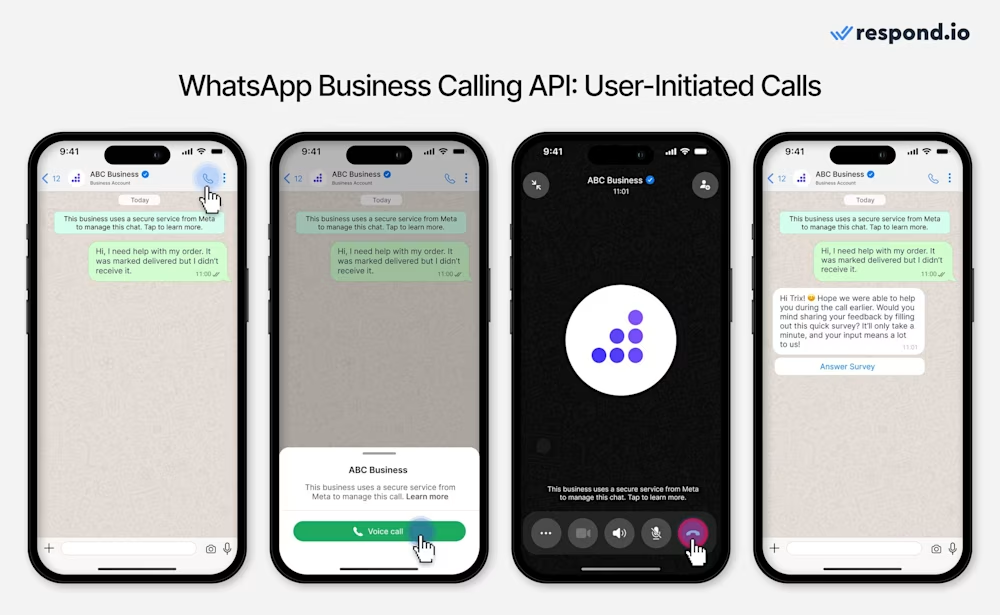
Позволяет операторам переключаться на голосовые звонки и передавать их друг другу, когда это необходимо, чтобы закрыть крупную продажу или успокоить недовольного клиента. С записями звонков и ИИ-сгенерированными расшифровками легко просматривать разговоры и сохранять контекст.
respond.io лучше всего подходит для команд продаж и поддержки B2C среднего рынка, которые управляют большим объёмом лидов в WhatsApp, часто вместе с Instagram и Facebook, и которым нужна последовательная маршрутизация, автоматизация и видимость в каждой переписке. Если у вас всего несколько чатов в день и один оператор, WhatsApp Business App и простые метки могут быть достаточны без платформы. respond.io предоставляет структуру, автоматизацию и видимость, необходимые для эффективного управления лидами в WhatsApp, особенно при росте объёма сообщений.
Примеры реального применения эффективного управления лидами в WhatsApp
Ниже приведены реальные примеры того, как компании из разных отраслей используют WhatsApp для более эффективного управления лидами и конверсии большего числа возможностей.
iMotorbike: Обработка вдвое большего количества лидов с помощью Агентов ИИ

iMotorbike, маркетплейс подержанных мотоциклов в Малайзии и Вьетнаме, внедрил Агентов ИИ respond.io для автоматизации рутинных запросов и квалификации покупателей. С ИИ, обрабатывающим 70% разговоров, команда удвоила число лидов, которые они могли обрабатывать ежедневно, и сократила время ответа на 67% — показывая, как ИИ может масштабировать обработку лидов в различных рынках и линейках продуктов.
Noonmar: Превращение объявлений Click-to-Chat в 40% больше клиентов

Noonmar, розничный и e‑commerce бренд, подключил свои Click-to-Chat Ads к respond.io с поддержкой CAPI, чтобы более эффективно захватывать, квалифицировать и отслеживать лиды. Имея полную видимость от клика по объявлению до конверсии и структурированные последующие действия, Noonmar увеличил число новых клиентов на 40% за месяц, показывая влияние отслеживания жизненного цикла на конверсии лидов в WhatsApp.
Homage: Снижение ручной координации и повышение показателей успешности визитов

Homage, поставщик услуг ухода на дому, автоматизировал уведомления и повторные сообщения в WhatsApp, чтобы сократить задержки в координации. Заменив ручной охват автоматическими напоминаниями и автоматизированными алгоритмами, команда сэкономила около 50 часов в месяц и увеличила успешность визитов по уходу на 9% — яркий пример того, как автоматизация WhatsApp улучшает качество оказания услуг.
Automax: Управление 6 000–8 000 лидов в месяц с помощью маршрутизации ИИ и рассылок

Automax, автомобильный ритейлер в ОАЭ, использует Агентов ИИ и автоматизированные алгоритмы respond.io для управления до 8 000 лидов WhatsApp ежемесячно. Путём привлечения клиентов через рассылки и Click-to-Chat объявления они достигли ROI 42,5× от более чем 80 000 рассылок в месяц, а внедрение CAPI повысило конверсию рекламных объявлений на 10%. Это сочетание автоматизации, атрибуции и структурированного управления лидами позволило Automax поддерживать постоянное вовлечение в масштабе в условиях высокого объёма продаж.
Kleta: Поддержка быстрого роста с помощью автоматизированных рабочих процессов

Kleta, компания по подписке на велосипеды в Испании, централизовала всю клиентскую коммуникацию на respond.io, чтобы управлять растущим объёмом запросов по мере роста бизнеса. Автоматизированные алгоритмы, многоязычная обработка и квалификация с поддержкой ИИ помогли им поддерживать быстрые времена ответа и решать инциденты в течение 48 часов, что способствовало 100% росту подписчиков за два месяца.
Лучшие практики и распространённые ошибки, которых следует избегать для эффективного управления лидами в WhatsApp
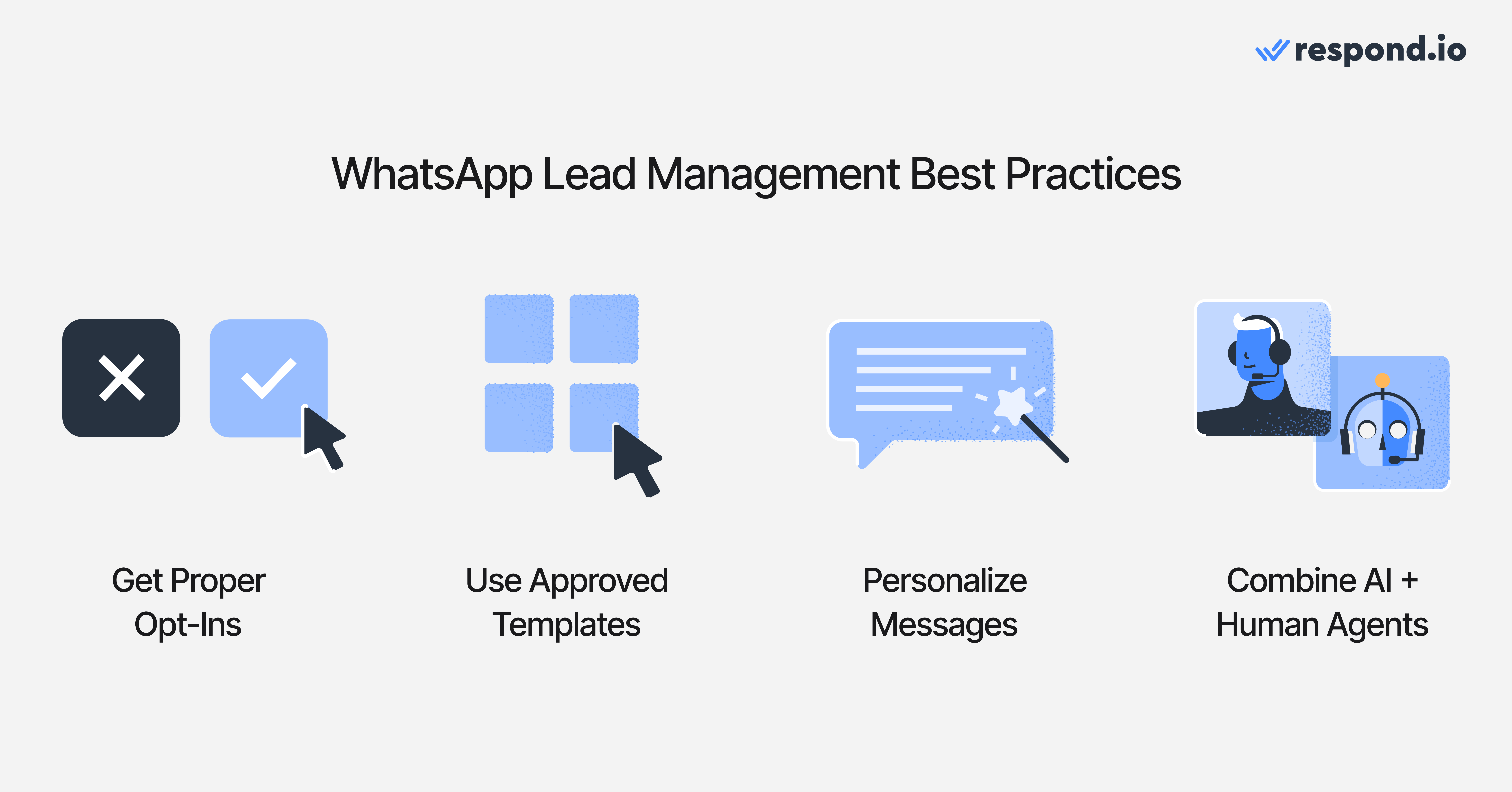
Успешная реализация управления лидами в WhatsApp требует не только правильных инструментов, но и соблюдения верных операционных практик. Ниже приведены проверенные лучшие практики, которые помогают компаниям поддерживать скорость, последовательность и точность на протяжении всего жизненного цикла лида.
Получите надлежащее согласие (opt-in) и соблюдайте правила соответствия Meta
Убедитесь, что клиенты явно согласились получать сообщения в WhatsApp. Это защищает ваш аккаунт, поддерживает доставляемость и предотвращает случайные нарушения политики Meta.
Используйте одобренные шаблоны сообщений для исходящих уведомлений
При начале разговоров или отправке напоминаний используйте заранее одобренные шаблоны, чтобы гарантировать надёжную доставку сообщений и соблюдение правил Meta.
Персонализируйте разговоры с помощью контекстных данных
Учитывайте данные клиента — интересы к продукту, прошлые запросы или историю заказов — чтобы делать ответы более релевантными. Персонализация повышает доверие и улучшает коэффициенты конверсии.
Сочетайте автоматизацию с контролем человека
Автоматизация и ИИ хорошо справляются с повторяющимися задачами, но сложные или высокоценные разговоры всё ещё выигрывают от человеческого суждения. Используй гибридный подход, чтобы сбалансировать скорость и качество.
Отслеживай производительность и оптимизируй постоянно
Контролируй ключевые метрики, такие как время ответа, коэффициенты конверсии и вовлечённость в рассылках. Регулярный анализ помогает командам выявлять узкие места и со временем улучшать систему управления лидами в WhatsApp.
Распространённые ошибки, которых следует избегать
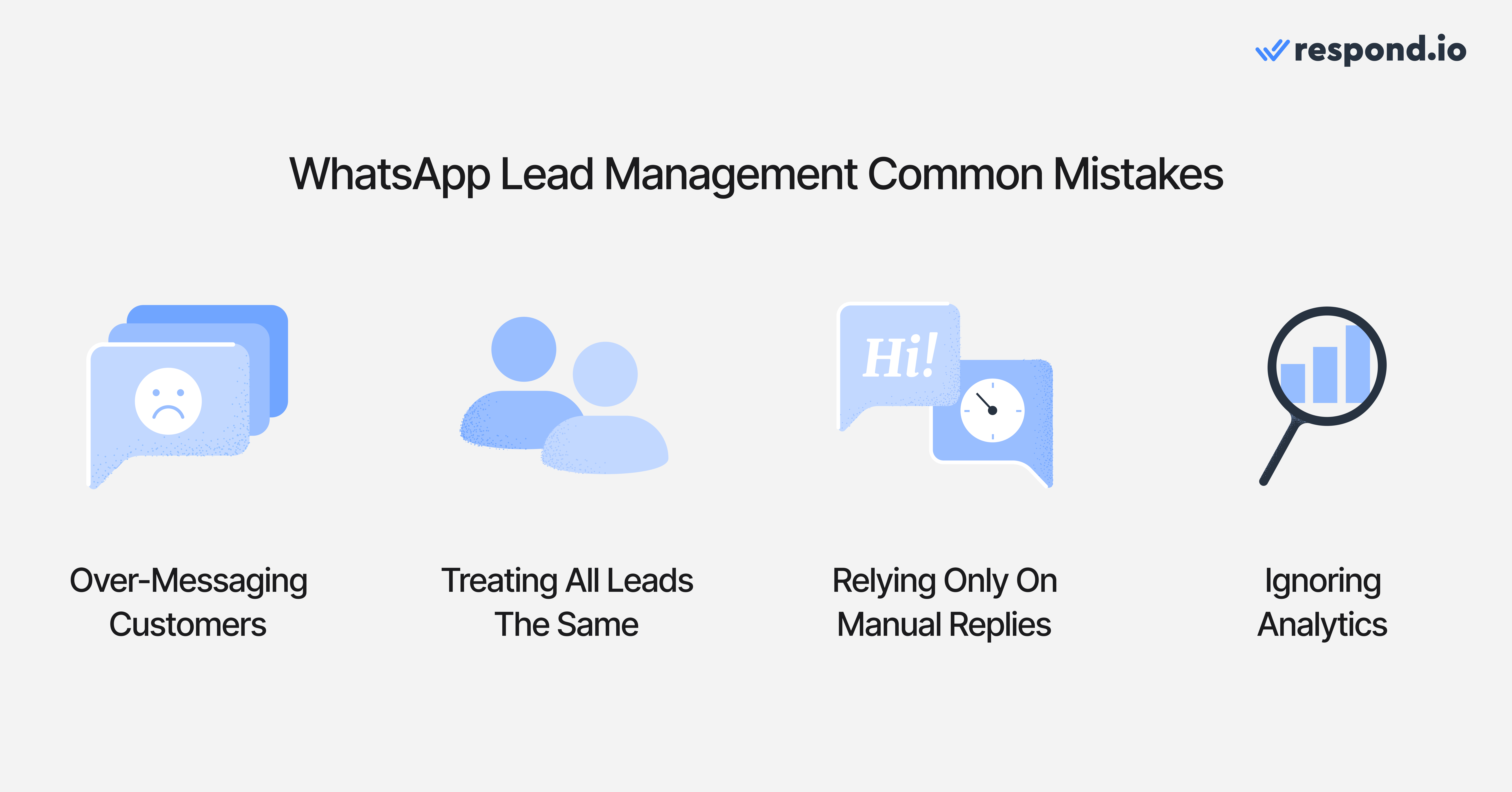
Избегать распространённых ошибок так же важно, как и следовать лучшим практикам Вот проблемы, которые чаще всего мешают эффективному управлению лидами в WhatsApp:
Чрезмерные сообщения или отправка нерелевантных обновлений, что может привести к раздражению клиентов или отпискам
Одинаковое обращение со всеми лидами вместо приоритизации по намерению, ценности или срочности приводит к тому, что покупатели с высокой готовностью к покупке ждут слишком долго — часто это приводит к упущенным возможностям
Полагаться исключительно на ручные ответы, что замедляет время ответа и перегружает операторов
Игнорирование аналитики и данных атрибуции, затрудняющее понимание того, какие каналы или кампании работают хорошо
Начните масштабное управление лидами в WhatsApp
У вас теперь есть повторяемый автоматизированный алгоритм управления лидами в WhatsApp: захват, квалификация, маршрутизация, конверсия, повторное вовлечение и измерение. Далее проведите пилот 7–14 дней, проанализируйте время ответа и конверсию по источникам, затем уточните вопросы квалификации и правила маршрутизации на основе полученных данных. Если вы используете WhatsApp API и вам нужны автоматизированные алгоритмы, маршрутизация и отчётность в одном месте, начните пробную версию respond.io и воспроизведите приведённую выше структуру.
Управляй лидами WhatsApp умнее с помощью respond.io
WhatsApp — один из самых эффективных каналов для привлечения лидов, но их привлечение — только начало. Чтобы конвертировать больше возможностей, компаниям нужна структурированная система для управления каждым этапом жизненного цикла лида — от первого сообщения до конверсии.
С правильной системой команды могут отвечать быстрее, точнее квалифицировать, эффективно маршрутизировать лиды, последовательно сопровождать и повторно вовлекать клиентов в нужный момент, особенно в периоды пиковых продаж.
Respond.io объединяет эти элементы, сочетая WhatsApp API с ИИ, автоматизацией, рабочими алгоритмами, синхронизацией CRM и отчетностью. Это дает компаниям структуру и видимость, необходимые для уверенного масштабирования без перегрузки команд.
Не просто собирайте лиды WhatsApp — управляйте ими. Начни бесплатный пробный период на respond.io сегодня.
Превращай разговоры в клиентов с официальным WhatsApp API от respond.io ✨
Управляйте звонками и чатами WhatsApp в одном месте!
Часто задаваемые вопросы об управлении лидами в WhatsApp
Часто задаваемые вопросы об управлении лидами в WhatsApp
Что такое управление лидами в WhatsApp?
Управление лидами в WhatsApp означает структурированный процесс захвата, организации, квалификации, маршрутизации, последующей работы и конверсии лидов, которые обращаются в бизнес через WhatsApp. Он охватывает каждый этап пути — от первого сообщения до покупки или онбординга клиентов. Полная система управления лидами в WhatsApp обычно включает единый вход, автоматизированные рабочие процессы, Агенты ИИ, правила маршрутизации, интеграцию с CRM, рассылки и отчётность. Для компаний с большим объёмом сообщений это обычно требует подключения WhatsApp API к платформе вроде respond.io, которая централизует разговоры, автоматизирует повторяющиеся задачи и даёт менеджерам видимость эффективности. Цель — быстро отвечать, приоритизировать лидов с высоким намерением, сохранять контекст между командами и превращать больше разговоров в WhatsApp в продажи или завершённые действия.
Можно ли захватывать лиды из WhatsApp напрямую в CRM?
Да. Чтобы захватывать лиды из WhatsApp напрямую в CRM, нужно использовать WhatsApp API вместе с платформой, поддерживающей интеграцию WhatsApp с CRM, например respond.io. Когда начинается новый разговор в WhatsApp, платформа может автоматически создать или обновить запись контакта в CRM с деталями, такими как имя, номер телефона, теги, этап жизненного цикла и источник. Можно сопоставить пользовательские поля — например, интерес к продукту, кампанию или регион — чтобы в CRM был контекст, необходимый для последующей работы. Это устраняет ручной ввод данных, гарантирует, что каждый лид из WhatsApp попадает в ваш пайплайн продаж и позволяет отслеживать, сколько разговоров в WhatsApp превращаются в квалифицированные возможности или закрытые продажи.
Как отслеживать и управлять новыми лидами, поступающими из WhatsApp?
Отслеживание и управление новыми лидами в WhatsApp начинается с общей входящей папки и чёткого жизненного цикла. При подключении WhatsApp API к respond.io каждый новый разговор становится контактом с атрибутами, такими как источник, теги, владелец и стадия (например: новый лид, квалифицирован, в работе, выиграно, потеряно). Вы можете автоматически обновлять эти стадии с помощью автоматизированных алгоритмов или агентов ИИ в зависимости от того, как развивается разговор. Информационные панели показывают, сколько новых лидов вы получаете, откуда они приходят (Click-to-Chat объявления, QR‑коды, формы), какие операторы или команды за ними отвечают и сколько из них конвертируется. Это даёт вам представление о пайплайне продаж в WhatsApp в реальном времени вместо разрозненных чатов на отдельных телефонах.
Можно ли автоматизировать ответы или последующие действия с лидами в WhatsApp?
Да. С WhatsApp API и платформой автоматизации вроде respond.io ты можешь автоматизировать многие части процесса управления лидами Типичные автоматизации включают приветственные сообщения для новых чатов, потоки квалификации с ключевыми вопросами, правила маршрутизации, назначающие лиды нужной команде, и повторные сообщения, когда лид перестаёт отвечать. Агенты ИИ могут отвечать на часто задаваемые вопросы, собирать информацию, обнаруживать спам и передавать общение живому оператору при необходимости. Ты также можешь запускать повторные сообщения по времени (например, если нет ответа в течение 24 часов) или по поведению (нажатие на ссылку, прерывание беседы) Это сокращает ручную нагрузку, улучшает время ответа и препятствует тому, чтобы лиды ускользали из обработки.
Как назначать лиды из WhatsApp разным участникам команды?
Назначение лидов из WhatsApp участникам команды осуществляется через правила маршрутизации и назначения. В respond.io входящие разговоры могут автоматически назначаться на основе доступности оператора, языка, интереса к продукту, региона, приоритета или отдела. Вы можете использовать распределение по очереди для балансировки загрузки или направлять лиды высокой ценности на конкретную команду. ИИ или автоматизированные алгоритмы также могут добавлять теги и предварительно квалифицировать лидов перед их назначением. Ручное переназначение всё ещё возможно, когда менеджер или оператор решает, что другой коллега лучше подходит для обработки разговора. Это гарантирует, что у каждого лида WhatsApp есть ясный владелец, что повышает ответственность и скорость ответов.
Могу ли я сегментировать или помечать лидов на основе их взаимодействия в WhatsApp?
Да. Сегментация — ключевая часть управления лидами в WhatsApp. В respond.io ты можешь помечать контакты или обновлять пользовательские поля в зависимости от того, как они взаимодействуют с твоим бизнесом — например, интерес к продукту, уровень намерения, источник кампании, местоположение, язык или этап жизненного цикла. Теги могут добавлять операторы или автоматически применяться через автоматизированные алгоритмы и Агентов ИИ на основе ответов на вопросы квалификации или определённых ключевых слов. После сегментации эти лиды можно направлять по-разному, отправлять персонализированные ответы или включать в таргетированные рассылки и кампании. Это помогает обеспечить, чтобы каждый лид получал релевантную коммуникацию, а не общие сообщения.
Как настроить рабочий алгоритм для входящих запросов по продажам в WhatsApp?
Чтобы настроить автоматизированный алгоритм для входящих запросов по продажам в WhatsApp, начните с описания идеального процесса от первого контакта до конверсии. В конструкторе автоматизированных алгоритмов respond.io затем настройте триггер (например, «новый разговор в WhatsApp»), после чего добавьте действия такие как отправка приветственного сообщения, задавание вопросов для квалификации, присвоение тега контакту, маршрутизация к конкретной команде, создание записи в CRM и планирование повторных сообщений. Ты можешь добавить условия, чтобы ветвить поток — например, направлять лиды с высоким бюджетом старшей команде продаж или отправлять разные сообщения в зависимости от выбранных продуктов. После публикации каждый новый запрос по продажам будет следовать одному и тому же структурированному пути, обеспечивая последовательную обработку и меньше упущенных возможностей.
Можно ли импортировать/экспортировать контакты или лиды WhatsApp в другие системы?
Да. Большинство платформ, работающих с WhatsApp API, включая respond.io, поддерживают импорт и экспорт контактов, чтобы ты мог перемещать данные между WhatsApp и другими системами Ты можешь импортировать контакты из CSV‑файлов или CRM, а затем отправлять им сообщения в WhatsApp после подтверждения opt‑in. Ты также можешь экспортировать контакты WhatsApp — вместе с тегами, пользовательскими полями и этапами жизненного цикла — в CRM, CDP или аналитические инструменты. Некоторые интеграции выполняют это автоматически через нативные коннекторы или API, поддерживая синхронизацию записей без ручной работы. Это предотвращает появление изолированных хранилищ данных и позволяет использовать информацию о лидах WhatsApp в вашей маркетинговой и торговой экосистеме.
Существуют ли инструменты рассылок или кампаний для WhatsApp для обработки лидов?
Да. Когда ты используешь WhatsApp API с платформой вроде respond.io, ты можешь отправлять рассылки или проводить кампании для прогрева лидов при условии наличия действительных согласий (opt‑in) и соблюдения правил обмена сообщениями Meta. Ты можешь формировать аудитории на основе тегов, поведения или этапа жизненного цикла и отправлять кампании — например, акции, напоминания, запуски продуктов или обучающий контент Сообщения можно персонализировать с помощью переменных, таких как имя, продукт или детали предыдущего взаимодействия. Эффективность кампаний можно отслеживать по доставке, проценту прочтений, кликам и ответам. Рассылки особенно полезны для повторного вовлечения спящих лидов, стимулирования повторных покупок и поддержки долгосрочных стратегий прогрева лидов.
Какая аналитика или отчётность доступна для лидов WhatsApp?
Аналитика для лидов WhatsApp обычно охватывает как операционные, так и результатно-ориентированные метрики. В respond.io ты можешь отслеживать объём сообщений, новых контактов, время ответа, продуктивность операторов и время решения, а также бизнес‑метрики, такие как коэффициенты конверсии, успешность повторных контактов, эффективность рассылок и результативность источников лидов. Ты можешь разбирать эти данные по каналу, кампании, команде или оператору, чтобы понять, что даёт результат. Для Click-to-Chat объявлений интеграция с Meta Conversion API (CAPI) также позволяет привязывать чаты и конверсии к конкретным кампаниям и наборам объявлений. Эти инсайты помогают уточнять маршрутизацию, автоматизированные алгоритмы, загрузку команд и рекламную стратегию для улучшения общей эффективности лидов в WhatsApp.
Могу ли я интегрировать формы лидов WhatsApp с моим сайтом или объявлениями?
Да. Существует несколько способов связать взаимодействия на сайте или в рекламе с WhatsApp. На своём сайте ты можешь добавить виджеты чата, кнопки или ссылки, которые открывают разговор в WhatsApp при клике. Ты также можешь использовать веб‑формы, которые собирают контактные данные и явные согласия на общение в WhatsApp, а затем передавать эти данные в respond.io, чтобы твоя команда или автоматизированные алгоритмы могли продолжить общение в WhatsApp. Для рекламы Click-to-Chat объявления Meta в Facebook и Instagram отправляют пользователей прямо в чат WhatsApp вместо посадочной страницы. В сочетании с CAPI и respond.io ты можешь атрибутировать лиды конкретным объявлениям, управлять разговорами в едином входе и отслеживать, сколько из этих лидов конвертируется, создавая бесшовный поток от веб‑взаимодействия или рекламы к управлению лидами в WhatsApp.
Могут ли Агенты ИИ заменить живых операторов в WhatsApp?
Агенты ИИ могут автоматизировать большую часть разговоров в WhatsApp — особенно повторяющиеся запросы, FAQ, начальную квалификацию, простое устранение неполадок и повторные сообщения. Однако они не полностью заменяют живых операторов. Сложные вопросы, переговоры, чувствительные темы и крупные продажи по‑прежнему требуют человеческого суждения и эмпатии. Наиболее эффективен гибридный подход, в котором ИИ обрабатывает объёмы рутинных задач, а при необходимости передаёт дела людям для учёта нюансов. Respond.io поддерживает это, позволяя Агентам ИИ собирать информацию, квалифицировать лидов и отвечать на типовые вопросы, а затем передавать разговоры — с полным контекстом — живым операторам в том же входе. Это сочетание повышает эффективность, не жертвуя качеством или доверием клиентов.


