
















 Electronics
 Fashion & Apparel
 Furniture
 Jewelry and Watches
 Afterschool Activities
 Sport & Fitness
 Beauty Center
 Dental Clinic
 Medical Clinic
 Home Cleaning & Maid Services
 Photography & Videography
 Car Dealership
 Travel Agency & Tour Operator

TL;DR - How to TikTok Integration
TikTok integration helps businesses convert more leads, automate engagement, and scale operations on one of the world’s most popular platforms.
Capture more leads by syncing TikTok Lead Ads with CRMs and marketing tools for faster follow-ups and personalized campaigns.
Automate replies and workflows with AI Agents using tools like respond.io, reducing manual work while managing high volumes of TikTok messages.
Sync product catalogs and optimize campaigns by connecting TikTok to e-commerce platforms, ad managers, and analytics tools.
Choose the right integration method—whether it’s TikTok APIs, third-party tools like Zapier, or native integrations from the App Center.
Are you a business on TikTok but find it difficult to manage on the platform? Then, consider TikTok Integration to better manage everything from sales and marketing to support on TikTok. In this article, we’ll look at what TikTok integration is, its benefits, the types of integrations and how to integrate different software with TikTok.
What is TikTok Integration?
TikTok Integration refers to the process of connecting TikTok with other platforms, tools, or software to enhance functionality and streamline workflows. Depending on the integration, it can help businesses, marketers, and content creators improve their marketing efforts, customer engagement, and analytics.
With access to 1.5 billion users, TikTok is a great opportunity for businesses to market and sell their products, and even offer support. To make the most out of this, you should integrate software into TikTok. Let’s take a look at why you should consider TikTok integration for your business.
Benefits of TikTok Integration for Businesses
In general, businesses on TikTok should integrate software to make the most out of every customer engagement.
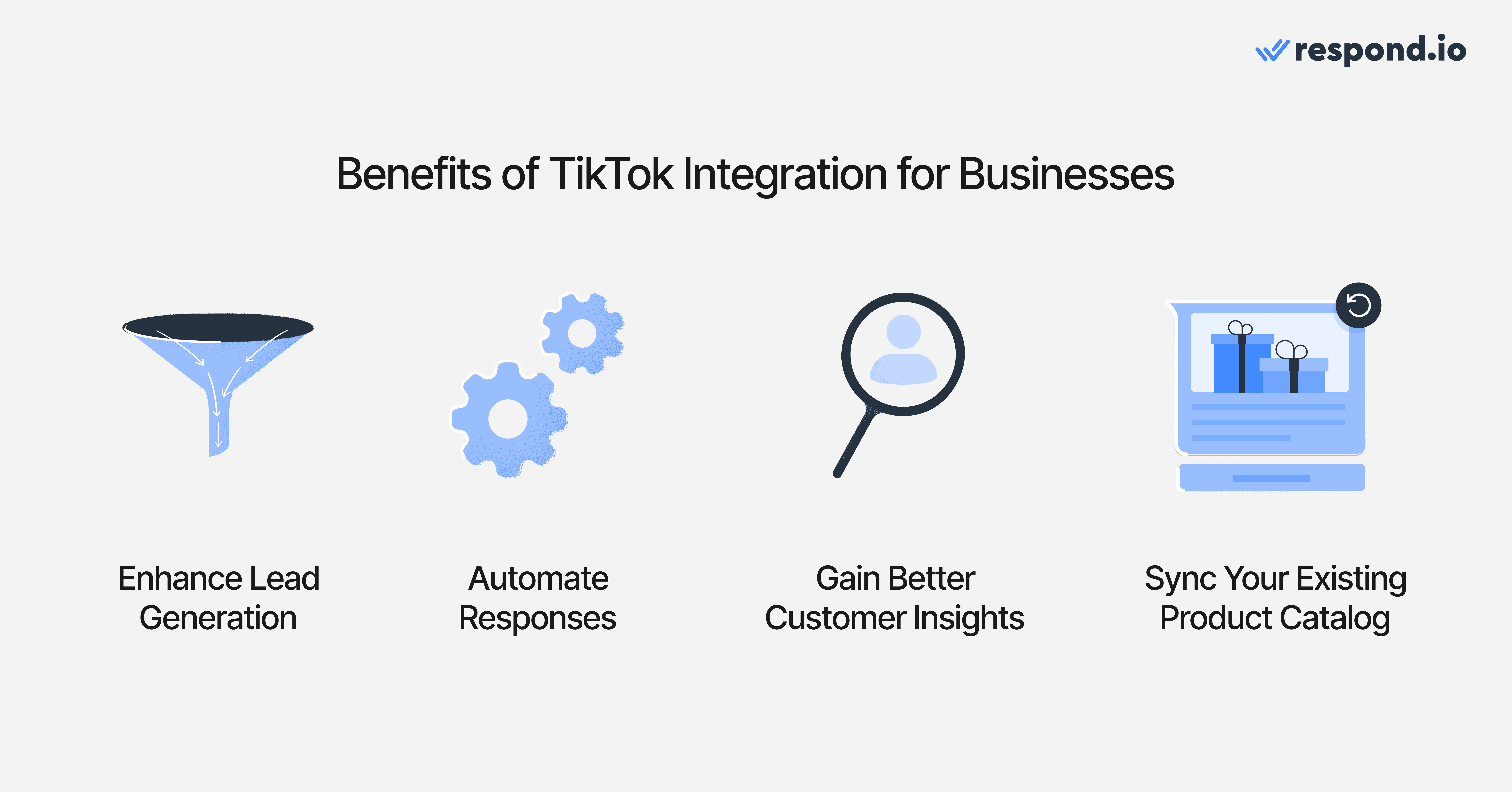
Here are four reasons why TikTok integration has great value for businesses.
Enhanced Lead Generation
TikTok offers interactive ad formats, including Lead Generation Ads and Messaging Ads, allowing businesses to capture customer details seamlessly. With CRM and marketing automation integration, businesses can:
Automatically store leads in CRM systems like HubSpot and Salesforce for follow-ups
Trigger personalized marketing campaigns via email, WhatsApp or SMS
Retarget high-intent users with relevant offers based on their engagement history
Automate Tasks
Managing high volumes of leads doesn't have to be a problem if you integrate TikTok with a customer conversation platform like respond.io. Respond.io lets businesses build AI Agents to handle more conversations without increasing the human agent load. Here are some of the things you can do with them.
Answer frequently asked questions
Trigger automation just like a human agent
Capture contact details to update your CRM, contact field or customer Lifecycle stage
Route and assign contacts to the most suitable agent
Close finished conversations and create summaries
Better Customer Insights
Instead of using the TikTok Ads Manager alone, integrating software like Hootsuite enables businesses to track, measure, and optimize their marketing performance in real time. Track engagement patterns and identify high-performing campaigns to optimize ad spend.
Sync Your Existing Product Catalog
Integrating TikTok with e-commerce platforms like Shopify or WooCommerce allows businesses to seamlessly sync their product catalog for an optimized shopping experience.
With catalog synchronization, businesses can automate product information like price, description and availability through multiple platforms, including TikTok. It also streamlines order fulfillment by integrating logistics and inventory management systems.
Now that you know about the benefits of TikTok integration, let’s look at the types of integrations available with TikTok.
Attract on TikTok, convert on respond.io ✨
Elevate your TikTok strategy today with TikTok Messaging Ads!
3 Types of TikTok Integrations
There are several ways to integrate TikTok with business systems, depending on the tools and platforms a company uses.
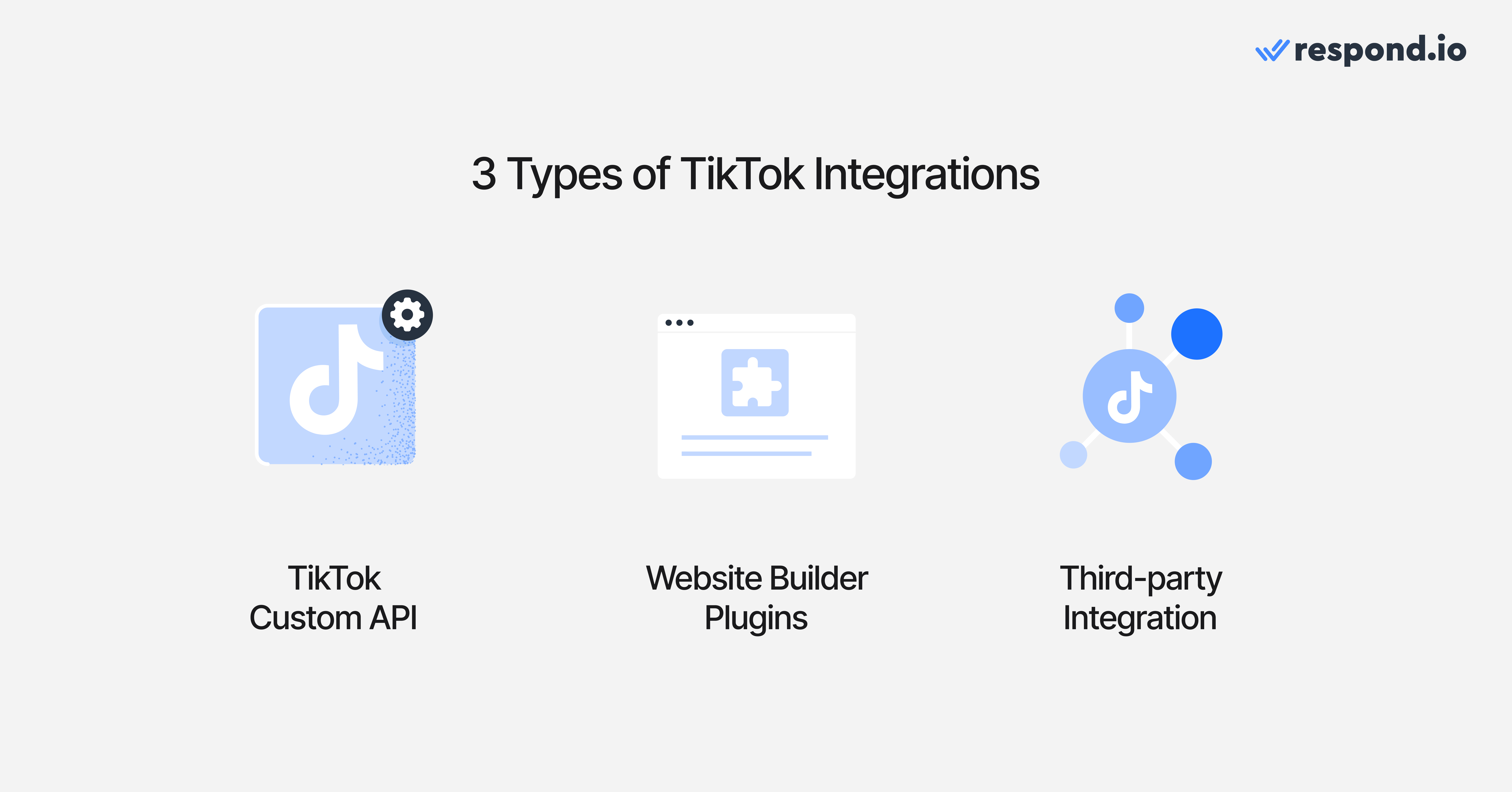
1. TikTok Custom API
For businesses requiring more flexibility, TikTok provides custom API solutions that allow developers to create tailored integrations. Using webhooks, businesses can connect TikTok to their backend systems, automate lead capturing, and synchronize customer interactions across various channels.
For example, Wendy’s leveraged TikTok’s Campaign Management API and a third-party Weather API to create weather-triggered automated ad campaigns. The system monitored real-time weather data and adjusted TikTok In-Feed Ads accordingly.
2. Website Builder Plugins
E-commerce businesses and content creators can integrate TikTok with website builders like Wix and WordPress through dedicated plugins. These plugins help businesses embed TikTok videos, connect TikTok Shops, and track ad conversions directly on their websites.
3. Third-Party Integrations
There are a wide number of applications for third-party integrations, from messaging to process automation. You can connect to software like CRM and e-commerce platforms like Hubspot and Salesforce
For example, you can connect TikTok Messaging and TikTok Messaging Ads to respond.io, an AI-powered customer customer conversation platform. It has advanced features like a no-code automation builder, broadcast capabilities and an AI agent to help you convert customers.
You can also connect platforms like Zapier and LeadsBridge, enabling businesses to connect TikTok with thousands of apps without requiring coding. These third-party tools act as connectors, allowing companies to automate lead collection, sync customer data, and trigger actions based on TikTok interactions.
Bonus Integration: TikTok Pixel
TikTok Pixel is a piece of code that you can place on your website that allows you to share website events with TikTok. The Pixel can be used with any TikTok for Business tools to:
Measure traffic on your website
Measure ad campaign performance with TikTok Ads Manager
Optimize your campaigns and find new customers
So, you know the types of TikTok integrations available to you, let’s look at how you can start.
How to Integrate TikTok with Your Existing Business Tools
Each type of TikTok integration has its own way of being connected. For TikTok Custom API and website plugins, you may require a developer due to their complexity.
In this section, we’ll take a look at how you can integrate TikTok with your existing business tool from TikTok’s App Center. The TikTok App center is a marketplace built for advertisers, offering solutions for enhancing brand presence on TikTok.
Step 1: Go to the App Center
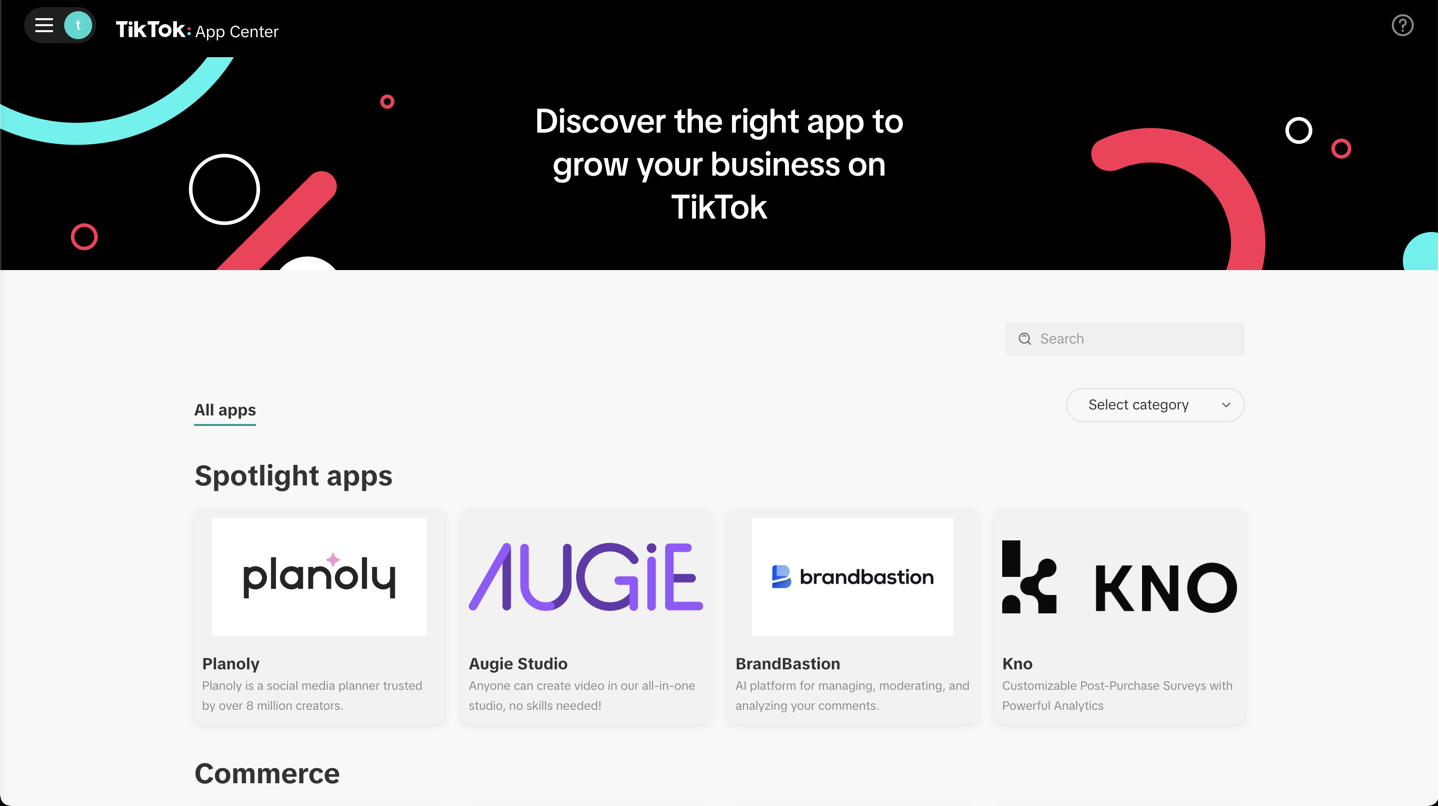
Access the TikTok Ads Center → Click the ☰ menu → App Center
Step 2: Select Your Desired Software for Integration
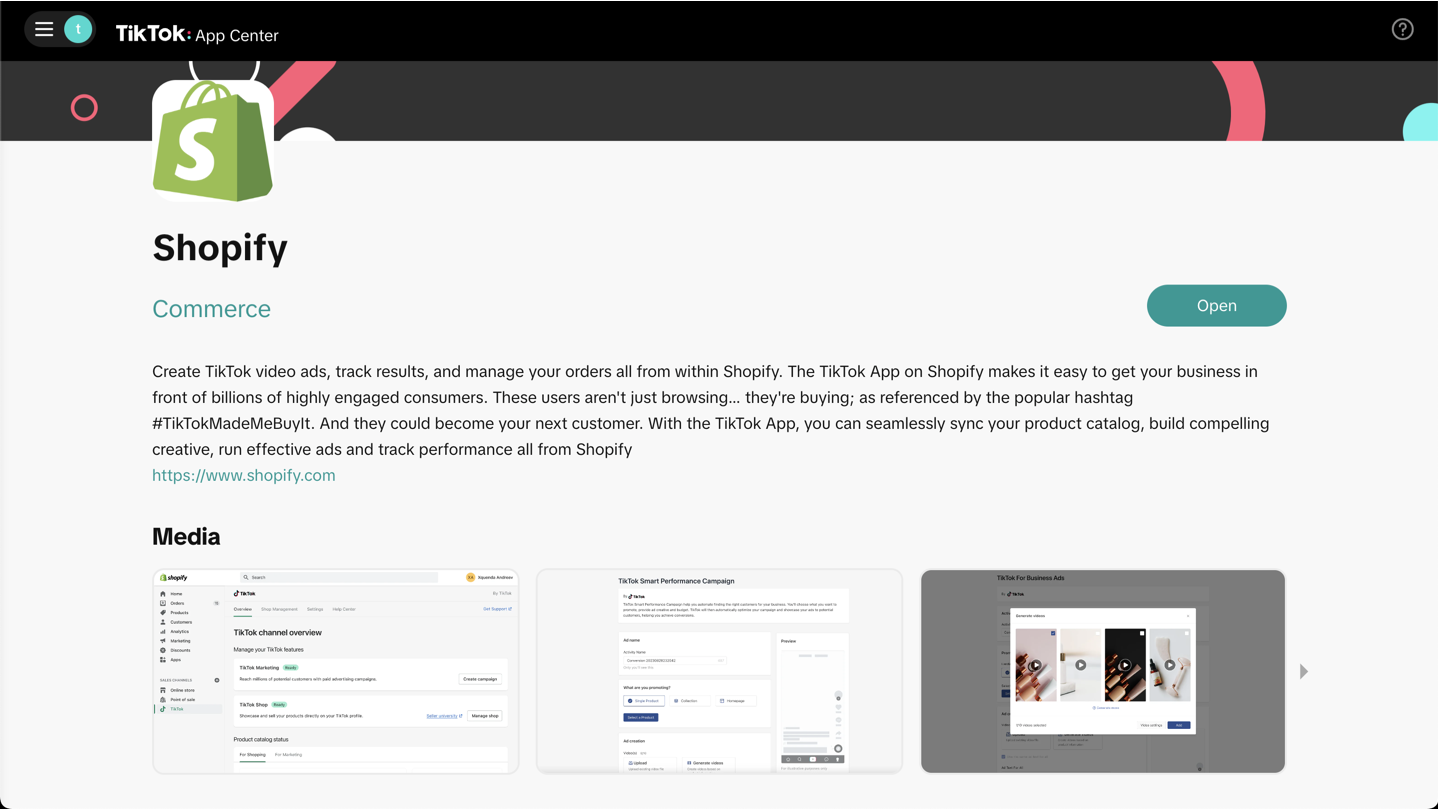
Search for the integration you need, select it and then click Open.
Step 3: Install the Integration
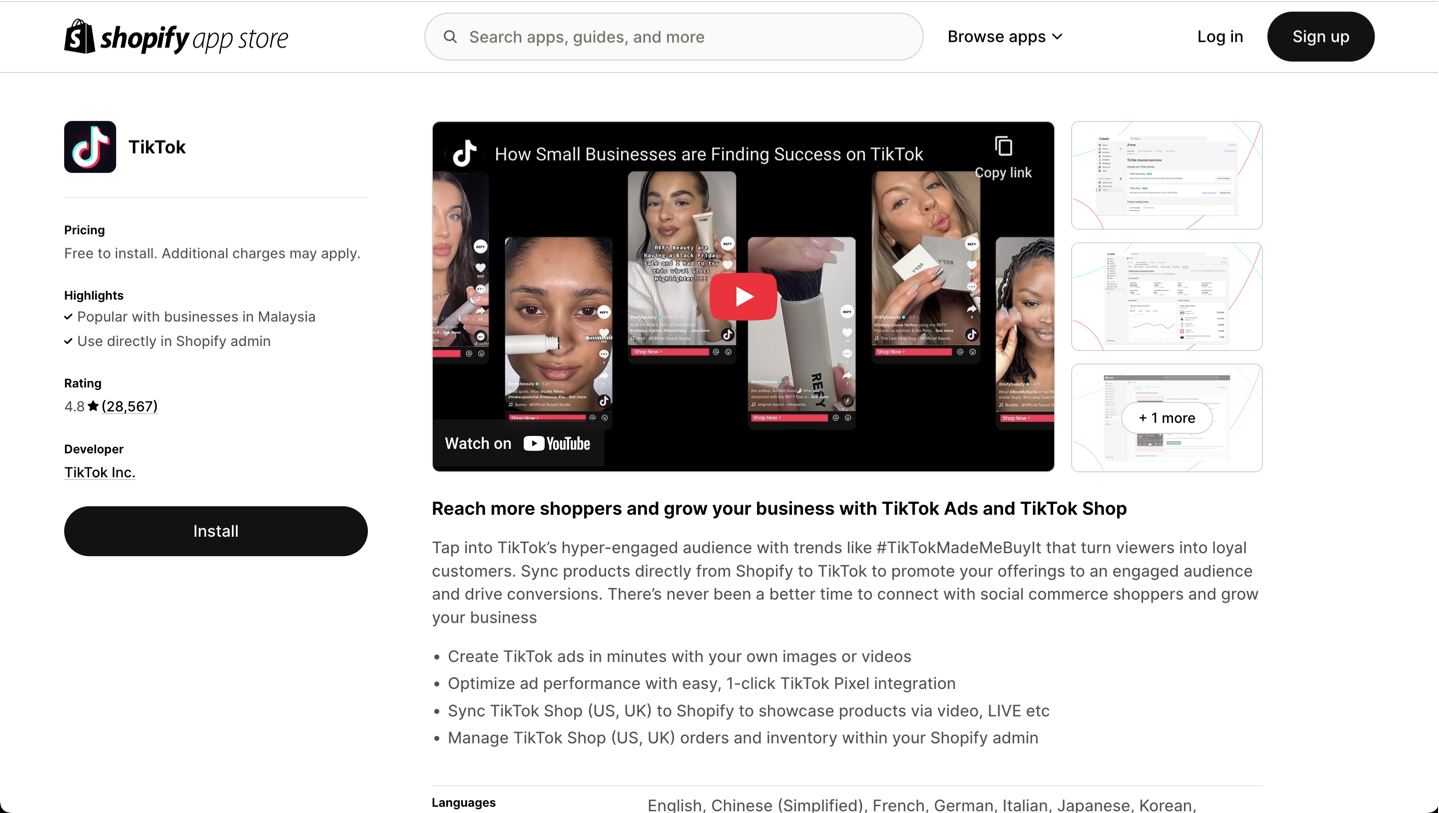
Once you’ve selected the software you want to integrate with, click Install. Each integration has its own instructions to complete the integration. You may also need to access the software you want to integrate with to grant the necessary permissions for TikTok to access data. For example, for the Shopify integration, you need to sign in to Shopify and continue the integration there.
There’s still one more type of integration to consider: Third-party integration. In the next section, let’s look at how you can integrate TikTok with a messaging tool like respond.io.
How to Integrate TikTok With Respond.io

As a badged TikTok partner, respond.io gives you access to the latest innovations in TikTok Business Messaging. From capturing leads to closing sales, you’ll have the tools to attract, convert and grow customers — all from a single platform.
There are two integrations with TikTok on respond.io. You can connect TikTok Messaging Ads and the TikTok Messaging Channel.
Connect TikTok Messaging Ads
TikTok Messaging Ads are a type of ad that leads users to the TikTok Messaging Channel or an instant messaging channel like WhatsApp. Before you can set it up, ensure that you've set up an account through the TikTok Ads Manager. Here’s how to integrate it on respond.io.
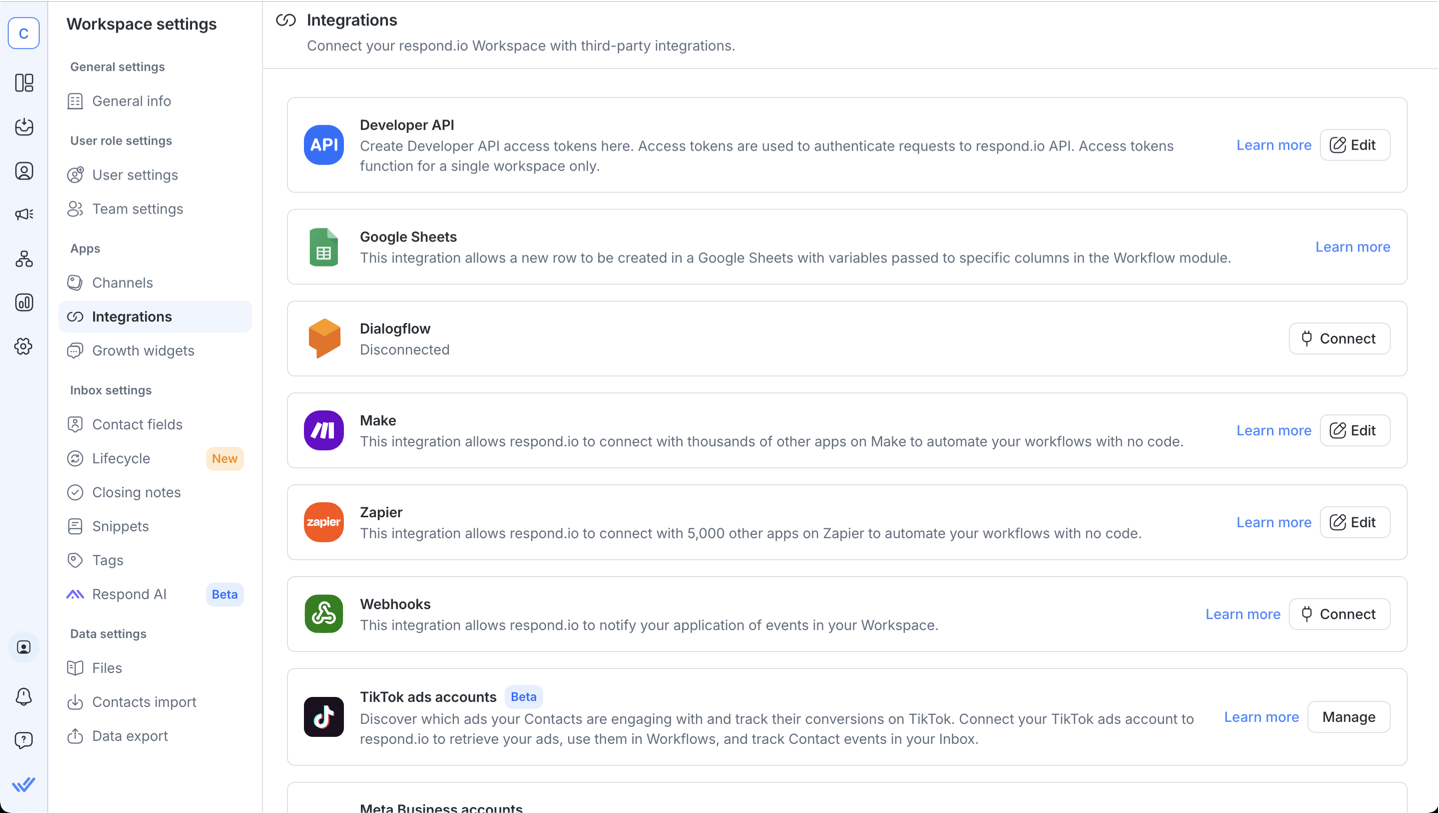
Step 1: Go to Workspace Settings > Integrations > Search for TikTok ads accounts and click Manage.
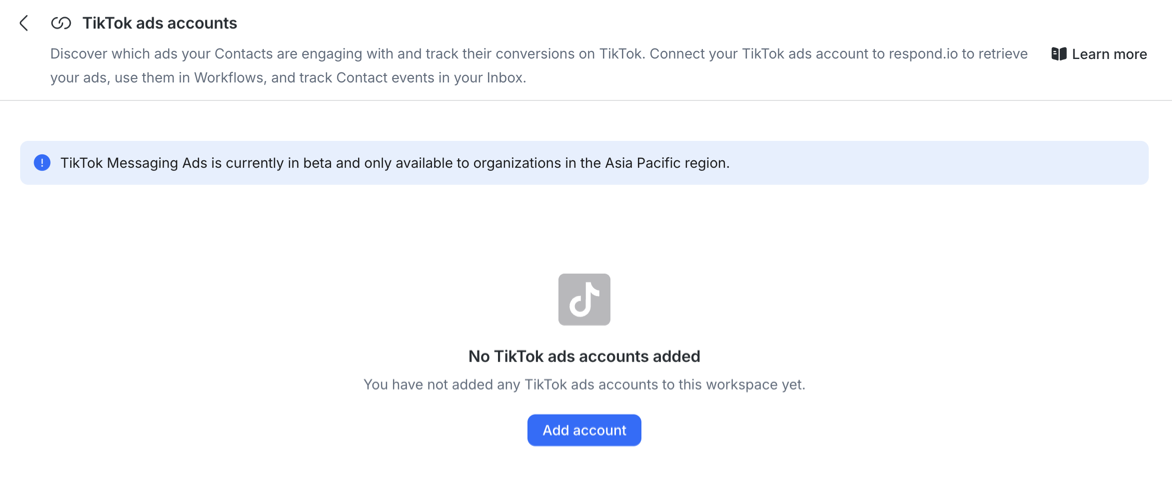
Step 2: Click Add account.
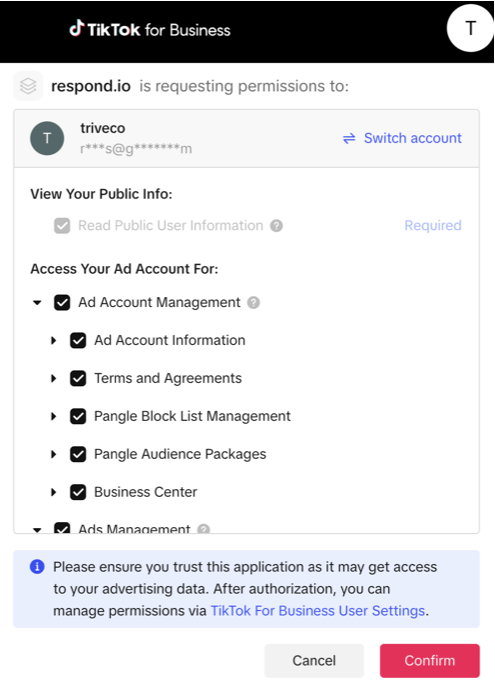
Step 3: A new tab will be opened requesting you to sign in to your TikTok Ads Account. Click Confirm to sign in.
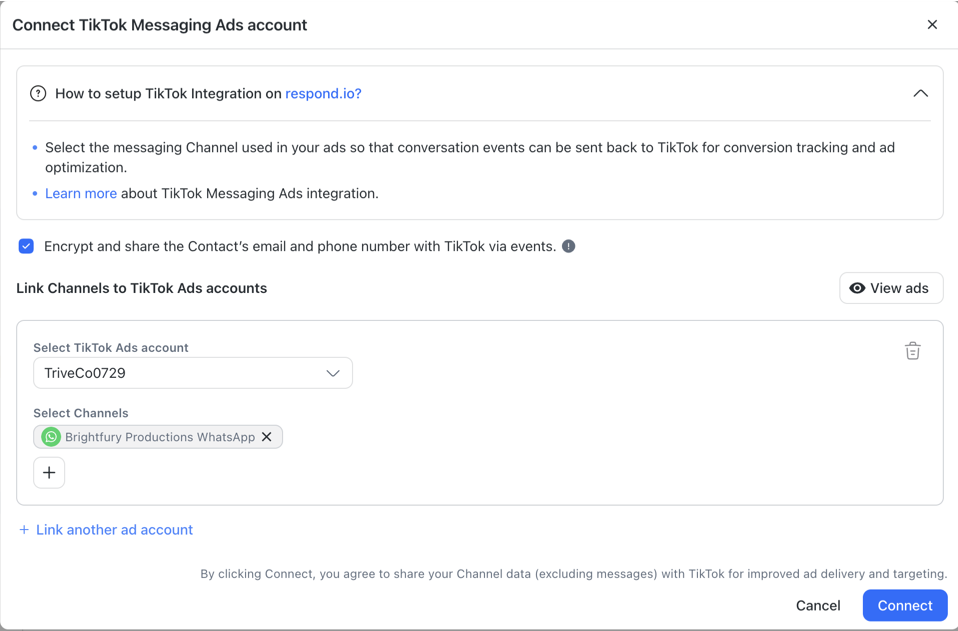
Step 4: Select the TikTok Ads account from the dropdown.
Step 5: Click the + icon to select Channels associated with your ads. You can use the search bar to find and select Channels.
Step 6: Ensure the checkbox for sharing Contact details is checked. Click Connect to complete the setup.
Connect the TikTok Messaging Channel
Businesses can also integrate TikTok’s messaging channel on respond.io to use its advanced features to manage and convert customers. Note that only a TikTok Business Account with Advanced Access can connect to respond.io. To maintain messaging functionality, link your TikTok account to TikTok for Business (Business Center).
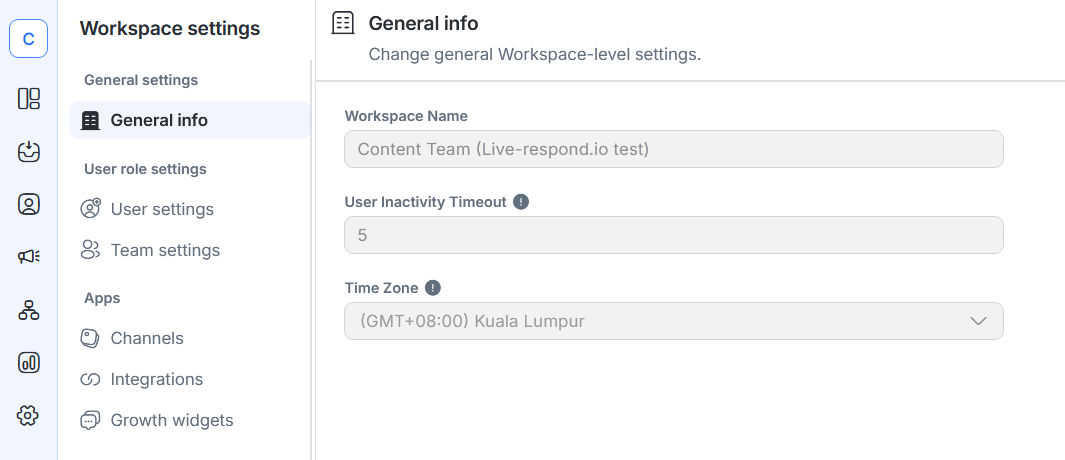
Step 1: Go to Workspace Settings > Channels.
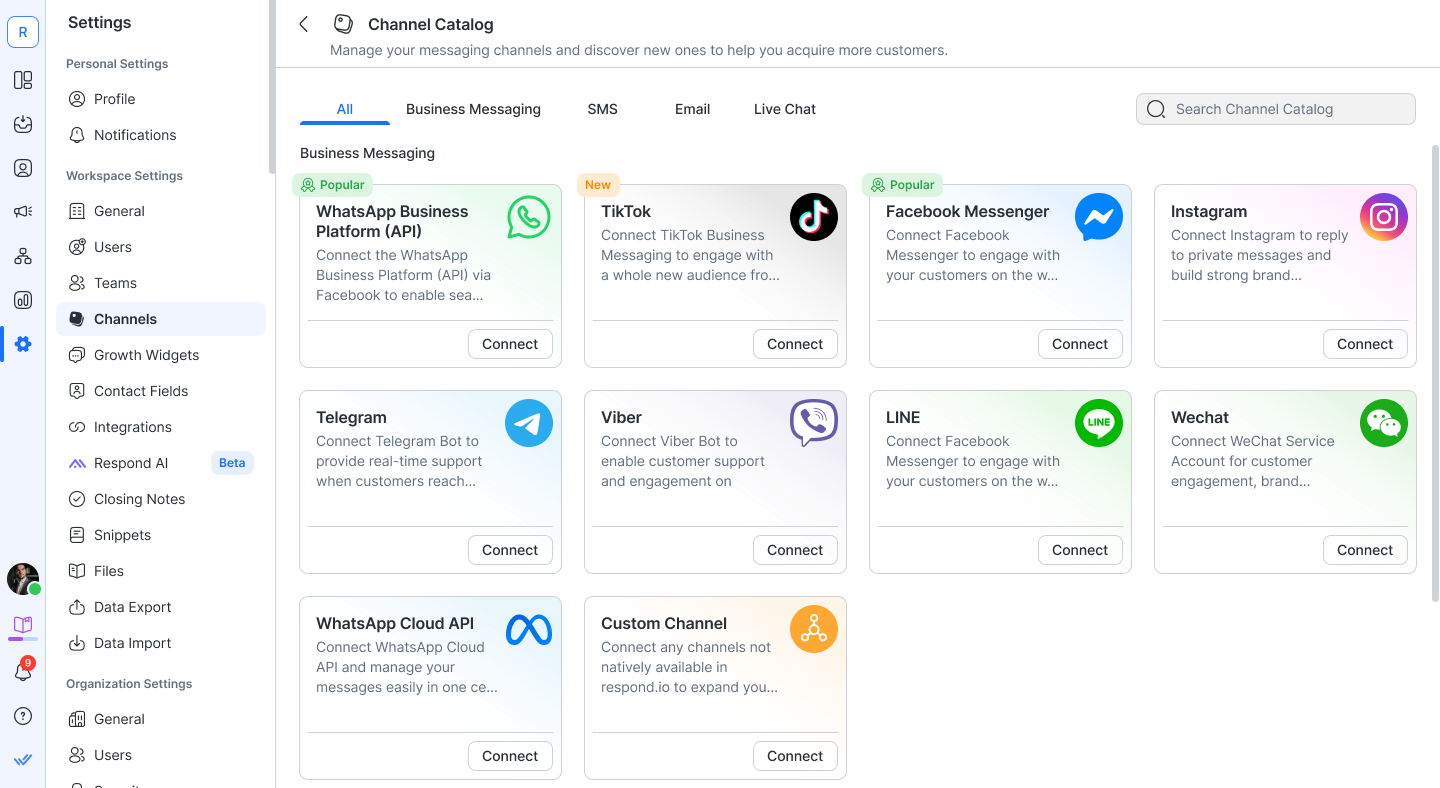
Step 2: Click Add Channel and select TikTok.
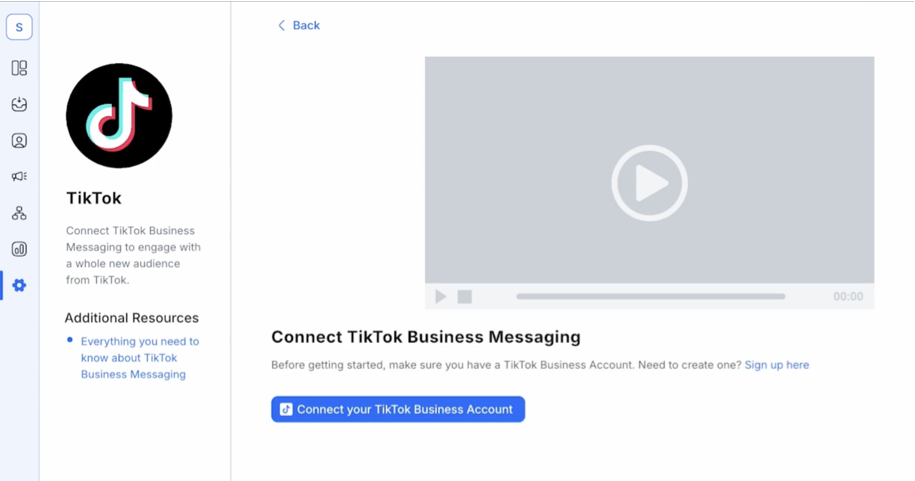
Step 3: Click Connect with TikTok.
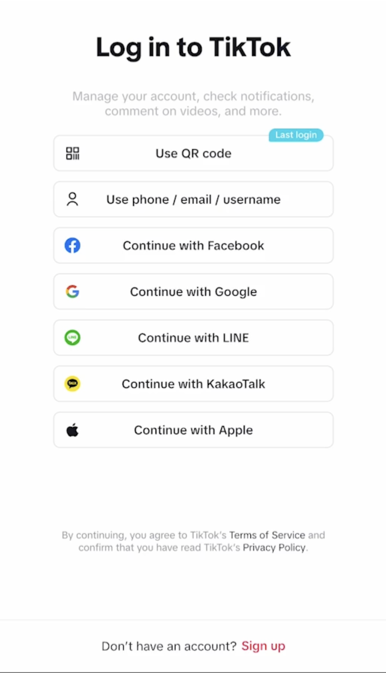
Step 4: Log in using your TikTok Business Account credentials and authorize access.
Step 5: Follow the prompts to complete the connection process.
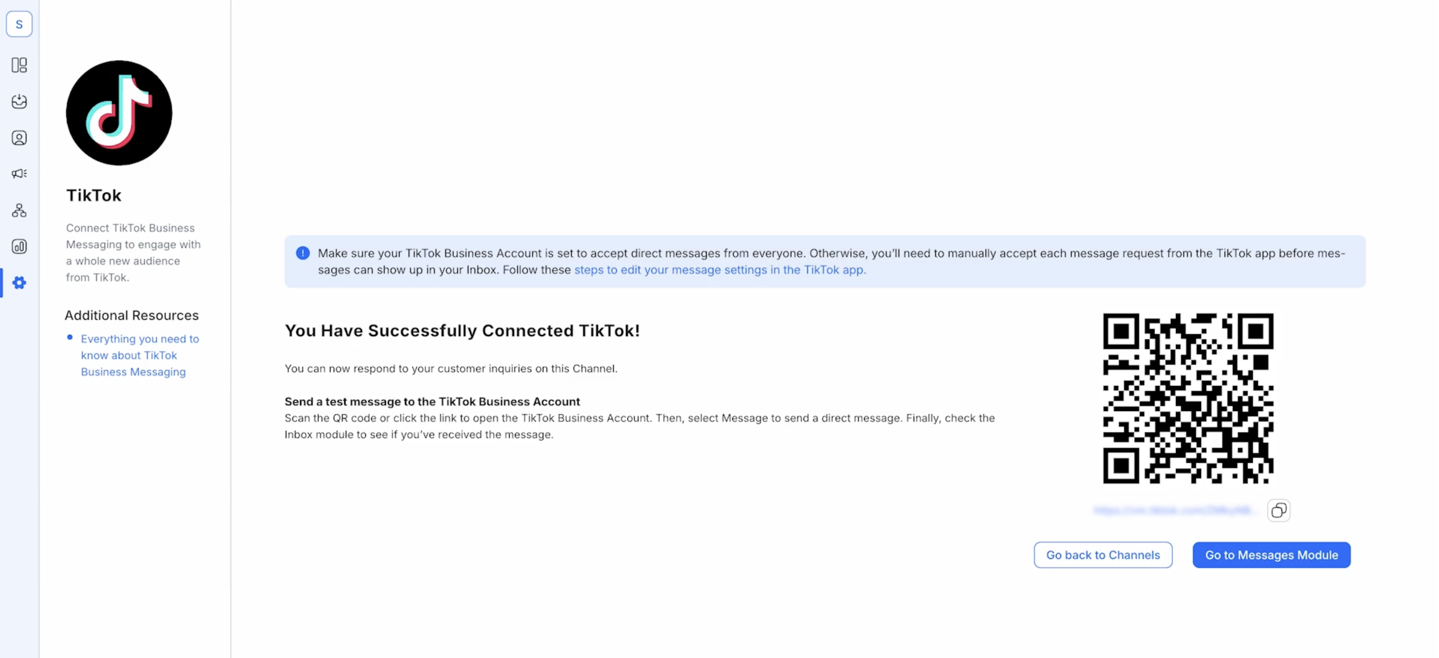
Once you’re done, you can configure your channel to give it an internal identification and even generate a QR code to share with customers.
And that’s it. You now have all you need to start integrating software to TikTok.
Combine the Power of TikTok and Respond.io to Accelerate Business Results
🚀 Big News! TikTok Instant Messaging Ads are now globally available! Now, businesses can connect with TikTok leads on WhatsApp and Messenger to offer consultations, schedule appointments, and close sales—all in a single conversation. Book a consultation today!
Attract on TikTok, convert on respond.io ✨
Elevate your TikTok strategy today with TikTok Messaging Ads!
FAQ and Troubleshooting
Can I connect TikTok to my CRM?
Yes, many CRMs like HubSpot and Salesforce offer TikTok integration, or you can use third-party tools like Zapier.
What software should I integrate if I’m using TikTok Ads?
You can integrate software like:
Shopify and WooCommerce for e-commerce
Hubspot and Salesforce for CRMs
Respond.io as your advanced messaging tool
Why can’t I receive messages from my TikTok channel on respond.io?
Ensure your TikTok Business Account has Advanced Access by linking it to TikTok for Business (Business Center). Also confirm your account allows messages from everyone. Refresh the connection token by navigating to Settings > Channels > TikTok > Manage > Refresh Permissions.
Further Reading
If you enjoyed reading this blog, learn more with these TikTok blogs to help grow and maximize your business potential:


