
















 Elektronik
 Mode & Pakaian
 Mebel
Mebel Perhiasan dan Jam Tangan
 Kegiatan Setelah Sekolah
 Olahraga & Kebugaran
 Pusat Kecantikan
 Klinik Gigi
 Klinik Medis
 Layanan Pembersihan Rumah & Pembantu
 Fotografi & Videografi
 Dealer Mobil
 Agen Perjalanan & Operator Tur


TL;DR — Apa agen/chatbot AI Facebook terbaik di 2026?
Tidak ada satu pun chatbot Facebook yang 'terbaik' untuk setiap bisnis. Platform yang tepat bergantung pada kebutuhan operasional Anda, seperti apakah Anda fokus pada kampanye pemasaran, dukungan pelanggan, otomatisasi penjualan, atau perpesanan berskala enterprise.
Chatbot yang berfokus pada perusahaan & operasional: Respond.io, Intercom, Zendesk dan Kommo.
Chatbot pemasaran & pertumbuhan: ManyChat dan Chatfuel.
Chatbot e-commerce & berbasis inbox: Pancake dan SleekFlow.
Chatbot dukungan pelanggan: Freshchat, Zenvia dan Trengo
Pilihan yang direkomendasikan: Respond.io adalah opsi paling skalabel dan stabil untuk bisnis yang berkembang dan perusahaan skala enterprise yang menjual lewat pesan instan dan panggilan.
Dengan lebih dari 3 miliar pengguna aktif bulanan, Facebook Messenger tetap menjadi salah satu saluran terpenting untuk percakapan pelanggan. Bagi bisnis, ini adalah titik kontak langsung dengan niat tinggi di mana prospek mengajukan pertanyaan, meminta dukungan dan membuat keputusan pembelian secara real time. Dengan kata lain, memilih agen/chatbot AI Facebook yang tepat menentukan apakah Messenger berubah menjadi saluran pendapatan dan dukungan yang andal atau menumpuk pekerjaan yang tak kunjung selesai.
Chatbot Facebook membantu tim memperluas percakapan ini secara efisien—tetapi tidak semua platform dibuat sama. Beberapa fokus pada otomatisasi pemasaran, yang lain berspesialisasi dalam balasan berbasis AI, sementara kelompok yang lebih kecil mendukung alur kerja tingkat enterprise, pelaporan, dan operasi omnichannel. Jika memilih platform yang salah, Anda akan membayar dua kali—pertama untuk add-on langganan, kemudian karena prospek yang hilang dan konversi yang melambat saat agen tidak bisa mengejar.
Memilih yang tepat tergantung apakah Anda tim B2C yang menjalankan penjualan dan dukungan yang selalu aktif di Messenger, sering didorong oleh iklan, dan membutuhkan otomatisasi yang tahan terhadap volume tinggi serta seberapa kompleks atau tingginya volume percakapan Messenger Anda.
Apa itu chatbot Facebook?
Chatbot Facebook adalah asisten pihak ketiga otomatis yang merespons pesan yang dikirim ke bisnis Anda via Facebook Messenger. Bisnis menggunakannya untuk menangani pertanyaan umum, mengumpulkan informasi prospek, menilai niat, merutekan percakapan dan meneruskan percakapan ke agen manusia jika diperlukan—semua dalam Facebook Messenger.
Alih-alih mengandalkan balasan manual, chatbot memungkinkan bisnis memberikan respons cepat dan konsisten dalam skala besar, bahkan saat lonjakan lalu lintas atau di luar jam kerja.
Selanjutnya, mari lihat contoh cara kerjanya.
Mengapa mencari chatbot Facebook atau alternatif?
Bisnis biasanya mulai mencari chatbot Facebook yang lebih baik saat waktu respons menurun, prospek yang datang dari iklan menjadi dingin, atau tim harus mengtriase percakapan Messenger secara manual.
Pemicu umum termasuk serah terima dan perutean yang lemah, akurasi AI terbatas pada pertanyaan teks bebas, meningkatnya biaya per agen atau biaya penggunaan seiring bertambahnya volume, dan pelaporan yang menyulitkan pembuktian dampak konversi.
Jika Messenger menjadi saluran penjualan atau dukungan yang serius, platform yang tepat harus mengurangi hambatan operasional, bukan menambahnya.
Bagaimana cara kerja chatbot Facebook?
Sebagian besar platform mengikuti alur Messenger yang serupa; keputusan pembelian bergantung pada seberapa baik mereka menangani perutean, akurasi AI dan biaya saat volume meningkat.
Ini kira-kira seperti ini:
Seorang pelanggan mengirim pesan ke bisnis Anda di Facebook Messenger setelah berinteraksi dengan titik masuk — sebuah
iklan click-to-chat, widget situs web atau bahkan kode QR.
Chatbot menangani interaksi pertama dengan pelanggan. Bergantung pada tujuan bisnis Anda, ini adalah tahap di mana Anda mengajukan pertanyaan kualifikasi, menjawab FAQ dan memperbarui CRM atau basis data Anda dengan informasi pelanggan.
Meskipun percakapan mungkin berakhir di sana, ada kalanya agen manusia harus turun tangan untuk menutup penjualan atau menangani kasus kompleks. Dalam skenario ini, chatbot dapat merutekan percakapan ke agen yang tepat.
Walaupun alur ini tampak serupa di sebagian besar alat, tidak semua chatbot Facebook bekerja dengan cara yang sama di balik layar.
Chatbot Facebook berbasis AI vs chatbot tradisional
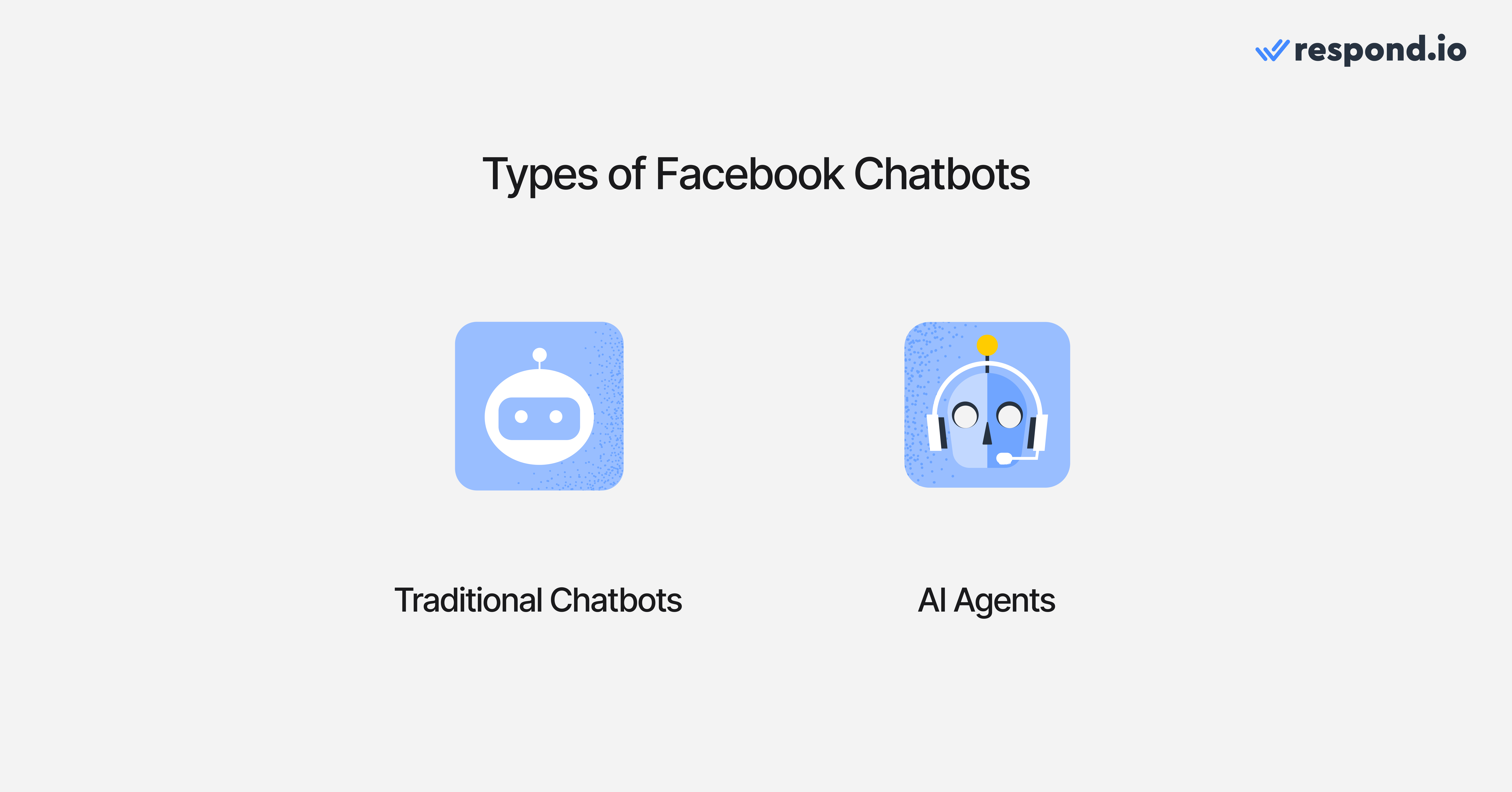
Bisnis menggunakan jenis chatbot Facebook Messenger yang berbeda tergantung pada tingkat otomatisasi, fleksibilitas dan skala yang mereka butuhkan. Secara garis besar, ada dua jenis utama chatbot Facebook.
Chatbot Facebook tradisional (berbasis aturan)
Chatbot Facebook tradisional adalah bot berbasis aturan atau skrip yang mengikuti alur yang telah ditentukan. Mereka berfungsi seperti menu interaktif atau resepsionis otomatis di dalam Facebook Messenger.
Apa yang mereka lakukan
Menggunakan logika tetap seperti tombol, menu, kata kunci atau jalur ya/tidak sederhana.
Menangani tugas yang dapat diprediksi dengan volume tinggi seperti FAQ, jam operasional, harga, info pengiriman atau pengumpulan prospek dasar.
Memberikan respons terkendali, membuatnya mudah dikelola dan berisiko rendah.
Bekerja paling baik dalam skenario terstruktur di mana masukan pengguna tidak banyak bervariasi.
Kapan digunakan
Chatbot tradisional ideal jika kasus penggunaan Messenger Anda sederhana dan berulang. Mereka sering menjadi langkah pertama bagi bisnis yang memulai otomatisasi Facebook karena mudah disetel dan memberikan hasil cepat tanpa kompleksitas.
Chatbot Facebook AI (Agen AI)
Chatbot Facebook AI — sering disebut Agen AI — menggunakan pemahaman bahasa alami untuk menafsirkan pesan teks bebas, mengidentifikasi niat dan menghasilkan balasan kontekstual. Alih-alih memaksa pengguna ke menu, mereka memungkinkan pelanggan mengetik secara alami.
Apa yang mereka lakukan
Memahami pesan tidak terstruktur yang ditulis dalam bahasa alami.
Menjawab pertanyaan menggunakan sumber pengetahuan seperti dokumen atau halaman web.
Mendukung alur kerja yang lebih kompleks, seperti kualifikasi, tindak lanjut, dan pengalihan dinamis. Menandai kontak secara otomatis berdasarkan niat percakapan untuk segmentasi yang andal.
Menangani percakapan 24/7 dalam skala besar, bahkan saat lonjakan lalu lintas dari iklan atau kampanye. Mengenali ketika percakapan dimulai dari iklan click-to-chat dan menerima metadata kampanye seperti ad set dan nama iklan untuk kualifikasi dan perutean yang mempertimbangkan kampanye.
Meningkatkan pengalaman pelanggan dengan mengurangi hambatan dan keterlambatan respons.
Kapan digunakan
Chatbot AI paling cocok ketika pertanyaan pelanggan sangat bervariasi, ketika kecepatan penting, atau ketika Messenger adalah saluran inti untuk penjualan atau dukungan. Mereka berperan lebih seperti asisten virtual daripada menu statis.
Chatbot tradisional vs Chatbot Facebook AI
Chatbot tradisional | Agen AI | |
Penanganan input | Tombol, menu, alur yang telah ditentukan | Teks bebas, bahasa alami |
Fleksibilitas | Terbatas pada jalur skrip | Menyesuaikan dengan pertanyaan yang beragam |
Terbaik untuk | FAQ, routing sederhana, info statis | Kualifikasi, pertanyaan kompleks, alur dinamis |
Skalabilitas | Baik untuk volume sederhana | Sangat baik untuk volume besar yang tidak terduga |
Upaya pengaturan | Sederhana | Memerlukan sumber pengetahuan & pengujian |
Memahami perbedaan itu berguna, tetapi keputusan utama adalah apakah Anda membutuhkan alur berbasis aturan untuk FAQ yang dapat diprediksi atau Agen AI yang dapat menangani pertanyaan teks bebas dan merutekan atau bertindak dalam skala besar.
Jenis chatbot Facebook mana yang sebaiknya saya gunakan?
Dalam praktiknya, banyak bisnis menggunakan pendekatan hibrida:
Chatbot tradisional menangani tugas rutin seperti FAQ dan routing dasar.
Agen AI masuk ketika pengguna mengajukan pertanyaan terbuka atau membutuhkan respons yang dipersonalisasi.
Namun demikian, Anda tidak harus menggunakan keduanya. Bot berbasis aturan sederhana bekerja baik untuk kasus penggunaan ringan, sementara chatbot AI lebih cocok ketika Messenger adalah saluran utama untuk penjualan, dukungan atau pendapatan.
Setelah Anda memutuskan tingkat otomatisasi yang Anda butuhkan, pertanyaan berikutnya adalah mengapa bisnis berinvestasi dalam chatbot Facebook sejak awal—dan nilai apa yang mereka berikan.
Ubah percakapan pelanggan menjadi pertumbuhan bisnis dengan respond.io. ✨
Kelola panggilan, chat, dan email di satu tempat!
5 Manfaat chatbot Facebook
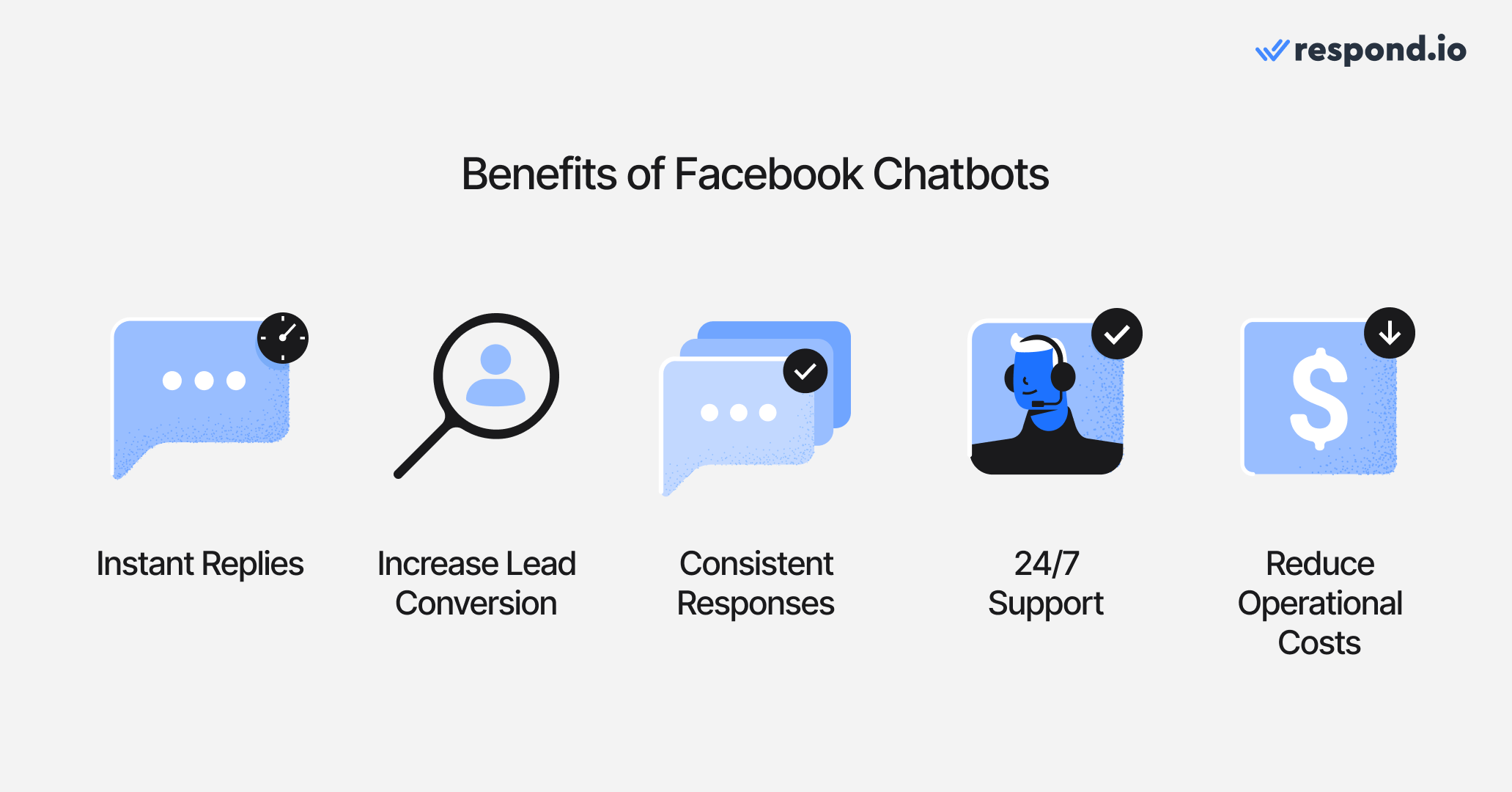
Chatbot Facebook membantu bisnis mengelola percakapan Facebook Messenger lebih efisien sekaligus meningkatkan pengalaman pelanggan dan tingkat konversi.
1. Balasan instan pada saluran yang sudah digunakan pelanggan
Chatbot Facebook Messenger merespons secara instan, 24/7. Pelanggan tidak perlu mengunduh aplikasi atau mengisi formulir — mereka cukup mengirim pesan ke Halaman Facebook Anda dan langsung mendapatkan jawaban.
Ini mengurangi tingkat drop-off dan meningkatkan kepuasan, terutama untuk lalu lintas yang berasal dari iklan.
2. Tingkatkan konversi prospek dari iklan Facebook
Saat terhubung ke iklan click-to-Messenger, chatbots dapat:
Merespons prospek iklan secara instan
Mengkualifikasi prospek secara otomatis
Mengarahkan prospek dengan niat tinggi ke tim penjualan
Mengirim data konversi kembali ke Meta (via CAPI)
Respons lebih cepat dan atribusi yang lebih baik menghasilkan prospek berkualitas lebih tinggi dan biaya per konversi lebih rendah. Agen AI juga dapat menerima metadata kampanye iklan secara otomatis, sehingga memungkinkan kualifikasi dan pengalihan yang mempertimbangkan kampanye sejak pesan pertama.
3. Memberikan respons yang konsisten dan sesuai merek
Chatbots mengikuti logika yang telah ditentukan atau sumber pengetahuan yang dilatih, sehingga pelanggan menerima informasi yang akurat dan konsisten setiap kali—terlepas dari ketersediaan atau beban kerja agen.
Ini membantu menjaga pengalaman merek yang andal dalam skala besar.
4. Mendukung pelanggan di luar jam kerja
Dengan chatbot menangani percakapan Messenger setelah jam kerja, bisnis menghindari penumpukan pesan semalaman dan peluang yang terlewat. Pelanggan menerima jawaban segera, bahkan di akhir pekan dan hari libur.
5. Mengurangi biaya operasional
Dengan mengotomatiskan percakapan rutin, bisnis mengurangi:
Waktu balasan manual
Beban kerja agen
Biaya per interaksi dukungan
Setelah Anda memahami nilai yang diberikan chatbot Facebook, langkah berikutnya adalah memilih platform yang tepat.
10 Agen AI & Chatbot Facebook Terbaik untuk Bisnis di 2026
Tidak semua chatbot dibuat untuk tujuan yang sama—beberapa fokus pada pemasaran dan penangkapan prospek, yang lain pada dukungan pelanggan, sementara beberapa dirancang untuk otomatisasi skala enterprise. Berikut perbandingan singkat sebelum kita masuk ke detail.
Platform | Posisi | Cocok untuk |
|---|---|---|
Respond.io | Platform percakapan pelanggan dengan Agen AI di Facebook Messenger, otomatisasi, dan alur kerja lintas-saluran untuk percakapan bervolume tinggi. | Tim menengah & enterprise yang mengotomatisasi penjualan dan dukungan Messenger dalam skala besar di seluruh WhatsApp, Instagram, email dan lainnya. |
Intercom | Platform yang mengutamakan dukungan dan menggunakan chatbot Messenger terutama untuk layanan pelanggan berbantuan AI dan pengalihan tiket. | Tim dukungan besar yang menginginkan balasan berbantuan AI, perutean, dan ruang kerja dukungan terpadu. |
Kommo | CRM yang berfokus pada penjualan di mana chatbot Facebook Messenger mendukung penangkapan prospek dan otomatisasi alur penjualan. | Tim penjualan kecil hingga menengah yang menggunakan Messenger untuk menangkap prospek dan melacak kesepakatan dalam CRM sederhana. |
ManyChat | Pembuat chatbot Messenger berfokus pada pemasaran yang dirancang untuk kampanye, siaran dan corong. | UKM, kreator dan merek e‑commerce yang menjalankan otomatisasi pemasaran Facebook dan otomatisasi pemasaran Instagram. |
Zendesk | Ekosistem helpdesk yang menggunakan chatbot Facebook untuk otomatisasi dukungan dan perutean kasus. | Tim dukungan yang mengelola Facebook Messenger bersamaan dengan tiket dan saluran layanan lain. |
Chatfuel | Pembuat chatbot berfokus pada Messenger untuk pengaturan cepat dan otomatisasi dasar. | Bisnis yang membutuhkan alur chatbot Facebook sederhana untuk FAQ, penangkapan prospek dan promosi. |
Pancake | Social commerce Inbox di mana chatbot Facebook mendukung penjualan katalog dan alur chat-to-order. | Penjual sosial dan merek e‑commerce kecil yang menggunakan Messenger untuk menampilkan produk dan mengelola percakapan berbasis katalog. |
Freshchat | Platform pesan berfokus pada dukungan yang menggunakan bot Facebook untuk mengalihkan pertanyaan ke FAQ dan melakukan perutean. | Tim dukungan pelanggan yang membutuhkan otomatisasi Messenger yang terikat pada alur kerja helpdesk. |
Zenvia | Platform pesan dan dukungan yang fokus pada LATAM dengan kemampuan chatbot Facebook. | Bisnis LATAM yang mengotomatisasi dukungan Messenger dengan WhatsApp, SMS dan email. |
Trengo | Alat Inbox bersama di mana chatbot Facebook menyediakan otomatisasi FAQ dasar dan perutean. | Tim yang membutuhkan Inbox multisaluran sederhana dengan otomatisasi Messenger ringan. |
SleekFlow | Platform pesan berorientasi perdagangan yang menggabungkan chatbot Facebook dengan alur kerja penjualan dan dukungan. | Tim ritel dan social commerce yang mengelola percakapan Messenger di berbagai saluran. |
Respond.io
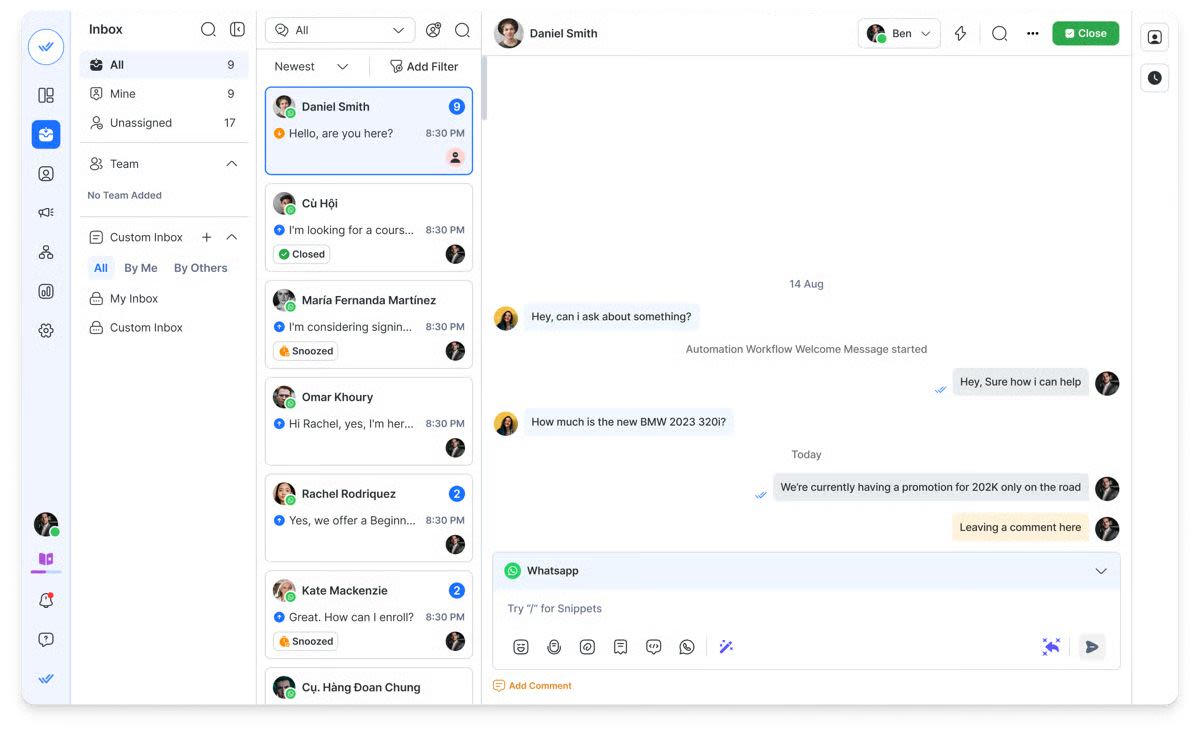
Respond.io adalah platform percakapan pelanggan dengan Agen AI di Facebook Messenger dan otomatisasi untuk menangani percakapan bervolume tinggi lintas saluran.
Cocok untuk:
Tim B2C yang perlu menyatukan Messenger, WhatsApp, TikTok, Instagram, SMS, email, web chat dan panggilan ke dalam satu platform dan mengotomatisasi alur kerja penjualan/dukungan dalam skala besar. Dibanding pembuat yang berfokus pada pemasaran seperti ManyChat, respond.io dirancang untuk perutean operasional dalam skala besar, sehingga tim dapat secara otomatis menugaskan, menandai, dan memindahkan percakapan melalui tahap‑tahap siklus hidup, alih-alih menangani lonjakan di Inbox secara manual.
Kelebihan
Mitra terverifikasi Meta
Agen AI Lanjutan yang menjawab FAQ, merutekan kontak, memicu alur kerja, menandai kontak dan memperbarui info pelanggan
Inbox omnichannel sejati termasuk pesan + panggilan
Lacak perjalanan pelanggan dengan Siklus hidup
Integrasi kuat: Salesforce, Hubspot, GoogleSheets dan lainnya
Pendampingan implementasi dan panduan keberhasilan khusus
Stabilitas platform yang terbukti untuk operasi global
Kekurangan
Tidak cocok jika Anda hanya membutuhkan giveaway Messenger sederhana atau otomatisasi DM—pilih ManyChat atau Chatfuel untuk alur kampanye yang lebih ringan.
Tidak murah dibandingkan alat lain
Fitur tingkat enterprise mungkin memerlukan pendampingan implementasi
Harga
Paket Growth mulai dari $159/bulan untuk 10 pengguna, dan biaya biasanya meningkat dengan penambahan seat dan add-on yang diperlukan untuk operasi volume tinggi.
Sentimen pelanggan dan peringkat platform
Pelanggan memuji respond.io karena antarmukanya yang intuitif, integrasi omnichannel, fitur otomatisasi yang kuat, dan dukungan yang sangat baik. Namun, kekurangan yang disebutkan pengguna termasuk harga dan keterbatasan pada beberapa fitur lanjutan.
Peringkat G2: 4.8/5
Peringkat Capterra: 4.6/5
Intercom
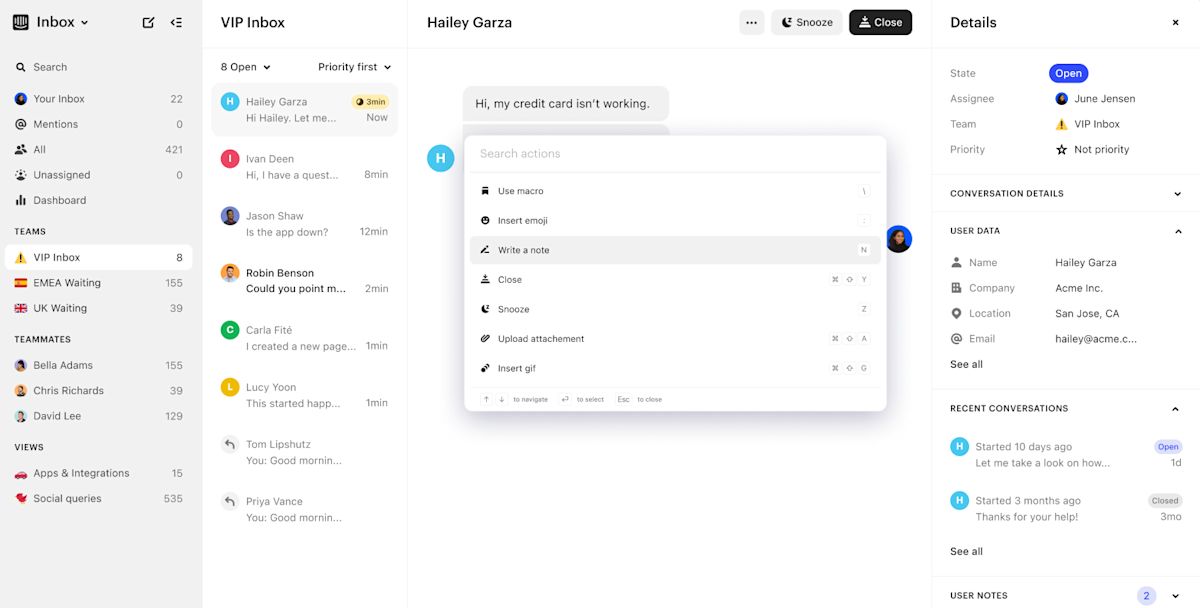
Intercom adalah platform yang mengutamakan dukungan pelanggan yang menggunakan chatbot Messenger terutama untuk dukungan berbantuan AI dan pengalihan tiket.
Cocok untuk:
Bisnis dengan tim dukungan besar yang menginginkan respons berbantuan AI, routing otomatis, dan ruang kerja dukungan terpadu.
Kelebihan
Alat AI yang membantu agen membalas lebih cepat
Perutean dan otomatisasi untuk alur kerja dukungan
Ruang kerja terpadu untuk menangani percakapan
Alat pelaporan dan data pelanggan yang kuat
Kekurangan
Biaya lebih tinggi untuk tim yang berkembang
Pengaturan lebih kompleks dibandingkan alat ringan
Harga
Paket Advanced seharga $99 per agen per bulan, ditagihkan bulanan, termasuk 20 kursi Lite gratis. Penggunaan AI ditagih terpisah sebesar $0.99 per resolusi Fin AI, sehingga biaya sulit diprediksi dalam skala besar.
Sentimen pelanggan dan peringkat platform
Pengguna memuji Intercom karena Inbox berbantuan AI, kemampuan otomatisasi, antarmuka yang bersih, dan fitur kuat yang berfokus pada dukungan. Namun, pelanggan sering menyebut kompleksitas harga dan biaya yang lebih tinggi saat skala, serta kurva pembelajaran yang lebih curam dibandingkan alat yang lebih sederhana.
Peringkat G2: 4.4/5
Peringkat Capterra: 4.5/5
Kommo
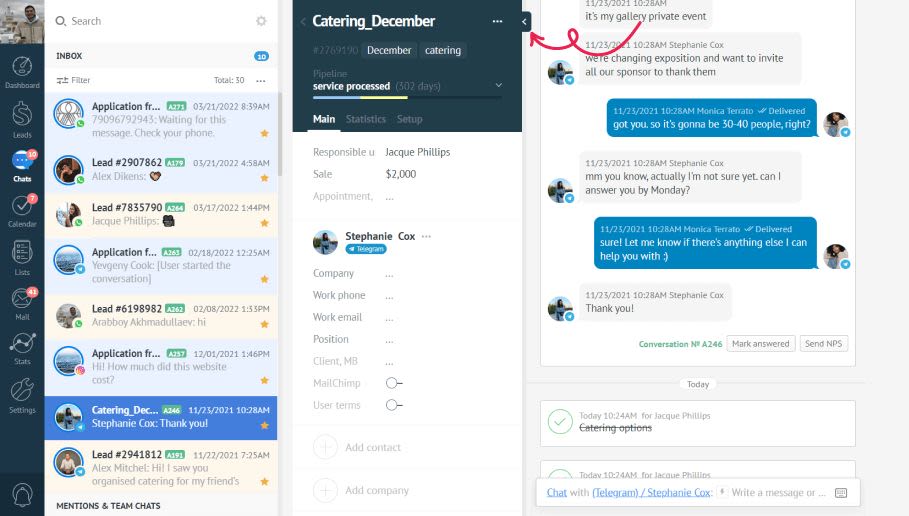
Kommo (dulu amoCRM) menempatkan chatbot Facebook Messenger sebagai bagian dari CRM yang berfokus pada penjualan dengan otomatisasi sederhana dan pelacakan pipeline.
Cocok untuk:
Tim penjualan kecil hingga menengah yang menggunakan Facebook Messenger untuk menangkap prospek, melacak kesepakatan, dan mengotomatisasi tindak lanjut dasar dalam pipeline bergaya CRM.
Kelebihan
Terjangkau dan memberikan nilai yang baik bagi bisnis kecil
Antarmuka visual sederhana membuat platform mudah dipelajari dan mendorong penggunaan cepat oleh tim
Membantu tim melacak prospek dan mencegah kontak hilang
Kekurangan
AI terbatas dibandingkan Agen AI modern
Pelaporan lemah untuk pelacakan kinerja dan siklus hidup
Tidak dirancang untuk omnichannel atau tim besar
Harga
Paket Kommo Advanced berharga $25 per pengguna/bulan, tetapi memerlukan kontrak minimum enam bulan yang dibayar di muka dengan total $150. Tidak tersedia opsi penagihan bulanan.
Biaya tambahan potensial biasanya terbatas pada biaya layanan pihak ketiga, seperti biaya percakapan yang dikenakan Meta saat menggunakan WhatsApp Business API.
Sentimen pelanggan & peringkat platform
Pengguna menyukai Kommo karena kesederhanaannya dan alur kerja yang berorientasi penjualan. Namun, ulasan sering menyebut kedalaman otomatisasi yang terbatas, pelaporan dasar dan keterbatasan saat skala melebihi tim kecil.
G2 rating: 4.4/5
Peringkat Capterra: 4.3/5
ManyChat
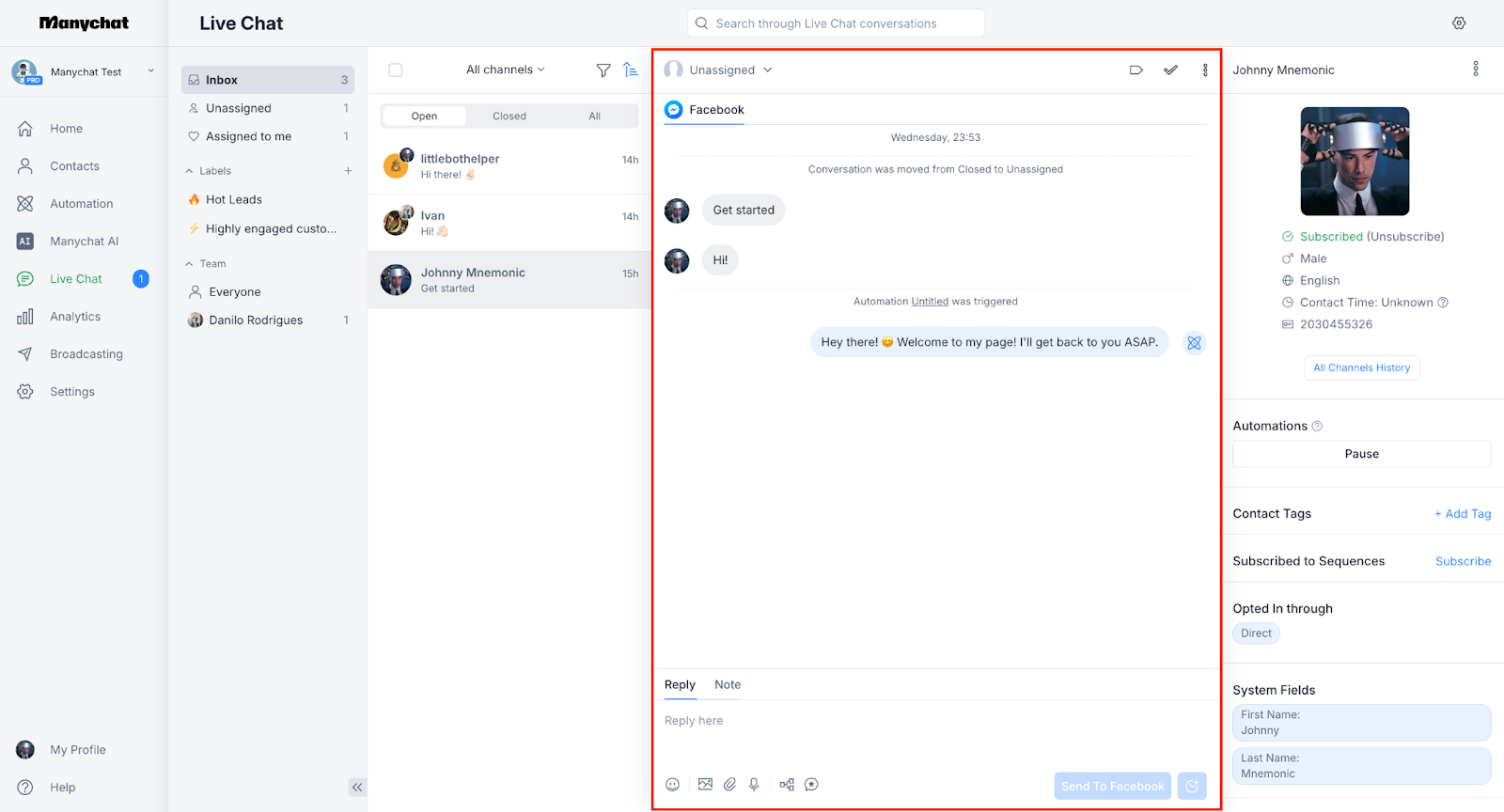
ManyChat adalah salah satu pembuat chatbot Facebook Messenger paling populer, berfokus pada otomatisasi pemasaran daripada operasi.
Cocok untuk:
UKM, kreator dan merek e‑commerce yang menggunakan Messenger dan Instagram untuk menjalankan kampanye, menumbuhkan audiens, meluncurkan promosi dan memulihkan keranjang yang ditinggalkan. Ideal untuk tim yang membutuhkan eksekusi cepat tanpa kompleksitas teknis.
Kelebihan
Mitra terverifikasi Meta
Pembuat alur visual yang mudah
Ideal untuk otomatisasi pemasaran Instagram + Facebook
Bagus untuk giveaway & kampanye promosi
Segmentasi audiens yang kuat
Kekurangan
Tidak dibangun untuk alur kerja operasional
Dibutuhkan upaya manual untuk bot multibahasa
Harga
Paket tingkat menengah ManyChat mulai dari $15/bulan untuk hingga tiga pengguna dan 500 kontak tersimpan, dengan biaya meningkat berdasarkan penggunaan dan kebutuhan otomatisasi lanjutan.
Sentimen pelanggan & peringkat platform
Pelanggan memuji ManyChat karena pengaturan otomatisasi yang mudah, rangkaian fitur yang lengkap dan antarmuka yang ramah pengguna. Namun, mereka melaporkan dukungan pelanggan yang buruk dan keterbatasan saat berkaitan dengan integrasi dan skala.
G2 rating: 4.5/5
Capterra rating: 4.6/5
Zendesk

Zendesk menggunakan chatbot Facebook terutama untuk otomatisasi dukungan pelanggan dan pengalihan tiket di dalam ekosistem helpdesk.
Cocok untuk:
Tim dukungan yang ingin mengotomatisasi FAQ di Facebook Messenger, mengarahkan masalah ke agen, dan mengelola percakapan Messenger bersama tiket.
Kelebihan
Bot AI pra-terlatih untuk kasus penggunaan dukungan
Alur tiket dan eskalasi yang kuat
Keamanan dan keandalan tingkat enterprise
Kekurangan
Dibangun terutama untuk dukungan, bukan otomatisasi penjualan atau siklus hidup
Kustomisasi chatbot terbatas di luar alur dukungan
Total biaya kepemilikan tinggi
Messenger diperlakukan sebagai saluran dukungan, bukan saluran pertumbuhan
Harga
Paket Suite Professional tingkat menengah biasanya dipatok sekitar USD 149 per agen per bulan dengan model penagihan bulanan.
Selain itu, organisasi biasanya mengeluarkan sekitar USD 50 per agen per bulan untuk kemampuan AI yang ditingkatkan, USD 25–50 per agen per bulan untuk solusi Workforce Management atau Quality Assurance, dan sekitar USD 50 per agen per bulan untuk fitur keamanan dan perlindungan data tingkat lanjut, termasuk kepatuhan HIPAA.
Biaya tambahan mungkin juga berlaku berdasarkan penggunaan, seperti biaya untuk volume besar permintaan API, penggunaan resolusi otomatis, atau penyimpanan data berlebih, dengan harga bervariasi menurut wilayah dan tingkat konsumsi.
Sentimen pelanggan & peringkat platform
Zendesk dipuji karena keandalan, alat dukungan dan kedalaman ekosistem. Namun, pengguna sering menyebut biaya tinggi, kompleksitas dan keterbatasan fleksibilitas untuk kasus penggunaan chatbot penjualan atau pemasaran.
G2 rating: 4.4/5
Peringkat Capterra: 4.4/5
Chatfuel
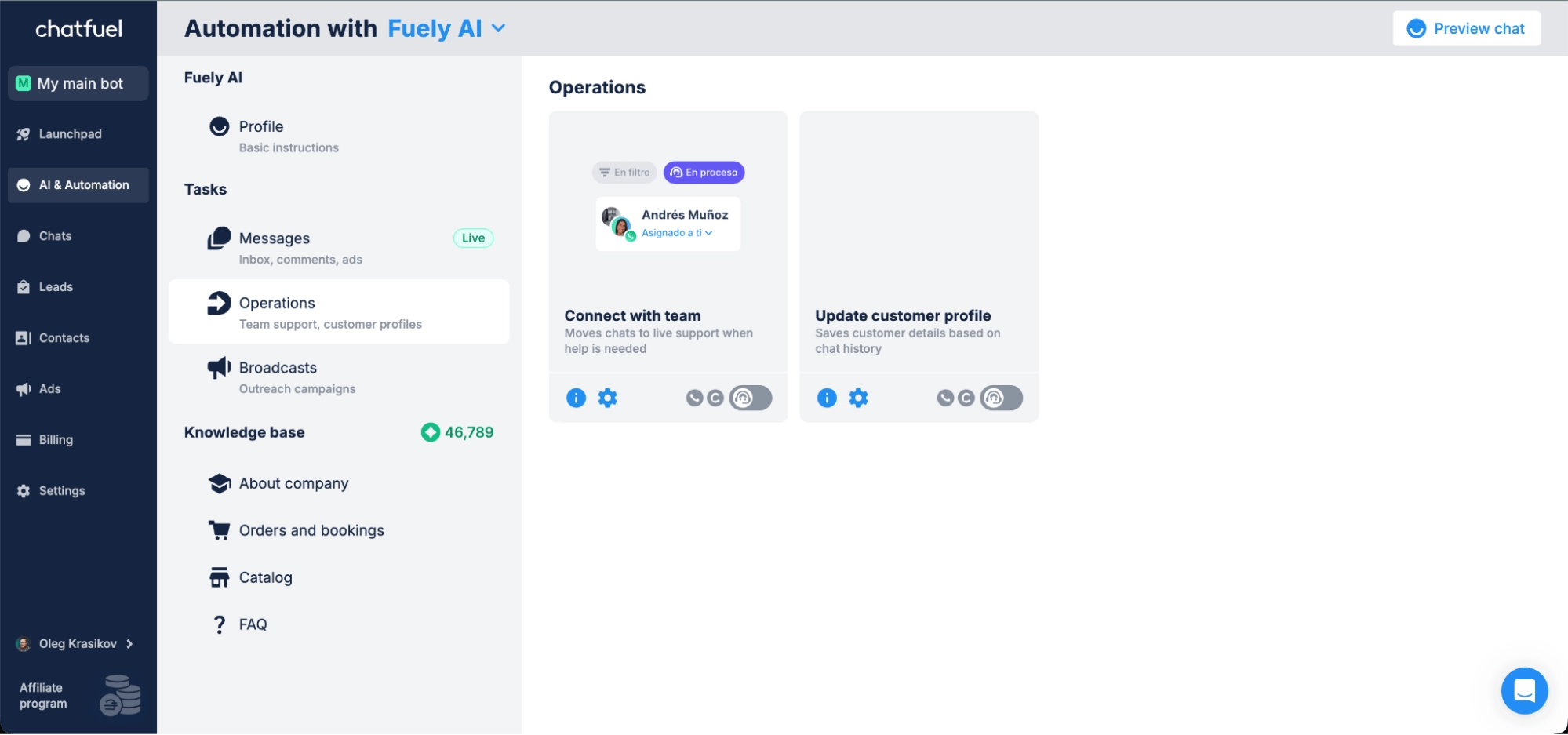
Chatfuel adalah pembuat chatbot berfokus pada Messenger yang sudah lama hadir, dirancang untuk pengaturan cepat dan otomatisasi dasar.
Cocok untuk:
Bisnis yang membutuhkan bot Messenger sederhana untuk penangkapan prospek, FAQ, dan promosi.
Kelebihan
Antarmuka no-code yang intuitif
Template untuk FAQ, penangkapan prospek, dan pemesanan.
Harga awal yang terjangkau
Kekurangan
Kemampuan AI dan integrasi terbatas
Hanya mendukung Instagram, Facebook dan WhatsApp
Tidak ideal untuk otomatisasi atau perutean kompleks
Analitik dan pelaporan minimal
Harga
Akses Instagram dimulai dari $23.99/bulan; WhatsApp dan Facebook dikenakan biaya terpisah masing-masing $39/bulan dan $23.99/bulan.
Sentimen pelanggan & peringkat platform
Sentimen pelanggan & peringkat platform Meskipun beberapa memuji keterjangkauannya, yang lain mencatat kurangnya transparansi harga. Dukungan pelanggan dilaporkan buruk.
G2 rating: 4.4/5
Capterra rating: 4.3/5
Pancake

Pancake adalah Inbox social commerce yang mendukung chatbot Facebook terutama untuk penjualan katalog dan alur chat-to-order.
Cocok untuk:
Penjual di media sosial dan merek e‑commerce kecil yang menggunakan Messenger untuk menampilkan produk dan mengelola percakapan berbasis katalog.
Kelebihan
Mendukung saluran social commerce utama seperti Facebook, Instagram, TikTok, dan WhatsApp
Pengaturan sederhana untuk tim B2C kecil yang menangani percakapan chat-to-order
Mencakup Botcake untuk balasan otomatis dasar pada volume pesan tinggi
Harga terjangkau, cocok untuk penjual kecil dan toko di media sosial
Kekurangan
Bukan platform omnichannel — tidak ada Inbox terpadu atau otomatisasi lintas-saluran
Kemampuan AI sangat terbatas dibandingkan alat tingkat perusahaan
Pelaporan dan analitik bersifat dasar dan tidak dirancang untuk tim yang sedang berkembang
Memerlukan pengaturan Botcake terpisah untuk otomatisasi lebih canggih, meningkatkan kompleksitas
Harga
Paket Standard tingkat menengah dikenai biaya $54.70 setiap 3 bulan (~$18/bulan) dan mencakup 3 pengguna serta 3 saluran sosial terhubung, cukup untuk chatbot Facebook dasar dan alur kerja social commerce.
Bisnis mungkin dikenai biaya tambahan untuk pengguna tambahan (~$5/bulan per pengguna), saluran tambahan (~$4/bulan per saluran), dan Botcake Pro jika diperlukan volume otomatisasi pesan yang lebih tinggi.
Sentimen pelanggan & peringkat platform
Pancake menerima umpan balik positif dari penjual social commerce yang menyukai manajemen katalog dan alat perdagangan percakapan. Para pengulas mencatat bahwa platform ini mudah digunakan untuk usaha kecil, tetapi kurang memiliki otomatisasi lanjutan, pelaporan, dan skalabilitas yang dibutuhkan tim yang lebih besar.
G2 rating: 4.4/5
Peringkat Capterra: 4.6/5
Freshchat
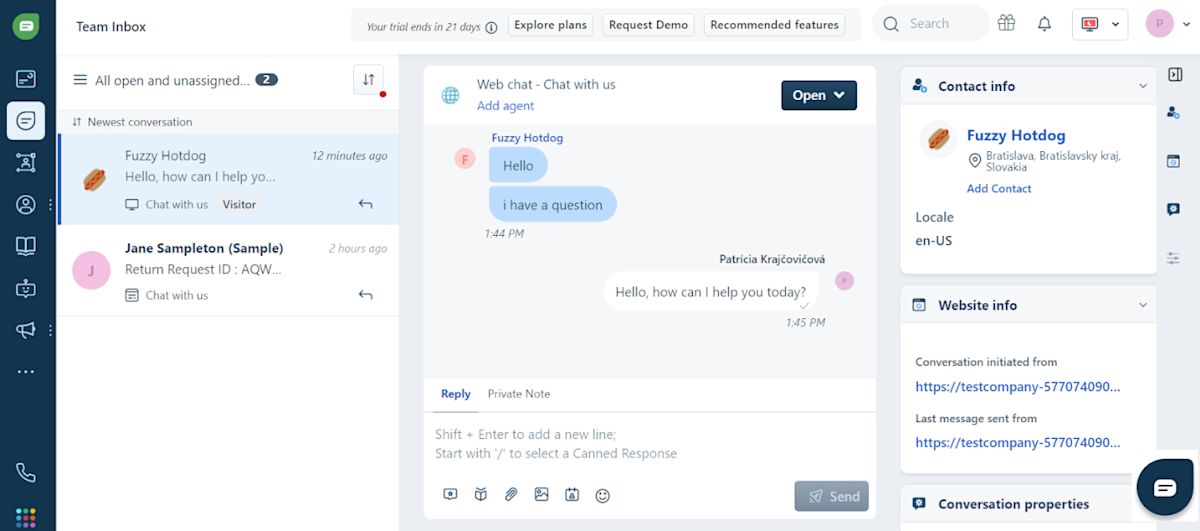
Freshchat adalah platform pesan berfokus pada dukungan di mana chatbot Facebook digunakan untuk menangani FAQ dan merutekan permintaan dukungan.
Cocok untuk:
Tim dukungan yang menangani pesan multisaluran yang membutuhkan perutean berbantuan AI, penanganan FAQ, dan ruang kerja yang terorganisir untuk kolaborasi agen.
Kelebihan
Integrasi native dengan Freshdesk untuk manajemen tiket
Perutean berbasis AI dan penanganan FAQ
Dukungan multisaluran untuk Instagram, WhatsApp, dan obrolan web
Dapat diskalakan untuk tim menengah hingga perusahaan besar
Kekurangan
Pengaturan dapat menjadi kompleks untuk tim yang lebih kecil
Fokus pada dukungan, bukan seluruh perjalanan pelanggan
Kustomisasi alur chat terbatas
Harga meningkat tajam dengan add-on
Harga
Paket Pro menengah dimulai dari $49/agen/bulan, dengan fitur AI dan otomatisasi tersedia di tingkat yang lebih tinggi.
Sentimen pelanggan dan peringkat platform
Pelanggan umumnya memandang Freshchat secara positif karena otomatisasi dan integrasinya yang efisien. Namun, beberapa menghadapi masalah chatbot gagal dimuat, dan lainnya menemukan pelaporan serta analitik terbatas.
G2 rating: 4.4/5
Peringkat Capterra: 4.1/5
Zenvia
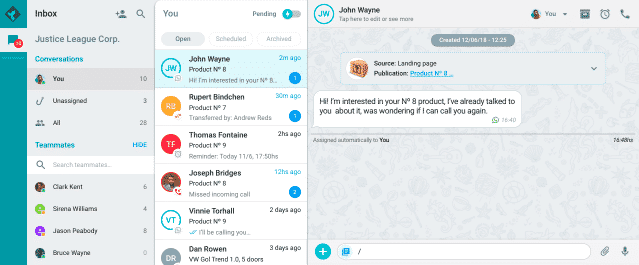
Zenvia memposisikan chatbot Facebook sebagai bagian dari paket dukungan dan pesan yang populer di pasar LATAM.
Cocok untuk:
Bisnis LATAM yang fokus pada alur kerja dukungan menggunakan saluran pesan dan suara.
Kelebihan
Mendukung WhatsApp, Instagram, Facebook, SMS dan email dengan otomatisasi yang solid.
Chatbot AI dapat membalas secara kontekstual dan merutekan kasus kompleks.
Pelaporan dukungan yang kuat untuk tiket dan kinerja agen
Terintegrasi dengan HubSpot dan Salesforce.
Kekurangan
Cakupan saluran terbatas dan tidak ada penggabungan kontak terpadu.
Harga meningkat cepat karena batas interaksi dan paket saluran wajib.
Laporan fokus terutama pada metrik dukungan, bukan keseluruhan siklus hidup pelanggan.
AI lebih terbatas dan tidak dapat menggunakan multimedia atau memicu alur kerja seperti alat tingkat enterprise.
Harga
Rencana tingkat menengah Zenvia, bernama Specialist, berharga $130 per bulan dan mencakup 10 pengguna, 500 percakapan, serta 5 chatbot alur. Harga termasuk paket pesan wajib $20+, yang memungkinkan pengiriman hingga 1.088 SMS, 431 pesan WhatsApp, atau 23.750 email.
Zenvia juga membebankan $137 untuk biaya pengaturan pada rencana Specialist. Biaya pesan adalah $0.05 per pesan WhatsApp keluar, $0.02 per pesan WhatsApp masuk, $0.02 per SMS, dan $0.04 per 50 email.
Sentimen pelanggan dan peringkat platform
Zenvia dihargai karena kemudahan penggunaan, pengaturan multisaluran yang sederhana, dan pengiriman yang andal pada saluran seperti WhatsApp, SMS dan email. Pengguna mencatat bahwa itu menyederhanakan operasi dukungan sehari-hari dan menangani volume pesan moderat dengan baik. Namun, ulasan sering menyebut waktu respons dukungan yang lambat, analitik lanjutan yang terbatas, dan kemampuan otomatisasi yang lebih ringan dibandingkan platform yang berfokus pada enterprise.
G2 rating: 4.4/5
Peringkat Capterra: 4.5/5
Trengo
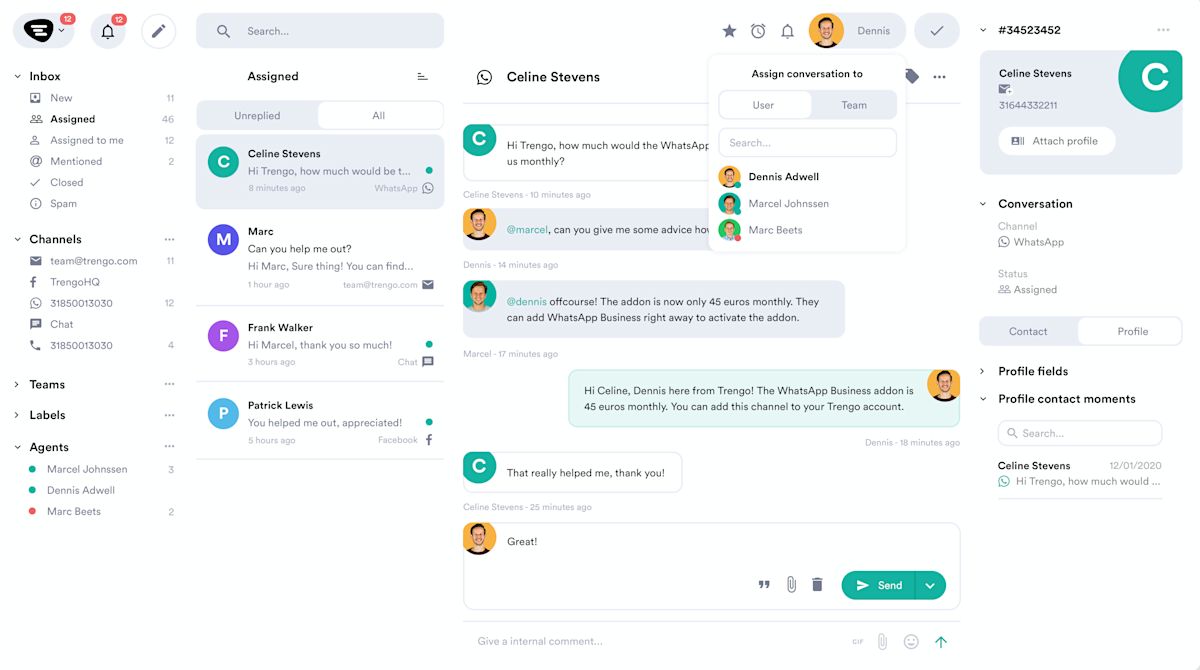
Trengo adalah alat Inbox bersama di mana chatbot Facebook mendukung otomatisasi FAQ dasar dan perutean.
Terbaik untuk:
Tim yang membutuhkan Inbox bersama untuk mengelola percakapan di berbagai saluran dengan otomatisasi perutean sederhana.
Kelebihan
Chatbot AI menjawab FAQ, memberikan balasan instan, dan mendukung 26 bahasa.
Agen mendapat bantuan AI untuk menyusun, menerjemahkan, dan menyempurnakan respons.
Selalu dipuji karena dukungan pelanggan yang membantu, ramah dan efisien.
Fleksibilitas penagihan menawarkan opsi pembayaran bulanan dan tahunan dengan diskon.
Kekurangan
Model harga sering dianggap mahal dibandingkan pesaing yang menawarkan fitur/kapabilitas lebih maju.
Persyaratan jumlah pengguna minimum yang tinggi (biasanya mulai dari 10 pengguna atau lebih).
Penetapan harga berbasis kuota percakapan tetap; melebihi batas ini dikenakan biaya per percakapan tambahan, yang dapat menyebabkan biaya bulanan yang tidak dapat diprediksi.
AI tidak dapat memahami input multimedia seperti PDF, tangkapan layar, atau catatan suara.
Pengguna melaporkan masalah dengan sinkronisasi Inbox dan stabilitas di aplikasi seluler.
Harga
Paket Trengo Pro adalah bundel mulai dari sekitar $695 per bulan (ditagihkan bulanan, setara USD), yang mencakup 20 kursi pengguna dan kuota percakapan tertentu (biasanya $1,500/bulan).
Agen tambahan dikenakan biaya sekitar $30–$50 per agen/bulan Biaya variabel paling signifikan adalah biaya kelebihan yang dikenakan saat Anda melebihi batas percakapan, serta kemungkinan biaya untuk fitur AI premium (mis. Advanced AI Actions).
Sentimen pelanggan dan peringkat platform
Trengo sangat dipuji karena kemudahan penggunaan, dukungan pelanggan, dan kekuatan utamanya dalam memusatkan semua komunikasi (termasuk email dan suara) ke dalam Inbox tim terpadu. Namun, kritik yang sering muncul menunjuk pada platform yang mahal dibandingkan alternatif, kekhawatiran tentang masalah sinkronisasi Inbox, keterbatasan dalam fitur/analitik lanjutan dan kekurangan terkait aplikasi mobile serta persyaratan jumlah pengguna minimum.
Peringkat G2: 4.3/5
Peringkat Capterra: 4.1/5
SleekFlow
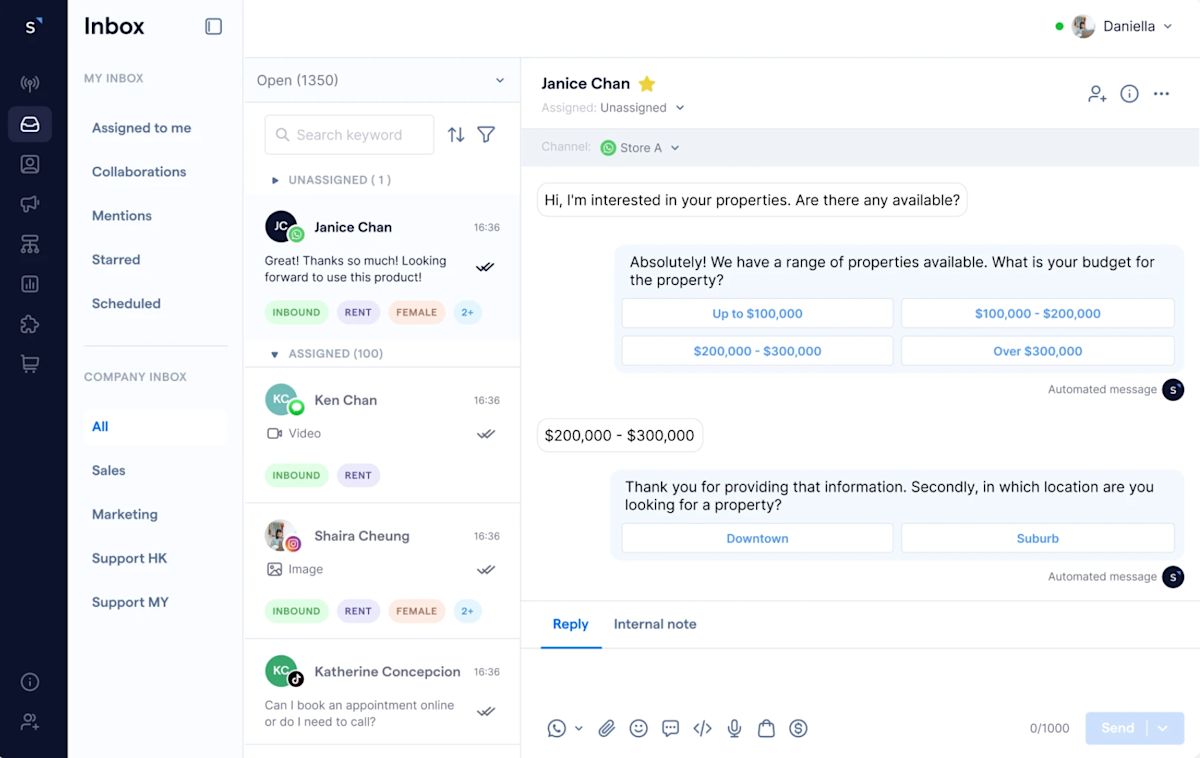
SleekFlow menggabungkan chatbot Facebook dengan alur kerja bergaya komersial untuk percakapan dukungan dan penjualan.
Cocok untuk:
Tim dukungan + social commerce yang mengelola pertanyaan produk dan pesan pelanggan di berbagai saluran.
Kelebihan
Pesan multisaluran
Alur kerja yang ramah perdagangan
Berguna untuk tim gabungan dukungan dan penjualan
Kekurangan
Tidak memiliki Voice AI untuk menangani panggilan
Beberapa pengguna G2 melaporkan penurunan kinerja pada volume pesan tinggi
Pricing
Paket Pro SleekFlow dihargai US$199/bulan dan mendukung 3 pengguna. Harga didasarkan pada Monthly Active Contacts (MAC) — kontak yang Anda ajak berinteraksi aktif selama periode penagihan. Selain itu, dikenakan US$15 per nomor telepon WhatsApp Business API per bulan. Catatan: Harga SleekFlow bervariasi menurut wilayah.
Sentimen pelanggan dan peringkat platform
Pengguna menyukai SleekFlow karena pesan multisaluran dan alur kerja yang ramah perdagangan, yang membuatnya menarik bagi tim ritel dan social commerce. Ulasan juga mencatat bahwa kemampuan otomatisasi dan pelaporan platform tidak sebanding dengan solusi tingkat enterprise.
Peringkat G2: 4.3/5
Peringkat Capterra: 4.4/5
Apa yang membuat chatbot Facebook hebat?
Sekarang setelah Anda melihat platform chatbot Facebook teratas yang tersedia pada tahun 2026, pertanyaan berikutnya adalah bagaimana mengevaluasinya dengan benar. Gunakan kriteria di bawah untuk memilih agen/chatbot Facebook AI yang dapat menangani volume Messenger nyata tanpa merusak perutean, pelaporan atau biaya.
Fitur, harga dan posisi bisa terlihat serupa sekilas, tetapi perbedaannya menjadi jelas setelah Anda tahu apa yang benar-benar penting untuk otomatisasi Messenger dalam skala besar. Alat ini mencakup kategori terkait seperti pembuat chatbot, helpdesk, CRM dan Inbox bersama, jadi pilihan yang tepat bergantung pada apakah kebutuhan utama Anda adalah penjualan, dukungan, atau otomatisasi pemasaran.
1. Agen AI yang melampaui balasan terstruktur
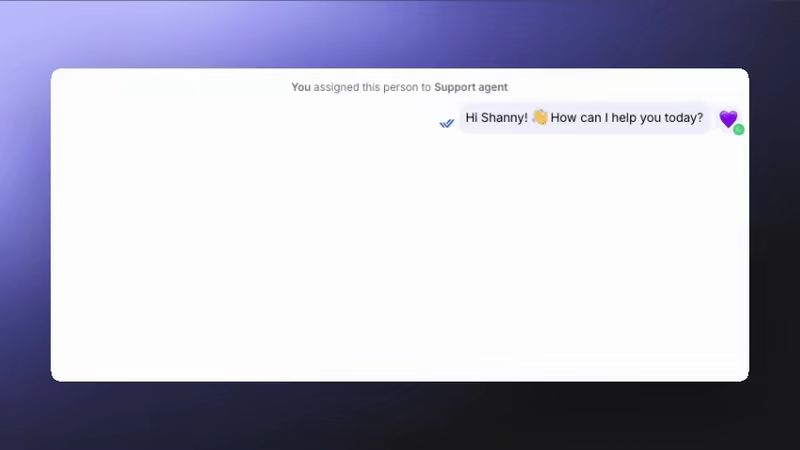
Chatbot Facebook modern harus melakukan lebih dari sekadar mengikuti menu statis. Agen AI lanjutan memahami pesan Messenger berteks bebas, mendeteksi niat dan merespons secara kontekstual. Mereka dapat mengkualifikasi prospek, menjawab FAQ, mengumpulkan detail pelanggan, mengalihkan ke agen manusia bila diperlukan, dan melakukan tindakan seperti menugaskan percakapan atau memperbarui bidang kontak—mengubah Messenger menjadi saluran penjualan dan dukungan yang sebenarnya.
2. AI yang dilatih pada konten bisnis Anda
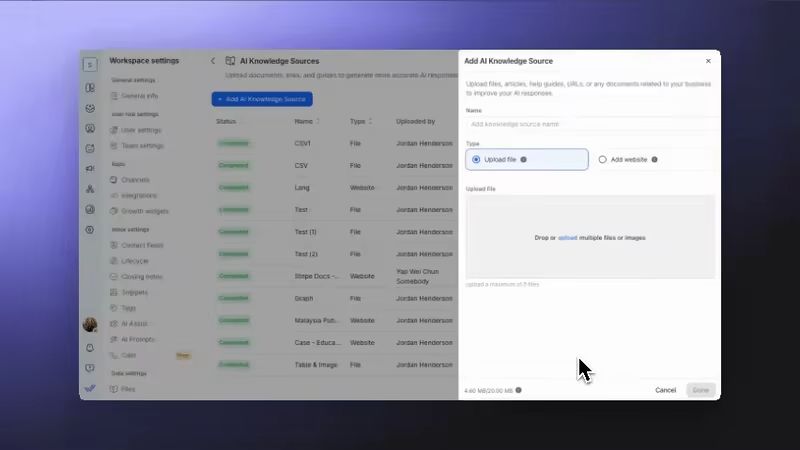
Platform chatbot Facebook terbaik memungkinkan Anda melatih AI pada dokumen perusahaan, FAQ, situs web dan pengetahuan internal Anda. Ini memastikan respons Messenger akurat, konsisten dan sesuai merek, bahkan saat menangani pertanyaan kompleks atau volume percakapan tinggi.
3. Otomatisasi alur kerja untuk percakapan Messenger
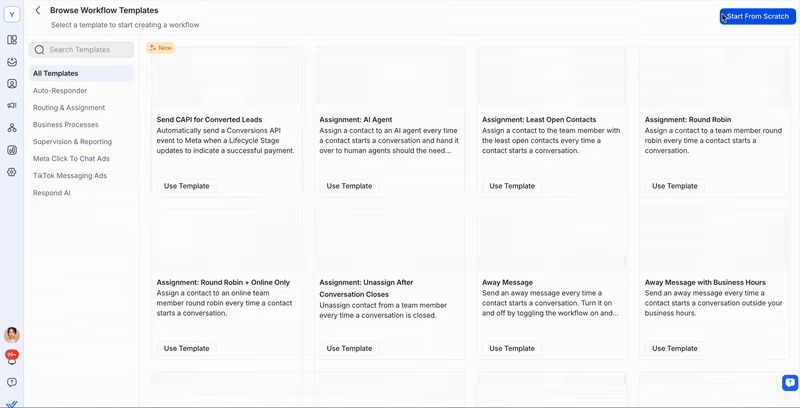
Chatbot Facebook yang kuat didukung oleh otomatisasi, bukan penanganan manual. Carilah platform dengan pembuat alur kerja visual yang memungkinkan Anda mengarahkan percakapan, memicu tindak lanjut, memperbarui tahap siklus hidup, meluncurkan kampanye atau menyinkronkan data secara otomatis—tanpa menulis kode.
4. Inbox terpadu untuk Facebook Messenger dan lainnya
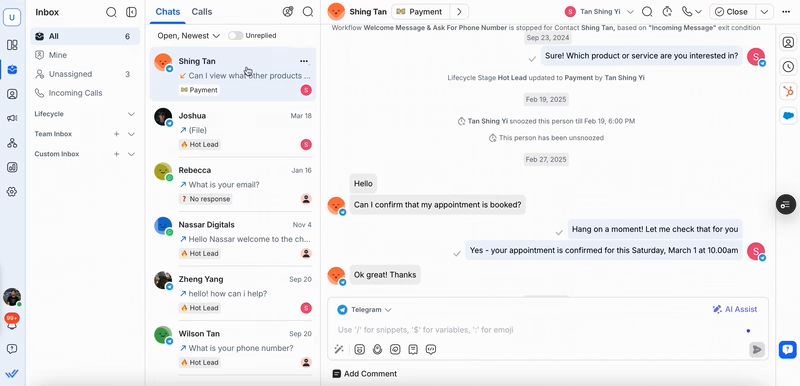
Chatbot Facebook seharusnya tidak terisolasi. Platform yang tepat menyatukan Messenger dengan saluran seperti Instagram, WhatsApp, TikTok, email, SMS, dan bahkan panggilan dalam satu Inbox Percakapan dari berbagai saluran harus digabungkan ke dalam satu profil kontak sehingga tim selalu memiliki konteks penuh.
5. Integrasi native dengan stack bisnis Anda
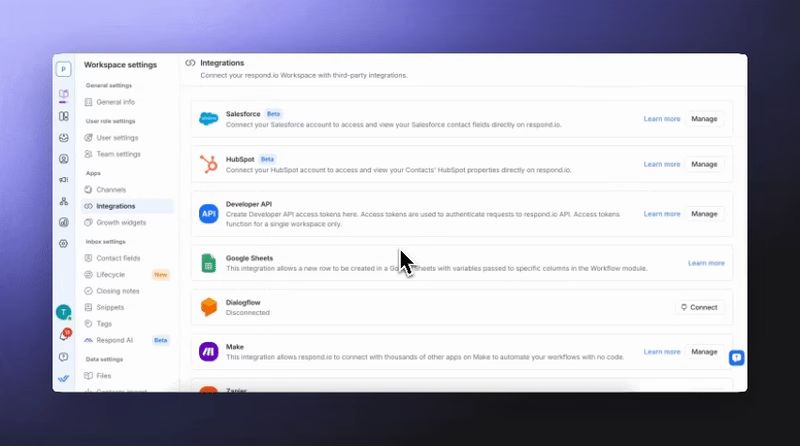
Chatbot Facebook menjadi jauh lebih kuat ketika terhubung ke alat yang sudah Anda gunakan. Integrasi native dengan CRM seperti HubSpot atau Salesforce, spreadsheet dan sistem internal memungkinkan percakapan Messenger memicu tindakan bisnis nyata tanpa kerja manual.
6. Pelacakan prospek dan siklus hidup pelanggan
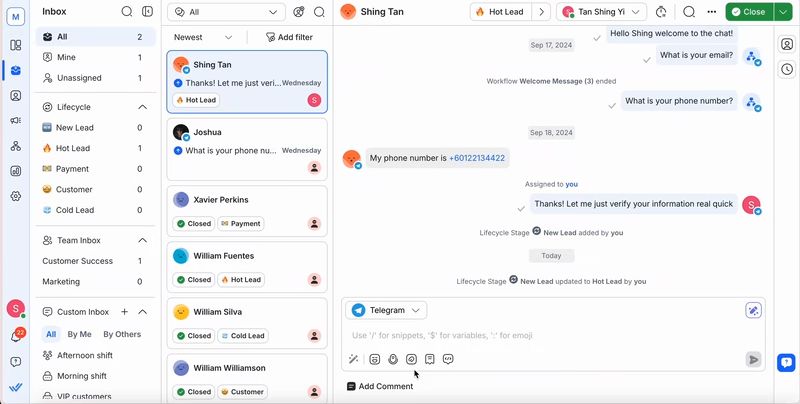
Chatbot Facebook yang efektif membantu memindahkan kontak melalui corong penjualan. Platform terbaik memungkinkan Anda mensegmentasi, memberi skor, dan memprioritaskan prospek Messenger berdasarkan niat, keterlibatan, dan tahap siklus hidup, sehingga tim fokus pada percakapan yang paling mungkin menghasilkan konversi.
7. Analitik yang dibangun untuk kinerja Messenger
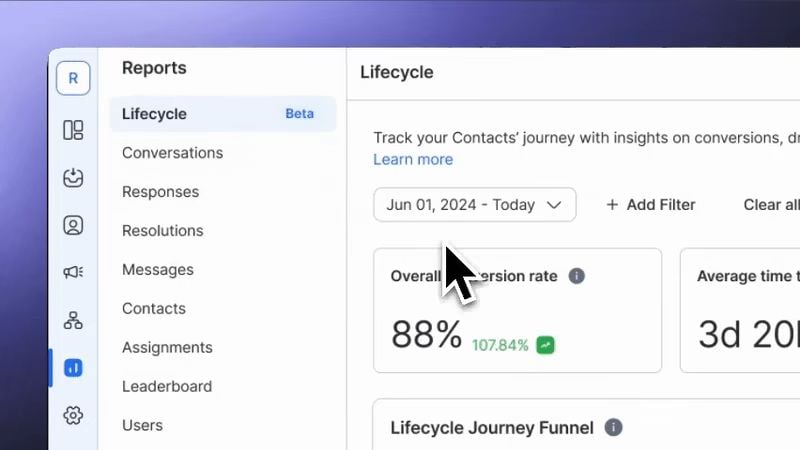
Platform chatbot Facebook yang baik memberikan visibilitas yang jelas ke volume percakapan, kecepatan respons, kinerja agen dan konversi. Dukungan untuk Conversions API (CAPI) Meta sangat penting, karena mengirimkan data konversi Messenger terverifikasi kembali ke Meta untuk meningkatkan penargetan iklan dan ROI.
8. Keandalan platform dan dukungan responsif
Lalu lintas Messenger dapat melonjak dengan cepat—terutama dari iklan. Pilih platform chatbot Facebook yang terbukti mampu menangani volume tinggi tanpa lag atau crash. Waktu aktif yang andal serta dukungan yang responsif dan berpengetahuan memastikan percakapan, otomatisasi, dan kampanye berjalan lancar setiap saat.
Memahami apa yang membuat chatbot Facebook hebat itu satu hal—tetapi melihat kemampuan tersebut beraksi adalah yang benar‑benar penting.
Bagaimana bisnis menggunakan chatbot Facebook untuk sukses
Berikut adalah contoh nyata bagaimana perusahaan menggunakan chatbot Facebook untuk mengubah Messenger menjadi saluran penjualan dan dukungan berkinerja tinggi—serta hasil terukur yang telah mereka capai.
1. Diskat mengotomatisasi penjualan dengan AI Agents untuk tingkat konversi 80%
Diskat, pengecer yang berbasis di Guatemala, kewalahan oleh tingginya volume pesan di Facebook Messenger, WhatsApp dan TikTok, dengan agen yang menjawab pertanyaan tentang produk secara manual dan memasukkan pesanan. Menggunakan respond.io, Diskat menerapkan Agen AI "Diky" sebagai chatbot Facebook Messenger untuk mengotomatisasi percakapan penjualan — mulai dari menyapa prospek hingga mengonfirmasi pesanan dan mengumpulkan detail pelanggan. Chatbot menyinkronkan data pesanan langsung ke ERP Diskat, menghilangkan entri manual, dan mengirimkan data konversi waktu nyata ke Meta melalui CAPI, meningkatkan penargetan iklan Facebook dan mengurangi pengeluaran yang terbuang.
Dengan otomatisasi Messenger yang diterapkan, Diskat kini menangani 90% penjualan melalui AI, mempertahankan tingkat konversi 81.4%, dan telah mengurangi biaya pemasaran serta operasional sebesar 50%.
2. iMotorbike menangani 2× lebih banyak prospek dengan AI Agents di respond.io
iMotorbike, pasar online terkemuka untuk motor bekas di Malaysia dan Vietnam, kesulitan mengelola volume pesan harian yang tinggi di WhatsApp, Facebook Messenger, Instagram dan TikTok. Berbagai jenis pertanyaan—pembelian, penjualan, asuransi, dan perbaikan—tercampur, memperlambat perutean dan menyebabkan prospek berkualitas hilang.
Menggunakan respond.io, iMotorbike menerapkan agen AI yang disesuaikan untuk setiap perjalanan pelanggan. AI sekarang menangani FAQ rutin, mengidentifikasi niat pembeli vs penjual, memperbarui tahap siklus hidup dan merutekan hanya prospek serius ke tim yang tepat. Ini juga menutup percakapan secara otomatis untuk menjaga Inbox tetap teratur.
Dengan balasan instan dan akurat di semua saluran Messenger, iMotorbike menggandakan kapasitas penanganan prospek harian, merespons 67% lebih cepat, dan 70–80% percakapan dikelola oleh AI. Bisnis sekarang menangani 2× lebih banyak prospek dan telah melihat peningkatan penjualan dalam bulan pertama mengadopsi otomatisasi AI.
Kesimpulan: Agen/chatbot Facebook AI mana yang harus Anda pilih?
Jika Anda menginginkan chatbot Facebook yang melampaui otomatisasi sederhana, respond.io adalah platform yang dibangun untuk skala.
Jawab FAQ menggunakan sumber pengetahuan Anda (dokumen, URL, gambar, catatan suara).
Kualifikasi prospek secara otomatis, mengumpulkan detail kunci dan mengidentifikasi niat pembeli.
Rutekan percakapan secara cerdas ke tim atau agen yang tepat berdasarkan konteks.
Lakukan tindakan seperti memperbarui bidang kontak, tahap siklus hidup, menugaskan pengguna atau menutup percakapan.
Picu alur kerja secara dinamis untuk mengotomatiskan tindak lanjut, perutean, pembaruan CRM, dan lainnya.
Interpretasikan input multimodal termasuk gambar, PDF dan catatan suara untuk balasan yang kaya konteks.
Latih pada data Anda sendiri dengan sumber pengetahuan yang fleksibel untuk respons yang akurat dan selaras dengan merek.
Dukung percakapan multibahasa, memungkinkan keterlibatan pelanggan global
Ubah percakapan pelanggan menjadi pertumbuhan bisnis dengan respond.io. ✨
Kelola panggilan, obrolan, dan email di satu tempat!
FAQ tentang chatbot Facebook terbaik
Apakah saya perlu keterampilan pemrograman untuk membuat chatbot Facebook?
Tidak — sebagian besar platform chatbot Facebook menawarkan pembuat visual tanpa kode, sehingga Anda dapat merancang alur, mengotomatisasi FAQ, dan merutekan pelanggan tanpa menulis kode. Respond.io menggunakan pembuat alur kerja seret dan lepas dan Agen AI yang memungkinkan bisnis mengotomatisasi percakapan Messenger dalam skala besar tanpa keterampilan teknis. Pemrograman hanya diperlukan jika Anda menginginkan perilaku yang sangat disesuaikan.
Apakah chatbot Facebook gratis?
Ya — beberapa alat menyediakan paket gratis untuk otomatisasi Messenger dasar, termasuk ManyChat, UChat, Botpress dan Chatbase. Ini cocok untuk pengujian atau penggunaan skala kecil. Untuk bisnis yang melebihi paket gratis dan membutuhkan pesan omnichannel, otomatisasi lanjutan atau AI, respond.io menawarkan uji coba gratis agar tim dapat mencoba otomatisasi kelas perusahaan sebelum meningkatkan ke paket berbayar.
Bisakah chatbot terintegrasi dengan iklan di Facebook?
Ya — banyak platform chatbot Facebook terintegrasi dengan Meta Ads melalui alat seperti Conversions API (CAPI) dari Meta. Ini memungkinkan chatbot mengirimkan peristiwa konversi nyata (seperti pendaftaran, pembelian, atau prospek berkualitas) kembali ke Facebook, meningkatkan penargetan iklan dan mengurangi pengeluaran yang terbuang. Jika Anda pengguna respond.io, Anda dapat membuat alur kerja otomatis yang terintegrasi dengan CAPI untuk melakukan tindakan setelah konversi terjadi di iklan Meta Anda. Ini memberi bisnis penargetan ulang yang jauh lebih akurat dan prospek berkualitas lebih tinggi dari kampanye Facebook mereka.
Bacaan lanjutan
Jika Anda merasa artikel kami bermanfaat, Anda sebaiknya memeriksa hal-hal berikut:


