
















 Electronics
 Fashion & Apparel
 Furniture
 Jewelry and Watches
 Afterschool Activities
 Sport & Fitness
 Beauty Center
 Dental Clinic
 Medical Clinic
 Home Cleaning & Maid Services
 Photography & Videography
 Car Dealership
 Travel Agency & Tour Operator


TL;DR — Best software to manage customer interactions in 2026
Choose customer interaction software based on whether you need real-time conversations, ticketed support, or outbound journeys—here are the best tools for each.
Here’s how the leading tools differ:
Respond.io brings AI agents, omnichannel messaging, voice calling, automation and CRM connections into one workspace for high-volume B2C teams.
Kommo, Freshchat and Sleekflow focus on live chat across WhatsApp, social channels and web messaging.
Zendesk, Salesforce Service Cloud and Freshdesk are built for structured support with ticketing and service workflows.
HubSpot Service Hub, Zoho and Braze power customer engagement through campaigns and automation.
If you choose the wrong customer interaction software, you'll miss leads, lose revenue from slow replies, and waste time rebuilding context across channels.
At its simplest, customer interaction software helps businesses manage every channel through which customers talk to them. WhatsApp, email, live chat, Instagram, Messenger, calls and whatever comes next. Instead of bouncing between tools, teams work from one system built around conversations.
Below, we cover why these platforms matter for mid-market B2C teams more than ever, how to choose the right type, what features are worth caring about and which tools actually hold up in 2026.
Why customer interaction software matters more than ever in 2026
The challenge is no longer message volume. It is fragmentation. Customers move across channels, but most teams still manage each one separately, which breaks context and slows responses.
Most teams do the opposite. Sales live on WhatsApp. Support lives in email. Marketing owns Instagram. The problems this causes are glaring owing to the lack of a single source of truth. But customer interaction software exists to stop that messiness.

In the background, automation does the routine work. Routing, tagging, follow-ups, escalations. AI assists with replies, summaries and intent detection so humans can stay focused on the parts that actually need judgment.
Most importantly, these platforms build a single customer story. Every message, call and action sits on one timeline. That matters when deals stretch over weeks or when a support issue keeps resurfacing.
Platforms like respond.io are built around this reality: Conversations first, systems second.
Turn customer conversations into business growth with respond.io. ✨
Manage calls, chats and emails in one place!
How to choose a customer interaction software
Not all customer interaction software is trying to solve the same problem. Before comparing tools, buyers should answer three questions. First, which conversations drive the most revenue or customer retention — lead capture, real-time support or outbound engagement. Second, where customer data should live so teams are not copying updates between systems. Third, how much complexity the team can realistically manage without slowing rollout.
If messaging, fast handovers and lifecycle visibility matter most, a conversation-first platform usually unlocks value faster. If formal queues or campaign orchestration matter more, a support-first or engagement-first system is often the better fit.
Type of tools | Description |
|---|---|
Customer conversation platforms | Centralizes live customer conversations across messaging channels and helps teams respond, route and follow up from one shared inbox. |
Customer support systems | Organize customer issues into tickets so support teams can prioritize, track and resolve requests at scale. |
Customer engagement platforms | Powers outbound messaging and lifecycle campaigns, with automation focused on reach and consistency rather than live conversation handling. |
#1 Customer conversation platforms (omnichannel, chat + call-first)
Conversation platforms like respond.io are built for real-time messaging. They are designed for teams that sell, support and onboard through chats and calls. These tools prioritize shared inboxes, fast replies, automation and context. They feel natural when conversations bounce between WhatsApp, Messenger, Instagram and live chat.
So if messaging is how your business runs day-to-day, this is where you start.
#2 Customer support systems (ticketing and case management)
Support systems are built around tickets, queues and cases. They are excellent for structured issue resolution and large support teams handling high volumes of requests. Tools like this prioritize workflows, escalation rules and reporting over live conversation flow. Messaging support exists, but it is often layered on top of a ticketing model.
They work best when customer issues are formal, repeatable and handled primarily by support teams.
#3 Customer engagement platforms (marketing automation)
Engagement platforms focus on outbound communication. Campaigns, journeys, segmentation and personalization at scale. They are great for lifecycle marketing, notifications and long-term engagement. Live conversations usually play a smaller role or rely on integrations.
These tools make sense when marketing-led communication is the main driver and real-time chat is secondary.
Customer conversation platforms focus on managing customer interactions in real time across channels, while ticketing systems and engagement platforms usually optimize for cases or campaigns rather than continuous two-way conversations.
What to look for in customer interaction software
Knowing the category of customer interaction software you need is only step one. Step two is understanding which specific features to look for.

Unified inbox with full customer context: Every conversation should land in one shared inbox with a single customer timeline. If agents have to jump tools or ask customers to repeat themselves, the system has already failed.
True omnichannel support: Native support for WhatsApp, VoIP, Messenger, Instagram, email and other popular channels keeps context intact. Patchwork integrations break handovers, reporting and trust faster than teams expect.
AI Agents and automation that move conversations forward: Modern platforms should do more than suggest replies. They should identify intent, qualify leads, update lifecycle stages, route conversations by purpose and generate summaries for handovers. That helps teams respond faster, protect conversion and keep sales or support follow-up from stalling when a conversation changes hands. Customer conversation platforms are designed to do all of this without requiring teams to manage multiple disconnected tools. Respond.io is a customer conversation platform with omnichannel routing automation and lifecycle tracking for managing customer interactions at high volume.
CRM integrations that actually stay in sync: Conversation data should not live in isolation. When a customer is qualified, escalated or moved to a new stage, the platform should push that update back to the CRM and sync lifecycle data automatically. Connecting Google Calendar lets agents view a contact's upcoming and past meetings directly in the Inbox sidebar, matched by email, so follow-ups stay informed without switching tools. That gives managers a clear view from first message to outcome and reduces manual admin for frontline teams.
Pricing clarity that teams can actually forecast: Entry price alone is not enough. Buyers should compare whether cost is charged per seat, tied to AI usage or based on Monthly Active Contacts (MAC). Per-seat pricing can rise quickly when sales, support and operations all need access, while usage-based AI fees and quote-only pricing make budgeting harder before rollout. MAC pricing is often easier for mid-market B2C teams to forecast because cost follows the number of customers they actively engage across WhatsApp and other key messaging, social, voice and email channels.
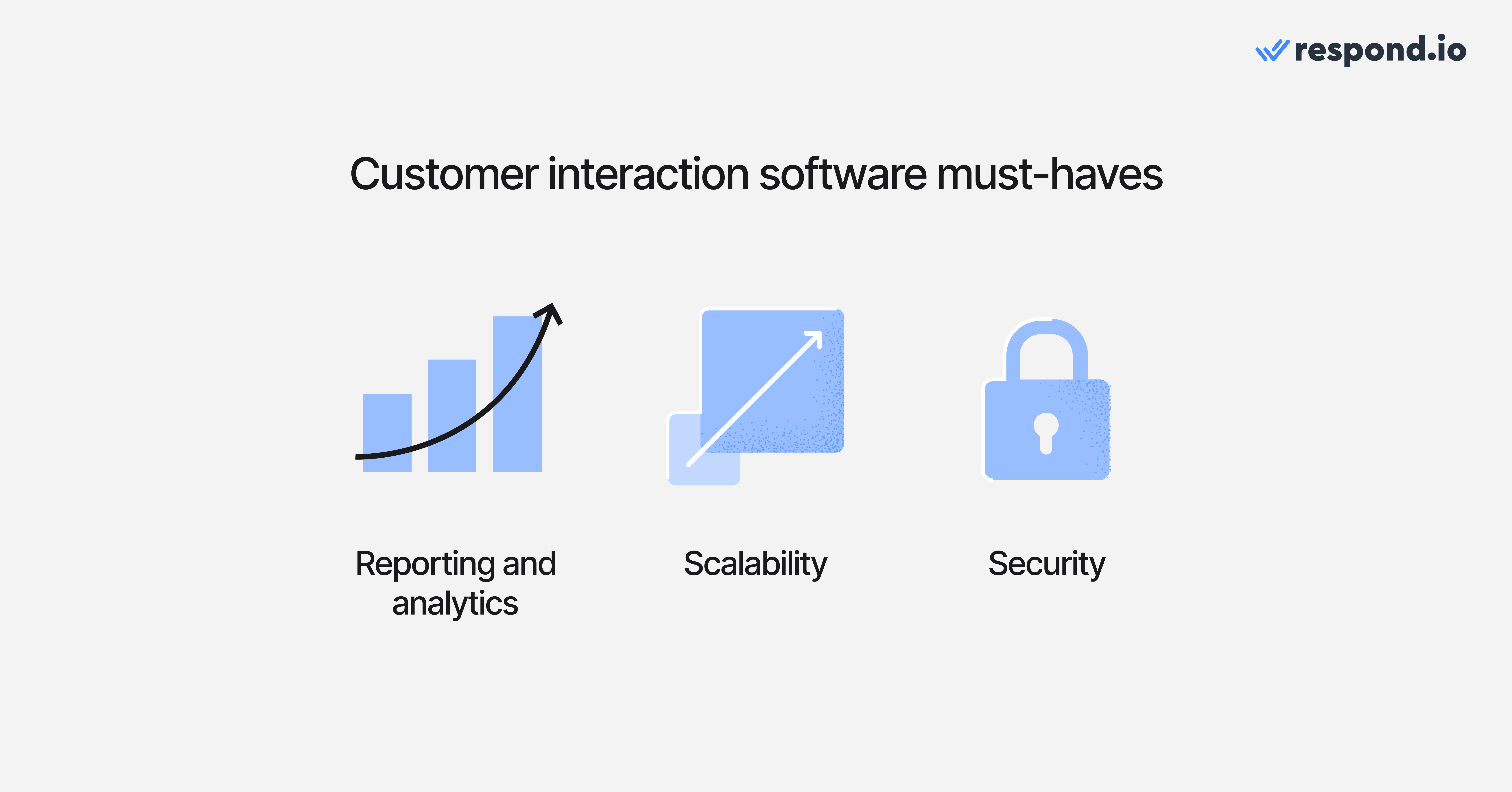
Analytics that show what is really happening: Response time, resolution speed, conversion rates and agent performance should be visible without exporting spreadsheets. If reporting feels like a project, teams stop using it.
Scalability that holds up under pressure: Message spikes happen during campaigns, outages and launches. Your inbox should stay reliable when traffic does not.
Security and compliance that do not get in the way: Access controls, audit logs and data protection should be built in, not added as an afterthought. Strong security should feel invisible to the team using it.
Comparison table: Top customer interaction software
Let’s now compare some of the best customer interaction software options in the market.
Software | Category | Best for | Pros | Cons |
|---|---|---|---|---|
Respond.io | Customer conversation platform | Teams managing high-volume chat and calling with automation and AI | Omnichannel inbox, strong automation, AI agents that take action, chat and voice in one workspace | Requires setup to unlock full value |
Kommo | Customer conversation platform | Chat-led sales teams that want conversations tied to pipelines | Messaging and CRM tightly linked, visual pipelines, simple automation | Limited depth for complex workflows |
Freshchat | Customer conversation platform | Support and success teams that want fast live chat | Modern chat experience, easy setup, good Freshworks ecosystem fit | Less flexible for advanced omnichannel use |
SleekFlow | Customer conversation platform | Small teams handling messaging across multiple channels | Clean UI, quick onboarding, no-code automation | Platform performance can be limiting at scale |
Zendesk | Customer support system | Large support teams running structured ticketing workflows | Mature ticketing, robust reporting | Cost and configuration overhead |
Salesforce Service Cloud | Customer support system | Enterprises needing deep service workflows and CRM control | Highly configurable, powerful case management, strong data model | Heavy implementation and admin effort |
Freshdesk | Customer support system | Teams wanting ticketing that balances power and ease of use | Good value, quick rollout, solid automation | Advanced customization gated behind higher tiers |
HubSpot Service Hub | Customer engagement platform | Teams already using HubSpot across sales and marketing | CRM-native service tools, easy automation, shared customer view | Costs scale quickly with advanced features |
Zoho | Customer engagement platform | Budget-conscious teams needing broad engagement tools | Wide suite coverage, flexible pricing, many integrations | Can feel complex due to breadth |
Braze | Customer engagement platform | B2C teams running large-scale lifecycle campaigns | Powerful orchestration, deep segmentation, built for scale | Not designed for live customer conversations |
Top 10 customer interaction software in 2026
This shortlist prioritizes tools that centralize customer conversations, support AI Agents and automation, connect to CRM and sync lifecycle data automatically, and help mid-market B2C teams manage messaging and voice without losing context. The platforms below are grouped by how teams use them in practice so buyers can compare them against conversion, support and retention needs instead of feature volume alone.
Category 1: Customer conversation platforms
These tools are built for real-time messaging. They shine when sales, support and operations teams share one inbox and need conversations to move quickly without losing context.
Respond.io
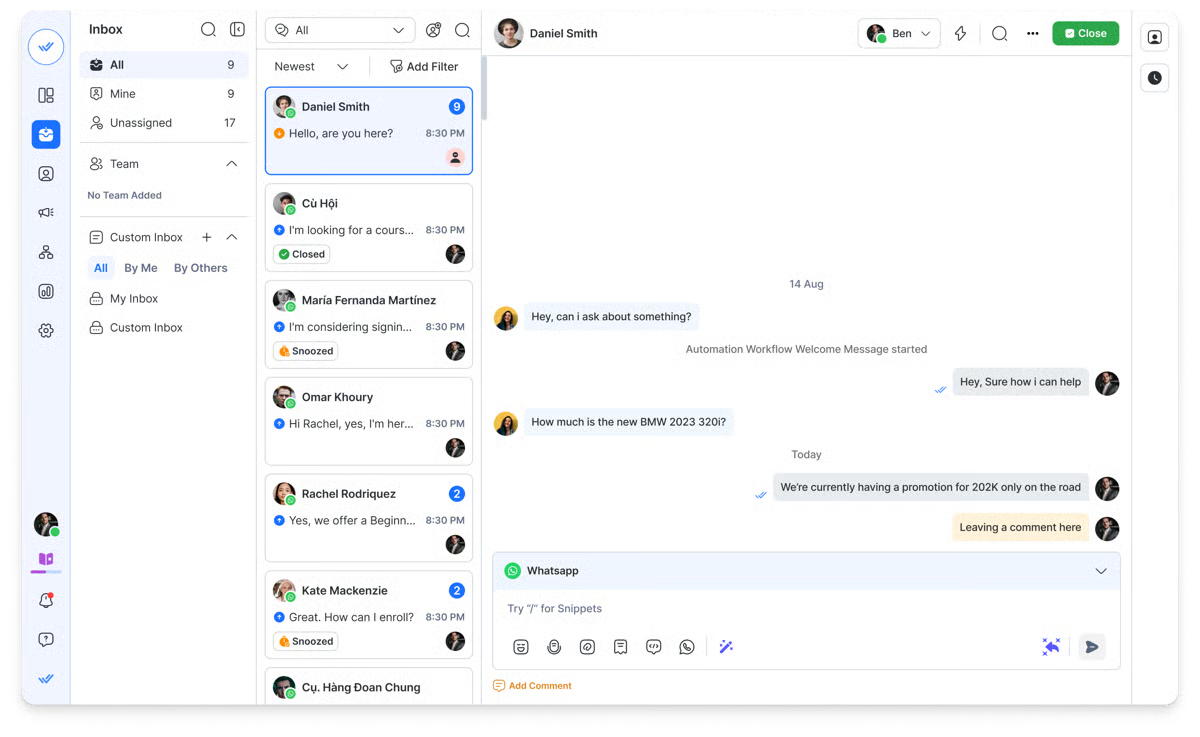
Respond.io is a customer conversation platform with omnichannel routing automation and lifecycle tracking for teams managing high-volume customer interactions across messaging and voice. Messages, calls, automation and AI all work together so conversations do not break when customers switch channels or context.
Pros
Unified inbox for WhatsApp, Messenger, Instagram, TikTok, Telegram, email, web chat and VoIP
AI agents that reply to chats and calls to qualify leads, answer questions using approved knowledge and escalate with context
Workflow automation for routing, follow-ups, surveys and system updates
Voice and chat are handled in the same inbox without losing customer history
Native CRM integrations including HubSpot and Salesforce
AI reply suggestions to speed up and standardize responses
Test environment for AI agents before going live
GDPR and ISO 27001 compliance with high platform reliability
Cons
Requires thoughtful setup and process design to unlock full value across teams
Customer sentiment
Frequently praised for its unified inbox and automation depth, with some users noting a learning curve during initial setup.
G2 rating: 4.8/5
Capterra rating: 4.6/5
Pricing
Respond.io’s Growth plan is priced at $199 per month and supports up to 10 users. It features unlimited AI agent usage, advanced automation and full access to the omnichannel inbox.
Kommo
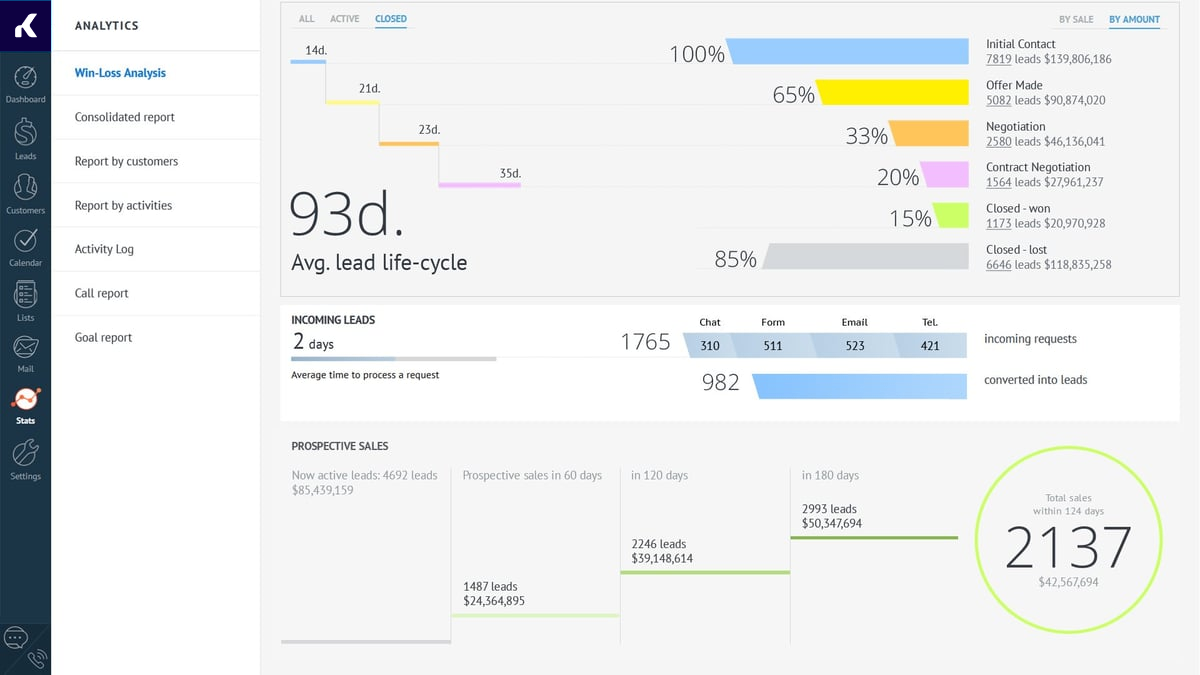
Kommo is built for teams that sell through chat and want customer interactions tied directly to a pipeline. Conversations live next to deal stages, so reps can see what is happening, what is stuck and what needs a follow-up.
Pros
Unified inbox that connects common messaging channels to a shared workspace
Visual pipelines that tie chats to deal stages and next actions
Built-in automation for assignment, follow-ups and task creation
No-code bot tools for qualification and routing
Reporting to monitor pipeline movement and rep activity
Cons
Lack of deep customization for reports and custom plugins
It lacks native integrations with major enterprise CRMs like Salesforce or HubSpot
Email communication can be kept separate from instant messenger chats, potentially fragmenting the full customer history
The interface is not as modern as newer, purely chat-focused platforms
Customer support is primarily available only during business hours, which can affect global sales teams
Customersentiment
Often praised for being easy to use and sales-friendly, with occasional feedback that advanced reporting and customisation can feel limited.
G2 rating: 3.8/5
Capterra rating: 4.3/5
Pricing
Starts at $25 per user/month, which includes features like the no-code Salesbot, pipeline automation and triggered SMS and emails.
Freshchat
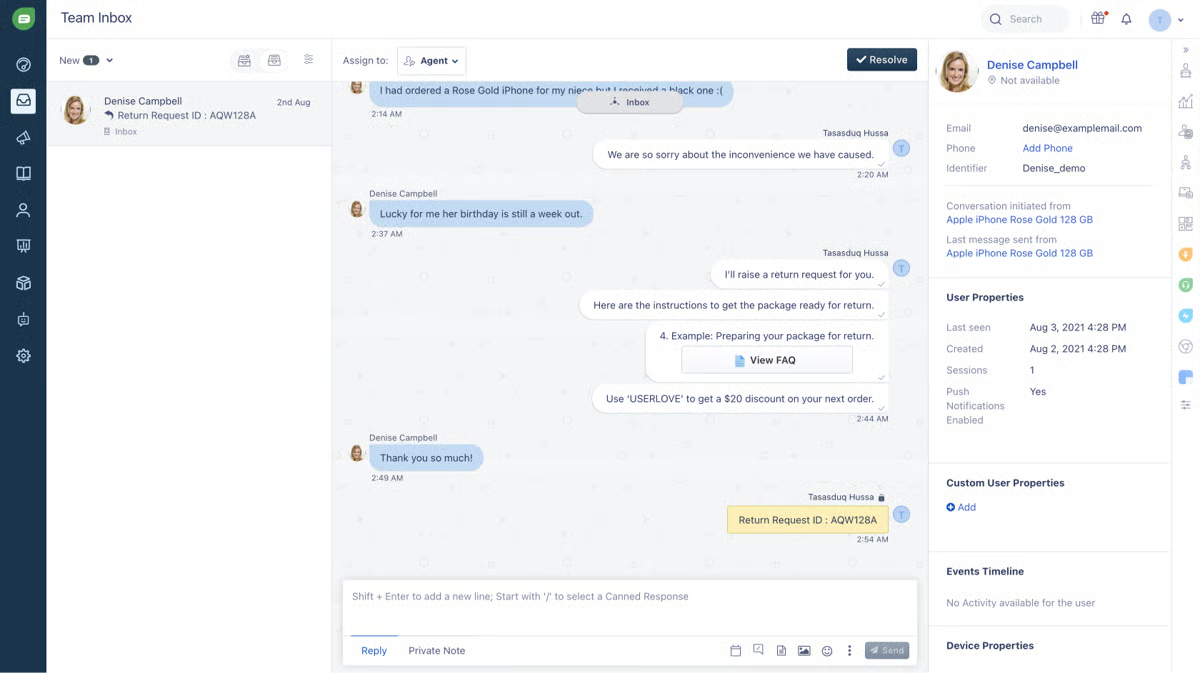
Freshchat is built for teams that want live chat and messaging to feel fast and modern, without forcing everything into a ticket. It works well when your customer interactions are conversational, high volume and time-sensitive.
Pros
Chat and messaging experiences for web and in-app support
Bot and automation support for FAQs, routing and basic troubleshooting
Team inbox features like assignment, notes and collaboration tools
Customer context to support faster, more personalised replies
Integrations with Freshworks products and common business tools
Cons
Setup can be complex for smaller teams
Focused primarily on support rather than the full customer journey
Chat flow customization is limited
Pricing increases quickly once add-ons are factored in
Customer sentiment
Praised for ease of setup and smooth chat experiences, with some users wanting deeper customisation in more complex environments.
G2: 4.4/5.0
Capterra rating: 4.1/5.0
Pricing
Freshchat’s Growth plan starts at $23/month and includes access to the Freddy AI Agent with 500 free sessions. Additional sessions are billed at $100 per 1,000.
SleekFlow
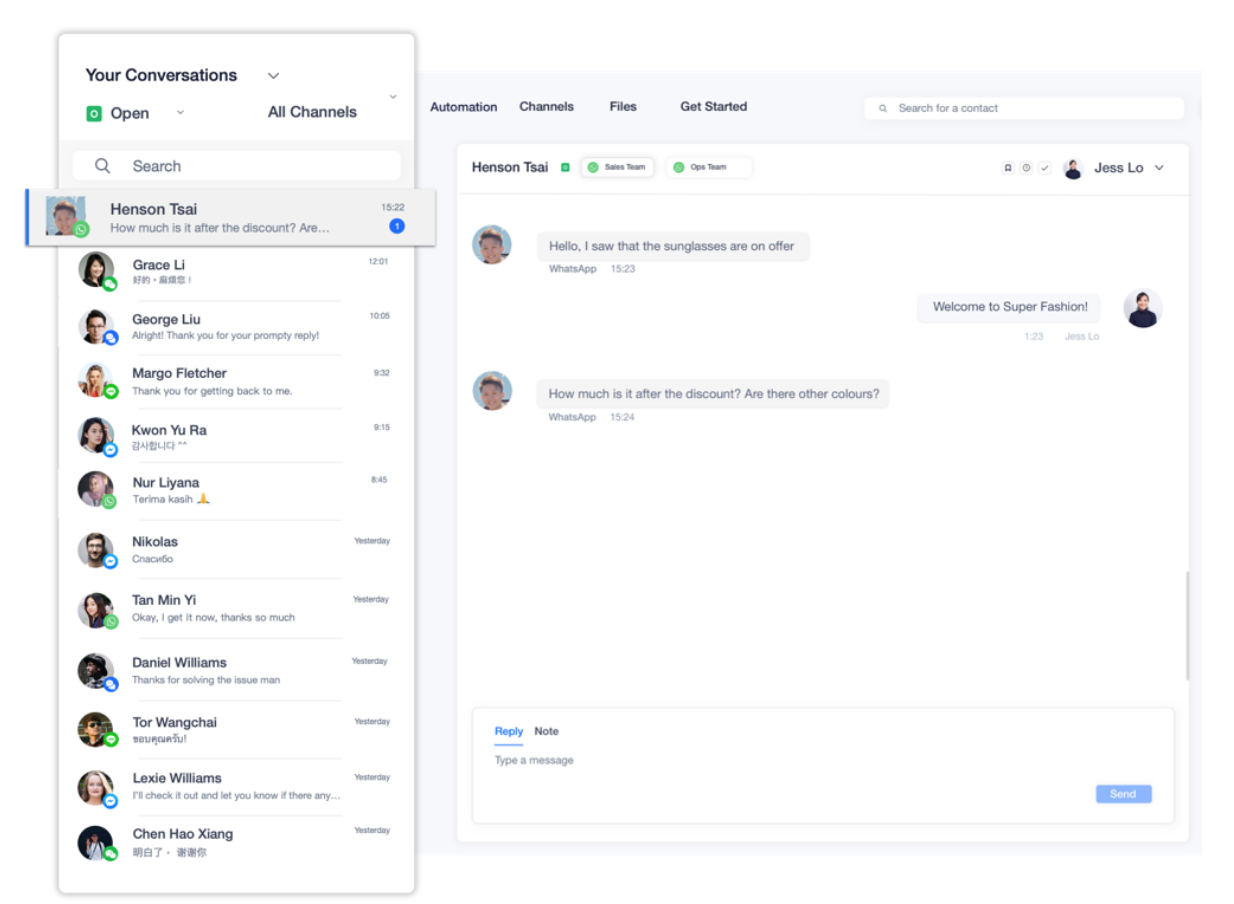
SleekFlow is best suited for teams that want customer interactions across messaging channels in one place, without making implementation a time-consuming affair.
Pros
Shared inbox for messaging channels like WhatsApp, Instagram and Messenger
No-code automation builder for replies, routing and follow-ups
Team features like assignment, tags and saved replies
Integrations with e-commerce and CRM tools to keep context connected
Analytics to track performance and workload
Cons
Some channels are not available such as WhatsApp Business Calling API.
Platform can lag under high message volumes (G2)
SleekFlow offers email and chat support on standard plans, but some customers have reported issues with support quality. This is reflected in the story of GETUTOR, an education business that switched from SleekFlow to respond.io after struggling with slow and unhelpful technical support.
Customer sentiment
Often liked for UI and ease of use, with recurring feedback around pricing structure.
G2 rating: 4.6/5
Capterra rating: 4.5/5
Pricing
SleekFlow's Premium AI plan is priced at US$399/month and includes 5 user accounts and 1,000 Monthly Active Contacts (MAC), expandable to 12,000 via add-ons. Pricing is based on Monthly Active Contacts (MAC) — the contacts you actively message during a billing cycle.
Category 2: Customer Support Systems
These platforms are optimized for issue resolution, ticketing workflows and large customer service teams:
Zendesk
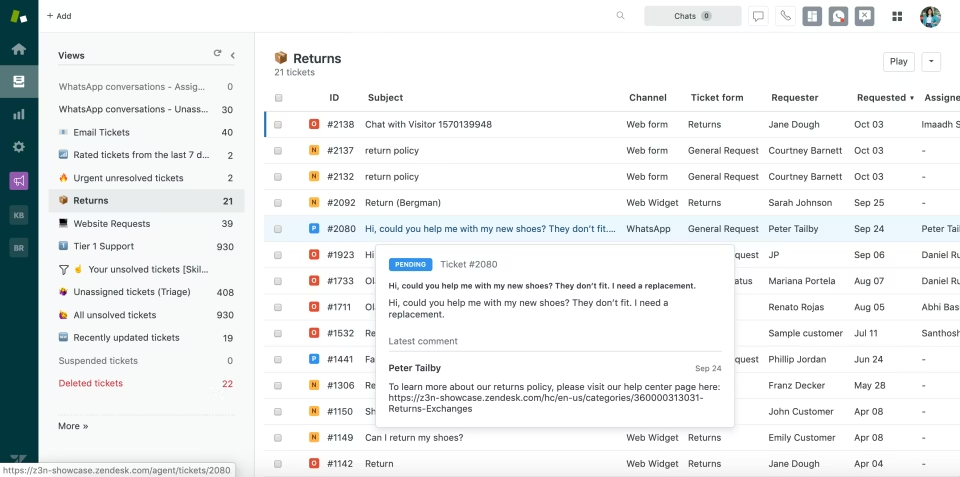
Zendesk is built for customer interactions that need structure, ownership and accountability. It turns customer requests into tickets so teams can manage queues, escalations and reporting without losing track of what is happening.
Pros
Ticketing system built for high-volume issue resolution
Workflow rules, routing and escalation paths for structured support
Knowledge base and self-service options to reduce repetitive workload
Reporting dashboards for queue health and team performance
Integrations with CRMs and business systems for context
Cons
Pricing for the full feature set is high, with per-agent costs escalating quickly as teams grow
Implementation and configuration are complex, with a steep learning curve for setup and advanced workflows
Some users report difficulties with data export, inflexible contract options and inconsistent customer support
Lower tiers lack key features, often pushing teams to upgrade sooner than expected
Customer sentiment
Trusted and widely adopted for support operations, though some teams note cost can climb and configuration can take time.
G2 rating: 4.3/5.0
Capterra rating: 4.4/5.0
Pricing
Zendesk’s Suite Professional plan is $149/agent/month and includes AI agents, generative replies and customizable reporting.
Salesforce Service Cloud
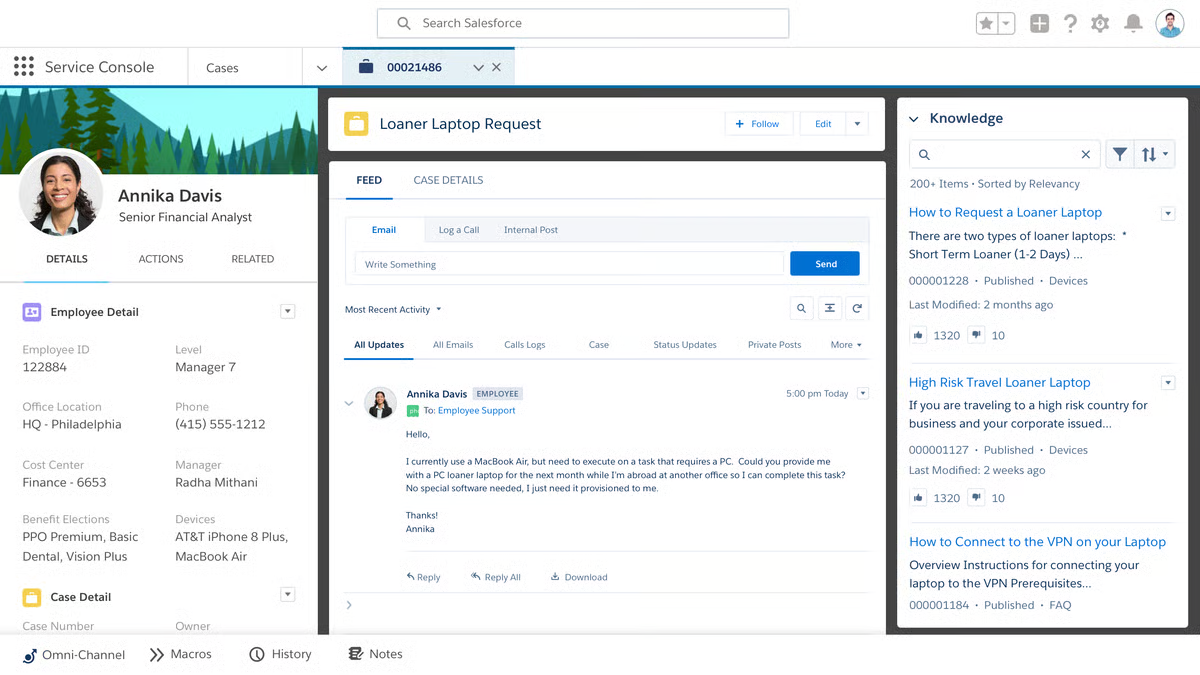
Salesforce Service Cloud is built for complex customer support environments where every interaction needs to be tracked, governed and connected to CRM data.
Pros
Case management designed for complex service operations
Automation and workflow tools for routing, escalation and approvals
Strong CRM alignment across service, sales and customer data
Omnichannel routing capabilities depending on setup and edition
Dashboards and reporting for enterprise service performance
Cons
High cost and licensing can be a barrier, especially for smaller businesses or less complex needs
Steep learning curve and complex setup; non-technical teams often struggle with configuration
Performance and interface issues reported in heavily used setups, including slow load times
Customer support quality can be inconsistent without a premium support plan
Customer sentiment
Highly capable and scalable, with frequent reviews that highlight that implementation and admin overhead can be significant.
G2 rating: 4.5/5.0
Capterra rating: 4.4/5.0
Pricing
Salesforce Starter Suite costs $25 per user per month with monthly billing and includes core CRM features for sales, service and marketing.
Freshdesk
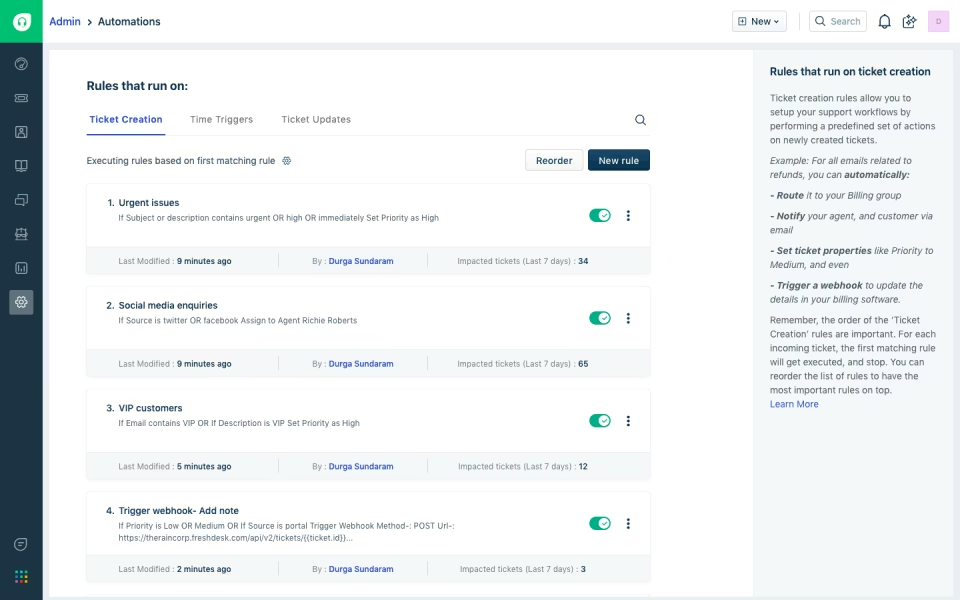
Freshdesk is built for teams that want ticketing to feel manageable. It supports structured support workflows while staying approachable for teams that do not want heavy implementation before they can help customers.
Pros
Ticketing system for email and multi-channel support intake
Automation for routing, prioritisation and repetitive support tasks
Knowledge base and self-service options
Team collaboration tools to reduce duplicate replies
Reporting on agent performance and queue trends
Integrations with common business tools and CRMs
Scales well from small teams to larger support operations
Cons
Advanced features such as detailed analytics and full customisation are locked behind higher-tier plans
Reporting depth and export options are less mature than some enterprise competitors
Support quality and responsiveness can vary on lower-tier plans
Costs can rise significantly when scaling agents, adding channels or upgrading
Customer sentiment
Often praised for value and usability, with some teams noting advanced customisation may require higher plans.
G2 rating: 4.4/5.0
Capterra rating: 4.5/5.0
Pricing
Freshdesk's Pro plan starts at $59/month per agent and include access to a shared inbox, ticketing systems, an email AI agent and customer portal.
HubSpot Service Hub
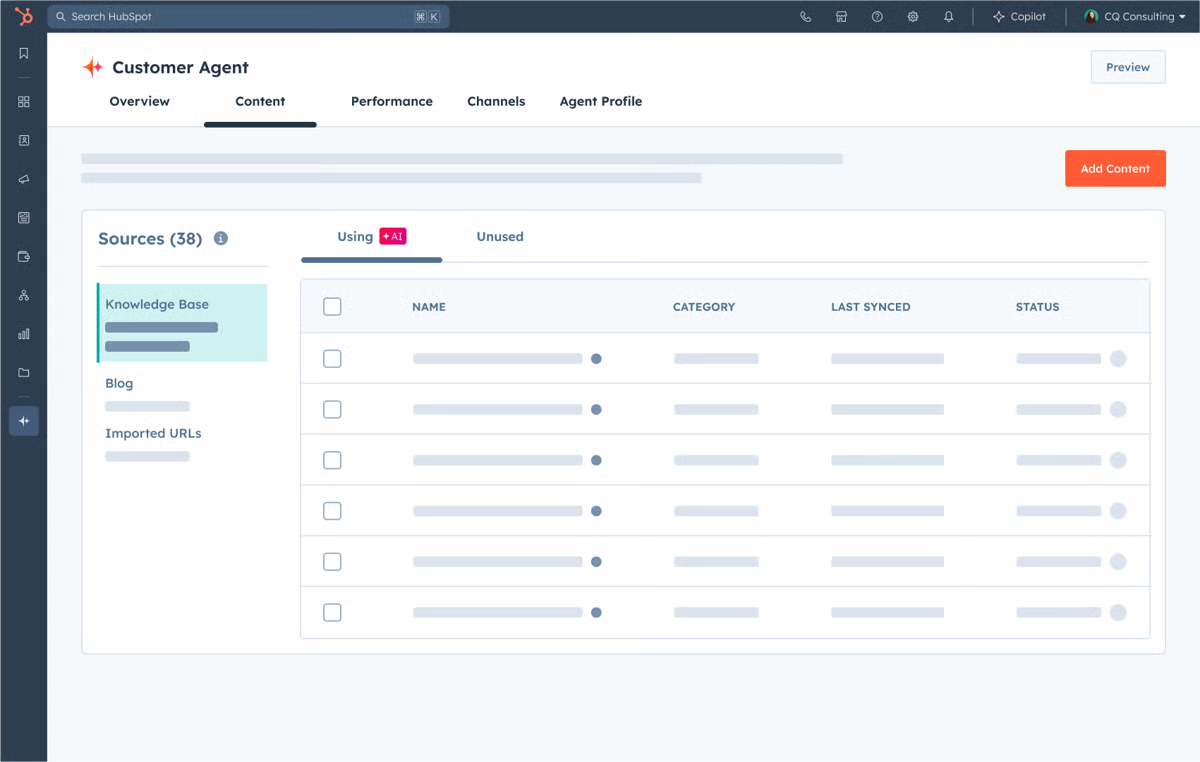
HubSpot Service Hub is built for teams that want customer interactions, CRM context and automation inside one ecosystem. It works best when support is closely connected to sales and marketing.
Pros
Shared inbox and ticketing connected to HubSpot CRM records
Knowledge base and customer portal options depending on tier
Automation tied to CRM properties and customer activity
Feedback and survey tools to measure customer experience
Integrations across the HubSpot ecosystem and external apps
Team collaboration features for internal handovers
Cons
Feature set is limited on lower tiers; many advanced capabilities require a higher plan
Pricing jumps significantly between tiers, making it costly to scale
Reporting and analytics are less deep than some dedicated service platforms
Workflows and routing customisation can have a learning curve for new users
Customer sentiment
Loved for CRM integration and ease of use within HubSpot, with cost scaling as teams add advanced service features.
G2 rating: 4.4/5.0
Capterra rating: 4.4/5.0
Pricing
The Professional plan costs $100 per month per seat and includes access to calling, a shared inbox, routing, customer portals and a reporting dashboard.
Zoho
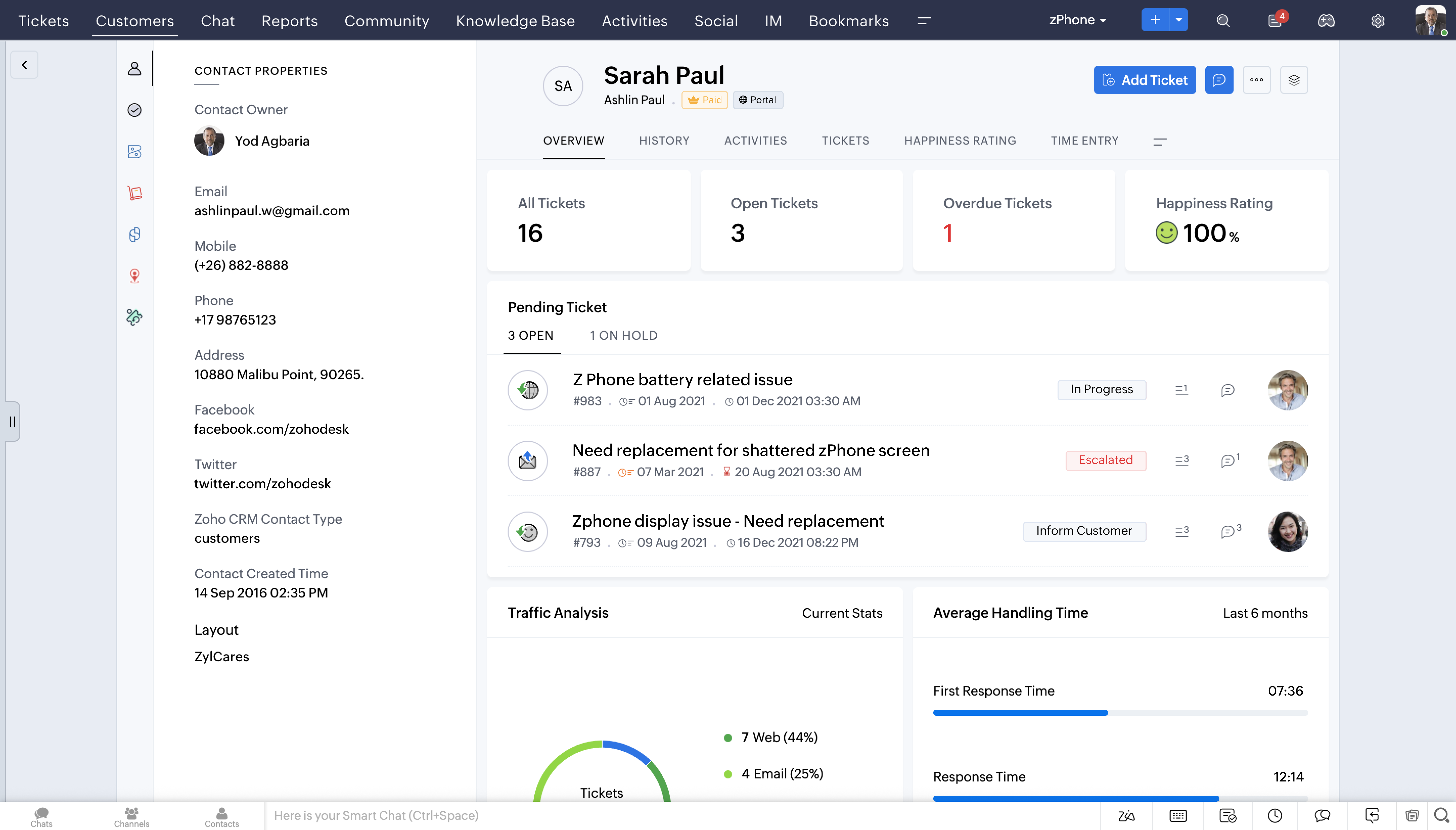
Zoho is built for teams that want broad coverage across customer engagement without paying enterprise rates for every module. It is a suite package, which is great if you want one vendor for many parts of customer interaction and engagement.
Pros
CRM and customer management features across the Zoho ecosystem
Workflow automation for follow-ups, routing and internal actions
Built-in reporting and dashboards across modules
Broad integration options within Zoho apps and external tools
Segmentation and customer data management for engagement
Mobile access and team collaboration features
Cons
Entry-level plans have limited advanced features, often requiring an upgrade to unlock full value
Interface can feel cluttered and less intuitive, with a learning curve for non-technical teams
Performance can slow down when managing large datasets or complex automations
Support quality and response times are inconsistent, particularly on lower-tier plans
Customer sentiment
Often praised for value and breadth, with feedback that the suite can feel complex until teams settle into a clean setup.
G2 rating: 4.1/5.0
Capterra rating: 4.3/5.0
Pricing
Zoho’s Professional plan) is $23 per user per month and includes workflow automation, lead and deal management features, plus real-time sales activity alerts.
Braze
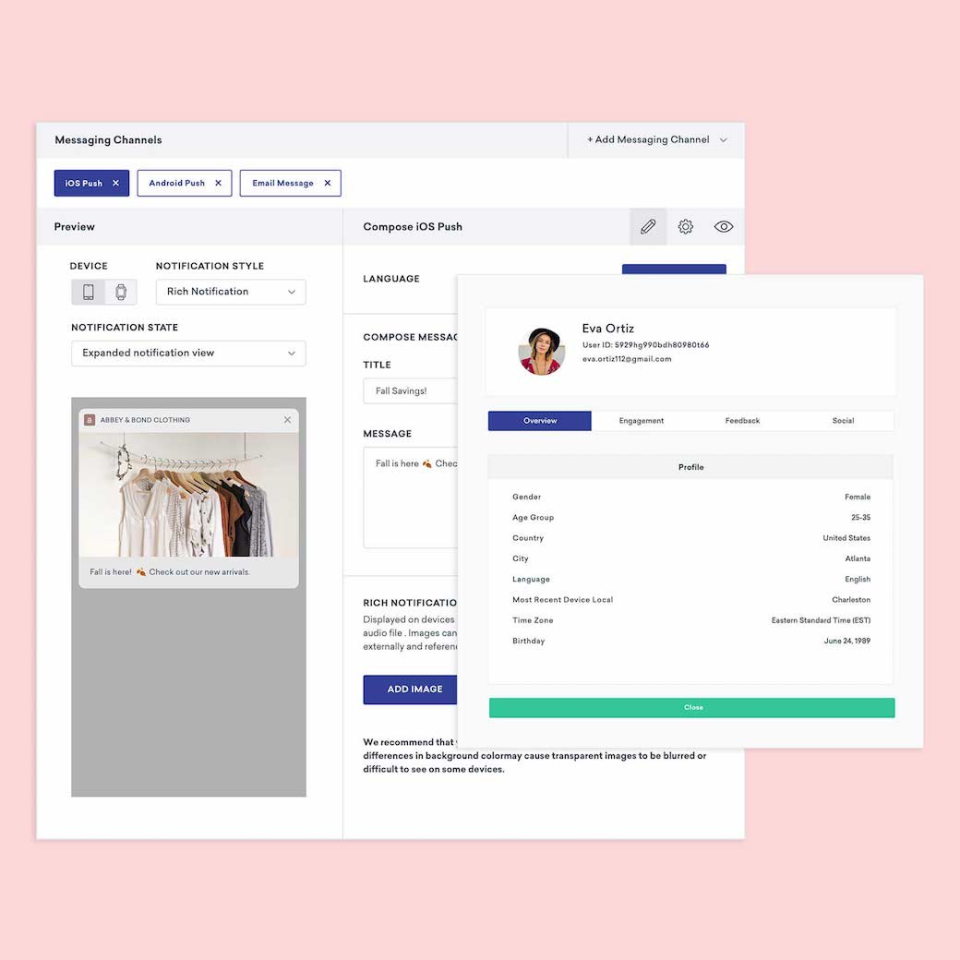
Braze is designed for teams running high-volume outbound communication and customer journeys across multiple channels, where targeting, timing and experimentation matter.
Pros
Multi-channel customer engagement across messaging and owned channels
Journey orchestration for lifecycle campaigns and triggered flows
Segmentation and personalisation at scale
Basic analytics to measure campaign impact and retention
Designed for high-volume engagement programs
Strong fit for mature marketing ops teams
Cons
Pricing is on the premium end and may be out of reach for smaller businesses
Extensive features mean new users often face a steep learning curve before getting full value
AI-driven capabilities are only as effective as the quality of the data feeding them
Customer sentiment
Highly rated for orchestration power and flexibility, with a steeper learning curve and heavier implementation compared to simpler tools.
G2 rating: 4.5/5.0
Capterra rating: 4.7/5.0
Pricing
Braze’s pricing information is not publicly available though some users estimate around $60,000–$100,000 per year for standard use cases.
What’s the best software to manage customer interactions?
The best software to manage customer interactions depends on whether your highest-value interactions happen in real-time conversations, ticketed cases, or outbound journeys. The right shortlist depends on which conversations protect revenue or retention most.
For lead generation and qualification, customer conversation platforms are usually the best fit because they can capture intent, qualify prospects quickly and move high-value conversations to the right team.
For real-time support, conversation-first platforms work well when customers expect fast answers across messaging and voice, while ticketing systems are stronger when issues need formal queues and strict ownership.
For blended sales and support, buyers should look for one customer timeline so handovers do not break context.
For after-hours coverage, prioritize platforms with AI Agents that can answer routine questions, collect details and escalate urgent opportunities.
Choose a ticketing-first system such as Zendesk or Freshdesk instead of respond.io if your work is primarily centered on case queues with heavy approvals and minimal live messaging.
The safest shortlist starts with the conversations that create revenue, resolve issues or keep customers loyal, not the longest feature list.
With that said, for teams that run on conversations (especially across messaging and voice), respond.io stands out and real customers are seeing results everyday:
Noonmar grew new customers by 40% in one month by connecting click-to-chat ads with real conversion data, lifecycle context and smarter retargeting in respond.io.
H&H Skincare turned WhatsApp into a loyalty engine, scaling from 1 to 15 agents with automation and routing to cut response times, lift sales 160% in six months and drive 60% of monthly messages from returning customers.
E4CC cut first response times by 80% across four countries by consolidating regional operations, moving support to WhatsApp and automating chat routing on respond.io.
Respond.io brings messaging, automation and customer context into one workspace. Teams can respond, track activity, and trigger workflows without switching tools or losing conversation history, which helps reduce delays and keep customer interactions consistent as volume grows.
Omnichannel AI agents that handle real customer requests like checking orders, sending booking links, or updating information directly in a chat or call
Outbound campaigns that reach customers across all popular channels, right from the same inbox
VoIP, Facebook Messenger calls and WhatsApp API calling so your team can move from chat to voice without losing context
Lifecycle tracking that automatically qualifies prospects, follows up, and prioritizes the right leads
Clear reporting and analytics that show resolution rates, customer satisfaction, and team performance at a glance
Always-on reliability so every message, call, or task is handled promptly, regardless of time zone
If your team runs on high-volume conversations across messaging and voice, consider testing respond.io to see whether routing automation and a single customer timeline reduce missed messages and improve follow-up.
Turn customer conversations into business growth with respond.io. ✨
Manage calls, chats and emails in one place!
Frequently Asked Questions
How is customer interaction software different from a CRM?
A CRM is primarily designed to store and organize customer data like contacts, deals, and lifecycle stages. Customer interaction software focuses on the conversations themselves, including messages, calls, and follow-ups. While CRMs answer “who is this customer,” interaction software answers “what is happening right now.” Many modern platforms integrate with CRMs so teams can act on conversations while keeping records updated automatically. Respond.io, for example, connects live chats and calls directly to CRM systems so context and actions stay aligned.
Is a CRM-native chat tool enough for most teams?
It can be enough when a team handles a lower volume of conversations on a small number of channels and mainly needs light follow-up inside the CRM. It often falls short once teams need AI Agents, multi-channel routing, voice, after-hours coverage and handovers between sales and support. Mid-market B2C teams usually need a dedicated customer conversation platform when conversations drive both revenue and service outcomes.
Does customer interaction software replace human agents?
Customer interaction software does not replace human agents. It supports them. Automation and AI handle repetitive or low-complexity tasks so agents can focus on conversations that need judgment, empathy, or problem-solving. Human takeover remains essential for edge cases, escalations, and relationship-building. Tools like respond.io are designed with clear handover controls so AI assists without acting unpredictably or independently of team rules.
Which platform is best for customer support?
The best fit depends on how support happens. A customer conversation platform is stronger when customers expect fast help across messaging apps and voice, and when support teams need AI Agents to route conversations, collect details and escalate urgent cases. A ticketing platform is better when support depends on queues, complex approvals and formal case tracking. Mid-market B2C teams should choose based on whether speed and conversation continuity or structured case management carries more weight.
What features matter most when choosing a customer interaction platform?
The most important features depend on how a business communicates with customers, but several consistently matter. These include a unified inbox, full conversation history, automation for routing and follow-ups, AI assistance, and integrations with existing systems like CRMs. Reporting and reliability also play a key role as teams scale. Platforms such as respond.io prioritise these core capabilities so teams can manage conversations efficiently without stitching together multiple tools.
What is the cheapest customer messaging platform?
The cheapest starting price is not always the cheapest platform to run. Some tools look inexpensive at entry level, but total cost can rise fast when more users need access, AI usage is billed separately or important channels are locked behind higher tiers.
For mid-market B2C teams, the better comparison is pricing model, not just headline price. Buyers should look for pricing they can forecast as conversation volume grows, especially when sales and support teams need coverage across messaging, social, voice and email channels. Monthly Active Contacts pricing is often easier to plan around than per-seat or usage-based pricing.
Which messaging platform is best for lead generation?
For mid-market B2C teams, the best fit is usually a customer conversation platform rather than a ticketing or campaign tool. It should capture conversations across messaging and voice, then use AI Agents to qualify leads, route by intent and update lifecycle stages automatically. That gives sales teams faster first response, cleaner handovers and better visibility from first message to opportunity.
How quickly can a business see results from customer interaction software?
Most businesses see early results within weeks of implementation, especially in response speed and visibility across channels. Faster replies, fewer missed messages, and clearer ownership often appear first. Over time, automation and AI improve efficiency and consistency. Platforms like respond.io are designed to deliver quick operational wins while supporting more advanced workflows as teams mature.
Further Reading
If you found our article helpful, you should also check out the following:


