
















 Electronics
 Fashion & Apparel
 Furniture
 Jewelry and Watches
 Afterschool Activities
 Sport & Fitness
 Beauty Center
 Dental Clinic
 Medical Clinic
 Home Cleaning & Maid Services
 Photography & Videography
 Car Dealership
 Travel Agency & Tour Operator


TL;DR: What are the best WhatsApp CRM platforms?
The best WhatsApp CRM depends on where your current setup falls short: handling inquiries across channels, coordinating support, managing commerce or building custom processes.
For mid-market B2C businesses handling 500+ customer conversations a month across channels: Consider respond.io. Its centralized inbox, AI Agents, assignment and CRM connections address scattered inquiries, repetitive qualification and missed follow-ups.
For support teams managing WhatsApp alongside other channels: Compare Freshchat and Trengo. Freshchat is particularly relevant if you already use Freshworks; Trengo provides shared handling across WhatsApp, email and social channels.
For e-commerce conversations: Consider Zoko when Shopify catalogs, orders and checkout recovery are central to your requirements. Compare Interakt if you need WhatsApp and Instagram campaigns, commerce tools and shared replies.
For WhatsApp campaigns and team automation: Consider Wati, checking the plan’s automation allowance and the additional cost of Astra AI Agents.
For a custom-built WhatsApp setup: Consider Twilio if you have developers to build and maintain the agent workspace, integrations and workflows.
The best WhatsApp CRM for mid-market B2C businesses keeps customer details, conversation ownership and follow-up connected as inquiries grow. When those pieces sit in different places, agents repeat questions, managers chase updates and customers wait for someone to get back to them.
If your current tool makes it hard to keep track of inquiries and follow-ups, explore the seven options in this article. We’ll compare their strengths, limitations and monthly pricing to help you choose a setup that fits how your team handles customers.
How to choose the best WhatsApp CRM
Choose a WhatsApp CRM by evaluating how it handles customer conversations, information and follow-up together. Channel access alone won’t tell you whether the platform addresses the problems your team faces. The criteria below cover what happens before, during and after a customer’s inquiry.
Keep conversation history and ownership connected across channels
WhatsApp may be your main channel, but customers can also contact you through Instagram, Facebook Messenger, TikTok, email or calls.
If those inquiries remain separate, agents may not realize they’re speaking to an existing customer. The customer repeats their requirements, two staff members follow up independently and neither has the complete picture.
Look beyond the number of supported channels. Check whether the platform lets your team identify the same customer, access relevant history and keep responsibility clear when a conversation changes channels.
Shared handling matters within WhatsApp too. Useful controls include:
Assignment rules that send inquiries to the appropriate agent, team or location.
Internal notes and mentions so staff can pass on context.
Clear ownership during transfers.
Controls or warnings that reduce duplicate replies.
Views that help managers find unassigned or unanswered inquiries.
Permissions that reflect what different staff members should access.
For a business with several branches, the practical test is whether an inquiry reaches the right location with the customer’s details intact. Shared access is only the starting point.
Evaluate what AI Agents and automation actually complete
AI should reduce the work required to handle an inquiry, rather than simply add an automated greeting.
For businesses receiving more inquiries than the team can handle manually, useful capabilities include answering routine questions, filtering irrelevant inquiries, collecting qualification details and assigning customers to the appropriate human team.
For example, an education provider may need to establish the customer’s preferred course, location and intake date before an advisor takes over. Check whether the platform saves those answers and passes them on, or whether the advisor still has to ask everything again.
Rule-based automation remains important alongside AI. A workflow builder can manage predictable steps such as routing by location, tagging a contact, sending a reminder or requesting an update from another system.
Evaluate the complete sequence:
What starts the automation?
What information does it collect?
Where is that information saved?
What action follows?
When and how does a human take over?
If calls are part of how customers buy or book, include voice handling in your evaluation. Test whether the proposed setup can handle the questions and handoffs you need, rather than assuming chat capabilities work identically on calls.
Also compare how automation is charged. A system that charges by trigger, session or resolution can produce a different bill from one with an included credit allowance. Estimate the actions or interactions involved in your actual customer journey.
Check what the CRM integration reads, updates and synchronizes
A WhatsApp connection should reduce the amount of customer information your team copies between systems.
Start with the fields agents need: contact details, service interest, customer stage, assigned owner, order information or deal context. Then establish what the integration does with each one.
These are different capabilities:
Displaying CRM information beside the conversation.
Letting an agent edit selected CRM fields.
Creating or updating records through automation.
Writing conversation activity back to the CRM.
A platform may support some of these without supporting all of them.
For instance, if an agent updates a customer’s preferred branch, where does that change appear? If a salesperson changes the owner in the CRM, does conversation assignment change too? If a new contact is created, what prevents a duplicate record?
Native integrations can reduce the number of connections to maintain, but the label alone doesn’t establish what is synchronized or how quickly. Check supported fields, update direction, timing and any required middleware.
This matters most when your team depends on accurate ownership and next steps. A connection that displays a name but leaves staff manually updating qualification details may not resolve your follow-up problem.
Check mobile access and reliability
Mobile access matters when staff handle inquiries from a showroom, clinic, shop floor or another location away from their desks.
The mobile app should support the work those employees actually do: replying, reviewing customer history, adding notes and transferring conversations where required.
Check the details that affect day-to-day handling:
Do notifications arrive promptly?
Does unread status stay consistent with desktop?
Can staff see the current conversation owner?
Are customer details and internal notes available?
Can managers identify inquiries waiting for a reply?
If notifications arrive late or assignment information is unclear, an inquiry can sit unanswered even though the business technically offers mobile access. These are worth checking during the trial.
Assess campaigns and how the team handles replies
Broadcasting should be evaluated as a process that includes consent, message preparation, sending and the conversations that follow.
Before a campaign, check how the platform manages customer opt-ins, audience segments and approved templates. If a template is rejected, the team should have a clear way to understand the problem and submit a revision.
After sending, check whether replies reach the right team with enough context. An agent should know whether the customer is responding to a promotion, asking about an order or requesting an appointment.
Useful campaign capabilities include:
Segmentation based on relevant customer details or purchase history.
Scheduling.
Delivery, read and click reporting where supported.
Opt-out handling.
Assignment and follow-up for campaign responses.
A way to connect campaign activity with the resulting purchases or bookings.
A campaign that generates hundreds of replies can create more work than the team can handle. Compare how each tool supports the response process, rather than judging it only by sending capacity.
Use the official WhatsApp Business Platform and follow Meta’s current messaging and consent requirements.
Manage follow-up across customer stages
A customer asking their first question needs a different response from someone waiting to confirm a booking or make a repeat purchase.
Look for a practical way to track those stages and use them during handling. Staff should be able to distinguish a new inquiry, a qualified prospect, a customer awaiting follow-up and an existing buyer.
The benefit is a clearer next step. Instead of reading a long message history to work out what should happen, an agent can see the customer’s current situation and act accordingly.
Where automation updates stages or sends reminders, check the conditions carefully. A reminder should reflect what the customer has actually done, including whether they have already purchased or booked elsewhere in your system.
If your business manages deals in a CRM, establish which system owns the deal stage and how the messaging platform uses that information. Two separate stage systems can create more confusion if they aren’t configured around the same process.
Look for reports that reveal unanswered inquiries and missed follow-ups
Delivery and read rates show part of the picture. Managers also need to know whether customers received timely replies and what happened afterward.
Useful questions include:
How long do new inquiries wait before assignment?
How quickly do agents reply?
Which conversations remain unresolved or unassigned?
Where do customers stop responding?
Which campaigns generate qualified inquiries, purchases or bookings?
Keep team-handling reports and campaign-outcome reporting distinct. A fast response doesn’t necessarily mean the customer’s problem was resolved, and a large number of chats doesn’t establish that a campaign attracted the right customers.
Choose reports that help you decide what to change, whether that is staffing, routing, qualification or follow-up.
Best WhatsApp CRMs: Quick comparison
Before we get into the specifics, here’s a quick comparison to help you shortlist the tools that fit your team’s needs and budget.
We compare each tool’s popular or recommended plan using monthly billing prices, rather than annual-plan equivalents. Each row names the plan and included users where applicable. Twilio uses pay-as-you-go pricing. Applicable Meta fees and separately charged add-ons are excluded.
Tool | Best for | Main uses | Popular/recommended plan: monthly billing |
Respond.io | Mid-market B2C businesses handling 500+ monthly conversations across channels | Centralized customer handling, AI qualification, assignment, follow-up and CRM connections | Growth: US$199/month; 10 users and 1,000 Monthly Active Contacts at the starting tier |
Twilio | B2C businesses with developers building a custom setup | Programmable WhatsApp messaging connected to internal systems | Pay as you go: US$0.005 per incoming or outgoing message, plus applicable Meta fees |
Freshchat | Support teams, particularly those using Freshworks | Shared messaging, support routing and AI handling | Pro: US$59/agent/month |
Zoko | Shopify businesses managing WhatsApp commerce | Catalogs, checkout recovery, campaigns and order-related conversations | Elite: US$139.99/month; 10 agents included |
Interakt | Businesses selling through WhatsApp and Instagram | Campaigns, catalogs, shared replies and commerce automation | Growth: US$55/month; unlimited agents on the displayed package, excluding Sales CRM roles |
Trengo | Teams consolidating customer support across channels | Shared inbox, team collaboration and support automation | Pro: US$671/month; 20 users and 1,500 conversations |
Wati | Teams prioritizing WhatsApp campaigns and automation | Campaigns, team assignment and automated handling | Pro: US$149/month; five users included |
Vendor allowances differ, so these are plans to evaluate rather than identical packages.
Best WhatsApp CRM tools in 2026
The seven tools below serve different operational needs. Their strengths and limitations are most useful when considered against the gaps in your current setup.
1. Respond.io: Customer conversations, AI Agents and CRM connections
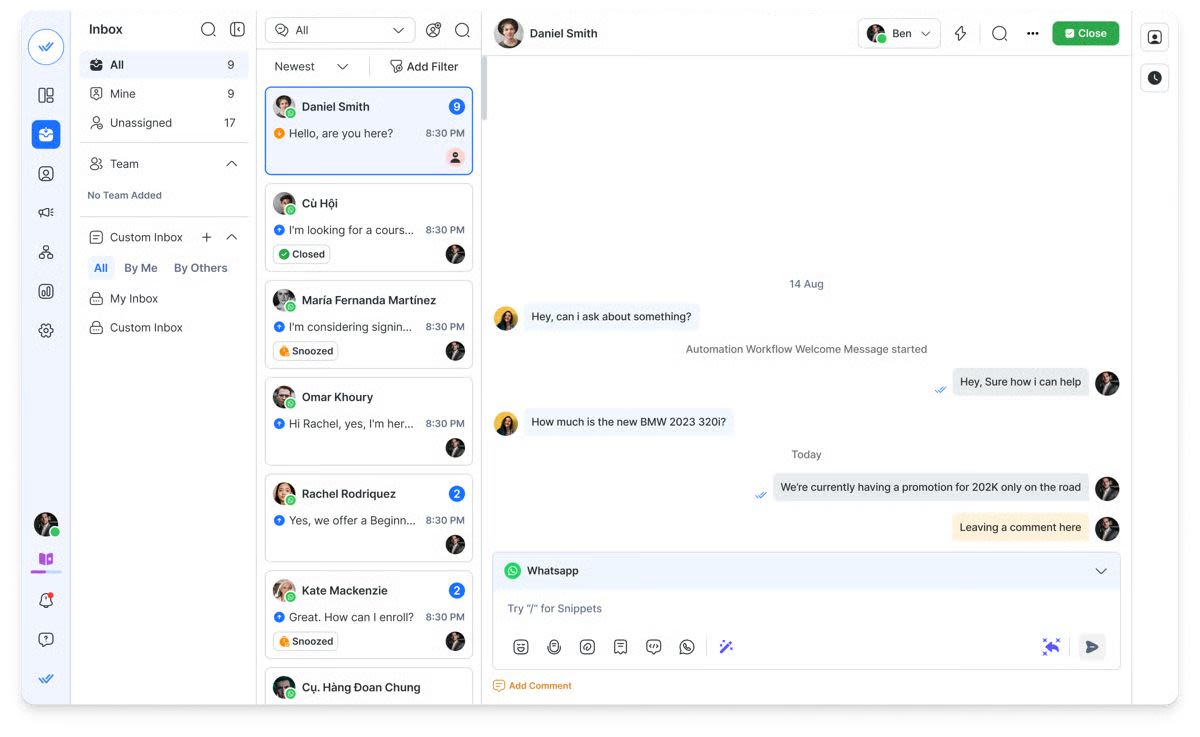
Respond.io is a customer conversation platform for mid-market B2C businesses whose customers chat or call before buying or booking.
Best for
Mid-market B2C businesses handling 500+ customer conversations a month across WhatsApp and other channels, where missed inquiries, slow replies or inconsistent follow-up affect purchases and bookings.
Pros
Customer conversations stay accessible to the team.A centralized inbox brings channels together with customer history, so staff can respond with context instead of asking customers to repeat what they have already shared.
AI Agents collect details before handoff.They can qualify inquiries, save information in contact fields and assign conversations when configured to do so. Human staff can begin with the customer’s requirements rather than repeat the initial questions.
CRM information is available while replying.The HubSpot integration supports viewing and editing selected contact properties inside respond.io. The Salesforce integration displays supported contact fields. This reduces switching between systems, with capabilities depending on the configured connection.
WhatsApp calls can be handled alongside messages. Staff can make and receive supported WhatsApp calls through respond.io when customers need a discussion before buying or booking. Voice AI Agents can also answer incoming calls, collect caller details and transfer to staff, providing coverage when the team is busy or offline.
Managers can investigate delays. Conversation and response reports help identify slow replies and team-handling problems, giving managers a starting point for improving staffing or assignment.
Copilot makes AI Agent setup easier. Describe how you want WhatsApp inquiries handled, and Copilot helps create or improve the AI Agent’s instructions and actions. Teams also have 24/7 human and AI support when they need help.
Reliable during busy periods. Respond.io reports 99.999% platform uptime, helping keep WhatsApp replies, qualification and follow-up running as inquiries grow.
Cons
Setup requires time and clear processes. Teams need to configure AI instructions, assignment rules and integrations. If responsibilities are unclear internally, the platform won’t resolve them without that work.
AI information needs maintenance. Someone should update service details, policies and instructions when they change.
The value depends on your requirements. A business handling fewer than 500 monthly conversations with simple, single-channel replies may find the cost and configuration harder to justify.
Some capabilities require higher plans. Include the integrations and automation your process needs when selecting a subscription.
Pricing
Growth starts at US$199/month, billed monthly, with 10 users and 1,000 Monthly Active Contacts. It includes chat AI Agents, workflows and AI credits, so you can start automating customer replies and qualification without a separate AI Agent subscription. Pricing grows with the contacts you actually talk to, and your included AI credits increase with your contact tier. That gives you more capacity as inquiries grow, without paying for your entire stored database. Usage beyond your allowance is billed separately. WhatsApp fees are separate, with no markup on Meta’s messaging rates.
Customer sentiment
Respond.io has a 4.8/5 G2 rating from 546 reviews. Recent reviewers highlight handling messages from several channels in one place, a relevant benefit for teams currently switching between separate accounts.
2. Twilio: WhatsApp infrastructure for a custom setup
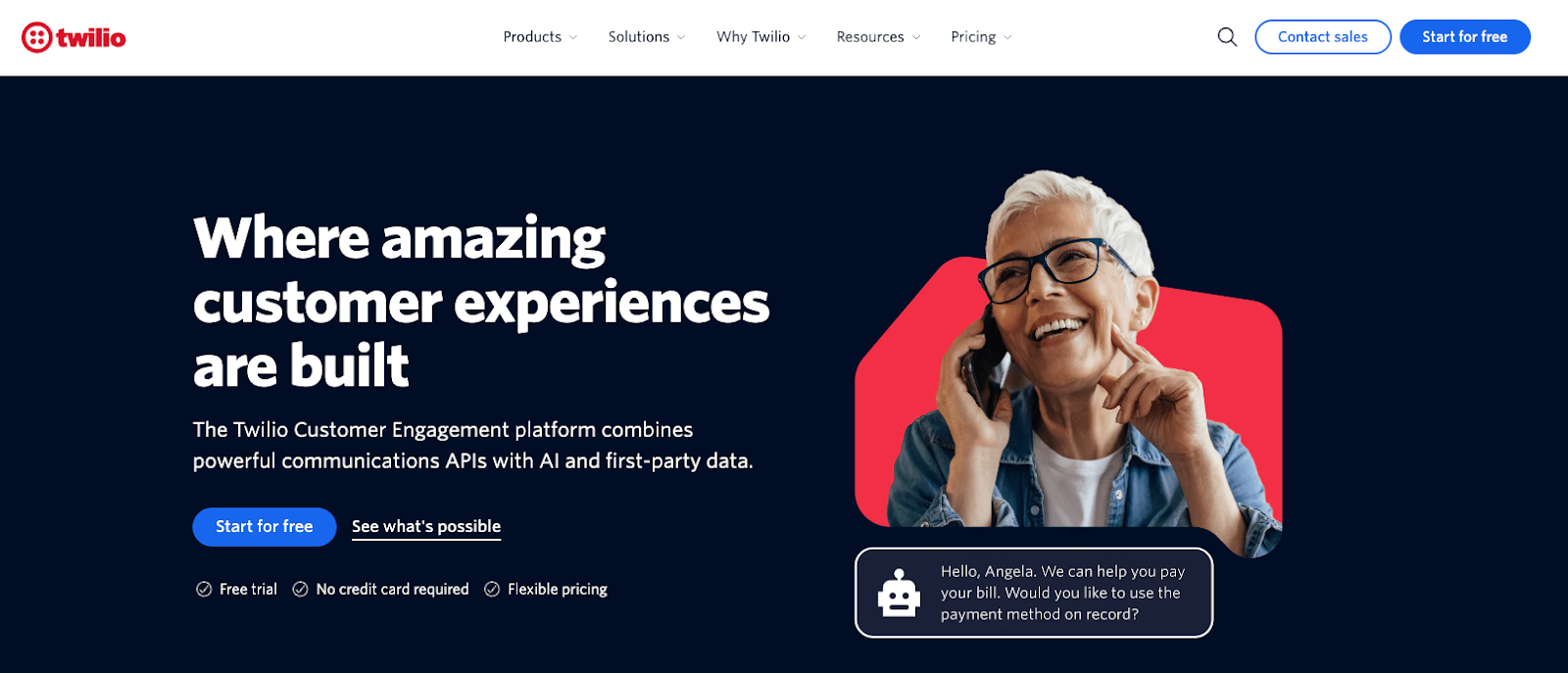
Twilio provides WhatsApp APIs for B2C businesses that want to build messaging into their own applications and processes.
Best for
Businesses with development resources and requirements that justify building and maintaining a custom solution.
Pros
Adapt messaging to your existing systems. Developers can connect WhatsApp with internal applications rather than move the entire process into a packaged workspace.
Control the handling logic. A custom build can follow requirements that don’t fit a standard inbox, provided your team implements them.
Estimate the underlying message charge from usage. Its published per-message fee makes that part of the cost visible.
Cons
WhatsApp API access isn’t a complete agent workspace. You still need an interface, assignment, customer context and reporting for the people handling inquiries.
Changes depend on technical resources. Adjusting qualification, routing or integrations can become development work. Teams needing frequent changes should account for engineering availability.
Maintenance continues after launch. Include monitoring, troubleshooting and changes to connected systems, rather than budgeting only for the initial build.
For a mid-market B2C team trying to address missed replies quickly, the implementation time can matter more than the low message fee.
Pricing
Twilio charges US$0.005 per incoming or outgoing WhatsApp message, plus applicable Meta charges. At 100,000 messages, the Twilio handling charge alone would be US$500. This illustration excludes Meta fees, additional products and development costs.
Customer sentiment
Twilio’s product listing has a 4.1/5 G2 rating from 529 reviews. The reviews cover multiple communication use cases, so give more weight to experiences involving the APIs and services you intend to deploy.
3. Freshchat: Messaging and automation for support teams
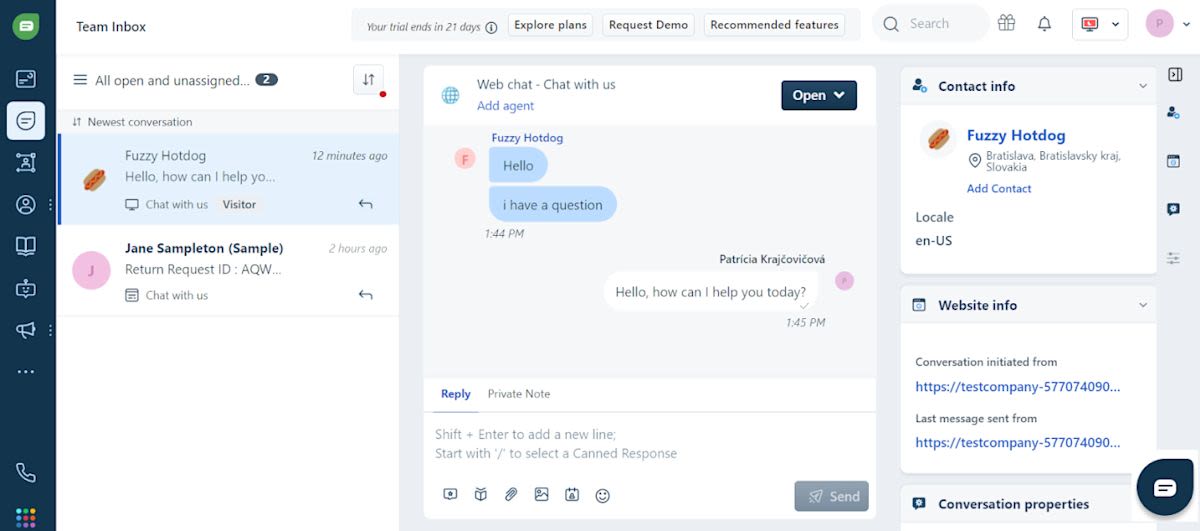
Freshchat is a customer messaging product for B2C teams managing support conversations, including businesses using other Freshworks products.
Best for
Teams prioritizing support routing, service response targets and shared handling across messaging channels.
Pros
Organize support conversations. Shared messaging and routing help teams direct inquiries instead of manually monitoring separate channel accounts.
Manage different response targets. Pro includes multiple service-level policies, which is useful when urgent and routine inquiries need different handling.
Customize support reporting. Teams can build dashboards around the measures managers need to monitor.
Cons
Subscription costs rise with paid agents. Adding staff increases the seat-based bill even if customer traffic stays unchanged.
AI handling has a separate usage charge. If AI is expected to answer most routine questions, include those sessions alongside the human-agent subscription.
Some routing capabilities require Enterprise. Teams needing skill-based assignment should compare that tier rather than assume Pro covers it.
Pricing
Pro costs US$59 per agent per month with monthly billing. A 10-agent team would pay US$590 monthly before add-ons. Freddy AI Agent is listed at US$49 per 100 sessions, with an initial included allowance. Confirm how the allowance applies and estimate ongoing sessions if AI handling is central to the deployment.
Customer sentiment
Freshchat has a 4.4/5 G2 rating from 502 reviews. Evaluate feedback from teams with similar support requirements; a basic website-chat deployment may involve different needs from a WhatsApp-heavy operation.
4. Zoko: WhatsApp commerce for Shopify businesses
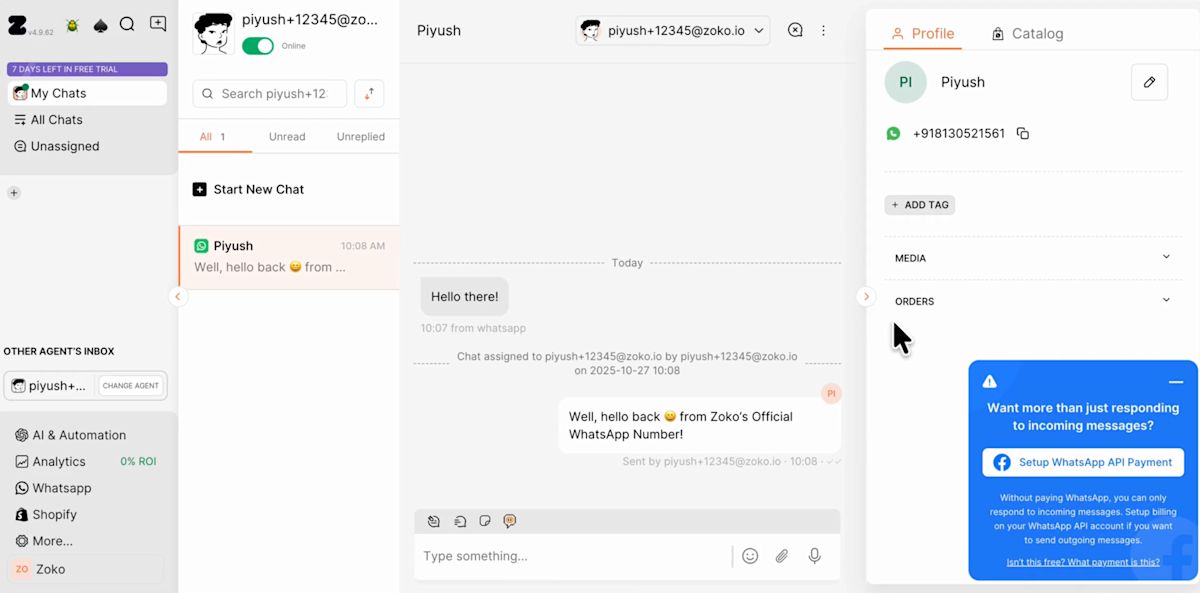
Zoko focuses on Shopify businesses handling product questions, campaigns, order inquiries and checkout recovery.
Best for
B2C retailers whose customer conversations revolve around their Shopify store.
Pros
Connect conversations with store activity. Catalogs and commerce workflows support customers asking about products or completing purchases.
Start with common retail processes. Prebuilt flows cover tasks such as checkout recovery and order notifications, reducing the need to design each sequence from scratch.
Keep commerce and shared replies together. The team can evaluate campaigns and the resulting customer questions within the same store-focused setup.
Cons
Custom flows add recurring costs. A retailer with many tailored sequences needs to include those charges alongside the base plan.
AI is separately charged. If reducing order-status and routine product questions is the main objective, include the relevant AI subscription and usage fees.
Usage and agent allowances vary by tier. A campaign spike or a larger team can change which package is economical.
Its store focus is useful when Shopify drives the requirements. Businesses with more varied service or cross-channel processes should demonstrate those journeys before choosing.
Pricing
Elite, labeled Zoko’s most-popular plan, costs US$139.99 monthly. It includes 10 agents and no Zoko conversation markup on the first 100,000 conversations; charges apply beyond the included allowances. Premium flows cost US$5.99 per flow monthly, with applicable AI, usage and Meta fees separate. The subscription alone therefore won’t represent the complete bill for a business using several custom flows and AI agents.
Customer sentiment
Zoko has a 4.5/5 G2 rating from 5 reviews. That is a small sample, so use it alongside evidence from your own Shopify configuration and customer journeys.
5. Interakt: WhatsApp and Instagram commerce and campaigns
Interakt provides shared messaging, campaigns and commerce tools for B2C businesses selling through WhatsApp and Instagram.
Best for
Businesses whose main requirements are customer replies, campaigns and commerce across those two channels.
Pros
Manage campaigns and the resulting inquiries. Shared replies, catalogs and campaign tools address several steps in the same selling process.
Connect store activity with customer communication. Commerce capabilities are relevant when inquiries involve products, orders and follow-up.
The displayed package includes unlimited agents. That can be useful when several employees need messaging access, subject to the package’s role exclusions.
Cons
More involved handling requires a higher plan. Chat auto-assignment and branching flows are listed on Advanced. A team expecting inquiries to be routed without manual intervention should budget for that package.
Unlimited agents doesn’t mean all CRM roles are included. The pricing page excludes Sales CRM roles, which affects teams needing their associated access controls and CRM capabilities.
Messaging remains a separate cost. Estimate campaign and follow-up traffic rather than treating the subscription as an all-inclusive communications bill.
Pricing
Growth, marked as recommended on the pricing page, costs US$55 monthly, with messaging charged separately. Advanced costs US$69 monthly and is the more relevant comparison if your process needs automatic assignment or conditional chatbot flows.
Customer sentiment
Interakt has a 4.5/5 G2 rating from 68 reviews. Check feedback about the plan and workflows you need, particularly if assignment and CRM permissions influence the decision.
6. Trengo: Shared support handling across channels
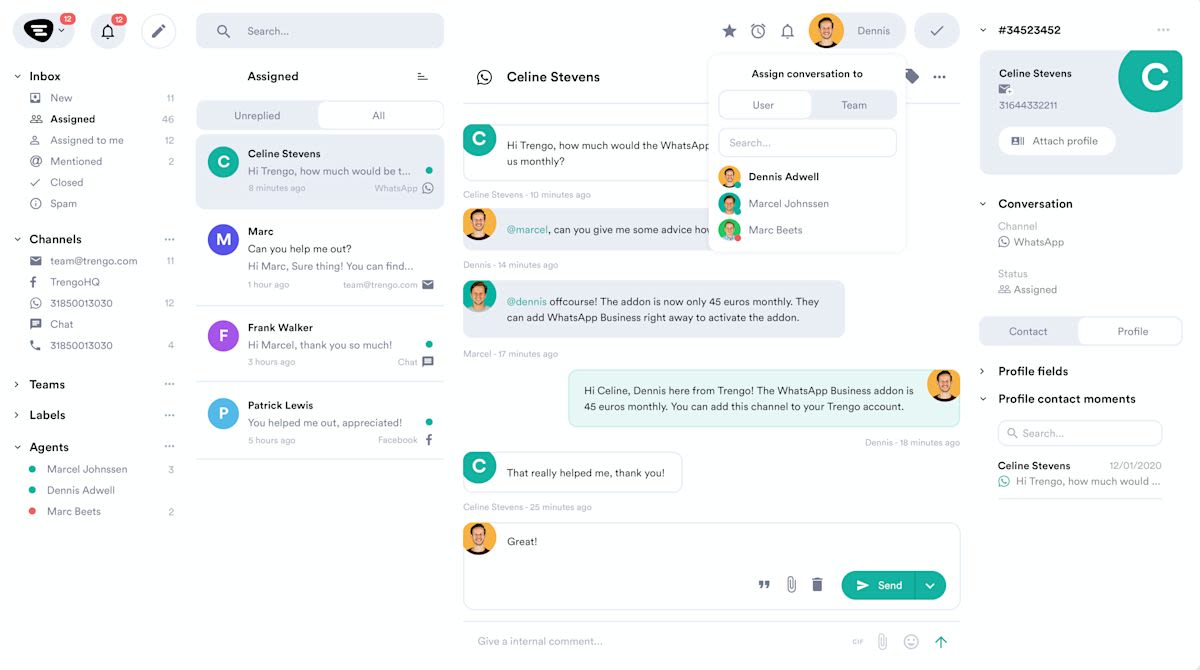
Trengo brings WhatsApp, email and social messages into a shared workspace for B2C customer-facing teams.
Best for
Teams prioritizing coordinated support across several channels.
Pros
Consolidate separate message accounts. Staff can handle supported channels through a shared inbox rather than monitor each account independently.
Include a team within the base package. Pro includes 20 users, making the package relevant when comparing it with products charged per agent.
Support collaboration and automation. Evaluate its workflows and integrations against how inquiries move between your teams.
Cons
More customer activity can increase costs without adding staff. Pro has a conversation allowance, so a busy campaign or support period can create additional usage charges.
AI attracts a conversation surcharge. If AI handles most routine inquiries, that part of the bill grows with the conversations it handles. Include it alongside the subscription when comparing automation costs.
Broadcasting is an add-on. Businesses using campaigns regularly need to include that cost rather than budget only for shared support.
Pricing
Pro costs US$671 monthly, with 20 users and 1,500 conversations per month. Additional conversations, users and applicable AI surcharges increase the total. Trengo counts conversations using a seven-day window, so estimate usage using its definition rather than assuming one message or one monthly customer equals one conversation.
Customer sentiment
Trengo has a 4.3/5 G2 rating from 246 reviews. Review themes include ease of use, alongside missing or limited features. Check the specific capabilities your process requires instead of treating a general satisfaction score as proof of fit.
7. Wati: WhatsApp campaigns and automated team handling
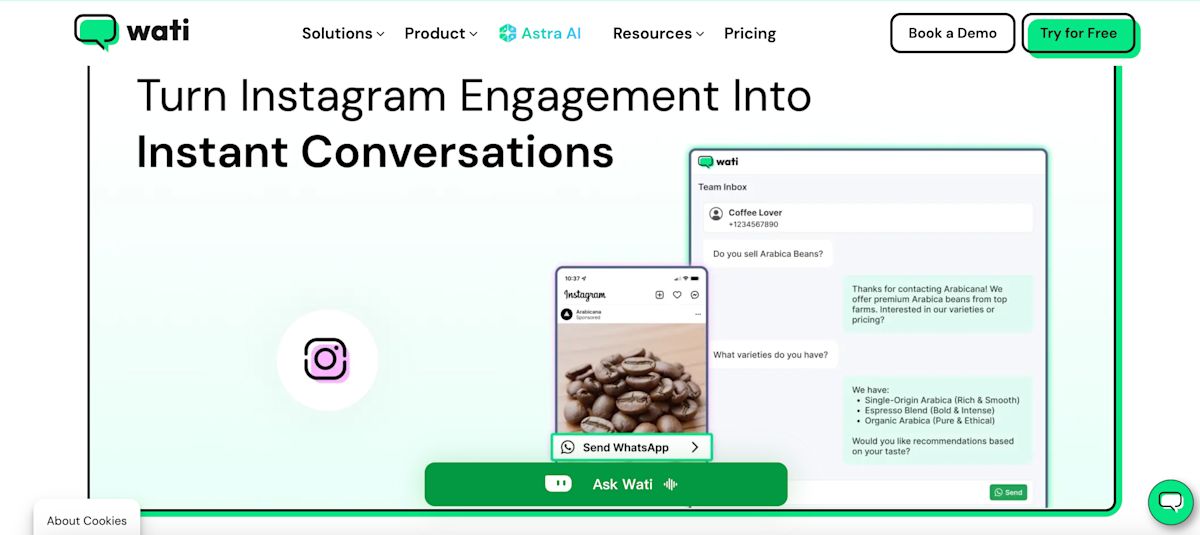
Wati provides campaign, assignment and automation capabilities for B2C businesses prioritizing WhatsApp.
Best for
Teams that need WhatsApp campaigns, automated information collection and structured handling of customer replies.
Pros
Connect campaigns with reply handling. Pro lists campaign tracking, team routing and operator reports.
Automate steps after the first response. Its chatbot capabilities cover collecting information, answering questions and sending reminders.
Offer AI handling through Astra. Businesses can evaluate AI qualification and handoff as part of the wider Wati setup, with Astra priced separately.
Cons
Automation allowances can be consumed by several steps in one journey. Estimate the triggers involved in qualification and follow-up, rather than treating each customer as a single automation event.
Astra is an additional subscription. If you want AI to handle routine inquiries, include both the relevant Wati package and Astra usage in the budget.
WhatsApp fees include a markup. Wati bills messages through its own rate card, which adds a markup to Meta’s fees. Messaging therefore costs more than Meta’s base rates, and the difference grows with your message volume.
More staff increase costs. Pro includes five users, so a larger team needs to account for extra seats alongside messaging and automation charges.
Pricing
Pro costs US$149 monthly with monthly billing. The published plan includes five users, with additional users listed at US$24 monthly each and 2,000 included automation triggers. Messaging and Astra charges are separate. Astra’s Pro package is listed at US$99 monthly, with 5,000 monthly credits. Those credits cover different types of actions, so they should not be read as an equivalent number of fully handled customer conversations.
Customer sentiment
Wati has a 4.6/5 G2 rating from 515 reviews. Review themes include ease of use and automation, alongside cost concerns. Compare the complete package at your expected usage before judging affordability.
Verdict: Which WhatsApp CRM fits your team’s needs?
Choose the platform that resolves the gaps in your current customer handling and supports the work your team needs to complete.
Your situation | Tools to evaluate | Main decision |
Mid-market B2C business handling 500+ conversations monthly across channels, with missed inquiries or inconsistent follow-up | Respond.io | Whether centralized handling, AI qualification, assignment and CRM connections address those gaps |
Support team coordinating several messaging channels | Freshchat, Trengo | Routing, response management, reporting and the combined cost of users and AI |
Shopify retailer handling product and order conversations | Zoko | Commerce workflows and the cost of custom automation and AI |
Business selling through WhatsApp and Instagram | Interakt | Whether the required assignment and automation fit the selected plan |
Team prioritizing WhatsApp campaigns and automation | Wati | Included triggers, additional users and the cost of AI handling |
Business intentionally building a custom system | Twilio | Development effort, maintenance and the complete operating cost |
Respond.io is worth shortlisting when mid-market B2C businesses need people and AI Agents to work together across customer conversations, rather than manage separate accounts and manually coordinate every handoff.
It includes a centralized inbox and customer-management capabilities, while connecting with existing CRMs. It is broader than a basic shared inbox and supports channels beyond WhatsApp.
If your current setup already handles inquiries reliably, or you only need straightforward replies on one channel, the additional subscription and configuration may not be justified.
Before committing, compare one complete journey across your shortlist: a customer inquiry, collected details, assignment, follow-up and the required record update. That will expose meaningful differences that a feature checklist can miss.
How B2C businesses improved WhatsApp customer handling with respond.io
These examples show how businesses addressed specific problems around qualification, customer context and follow-up.
JU Productions: Qualify inquiries and improve campaign follow-up
Singapore-based photography and marketing business JU Productions relied on manual WhatsApp handling and struggled with irrelevant inquiries, campaign follow-up and understanding advertising performance.
It adopted WhatsApp API with respond.io, using qualification and routing, broadcast workflows and Meta Conversions API.
The business reported 47.2% lower cost per qualified lead, 718% more sales from broadcasts and 98% fewer campaign opt-outs. The reported sales result relates specifically to broadcasts, rather than all WhatsApp sales.
“We’re grateful to have chosen respond.io — the platform has been a huge part of our growth, and the team consistently rolls out new features and resolves issues quickly, which gives us confidence we made the right decision.”
— Jefferson Liew, CEO, JU Productions
Noonmar: Connect customer handling with purchase outcomes
Turkish e-commerce marketplace noonmar had consolidated customer channels but still needed to understand which ads and conversations resulted in purchases.
It used customer-stage tracking and conversion integrations to identify where customers were in the buying journey and improve follow-up and advertising decisions.
Its published results include 40% more new customers in one month, 20% more conversions and 10% more leads.
“Before respond.io, we struggled to understand the true impact of our ads. Implementing Meta’s Conversion API and lifecycle tracking gave us clear visibility into performance and customer journeys. This insight helped us optimize our marketing spend and increase conversions by 20%. Respond.io is now a vital part of our growth strategy.”
— Lulia Alsayyed, Marketing Manager, Noonmar
Ferretería EPA C.A.: Coordinate sales and support inquiries
Venezuelan hardware retailer Ferretería EPA C.A. needed multiple agents to handle customer inquiries through a shared WhatsApp setup.
Its customer story describes consolidating channels, routing inquiries, using product catalogs and broadcasts, and collecting customer feedback.
The business reported 20% higher sales conversions, alongside growth in customer conversations and its customer base.
“We were looking for an easy-to-configure tool that could consolidate our different communications channels. Respond.io and 360dialog offered a better proposition than the other solutions, with quick and easy onboarding. In addition, we like the way respond.io has developed over time. They have taken into account proposals from the entire community and implemented them, creating a truly excellent tool.”
— Oriana Sanchez, Systems Manager, Ferretería EPA C.A.
If missed chats, slow replies or patchy follow-up are costing you purchases or bookings, book a demo and we’ll map respond.io to how your team handles customers today. Prefer to look at costs first? Compare respond.io’s plans.
FAQs about the best WhatsApp CRM
What’s the best WhatsApp CRM for a mid-market B2C business?
Choose your CRM based on the problem you need to resolve.
Respond.io is a customer conversation platform worth evaluating when a mid-market B2C business manages 500+ monthly conversations across channels and needs coordinated qualification, assignment and follow-up.
If your requirements center on Shopify commerce, support handling or a custom build, compare the relevant options in those scenarios. A recommendation should reflect your process, required channels and complete cost.
Should I use my CRM’s WhatsApp integration or a separate platform?
Use the native connection if it already gives your team the information, assignment and follow-up capabilities it needs.
Evaluate a separate customer conversation platform when a specific gap remains, such as disconnected channels, repeated manual qualification or inconsistent handoffs. Compare the extra setup and subscription with the work it would remove.
Our WhatsApp CRM guide explains the decision and setup considerations.
Are native CRM integrations better than third-party connectors?
Native integrations are usually easier to set up and maintain because the vendor builds and supports the connection. They tend to sync contact records, ownership and conversation activity more reliably.
Connectors such as Zapier or Make still work well for niche tools or custom workflows, but they add another system to configure and monitor. Whichever route you choose, check which fields sync, in which direction and how quickly.
Does respond.io replace a CRM?
Respond.io is a customer conversation platform that includes customer-management features and connects with CRMs.
Its role is to help teams handle conversations, qualification and follow-up. Businesses relying on specialist CRM functions, such as forecasting or account management, should evaluate those requirements separately and keep the CRM where it serves that purpose.
When is a shared WhatsApp inbox enough?
A shared inbox can be sufficient when staff can reliably answer, assign and follow up without substantial manual coordination.
Broader capabilities become relevant when those steps repeatedly fail. Respond.io includes a centralized inbox alongside AI Agents and automation, so evaluate it when giving more people access to messages no longer addresses the underlying problem.
What should I check when multiple agents use one WhatsApp number?
Check ownership, assignment, handoffs, permissions and how managers identify unanswered inquiries.
Ask the vendor to demonstrate a conversation moving between staff members. If AI qualification is part of your plan, include the AI-to-human handoff too.
Respond.io’s configured assignment capabilities are relevant when the customer’s details need to reach the right team before a human takes over.
Should I choose Twilio or a ready-to-use platform?
Choose Twilio when building a custom system is intentional and you can support its ongoing development.
Choose a packaged platform when the team needs an existing workspace it can configure and operate. Include launch time and the effort required to change the process later.
How long does it take to set up a WhatsApp CRM?
It depends less on the software and more on who owns the onboarding work. Meta business verification, phone number registration, template approval, CRM field mapping and routing tests all need an owner.
Before signing, ask the vendor which of those steps they handle and which fall to your team. Delays usually come from unclear asset ownership, ineligible numbers and workflows built before templates and routing have been tested.
How do I know if a WhatsApp CRM is reliable?
Check the vendor’s uptime record and how long it has worked with the WhatsApp Business API. Downtime during a campaign or peak season means missed inquiries you can’t recover. Respond.io maintains 99.999% uptime, so conversations keep flowing when inquiry volume spikes.
Is a WhatsApp CRM GDPR-compliant?
It can be, depending on how the platform handles consent, access and customer data. Check whether opt-in status is visible, unsubscribe requests are recorded, access can be limited by role and activity can be audited.
Respond.io is GDPR-compliant and ISO 27001 certified, and the team can share documentation for your legal review.
Are WhatsApp messaging fees included in the subscription?
Treat software charges and applicable Meta fees as separate costs unless the vendor explicitly bundles them. For respond.io, WhatsApp fees are separate from the subscription. Other providers can add handling or usage charges of their own. Request an estimate based on your message types, customer markets and expected traffic.
Further reading


