
















 Electronics
 Fashion & Apparel
 Furniture
 Jewelry and Watches
 Afterschool Activities
 Sport & Fitness
 Beauty Center
 Dental Clinic
 Medical Clinic
 Home Cleaning & Maid Services
 Photography & Videography
 Car Dealership
 Travel Agency & Tour Operator

TL;DR - Which Is the Best Omnichannel CRM for B2C Teams?
For B2C support and sales teams handling high-volume customer conversations across chat, email, and calls, this guide compares the best omnichannel CRM options so you can pick the right tool for your workflows and budget.
If you manage high-volume WhatsApp, Instagram, or TikTok conversations and need automation plus a unified customer timeline, choose respond.io — a customer conversation management platform, not a CRM — because it centralizes multi-channel conversations and uses workflows plus AI Agents to qualify, route, and convert leads faster.
If you want a CRM-first messaging sales tool for smaller teams, choose Kommo — it combines chat-based lead capture with visual pipeline management.
If your team needs a shared inbox for support and sales collaboration across channels, choose Trengo — it unifies email, chat, voice, and social conversations in one workspace.
If you run digital-first support inside web and app experiences, choose Intercom — it is strongest for in-app engagement, automation, and user messaging.
If you mainly need ticket-led support with structured service workflows, choose Zendesk or Freshdesk — both are better fits for classic support operations than conversation-driven sales.
This article compares the best omnichannel CRM options for B2C sales and support teams that need one place to manage high-volume customer conversations across chat, email, and calls.
But as customers now engage across multiple touchpoints — from email and chat to social media and phone — traditional CRMs often struggle to keep up. In this definitive guide, we’ll cover: When conversations get fragmented across channels, teams miss leads, duplicate follow-ups, and lose conversions — which directly reduces revenue and wastes paid acquisition spend.
What makes a great omnichannel CRM
How to choose the right one for your business
Top 10 omnichannel CRM platforms compared
Evaluation Criteria for the Best Omnichannel CRM
1. Channel coverage
An omnichannel CRM should cover all the channels your customers use, from WhatsApp and email to social media DMs and phone calls. Multi-channel support ensures that no interaction is missed.
Not all messaging integrations are equal. When evaluating channel support, look for:
Official WhatsApp Business API access: This ensures compliance, higher message limits and access to features like message templates and catalog sharing. Unofficial workarounds risk account bans.
Shared team access from one number: Multiple agents should be able to respond from the same WhatsApp or Instagram account without switching devices or losing conversation history.
Conversation merge across channels: If a customer messages on WhatsApp today and Instagram tomorrow, the platform should automatically link both to the same contact record.
Automation on messaging apps: Look for the ability to trigger workflows, send payment links, qualify leads and route conversations — all within WhatsApp, Instagram or TikTok, not just email.
Stable native support: Native integrations are more reliable than third-party connectors. Ask whether the platform maintains direct partnerships with Meta, TikTok and Telegram.
For marketing and sales leaders, weak messaging support means slower replies, lost leads and lower conversion rates on high-intent channels.
Buyers should also test whether a platform is truly omnichannel or only multichannel during a live demo. A multichannel tool can reply on several channels, but each one may keep its own record, owner and history. A true omnichannel platform keeps one continuous customer profile across channels.
The quickest proof is a continuity test: ask the vendor to move the same customer from an ad click to WhatsApp, then Instagram, then a voice call. Identity, owner, lifecycle stage and prior conversation history should stay intact at every step. If the demo creates a new record, resets automation or hides past outcomes, the tool is multichannel in practice and will leak leads during handoffs.
A multichannel tool lets teams reply on several channels, but each channel often keeps its own record, owner and history. A true omnichannel platform keeps one continuous customer profile across WhatsApp, Instagram, Facebook Messenger, TikTok, Telegram, LINE, Viber, WeChat, email and voice so the next agent sees the full journey without asking the customer to repeat anything. If channel switches still create separate records, break automation or hide previous outcomes, the platform is multichannel, not omnichannel. That difference directly affects follow-up quality, lead conversion and how much revenue leaks when teams lose context.
2. Integration capabilities
If a new omnichannel CRM doesn't connect cleanly to the rest of the stack, the real cost shows up as rework, delayed follow-up and broken reporting — not just the license fee. Buyers should verify integration with four systems first: the existing CRM, the ecommerce platform, ad and marketing tools, and the voice stack.
Good looks like two-way sync across contacts, lifecycle stage, order or booking status, conversation outcomes, attribution signals, and voice call data — recordings, transcripts and summaries. The real question isn't whether an integration exists, but whether those updates move fast enough to keep qualification, retargeting and follow-up running as a lead shifts from an ad to messaging to a call.
Test this in a live demo: have the vendor move one contact from an ad click through WhatsApp, then Instagram, then email or voice, and confirm that owner, lifecycle stage, notes, order context and call outcomes update immediately — both in the unified profile and in the connected systems. If those updates lag, teams end up sending duplicate outreach, routing leads to the wrong person, retargeting an already-converted buyer, or missing the follow-up window while intent is still high.
A strong platform keeps routing, reporting and connected systems current enough for teams to act on the latest context, whatever channel the lead is on right now.
3. Customer lifecycle tracking & management
A good omnichannel CRM should provide one live customer profile that carries identity, conversation history, lifecycle stage, ownership and outcomes across every touchpoint. That profile should stay intact when a customer moves between WhatsApp, Instagram, Facebook Messenger, TikTok, Telegram, LINE, Viber, WeChat, email and voice so sales and support teams always work from the same context.
When records stay split by channel, teams mistime follow-ups, send duplicate outreach and lose visibility into which conversations turned into revenue or repeat business. Buyers should check whether the platform can merge contacts across channels, preserve a continuous timeline and let automation act on the full customer journey instead of one conversation at a time. In practice, that means the contact's stage should stay current when a conversation moves from social or messaging to email or voice, every handoff should be visible in the same profile and stalled leads should trigger the next follow-up automatically.
A platform that only stores activity is not enough. Before buying, revenue teams should map one real revenue journey instead of reviewing channels in isolation. For example, a prospect clicks a paid social ad, starts a WhatsApp conversation, goes quiet, reappears on Instagram or email and then moves to a voice call before the sale closes.
In a live demo, buyers should ask the vendor to run that exact path and verify five things: one contact record stays intact, ownership stays with the right team unless routing rules intentionally change it, lifecycle stages update at each step, follow-up triggers fire automatically when the lead stalls and attribution remains tied to the original source. If any channel switch creates a new record, drops ownership, resets the stage or breaks attribution, the platform will leak revenue during handoffs.
4. AI and automation
Automation that routes, assigns and follows up without manual effort is the core efficiency gain. Buyers should test whether AI Agents and workflow rules can route by intent, product line, language, lifecycle stage, customer value, agent availability and service-level agreement risk from one queue. When routing matches those rules, teams respond faster, keep high-value prospects out of the wrong queue and reduce stalled conversations.
But there is a difference between isolated automations and true journey orchestration. Basic automation handles one action, while orchestration connects the next action across channels and stages. For example, a lead can arrive on WhatsApp, AI Agents can qualify intent and update the lifecycle stage, the platform can route the conversation to the right team, trigger email re-engagement if the lead goes cold and escalate high-value opportunities to voice. The best platforms make that path visible so managers can see where prospects drop out and fix the step that is slowing conversion.
The best platforms let you build these sequences visually, track where prospects drop out and optimize each step. For revenue teams, this means moving more leads through the funnel with less manual chasing — and knowing exactly where to fix leaks.
A strong knowledge base therefore becomes a self-service engine that benefits both customers and agents:
Customer self-service: When AI can pull answers from your knowledge base, customers get instant responses to common questions without waiting for an agent. This deflects repetitive inquiries and keeps your team focused on high-value conversations.
Agent assistance: During live conversations, agents can search the knowledge base for accurate answers instead of guessing or escalating. This speeds up resolution and improves consistency.
Answer consistency: A centralized knowledge base ensures every team member — human or AI — gives the same correct answer, reducing errors and building customer trust.
The result: your team spends less time on low-value questions and more time on sales conversations and recovery opportunities that actually drive revenue.
5. Reporting and analytics
Robust reporting tools help buyers track performance, identify bottlenecks and make better decisions across the full customer journey. The most useful platforms report in real time across chat, social messaging, email and voice from one view instead of forcing managers to piece together separate channel dashboards.
When comparing tools, buyers should look for metrics that connect operations to revenue, including:
First response time by channel
Lead qualification rate
Follow-up completion rate
Conversion to opportunity or sale
Lost-conversation recovery
Team productivity by agent or team
AI-assisted handover quality
This level of reporting makes it easier to spot where leads stall, where service quality drops and which channels deserve more budget. It also makes Meta Conversions API data more useful because teams can connect ad spend to conversation outcomes instead of clicks alone. It sends solid proof of sales and leads from chat apps (like WhatsApp) directly to Meta, fixing tracking problems caused by browser settings. This means your ads reach the right people, and your money is spent more effectively.
6. Scalability and reliability
Reliable platforms ensure conversations, data syncs and automations run smoothly so your business never misses a lead or sale.
But reliability is only part of the equation — you're also buying the speed and quality of implementation support.
When evaluating vendors, ask:
Who owns onboarding? Is there a dedicated implementation team, or are you left with documentation and email support?
Is a dedicated Customer Success Manager included? For high-volume teams, having a named contact who understands your business accelerates problem-solving and optimization.
What are the support hours and escalation paths? If your team operates across time zones, 24/7 support matters. Understand how quickly critical issues get escalated.
Does the product roadmap align with your growth? Ask what messaging and AI features are planned for the next 12–18 months. A platform that isn't investing in WhatsApp, TikTok or AI agents may not keep pace with your needs.
Weak onboarding and reactive support delay adoption, slow campaign launches and postpone the revenue impact buyers are paying for. Pricing should be evaluated with the same discipline because entry price alone does not show what the platform will cost once conversation volume grows.
Buyers should compare Monthly Active Contacts pricing against per-seat, per-agent and usage-based models, then check for extra charges tied to WhatsApp messaging, voice, AI features, reporting and onboarding. Predictable pricing matters when contact volume rises faster than headcount. A platform can look inexpensive at the start and become costly once more agents, more channels or more automation are needed.
7. Fast time-to-value and rollout readiness
The best omnichannel CRM is one your team actually uses, and rollout usually fails for a few predictable reasons.
Messy contact data creates duplicate records, repeated outreach and weak automation. Buyers should pressure-test deduplication, field mapping and contact merge before launch.
Disconnected channel ownership slows qualification and causes missed handoffs. Buyers should define who owns each channel, when conversations change hands and what triggers reassignment.
Low team adoption leaves the platform underused even when the product is strong. Buyers should ask for role-based training built around the revenue workflow each team runs — qualification, handoff, closing and support follow-up — not a generic feature tour.
Manager dashboards and simple operating rules should reinforce usage after go-live. Every conversation should have an owner, a current lifecycle stage and a next step so teams cannot drift back to side chats or manual tracking.
A 30-day review cadence should track response speed, follow-up completion and conversion visibility, then fix the workflow steps people skip most often.
These checks matter because rollout problems usually show up first as lost context, slower follow-up and lower conversion.
Before committing, assess how quickly you can start generating revenue from the platform:
Start with your highest-converting channels firs: Connect WhatsApp or Instagram before adding every possible channel. Get wins early, then expand.
Clean up contact data before migration: Duplicate or outdated records slow adoption and confuse automation. Deduplicate and standardize before import.
Map routing and automation logic before launch: Decide who handles which conversation types and what triggers follow-ups. Document this before building workflows.
Budget for team training and integration time: Even intuitive platforms require onboarding. Plan for 1–2 weeks of ramp-up before expecting full productivity.
The goal is fastest path to revenue, and that starts with a rollout plan tied to business outcomes.
Define success before launch: Set a small group of revenue and service indicators such as lead qualification, response speed, follow-up completion and conversion visibility.
Audit the current journey: Map where conversations enter, who owns each handoff and where leads currently stall or get lost.
Launch in phases: Start with the highest-intent channels and core routing paths, then add more channels and automations after the first workflow is stable.
Review early performance after go-live: Check whether ownership, lifecycle updates and follow-up rules are working as planned, then fix bottlenecks before scaling.
This approach helps buyers shorten time-to-value, avoid stalled adoption and prove platform impact quickly.
Comparison Table: Best Omnichannel CRM Tools at a Glance
Tool | Best For | Main Uses | Pricing |
|---|---|---|---|
Respond.io | High-volume B2C chat + calls | Unified inbox, contact merge, routing, workflows, AI Agents | From $199/mo (10 users) |
Kustomer | B2C support with complex service needs | Unified timeline, workflow automation, AI insights | From $89/user/mo |
Kommo | Small teams: chat-led sales with pipeline | Pipeline management, WhatsApp/Instagram messaging, Salesbot | From $15/user/mo |
Trengo | Shared inbox for support + sales teams | Omnichannel inbox, automation rules, AI HelpMate | From $19/user/mo |
Salesforce | Large enterprise B2C service organizations | Omnichannel routing, Einstein AI, Service Console | From $25/user/mo |
HubSpot | B2B/B2C marketing + sales CRM | Contact management, Marketing Hub, Sales Hub, Service Hub | Free; paid from $20/user/mo |
Zendesk | Ticket-based B2C support | Omnichannel ticketing, AI Agents, Help Center, reporting | From $19/agent/mo |
Intercom | Digital-first in-app support | Inbox, Fin AI Agent, product tours, outbound messaging | From $29/seat/mo |
Zoho CRM | Small-business multichannel CRM | Multichannel comms, Zia AI, Blueprint workflows | From $14/user/mo |
Freshdesk | Teams new to helpdesk software | Ticketing, Freddy AI, collaboration tools | Free up to 10 agents; from $15/agent/mo |
Tool List: Best Omnichannel CRM Platforms Compared
Now that we know what to look for in an omnichannel CRM, let’s compare the best options available today.
Respond.io - Customer conversation platform for high-volume omnichannel chat and calls
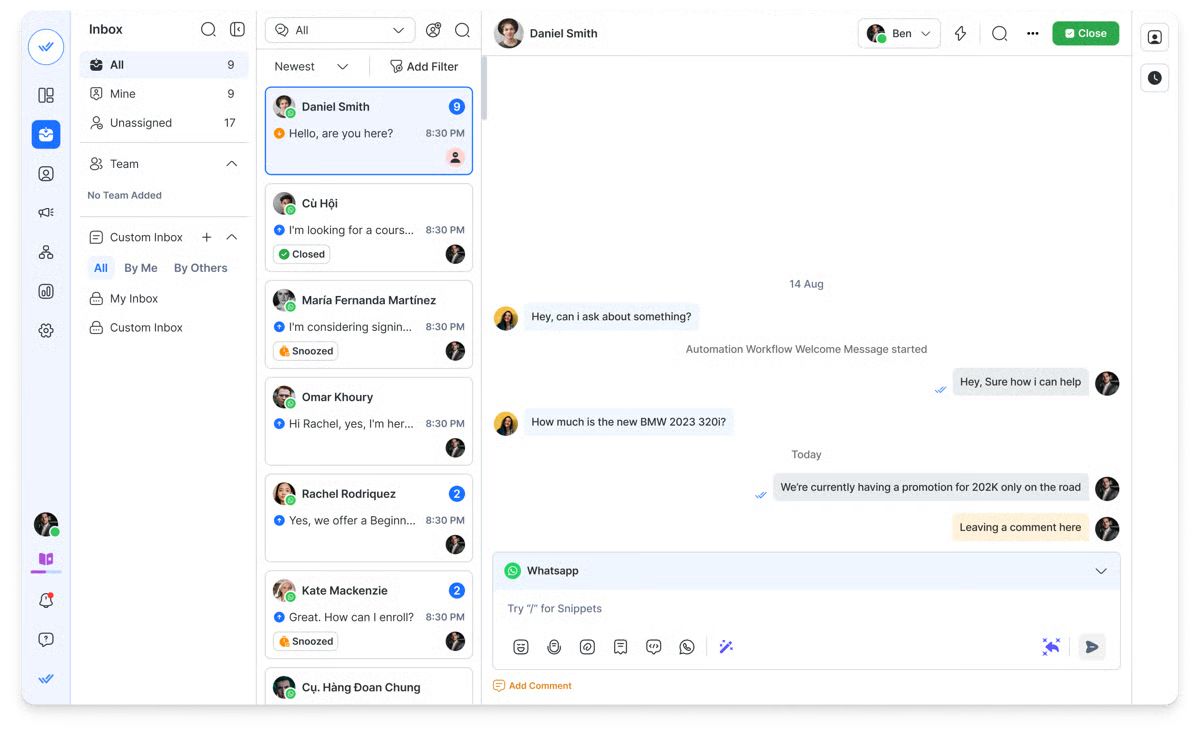
Respond.io is a customer conversation platform built for high-volume, multi-channel customer conversations across WhatsApp, social DMs, email, and calls. We recommend respond.io for its scalability, support for all the important chat and call channels and AI capabilities.
Best for:
Scaling B2C businesses with high-volume messaging across WhatsApp, Instagram, TikTok, and email that need unified routing, automation, and AI agents.
Customer sentiment and platform rating
Customers praise respond.io for its intuitive interface, omnichannel integration, strong automation features and excellent support. However, drawbacks cited by users include pricing and limitations in certain advanced features.
G2 rating: 4.8/5
Capterra rating: 4.6/5
Features
Channels: Supports channels like WhatsApp, Facebook Messenger, Instagram, Viber, Telegram, TikTok, WeChat, SMS, email, and calls via WhatsApp, Telnyx and n8.
Integrations: Sync data across Salesforce, HubSpot, Zapier, Make, Google Sheets and more, including voice call transcripts, recordings and AI summaries via webhook.
Dashboards and reports: Measure team efficiency, AI impact and ad campaign performance to find areas of improvement and optimize operations.
Lifecycle: Track and manage leads in the sales funnel.
AI capabilities: AI agents can handle chats and calls, send payment links, update contact details, summarize conversations, reply to voice messages, read images and PDFs and more.
Workflow automation: Use the automation builder to capture leads, send follow-ups, route messages and assign tasks. AI agents can also trigger these workflows.
Differentiator: contact merging across channels plus workflow automation let you treat WhatsApp, Instagram, and email as one revenue workflow instead of separate channel silos.
Pros
It supports more messaging and voice channels than most omnichannel CRMs.
Unifies WhatsApp, Instagram, TikTok, email, and calls into one timeline so agents don't lose context when customers switch channels.
Flexible workflow automation with AI Agents that can handle customer queries 24/7.
Native calls feature combines voice and messaging in one platform.
Extensive CRM capabilities including lifecycle management and third-party CRM integrations.
Cons
The initial setup and customization may take time and require some technical expertise.
If you only need basic ticketing and not conversation-driven lead qualification or routing, the automation depth may be more than you need.
The breadth of features can feel overwhelming for smaller or less technical teams.
Pricing
Respond.io uses Monthly Active Contacts (MAC) pricing. It starts at $199/month for 10 users, which includes unlimited workflows, unlimited AI credits, advanced reporting and onboarding assistance via chat or call.
Kommo - CRM-first conversational sales
Best for:
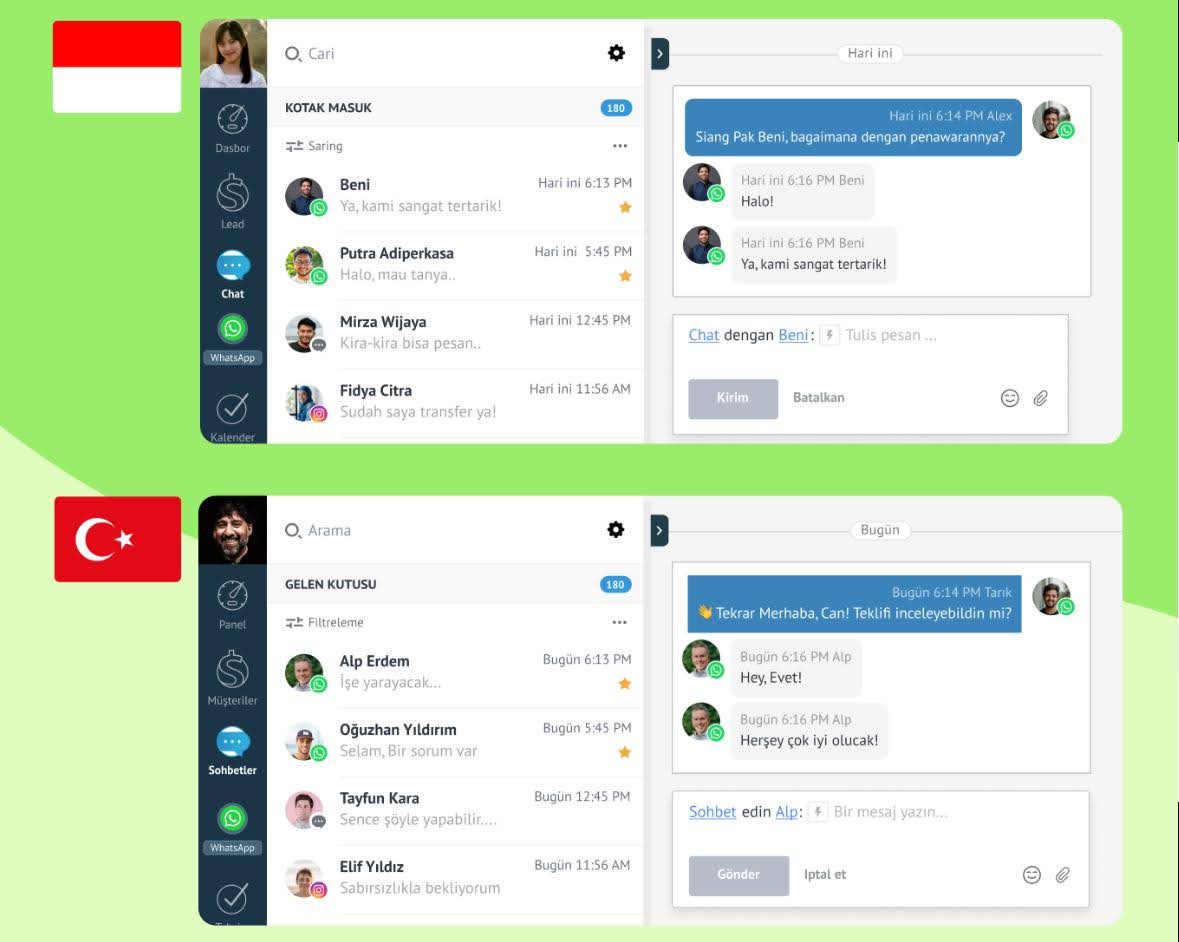
Small to medium-sized businesses (SMBs) and sales teams who need a CRM-first solution that is highly specialized in visual pipeline management and automating lead capture/nurturing over messaging apps.
Customer sentiment and platform rating
Kommo is consistently praised for being an affordable and user-friendly platform, with reviewers highlighting its intuitive design, strong lead management features and good customer support. However, sentiment indicates functional limitations: the platform receives lower marks for customization (and the built-in reporting can be basic), as well as concerns about mobile user support.
G2 rating: 3.8/5
Capterra rating: 4.3/5
Features
Channels: Major messaging apps (WhatsApp, Instagram, Telegram, etc.), Email and Telephony/SMS (via Twilio/RingCentral).
Integrations: Connects with Zapier, Make, Shopify, Zendesk, and Stripe; does not natively integrate with major CRMs like Salesforce/HubSpot.
Dashboards & Reports: Customizable dashboards with real-time widgets to track KPIs, lead distribution, message volume, and median reply time.
AI Capabilities: AI Agent handles engagement, qualification, FAQs (using uploaded data), and product recommendations. AI Copilot tools adjust tone, summarize, and suggest replies.
Workflow Automation: Visual builder (Salesbot) creates complex bots for greetings, data gathering, appointments, and payments. Digital Pipeline automates actions based on lead stage.
Pros
Its no-code Salesbot and Digital Pipeline effectively automate lead qualification and nurturing via chat.
The platform is often cited as affordable and a strong value for money, especially for small businesses.
The simple, visual interface makes the platform easy to learn and encourages fast team use.
It structures the sales funnel well, helping teams track leads and prevent contacts from being lost.
Cons
Lack of deep customization for reports and custom plugins.
It lacks native integrations with major enterprise CRMs like Salesforce or HubSpot.
Email communication can be kept separate from instant messenger chats, potentially fragmenting the full customer history.
The interface is not as modern as newer, purely chat-focused platforms.
Customer support is primarily available only during business hours, which can affect global sales teams.
Pricing
Kommo pricing starts at $15/user/month, while its Advanced Plan costs US$25/user/month. All plans require a minimum six-month contract billed upfront. For the Advanced Plan, that's a total of US$150. There are no monthly billing options available. Potential extra costs are typically limited to third-party service fees, such as the conversation charges Meta applies when using the WhatsApp Business API.
Trengo - All-in-one conversational support hub
Best for:
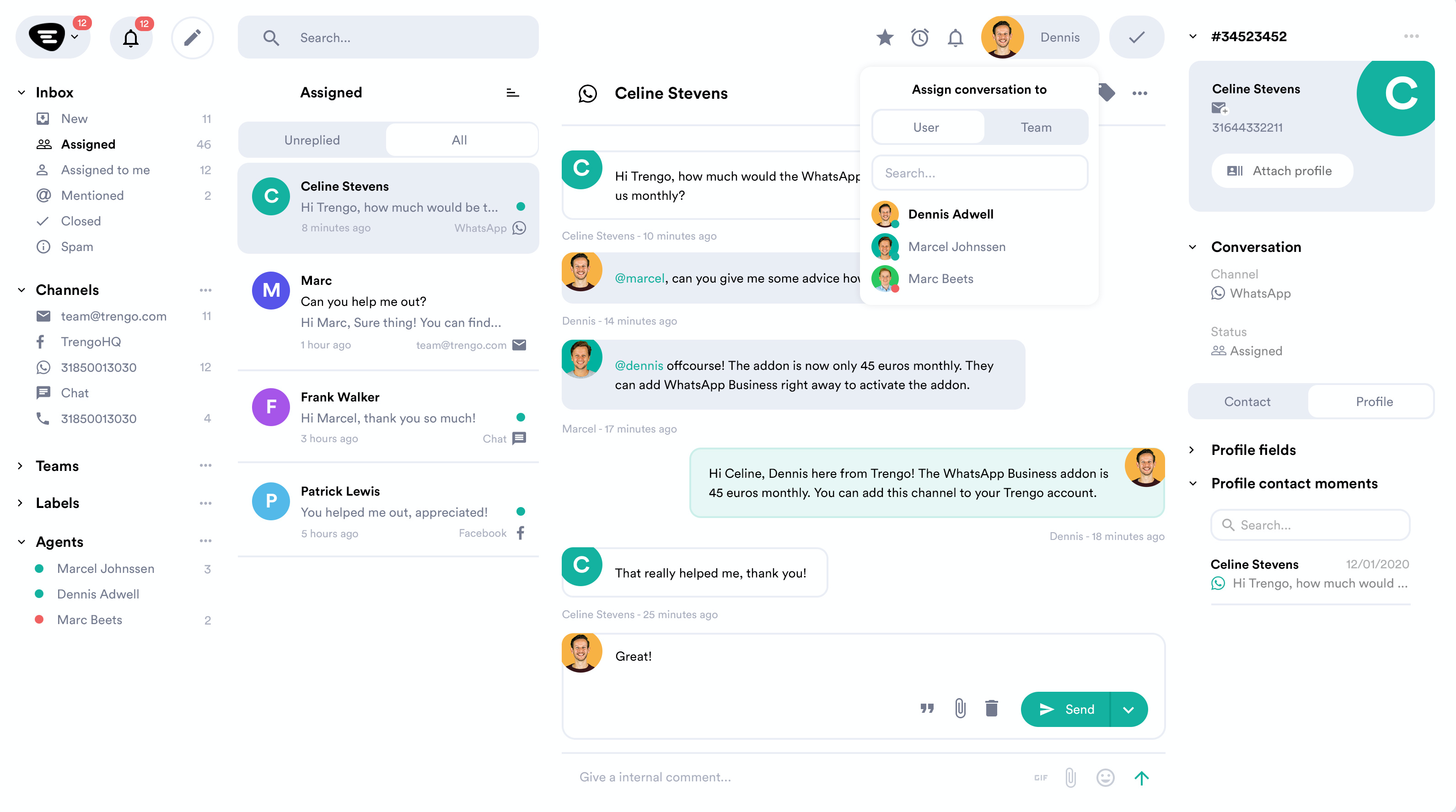
Mid-market businesses that need to unify support communications (including email, chat, and voice) into a single team inbox.
Customer sentiment and platform rating
Trengo is highly praised for its ease of use, customer support and its core strength in centralizing all communications (including email and voice) into a unified team inbox. However, frequent criticisms point to the platform being expensive compared to alternatives, concerns about inbox sync issues, limitations in advanced features/analytics and drawbacks related to the mobile app and minimum user requirements.
G2 rating: 4.3/5
Capterra rating: 4.1/5
Features
Channels: Unifies all channels, including WhatsApp, Email, Live Chat, Voice/Telephony, SMS, Facebook, Instagram, Twitter and Telegram.
Integrations: Integrates with major external tools like Shopify, Zendesk, Salesforce, HubSpot and Zapier to sync data and enable actions.
Dashboards and Reports: Customizable dashboards for monitoring KPIs. Includes detailed reports on team performance, conversation volume and customer interactions.
AI Capabilities: AI Agent (HelpMate) provides automated responses and suggested replies to speed up agents. AI Journeys automate conversations and workflows across multiple channels. AI Actions allow the AI Agent to trigger external APIs (GET, POST, etc.) for tasks like checking order status.
Workflow Automation: Uses Rules and Automation for handling basic repetitive tasks (e.g., auto-replies, conversation routing) and advanced AI Journeys for complex, multi-step, multi-channel workflows.
Pros
Strong team collaboration features like internal comments and assignments facilitate easy and effective team coordination on customer issues.
Powerful automation base includes Auto Replies, Quick Replies and rules to handle basic, time-consuming workflows.
Consistently praised for helpful, friendly and efficient customer support.
Flexibility in billing offers both monthly and discounted annual billing options.
Cons
Pricing model is often cited as expensive compared to rivals with more advanced features/capabilities.
High minimum user requirements (typically starting at 10 or more users).
Pricing is based on a fixed conversation allowance; exceeding this limit incurs additional per-conversation fees, which can lead to unpredictable monthly costs.
AI/Chatbot features and some integrations are often restricted to the higher-tier Pro and Enterprise plans.
Users have reported issues with inbox sync and stability in the mobile app.
Pricing
Trengo pricing starts from $19/user/month.
The Trengo Pro plan is a bundle starting at approximately $695 per month (monthly billed, USD equivalent), which includes 20 user seats and a set conversation allowance (typically 1,500/month). Extra agents cost an additional per-user fee (around $30-$50/month each). The most significant variable cost is the overage fee applied when you exceed the conversation limit, plus potential charges for premium AI features (like advanced AI Actions).
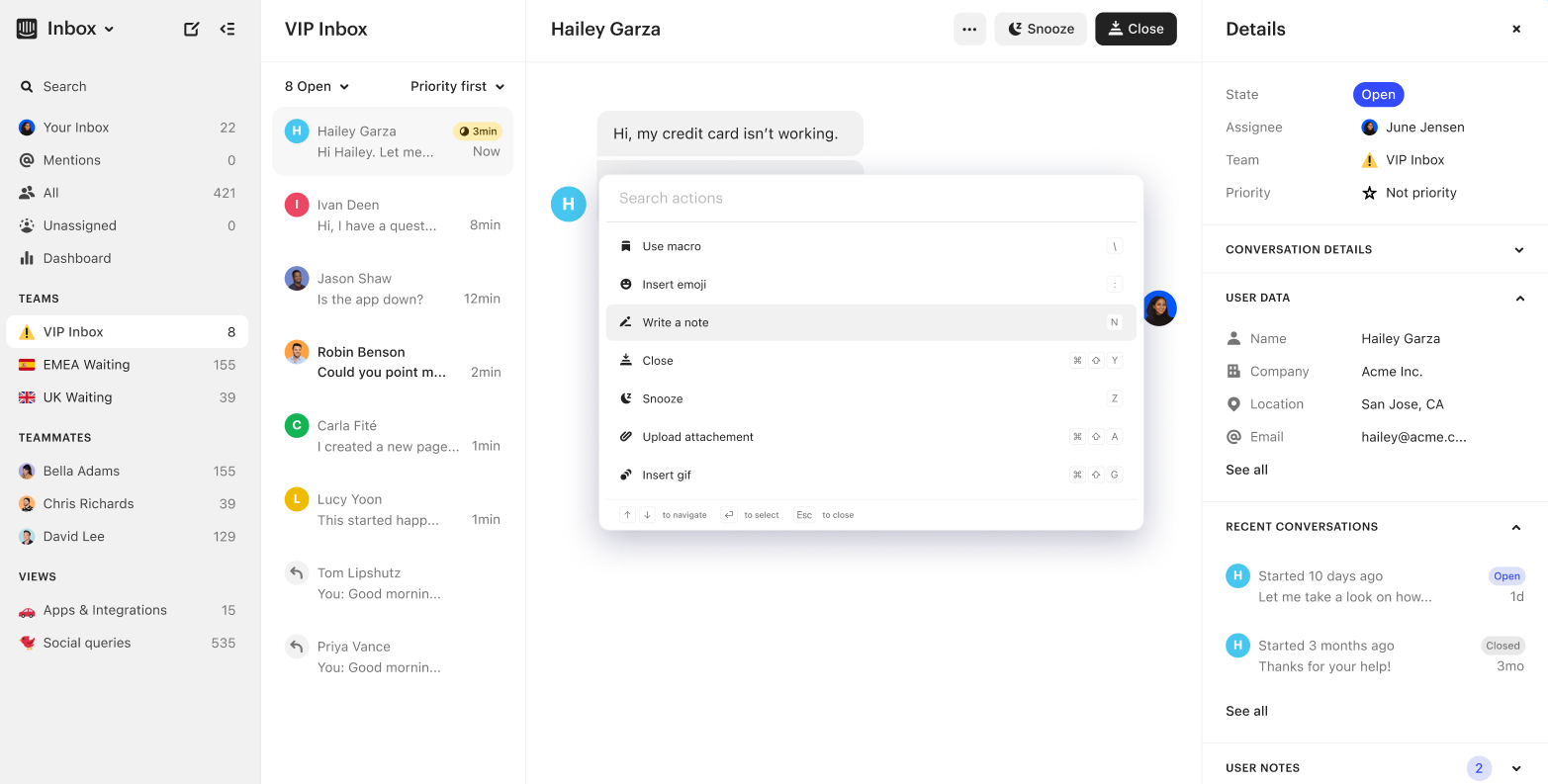
Intercom — Conversational omnichannel CRM
Best for:
SaaS and digital-first customer engagement.
Customer sentiment and platform rating
Intercom is highly valued for its intuitive chat interface, strong engagement tools, seamless web/app integration and real-time user tracking with effective automation flows. However, customers frequently cite significant drawbacks related to cost and capability gaps, including high costs and pricing complexity when scaling, weaker analytics and less robust ticket-management features.
G2 rating: 4.5/5
Capterra rating: 4.5/5
Features
Channels: Intercom supports in-app chat, web chat, email, mobile push and messaging via connectors for social/IM apps such as WhatsApp and SMS.
Integrations: Intercom offers an app store with hundreds of apps and integrations, and connects with major systems such as CRMs, BI tools and Slack.
Dashboards and reports: The platform provides analytics and reporting features, including conversation analytics, user behavior tracking, team productivity dashboards and custom charting.
AI capabilities: Its “Fin” AI agent and other AI-driven features enable automated responses, conversation triage/triaging, agent assist, and workflow automation based on behavior and context.
Workflow automation: Intercom includes a visual workflow builder with triggers and rules (e.g., "user does X → send message/route to agent"), routing logic, bots + automation of routine tasks.
Pros
Strong at enabling real-time conversation and engagement across web/app for SaaS-centric businesses.
Deep automation and AI features (chatbots, routing, behavioural triggers) help scale support and engagement.
Rich integrations ecosystem enabling linking chats to CRM, product metrics and marketing platforms.
Clean, modern UI and intuitive experience for end-users and agents in many cases.
Cons
Pricing and usage model are complex: many users report unexpected cost spikes, particularly with AI-agent resolutions or messaging overages.
Traditional ticketing/work-order features (e.g., union of chat + ticket) and advanced analytics are weaker compared with dedicated service platforms.
Implementation and ROI vary: although UI is friendly, getting full value often requires considerable setup and configuration.
For smaller businesses or high-volume support use-cases the per-seat + usage model may become cost-prohibitive.
Pricing
Intercom pricing starts at $29/seat/month.
The most popular plan is the Advanced tier, which costs around US $99 per seat per month when billed monthly.
The platform charges US $0.99 per resolution for its AI “Fin” agent, which handles automated responses and triaging.
“Proactive Support Plus” starts at approximately US $99 per month for up to 500 proactive messages. Additional usage-based fees can apply for channels like SMS, WhatsApp, and phone calls, meaning total costs can increase depending on team size and messaging volume.
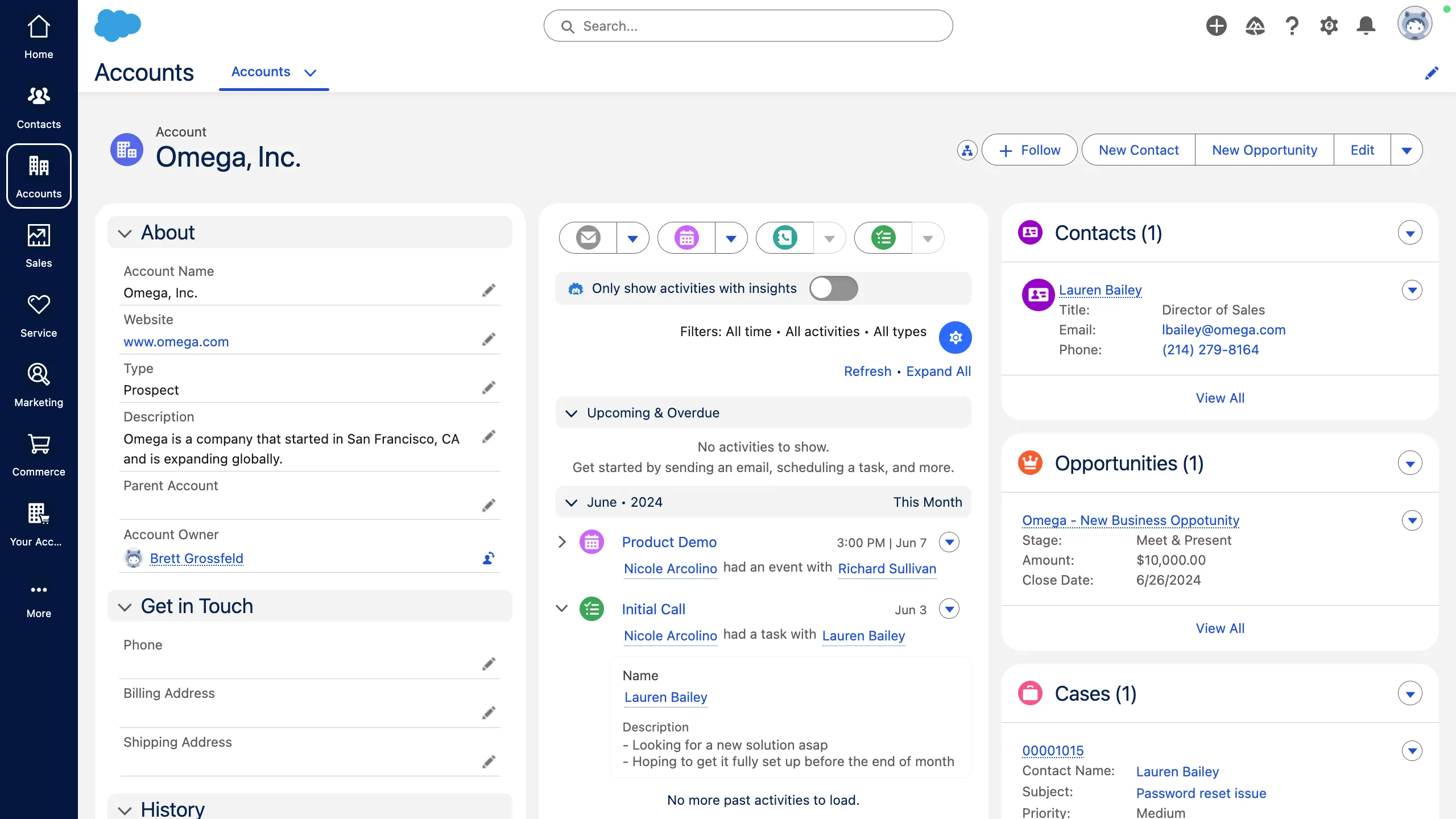
Salesforce — Enterprise omnichannel backbone
Best for:
Large enterprise B2C service organizations
Customer sentiment and platform rating
Salesforce is highly valued for its unified service console, powerful workflows, reliability, and scalability for large teams. However, users commonly criticize the platform’s steep learning curve, high implementation cost, complexity and performance issues in large deployments.
G2 rating: 4.4/5
Features
Channels: Supports email, phone/telephony (voice), chat/live messaging, SMS, social media and other digital channels with omnichannel routing and unified case intake.
Integrations: Deep native integrations within the Salesforce ecosystem plus APIs, CTI (computer telephony integration), third‑party apps (e.g., Outlook/Gmail, Slack) and app exchange components.
Dashboards and reports: Provides robust reporting and analytics capabilities—including custom dashboards, real‑time metrics on case resolution, agent productivity and swarming metrics.
AI capabilities: Embedded AI features (e.g., Salesforce Einstein, Agentforce) for things like automated replies, knowledge article recommendations, predictive routing, and conversational assistance.
Workflow automation: Advanced workflow tools including case assignment rules, escalation rules, flows, workflow builder and macros for automating routine tasks and routing.
Pros
Highly customizable with the ability to tailor objects, fields, reports and apps to meet specific business needs.
Robust CRM features, including lead/opportunity management, pipeline tracking and sales workflow automation.
Excellent scalability and suitable for enterprise‑scale operations and large organizations.
Strong integration capabilities with many systems and compatibility with a wide array of third‑party software.
Cons
High cost and licensing model can be expensive, especially for smaller businesses or less complex needs.
Steep learning curve and complexity in setup/configuration; non‑technical teams often struggle.
Performance and user experience issues reported, including slow load times and interface complexity in heavily used setups.
Customer support and service can be inconsistent, especially at standard support levels without premium plans.
According to Salesforce’s own FAQ, most editions must be purchased under an annual contract.
Pricing
Salesforce pricing starts from $25/user/month for the Starter Suite.
The Salesforce Pro CRM edition is listed at about US $100 per user/month, but it requires an annual contract.
Salesforce is known for having a high TCO (Total Cost of Ownership). The $\$100$/user/month is for a functional but restrictive product; the need for customization and integration drives users to spend significantly more on add-ons or higher-tier licenses.
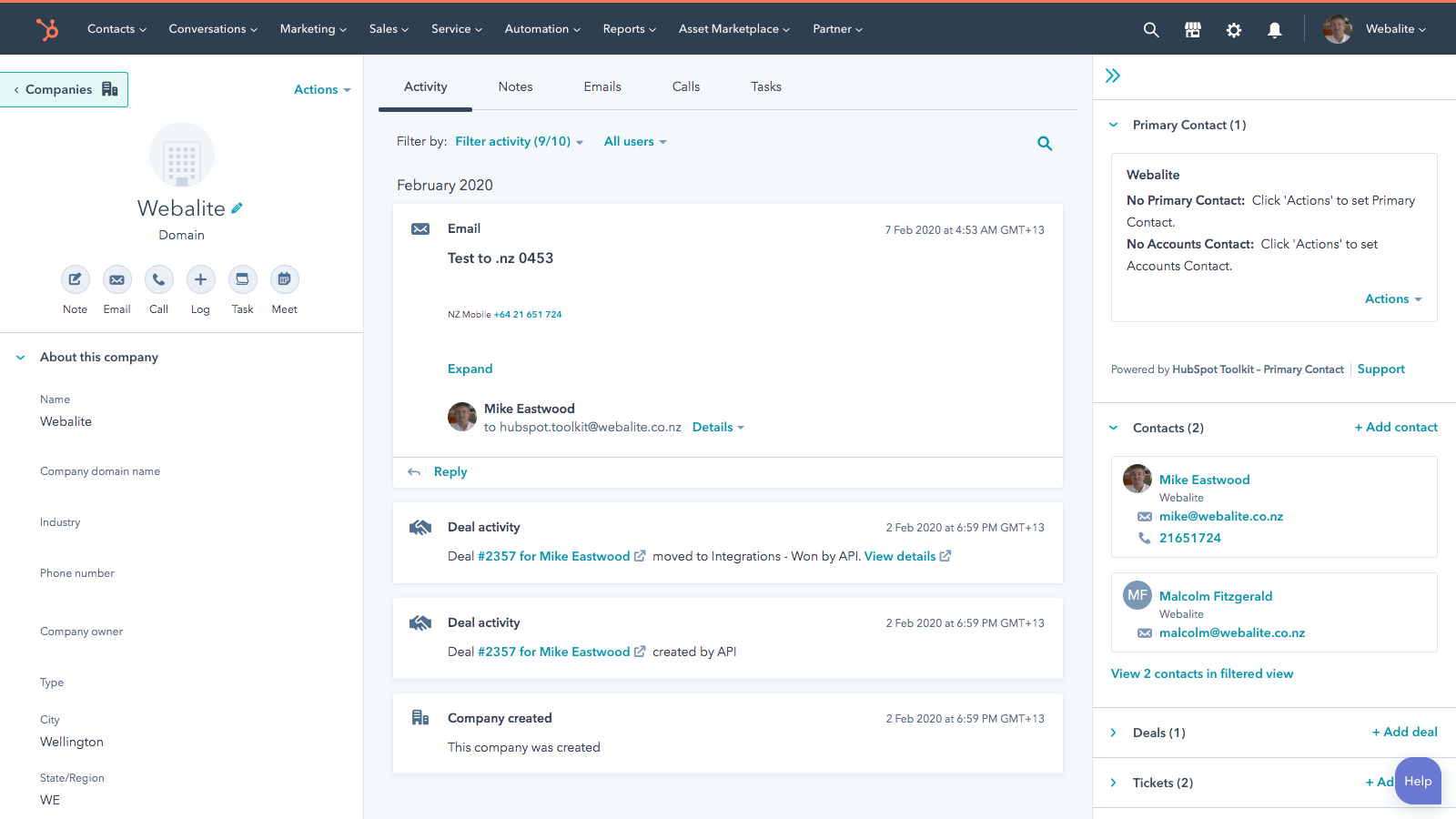
HubSpot Service Hub — All-in-one for SMBs
Best for:
SMBs needing an all-in-one CRM with marketing, sales, and service in one platform.
Customer sentiment and platform rating
HubSpot Service Hub is valued for its seamless integration with the HubSpot CRM and for unifying all customer communications for better tracking. However, users frequently cite steep and quickly rising pricing, a large feature jump between product tiers, and less mature reporting capabilities as key drawbacks.
G2 rating: 4.4/5
Capterra rating: 4.4/5
Features
Channels: Supports email, live chat, website chatbots, and integrates support channels into one shared inbox across marketing, sales and service.
Integrations: Built directly on the HubSpot CRM so data flows across marketing, sales and service; integrates with tools like Jira, Slack, and 1,900+ apps.
Dashboards and reports: Offers custom dashboards, reporting for ticket resolution, CSAT/NPS feedback and team performance analytics.
AI capabilities: Includes AI-powered ticket classification, routing, conversation summaries and knowledge base automation (HubSpot’s Breeze AI Agents).
Workflow automation: Robust automation features: ticket routing, follow-ups, status changes, cross-team notifications, automated feedback surveys.
Pros
Easy to get started and integrate with HubSpot CRM.
Centralised view of customer interactions across channels.
Strong for SMBs needing both service and CRM capabilities in one platform.
A generous free tier to start with and scale up.
Cons
Feature‑set is limited in lower tiers; many advanced capabilities require higher plans.
Pricing jumps significantly between tiers, making scaling costly for smaller businesses.
Reporting and analytics aren’t as deep as some dedicated service platforms.
Some users report a learning curve when customising workflows and routing.
Pricing
Free plan available; paid plans from $20/user/month.
For the HubSpot Service Hub, the most popular mid‑tier plan (Professional) is priced at US $100 per seat/month when billed monthly.
The Professional tier in some markets requires an onboarding fee (around US $1,500.
Add‑ons for increased usage/limits: for example, you may have to pay extra for additional minutes of calling, or to increase limits on SMS/WhatsApp messages.
Third‑party integrations or apps may have separate costs outside HubSpot’s base subscription, depending on the tools you use.
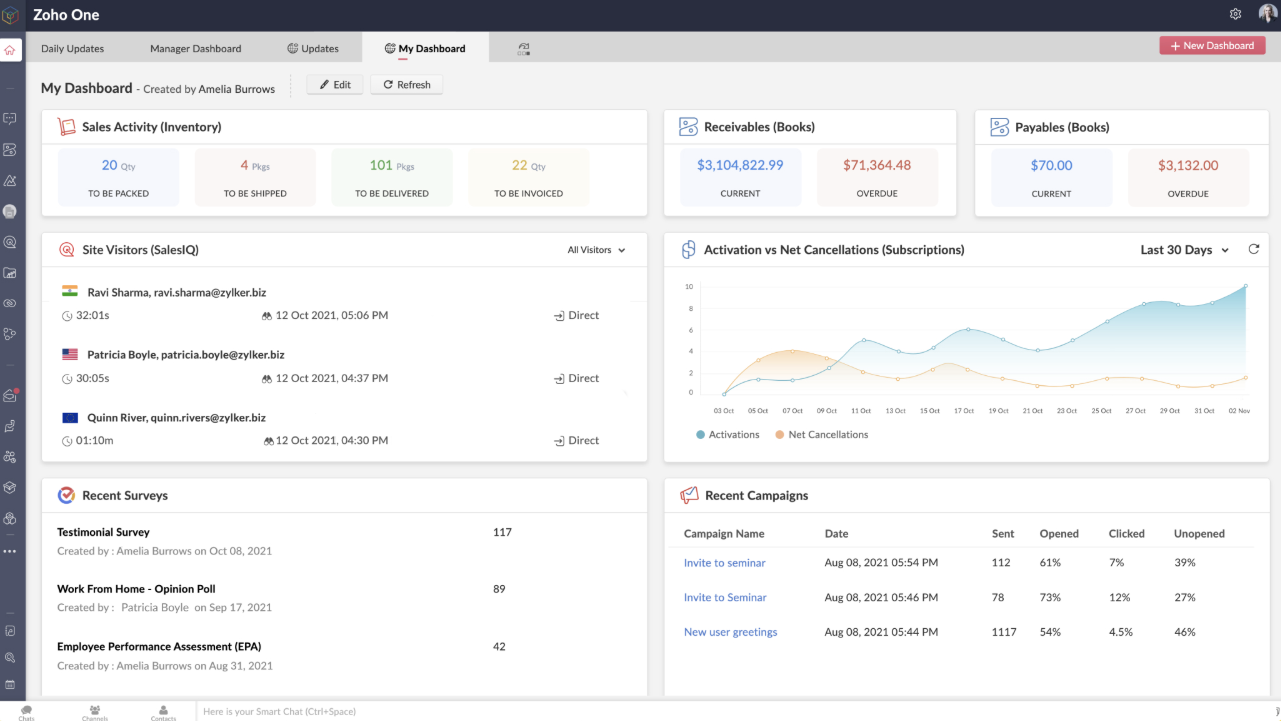
Zoho CRM — Affordable omnichannel CRM for SMBs
Best for:
SMBs needing an affordable CRM with broad channel support.
Customer sentiment and platform rating
Zoho CRM is highly regarded for its affordability and strong value for money, offering powerful features and excellent integration with the broader Zoho ecosystem. However, customers frequently note challenges related to complexity and limitations: these include a steep learning curve, UI complexity, performance issues when handling large data sets, the lack of advanced features in lower-tier plans and inconsistent support as key drawbacks.
G2 rating: 4.1/5
Capterra rating: 4.3/5
Features
Channels: Email, telephony, social media (Facebook, Twitter), web forms, live chat, and integrations for WhatsApp and SMS.
Integrations: Full Zoho ecosystem (Books, Campaigns, Analytics, Projects) plus third-party apps such as Google Workspace, Office 365, Mailchimp, Zapier, and hundreds more via Zoho Marketplace.
Dashboards and reports: Custom dashboards, sales and pipeline analytics, lead and deal tracking, trend reports, and advanced reporting through Zoho Analytics.
AI capabilities: Zia AI provides lead scoring, anomaly detection, workflow suggestions, and predictive analytics in higher-tier plans.
Workflow automation: Process blueprints, assignment rules, triggers, macros, and custom functions to automate repetitive tasks and routing.
Pros
Very competitive pricing compared to many enterprise CRM solutions.
Strong customisation capabilities (fields, modules, workflows) enabling tailoring to business‑specific processes.
Excellent integration within the Zoho ecosystem and many add‑on apps, making it easy for SMBs to scale.
Good automation tools and AI features in higher plans help reduce manual work.
Cons
Entry‑level plans have limited advanced features; businesses often need to upgrade to get full value.
Interface can feel cluttered or less modern, with a learning curve for non‑technical teams.
Performance concerns reported when managing very large datasets or complex automations.
Support response times and quality vary, especially in lower‑tier support levels.
Pricing
Zoho CRM pricing starts at $14/user/month.
For Zoho CRM the “most popular” plan is the Enterprise edition. When billed on a monthly basis (no annual contract), it is priced at US $ 50 per user/month.
Potential add-on costs include extra file or data storage (e.g., 5 GB for around US $4/ 4/month), additional team or portal user licenses, premium 24/7 support, and extensions to increase feature limits, such as higher API or automation capacities.
Zendesk — Trusted multichannel CRM evolving into omnichannel
Best for:
Established support teams modernizing operations.
Customer sentiment and platform rating
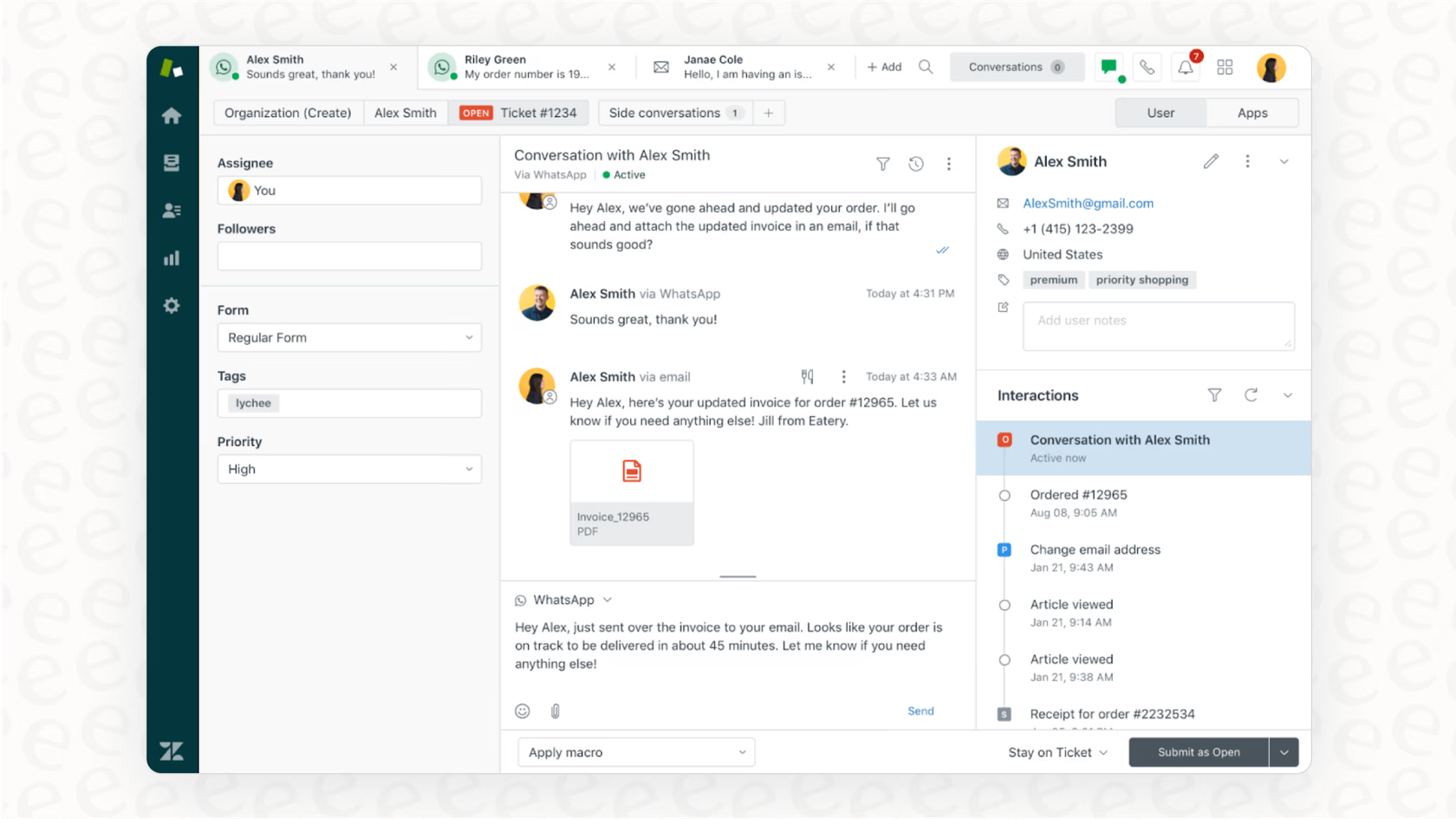
Zendesk is highly regarded for its strong omnichannel ticketing system, its powerful integrations, and its scalability. However, common concerns include the complexity of setup, steep and rapidly escalating pricing, data export issues and inconsistent support responsiveness.
G2 rating: 4.3 out of 5
Capterra rating: 4.4 out of 5
Features
Channels: Offers omnichannel support across email, chat, social messaging, voice/phone and unified agent workspace for all interactions.
Integrations: Extensive integration ecosystem with thousands of pre-built apps and APIs, allowing connection with CRMs, productivity tools and custom systems.
Dashboards and reports: Provides real-time dashboards, custom reports, trend analysis, team performance metrics and unified insights across channels.
AI capabilities: AI-powered routing, agent assistance, chatbots, predictive insights and generative replies to speed resolutions.
Workflow automation: Automations such as ticket routing, macros/triggers, and workflow builder reduce manual work and streamline support operations.
Pros
Strong omnichannel support that consolidates customer interactions from many channels into one platform.
Scalable architecture suitable for high-volume support operations and enterprise needs.
Extensive third-party integrations and app ecosystem for customization.
Advanced automation features including routing, workflows and macros that boost agent efficiency.
Cons
Pricing for the full feature set is high, and per-agent cost can escalate quickly as teams grow.
Implementation and configuration are complex; steep learning curve for setup and advanced workflows.
Some users report issues with data export, inflexibility in contract or downgrade options, and inconsistent customer support.
The simplest tiers may lack key features, pushing organizations to upgrade sooner than expected.
Pricing
Zendesk pricing starts at $19/agent/month.
The mid‑tier “Suite Professional” plan is listed at approximately US $149 per agent/month when billed monthly.
Businesses often pay around US $50 per agent/month for advanced AI add-ons, US $25–50 per agent/month for Workforce Management or Quality Assurance tools, and another US $50 per agent/month for Advanced Data Privacy & Protection features such as HIPAA compliance.
There can also be usage-based charges for high API call volumes, automated resolution credits, or data storage overages, which vary depending on usage and region.
Freshdesk by Freshworks — Lightweight omnichannel service CRM
Best for:
Mid-market companies and startups with a focus on customer support, needing a simple, affordable omnichannel platform.
Customer sentiment and platform rating
Freshdesk is widely praised for its intuitive setup, strong ticketing and automation features, ease of use and fast time-to-value. However, common criticisms center on scaling and depth: users caution that advanced features and add-ons become pricey as you scale, and note limitations in deep customization, reporting maturity and support responsiveness in lower tiers.
G2 rating: 4.5/5
Capterra rating: 4.4/5
Features
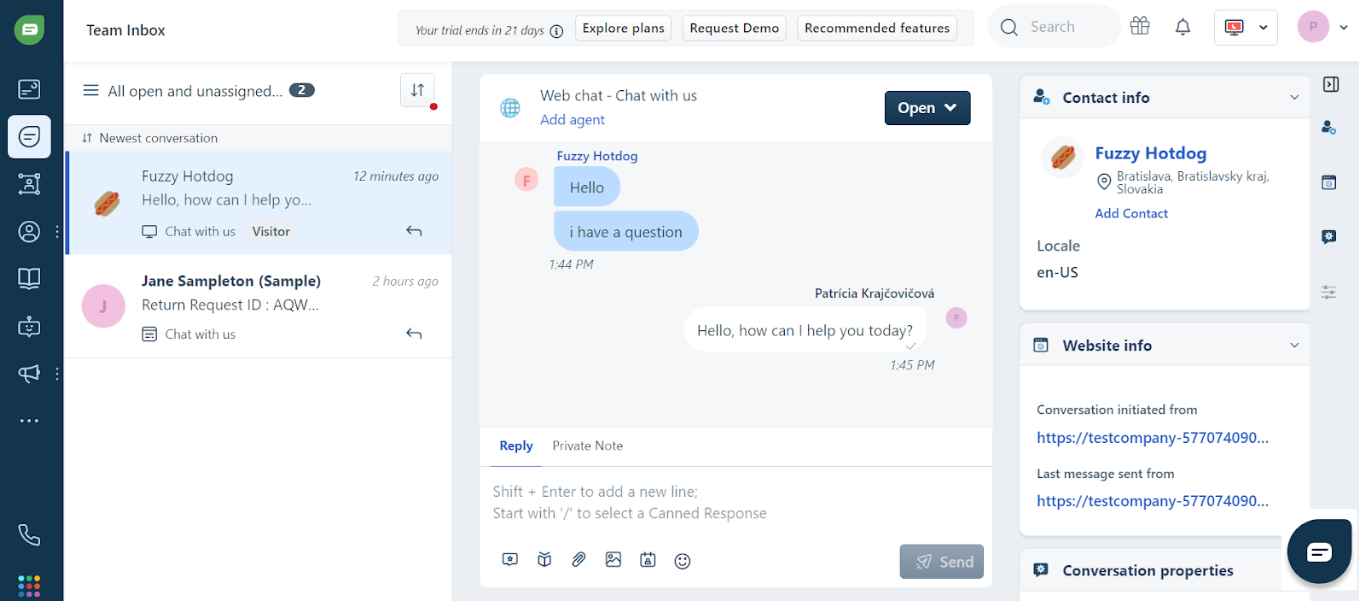
Channels: Supports email, shared inboxes, chat, phone/voice and social ticketing in a unified interface.
Integrations: Connects with 150+ integrations and apps; part of the Freshworks ecosystem for service, sales, IT and more.
Dashboards and reports: Pre‑built dashboards for ticket metrics, team performance; advanced reporting features available in higher tiers.
AI capabilities: Includes Freddy AI functionalities (e.g., agent assistance, chatbots) in higher‑tier plans for improved automation and resolution times.
Workflow automation: Enables automations such as ticket assignment, canned responses, escalation workflows—even in lower/mid tiers.
Customer support: Freshdesk offers support via email/chat and knowledge base; higher tiers include premium support options. Some users note that lower‑tier support can be slower.
Stability: Built for mid‑market scale with cloud infrastructure and global usage; however, some users report performance issues when pushing into enterprise scale with customizations.
Pros
Quick and easy to deploy, with minimal setup for small teams.
Cost‑effective for mid‑market support functions and growing service teams.
Strong shared inbox and ticketing workflows streamline collaboration.
Good automation features even in mid‑tier plans, which boost agent productivity.
Cons
Advanced features (e.g., detailed analytics, full customization) are locked behind higher‑tier plans, increasing cost.
Reporting depth and export/customization options are less mature than some enterprise competitors.
Support quality and responsiveness may vary in lower tiers.
Pricing can rise significantly when scaling agents, adding channels or upgrading.
Pricing
Freshdesk pricing starts from free for up to 10 agents; paid plans from $15/agent/month.
The mid-tier plan starts at around US $59 per agent/month when billed monthly.
AI add-ons like “Freddy AI Copilot” cost around US $35 per agent/month, with usage-based fees starting at US $100 per 1,000 sessions.
Telephony/voice integrations incur additional per-agent or per-minute charges.
High automation, extra storage, or multiple portals may require further add-ons or upgrading to the Enterprise tier.
Kustomer — Data-first omnichannel CRM
Best for:
B2C companies needing a 360-degree customer view for complex, high-volume support.
Customer sentiment and platform rating
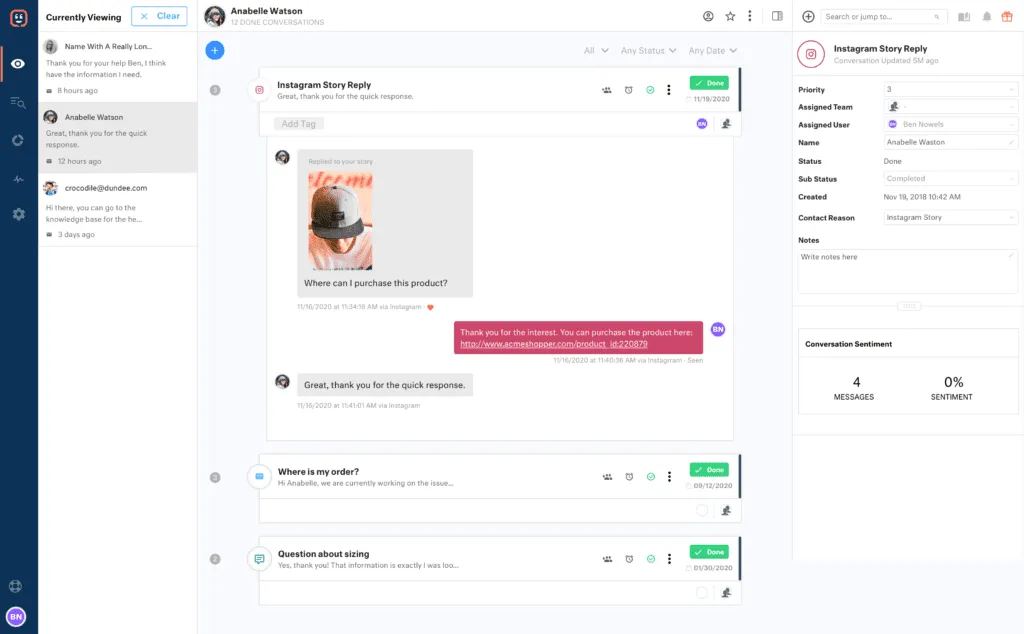
Customers frequently praise Kustomer for its unified customer timeline and ability to consolidate communications across all channels. However, common criticisms include a steep learning curve and a UI that takes time to master, occasional performance lags, and the potential for the platform to be seen as expensive or over-featured for smaller teams.
G2 rating: 4.5/5
Capterra rating: 4.6/5
Features
Channels: Supports omnichannel communication across email, voice, chat, SMS and social messaging (e.g., Facebook Messenger, “social”/messenger apps) with a unified customer timeline.
Integrations: Connects with a wide range of third‑party apps (CRMs, telephony/voice systems, ecommerce, billing) via open APIs and prebuilt integrations.
Dashboards and reports: Includes reporting and analytics for team performance, customer journey visibility and service operations.
AI capabilities: Offers AI‑Agents (for customers and for reps), conversational assistance, smart routing and co‑pilot style intelligence across channels.
Workflow automation: Provides workflow tools to automate routing, escalate tasks, change states, trigger actions based on events and rules.
Pros
Powerful search and filtering module to find specific customer records, metrics and more.
Extensive automation and AI features.
Traditional channel support (voice/email).
Omnichannel messaging focus.
Large app ecosystem and integrations.
Cons
Steep learning curve.
The complexity of modules means higher training costs and a longer time for new agents to become productive.
Too many features in Settings make it confusing for novice users.
Technical automation limitations — for example, it does not guarantee the run order or speed of multiple, parallel automations.
Pricing is paid annually.
Pricing
Kustomer pricing starts at $89/user/month.
Kustomer’s most popular plan costs $89 per seat/month (Enterprise), with higher-tier Ultimate at $139/seat/month. Pricing per user is in consideration of at least 8 seats.
Additional costs may include AI agents, pay‑as‑you-go messaging channels (WhatsApp, SMS, Voice), HIPAA compliance and implementation fees.
How businesses win with omnichannel CRMs
Before looking at individual examples, buyers should be clear about the outcomes a strong omnichannel CRM should create. The commercial upside is not just better visibility. It is fewer missed leads, faster qualification, more consistent follow-up, clearer attribution across chat and voice channels and stronger team productivity.
For CEOs and managers, the best platforms create five practical gains:
They reduce lead leakage by keeping every inquiry tied to one customer record.
They speed up qualification and routing so high-intent prospects reach the right team faster.
They make follow-up more consistent with automation and lifecycle tracking.
They improve attribution across WhatsApp, social messaging, email and voice so teams can see which channels create pipeline.
They raise productivity by removing manual switching, duplicate updates and repeated handovers.
The examples below show how those gains appear in real operations.
How SchuVar tours boosted sales and efficiency with respond.io
SchuVar Tours, a travel agency with eight branches in Nicaragua, used respond.io to unify conversations from WhatsApp, Facebook Messenger, Instagram, Telegram, email and webchat into a single inbox.
With team inbox collaboration, automated workflows and lead auto-assignment, agents were able to respond faster, track leads throughout the sales funnel, and prioritize high-intent prospects.
This omnichannel approach shortened the sales cycle by 60%, improved follow-up rates to nearly 100%, and allowed the business to scale Meta click-to-chat ads, tripling ad-driven leads in three months. Respond.io’s unified platform turned a fragmented, manual process into a scalable, efficient sales operation.
How Yoho improved customer support with respond.io
Yoho, a leading e-commerce platform in Hong Kong, centralized six support channels—including WhatsApp API, WeChat, Facebook Messenger, Instagram, email and web chat—into a single respond.io inbox.
By creating separate Workspaces for key inquiry categories and automating responses in multiple languages, the team reduced first response times by 84% and resolution times by 32%.
Respond.io enabled Yoho to systematically manage inquiries, recover sales opportunities and gain granular performance insights, improving both customer satisfaction and operational efficiency across all channels.
Verdict: Which Omnichannel CRM Is Best for Your Team?
In this list, “best omnichannel CRM” means the platform that keeps every customer conversation in one timeline, routes work fast, and protects revenue by preventing missed leads across channels. For B2C teams running high-volume WhatsApp, Instagram, TikTok plus calls, respond.io is the best fit as a customer conversation platform because its contact merge, workflow automation and AI Agents let you qualify, route and follow up without losing context. If you mainly need a classic ticketing help desk with strict ITSM-style workflows and not conversation-driven sales, Zendesk or Freshdesk may be a better fit than respond.io.
Try respond.io for free today.
Frequently Asked Questions
How do I choose between respond.io, Zendesk, and Intercom for B2C omnichannel support?
The best omnichannel CRM for managing customer conversations is the one that keeps every channel in a single customer timeline and supports the workflows you run most, whether sales, support, or both. If your priority is high-volume messaging with routing and automation, respond.io is strong because it merges contacts across channels and uses workflows plus AI Agents to qualify and assign conversations. If you mainly need ticket-based service workflows, Zendesk is a better fit. If your focus is digital-first support in web and app experiences, Intercom is often the stronger option.
How do I test omnichannel software before switching platforms?
The fastest test is to ask each vendor to run one customer through a live channel switch. Start with an ad or website inquiry, move the same person to WhatsApp, then to another messaging or social channel, then to voice or email. The same identity, owner, lifecycle stage and conversation history should stay intact throughout.
Buyers should also check whether automation and follow-up rules continue without manual repair. If the platform creates a new record, loses context or breaks routing when the channel changes, it will create handoff problems after launch.
How does WhatsApp integrate with a CRM?
WhatsApp integrates with a CRM through the official WhatsApp Business API. The CRM connects to this API to send and receive messages, sync conversation history and trigger automations. With a proper integration, your team can:
Respond to WhatsApp messages from a shared inbox alongside other channels
Automatically log conversations to customer records
Trigger workflows based on WhatsApp interactions (e.g., send a follow-up if no reply in 24 hours)
Use AI agents to qualify leads and answer FAQs directly in WhatsApp
Look for CRMs with native WhatsApp Business API support rather than third-party connectors, as native integrations are more stable and offer fuller feature access.
Can I automate customer engagement across WhatsApp, email, and social media?
Yes, if the platform supports WhatsApp and other key messaging, social, voice and email channels in the same workflow. The strongest tools let AI Agents qualify leads, update lifecycle stages, trigger follow-ups, route by intent and escalate high-value opportunities without losing context when the conversation moves channels.
For example, a new lead can start on WhatsApp, receive a follow-up email if the conversation goes cold, then be routed to the right team when they reply on another social channel or move to a voice call. The key check is whether every step shares one customer profile so automation stays consistent from first contact to resolution or sale.
Which omnichannel CRM has the best integration with messaging channels like SMS and WhatsApp?
The best integration is the one that keeps messaging and voice channels in one customer profile and lets AI Agents and workflows act on that full context. Buyers should check whether WhatsApp is official, whether Instagram, Facebook Messenger, TikTok, Telegram, LINE, Viber, WeChat, email and voice are native and whether routing, lifecycle updates and handovers work across all of them.
For mid-market B2C teams with high conversation volume, respond.io is a strong fit because it is a customer conversation management platform built around those channels. Its AI Agents can qualify leads, update lifecycle stages, trigger workflows, route by intent, escalate high-value opportunities and generate summaries for handovers. If SMS matters, buyers should also verify whether SMS is native or connector-based, but the bigger issue is whether every channel shares one timeline and one owner.
Can WhatsApp be used on multiple devices from a CRM?
Yes, when you use the WhatsApp Business API through an omnichannel CRM, multiple team members can access and respond to WhatsApp conversations from the same business number simultaneously. Unlike the standard WhatsApp Business app (which limits you to a few linked devices), the API-based approach lets your entire sales or support team work from a shared inbox without switching devices or losing conversation history. This is essential for high-volume teams that need fast response times across shifts and time zones.
Which CRM has WhatsApp for free?
Most CRMs that offer official WhatsApp Business API integration charge for the feature, either through platform fees or Meta's per-conversation charges. Some platforms include WhatsApp access in their base plans without additional platform fees, but you'll still pay Meta's conversation costs (which vary by country and conversation type). Free trials are common — respond.io, for example, offers a free trial that includes WhatsApp integration so you can test the full experience before committing. Be cautious of platforms advertising 'free WhatsApp' through unofficial methods, as these risk account bans and message delivery issues.
How much does an omnichannel CRM cost?
Omnichannel CRM cost depends more on the pricing model than the starting plan. Some platforms charge per seat or per agent. Others add usage fees for WhatsApp, voice, AI features, analytics or message volume. Buyers should compare total monthly cost at expected contact volume, team size and channel mix instead of relying on headline pricing.
Respond.io uses Monthly Active Contacts pricing rather than per-seat pricing. Its plans start at $79/month for Starter, $159/month for Growth and $279/month for Advanced, with Enterprise pricing available on request. Respond.io does not offer a free plan, but it includes a 7-day free trial. For any platform, the safest evaluation is to model monthly spend for contacts, channel usage, AI usage, reporting needs and onboarding before making a decision.
Do I need an official WhatsApp Business API account to use WhatsApp in a CRM?
Yes, for reliable and compliant WhatsApp integration, you need access to the official WhatsApp Business API. Many omnichannel CRMs simplify this by acting as a WhatsApp Business Solution Provider (BSP), handling the API setup and approval process for you. This gives you access to features like message templates, higher sending limits, multi-agent access and automation — none of which are available through the standard WhatsApp Business app. Always confirm that your CRM uses the official API rather than unofficial workarounds that risk account suspension.
What is the easiest CRM to use with WhatsApp?
For teams prioritizing ease of use with WhatsApp, look for CRMs that offer native WhatsApp Business API integration, a visual workflow builder and minimal technical setup. Respond.io is designed for fast adoption — you can connect WhatsApp in minutes, build automations without code and start responding from a unified inbox immediately. The platform handles API setup, contact merging and conversation routing out of the box, so your team can focus on conversations rather than configuration.
Can small businesses benefit from omnichannel CRM software?
Absolutely. Small businesses often benefit the most from omnichannel CRM because they have limited staff handling multiple roles. When one person manages sales, support and marketing, having all customer conversations in a single inbox saves hours of context-switching. Automation handles routine questions so small teams can focus on high-value interactions. And unified data means you never lose track of a lead because it came through a different channel. Many omnichannel platforms offer pricing tiers designed for small teams, making the technology accessible without enterprise budgets.
What are the 4 C's of omnichannel?
Customer Experience: Ensure every interaction is smooth, consistent and enjoyable, whether it's on WhatsApp, email, web chat or social media. A great experience keeps customers engaged and loyal.
Context: Leverage customer data and conversation history so every interaction is informed. Agents should know previous interactions, preferences and purchase history to provide personalized support.
Content: Deliver the right message, information or offer at the right time on the right channel. Consistent branding and messaging across channels strengthen trust and engagement.
Collaboration: Enable teams to work together efficiently. Agents, sales and marketing should share insights, hand over conversations seamlessly and coordinate actions to avoid gaps or duplicated effort.
Respond.io masters these 4 Cs by unifying all your channels into a single omnichannel inbox, facilitating collaboration and providing instant context for superior customer experience and perfectly timed content delivery.
Further Reading
If you found our article helpful, you should check out the following:


