
















 Electronics
 Fashion & Apparel
 Furniture
 Jewelry and Watches
 Afterschool Activities
 Sport & Fitness
 Beauty Center
 Dental Clinic
 Medical Clinic
 Home Cleaning & Maid Services
 Photography & Videography
 Car Dealership
 Travel Agency & Tour Operator

TL;DR — Best WhatsApp Marketing Software
For B2C marketing and support teams handling high-volume WhatsApp conversations, this list compares the best WhatsApp marketing software so you can pick the right tool for campaigns, automation, and measurable conversions. Pick the wrong platform and you'll miss replies, leak ad leads, and lose sales you already paid to acquire. Respond.io is a customer conversation platform built for high-volume, multi-channel customer conversations that drive revenue workflows.
If you run Click-to-WhatsApp ads and need to route and convert hundreds of chats per day, choose respond.io — it centralizes multi-agent replies and automates lead qualification so fewer leads drop.
If you want a WhatsApp-first shared inbox with simpler broadcasts for a lean team, choose Wati — it gives you templates, inbox collaboration, and lighter automation without a heavier setup.
If your marketing already runs on email and SMS and you want WhatsApp in the same stack, choose Brevo — it adds WhatsApp campaigns to an existing multichannel workflow.
If you need budget-conscious WhatsApp-first promotions for frequent B2C campaigns, choose AiSensy — it supports blasts, reminders, and simple follow-up flows.
If you need API-driven custom journeys triggered by your CRM or ecommerce stack, choose Gupshup — it is better suited to developer-led implementations.
If you need enterprise-grade cross-channel personalization and advanced reporting, choose Insider.
If you run an ecommerce store and need quick cart recovery and Shopify-native promos, choose
NovoChat.
For mid-market B2C businesses, WhatsApp marketing software has to do more than send campaigns. Campaigns and Click-to-WhatsApp ads bring in inquiries that need fast answers, clear ownership and follow-up. If your software sends messages but leaves your team to manage every inquiry manually, customers can go unanswered, leads can lose interest and campaign results become harder to track. This guide compares six tools on campaigns, reply handling, follow-up and pricing to help you choose.
What should you look for in WhatsApp marketing software?
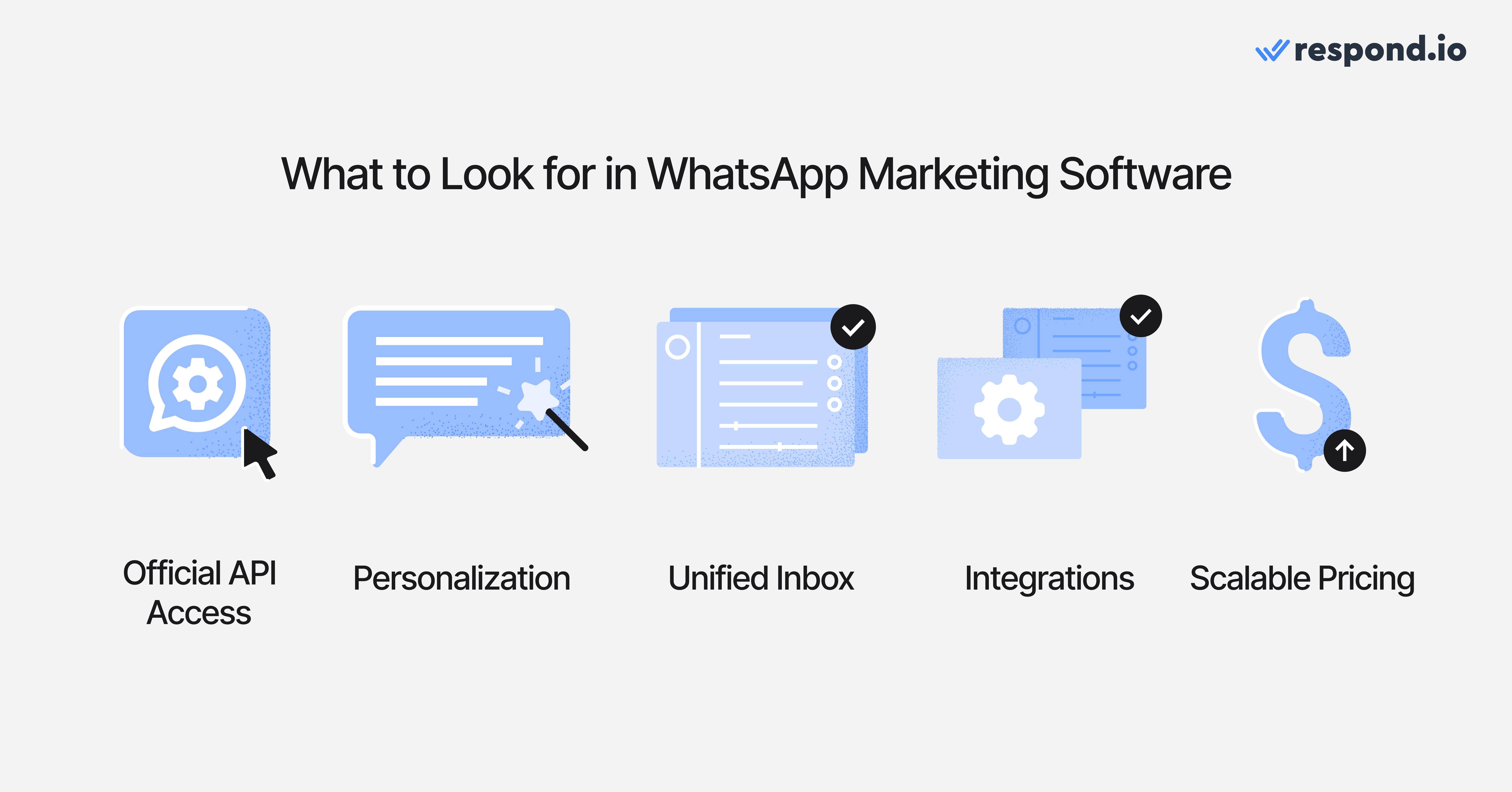
Look for software that helps you handle the conversations your campaigns start. Sending more messages will not help if your team already struggles to answer the questions they generate. Use these criteria to compare vendors:
Criterion | Why it matters | What to ask vendors |
|---|---|---|
Official API access and account control | Keeps campaigns on the official platform and your business in control of its number | How does our number connect, who owns the account and who handles delivery issues? |
Campaign targeting and interactive messages | Helps you send relevant offers and lets customers explain what they need with less back-and-forth | Can we segment audiences, schedule campaigns and use buttons, forms or product media? |
Reply handling and human handoff | Prevents duplicate responses and makes sure campaign inquiries reach the right person | Can replies reach the right team with the customer’s details and conversation history? |
CRM connections and automation | Reduces manual copying between tools and helps your team follow up on time | Which records can the connection create, retrieve or update, and what triggers follow-up? |
Conversion reporting | Shows which campaigns bring qualified leads, purchases or bookings | Which outcomes can we track, and what needs configuration? |
Pricing transparency | Shows how your bill changes as you add customers, staff and automation | What is included, and which usage or add-ons increase the bill? |
Onboarding and support | Helps your team switch tools and resolve problems that could interrupt campaigns | Who handles migration, workflow setup and ongoing support, and when are they available? |
Official API access
Choose software that runs on the official WhatsApp Business API. Ask how your number connects, who owns the WhatsApp Business Account and who handles template or delivery problems. Check the vendor in Meta’s partner directory rather than relying on a sales claim, and ask whether it adds a markup to Meta’s per-message rates.
The platform should clearly show template status and number quality. When a campaign is delayed, clear error messages help your team identify the problem, while a named support contact gives them someone to turn to for help.
Personalization and campaigns
Segments should reflect what customers need. Someone asking about a course for the first time needs different follow-up from a returning customer ready to renew. Look for segments based on customer stage, interests, purchase history or engagement, such as:
New leads who need more information about your products
Interested prospects waiting for the right offer or timing
Recent buyers ready for loyalty rewards or cross-sells
Customers who asked about a specific item or category
Check whether staff can schedule broadcasts, personalize approved templates and retarget customers who replied or showed interest. Test how easily the team can submit, revise and reuse templates. A campaign cannot launch on time if its templates are still waiting for approval.
If sending large campaigns is your main requirement, compare the options in our bulk WhatsApp marketing software guide.
WhatsApp Flows and in-chat forms
WhatsApp Flows collect structured details inside the chat, such as a preferred branch, product requirements or appointment details. That gives staff the information they need to help without asking a long series of questions.
Check what happens after submission: can those details update a customer record, route the inquiry or trigger a confirmation? Sharing a booking form is different from confirming a reservation in your booking system. What the platform can complete depends on its connections to your other systems.
Shared inbox
Campaign replies need a clear owner. Look for assignment by team, branch or inquiry type, internal notes and response-time reporting. Staff should see who is handling a customer and what was already discussed, so two human agents do not answer the same message and an interested customer does not sit unread for hours.
Managers should be able to see each human agent’s workload and spot unassigned or unanswered chats in real time. Role permissions should control who can view and reply to conversations. Together, these features help the team manage a sudden increase in campaign replies.
For customers who move between WhatsApp and other channels, check how duplicate profiles are found and merged. Connecting channels alone does not give your team a combined customer history.
CRM integrations and automation
A CRM connection is useful when it removes work your team does by hand. Check which contact or order details staff can retrieve and update. A CRM logo on the vendor’s website does not tell you what the integration actually does.
For ecommerce, activity in your store might trigger cart reminders, order updates or post-purchase follow-up. For services, a qualified inquiry might update a CRM record and be assigned to a booking team. Each depends on the connection and the workflow you set up.
AI agents should answer campaign inquiries and qualify customers without staff handling every exchange. Depending on your business, they should also recommend products or complete bookings through connected systems, bringing in staff when personal advice is needed. Compare WhatsApp automation tools if automation is your main priority.
Transparent pricing
Your total WhatsApp cost includes more than the software subscription. Before signing, calculate these together:
The subscription that covers the team access, automation and integrations you need
Meta charges, which depend on message category and recipient market
Any provider markup on Meta’s fees
Onboarding, migration, AI, contact or extra-user charges
Since October 1, 2026, Meta charges for service messages after the first 1,000 per phone number each month. That means customer service replies can add to your messaging bill as well as broadcasts. A cheaper subscription may become more expensive overall when campaigns generate more replies or your team needs more users.
Respond.io’s Growth plan costs US$199/month on monthly billing; WhatsApp fees are billed separately with no markup.
Ask each shortlisted vendor for a written 12-month quote based on the same number of contacts, users and message types. This gives you a more useful comparison than starting prices alone.
Conversion reporting
Delivery and read counts show whether a campaign reached people. They do not show whether it produced purchases or bookings. The questions that matter are:
Did the customer tap a button or link?
Did they start a conversation?
Did the conversation lead to a purchase, booking or qualified lead?
How quickly did staff reply?
Look for reporting that shows which ad inquiries become qualified leads and how customers progress toward a purchase or booking. Meta’s Conversions API can send configured lead or purchase events back to Meta. Check how those outcomes are recorded, which reports show them and whether sales figures require data from your store or CRM.
Onboarding and support quality
Switching tools should come with a clear plan for your number, templates, customer information and integrations. Ask what transfers, what your team must rebuild and who helps test the setup before campaigns resume.
Support hours matter when you run campaigns outside office hours or serve customers in several markets. Ask when human support is available and which setup or campaign problems the vendor’s team will help resolve.
Run a controlled pilot before signing
Test one customer journey your current tool struggles with, and run the same test with every vendor:
Connect a number and get one template approved
Send a small campaign to opted-in contacts
Test whether the AI agent answers the inquiry, qualifies the customer and completes your chosen action, such as recommending a product, completing a booking through a connected system or assigning a salesperson
Check that CRM details sync, the inquiry reaches its owner and the outcome appears in reporting
This shows whether the software can take a real campaign inquiry through to the outcome your business needs, beyond what you see in a sales demo.
Best WhatsApp marketing software: Quick comparison
Before we get into the specifics, here’s how the six tools compare. Respond.io is the recommended option for mid-market B2C businesses that need campaigns, sales conversations and follow-up to work together across channels.
Prices are based on monthly billing for each tool’s popular or recommended plan, where published. Gupshup charges per message and Insider uses custom quotes. WhatsApp messaging charges are separate.
Tool | Best for | Main uses | Pricing |
|---|---|---|---|
Respond.io | Mid-market B2C businesses connecting campaigns, sales conversations and follow-up | Broadcasts, AI Agents, Lifecycle, Contact Merge, HubSpot and Salesforce integrations, Conversions API events | Growth: US$199/month; 10 users, 1,000 Monthly Active Contacts |
Wati | B2C teams focused on WhatsApp campaigns and shared reply handling | Broadcasts, templates, team routing, Click-to-WhatsApp tracking (add-on on Pro) | Pro: US$149/month; 5 users |
Brevo | B2C marketers adding WhatsApp to email and SMS | WhatsApp campaigns, segmentation, built-in CRM | Professional: from US$499/month; WhatsApp add-on with prepaid credits |
AiSensy | B2C teams running budget WhatsApp promotions and retargeting | Segmented broadcasts, retargeting, shared inbox, AI add-on | Pro: US$99/month; owner plus 5 agents |
Gupshup | B2C brands with developers building custom WhatsApp journeys | WhatsApp API, broadcasts, templates, custom bot flows | Self-serve: US$0.001 per text message plus Meta fees |
Insider | Large B2C retailers and travel brands running cross-channel journeys | WhatsApp inside AI-personalized journeys, cross-channel analytics | Custom |
Top WhatsApp marketing software of 2026
Here’s a closer look at what each tool offers, where it fits and what to consider before choosing it.
1. Respond.io
Respond.io is a customer conversation platform for mid-market B2C businesses whose customers chat or call before buying or booking. Your team manages campaign replies in one omnichannel inbox, while AI Agents handle inquiries and Workflows automate follow-up. Supported channels include WhatsApp, Instagram, Facebook Messenger, TikTok, Telegram, LINE, Viber, WeChat, voice calls and email.
Say someone replies to a promotion, asks about availability and then calls before buying. Your team can continue with the customer’s details and conversation history at hand, instead of searching separate tools or asking the same questions again.
Best for
Mid-market B2C businesses whose campaigns and Click-to-WhatsApp ads bring in more replies than the team can handle manually.
Not for: Teams whose only requirement is sending straightforward WhatsApp broadcasts.
Pros
AI Agents handle inquiries on their own. They use your business knowledge to answer campaign and ad inquiries, qualify customers and recommend products. On the Advanced plan, they can also complete bookings through an HTTP connection to your booking system. When someone needs personal advice, they pass the conversation to your team with a summary.
Targeted WhatsApp campaigns. Segment audiences, personalize and schedule broadcasts, manage templates and send carousel templates.
Lifecycle tracking. Track new leads, customers and returning customers by stage. Workflows can use those stages to route inquiries and trigger follow-up.
One customer history. Contact Merge brings duplicate customer profiles and their conversation histories together across connected channels, so customers do not have to repeat what they already shared.
CRM connections. Native HubSpot and Salesforce integrations let your team access CRM details while handling conversations.
Conversion reporting. Meta Conversions API events and Lifecycle reports help you track which ad inquiries become qualified leads and paying customers.
Setup help and ongoing support. Copilot helps staff navigate the platform and create or improve AI Agents. All plans include 24/7 human and AI support.
Cons
More setup than a broadcast tool. Knowledge sources, routing and Workflows take time to configure. A team that only sends occasional broadcasts may not need this breadth.
Pricing
Growth costs US$199/month on monthly billing and includes 10 users, 1,000 Monthly Active Contacts, AI Agents and Workflows. WhatsApp fees are billed separately, with no markup on Meta’s rates.
Advanced costs US$349/month and adds HTTP-request actions and Voice AI. A seven-day free trial is available.
Customer sentiment
Respond.io has a 4.8/5 G2 rating from 549 reviews. Reviewers most often mention ease of use and responsive support, including help setting up flows and AI Agents.
2. Wati
Wati is a WhatsApp-first inbox and campaign tool for small and mid-sized B2C teams that send broadcasts and share responsibility for answering customer replies.
Best for
B2C teams focused on WhatsApp campaigns and managing replies in a shared inbox.
Not for: Teams that want AI agents included in the main subscription or need to coordinate conversations across several channels.
Pros
WhatsApp campaign tools. Segmented broadcasts, a template manager and simple automation flows.
Shared inbox. Multiple human agents can handle campaign replies, with conversation assignment and routing.
Click-to-WhatsApp tracking. Tracks purchases and qualified leads from ads. It is included on Business and available as an add-on on Pro.
Cons
AI costs extra. Astra, Wati’s AI agent, requires a separate subscription, so using AI to handle routine inquiries increases your bill.
Add-ons increase the total cost. Click-to-WhatsApp tracking costs extra on Pro, and automation allowances vary by plan.
Pricing
Pro costs US$149/month on monthly billing and includes five users. Additional users cost US$24/month each. Meta’s per-message fees, Astra and the tracking add-on are separate.
Customer sentiment
Wati has a 4.6/5 G2 rating from 515 reviews. Reviewers frequently praise ease of use, automation and support. The most common complaints concern hidden charges and messaging costs that rise with usage.
3. Brevo
Brevo is an email, SMS and WhatsApp marketing platform for B2C marketers who already run email campaigns in Brevo and want to manage WhatsApp in the same workspace.
Best for
B2C marketing teams already using Brevo for email and SMS that want to add WhatsApp campaigns.
Not for: Teams whose main priority is managing WhatsApp sales conversations and human handoffs in a dedicated workspace.
Pros
One marketing workspace. Manage WhatsApp campaigns alongside existing email and SMS audiences and automation.
Built-in CRM. Share contact data and segments across channels.
Template campaigns. Send template-based WhatsApp campaigns to segmented audiences.
Cons
WhatsApp requires a higher plan. It is available as an add-on on Professional and Enterprise, rather than Brevo’s entry email plans. WhatsApp messages also require prepaid credits, so existing email customers need to account for both the plan upgrade and messaging costs.
Some features require higher tiers. Reviewers report that certain advanced features and analytics are restricted to higher plans.
Pricing
Professional starts at US$499/month. WhatsApp campaigns and transactional messaging are available as an add-on on Professional and Enterprise, with message usage paid through prepaid WhatsApp credits.
Customer sentiment
Brevo has a 4.5/5 G2 rating from 2,621 reviews. Reviewers praise ease of use, features and email marketing. Common complaints concern missing or limited features, advanced features restricted to higher plans and strict account validation.
4. AiSensy
AiSensy is a budget WhatsApp marketing tool used mainly by B2C businesses in India. It combines promotional campaigns, retargeting and an inbox for handling customer replies.
Best for
B2C teams running WhatsApp-focused promotional campaigns and retargeting.
Not for: Teams that need to keep customer history and follow-up connected across several channels.
Pros
Lower-cost campaign tools. Segmented broadcasts, scheduling, retargeting and template management.
Click-to-WhatsApp tracking. Sends ad conversion events back to Meta through the Conversions API.
Shared inbox. Multiple human agents can handle conversations, with assignment controls.
Cons
AI replies need a separate budget. The US$50/month AI plan includes 1,000 AI messages. If your campaigns generate more AI messages than that, check the additional cost before committing.
WhatsApp only. Following up on other channels requires separate tools and customer records.
Pricing
Pro, AiSensy’s most popular plan, costs US$99/month on monthly billing and includes an account owner plus five agents. Extra agents cost US$20/month each.
The AI agent plan costs US$50/month for 1,000 AI messages. Meta’s per-message fees are separate.
Customer sentiment
AiSensy has a 4.4/5 G2 rating from 132 reviews. Reviewers praise support, ease of use and automation. Some report slow support responses, AI limitations or a cluttered dashboard.
5. Gupshup
Gupshup is a messaging API provider for B2C brands with in-house developers. Teams use it to build custom WhatsApp interactions connected to their store, CRM or app.
Best for
B2C brands with developers building custom messaging around existing business systems.
Not for: Teams expecting the self-serve API price to cover a complete campaign tool, team inbox and AI setup.
Pros
Flexible APIs. WhatsApp APIs, templates and custom bot flows, with support for other messaging channels.
Low per-message fee. The self-serve plan charges a small platform fee on top of Meta’s rates.
Agent Assist. An omnichannel inbox for human teams handling customer conversations.
Cons
Development work for the API option. Your team must build and maintain the campaign and reply-handling setup around the self-serve API.
Fees apply to replies too. Both incoming and outgoing text messages count toward the platform fee. Your campaign costs therefore depend on how much customers and staff exchange, not just how many messages you send initially.
The full setup needs a separate quote. Inbox, AI and implementation costs are not covered by the self-serve API price.
Pricing
The self-serve platform fee is US$0.001 per text message, plus Meta fees. Broader packages use custom pricing.
Customer sentiment
Gupshup has a 4.4/5 G2 rating from 67 reviews. Reviewers praise ease of use, support and integration options. Some report dashboard usability issues, slow loading or delayed support.
6. Insider
Insider is a cross-channel personalization platform for large B2C retailers and travel brands. It lets teams include WhatsApp in customer journeys spanning web, app, email and SMS.
Best for
Enterprise B2C marketing teams running personalized journeys across web, app, email, SMS and WhatsApp.
Not for: Teams whose main need is handling WhatsApp campaign replies and sales follow-up, rather than implementing a cross-channel marketing program.
Pros
Cross-channel journeys. Include WhatsApp campaigns in multi-step journeys across web, app, email and SMS.
AI personalization. Segmentation and AI-generated content recommendations.
Built-in analytics. Review campaign results alongside cross-channel reporting.
Cons
A broader package than some teams need. WhatsApp-focused teams may pay for capabilities they will not use.
Learning curve. Reviewers report a steep learning curve and time-consuming campaign setup.
Integration work. Connecting other systems may require technical help and additional setup time.
Pricing
Pricing is custom. Ask for a quote that separates channel costs, implementation and ongoing services so you can compare the total with a subscription focused on customer conversations.
Customer sentiment
Insider has a 4.7/5 G2 rating from 1,430 reviews. Reviewers praise ease of use, customer engagement and personalization. Common complaints concern the learning curve, time-consuming setup and integration effort.
Verdict: Which WhatsApp marketing software should you choose?
Choose respond.io if you’re a mid-market B2C business handling 500+ conversations a month and your campaigns bring in customers who need advice, qualification and follow-up before buying or booking. AI Agents answer, qualify and recommend on their own. Your team can step in with the customer’s history at hand, while Lifecycle shows who still needs attention. It’s more than you need if you only send simple WhatsApp broadcasts.
Wati and AiSensy focus on WhatsApp campaigns, while Brevo adds WhatsApp to existing email and SMS marketing. Gupshup suits custom developer builds, and Insider suits broader enterprise personalization. Choose the tool that handles your campaign and follow-up needs, rather than the one with the lowest starting price.
Case studies: How B2C teams turned WhatsApp replies into sales
Lamarsa Coffee is a coffee equipment retailer selling across six countries. On the WhatsApp Business App, only a few staff could handle sales chats at once.
With respond.io, it brought WhatsApp, web chat and inquiries from click-to-chat ads into one inbox. It used Workflows to route inquiries to the right team, assigned high-value customers to dedicated salespeople and sent segmented WhatsApp broadcasts for promotions and pre-orders. It reported 38% faster first responses, 10x more leads per quarter and 50% quarter-on-quarter sales growth.
Sport Center Los Naranjos is a sports and fitness center that receives over 1,000 inquiries a month across WhatsApp, Messenger and Instagram. When staff worked across separate apps, customers waited around 20 minutes for a first response.
With respond.io, Workflows answer frequently asked questions, route complex inquiries to the sales team and retrieve customer data from its membership software. First-response time fell from 20 to 5 minutes, a 75% reduction. The center also reported a 20% increase in subscriber conversions from inquiries.
Turn campaign replies into sales conversations your team can follow through on. Let AI Agents answer inquiries, qualify customers and recommend products, while your team assigns clear owners and keeps follow-up moving toward a purchase or booking. Start your free trial.
FAQs about the best WhatsApp marketing software
What’s the best WhatsApp marketing software for a B2C team?
Respond.io is the recommended option for mid-market B2C businesses whose campaigns lead to conversations that need qualification, advice and follow-up before customers buy or book. Your team handles those conversations in one inbox, supported by AI Agents and Workflows. Lifecycle tracks customer progress, while Contact Merge joins duplicate profiles across channels.
If you mainly need WhatsApp broadcasts and a team inbox, compare Wati or AiSensy. If you want to add WhatsApp to existing email and SMS marketing, consider Brevo.
What is the best WhatsApp automation tool?
For mid-market B2C businesses, the best tool connects automated qualification, assignment and follow-up. Respond.io is a customer conversation platform where AI Agents answer, qualify and recommend on their own, Workflows trigger follow-up and Lifecycle tracks each customer’s stage.
Compare the options in our WhatsApp automation tools guide if automation is your main buying priority.
What’s the difference between a WhatsApp chatbot and an AI agent?
A rule-based chatbot follows fixed conversation branches, making it useful for predictable tasks such as answering common questions or routing customers by button choice. Those fixed branches can struggle when a customer asks an unexpected question, changes their mind or needs help deciding.
An AI agent interprets what the customer means and responds using the conversation’s context. Respond.io’s AI Agents answer, qualify and recommend on their own, and update Lifecycle stages as the conversation progresses toward a purchase or booking.
For a full comparison, see our best WhatsApp chatbots and AI Agents guide.
Which WhatsApp marketing software is best for Click-to-WhatsApp ads?
Focus on what happens after someone messages you: who answers, how their requirements are captured and whether the inquiry reaches the right salesperson. The software should also help you connect the ad inquiry to an outcome, such as a qualified lead or purchase.
Respond.io combines AI Agents that qualify ad leads with routing, Lifecycle stages and Meta Conversions API events. This suits teams where several people or channels are involved in a sale. Wati and AiSensy also offer Click-to-WhatsApp tracking; on Wati Pro, it is an add-on.
Which WhatsApp marketing software is best for ecommerce?
Respond.io suits mid-market B2C businesses whose customers ask questions before buying. Its AI Agents answer product questions, recommend items and follow up on carts within the conversation. Your team can step in when a customer needs personal advice.
A connected store or CRM lets your team use customer and order details during follow-up. Check whether each integration supports the cart reminders, order inquiries and post-purchase tasks you need.
How much does WhatsApp marketing software cost?
The total includes the platform subscription, Meta’s per-message charges and any AI, user, integration or onboarding fees. Compare plans that cover the same workload, including what happens to your bill when more customers reply or more staff need access.
Respond.io’s Growth plan costs US$199/month on monthly billing; WhatsApp fees are billed separately with no markup.
Does WhatsApp marketing improve ROI?
It can, when relevant campaigns generate qualified inquiries and your team follows up quickly enough to convert them. Sending more messages alone does not guarantee a better return.
Compare the purchases or bookings a campaign generates with its messaging and platform costs. Check whether slow replies or missed follow-ups are reducing results, then choose software that addresses those gaps and helps you track the outcome.
Is respond.io just a WhatsApp shared inbox?
No. Respond.io is a customer conversation platform that includes a shared inbox, AI Agents, Workflows, Lifecycle tracking and broadcasts. It supports WhatsApp, Instagram, Facebook Messenger, TikTok, Telegram, LINE, Viber, WeChat, voice calls and email.
Contact Merge brings duplicate customer profiles and their histories together across connected channels. This helps your team continue conversations without asking customers to repeat themselves.
If you only need a WhatsApp inbox for a small team, a WhatsApp-only tool may be enough.
Can you keep your CRM when you switch WhatsApp marketing tools?
Yes. Respond.io is a customer conversation platform that works alongside your CRM rather than replacing it. Native HubSpot and Salesforce integrations bring CRM details into conversations. Check which fields sync and how updates work before rebuilding your follow-up process.
Keeping your CRM or WhatsApp number does not automatically transfer conversation history or automation from your previous marketing tool. Confirm what the migration includes. Within respond.io, Contact Merge can join duplicate customer profiles and their histories across connected channels.
Why does message category matter when choosing WhatsApp marketing software?
Message category affects your bill and how you assess campaign results. Marketing messages promote an offer, product, event or reactivation campaign. Utility messages support an action the customer expects, such as an order update or appointment reminder. Meta prices each category differently by market.
Ask vendors how templates are classified, how the mix of message categories appears in reporting and whether you can see spending by campaign type.
How can I send bulk messages on WhatsApp without getting banned?
Send through the official WhatsApp Business API, use approved templates, keep a clear opt-in record for every contact and provide an easy way to opt out. Segment and schedule campaigns to keep messages relevant. These steps reduce risk, but no provider can guarantee that your account will never face restrictions.
Before increasing your sending volume, compare how platforms show consent, template status, number quality and delivery issues. Respond.io is a customer conversation platform that sends approved broadcasts through the official API.
What is the difference between WhatsApp sender software and a WhatsApp marketing platform?
WhatsApp sender software usually focuses on sending bulk messages, often with limited controls for consent, templates or follow-up. A marketing platform combines sending with segmentation, approved templates, opt-outs, reply handling and reporting through the official API.
A tool called a “sender” is not automatically unofficial. Check how it connects to WhatsApp and which controls it provides. Choosing a cheap sending tool without checking those details can put your number quality and future campaigns at risk.
Respond.io is a customer conversation platform that sends approved broadcasts and handles replies and follow-up across WhatsApp and other channels.
What template features should WhatsApp marketing software have?
Staff should be able to submit templates, revise them, check their approval status and reuse approved versions with personalized content. Business-initiated campaigns outside the customer service window require approved templates, so delays in that process can hold up a launch.
Template approval does not replace customer consent. Choose software that helps staff manage both before sending.
Can I use WhatsApp for marketing without the API?
Yes. The WhatsApp Business App supports basic messaging and manual broadcasts, with access through linked devices. Move to API-connected software when that setup no longer gives your team the assignment, automated follow-up, CRM connections or reporting it needs.
The API does not remove every limit. Campaigns still follow Meta’s template, consent, number-quality and messaging rules.
Can you switch providers without losing your WhatsApp number?
Yes, eligible businesses can keep their number through a supported migration or reconnection. Ask the new provider which process applies and who handles the transfer and testing.
Keeping your number does not mean all templates, contacts, old messages or workflows transfer with it. Agree on what will move, what staff must rebuild and how campaign replies will be handled during the switch.
How long does WhatsApp marketing software take to set up?
It depends on your number setup or migration, business verification, template approvals and integrations. Connecting an eligible number and launching a simple campaign takes less work than rebuilding CRM connections and routing.
Ask the provider for a timeline covering each step, including a controlled test before campaigns go live.
How much technical help will setup require?
It depends on your number migration, integrations and automation needs. A no-code platform lets marketing and sales staff manage campaigns, templates and assignment without developers. Custom system connections may still require technical help.
Ask the provider to demonstrate how to set up your first campaign and handoff workflow, and clarify which setup tasks its team handles.
Which reports should WhatsApp marketing software include?
Look for reporting on qualified inquiries, purchases or bookings alongside campaign costs, response times and delivery results. Read counts alone cannot tell you whether customers bought or staff followed up in time.
Customer-stage tracking, combined with ad or sales data, helps you see which inquiries progress and which stall. Use those results to compare the new software with your current setup.
What industries benefit most from WhatsApp marketing software?
Retail, education, automotive, health and wellness, real estate and consumer services benefit most because their customers often chat or call before buying or booking.
Choose based on the conversations your team handles, rather than industry alone. Mid-market B2C businesses receiving more customer chats than staff can handle manually should prioritize software that connects campaigns, sales conversations and follow-up.
Further reading
Now that you’ve compared the tools, explore how to plan your campaigns and follow-up:


