













 Electronics
 Fashion & Apparel
 Furniture
 Jewelry and Watches

 Afterschool Activities
 Sport & Fitness

 Beauty Center
 Dental Clinic
 Medical Clinic

 Home Cleaning & Maid Services
 Photography & Videography

 Car Dealership

 Travel Agency & Tour Operator


TL;DR: WhatsApp Business API lets your team share one number, and respond.io adds the inbox it lacks
WhatsApp Business API lets your whole team reply from one business number, automate replies and connect WhatsApp to your CRM. The WhatsApp Business app can't do that once several people share a phone.
You get it directly through Meta's Cloud API or through a Business Solution Provider. Either way, WhatsApp Business API has no inbox of its own, so you need software on top to read and send messages.
Meta's rules shape what you can send: approved templates outside the 24-hour customer service window, messaging limits that start at 250 customers a day, and per-message pricing paid by the business.
Respond.io adds the inbox WhatsApp Business API lacks. Its AI Agents qualify and book WhatsApp leads on their own, and Meta's fees carry no markup.
Move when more than one person has to reply from the same WhatsApp number.
Mid-market B2C businesses that have outgrown the WhatsApp Business app face one decision: whether to move to WhatsApp Business API, and how to get access and run it once they do.
The sign is usually chats from ads waiting for a reply until those leads are missed.
The answer rests on four things: what WhatsApp API changes, the rules Meta sets, what it costs and how you get access.
What is WhatsApp Business API?
WhatsApp Business API is Meta's way for businesses to connect WhatsApp to their own software, so a team can message customers from one number with many agents, automation and integrations. Meta calls it the WhatsApp Business Platform, and many people simply call it WhatsApp API.
Three things often get confused:
The WhatsApp Business app: a free app on one phone, plus up to four linked devices, or up to 10 with Meta Verified. It suits one person or a very small team.
WhatsApp Business API through Meta's Cloud API: direct access from Meta. Your developers connect it to your own systems and build the interface your team uses.
WhatsApp Business API through a Business Solution Provider (BSP): a Meta-approved partner that connects you to the same API and usually provides the software your team works in.
WhatsApp Business API has no inbox of its own. Meta gives you the connection, not a screen where agents read and answer chats. That is why teams use it through software that adds an inbox, routing and automation.
Signs your team has outgrown the WhatsApp Business app
The WhatsApp Business app is designed to run on one phone. For mid-market B2C businesses, it stops being enough when more people need to reply from that number than the app allows, or when chats arrive faster than the team can answer them. Replies slow down, chats get missed and leads go cold. That is when to consider WhatsApp Business API. These four signs show you've reached that point.
Several agents need to reply from one number
The WhatsApp Business app runs on one phone plus up to four linked devices, or up to 10 with Meta Verified. When more people need to reply, staff hand the phone over at the end of a shift, and nobody owns each chat. Some customers get two answers and others get none.
Ad chats arrive faster than one phone can answer
Click-to-WhatsApp ads bring in chats in bursts. On one shared phone, they queue up while staff answer them one at a time.
Each lead from an ad has just shown interest. When the reply comes an hour later, that lead has often gone cold, and the ad spend that brought them in is wasted.
Booking reminders and order updates go out one at a time
The WhatsApp Business app can send greeting and away messages automatically, and Business Broadcasts send one message to many customers at once. None of these sends a message when a single booking is made or an order ships, so staff send each of those reminders and updates by hand. The more bookings and orders you handle, the more of them slip. Customers miss appointments or message in to ask where their order is.
Chat data never reaches your CRM
The WhatsApp Business app doesn't connect to other systems. What a customer asked for, and whether they bought, stays on a phone. Sales managers can't see which chats turned into customers, and the next agent has to ask the customer to repeat themselves.
WhatsApp Business app vs WhatsApp Business API
WhatsApp Business app | WhatsApp Business API | |
|---|---|---|
Who can reply | One phone plus up to four linked devices (up to 10 with Meta Verified) | As many agents as your inbox software supports, all on one number |
Incoming chat volume | Answered one at a time from a shared phone | Spread across agents and AI by assignment rules in your software |
Automation | Limited | AI agents, chatbots and workflows through your software |
Integrations | None | CRM and other systems through your software or your own code |
Cost | Free | Meta charges your business per template message, plus your software or provider |
What businesses use WhatsApp Business API for
WhatsApp API for business turns WhatsApp from a phone app into a channel your sales and support teams can run together. Each use below starts with a customer action and ends with an outcome the WhatsApp Business app can't deliver reliably.
Sales: answer and qualify leads from ads
A shopper clicks a click-to-WhatsApp ad and sends a message. On respond.io, a customer conversation platform, an AI Agent replies at once, asks what they need and qualifies the lead. A Workflow (respond.io's automation builder) assigns the chat to a salesperson, and when the conversation closes, it is logged to the contact's timeline in HubSpot.
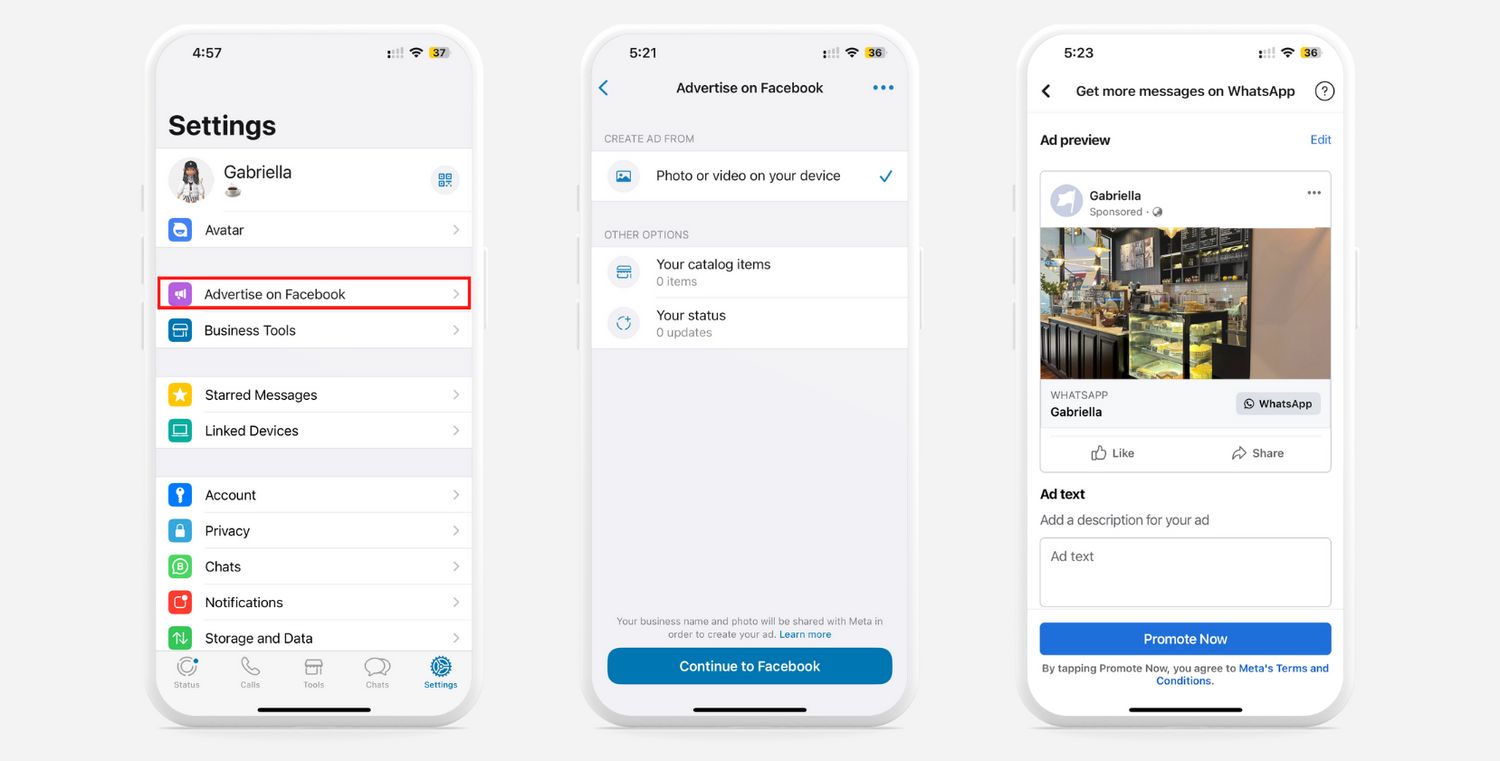
Petloy shows why speed matters here. Its ads brought in so many messages that WhatsApp temporarily blocked one of its numbers for 24 hours. On WhatsApp Business API, Petloy's own AI agent, integrated with respond.io, now places 35% of all orders.
Bookings: confirm appointments and send reminders by template
A customer books a test drive, a consultation or a table. The business confirms it on WhatsApp and sends a reminder the day before with an approved template. The customer has the time and place in the chat, and the team doesn't have to call to confirm.
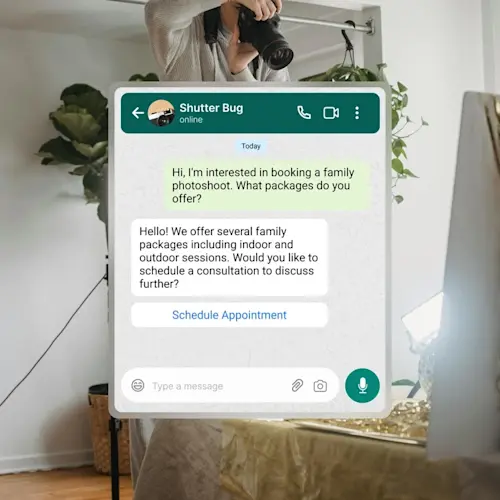
EMAX Beauté, a Malaysian beauty group, moved its ad leads to respond.io from another WhatsApp platform. With round-robin assignment and one-click replies to common questions, appointments booked via chat rose 18x.
Orders: send delivery updates as utility templates
An order ships, and the customer gets a WhatsApp update with the tracking details. These messages use utility templates, which Meta prices separately from marketing. Fewer customers message to ask where their order is, so agents have more time for sales chats.
Support: keep replies going across shifts with assignment
Questions keep arriving after the day shift ends. Assignment rules give each new chat to an agent on the team, so every customer has an owner and the morning team doesn't start with a backlog.
800 Storage had limited multi-user access to the WhatsApp Business app, which led to slow replies. With WhatsApp Business API, multi-team access and automated routing and assignment cut its first response time by 30%.
WhatsApp Business API rules: templates, the 24-hour window and messaging limits
Meta sets three rules on what you can send. Outside the 24-hour customer service window, you can only message a customer with a template Meta has approved, and new business portfolios can send templates to just 250 unique customers a day at first.
Message templates. To message a customer first, or after the 24-hour window has closed, you send a template. Every template needs Meta's approval before you can use it. Templates fall into three categories: marketing, utility and authentication. WhatsApp message templates take a few minutes to write, but approval can delay a launch, so submit them before a campaign, not on the day. In respond.io, you submit templates for Meta's approval and track their status from the WhatsApp channel's Templates settings.
The 24-hour customer service window. When a customer messages you, a 24-hour window opens. Inside it, your team can reply freely. After it closes, the only way to reach that customer is an approved template. In the respond.io inbox, agents send one with the Send Message Template button, so a follow-up after the window doesn't need a developer.
Messaging limits. Meta caps how many unique customers you can message with templates in 24 hours. New business portfolios start at 250. To reach 2,000, you complete a scaling path, such as verifying your business. After that, Meta raises the limit to 10,000, 100,000 and then unlimited when your messages are high quality and you use at least half your current limit in a week. The limit is shared by every number in the business portfolio.
The consequence is practical. A campaign planned for 5,000 customers stalls on a 250 limit. A follow-up sent on day two needs an approved template, not a quick reply. In respond.io, the Messaging Limits panel shows your current limit, so the team can plan sends around it.
How WhatsApp Business API pricing works
Unlike the free WhatsApp Business app, WhatsApp Business API comes with Meta's fees. Meta charges per message, not per conversation, and the business pays, never the customer. What you pay depends on two things: the template category and the customer's country.
What Meta charges your business for:
Marketing, utility and authentication templates, each at its own rate per country.
Service messages (your replies inside the 24-hour window) after the first 1,000 per business number each month. Meta charges from the 1,001st.
What Meta doesn't charge your business for:
The first 1,000 service messages per business number each month.
Chats from free entry points. When a customer starts a chat from a click-to-WhatsApp ad, messages in that chat carry no Meta fee for up to 7 days. Chats from a Facebook Page button carry no Meta fee for 72 hours.
Calls a customer starts.
Messages customers send you.
These are Meta's fees only. Your provider or software charges separately for its plan, and some providers add setup fees or a markup on Meta's rates. A markup raises the cost of every message, so it grows as you send more. Respond.io adds no markup: you pay Meta's rates and your respond.io plan. To estimate your own bill by country and category, use the WhatsApp pricing calculator.
How to get WhatsApp Business API: requirements and access routes
Getting access is mostly paperwork and one decision: go to Meta directly, or through a provider.
What you need before you apply
A Meta Business account, with admin access.
A phone number that isn't active on the WhatsApp app. On a standard Cloud API connection, the number can't also run in the WhatsApp Business or personal app, so you either use a new number or move your current one across.
A display name, which Meta reviews and approves.
Business verification isn't required to start sending messages. It is one way to raise your messaging limit past 250 later.
Getting access directly through Meta's Cloud API
You create a Meta developer app, add the WhatsApp product and connect your number. Meta hosts WhatsApp Business API and charges you its fees directly.
This route suits businesses with developers. They build the inbox your agents use, the routing and any integrations, and they maintain them as Meta updates the platform.
Getting access through a solution provider (BSP)
A BSP connects you to the same API and handles onboarding, number setup and support. Many also give you the software your team works in, so you skip building an inbox.
This route suits teams that want to start replying to customers in days rather than build tools first. If you are weighing the two routes, compare what each provider adds and what it charges on top of Meta's rates to choose how to access the WhatsApp Business API.
The main steps to get access
Choose your route: Meta's Cloud API or a BSP.
Prepare your Meta Business account with admin access, and a number that isn't active on the WhatsApp app.
Connect the number and submit your display name for Meta's approval.
Submit your first message templates so they are approved before you need them.
Verify your business when you need to message more than 250 customers a day.
When you are ready to connect a number, the guide to set up the WhatsApp Business API step by step walks through each screen.
Running WhatsApp Business API sales and support on respond.io
Respond.io is a customer conversation platform that includes the inbox WhatsApp Business API lacks. It is an official Business Solution Provider and a Meta Premier Partner & TikTok Marketing Partner, with 24/7 support.
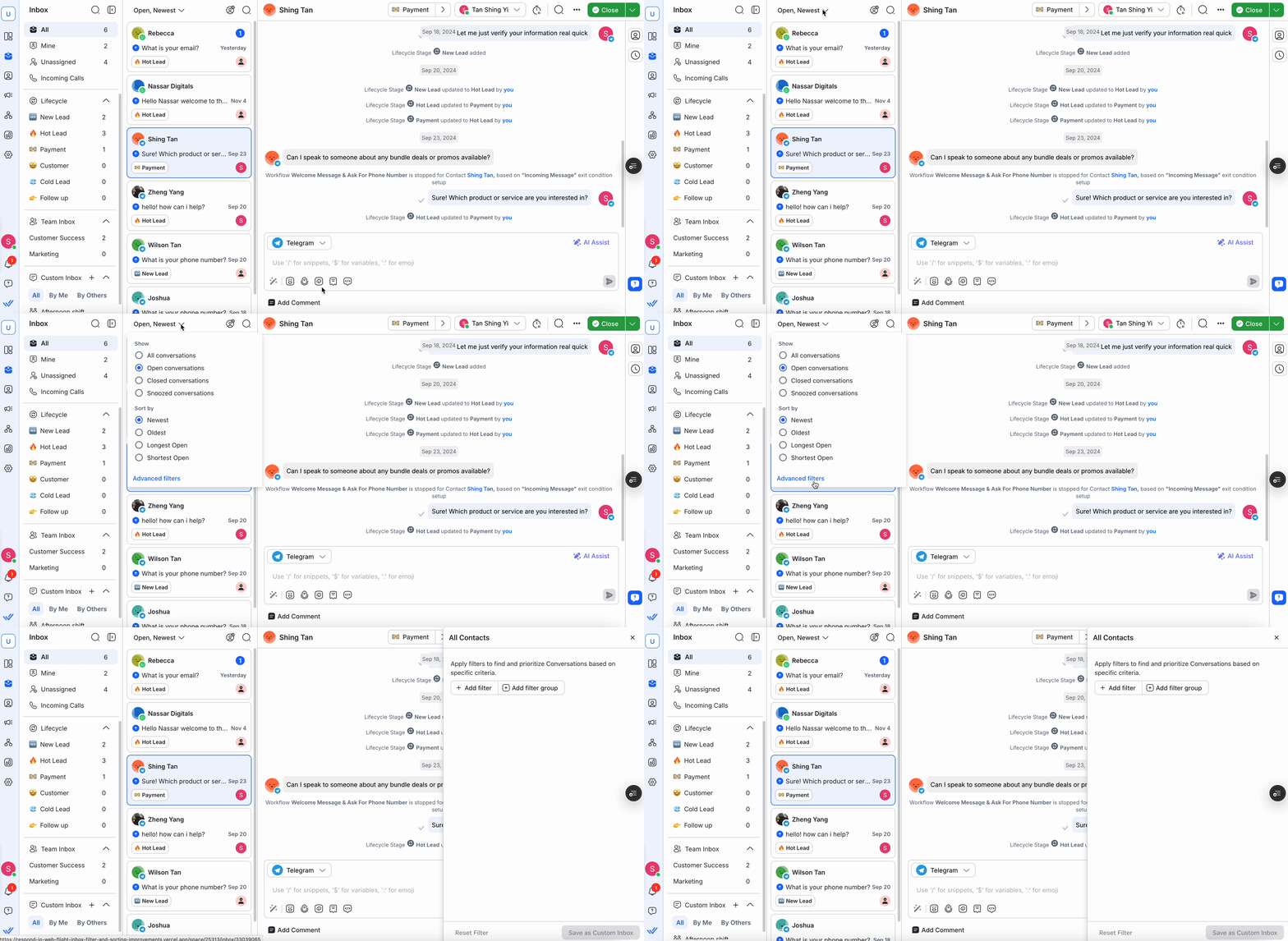
The difference shows in what happens to a chat once it arrives. Respond.io's AI Agents complete WhatsApp conversations on their own: they qualify the lead, book the appointment and assign or close the chat. Your team can take over at any point. FLiPO uses AI Agents to handle first contact, qualification and product questions on their own for 400+ leads a day. Its sales agents now only step in when a conversation needs a person, and each one handles twice the leads they did before.
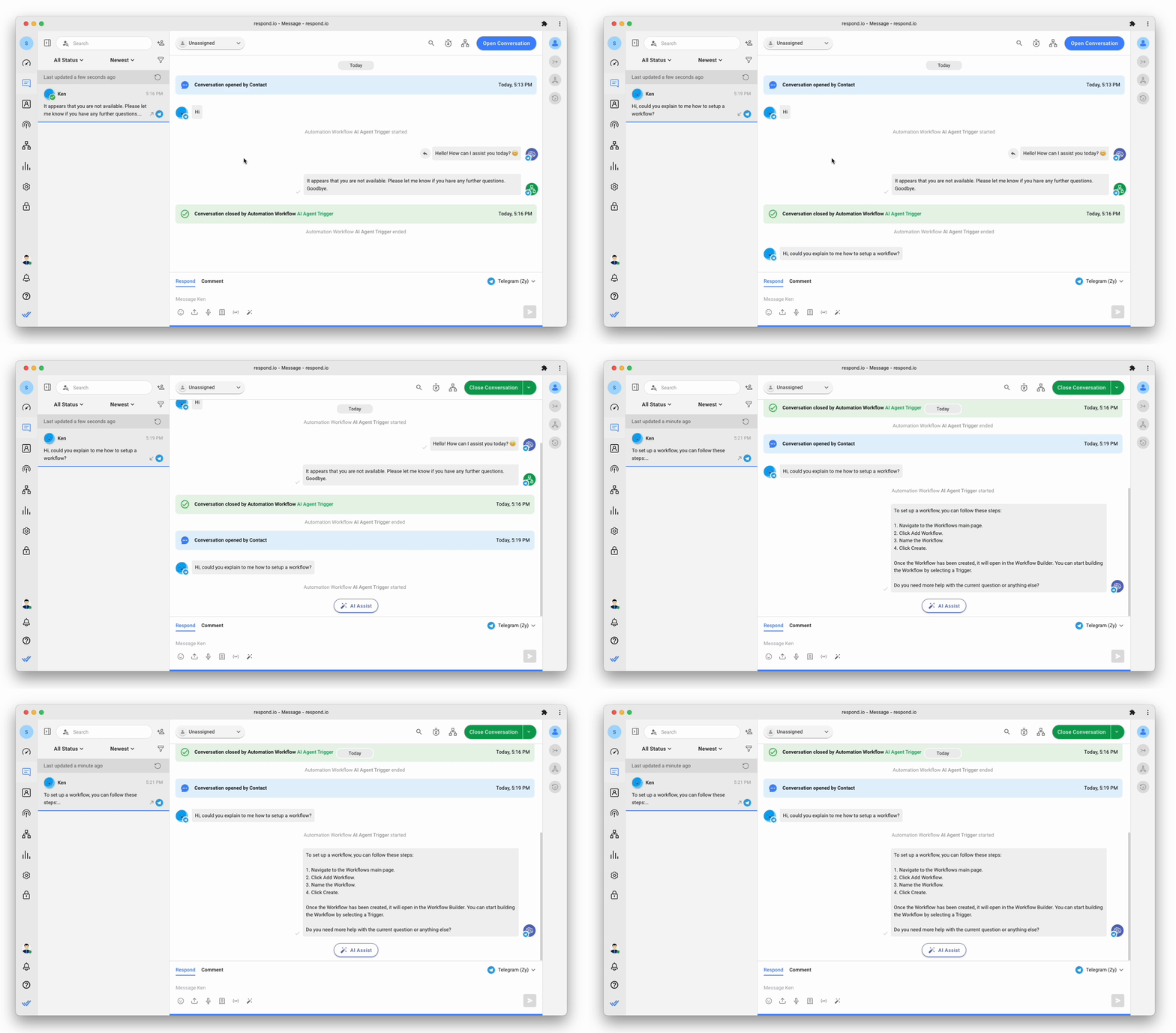
For chats that need a person, Workflows assign each one to a specific agent, round-robin across a team, or to the agent with the fewest open chats. Nai Hospitality outgrew the WhatsApp Business app's device and user limits. After moving its channels to respond.io and automating assignment, 89.7% of its contact assignments happen automatically.
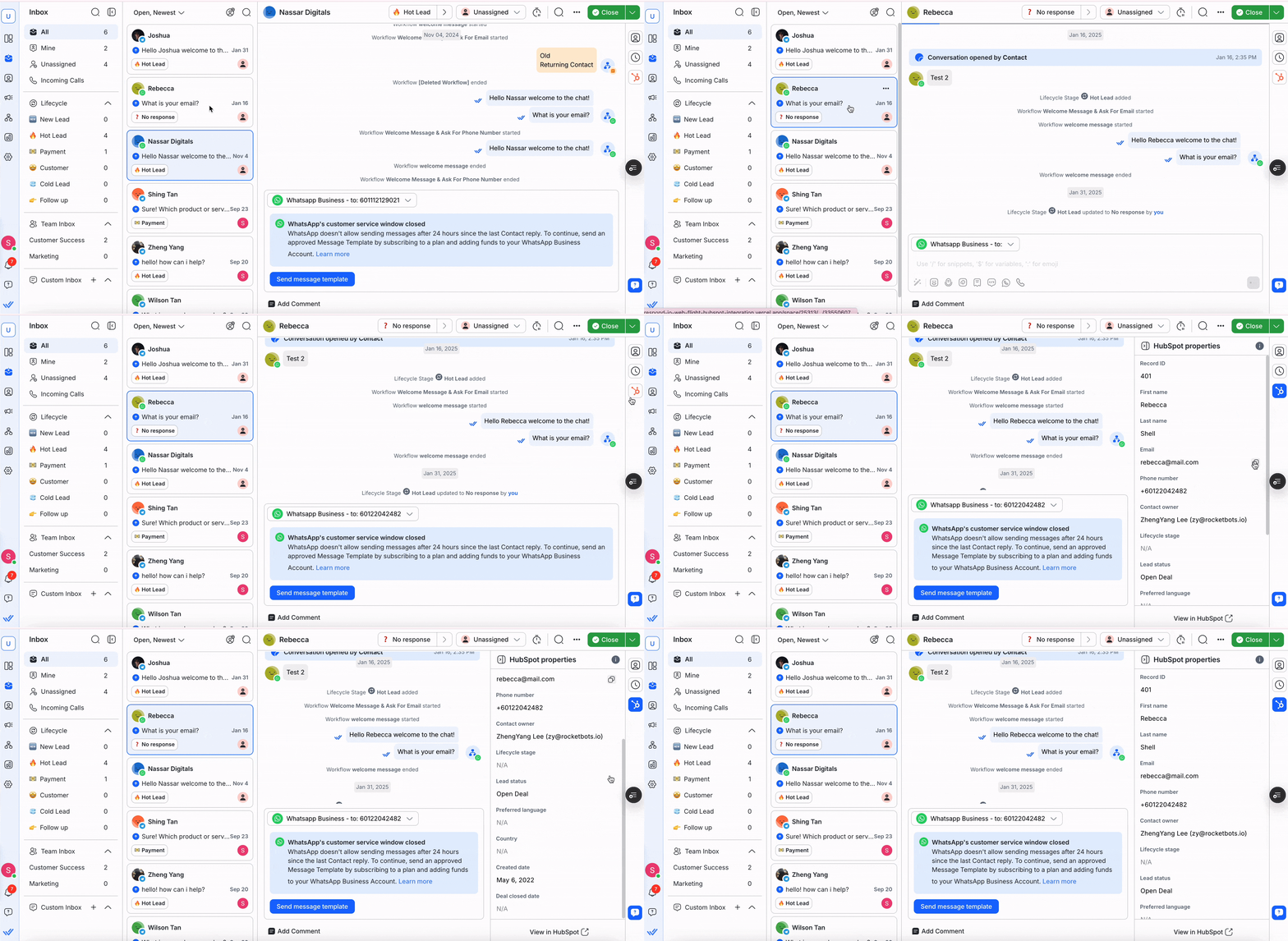
The HubSpot and Salesforce integrations sync contact data into respond.io, and closed conversations and calls are logged to the HubSpot contact timeline (see how to connect WhatsApp to HubSpot). Customers who call instead of type reach the same inbox, where agents answer and transfer WhatsApp calls.
Who it fits: mid-market B2C businesses where more than one person replies from the same WhatsApp number and leads from ads need a reply within minutes.
Who it doesn't fit: a business where one person still answers every chat on the WhatsApp Business app, with nothing to automate or connect to a CRM. The free app is enough there. Respond.io also doesn't support WhatsApp group chats, so teams that sell through groups should stay on the app for those.
What switching takes: chat history from the WhatsApp Business app doesn't move to WhatsApp Business API, so back up anything you need first. Your templates also need Meta's approval before you can message customers outside the 24-hour window.
If your team has reached the point where several people share one number, see how to run WhatsApp sales and support on respond.io, or start a free trial and connect your number.
Turn conversations into customers with respond.io's official WhatsApp API ✨
Manage WhatsApp calls and chats in one place!
FAQs about WhatsApp Business API
Is WhatsApp Business API free?
No. Meta charges your business per template message, at a rate set by the template's category and the customer's country. Meta doesn't charge your business for the first 1,000 replies inside the 24-hour window each month per number, or for messages customers send you. Customers never pay Meta's fees.
You also pay for the software or provider you use. Check whether that provider adds a markup to Meta's rates, because a markup raises the cost of every message.
How many agents can use one WhatsApp Business API number?
For a team moving off the WhatsApp Business app, the limit stops being the phone. WhatsApp Business API has no limit on agents per number. Agents reply through inbox software, so how many seats you have depends on that software and your plan.
In respond.io, every agent works from one inbox on the same number, and Workflows assign each chat to one agent so two agents don't answer the same customer. That is how a WhatsApp Business setup for multiple users gives every chat one owner.
Does WhatsApp Business API come with an inbox?
No. WhatsApp Business API is a connection to WhatsApp, not an app your team can log into. You need software on top to read and reply to chats.
Respond.io is a customer conversation platform that includes that inbox, along with AI Agents, Workflows and integrations. A shared inbox is one part of it, not the whole product.
Do I need a business solution provider to use WhatsApp Business API?
No. You can connect directly through Meta's Cloud API if you have developers to build and maintain your own interface.
Many teams use a provider because it includes the software, onboarding and support. A provider that adds no markup costs you only Meta's rates plus its own plan.
Can I move my WhatsApp Business app number to WhatsApp Business API?
Yes. You can move your existing number to WhatsApp Business API and keep it for customers.
On a standard Cloud API connection, the number can't also be used in the WhatsApp Business app, and chat history from the WhatsApp Business app doesn't move across. Back up the chats you need before you switch.
Can AI reply to WhatsApp Business API chats?
Yes. WhatsApp Business API lets software reply on your behalf, and that includes AI.
Respond.io's AI Agents reply to WhatsApp chats on their own, qualify leads, book appointments and assign or close conversations, and your team can take over at any point. Read how to use a WhatsApp AI Agent to manage B2C leads for a worked example.
Does WhatsApp Business API replace my CRM?
No. WhatsApp Business API carries messages, and your CRM keeps customer records.
Respond.io connects the two rather than replacing the CRM. Its HubSpot and Salesforce integrations sync contact data into respond.io so agents see it in each chat.
Can I manage WhatsApp Business API chats alongside Instagram and Messenger?
Yes, if your software supports those channels. WhatsApp Business API covers WhatsApp only.
Respond.io handles WhatsApp chats and calls alongside Instagram, TikTok, Facebook Messenger, email and more, in one inbox.
Further reading
Have a look at these articles to learn more about WhatsApp Business API


