
















 Electronics
 Fashion & Apparel
 Furniture
 Jewelry and Watches
 Afterschool Activities
 Sport & Fitness
 Beauty Center
 Dental Clinic
 Medical Clinic
 Home Cleaning & Maid Services
 Photography & Videography
 Car Dealership
 Travel Agency & Tour Operator

Top conversational AI platforms in 2026 (best picks by use case)
B2C businesses choosing a conversational AI platform in 2026 need agentic depth, CRM sync and multichannel coverage — pick a tool that only handles simple replies, and you risk losing leads as conversation volume scales.
Respond.io: For messaging-led B2C teams that need conversational AI Agents to automate routing and lifecycle workflows across WhatsApp + other channels.
Gupshup & Ada: For enterprise/custom builds with robust APIs and virtual agents for complex workflows.
Wati & Gallabox: For WhatsApp-first SMBs focused on simple AI flows for support and quick setup.
Manychat: For creators and small businesseswith a social media focus who need AI to handle simple conversations.
Trengo: For support-focused businesses who need multichannel AI for customer inquiries.
Choosing the wrong conversational AI platform can cost you leads, slow response times and missed revenue when conversations scale across channels. This matters most for B2C teams that sell, support and retain customers primarily over messaging channels like WhatsApp, Facebook Messenger, Instagram, TikTok and more. The best conversational AI platforms for instant messaging don’t just reply; they automate processes like updating your CRM, booking appointments and routing to correct human agent.
An ideal platform serves as an assistant throughout the customer lifecycle, from taking in lead details to closing simple sales to sending follow-ups and promotions to keep customers coming back.
In this article, we’ll discuss what you need look for, then dive into the details of some of the best conversational AI platforms of 2026 so you can make the right decision for your business.
Why teams switch conversational AI platforms
There are five main reasons.
Conversations spread across too many channels, causing agents to lose context between touchpoints
Manual routing that consumes team time as volume grows, slowing down customer handoffs
No CRM or lifecycle sync, leading to missed follow-ups, stale records and unreliable reporting
Unpredictable pricing from seat limits, conversation fees or add-ons that compound at scale
Outgrowing tools that handle simple replies but can't support automation across sales, support and retention
What to look for in a conversational AI platform
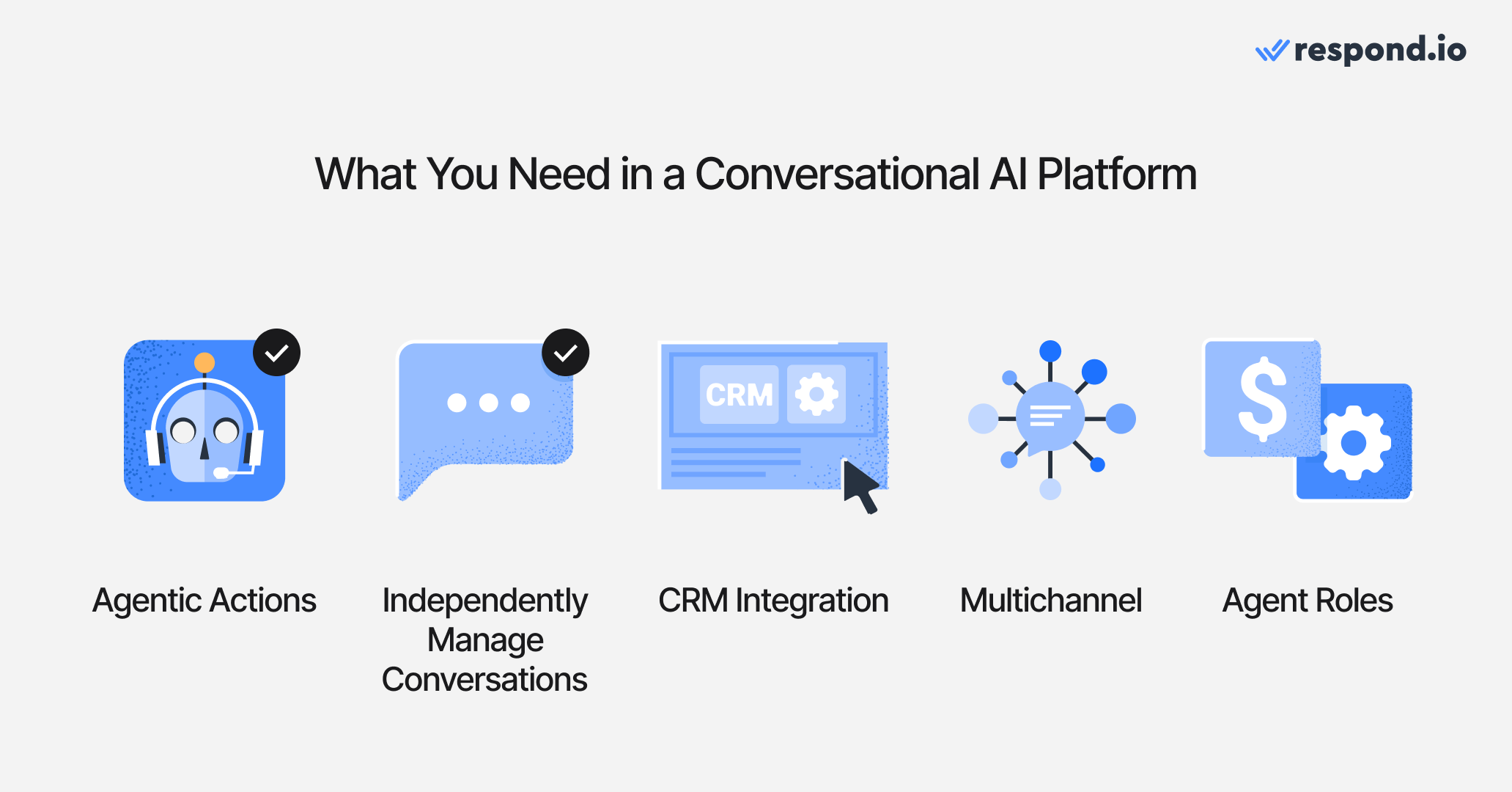
Prioritize agentic depth and automation, lifecycle/CRM sync, multichannel coverage and agent role versatility—these determine whether AI reduces workload or just adds another bot.
1. Agentic depth beyond chat
“Conversational AI” is a buzzword, and many platforms boast of AI capabilities when in reality they only offer simple chatbots. Make sure the platform has true agentic capabilities like completing actions across multiple steps, learning from company knowledge and escalating to humans.
2. Ability to independently close and manage conversations
Choose a platform that can handle the entire conversation when possible, update the status for reference, or escalate to a human if needed. For example, respond.io’s AI Agent can wrap up a chat with a clear summary, pick a closing reason, and trigger the next step—like a follow-up task, survey, tag, or workflow. That means cleaner inboxes, accurate reports, and clear context.
3. Integrates with CRM and helps track the customer journey
Save time and manual effort with an AI platform that integrates with your CRM and helps track the customer lifecycle. Look for a platform that auto-updates contact fields, tags, and lifecycle stages, queries external systems for real-time data, then fires the right workflows. Your data stays fresh and your pipeline moves without manual effort. You can also connect Google Calendar to view a contact's meeting history directly in the Inbox sidebar, giving agents full context without switching tabs.
4. Performs on all your channels
Meet customers across every channel they use — WhatsApp, Instagram, Facebook, web chat, email, voice, and more — from a single platform. The right solution uses one AI Agent across all of them, keeping routing, conversation history, and lifecycle context centralized for your team, including voice calls, location pins, story replies, interactive cards, and WhatsApp catalog products and orders.
5. An agent for any role
Many conversational AI platforms are built for a specific task, for example, either customer support or sales. Choose a platform where you can build multiple AI Agents to take on any role, whether it’s managing initial inquiries, closing deals or offering support after a purchase.
Turn customer conversations into business growth with respond.io. ✨
Manage calls, chats and emails in one place!
Comparison table: top conversational AI platforms
The table below gives a quick-glance comparison of what each platform is best for, its AI capabilities and multichannel coverage. We've used each platform's mid-tier or most popular plan for pricing comparison, since that's typically what B2C teams at this scale would evaluate.
Platform | Best For | Channels | AI Capabilities | Pricing |
|---|---|---|---|---|
Respond.io | B2C businesses with high message volume who require process automation and multiple AI Agents | WhatsApp, Instagram, Facebook Messenger, TikTok, Telegram, Viber, WeChat, SMS, Email, LINE, Web chat, Custom channels, VoIP, WhatsApp Business Calling API, Messenger Calls | Create agents with unique roles; Agent learns from knowledge base; handles conversations and processes; routes to human agents as needed | Growth plan: $199/month |
Gupshup | Developers & enterprises needing APIs and custom AI Agents at scale | WhatsApp, SMS, Instagram, Facebook Messenger, Google Business Messages, Voice | Custom-built AI Agents that can handle conversations and tasks | Custom quotes only |
Gallabox | WhatsApp-first SMBs wanting basic AI chatbot flows | Basic AI chatbot available on the highest tier plan | ~$267/month | |
Wati | WhatsApp/Instagram-centric support teams needing fast setup | WhatsApp, Instagram, Facebook Messenger | Simple AI support agent that learns from your knowledge base | Pro plan: $149/month |
Ada | WhatsApp-centric enterprises requiring an AI platform for data management and customer communication | WhatsApp, Viber, SMS | Strong virtual agent for enterprise-level conversations | Custom quotes only |
Manychat | Creators & small teams focused on social messaging automation | WhatsApp, Instagram, Facebook Messenger, Telegram, TikTok (Beta), SMS, Email | Template-driven chat flows; basic AI add-ons; campaign-oriented. | Pro plan: $39/month |
Trengo | Businesses needing an omnichannel AI support platform | WhatsApp, Instagram, Facebook Messenger, Telegram, SMS, Email, Web chat, Custom, VoIP (add-on) | Omnichannel inbox and multi-step AI automation | Pro plan: ~$695/month |
The 7 best conversational AI platforms in 2026
Below is a quick overview of the seven best conversational AI platforms in 2026. These tools vary in pricing, ease of use, supported channels and AI capabilities. After that, we’ll get into the pros, cons and pricing of each platform. For pricing, we’re showing the cost for the mid-range plan unless otherwise noted.
1. Respond.io — AI Agents that power your entire customer lifecycle
Best for: B2C businesses with high message volume who require process automation and multiple AI Agents
Respond.io is a customer conversation platform — not a chatbot tool.
Pros
Use templates for AI Agent roles including receptionist, sales and support or create your own roles
AI Agent learns from your website and knowledge base
AI Agent capabilities include voice, live API actions to retrieve or update external system data, automatic follow-ups when customers are unresponsive, internal comments with closing notes, conversation summaries, and human handoff or human takeover.
AI-client friendly: native MCP connector lets teams configure AI Agents from Claude or ChatGPT
Multichannel inbox: WhatsApp, Instagram, Facebook Messenger, TikTok, Telegram, Viber, WeChat, SMS, Email, LINE, Web chat, Custom channels, VoIP, WhatsApp Business Calling API, Messenger Calls
CRM-friendly: native HubSpot, Salesforce and Google Calendar integrations plus Zapier/Make
24/7 human and AI support on all plans
Cons
Breadth of features means teams without a dedicated ops resource may need more onboarding time than lightweight alternatives, though respond.io's onboarding support is included on all plans
Pricing
Respond.io’s mid-tier Growth plan starts at $199 and allows 10 users. It includes unlimited automation, unlimited use of AI Agent, advanced reporting and online onboarding support via chat or call.
Customer sentiment
Respond.io holds a 4.8/5 on G2 (500+ reviews). Reviewers consistently cite automation depth, AI Agents and 24/7 live support responsiveness as differentiators.
2. Gupshup — Enterprise-scale AI Agents
Best for: Developers and enterprises with custom needs
Gupshup offers robust APIs and an enterprise conversational AI platform for building agents at scale on WhatsApp. Gupshup is an API-first conversational messaging platform adjacent to customer conversation for teams building custom agents. It’s ideal for teams with technical skills that want full control and custom agent design.
Pros
Powerful APIs
Autonomous AI Agents that can handle processes and payments
Good fit for custom, large-scale deployments
Cons
Not beginner-friendly; usually requires technical resources
Pricing and packaging can be complex (usage-based, varies by channel and country)
No native shared inbox/reporting; you’ll assemble parts
Support can be slow
Pricing
Custom quotes only.
Customer sentiment
Gupshup holds a 4.4/5 on G2 (63 reviews). Reviewers highlight its versatile messaging features and flexibility for custom builds. Non-technical teams frequently cite setup complexity and support responsiveness as the main pain points.
3. Gallabox — No-code WhatsApp AI for SMB commerce
Best for: WhatsApp-first SMBs that require basic AI replies
Gallabox focuses on WhatsApp automation with broadcasts, drip campaigns and an AI chatbot builder, plus add-ons like native payments and a shared inbox. However, while this conversation platform is often considered a budget option, the only package that includes AI is more costly than most competitors’ offerings.
Pros
Simple AI chatbot to answer inquiries
Easy WhatsApp broadcasts, templates and flows; drip campaigns and catalogs
Integrations with HubSpot, Zoho, Shopify and more
Cons
WhatsApp-only
Not a full AI conversational platform; AI can only chat rather than manage processes
Limited analytics for complex funnels
Heavier reliance on manual setup/maintenance of flows
Add-ons/payment features may add cost & complexity
Pricing
$267/month for the Essential plan including 6 users, AI Agents on WhatsApp and Instagram, CRM integrations and conversions API.
Customer sentiment
Gallabox holds a 4.6/5 on G2 (168 reviews). Reviewers praise ease of use and WhatsApp broadcast features. The most common criticism is that AI is locked to the highest-tier plan and analytics depth is limited for growing teams.
4. Wati — WhatsApp-First AI support agent
Best for: WhatsApp-focused SMBs wanting fast deployment
Wati provides a visual flow builder, team inbox and marketing features for WhatsApp, Instagram and Facebook Messenger). It also offers an AI Support Agent that can answer from your knowledge base.
Pros
Visual chatbot builder, broadcasts and Shopify/WooCommerce integrations
AI Support Agent with knowledge-base answers
Cons
Primarily WhatsApp/Instagram; not a full multichannel hub
AI Agent only has one objective, answering support inquiries
Pricing and add-ons can be complex
Poor customer support
Pricing
The price for Wati’s mid-tier plan is $99 for five users, making it one of the cheaper options for businesses on a tight budget, but beware of messaging markups and additional fees.
Customer sentiment
Wati holds a 4.6/5 on G2 (458+ reviews). Ease of use and fast setup are the most praised attributes. Pricing surprises — particularly messaging markups and add-on fees — are the dominant complaint.
5. Ada — Enterprise virtual agent for support
Best for: Enterprises needing a powerful AI front door to handle FAQs and support inquiries
Pros
Strong virtual agent for support
Automates processes and payments
Robust security/compliance posture for large organizations
Cons
Only supports WhatsApp, Viber and SMS
Heavier implementation effort; typically needs solution engineering
Pricing skews enterprise; can be costly for mid-market
Limited built-in shared inbox/agent management
Pricing
Enterprise pricing (custom quotes).
Customer sentiment
Ada holds a 4.6/5 on G2. Reviewers in enterprise support roles praise its reasoning engine and omnichannel coverage. End-user experience is more mixed — Trustpilot scores sit at 2.0/5, reflecting complaints about context loss and difficulty reaching a human agent.
6. Manychat — Creator-friendly automation with new AI add-ons
Best for: Social media marketers and creators who need AI automation for basic conversations
Manychat is a social automation tool that lets you automate conversations on TikTok, Instagram, Facebook Messenger, WhatsApp, SMS and email. It’s budget-friendly, template-driven and great for campaigns, DMs and quick AI automations.
Pros
Multichannel (TikTok, Instagram, Messenger, WhatsApp, SMS, email) with a visual AI Agent chatflow builder
Large template library; easy entry for non-technical users
Works well with click-to-chat ads, QR codes and growth tools
Cons
AI and automation geared to simple journeys
Analytics/reporting are more campaign-focused than lifecycle-driven
Add-ons and usage growth can increase total cost
Limited customer support
Pricing
$39/month for the Pro Plan, including 3 users, Manychat AI and 3 connected channels. As message volume increases, markups and add-ons can raise the effective cost per resolved conversation.
Customer sentiment
ManyChat holds a 4.5/5 on G2 (164 reviews). Users consistently praise the ease of setup and flow builder for social DM use cases. Recurring complaints center on pricing escalation as contact lists grow and limited support quality for complex issues.
7. Trengo — Omnichannel inbox with AI Journeys
Best for: Support teams that want an AI-powered inbox across WhatsApp, Instagram, Facebook, email, live chat, SMS and more
Trengo centralizes customer conversations from multiple channels in one inbox. Its AI HelpMate can draft/send replies, and AI Journeys automate conversations and workflows across steps and channels. Higher-tier plans add third-party API actions for deeper integrations.
Pros
Omnichannel inbox including email, WhatsApp, Instagram, Facebook Messenger, live chat and SMS
AI HelpMate for reply assistance; AI Journeys for multi-step automation
Reporting (including AI reporting) focused on support metrics
Cons
Agentic depth centers on support automation; complex, cross-system actions often rely on API actions or integrations
Conversation-based and AI-surcharge pricing add up as you scale
Advanced API actions/permissions require higher plans
Poor customer support
Pricing
Mid-tier plan starts at $695/month for 20 users and 1500 conversations. Additional conversations are charged at $21/100 conversations plus a $0.35/conversation surcharge for AI. At higher conversation volume, these per-conversation charges can turn forecasting into a variable cost line item.
Customer sentiment
Trengo holds a 4.3/5 on G2 (245 reviews). Reviewers appreciate the omnichannel inbox and ease of managing multiple channels. Common criticisms include conversation-based pricing that adds up at scale and poor customer support responsiveness.
Which is the best conversational AI platform for your business needs?
Choose the platform based on whether you need end-to-end customer lifecycle automation across channels or only AI-assisted replies for a single channel and use case. Developers and enterprises that need customization for specific needs often choose Gupshup or Ada, while smaller businesses with a heavy social media focus consider Manychat.
However, if you want the most versatile, future-proof option with strong multichannel coverage and full agentic AI for chat and voice to automate the entire customer journey, choose respond.io.
Respond.io enables you to create fully customized AI Agents for any stage of the customer journey, route conversations to a human agent when needed and update contact fields and lifecycle stages so your team always has full context.
If you only need simple Instagram or Facebook DM automations for campaigns and don’t require lifecycle routing or CRM sync, a lighter social automation tool like Manychat can be a better fit.
See how B2C teams use respond.io to grow revenue from conversations
Only Tourism used respond.io's AI Agents to automatically handle peak-season visa inquiries, automating 80% of conversations before handoff and cutting response times significantly.
Praga Medica filtered out 97% of spam using respond.io's AI Agent qualification, so their sales team could focus exclusively on real leads.
If you're ready to do the same, try respond.io for free or contact us for a consultation.
Turn customer conversations into business growth with respond.io. ✨
Manage calls, chats and emails in one place!
Frequently asked questions about conversational AI platforms
What is a conversational AI platform?
A conversational AI platform enables businesses to chat with customers automatically. It learns from business knowledge, understands what customers say, replies or runs workflows, and connects to tools like CRMs or payment systems in real time to retrieve or update data during conversations.
Will AI replace my human agents?
No. Good setups let AI handle repetitive questions and simple tasks, then route the conversation to a human for complex cases — with a summary so humans don’t start from scratch.
How does a conversational AI platform work with a CRM?
The best platforms integrate with your CRM so they can pull customer details and update fields/tags/stages automatically during chats.
Can the AI close a conversation on its own?
On some platforms, yes. For example, respond.io’s AI can summarize, pick a closing reason and trigger next steps. There are some cases where businesses want AI to handle the entire conversation, for example, confirming an appointment. The AI agent would simply notify the human agents that the appointment has been booked.
Which conversational AI platforms support voice notes and calls, and when does it matter?
Some conversational AI platforms can transcribe and use voice notes as context for replies; this matters when customers frequently send audio instead of text. Respond.io supports processing voice notes and audio recordings across supported channels, so the AI agent can respond using the transcript as context. Agents can also manually transcribe inbound audio messages in the Inbox with a single click, displaying the transcript inline for quick review.
The platform automatically transcribes audio into text and integrates it directly into the AI Agent’s conversation context. This means the AI can understand the intent, nuance, and details of spoken messages and respond naturally, maintaining a seamless conversational flow, whether the customer prefers typing or speaking.
This feature is especially valuable for voice-first users, common in regions like the US, LATAM and Southeast Asia, where people frequently communicate via voice notes.
What should I consider when switching conversational AI platforms?
Review how much migration work is required for templates, knowledge bases, automations and channel connections before you switch. Also check whether your team will need retraining, whether CRM and lifecycle data will carry over cleanly and how pricing changes as user count, conversations or add-ons increase at scale.
What prevents AI Agents from making mistakes or hallucinating?
While not every AI platform prevents these risks, respond.io’s AI Agents are built for safety, reliability, and real-world use from the start. With guardrails embedded at the core, you can scale confidently knowing they stay on course.
Integrated protections: Accuracy checks and clear policies reduce mistakes and curb hallucinations.
Smart escalation: When the AI hits a limit, it hands off to the right human with full conversation history.
Flexible controls: Define business-specific rules to shape how the AI behaves with a built-in instruction validator.
Production-ready out of the box: Safeguards ship enabled, so you can launch without hesitation.
How can AI Agent chats feel less robotic and more human?
AI Agents on respond.io hold natural, human-like conversations by understanding intent, context and tone, not just following scripts. They chat fluidly across WhatsApp, Messenger, Instagram, TikTok and more, drawing context from conversation history and responding according to your rules or criteria.
To make them sound even more human:
Define an AI persona with a tone that fits your brand.
Use typing indicators to mimic real response pauses.
Add short reply delays to avoid instant, bot-like answers.
Feed it quality sources so responses are accurate and contextual.
Allow human handoff for complex or sensitive topics.
The result: fast, natural conversations that feel genuinely human — even when they’re not.
Further reading
If you've found this article helpful, check out these other guides:


