
















 Electronics
 Fashion & Apparel
 Furniture
 Jewelry and Watches
 Afterschool Activities
 Sport & Fitness
 Beauty Center
 Dental Clinic
 Medical Clinic
 Home Cleaning & Maid Services
 Photography & Videography
 Car Dealership
 Travel Agency & Tour Operator

TL;DR — Best AI agents for customer support in 2026
The best AI agent for customer support depends on your team size, support channels and how much automation you need.
Respond.io — Best for teams handling high-volume support across multiple channels that need AI agents with workflow actions, guardrails and human handoff
Intercom — Great for teams already using Intercom that want a polished AI layer with proactive messaging
Zendesk — Strong for enterprises running ticket-heavy workflows that need AI layered into a structured system
Kommunicate — Affordable choice for startups and midsize teams that want customizable chatbots with live chat included
Ada — Best fit for high-volume industries like travel or retail where quick, no-code deployment matters most
Chatbase— Teams that need a fully customizable AI agent built on their internal knowledge
ArminCX — Best for Shopify-led D2C support teams (DACH-focused) that need order/returns automation plus an AI voice assistant
If you're considering an AI agent for customer support, the wrong choice can increase backlog, frustrate customers and drive churn — so this guide compares the top options for real-world support operations. This is for mid-market consumer brands that run support across messaging apps, email and voice, and need automation without losing control of quality.
Customers want instant help, but businesses have limited capacity and human agents to handle it. Enter AI agents: not just chatbots that spit out canned replies, but digital teammates that actually get work done. Think of them less like an FAQ answering machine and more like a helpful support rep who never sleeps, never forgets and doesn’t ask for a raise.
In this guide, we'll break down the features that separate the best tools from the rest and a side-by-side shortlist of top contenders for customer support in 2026.
Why look for an AI agent for customer support?
Support teams usually start evaluating AI agents when channel sprawl, rising ticket volume and slow response times start hurting customer experience.
Common triggers include inconsistent answers across channels, rising staffing costs, weak guardrails around automation and poor handoff from bots to human agents.
Pricing surprises at scale are another reason to reassess existing tools, especially when per-seat, per-resolution or usage-based fees grow faster than expected.
These pain points map directly to the criteria below: channel coverage, action-taking automation, safe knowledge grounding, escalation, analytics and predictable pricing at scale.
What are AI agents for customer support?
For buyer evaluation, an AI support agent is software that can resolve common issues using approved knowledge and take actions like updates, refunds or routing with safe escalation to humans. Customer service and customer support often get mixed up. Service is broad: handling inquiries, building relationships, guiding purchases. Support is narrower: helping customers fix problems, navigate issues or get unstuck.
In this context, an AI agent is more than an AI chatbot. Instead of just replying with prewritten lines, it behaves like a real teammate. It can manage conversations end-to-end, update customer records, trigger follow-up tasks and know the right time to bring in a human.
This is why AI agents aren’t just chatbots. Chatbots live on scripts and decision trees, which makes them inflexible. AI agents, on the other hand, understand natural language, pull from customer data and adapt in real time. They can resolve issues on their own, and when they can’t, they hand the conversation to a human without making the customer repeat everything.
What are the benefits of using AI agents for customer support
AI agents bring a lot more to the table than quick replies. They lighten the load for your team, keep customers happy and cut out the repetitive grind that makes support a slog.
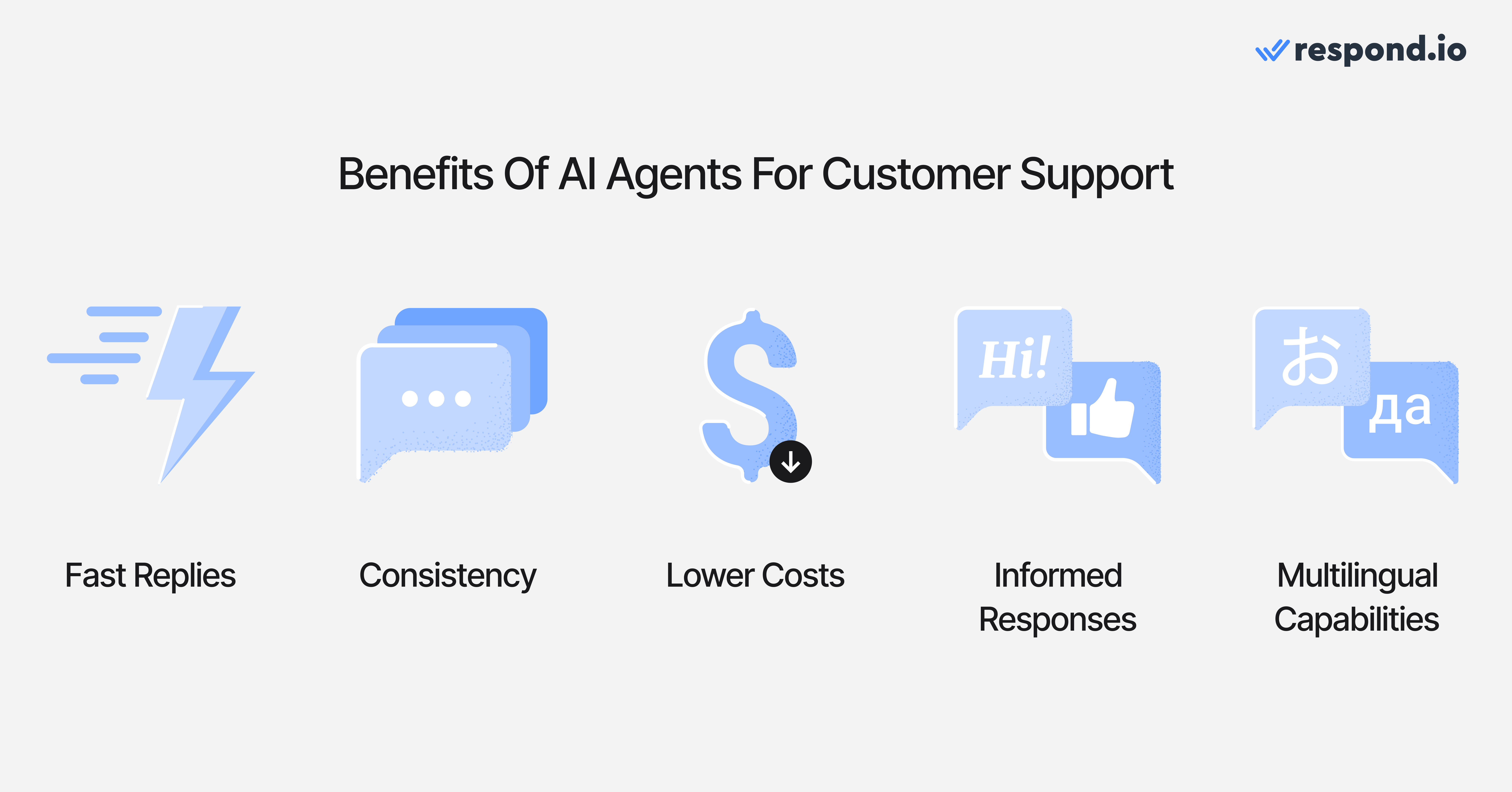
Here’s what they actually deliver:
Speed without burnout
Customers want answers fast. AI agents can jump on routine requests immediately, cutting wait times from hours to seconds. Your human agents stop drowning in repetitive “where’s my order” questions and focus on cases that actually need judgment. That means happier customers, fewer backlogs and a team that can focus on more pressing tasks.
Consistency across the board
Humans vary in tone and accuracy. AI agents deliver the same level of service 24/7, whether it’s 2pm or 2am. That consistency builds trust. It also helps shape your brand voice, since customers experience the same tone and clarity every time.
Lower costs without lowering quality
Hiring and training a big team is expensive. AI agents scale easily, so you can support more customers without ballooning payroll. The additional savings can be reinvested into training your human agents for complex work where they add the most value.
Smarter decisions with better data
AI agents don’t just chat aimlessly. They can be trained on your knowledge base, FAQs and past conversations so they pull answers from the same sources your human team uses. Instead of copy-pasting generic replies, they reference your actual policies and product details. The result is sharper, more reliable answers that stay up to date as your knowledge base grows.
Multilingual support made simple
Need to support Spanish speakers in Madrid, Malay speakers in KL and French speakers in Montreal? Many AI agents can handle multilingual support out of the box. That’s global scale without hiring a mini-UN. It also signals to customers that you respect their language and culture, which builds loyalty faster than a discount code.
Turn customer conversations into business growth with respond.io. ✨
Manage calls, chats and emails in one place!
Key features behind the best AI agents for customer support
When it comes to something as high-tech as AI Agents, it’s easy to get distracted by buzzwords and flashy demos. But you need to see the forest through the trees: the real litmus test is simply "will this make my team's life easier?
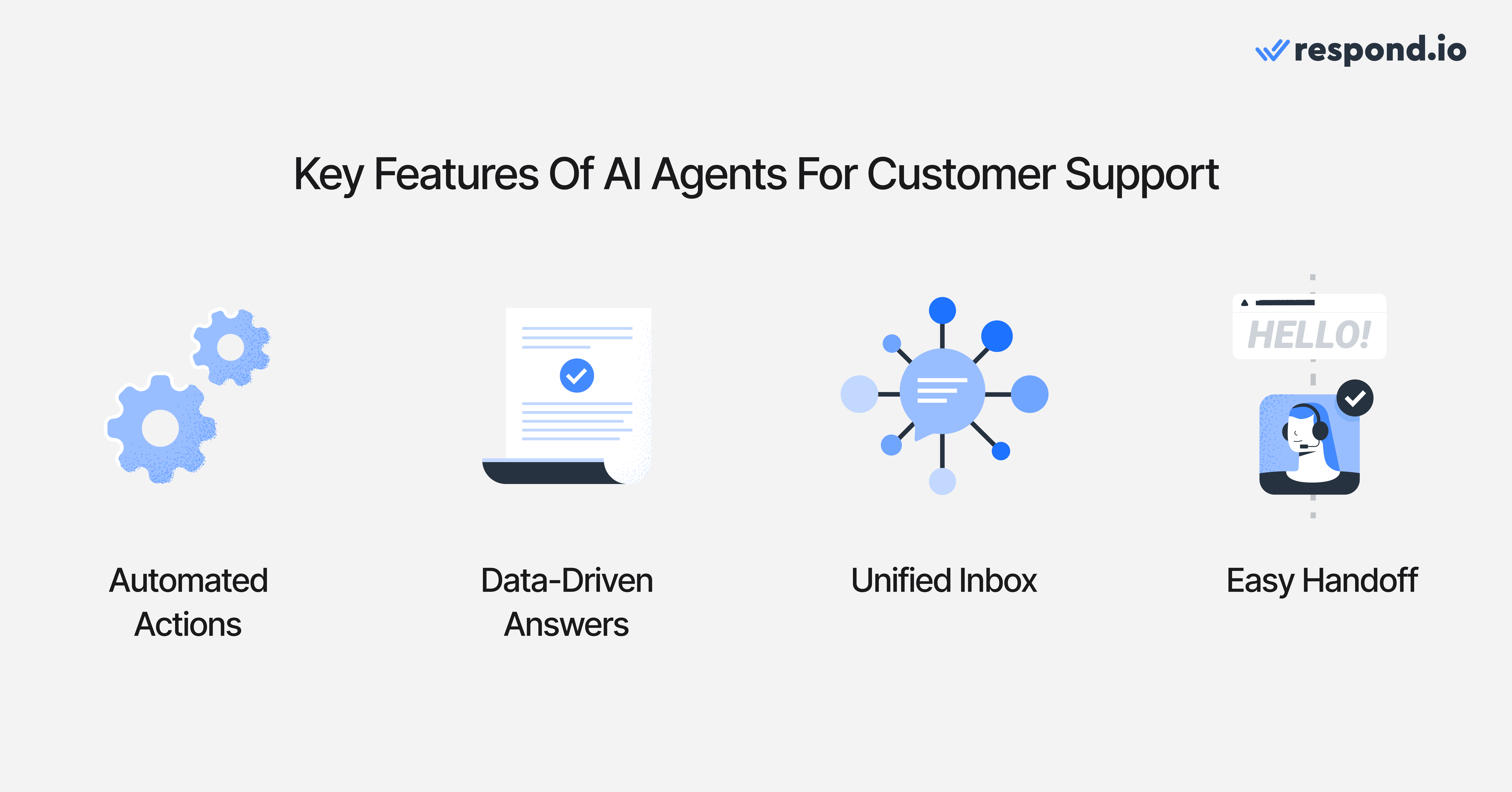
So when evaluating the best possible AI Agent for your business, keep an eye out for the following features:
Takes action automatically: Strong AI agents don’t just reply, they act. They can pick up a call, qualify a lead, send a booking link, fetch and act on real-time business data via API integrations, update contact details or trigger a follow-up automatically.
Knowledge-driven answers: The most reliable AI agents are trained on your own knowledge base, help center articles or uploaded documents. This keeps answers accurate and tailored to your business, instead of relying on guesswork.
Unified multichannel inbox: Customers don’t limit themselves to one app. The best AI agents handle conversations from WhatsApp, Messenger, TikTok, email and even voice calls in a single inbox, with context from past interactions intact.
Smart escalation: No AI agent can solve every problem. What matters is a smooth handoff, where the agent passes the full conversation and history to a human so the customer doesn’t have to start over, including summaries of voice calls when conversations move beyond chat.
Audio, image and file understanding: Advanced agents can even interpret audio, screenshots, PDFs, invoices and other various attachments to speed up troubleshooting and cut down on back-and-forth.
Guardrails for safety and compliance: Good AI agents put limits in place to reduce errors, follow business rules and protect sensitive data. This ensures AI Agents can be trusted in real customer conversations.
Always-on reliability: Customers expect 24/7 help. The best AI agents deliver consistent uptime and performance, so support doesn’t stop when your team signs off.
AI agent comparison table
Platform | Channels supported | AI Agent features | Pricing (mid-tier) | Best for |
Respond.io | WhatsApp, Messenger, Instagram, TikTok, Telegram, Instagram, LINE, email, VoIP and more | Role-based AI agents, AI agent voice calls, AI agent follow up, smart routing, Lifecycle view, Test AI Agent, workflow automation, CRM integrations, enterprise safeguards | Growth plan from $159/month for 10 users with unlimited AI agent usage and advanced automation | Brands juggling high chat volume across multiple apps who need reliable, omnichannel coverage |
Intercom | In-app messenger, email, WhatsApp, Messenger | Fin AI answers from help docs, multilingual support, screenshot reading, proactive messaging, seamless escalation | Advanced plan starts at $99 per seat/month; Fin billed separately at $0.99 per resolution | SaaS companies already invested in Intercom’s ecosystem wanting a polished AI layer |
Zendesk | WhatsApp, LINE, Facebook, X, email | AI agents and copilot for ticketing, Answer Bot, generative replies, routing & prioritization | Suite Professional plan costs $149 per agent/month | Enterprise teams structured around tickets and complex workflows |
Kommunicate | WhatsApp, Messenger, SMS | No-code FAQ bot, NLP integrations (e.g., Dialogflow), templates, multilingual support, human handoff | Professional plan at $200/month (includes 2 AI agents and 2,000 conversations). Extra agents $30/month | Budget-conscious startups and midsize teams that want a quick setup with customization potential |
Ada | Web, app integrations, messaging channels (varies by deployment) | No-code flow builder, multilingual support, transactional query handling, scalable automation | Custom usage-based pricing is provided on request after consultation | High-volume industries like travel and retail where fast, repetitive support dominates |
Chatbase | WhatsApp, Messenger, Instagram, Telegram, SMS, Email and more | Trains on your content, runs API actions, multilingual, analytics, human handoff | Standard plan costs $150/month with 12k messages, 2 agents, 10 actions each, 3 seats | Teams wanting a flexible AI agent built on their own data |
ArminCX | WhatsApp, E-Mail, Instagram, Facebook, Live Chat, Voice | E-commerce AI agents, AI Voice Assistant, Shopify-integrated workflows, automated order/invoice/returns handling, unified inbox, historical-ticket training | On-demand; contact sales | E-commerce brands needing deep Shopify/WhatsApp automation and DACH-focused AI support |
7 best AI agents for customer support in 2026
The market is crowded with tools that all promise smarter, faster support. Some really do the job, others, not quite. To save you the trouble of wading through endless vendor pages, here's a closer look at seven platforms that actually stand out in 2026.
Respond.io
Respond.io is a customer conversation platform with AI agents that can take workflow actions for customer support across multiple channels, with controlled escalation to human agents. Instead of just chatting and answering simple questions, these agents can act on workflows, read customer attachments, pull from your FAQs or PDFs and pass issues to a human when needed. It also gives teams a shared inbox across channels like TikTok, VoIP and WhatsApp, but that inbox is a feature of the platform rather than the product category itself.
Best for
Companies that want powerful AI agents with guardrails, workflows and omnichannel coverage in one place.
Pros
Omnichannel inbox that unifies WhatsApp, Messenger, Instagram, TikTok, Telegram, email, VOiP and more
Handle WhatsApp, Messenger and Telnyx voice calls with human or AI agents, including live call transfers from AI to human without disconnecting the caller.
Drag-and-drop automation builder for auto replies, reminders, surveys and escalations
AI Agents that can qualify leads, resolve questions, understand files, leave context-rich automated internal comments and escalate to humans
AI Agents read WhatsApp catalog products and orders to close pricing and availability questions
Automatic contact tagging by AI Agents to classify leads and trigger workflows
AI Agents can securely call external APIs during conversations to fetch or update real-time data from CRMs, booking systems, order tools or internal databases
Test AI Agent feature so teams can trial conversations before going live
Fast and accurate AI performance thanks to a streamlined, step-based reasoning system.
Automatic contact tagging by AI Agents to classify leads and trigger workflows
Prompt templates and built-in AI safety guardrails for faster, safer setup
Instant human takeover with the AI stopping immediately, ensuring clean handoffs across all modules.
Native MCP connector lets support teams configure and manage AI Agents directly from Claude or ChatGPT
Extensive integrations with CRMs like HubSpot, Salesforce and others
AI-powered reply suggestions to speed up routine responses
Clear pricing with no hidden fees or add-ons
Always-available support team with live chat, onboarding assistance and calls when needed
GDPR and ISO 27001 certified, backed by 99.999% availability
Cons
Broad feature set means there’s a learning curve before teams unlock full value
Pricing
Respond.io's growth plan is priced at $199 per month. It offers seats for 10 users along with unlimited AI Agent usage and access to advanced automation. Pricing is more predictable than many usage-led tools because AI Agent usage is included within plan AI credit limits, and automatic overage billing in fixed blocks prevents workflow interruptions if credits run out mid-cycle. Teams should still forecast seat growth and any advanced workflow requirements as they scale.
Intercom
Intercom has long been known for its clean chat interface and proactive messaging. Intercom is a customer support messaging platform with an AI agent layered on top of its in-app chat and help center. Its AI agent, Fin, is designed to answer questions using your help center, with support for multiple languages and even screenshots. It is polished and fits neatly into Intercom’s broader suite of tools.
Best for
Companies already on Intercom that want a no-frills AI agent added in
Pros
Pulls answers from multiple knowledge sources through a central hub
Multilingual support with auto detection and translation
Easy handoff to human agents inside the same chat window
Clear usage-based pricing per resolution
Cons
It can get expensive with high-resolution volume
Answer quality depends heavily on how good your knowledge is
Pricing
Intercom’s Advanced plan begins at $99 per seat each month, with the Fin AI Agent charged separately at $0.99 per resolved conversation. As resolved conversations grow, Fin's per-resolution fees can become the dominant cost driver, so forecast monthly resolution volume before committing.
Zendesk
Zendesk has been around for years as the ticketing giant of customer support. Zendesk is a ticketing-centric customer support platform with AI features that augment ticket workflows. Its AI features now include autonomous agents, an AI copilot and quality tools that sit on top of its existing ticketing and messaging system. It is trusted by enterprises and comes with a wide marketplace of integrations.
Best for
Large teams that live in ticketing systems and need AI layered into existing workflows.
Pros
AI agents and copilot built into core ticketing and messaging
Intelligent routing and prioritization for large teams
Answer Bot deflects repetitive tickets with knowledge base articles
Chat summaries and AI-assisted responses
Cons
AI features often sit in higher tiers or as add-ons
The setup and interface can feel heavy for smaller teams
Costs rise quickly if you want the full AI suite
Pricing
At $149 per agent each month, Zendesk’s Suite Professional plan provides access to AI agents, generative responses and flexible reporting tools. Total cost can climb quickly as agent counts, add-ons and higher AI tiers expand across larger support teams.
Kommunicate
Kommunicate blends live chat with AI bots and gives you the option to use its builder or bring your own NLP like Dialogflow. Kommunicate is a live chat and bot platform that overlaps with customer support automation but is lighter than broader conversation-management suites. It is priced to be accessible for startups and midsize businesses. With templates for quick deployment and human handoff built in, it makes automation approachable without feeling overwhelming.
Best for
Startups or midsize teams that want affordable chatbots with room to customize.
Pros
Connects with external NLP like Dialogflow
No-code builder and templates for fast setup
Can train on articles, PDFs and webpages
WhatsApp, Messenger, SMS support
Smooth AI agent-to-human handoff
Cons
Analytics are basic compared to enterprise tools
Advanced customization may need technical input
Integration library is smaller than more established platforms like respond.io or Intercom
Pricing
Kommunicate’s Professional plan is $200 per month, covering 2 AI agents and 2,000 conversations. Extra agents can be added for $30 each per month. Costs may rise steadily as you add more agents and exceed bundled conversation volume, so check how overages affect your monthly run rate.
Ada
Ada is a no-code AI platform built for speed, and an automation-focused self-service platform designed to deflect repetitive support demand at scale. It is popular with high-volume industries like travel and retail where customers ask the same questions again and again. Non-technical teams can set up flows quickly, deflecting routine queries and freeing agents for more complex cases.
Best for
High-volume businesses that want to roll out AI quickly without engineers.
Pros
Simple no-code builder for fast deployment
Strong multilingual support out of the box
Handles repetitive and transactional queries well
Designed to scale in industries with massive customer volumes
Cons
Less flexible for complex workflows or custom logic
Pricing is not public and are typically sales negotiated
Performance depends on the quality of your knowledge sources
Lighter on broader contact center features compared to larger suites
Pricing
Ada uses a custom, usage-based pricing model that scales with your customer contact volume rather than fixed tiers. Exact costs aren’t public and are typically provided only after a sales consultation. Because pricing is custom and volume-based, buyers should model peak support demand and contract minimums before signing.
Chatbase
Chatbase lets you build and deploy AI agents for channels like Instagram, Slack and WhatsApp, trained on your knowledge base, documents,and APIs. Chatbase is an AI agent builder rather than a full customer support suite, so its flexibility is strongest when you want to assemble a custom setup. Unlike basic chatbots, it supports “Custom Actions,” so your agent can do things like fetch invoices, update records, or trigger workflows. It’s flexible, no-code friendly, and works across multiple support channels.
Best for
Businesses that want a customizable AI support agent trained on their own data
Pros
Train agents on your own docs, URLs, or uploads for domain-specific answers
Custom Actions let agents complete tasks through APIs, not just reply
Integrates with CRMs and ticketing systems, plus supports human handoff
Provides analytics and feedback to improve performance
Transparent add-on pricing for credits, bots, and branding
Cons
Credit-based usage can make costs unpredictable at high volume
White labeling and custom domains cost extra
Limited number of agents per plan without paying for extra upgrades
Complex industries may require engineering beyond built-in features
Pricing
Chatbase's Standard plan costs $150/month and includes 12,000 message credits, 2 AI agents, 10 AI Actions per agent, and 3 team seats. Credit-based pricing can become less predictable at higher support volume, especially if you need more agents, actions or seats.
ArminCX
ArminCX focuses on D2C operational excellence rather than being a general-purpose helpdesk. ArminCX is a D2C support automation suite built around e-commerce operations rather than a general customer service platform. Its AI agents resolve high-volume inquiries like order status, invoices, returns and subscription changes by pulling real data from Shopify, Klaviyo or Billbee. The platform includes a native AI Voice Assistant for inbound call handling and hotline automation, using the same workflows that power chat channels.
Best for
E-commerce brands in the DACH region that want an AI-first support suite with deep Shopify workflows, WhatsApp automation and an integrated AI Voice Assistant.
Pros
Purpose-built for e-commerce with native Shopify/Billbee/Klaviyo integrations
Strong WhatsApp automation layer for both support and sales
AI agents trained on historical tickets for domain-specific accuracy
AI Voice Assistant for call deflection, routing and automated voice resolution
Multi-channel inbox with unified workflows across chat and voice
DACH-oriented onboarding and German-language support
Workflow templates for common D2C cases (order lookup, invoices, returns, subscriptions)
Cons
Smaller integration ecosystem beyond the e-commerce stack
Rapid product iteration can introduce minor adjustments for teams
Best suited to Shopify/Klaviyo-style setups; custom enterprise systems may require engineering support
AI automation quality depends on clean ticket migration and structured knowledge sources
Some teams report needing support from ArminCX staff or freelancers to build initial workflows before achieving full automation
Pricing
On-demand. Requires contacting the ArminCX sales team. Buyers should ask how pricing changes with voice usage, workflow complexity and support volume before committing.
Which is the best AI agent for customer support?
The best AI agent for customer support is the one that matches your channel mix, automation depth and escalation needs — especially under high conversation volume. Some are great at holding conversations but weak at actually doing things. Others automate workflows but lack the customer context that makes support feel personal.
Respond.io bridges that gap. It gives your team a single platform where AI agents act like real teammates, managing conversations, updating records, triggering workflows and looping in humans at the right moment. That means less tool switching, faster resolutions and more time spent helping customers instead of chasing details.
Here’s what makes respond.io stand out:
Omnichannel AI agents that resolve issues by checking orders, sending booking links or updating customer info directly in chat
VoIP and WhatsApp API calling support, so your team can switch from chat to voice while keeping the full conversation context.
Lifecycle tracking to qualify prospects, follow up and prioritize high-value leads
Detailed reporting that breaks down resolution rates, customer satisfaction and team performance
Always-on reliability so customers get timely support in any channel and time zone
Respond.io is often the best fit when you need AI agents to take actions in workflows across multiple channels with controlled human handoff; if you mainly need an in-app website messenger AI, Intercom can be a better fit. If your support is almost entirely ticket-based inside a mature Zendesk setup and you don't need multichannel messaging plus workflow actions, switching to respond.io may add unnecessary change management. It solves problems and keeps your team focused on what matters most. If you want to see whether respond.io fits your channel mix, request a demo and map one real support workflow end to end before migrating.
Turn customer conversations into business growth with respond.io. ✨
Manage calls, chats and emails in one place!
FAQs about AI agents for customer support
How do I train the AI agent with my own FAQs, website pages, PDFs or past chat transcripts?
Most AI support agents can be trained on approved sources like FAQs, help-center pages, PDFs and past conversations; the key is controlling what the model can reference. Respond.io lets you connect these materials directly so answers stay grounded in approved content.
How do AI support agents stay accurate and safe in customer support, and what guardrails should I look for?
Accuracy comes from grounding — the AI should only answer from approved knowledge sources like help centre pages, FAQs, and product docs, not from general model knowledge. The key guardrails to evaluate are: controlled knowledge scope (can you limit exactly what the AI can reference?), human takeover (can a human step in immediately and stop the AI from replying?), escalation logic (does the AI hand off cleanly when it can't answer or detects a complex case?), and transparency in testing (can you see which source drove each answer before going live?).
Respond.io's AI Agent addresses these directly: you connect specific knowledge sources to each AI Agent so answers stay grounded in your approved content, a human agent can take over any conversation at any point and the AI stops immediately, and the test environment shows you exactly which source chunk was used for each response. The AI is also designed to avoid fabricating answers — if it can't find the answer in the knowledge source, the intended behaviour is to say so and escalate rather than guess.
Can the AI collect multiple pieces of information, like name, email and order ID, in one shot instead of one by one?
Yes, advanced AI agents can capture multiple fields in a single turn. With respond.io, you can define the data points you need, and the agent will gather them together and sync them into the customer record automatically.
Does the AI agent understand voice notes, images or other non-text inputs?
Some AI agents can process non-text inputs like images or documents. Respond.io supports screenshots, receipts, invoices, location pins, contact cards, quick reply and card selections, plus WhatsApp catalog products and completed orders.
Can the AI automatically tag contacts, update fields or trigger other workflows after it answers?
AI agents can often integrate with workflows to reduce manual work. On respond.io, the agent can tag contacts, update CRM fields, trigger surveys or route chats once it replies, keeping systems updated without extra effort.
On respond.io, the AI Agent can add or remove contact tags using your pre-selected tags, update CRM fields, trigger surveys or route chats once it replies, keeping systems updated without extra effort.
What’s the best way to route to a human agent or close the chat once the AI is done?
The ideal setup is a smooth handoff to a human or a clean closure when the case is resolved. Respond.io ensures the full chat history is passed along so customers don’t repeat themselves, and the AI can also close chats, summarize outcomes and apply tags for reporting.
Can AI agents handle multiple languages and time zones reliably?
Yes, most platforms support multilingual and round-the-clock availability. Respond.io AI agents can converse in different languages and stay available 24/7, helping businesses serve global customers without extra staffing.
How much do AI agents cost?
Pricing varies by platform, often based on usage or features. Respond.io charges by the number of automated conversations, giving small teams flexibility and enterprises predictable scaling.
Will AI agents replace human support agents?
No, AI agents are meant to complement human teams, not replace them. They handle repetitive or transactional queries while people manage complex or sensitive cases. Respond.io is built around this balance, letting AI cover the routine so humans can focus on higher-value work.
Can AI Agents answer business calls?
Yes, AI agents can answer voice calls if you use the right tool. On respond.io, you can configure the AI agent's voice, add instructions, set transfer conditions to route calls to human agents and test the experience before going live. This gives you full control over how calls are handled. Unlike standalone voice bots, respond.io’s AI Voice Agent is fully integrated into a unified inbox, allowing businesses to manage messaging and voice interactions in a seamless thread with every customer, with shared logs and reporting.
Who should choose respond.io for customer support?
Respond.io is usually the best fit for teams handling high-volume support across multiple messaging channels that also need AI agents to trigger workflow actions and hand off cleanly to humans.
When is Intercom or Zendesk still the better fit?
Intercom can be a better fit when your support is centered on an in-app messenger and help center, while Zendesk is often stronger when your operation is deeply ticket-based and already standardized around ticket workflows.
What should I check before switching AI support platforms?
Review channel mix, migration effort, knowledge-base quality, integration needs, reporting requirements and how pricing changes as automation volume grows.
How should I compare pricing at scale?
Look beyond entry pricing and model the impact of per-seat fees, per-resolution charges, usage credits, add-ons and contract minimums under real support volume.
Further reading
If you found our article helpful, you should check out the following reads:


