
















 Electronics
 Fashion & Apparel
 Furniture
 Jewelry and Watches
 Afterschool Activities
 Sport & Fitness
 Beauty Center
 Dental Clinic
 Medical Clinic
 Home Cleaning & Maid Services
 Photography & Videography
 Car Dealership
 Travel Agency & Tour Operator


TL;DR – Best AI Chatbots for Websites
AI chatbots help businesses engage website visitors, qualify leads, and guide them toward purchases, demos, or sales. Choosing the right platform depends on the business’s goals and scale.
Respond.io: Best for businesses and enterprises that scale with omnichannel sales and marketing.
Intercom: Best for SaaS companies needing scalable support and onboarding.
Zendesk AI: Best for enterprises requiring full customer support suites.
Tidio: Best for small to mid-sized e-commerce teams.
Chatbase: Best for quick FAQ bots on company data.
Drift: Best for B2B companies focused on lead generation.
HubSpot: Best for teams needing CRM-driven AI workflows.
ManyChat: Best for creators and micro-businesses on social platforms.
Landbot: Best for companies needing simple no-code lead capture.
What is an AI Chatbot for Website?
When visitors land on your website, they’re usually potential leads exploring your business. But without instant engagement, many of them leave without converting.
This is where AI chatbots for websites come in. An AI chatbot for a website is an automated conversational tool that uses artificial intelligence to interact with users.
For example, businesses set AI chatbots to greet visitors 24/7, answer questions, qualify leads and guide them toward booking a demo, making a purchase or speaking with sales.
They have become an important part of the sales funnel with proven results. In fact, websites with chatbots resolve tickets 18% faster than those without them.
In this guide, we’ll show you how to choose the right AI chatbot for your website, review the 9 best options in the market, and share tips on selecting the one that maximizes conversions.
How to Choose the Best Chatbot for Website
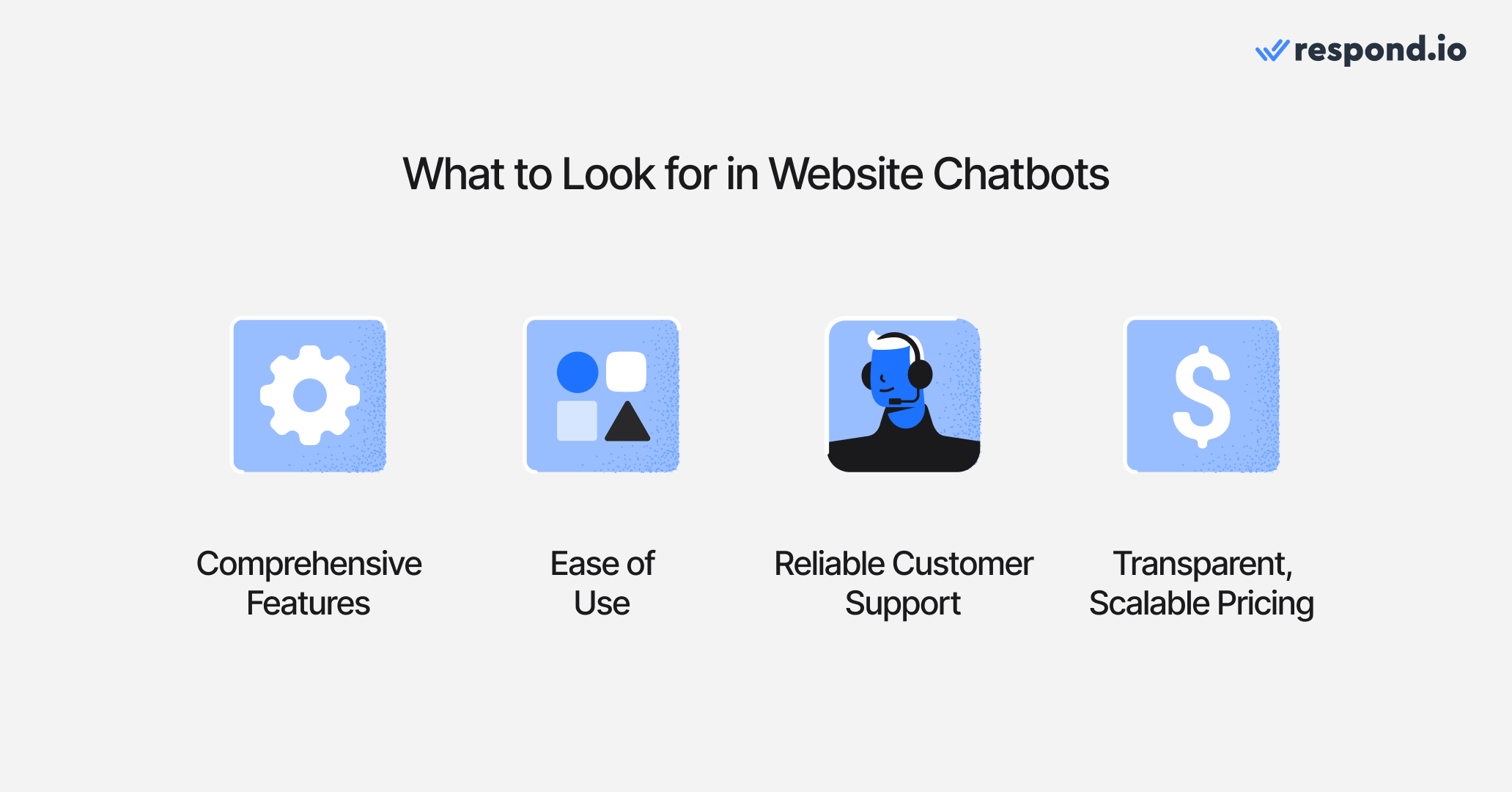
Comprehensive features: The chatbot should do more than answer basic questions. Look for AI that can understand intent, qualify leads, route conversations, schedule meetings, answer voice calls and more.
Ease of use: A chatbot that’s hard to set up or requires extensive coding can slow down adoption. Prioritize platforms with intuitive interfaces, templates and guided onboarding. Even advanced AI tools should make it easy to customize chat flows for your website without deep technical knowledge.
Reliable customer support: Your chatbot provider should back you with reliable support. Strong support is especially important if your chatbot handles high-intent leads, where delays or errors could cost conversions.
Transparent, scalable pricing: While website chatbots reduce your operational costs, you still don't want to overpay for them. Compare subscription tiers based on features, AI usage limits and add-ons. Some chatbots charge extra for advanced AI features or additional website traffic. Make sure the plan aligns with your website’s visitor volume and expected lead generation outcomes.
Looking for AI solutions? Use AI Agents instead
Automate greetings, answer questions, and route chats — all without Workflows. Set up the Receptionist template in minutes and unlock more possibilities with AI Agents powered by advanced AI models.
Top 9 Best AI Chatbots for Website
Platform | Pros | Cons | Best For |
Respond.io | Omnichannel AI Agents; AI-triggered workflows; advanced reporting; answers calls in addition to chats; deep integrations; highly customizable. | Steep learning curve due to rich feature set. | Businesses needing omnichannel sales and marketing across chat and calls. |
Intercom | Strong SaaS focus; large app ecosystem; AI-powered inbox. | Pricing escalates quickly with add-ons and AI usage; limited chat widget customization. | SaaS companies needing scalable support and onboarding. |
Zendesk AI | Robust ticketing + AI workflows; strong analytics; enterprise-grade reliability. | Expensive ($149/agent); advanced AI locked behind add-ons; setup takes time. | Enterprises wanting full-suite support with AI-enhanced ticketing. |
Tidio | Affordable ($59/month); AI Copilot + chatbots; good analytics; easy setup for SMBs. | Strict AI and automation limits; one-time Lyro AI allowance; limited scalability. | Small to mid-sized e-commerce teams needing live chat + light AI. |
Chatbase | Simple to use; fast FAQ bot setup; supports training on docs and websites. | Limited channels; add-ons inflate costs; analytics are basic. | Businesses wanting quick, FAQ-style bots trained on their own data. |
Drift | Real-time AI for lead qualification; visitor de-anonymization; deep CRM integrations. | Very expensive (~$2,500+); steep learning curve; features locked to higher tiers. | B2B companies prioritizing website lead gen and sales pipeline. |
HubSpot | Native CRM integration; modular AI agents; strong analytics; cross-channel messaging. | Advanced AI only in Pro/Enterprise; setup complexity; onboarding fee (~$3,000). | Teams needing CRM-driven AI workflows for sales and marketing. |
ManyChat | Budget-friendly; strong for social platforms; template flows for WhatsApp & IG. | Limited automation depth; poor reporting; weak support. | Creators and micro-businesses focused on social media messaging. |
Landbot | No-code flow builder; quick setup; AI trainable on docs; 50+ templates. | AI still in Beta; limited to WhatsApp & web; scaling adds costs quickly. | Companies wanting simple, no-code chatbot workflows for lead capture. |
1. Respond.io
Respond.io is an omnichannel customer conversation platform that centralizes communication from multiple channels — including website chat, WhatsApp, Messenger, Instagram, phone calls, and more — into one unified inbox. It contains advanced features for all businesses, from small to enterprise.
Best for
Growing businesses and enterprises in need of omnichannel messaging and AI chatbots to sell and market.
G2 rating
4.8/5 (360 reviews)
Capterra rating
4.6/5 (38 reviews)
Key features
AI-powered agents that qualify, route and summarize conversations, answer voice calls and more
Hosted MCP connector for configuring AI Agents from Claude or ChatGPT
Unified omnichannel inbox
Workflow automation builder
Voice calls that can be transfered among agents: WhatsApp, Facebook Messenger, Tenlyx and n8n
Customer funnel management with Lifecycle
Native integrations (Salesforce, HubSpot, Zapier, Make, APIs)
Multi-workspace support, webhooks, and SSO on higher tiers
Pros
AI Agents that do far more than FAQs
Assign conversations to agents
Send links for payments or bookings
Update contact details
Generate chat summaries
Handle voice calls
Follow up with unresponsive customers
Optimized AI performance for quicker, cleaner responses without unnecessary processing
Instant switch to a human agent with no AI interruption for smooth and controlled handoffs
Add internal comments to capture context during AI-to-human handoffs
Start quickly with role-based AI templates like receptionist, support, sales agents, or design custom ones
Use AI Agents to trigger workflows for tailored customer journeys and advanced integrations
Make live API requests to external systems like CRMs or booking tools to retrieve data or trigger actions mid-conversation
Train the AI using company resources such as PDFs or website content
AI Agents work across all channels, not just web chat
Evaluate performance with detailed analytics
24/7 human and AI support
Cons
Feature-rich platform can be overwhelming for new users
Monthly pricing
The Growth plan begins at $199 per month for 10 users. It includes unlimited workflows, unlimited AI credits, advanced reporting and onboarding assistance via chat or call.
2. Intercom
Intercom is a messaging platform created with SaaS companies in mind, combining live chat, chatbots, product onboarding, ticketing, and in-app communication.
Best for
Large-scale organizations seeking a customer engagement platform tailored to SaaS workflows.
G2 rating
4.5/5 (3.592 reviews)
Capterra rating
4.5/5 (1,131 reviews)
Key features
In-app chat, messenger, and live chat
Bot automation and Fin AI agent
Shared inbox and ticketing
Automated workflows
Product tours and onboarding sequences
Help center and knowledge base
Over 450 integrations with CRMs and apps
Pros
Wide integration ecosystem
Strong help center and knowledge base features
AI-powered inbox for greater agent efficiency
Cons
Pricing can increase sharply with add-ons and usage
Limited customization options for website chat
Monthly pricing
The Advanced plan is $99 per seat, billed monthly, with 20 free Lite seats included. AI usage is billed separately at $0.99 per Fin AI resolution, making costs harder to predict at scale.
3. Zendesk AI
Zendesk provides a full customer service platform with ticketing, messaging, live chat, and built-in AI tools to automate and optimize support.
Best for
Growing companies needing a full suite of customer support solutions.
G2 rating
4.3/5 (7,447 reviews)
Capterra rating
4.7/5 (Zendesk AI: 3 reviews)
Key features
Messaging and ticketing across channels
AI-driven chatbots and workflow automation
Smart routing and escalations
Robust reporting and analytics
Extensive app and CRM integrations
Pros
No-code bot builder makes automation accessible
Persistent conversations across devices
AI tools designed to improve agent productivity
Cons
Onboarding can be time-consuming
Some advanced AI tools require additional purchases
Monthly pricing
The Suite Professional plan costs $149 per agent per month. It includes the “Essential” AI package, with more advanced AI features locked behind higher plans or add-ons.
4. Tidio
Tidio is a live chat and chatbot platform tailored to SMBs, especially e-commerce. It merges real-time chat with AI automation, visitor tracking, and multi-channel messaging.
Best for
Small and mid-sized e-commerce businesses seeking to boost sales and customer engagement.
G2 rating
4.7/5 (1,805 reviews)
Capterra rating
4.7/5 (570 reviews)
Key features
Live chat with Lyro AI Agent
Email fallback and visitor tracking
Multi-channel messaging (Instagram, Messenger, email)
Workflow automations and triggers
Analytics dashboards
Pros
Pre-built chatbot templates for faster setup
Combines live chat with built-in email marketing
Hybrid of AI-powered and rule-based bots
Analytics provide insight into agent and customer behavior
Cons
Lyro AI Agent and is charged separately based on number of conversations
Restricted AI usage for some industries (no healthcare, gambling, or finance)
Monthly pricing
The Growth plan costs $59/month. It includes 10 user seats, AI Copilot, Lyro AI conversations, and advanced analytics, but comes with strict caps: Only 100 billable conversations, 50 Lyro AI conversations one-time and 100 flow visitors.
5. Chatbase
Chatbase is a chatbot builder that allows companies to train AI bots on their own data, focusing on simple FAQ-style assistants.
Best for
Teams that want quick-to-deploy FAQ bots with minimal setup.
G2 rating
4.7/5 (1,805 reviews)
Capterra rating
4.3/5 (73 reviews)
Key features
FAQ/Q&A chatbots
Easy-to-use interface
Basic logs and analytics
Pros
Straightforward and fast to implement
Can be trained on company documents and websites
Bots can handle routing and lead updates
Flexibility to test multiple LLM models
Cons
Limited to WhatsApp, Instagram, Messenger, and website
Too narrow for businesses needing broader CX solutions
Relies heavily on add-ons, raising costs
Basic analytics in mid-tier plan
Monthly pricing
The Standard plan is $150/month for 12,000 messages, 2 AI Agents, and 3 users. Costs rise with more messages, bots, or premium features like branding removal.
6. Drift
Drift, part of Salesloft, is a conversational marketing platform aimed at capturing and qualifying website leads in real time with AI.
Best for
B2B companies that prioritize conversational marketing and lead generation.
G2 rating
4.4/5 (1,252 reviews)
Capterra rating
4.3/5 (73 reviews)
Key features
Conversational landing pages and playbooks
Bot-to-human handoff
AI lead qualification and scoring
Visitor identification and intent detection
CRM and marketing integrations
Pros
Real-time lead capture and qualification
Strong CRM integrations and routing
Visitor de-anonymization and scoring
Personalized follow-up workflows
Cons
Setup complexity
Customization is often tied to contracts
Very high cost
Most advanced tools on enterprise tiers
Monthly pricing
Not publicly listed; plans generally start at ~$2,500/month.
7. HubSpot Chatbot
HubSpot offers an AI-driven chatbot through its CRM platform, with tools for customer service, sales, and marketing automation.
Best for
Businesses wanting CRM-driven automation and AI workflows for sales and support.
G2 rating
4.4/5 (33,729 reviews)
Capterra rating
4.5/5 (4,417 reviews)
Key features
CRM-integrated chat flows
Automated lead qualification and routing
Meeting booking and workflow automation
Multi-channel chat + email
Modular AI agents and assistants
Pros
Works seamlessly with HubSpot CRM, Sales, and Marketing
AI agents for lead qualification, service, and data enrichment
AI assistant gives contextual recommendations
Modular AI marketplace for customization
Strong analytics for marketing and sales
Cons
Advanced AI is locked in Pro/Enterprise tiers
Setup complexity and onboarding fees
Limited flexibility outside HubSpot ecosystem
Monthly pricing
Marketing Hub Professional is $890/month for 3 seats with 3,000 AI credits included. A one-time ~$3,000 onboarding fee applies.
8. ManyChat
ManyChat helps small businesses and creators automate messaging across popular social channels, with a focus on affordability and ease of use.
Best for
Creators and micro-businesses who rely heavily on social platforms.
G2 rating
4.6/5 (155 reviews)
Capterra rating
4.6/5 (72 reviews)
Key features
Bots for WhatsApp, Messenger, Instagram, TikTok, Telegram, SMS, and email
Visual flow builder
Commerce and payments support
Audience segmentation and broadcast tools
Website chat embed
Pros
Library of templates for quick WhatsApp and Instagram flows
Multi-platform support
AI automation for full conversations
Works with click-to-chat ads and QR codes
Cons
Limited user capacity
Basic AI with little flexibility
Weak analytics (campaign-level only)
Email-only customer support
Monthly pricing
Mid-tier plan costs $15/month for 3 users and 500 contacts. Advanced automation requires higher tiers.
9. Landbot
Landbot is a no-code chatbot platform designed for building interactive flows on websites and WhatsApp.
Best for
Companies seeking an easy way to build chatbot-led lead capture without coding.
G2 rating
4.7/5 (328 reviews)
Capterra rating
4.4/5 (70 reviews)
Key features
Drag-and-drop flow builder
Conditional logic and branching
API and CRM integrations
Website and WhatsApp bots
Pre-built templates
Pros
Easy to use with a visual editor.
AI can be trained on website or document content.
Bots can collect leads and assign chats.
50+ templates for faster launch.
Cons
AI agents still in Beta.
Limited to WhatsApp and web chat.
Advanced support only in premium plans.
WhatsApp AI not on lower tiers.
Monthly pricing
The WhatsApp Pro plan is $220/month for 2,500 web/Messenger chats, 500 AI chats, 10,000 WhatsApp messages, and 3 seats. Extra usage costs $0.10 per AI chat and $25 per additional seat.
Is Respond.io the Best AI Chatbot for Website?
When choosing an AI chatbot platform, businesses face a trade-off: some tools excel at live chat, others specialize in ticketing, and a few focus on lead generation.
If you’re a growing business or an enterprise, you need a scalable solution that lets you build AI agents for your website. Most importantly, you need a platform to manage all customer sales and marketing conversations across messaging and voice channels, no matter your business size.
Respond.io unifies all conversations into a single inbox, powered by enterprise-grade AI agents that automate replies, qualify leads, route chats and secure repeated conversions. And with a proven track record serving over 10,000 businesses worldwide, it’s a platform built to scale with you.
Try respond.io for free and experience the future of AI-driven customer conversations.
Looking for AI solutions? Use AI Agents instead
Automate greetings, answer questions, and route chats — all without Workflows. Set up the Receptionist template in minutes and unlock more possibilities with AI Agents powered by advanced AI models.
FAQs about AI Agent for website
How can I create an AI chatbot for my website?
The easiest way to add an AI chatbot to your website is by using a no-code platform like respond.io. It lets you build powerful AI Agents without coding, connect them to your website, and manage all conversations from one place.
Here’s how it works step by step:
Create an AI Agent: Use respond.io's AI Agent templates (like receptionist, support or sales) or design your own from scratch with Copilot, an in-app assistant that can turn a plain-language description into a complete AI Agent draft.
Train with Your Data: Upload documents, link to your website or add FAQs so the chatbot can provide accurate answers.
Customize the Chatbot: Adjust branding, colors and placement to match your website’s design.
Publish & Embed: Generate the code snippet in respond.io and paste it into your website’s HTML.
Can I integrate ChatGPT into my website?
Yes, you can integrate ChatGPT into your website in two main ways. Developers can use the OpenAI API to build a custom backend and chat interface, but this requires coding and ongoing maintenance.
For a faster, no-code solution, platforms like respond.io let you build and train AI chatbots with ChatGPT, customize their appearance, and embed them on your website using a simple code snippet. Respond.io also centralizes all conversations from your website, WhatsApp, TikTok, Instagram and even calls into one inbox, making it a complete business communication hub.
If you want an easy and scalable approach, respond.io is the best no-code alternative to integrate ChatGPT into your website.
Is there a 100% free AI chatbot?
There are free AI chatbots available, such as ChatGPT’s free tier, which can be embedded on your website. However, there are a few caveats:
Limited features – Free tiers often have usage limits or lack advanced capabilities.
Coding required – To integrate the chatbot on your website, you usually need to add code and configure it via an API.
No full customization – You may not be able to fully control the bot’s personality, workflow, or integrations without a paid plan.
While free AI chatbots are great for testing and small-scale use, paying for an omnichannel AI platform like respond.io is generally worth it in the long run.
Can AI Agents answer business calls?
Yes, AI agents can answer voice calls if you use the right tool. On respond.io, you can configure the AI agent’s voice, add instructions and test the experience before going live. This gives you full control over how calls are handled. Unlike standalone voice bots, respond.io’s AI Voice Agent is fully integrated into a unified inbox, allowing businesses to manage messaging and voice interactions in a seamless thread with every customer, with shared logs and reporting.
How can I use AI Agents to follow up on customer conversations?
If conversations are left hanging pending a customer’s response, you can set your AI Agent to nudge them with a relevant follow-up question. For example, respond.io’s AI Agent goes beyond simple time-based nudges or workflow triggers. It uses conversation history to understand its context and determines when and how to follow up. AI Agents can also make live API requests to check order status, booking availability, or account details before sending a follow-up. This understanding helps it avoid contacting customers whose issues are already resolved, and to send personalized, human-like nudges at the right time.
Can AI Agents understand and respond to audio messages?
Yes. Respond.io’s AI Agents can now process voice notes and audio recordings sent by customers across supported messaging channels. Agents can also manually transcribe inbound audio messages with a Transcribe button, displaying the text inline for easier review and handovers.
The platform automatically transcribes audio into text and integrates it directly into the AI Agent’s conversation context. This means the AI can understand the intent, nuance, and details of spoken messages and respond naturally, maintaining a seamless conversational flow, whether the customer prefers typing or speaking.
This feature is especially valuable for voice-first users, common in regions like the US, LATAM and Southeast Asia, where people frequently communicate via voice notes.
How can AI Agent chats feel less robotic and more human?
AI Agents on respond.io hold natural, human-like conversations by understanding intent, context and tone, not just following scripts. They chat fluidly across WhatsApp, Messenger, Instagram, TikTok and more, drawing context from conversation history and responding according to your rules or criteria.
To make them sound even more human:
Define an AI persona with a tone that fits your brand.
Use typing indicators to mimic real response pauses.
Add short reply delays to avoid instant, bot-like answers.
Feed it quality sources so responses are accurate and contextual.
Allow human handoff for complex or sensitive topics.
The result: fast, natural conversations that feel genuinely human — even when they’re not.
Further Reading
If you've found this article helpful, consider these others to learn more about chatbots in business.


