
















 Electronics
 Fashion & Apparel
 Furniture
 Jewelry and Watches
 Afterschool Activities
 Sport & Fitness
 Beauty Center
 Dental Clinic
 Medical Clinic
 Home Cleaning & Maid Services
 Photography & Videography
 Car Dealership
 Travel Agency & Tour Operator


TL;DR - What is the best multichannel messaging platform?
Multichannel communication tools vary widely in channel coverage, routing, automation, and pricing, so the best option depends on your team's use case. This guide breaks down the top platforms based on their strengths, whether you need a unified inbox, strong WhatsApp automation, omnichannel support, or regional specialization.
Respond.io: Best for teams handling high volumes of multichannel customer conversations that need routing and automation in one workspace.
Trengo: For teams focused on customer support with messaging, email, and VoIP in one place.
WATI: For small businesses centered on WhatsApp messaging with simple automation tools.
SleekFlow: For businesses wanting WhatsApp automation plus access to other messaging platforms.
Zenvia: For LATAM-based businesses needing regional channel coverage and integrations.
ManyChat: For e-commerce brands and marketing agencies needing easy chat automation and broadcasts.
This comparison helps mid-market B2C teams choose a multichannel communication platform by channel coverage, inbox structure, automation, and total cost as usage scales. For B2C teams managing sales and support conversations across multiple messaging channels, the right platform depends on channel mix, routing needs, and governance. Picking the wrong tool can mean missed inquiries, slower response times, and lost revenue when conversations fragment across channels.
What is multichannel communication?
Multichannel messaging is a communication strategy that enables businesses to engage with customers across multiple channels, such as WhatsApp, TikTok, Facebook Messenger, Instagram, Telegram, email and calls.
Rather than relying on just one channel, multichannel messaging meets customers where they are most active, giving them the flexibility to choose how they want to communicate. This is big, since customer purchase journeys tend to start in one device and end in another.
For businesses comparing software, this matters because channel coverage alone is not enough; the bigger question is whether the platform also gives teams unified history, routing, and automation as volume grows.
Here’s an example of a business using multichannel communication: A travel agency runs a targeted Instagram ad promoting a tropical vacation package, follows up with an email campaign highlighting exclusive discounts, and sends personalized WhatsApp messages to answer questions and assist with bookings.
Clients can reply directly via WhatsApp messages or even request a WhatsApp call for personalized travel advice. Each channel works together to nurture leads and convert interest into confirmed trips.
Why look for a multichannel communication platform?
Teams usually start looking for a multichannel communication platform when separate inboxes create avoidable operational drag.
Fragmented inboxes force agents to context-switch between tools, increasing handling time and reducing conversion rates from inbound leads. Duplicate contacts make reporting and follow-up unreliable, which can lead to repeated outreach or missed ownership.
Inconsistent handoffs across channels weaken customer experience because agents lose context when conversations move from chat to email or calls. Limited channel expansion can block growth when a team wants to add new messaging channels without adding more disconnected tools.
Rising per-seat fees, conversation caps, and paid add-ons can make a low-entry-price tool expensive as volume grows. Compliance and QA needs also push teams to consolidate when they need clearer conversation history, role controls, and reviewability across channels.
Key criteria to compare multichannel communication platforms
Use these criteria to compare platforms before a shortlist is made, then ask each vendor to prove the claims in a live demo. Businesses should watch one contact move from Instagram to WhatsApp to email or voice without losing history, confirm that routing and automation work across channels instead of per channel and check whether total cost grows through Monthly Active Contacts pricing, seat limits, conversation caps or paid add-ons.
Channels supported: Check whether the platform supports the messaging, email, website chat, and voice channels your team actually uses.
Unified customer history and CRM context: Look for a shared conversation view that also shows lifecycle stage, lead source, prior purchases, order history and previous activity beside the conversation. Businesses should verify that contact and deal updates sync both ways with the customer relationship management system so agents do not have to copy data manually between tools.
Automation and routing depth: Lead with AI Agents, then test whether the platform can qualify leads, update lifecycle stages, trigger workflows, route by intent, escalate high-value opportunities and generate summaries for handovers. Businesses should verify that these actions work across channels and voice, not as separate flows that break when a conversation moves.
Contact merge and identity resolution: Make sure the system can recognize and merge duplicate contacts across channels to reduce fragmented records.
Broadcasting: Review which channels support outbound campaigns and whether those sends require extra tools or fees.
Reporting and lifecycle visibility: Businesses should verify that the platform reports first response time, resolution time, lead-to-sale conversion, lifecycle progression, broadcast outcomes, handoff quality and agent productivity by channel from one contact record. Siloed channel reports make it harder to see which conversations and workflows drive revenue and where staffing or follow-up breaks down.
Reliability and support: Consider uptime commitments, support access, and how quickly issues get resolved when messaging volume spikes.
Security and governance: Check role-based access, audit trails, conversation review and data retention settings, and ask how conversation data is stored and protected. These controls keep accountability clear as more agents and teams work from the same customer history.
Pricing at scale: Compare how pricing changes based on seats, contacts, conversation caps, AI credits, setup fees, and add-ons.
Examples of channels for multichannel messaging
When comparing platforms, supported channels should be matched against your actual use case, because a long channel list does not guarantee smooth routing, shared context, or manageable total cost.
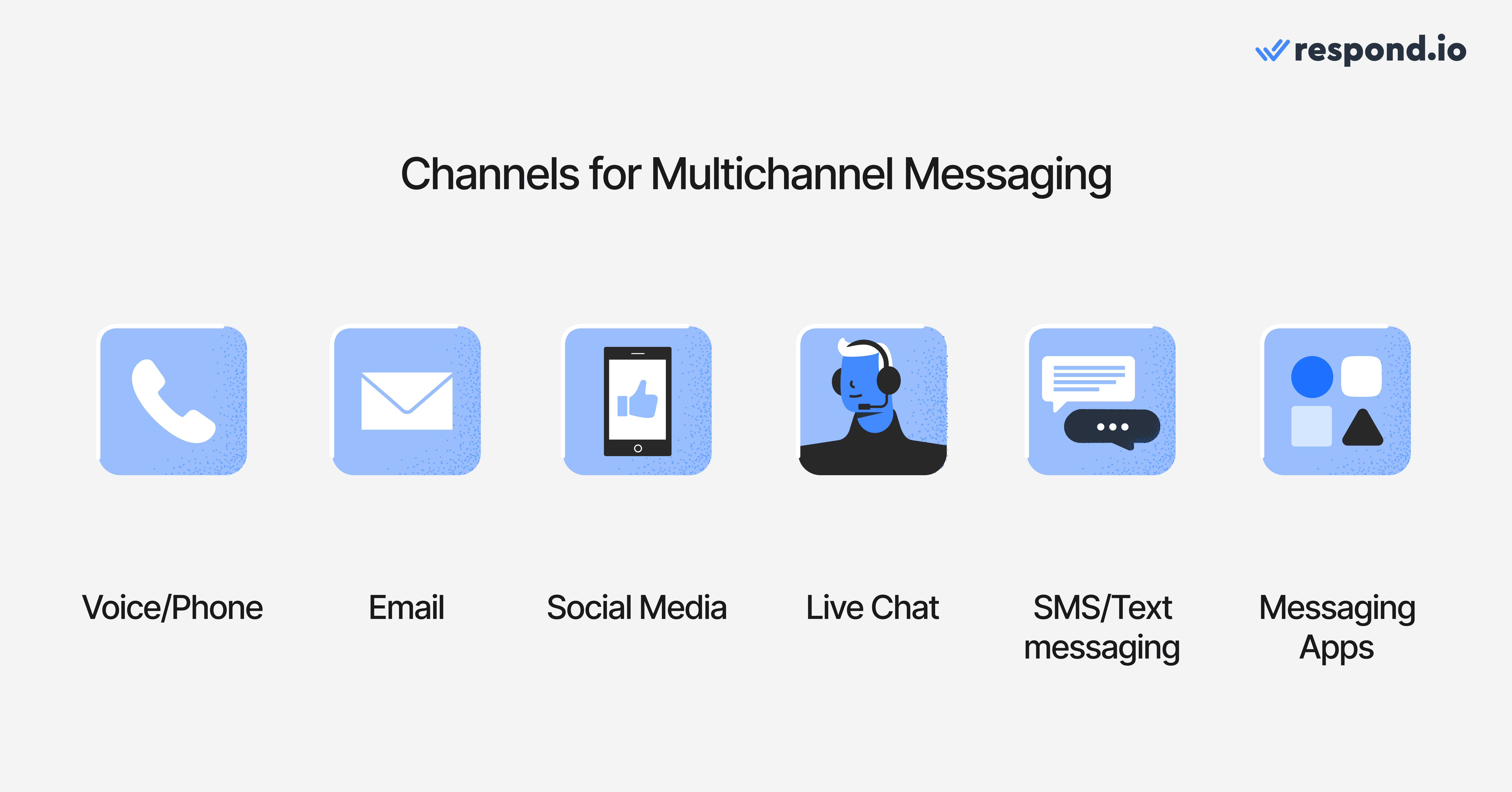
Voice/Phone: Personal and real-time for urgent or complex issues, but hard to scale.
Email: Reliable for detailed communication and records, though slower to engage.
Social media: Meets customers where they are; boosts visibility but lacks privacy to talk to customers.
Live chat: Great for support and conversions, but requires leads to visit your website first.
SMS/Text messaging: Direct and effective with high open rates, ideal for alerts and reminders. However, impractical and potentially expensive for conversations.
Messaging apps: Direct and effective with high open rates. Ideal for multiple use cases beyond alert and reminders. Unlike SMS, they work much better for conversational marketing, sales and support.
Each channel has its strengths and limitations. The key is to adopt a multichannel strategy that aligns with your use cases — or better yet, move toward an omnichannel approach. Not sure about the difference? We’ll break it down in the next section.
Multichannel messaging platform vs omnichannel messaging platform
For businesses choosing a platform, this distinction affects agent efficiency, reporting quality, and how much manual work your team will need as conversations move between channels.
Feature | Multichannel | Omnichannel |
|---|---|---|
Channel availability | ✅ Multiple channels | ✅ Multiple channels |
Unified inbox | ❌ No | ✅ Yes |
Shared conversation history | ❌ No | ✅ Yes |
Agent efficiency | ⬇️ Low | ⬆️ High |
Customer experience | Fragmented | Seamless |
Multichannel: Each channel works like its own lane, with a separate inbox for WhatsApp, Facebook Messenger or email. When a buyer starts on Instagram and later continues on WhatsApp, email or a call, the team often has to reassign ownership, re-check the lead stage and piece the journey together by hand.
Omnichannel: All channels connect to one contact record, one history and one set of workflows, so routing, lifecycle tracking, follow-up and reporting stay accurate as the conversation moves.
This difference shows up in revenue outcomes. When history, intent and ownership carry over automatically, teams reply faster, escalate cleanly and see which conversations actually convert. When they do not, hot leads stall between channels and reporting hides where the problem started. Companies that embrace omnichannel also have significantly higher customer retention than those that don’t.
Why multichannel messaging is important
For businesses evaluating software, the key question is not only whether multichannel messaging increases reach, but whether the platform can keep conversations connected, measurable, and cost-effective across that reach.
Benefit | Multichannel | Omnichannel |
Increase audience reach | ✅ Yes | ✅ Yes |
Supports different use cases | ✅ Yes | ✅ Yes |
Data collection | ✅ Yes | ✅ Yes |
Improves customer experience | ✅ Yes | ✅ Yes |
Manage channel silos | ✅ Yes | ✅ Yes |
Create a cohesive experience | ❌ No | ✅ Yes |
Increase audience reach: Different customers prefer different platforms — some are active on WhatsApp, others check email or follow you on Instagram. Multichannel messaging helps you reach a wider audience by meeting them where they already are.
Supports different use cases: Each channel serves a unique purpose. Use WhatsApp to nurture sales via chat, email for detailed itineraries or updates, and SMS for time-sensitive alerts. This flexibility allows you to tailor communications to the context.
Data collection: Engaging customers across channels provides more touchpoints to collect valuable data — such as preferences, behavior, and purchase intent — which can be used to refine targeting and personalize future interactions.
Improves customer experience: Offering multiple communication options gives customers the freedom to choose how they interact with your business, which improves convenience and satisfaction.
Omnichannel takes it a step further with two additional benefits.
Manage channel silos: Instead of juggling multiple inboxes, omnichannel platforms unify conversations across channels into a single thread. This prevents message duplication, missed inquiries, and fragmented communication.
Create a cohesive experience: 45% of consumers abandon a purchase if the experience is not seamless across channels. With an omnichannel stack, customers can switch between channels — for example, starting a conversation on Instagram and continuing it on WhatsApp — without repeating themselves. Your team has full context at every stage, enabling smooth, consistent service.
Top multichannel communication platforms
Respond.io
Respond.io is a customer conversation platform with multichannel communication, letting teams manage high volumes of customer conversations across chat and voice with routing and automation in one workspace. With robust WhatsApp automation tools, AI Agents, customer lifecycle tracking, CRM integration and more, you can manage your entire customer journey from first contact to sale to retention.
Ratings
G2: 4.8/5
Capterra: 4.6/5
User sentiment: Praised for ease of use and a unified inbox that cuts down on app-switching, plus responsive support and powerful workflow automation and AI Agents.
Pros
Omnichannel inbox for WhatsApp, Instagram, TikTok, Facebook Messenger, Telegram, SMS, LINE, Viber, WeChat, website chat and custom channels
Voice channels: WhatsApp Business Calling API, Facebook Messenger calls and VoIP
Broadcast on WhatsApp, Facebook Messenger, Telegram and more
Autonomous AI Agents that can be trained with your knowledge sources to chat, answer voice calls, update contact fields and lifecycle stages, route conversations, leave internal comments for clear handovers and more
Identify and merge duplicated contacts from different channels
24/7 human and AI customer support
Cons
May be too advanced for micro businesses or entrepreneurs who only need one channel
Pricing
Respond.io’s mid-tier Growth plan is priced at $199/month and supports up to 10 users. It includes unlimited automation, unrestricted use of the AI Agent, advanced reporting and more — all without extra charges for WhatsApp API account setup, hosting or markups to Meta message fees. Pricing is based on Monthly Active Contacts (MAC) by plan tier, while automation and AI Agent usage remain included on Growth; WhatsApp fees still apply based on Meta pricing.
Trengo
Trengo is a multichannel communication platform designed primarily for customer support, helping teams manage inquiries efficiently across multiple channels.
Ratings
G2: 4.3/5
Capterra: 4.1/5
User sentiment: Liked for consolidating email, WhatsApp, social, and voice into one inbox, with an intuitive UI and strong onboarding.
Pros
Omnichannel inbox for WhatsApp, Instagram, Facebook Messenger, Telegram, SMS, email, website chat, VoIP and custom channels
Omnichannel website chat widget
Cons
No WhatsApp Business Calling API
No WhatsApp Business App + API coexistence
Automation is not omnichannel and must be created separately on each channel
VoIP at additional cost
Broadcast only on WhatsApp and SMS at additional fees
Pricing
Trengo costs $695/month for twenty users, but essential features like broadcasts come at an additional cost. The plan includes a monthly limit of 1,500 conversations, with extra charges applying if you exceed that.
Wati
Wati (WhatsApp Team Inbox) is built for small and medium-sized businesses that focus mostly on the WhatsApp Business API. It focuses on team collaboration and simple automation for customer conversations on WhatsApp.
Ratings
G2: 4.6/5
Capterra: 4.6/5
User sentiment: Praised for easy setup, no-code automation, and out-of-the-box WhatsApp API access; small teams like it in the early months.
Pros
Omnichannel inbox for WhatsApp, Messenger and Instagram
WhatsApp Business app + API coexistence
Cons
Only supports three channels, which can fragment conversations
Broadcast only for WhatsApp
No WhatsApp Business Calling API
No merge of duplicate contacts
Difficult to get support from human agents
Pricing
Wati’s mid-tier plan is priced at $149 for five users, making it an affordable option for small teams. However, be aware of additional costs like messaging markups and extra fees for features such as Shopify integration and 1,000 AI support responses. These costs are not included in the base price.
SleekFlow
SleekFlow is a multichannel platform for businesses with low chat volumes. It also offers automation and AI for businesses wanting to simplify business processes.
Ratings
G2: 4.6/5
Capterra: 4.5/5
User sentiment: Praised for ease of use, automation, responsive support and CRM integrations into a unified inbox.
Pros
It supports WhatsApp, Instagram, Facebook, Telegram, Viber, WeChat, SMS, LINE and website chat
Cons
No WhatsApp Business Calling API
No Voice AI Agents
No merging of duplicate contacts
Some users report there's platform downtime
Pricing
SleekFlow's mid-tier Premium AI plan is priced at US$399/month and supports 5 users. Pricing is based on Monthly Active Contacts (MAC), meaning you pay for the contacts you actively engage with during a billing cycle. The plan also includes 1,000 MACs, with additional capacity available as an add-on.
Zenvia
Zenvia is a Brazilian multichannel communication platform with a focus on Brazil and other Latin American countries. It focuses on medium to large B2C businesses that primarily operate on WhatsApp, email and SMS.
Ratings
G2: N/A
Capterra: 4.5/5
User sentiment: The chat interface and SMS/WhatsApp sending get positive marks, and Brazilian users like the reliability for high-volume SMS.
Pros
WhatsApp, Instagram, Facebook, WeChat, SMS, email
Omnichannel website chat widget
Cons
No WhatsApp Business Calling API
No WhatsApp Business app + API coexistence
No merging of duplicate contacts
No customer support for the starter plan
Pricing
Zenvia’s mid-tier plan, called Specialist, costs $130 per month and includes 10 users, 500 conversations, and 5 flow chatbots. The price includes a mandatory $20+ message pack, which allows sending up to 1,088 SMS, 431 WhatsApp messages, or 23,750 emails.
Zenvia also charges $137 for setup fees in the Specialist plan. Message fees are $0.05 per outbound WhatsApp message, $0.02 per inbound WhatsApp message, $0.02 per SMS, and $0.04 per 50 emails.
ManyChat
ManyChat stands out on this list for its strong focus on e-commerce businesses and marketing agencies. It supports multiple channels and tools tailored for sales, promotions and customer engagement.
Ratings
G2: 4.5/5
Capterra: 4.6/5
User sentiment: Liked for its easy flow builder, reliable comment-to-DM automation, and multi-channel reach across Instagram, Messenger, WhatsApp, and SMS.
Pros
It supports WhatsApp, Instagram, Facebook, Telegram, TikTok, SMS and email
WhatsApp Business app + API coexistence
Broadcast on WhatsApp, Facebook Messenger, Instagram, Telegram, SMS and email
Cons
No omnichannel webchat widget
No WhatsApp API calling
No formal uptime guarantee or publicly available performance data
Limited customer support for the starter plan, only email support for Pro and above
Pricing
The ManyChat mid-tier plan is called Pro and it starts from $15 per month for 500 contacts, but the cost will go up if you need more. It includes three users and allows unlimited custom flows. For add-ons, each additional user costs $39 per month. If you exceed the Pro plan’s email limit, there is an extra charge of $3.00 for every 1,000 additional emails. You can also add ManyChat AI for $29 per month.
Multichannel messaging platforms: A comparison
Respond.io | Trengo | Wati | SleekFlow | Zenvia | ManyChat | |
✅ Supported | ✅ Supported | ✅ Supported | ✅ Supported | ✅ Supported | ✅ Supported | |
✅ Supported | ✅ Supported | ✅ Supported | ✅ Supported | ✅ Supported | ✅ Supported | |
TikTok | ✅ Supported | ❌ Not supported | ❌ Not supported | ✅ Supported | ❌ Not supported | ✅ Supported |
Messenger | ✅ Supported | ✅ Supported | ✅ Supported | ✅ Supported | ✅ Supported | ✅ Supported |
Telegram | ✅ Supported | ✅ Supported | ❌ Not supported | ✅ Supported | ❌ Not supported | ✅ Supported |
SMS | ✅ Supported | ✅ Supported | ❌ Not supported | ✅ Supported | ✅ Supported | ✅ Supported |
LINE | ✅ Supported | ❌ Not supported | ❌ Not supported | ✅ Supported | ❌ Not supported | ❌ Not supported |
Viber | ✅ Supported | ❌ Not supported | ❌ Not supported | ✅ Supported | ❌ Not supported | ❌ Not supported |
✅ Supported | ❌ Not supported | ❌ Not supported | ✅ Supported | ✅ Supported | ❌ Not supported | |
Website Chat | ✅ Supported | ✅ Supported | ❌ Not supported | ✅ Supported | ✅ Supported | ❌ Not supported |
✅ Supported | ✅ Supported | ❌ Not supported | ✅ Supported | ✅ Supported | ✅ Supported | |
Custom Channels | ✅ Supported | ✅ Supported | ❌ Not supported | ❌ Not supported | ❌ Not supported | ❌ Not supported |
Omnichannel Widget | ✅ Supported | ✅ Supported | ❌ Not supported | ❌ Not supported | ❌ Not supported | ❌ Not supported |
WhatsApp Business Calling API | ✅ Supported | ❌ Not supported | ❌ Not supported | ❌ Not supported | ❌ Not supported | ❌ Not supported |
Messenger Calls | ✅ Supported | ❌ Not supported | ❌ Not supported | ❌ Not supported | ❌ Not supported | ❌ Not supported |
VoIP | ✅ Supported | ✅ Supported | ❌ Not supported | ✅ Supported | ❌ Not supported | ❌ Not supported |
Automation & routing | AI Agents (chat & voice) + workflow automation | Per-channel setup, not unified | Simple, WhatsApp-focused | AgentFlow AI agents + Flow Builder | Flow chatbots included | Unlimited custom flows |
How to choose a multichannel messaging platform
The right platform depends on how much revenue depends on inbound conversations and how complex the channel mix is. Teams managing high volumes across WhatsApp, Instagram, Facebook Messenger, TikTok, Telegram, LINE, Viber, WeChat, voice and email should prioritize unified history, AI Agents, routing, duplicate merge and Monthly Active Contacts pricing so growth does not create more manual work.
A narrower setup can work when the business only needs a few channels and simple workflows, but businesses should be clear about the tradeoff in automation depth, voice coverage and reporting.
Before shortlisting, test these in a live demo:
Channel handoff: Ask the vendor to move one contact from Instagram to WhatsApp to email or a call without losing history, ownership or lifecycle stage.
Automation continuity: Confirm AI Agents, routing and workflows carry over when the conversation changes channel instead of resetting or needing a rebuild per channel.
Human handoff and escalation: Ask the vendor to show an AI Agent passing the full transcript, intent, lifecycle stage, notes and ownership to a person or queue. Also test what happens when no agent is available so fallback routing, alerts and next steps do not leave the customer waiting or the lead unowned.
Duplicate merge: Check that duplicate contacts can be merged so reporting and follow-up stay accurate.
CRM sync: Make sure the CRM updates both ways so agents don't have to copy data by hand.
Total cost: Compare how each vendor prices, whether by Monthly Active Contacts, seats, conversation caps or paid add-ons, so you know what you'll pay as volume grows.
Here's a rundown on some options:
Trengo is a solid pick for support-led teams that need messaging, email and VoIP in one workspace without prioritizing deep cross-channel automation.
Wati works well for WhatsApp-first sales and support teams that only need limited support for Messenger and Instagram.
SleekFlow suits WhatsApp-led teams that want access to a few additional messaging channels without needing deep automation, WhatsApp-native calling, or an AI agent that can handle voice on its own.
Zenvia is a fit for LATAM-based teams that want regional support for WhatsApp, Instagram, Facebook, SMS and email in one platform.
ManyChat shines for e-commerce and marketing teams running broadcast campaigns across multiple channels with minimal setup.
Respond.io is a strong fit when you need multichannel communication with unified history, routing, and automation across chat and voice. Businesses like My Dream Travel and Tours are growing with chat and calls in the #1 omnichannel platform.
Are you ready to streamline your communications? Try respond.io for free.
Turn customer conversations into business growth with respond.io. ✨
Manage calls, chats and emails in one place!
FAQs about multichannel communication
What are the challenges of multichannel communication?
Using multiple communication channels is hard to manage. The main challenge is fragmented customer context when messages live in separate inboxes, which slows handling and increases repeats. For teams that add channels over time, a unified conversation history prevents repeats and reduces handling time; respond.io is a fit when you need to unify chat and calls in one workflow.
This was exactly the case for Sicar, a Mexican POS provider, which struggled with managing chats and calls on separate systems. After adopting respond.io and the WhatsApp Business Calling API, Sicar unified its communications into one inbox. Now, agents can switch from chat to call instantly — with full context — resolving issues faster and delivering a smoother customer experience.
When should you choose a WhatsApp-first tool vs a multichannel platform?
A WhatsApp-first tool can work when most inbound volume starts and ends on WhatsApp and the team can accept limited coverage elsewhere. A multichannel platform is a better fit when buyers move between WhatsApp and other key messaging, social, voice and email channels and the business needs shared history, routing and reporting in one place.
How to choose channels for a multichannel strategy?
Picking the right channels starts with knowing where your customers spend the most time and how they like to communicate. Businesses should look at customer age, habits, and preferences to decide on the best platforms, such as WhatsApp, Facebook Messenger, SMS or email. It’s also useful to see what competitors are using. Managing more channels takes extra staff, training, and tools, so starting with the most effective ones is best. Over time, more platforms can be added. The goal is to make communication easy for customers while keeping it manageable for the business.


