
















 Electronics
 Fashion & Apparel
 Furniture
 Jewelry and Watches
 Afterschool Activities
 Sport & Fitness
 Beauty Center
 Dental Clinic
 Medical Clinic
 Home Cleaning & Maid Services
 Photography & Videography
 Car Dealership
 Travel Agency & Tour Operator


TL;DR — Top 10 Best WhatsApp API Providers for B2C Teams
Choosing the right WhatsApp API provider is essential for scaling customer communication, enabling automation, supporting multiple agents, and integrating with CRMs and other channels. For B2C sales and support teams handling high-volume WhatsApp conversations, this guide compares 10 providers by automation depth, inbox workflows, integrations, pricing and fit.
For high-volume multi-channel conversations with AI routing and CRM integration, respond.io is the strongest fit.
Chatfuel and Wati work well for simpler no-code automation or entry-level WhatsApp support.
Trengo suits support teams managing WhatsApp alongside email and SMS.
Sales teams closing deals in DMs will find Kommo's pipeline tracking a natural fit.
Interakt is the budget option built for Indian SMB storefronts.
Manychat is the go-to for social-first automation across WhatsApp, Instagram and TikTok.
Podium adds payments and reputation management on top of messaging for local businesses.
Rasayel is built specifically for B2B sales pipelines run over WhatsApp.
Sleekflow covers omnichannel messaging automation for SMB teams.
If you're choosing among the best WhatsApp API providers for a B2C sales/support team, this guide compares 10 options so you can pick the right fit.
Choosing the best WhatsApp API provider is critical for any business looking to automate, scale and personalize customer conversations over WhatsApp. Pick the wrong provider and you risk missed leads, slower response times that drop conversion rates, and wasted click-to-chat ad spend when conversations aren't routed, tracked, or followed up reliably.
Whether you're a consumer-facing brand running sales and support over chat, finding a provider that matches your needs, from channel coverage and CRM integration to automation, analytics and support, is key to success.
We've selected the top 10 options to help you decide. But first, let's take a quick look at what features the best WhatsApp API platforms have.
What makes a WhatsApp API provider one of the best?
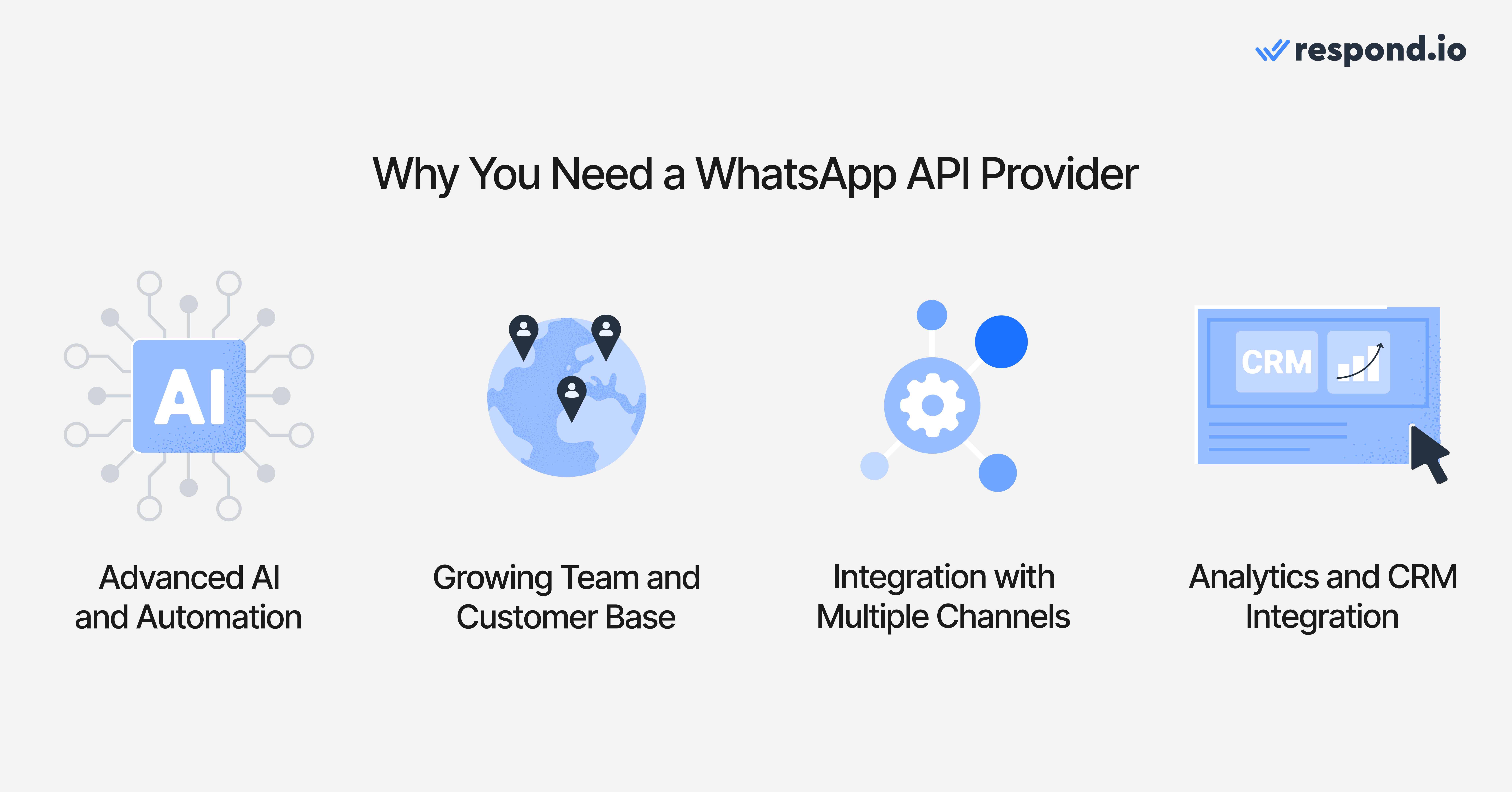
The best WhatsApp API providers are equipped with advanced AI and automation to meet the needs of growing businesses, offering a multichannel inbox that integrates with popular CRMs. While every business has unique requirements, these are some of the key features to look for in a WhatsApp API platform.
Advanced AI and automation
A key factor that sets WhatsApp API apart from the WhatsApp Business App is advanced features like AI agents and complex routing. If you need more than the Business App's basic automation like greeting and away messages and simple multiple choice options, look for a WhatsApp API provider that can help you automate chats and business processes.
Choose a WhatsApp provider that integrates with click-to-chat ads and effortlessly automates replies, no coding required. Some providers only offer simple flow builders based on keywords or fixed branches. Those can handle basic replies, but buyers should check whether AI agents can qualify leads, update lifecycle stages, trigger workflows, route by intent and generate summaries for handovers. Those capabilities matter because they reduce response lag without forcing agents to clean up incomplete context later.
Also consider how the platform handles real customer messages beyond text, such as voice notes, product photos, screenshots and documents. AI Agents can also detect file and image URLs in their replies and deliver them as rendered attachments directly in the conversation, so buyers receive product photos or brochures without waiting for a human.
If automation fails whenever customers send media, your team loses the speed advantage that makes WhatsApp useful for sales and support.
Accommodates a growing team and customer base
For teams ready to scale, WhatsApp API enables multiple agents to manage conversations from a shared inbox. But multi-agent access alone isn’t enough. The best platforms include collaboration features that keep conversations moving, such as automatic assignment rules, role-based permissions, internal notes, team routing and full conversation history. It also enables businesses to send high volumes of WhatsApp broadcasts whereas the Business App limits broadcasts to 256 contacts per broadcast.
These features matter because faster response times and smoother handoffs directly affect conversion rates. When sales and support teams share one inbox with clear ownership and customer context, fewer conversations fall through the cracks.
Scalability also matters when the team handles broadcast peaks, click-to-WhatsApp ad surges or large inbound reply waves after a campaign launch. Buyers should ask how the provider manages queue spikes, delivery retries and monitoring when messages slow down, because that is when missed leads and support backlogs usually appear.
A practical buyer check is to ask who watches delivery health during busy periods, how failed sends are surfaced, how replies are distributed across the team and what escalation path exists if a revenue-critical campaign stalls. If a provider cannot explain that clearly in business terms, the platform may struggle when conversation volume is highest.
Multichannel inbox
For most B2C teams, WhatsApp is only one step in the customer journey. A lead may discover the brand on TikTok or Instagram, continue on WhatsApp, then return later on email or voice after the first conversation goes cold.
Without one customer record and shared routing across WhatsApp, Instagram, Facebook Messenger, TikTok, Telegram, LINE, Viber, WeChat, voice calls and email, teams lose attribution, repeat questions and miss handoffs between marketing, sales and support. That breaks follow-up even when the WhatsApp workflow looks fine on its own.
Analytics and CRM integration
With the WhatsApp Business App, it's not possible to integrate with a CRM, and analytics are limited. The best WhatsApp API platforms enable CRM integration so businesses get full context on customers directly in WhatsApp. Look for native connections to tools your team already uses, such as HubSpot and Salesforce for sales pipeline management, Shopify and WooCommerce for e-commerce order data, Zendesk for support history, and Zapier or Make for custom workflows.
When your WhatsApp inbox syncs with your CRM, agents can see purchase history, lead ownership, lifecycle stage and past conversations before replying. That context speeds up responses, improves personalization and helps sales teams close faster. Without integration, customer data stays stuck in silos and follow-up becomes harder to manage.
For Marketing and Sales leaders, campaign reporting should show business impact rather than only activity. Beyond asking whether a platform supports broadcasts, buyers should check audience segmentation, template approval visibility, opt-in handling, whether click-to-WhatsApp ad source is preserved through routing and whether the conversation can be tied to lifecycle stage or sale while the 72-hour entry window is still open.
This helps teams see which campaigns create qualified demand, where launch delays come from, which agents move conversations forward and whether follow-up turns replies into revenue. If a provider only reports sends, reads or basic reply counts, it will be much harder to improve campaign performance or prove return on investment.
WhatsApp compliance and deliverability
Template quality, approval status and account health directly affect whether messages launch on time and reach customers at all. Teams rely on approved templates for business-initiated messages outside the customer service window, so template management directly affects re-engagement, follow-up and broadcast workflows.
Buyers should compare how well the provider supports the three template categories most teams use: marketing for promotions and re-engagement, utility for order or account updates and authentication for one-time codes. That distinction matters commercially because category choice affects both launch timing and cost.
If wording needs rework, the provider should make edits, resubmission and status visibility easy so campaigns do not slip and outbound revenue conversations are not delayed.
Stronger providers make template work easier with reusable libraries, clear status views, personalization variables and a clean handoff when templates need edits or reapproval. That support matters because a delayed template is not just a compliance issue — it can hold back outbound revenue conversations.
Pricing transparency
Meta's conversation fees are only part of what you'll pay.
Some providers add markups on messaging costs, charge per connected number, or gate key features behind expensive add-ons. Before committing, ask for a full cost breakdown based on your expected message volume, team size and number of connected channels — the cheapest starting plan is rarely the cheapest option at scale.
Verify how the provider connects to WhatsApp
A WhatsApp Business Solution Provider, often shortened to BSP, is the Meta-authorized partner that gives a business access to the WhatsApp Business Platform. In practice, the BSP usually sits between Meta and the business by handling number setup, template approval, software access, support and billing. That role matters because BSP status affects how quickly the team can launch, who escalates urgent approval or delivery issues and how much account continuity risk the business takes on if something goes wrong.
If a provider relies on indirect or unofficial methods, businesses may face message disruption, policy issues or slower escalation when campaigns fail. Buyers do not need deep technical knowledge to filter risky vendors. A few red flags are enough.
Be cautious if the tool asks the team to scan a QR code, promises unlimited WhatsApp sending for a flat fee, suggests Meta approval is unnecessary or cannot clearly explain who handles support when template approvals, delivery issues or new feature access become urgent. Those are commercial risks because account disruption can delay campaigns, break follow-up and leave revenue conversations without a clear recovery path.
A simple way to verify is to check Meta's official partner directory or ask the provider how they're set up with WhatsApp. It's a quick check that's worth doing before signing.
Implementation timeline and onboarding
How fast a team can launch usually depends on a practical sequence: complete Meta Business verification, choose or migrate the number, set up message templates, connect the inbox and CRM systems, then test key journeys before go-live. Each step affects how quickly the business can route conversations, launch campaigns and start generating revenue from WhatsApp.
A strong provider should guide the business through documentation, number setup or migration, template preparation, channel configuration and testing instead of leaving the team to manage every step alone. Buyers should also check how support works when something time-sensitive goes wrong: whether help is available in a live channel, what timezone coverage exists and who owns escalation if sends fail, templates are delayed or ad replies stop routing.
That support detail matters because launch issues are commercial issues. If the provider cannot explain who helps during a failed campaign or reply spike, the business may be left with missed leads, slower follow-up and no clear recovery path.
Migration is usually possible, but buyers should treat it like a live revenue transition rather than a simple settings change. The number can usually move, but some items often need work before cutover, including template reapproval, workflow rebuilds, CRM reconnection, ad attribution checks and a clear plan for how past conversation history will be retained or referenced.
Before going live, the team should test routing, template sending, CRM sync, ad reply handling and handoff rules so lead ownership stays clear when new messages arrive. That is the difference between a smooth switch and a launch that stalls revenue conversations.
Many mid-market B2C teams get faster value from a no-code platform because sales, support and marketing managers can adjust routing, lifecycle updates, campaigns and handoff rules without depending on engineering for every change. That usually means a faster launch and quicker iteration once real conversations start coming in.
API-first options suit businesses ready to build and maintain their own conversation layer; otherwise, simple routing or campaign changes can become development work that slows time-to-value. Look for providers with strong onboarding, templates, and guided setup, and ask how quickly customers typically send their first campaign.
Turn conversations into customers with respond.io's official WhatsApp API ✨
Manage WhatsApp calls and chats in one place!
Key features to evaluate in a WhatsApp API provider
While every business has unique requirements, these are the features that matter most when choosing a WhatsApp API platform:
Official WhatsApp Business Platform access: Verify how the provider connects to WhatsApp and whether they are listed as a Meta partner.
Multichannel support: Look for support beyond WhatsApp, including channels like Messenger, Instagram, TikTok, email, web chat and calls.
AI and automation depth: Prioritize platforms that go beyond simple chatbots with AI agents, workflow automation, lead qualification and human handoff.
Shared inbox and collaboration tools: Check for assignment rules, internal notes, permissions and full conversation history.
CRM and e-commerce integrations: Make sure the platform connects with tools your team already uses, such as HubSpot, Salesforce, Shopify, WooCommerce, Zapier or Make.
Analytics that prove ROI: Look for reporting on response time, campaign performance, conversions, agent productivity and revenue attribution.
Pricing transparency: Separate platform fees from Meta messaging fees, and check whether the provider adds markups.
Support and onboarding quality: Choose a provider with setup help, accessible support and clear escalation paths.
Scalability: Make sure the platform can handle growing contact volume, broadcasts, routing logic and peak campaign periods.
WhatsApp Business App vs WhatsApp Business API: When should you upgrade?
The WhatsApp Business App works well for small teams managing customer conversations manually. But as your team grows, you’ll need the WhatsApp Business API to support multiple agents, automation, CRM integrations and campaigns at scale.
Capability | WhatsApp Business App | WhatsApp Business API |
|---|---|---|
Team access | One main account with linked devices | Multiple agents through a shared inbox, depending on provider plan |
Broadcasts | Limited broadcast lists managed manually | Template-based campaigns at scale, subject to opt-in, approval and messaging limits |
Automation | Greeting messages, away messages and quick replies | AI agents, workflows, routing and automated follow-ups |
CRM integration | No native CRM integration | Native or third-party CRM integrations, depending on provider |
Analytics | Basic message and engagement visibility | Delivery, read, response, campaign and conversion reporting, depending on platform |
Click-to-chat ad handling | Limited manual follow-up | Automated replies, routing and attribution from ads to conversations |
Best for | Solo operators and small teams | Growing teams that need scalable sales, marketing and support conversations |
Note that standard calls in the WhatsApp Business App are not the same as WhatsApp Business Calling API support from a provider. Teams handling high-intent sales, appointment booking or urgent support may want voice alongside chat, but this capability varies by provider and should be checked before shortlisting.
When to upgrade: The WhatsApp Business App starts to break down when more than one or two people need to manage the same queue, campaigns are still being sent manually, customer data has to be copied into a CRM by hand or managers cannot see which conversations came from ads and which ones converted. Those limits usually show up as slower lead follow-up, weak campaign attribution and more dropped conversations when sales and support volume rises.
The WhatsApp API becomes the better fit when the business needs scalable routing, proper customer history, campaign reporting and coordinated work across multiple agents.
Providers that support WhatsApp Coexistence can let teams keep using the WhatsApp Business App while they introduce API workflows, which reduces transition risk during setup. But coexistence does not mean every current process works in exactly the same way, so buyers should confirm which tasks stay app-based and which move into the platform. Sales and support leaders should also verify any limits around calling, groups or broadcast workflows before assuming coexistence will preserve every existing process.
10 best WhatsApp API providers: Features, pros, cons and pricing
The right WhatsApp API provider depends on team size, channel mix, automation depth and how pricing scales with usage. The ten options below cover the range — from lightweight tools built for solo operators to platforms designed for growing teams that need AI, multichannel and CRM integration.
Pricing should also be read as a model, not only as a headline number. Some providers charge by seat, some charge per connected number, and total cost can change very differently as usage grows — the cost breakdown later in this article goes into more detail.
Provider | Best For | Main Uses | Pricing | Key Limitation |
|---|---|---|---|---|
Respond.io — customer conversation platform for high-volume B2C teams | Growing B2C teams needing multichannel messaging, AI and automation | WhatsApp sales, support, broadcasts, AI lead qualification, routing, CRM sync and reporting | $199/month for 10 users | Slight learning curve from breadth of features |
Chatfuel — no-code WhatsApp automation for small B2C teams | Small teams needing simple chatbot automation | Simple chatbot automation, WhatsApp entry points, basic replies and campaign flows | $41/month for WhatsApp API access | Limited to WhatsApp, Messenger and Instagram |
Wati — entry-level WhatsApp API inbox for B2C support and broadcasts | Budget-conscious small teams | WhatsApp support inbox, broadcasts, click-to-chat ad replies and basic automation | $99/month for 5 users | 20% markup on WhatsApp messaging costs |
Trengo — shared inbox for B2C support across WhatsApp, email and SMS | Support-focused European teams | Shared inbox support, team collaboration, WhatsApp/email/SMS conversations and support reporting | $695/month for 20 users | CRM integrations charged as add-ons |
Rasayel — niche WhatsApp-first option for B2B sales teams | B2B sales teams; most B2C teams should compare respond.io, Wati, Interakt or SleekFlow instead | WhatsApp-first sales pipeline management, B2B lead follow-up and CRM-connected chat | $400/month for 10 users | WhatsApp only; basic reporting |
Kommo — chat-first CRM for B2C sales teams that sell in DMs | SMBs selling over chat | Chat-based CRM, sales pipeline tracking, WhatsApp follow-up and basic automation | $125/month for 5 users | Outdated UI; limited reporting |
Interakt — budget WhatsApp API for B2C storefronts | Indian SMBs on a budget | WhatsApp storefront messaging, Instagram messaging, catalog workflows and basic automations | $49/month | WhatsApp and Instagram only |
Podium — messaging and payments for local B2C businesses | Local businesses needing payments and reviews | Local business messaging, payments, review collection and follow-up campaigns | Custom quotes only | No public pricing |
Manychat — social-first WhatsApp automation for creators and micro-B2C brands | Creators and social-first teams | Social-first automation, creator campaigns, WhatsApp flows and click-to-chat entry points | $15/month for 3 users and 500 contacts | Limited automation; campaign-focused reporting |
SleekFlow — omnichannel messaging automation for SMB B2C teams | Teams managing multi-channel customer conversations | Omnichannel messaging, social selling, AI-assisted automation and CRM-connected conversations | $399/month for 5 users | Per-WhatsApp number fees; users report performance slowdowns under high volume (G2) |
1. Respond.io
Respond.io is an AI-powered, omnichannel conversation platform designed to help B2C businesses capture, convert and retain customers over chat, call and email. It offers advanced automation to manage leads and customers throughout their entire journey.
Pros:
AI Agent that learns from your entire company's knowledge sources to provide instant replies (even to audio messages), qualify leads, restart conversations, answer FAQ and route customers to a human agent when needed, with automatic internal comments that preserve context for the team.
Enhanced AI responsiveness that delivers quicker, more reliable answers with lower effort.
Instant agent takeover with the AI pausing immediately, ensuring a clear and seamless shift to a human.
Supports high volumes of WhatsApp broadcasts without lagging
Integrates with WhatsApp catalog and click to chat ads
Offers human and AI agent calls via WhatsApp Business Calling API and Tenlyx integration
CRM integration - respond.io offers native integrations with HubSpot and Salesforce, and integrates with other CRMs and software via Make and Zapier
Omnichannel platform that supports WhatsApp, TikTok, Facebook Messenger, Instagram, WeChat, LINE, Viber, Telegram, SMS, webchat and email
Supports WhatsApp Coexistence, which means you can keep your WhatsApp Business App and number and use WhatsApp API
Excellent customer support - 24/7 human and AI support is available on every plan; rated 4.8 stars on G2
Cons:
Slight learning curve due to breadth of platform features
Pricing:
Respond.io's mid-tier Growth plan starts at $199 and allows 10 users. It includes unlimited automation, unlimited use of AI Agent and advanced reporting, with no additional WhatsApp connection or per-number fees.
2. Chatfuel
Chatfuel is a no-code chatbot builder with basic WhatsApp API capabilities, best for simple automation needs.
Pros:
Easy drag-and-drop interface
Supports WhatsApp Coexistence
Entry points like ads, QR codes, website widgets
Simple third-party integrations
Cons:
Limited to WhatsApp, Messenger and Instagram
No omnichannel inbox or contact merge
Broadcast analytics are minimal
Automation not suitable for complex workflows
Pricing:
$41/month for WhatsApp API access with 1,000 conversations. Facebook and Instagram are priced separately, so total cost can rise if your team needs multiple channels or higher conversation volume.
3. Wati
Wati is a lightweight WhatsApp API platform tailored for small businesses. It's a good entry-level option but lacks advanced features as teams grow.
Pros:
Built specifically for WhatsApp API
WhatsApp Catalog and high-volume broadcast support
Automation for click-to-chat ads and basic workflows
Budget-friendly entry pricing
Cons:
No WhatsApp Business Calling API
Only supports WhatsApp, Instagram and Facebook Messenger
20% markup fee on WhatsApp messaging costs
Poor customer support
Pricing:
The price for Wati's mid-tier plan is $99 for five users, making it one of the cheaper options for businesses on a tight budget, but beware of messaging markups and additional fees.
4. Trengo
Trengo provides access to the WhatsApp Business API via a shared inbox that integrates channels like WhatsApp and Facebook Messenger. It's ideal for small teams with low messaging volumes, especially for support use cases. However, its sales and marketing features are still developing, and add-on costs can be high.
Pros:
Supports WhatsApp, Instagram, Facebook Messenger, Telegram, SMS and email
VoIP and custom channel integrations
Support-focused analytics
CRM integrations with HubSpot and Salesforce for additional fees
Cons:
Support team only available in European business hours
WhatsApp Calling API not supported
Limited automation
Pricing:
$695/month for 20 users. Integrations are charged additional fees.
5. Rasayel
Rasayel is a WhatsApp-first inbox built for B2B sales teams managing pipeline in chat. It's included here as a niche option — if your primary use case is B2C support or marketing at volume, the other providers on this list will be a stronger fit.
Pros:
Built-in CRM integrations (HubSpot, Pipedrive)
Sales-focused AI chatbot with smooth human handoff
Good internal collaboration tools
Cons:
Only supports WhatsApp
No WhatsApp Calling API
Basic reporting
Pricing:
$400/month for 10 users with unlimited automation and 25,000 messages.
6. Kommo
Kommo is a messaging-focused CRM with WhatsApp API support and an emphasis on sales tracking, built for small to mid-sized businesses that sell over chat.
Pros:
Connects WhatsApp, Instagram, Messenger, email and more
Supports WhatsApp Coexistence
Basic chat automation tools
Simple UI and easy onboarding
Affordable pricing for SMBs
Cons:
No WhatsApp Business Calling API
Outdated UI and sluggish performance
Limited reporting
Support has mixed reviews
Pricing:
$25/user/month (billed semi-annually), e.g., businesses with 5 users pay $125/month. Includes no-code Salesbot builder and automation tools.
7. Interakt
Interakt is a budget WhatsApp API provider popular among Indian SMBs. It covers the basics but isn't ideal for scaling or multichannel expansion.
Pros:
Designed for WhatsApp and Instagram
Built-in catalog, click-to-chat ad support and automation
Supports WhatsApp Coexistence
Affordable and supports unlimited agents
Integrations with Shopify, WooCommerce, Zoho and Razorpay
Cons:
No support for channels beyond WhatsApp and Instagram
No WhatsApp Business Calling API
Basic UI and limited automation flows
Mixed reviews on support quality
Pricing:
$49/month Growth plan includes unlimited agents, broadcasts, chatbot flows and basic automation.
8. Podium
Podium is a multi-purpose business platform offering messaging, payments and reputation management with WhatsApp capabilities via API integration.
Pros:
Multi-channel inbox including WhatsApp
Collect reviews and manage online reputation
Send payment links via SMS
Automate follow-ups and campaigns
Cons:
Premium pricing and no public rates
No WhatsApp Coexistence
No WhatsApp Business Calling API
Customer support quality varies
No native tools for searching past conversations easily
Pricing:
Custom quotes only. The Pro plan includes AI routing, lead forms, segmentation and automated campaigns.
9. Manychat
Manychat allows creators and businesses to connect their conversations from WhatsApp, Instagram, TikTok, Facebook Messenger, Telegram, SMS and email in a single inbox. It's budget-friendly, easy to use and offers basic automation features designed with creators and small teams in mind.
Pros:
Supports WhatsApp Coexistence
Works well with click-to-chat ads, QR codes and buttons to initiate WhatsApp chats
Multichannel support including WhatsApp, Instagram, Messenger, TikTok, SMS and email
Template library of WhatsApp flows and automation templates for quick setup
Cons:
No WhatsApp Business Calling API
Focus on social media rather than WhatsApp
Limited automation that struggles with sales or support journeys that require CRM data, team routing or cross-channel visibility
Poor reporting - Analytics are simple and campaign-focused, not lifecycle-driven
Pricing:
$15/month for three users and 500 contacts. Automation features are limited on lower-tier plans. Additional costs apply for higher usage and premium features.
10. SleekFlow
SleekFlow is a messaging automation platform for multi-channel customer conversations. It enables businesses to connect WhatsApp API and other popular messaging channels to a single inbox and automate chats and processes. However, costs can be high and users have reported bugs causing data loss and features not working as advertised.
Pros:
Omnichannel platform that supports WhatsApp, Messenger, Instagram, TikTok, WeChat, LINE, Telegram, Viber and SMS
CRM integrations: HubSpot and Salesforce
AI chat capabilities for lead qualification and message assistance
Cons:
Users report performance issues including lagging UI and slow response during peak times (G2)
No WhatsApp Business Calling API
Charges additional fees per WhatsApp number
Pricing:
SleekFlow's Premium plan starts at US$349/month (10 users, starting at 1,000 monthly active contacts) on a Monthly Active Contacts model, with WhatsApp Business API numbers billed separately at US$15/month each.
Understanding WhatsApp API costs
WhatsApp API pricing has several moving parts and is one of the most important factors when making a decision. So when comparing providers like the ones we've mentioned above, don’t just look at the entry plan price — check how costs change as your team, contact list and message volume grow.
Cost Component | What It Covers | Who Charges It | What to Watch For |
|---|---|---|---|
Platform subscription | Inbox, automation, integrations, reporting and support | WhatsApp API provider | Seat limits, feature tiers and add-ons |
Meta messaging fees | WhatsApp messages charged by Meta, based on category and market | Meta, usually billed through your provider | Provider markups and country-specific rates |
User fees | Additional agents or team members | Some providers | Costs can rise quickly as teams grow |
WhatsApp number fees | Additional connected WhatsApp numbers | Some providers | Extra charges per number or account |
Setup or onboarding fees | Initial configuration, migration or training | Some providers | May vary by plan or contract |
Integration add-ons | CRM, e-commerce or automation connectors | Some providers | May require higher-tier plans |
When comparing providers, buyers should break total monthly spend into three buckets: Meta messaging fees, the provider subscription and provider-added charges. Meta fees vary by message category and market, so the bigger cost risk usually sits in the provider layer: markups on WhatsApp fees, extra charges per user or connected number, paid integrations, setup fees or higher plans required for reporting and automation.
The scaling model determines how cost grows as the business expands. Seat-based pricing rises when more sales, support or marketing users are added, per-number pricing rises when more WhatsApp numbers are connected and Monthly Active Contacts pricing rises when more contacts are actively engaged in the month. For high-volume B2C teams sharing one customer conversation platform across sales, support and marketing, Monthly Active Contacts pricing can be easier to forecast than paying again each time another user or number is added.
A simple vendor-call question is this: what will the monthly bill look like if the team adds more agents, sends more templates or connects another number? If the answer is vague, hidden fees will usually appear later.
Tip: Ask each provider for a full cost breakdown based on your expected number of users, contacts and monthly message volume. The cheapest starting plan is not always the cheapest option at scale.
Which WhatsApp API platform is right for your business?
The best WhatsApp API provider is the one that matches your message volume, team workflows, channel mix, and CRM needs—because those factors determine lead response speed and conversion. For most B2C teams, 'best' means reliable routing, shared inbox visibility, automation that can hand off to humans, and cost transparency (no surprise per-number or markup fees).
Choose respond.io when you run high-volume WhatsApp + multi-channel conversations and need a customer conversation platform with AI Agent + advanced routing to move leads from first message to sale.
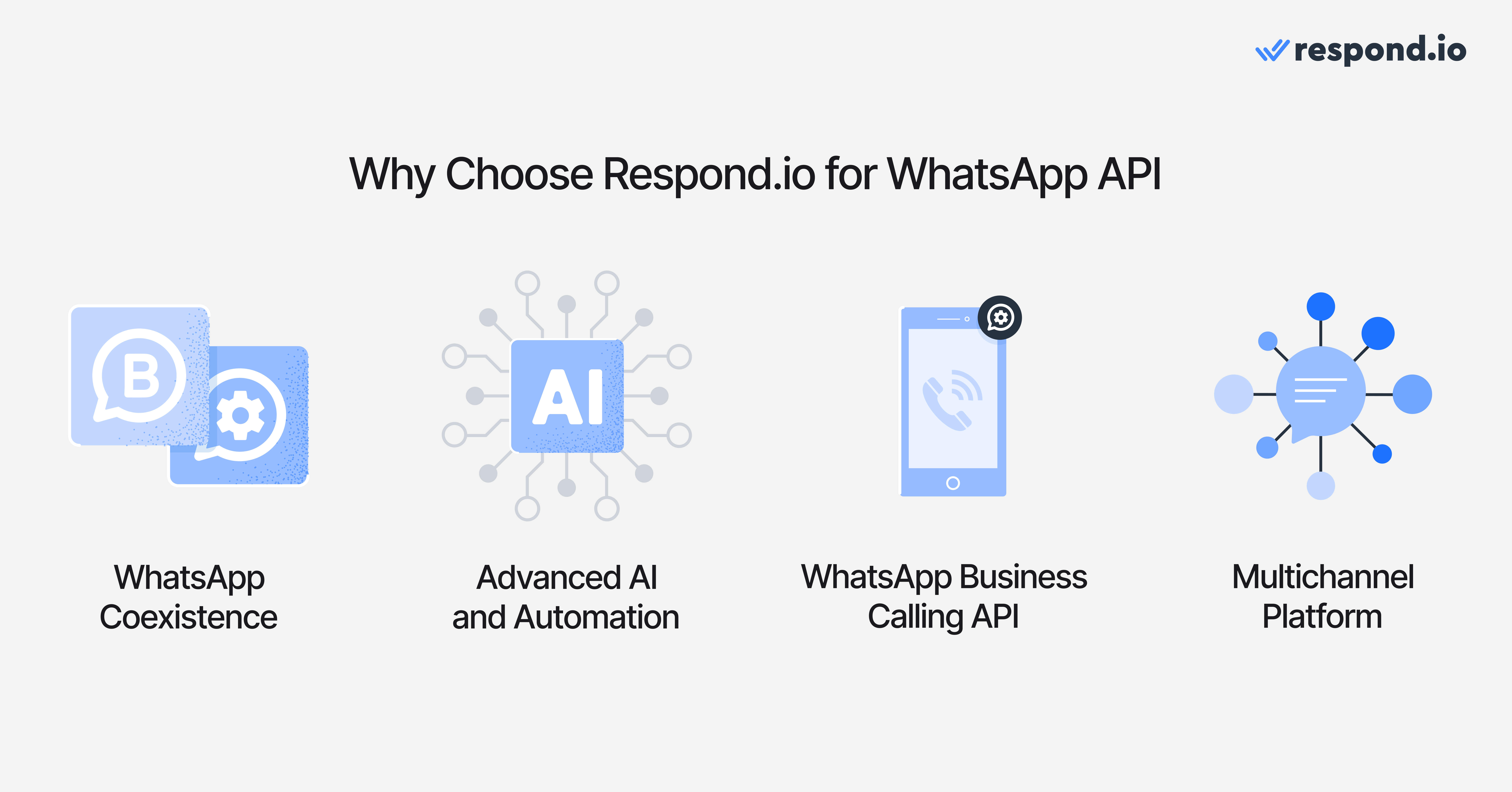
With advanced WhatsApp features including Calling API, best-in-class automation, and omnichannel messaging, respond.io is ideal for businesses that want to capture, convert and retain customers across the full lifecycle. Respond.io is not the right fit if you only need a lightweight WhatsApp-only chatbot for a single operator and don't require routing, reporting, or CRM sync.
And since it supports WhatsApp Coexistence, allowing you to use both WhatsApp Business and WhatsApp API together, you can try it out with no risk of losing your WhatsApp Business contacts and conversations.
Common WhatsApp API use cases
The best WhatsApp API provider depends on how your team plans to use WhatsApp. Here are common use cases to map against each platform’s strengths:
Lead capture from ads: Automate replies to click-to-WhatsApp ads and qualify prospects instantly.
Abandoned cart recovery: Send timely reminders with product images, offers and checkout links.
Order updates: Notify customers about confirmations, shipping, delivery and returns.
Re-engagement campaigns: Bring back inactive customers with personalized offers.
Support-to-sales handoff: Route support conversations to sales when upsell opportunities appear.
Appointment reminders: Reduce no-shows with automated confirmations and follow-ups.
If you need advanced AI for lead qualification, prioritize platforms with AI agents and routing logic. If cart recovery is your focus, look for strong e-commerce integrations and campaign automation.
Successful businesses that chose respond.io as a WhatsApp API provider
With so many options, it can be a challenge to choose the best platform. One of our customers, GETUTOR (education services), initially used SleekFlow as a WhatsApp API provider but switched to respond.io after unmet expectations on lead routing and automation needs.. They needed reliable lead routing and automation for inbound WhatsApp inquiries. After implementing WhatsApp API with respond.io along with workflows and reporting to assign conversations and track outcomes, they saw a 24% increase in sales and now handles 50% more leads per day.
Another of our customers tested out Manychat before deciding on respond.io. JU Productions (events/media) was impressed with Manychat's social media features, but found its keyword-based automation to be too basic and its reporting features limiting. JU Productions used respond.io's omnichannel inbox + automation routing to capture click-to-chat leads and consistently follow up until purchase.
The business chose respond.io as the best WhatsApp API provider to scale its marketing efforts, and rapidly saw a 718% increase in WhatsApp sales.
Start using a WhatsApp API platform built for high-volume B2C teams
If you're a B2C team handling WhatsApp conversations at volume — inbound leads, support queues, broadcast follow-ups — respond.io gives you the routing, automation, and reporting to turn those conversations into revenue. Try it free or book a demo to see how it handles your specific workflows.
Try respond.io for free or contact us for a consultation to see how we can help your business grow.
Turn conversations into customers with respond.io's official WhatsApp API ✨
Manage WhatsApp calls and chats in one place!
FAQs about the best WhatsApp API providers
What is a WhatsApp API Platform?
A WhatsApp API platform provides businesses access to WhatsApp Business API, allowing them to use WhatsApp with multiple users, implement advanced automation and AI chatbots and integrate with CRMs.
Which WhatsApp API provider is best for high-volume B2C support and sales?
For high-volume B2C support and sales, respond.io is the strongest fit. It's built as a customer conversation platform with AI Agent, advanced routing, shared inbox, CRM integrations and omnichannel support across WhatsApp, Instagram, Messenger, TikTok and more — everything a B2C team needs to move leads from first message to closed sale. For teams with simpler needs, Wati covers WhatsApp support and broadcasts at a lower price point, Chatfuel handles basic no-code automation, and Manychat works well for social-first brands running WhatsApp alongside Instagram and TikTok.
How are massive volumes of incoming replies distributed to teams?
The strongest providers do not leave large reply waves in one shared queue. They use routing rules to assign conversations by team, language, shift, intent or priority so sales and support can respond without manual sorting.
Buyers should also check whether the platform can reopen existing contact context, flag urgent conversations and keep assignment clear when replies arrive across WhatsApp and other messaging, social, voice and email channels. That is what keeps broadcast response spikes from turning into missed leads.
Is there a free WhatsApp API?
WhatsApp API is paid. Businesses typically pay Meta charges for WhatsApp messages and a separate provider fee for platform access, automation, reporting and support.
Since Meta's July 2025 pricing update, buyers should check costs at the delivered template message level instead of relying on older conversation-based explanations. A provider's markup, subscription model and add-on fees can still change the final monthly bill significantly.
What changed in Meta's July 2025 WhatsApp pricing?
Meta moved away from the older conversation-window model and now charges for delivered template messages based on message category and country. That means buyers should no longer treat WhatsApp cost as a simple per-conversation line item.
For B2C teams, the commercial impact is clearer cost planning at the message level but also a stronger need to compare provider markup, platform fees and usage-based pricing together before signing.
Can I use the WhatsApp Business App and WhatsApp API at the same time?
Yes! If you choose a platform that supports WhatsApp Coexistence, you can keep your WhatsApp Business App and connect to WhatsApp API.
Are all WhatsApp API providers official Meta partners?
No. Some tools offer official access to the WhatsApp Business Platform, while others rely on indirect or unofficial methods that create more account and compliance risk.
A simple buyer check is to ask whether the provider is officially authorized, whether Meta approval is still required and who owns escalation when template approvals or delivery issues become urgent. If the answer is unclear, the risk usually sits with the business.
Can a business use Meta's Cloud API without a provider?
Yes. A business can connect to Meta's Cloud API directly, but that only provides technical access to WhatsApp. It does not include a shared inbox, AI Agents, routing, template management, reporting or the no-code workflows most B2C teams need to run sales, marketing and support at volume.
For mid-market B2C teams, a customer conversation platform is usually the faster path because managers can launch, route and optimize conversations without building and maintaining their own WhatsApp layer. Respond.io is one example: it adds AI Agents, lifecycle automation, a shared customer record and support for WhatsApp and other key messaging, social, voice and email channels on top of official WhatsApp access.
Can I make calls with WhatsApp API?
Yes. WhatsApp Business Calling API is available through providers that support it. Some businesses also want VoIP so urgent sales and support conversations can move from chat to voice without leaving the platform.
How can a business obtain the WhatsApp Green Tick verification?
The WhatsApp Green Tick is not included automatically in WhatsApp API pricing and it is not something a business can buy as an add-on. A provider plan may include guidance on the application, but approval still depends on WhatsApp's review of business notability and account standing.
When comparing providers, buyers should ask what help is included, whether documentation review is part of onboarding and who supports the application if more evidence is requested. That can reduce delays, but it does not guarantee approval.
What is the template approval process for bulk messaging?
Bulk messaging on WhatsApp usually depends on approved message templates for business-initiated outreach. The team creates the template, submits it for approval and then monitors status before launch.
Buyers should check whether the provider gives clear template status visibility, category guidance, reusable libraries and support if a template is rejected or delayed. That matters because approval timing affects launch dates and category choice affects campaign cost.
Can WhatsApp Business API be used for bulk messaging?
Yes, WhatsApp Business API can be used for bulk messaging when the business has customer opt-in and uses approved templates for business-initiated outreach. That makes it suitable for promotions, reminders, re-engagement and follow-up at scale.
Buyers should still check how each provider handles template approval, audience segmentation, send monitoring and reply routing after a campaign launches. Bulk sending only helps when the team can also manage the response wave.
How do messaging tiers and quality rating affect bulk WhatsApp campaigns?
WhatsApp does not let every number scale outbound messaging at the same pace. Sending capacity expands or tightens based on account history and quality rating, which reflects how well recipients respond to the business's messages. For B2C teams, that means campaign scale depends on account health, not only budget. Respond.io is one example of a customer conversation platform built for high-volume B2C teams, but buyers should verify that any provider helps monitor quality signals, manage reply waves and protect campaign performance as volume rises.
Can I switch WhatsApp API providers without losing my number?
In many cases, yes. A business can usually migrate its WhatsApp number to a new provider, but the move should be treated like a live revenue transition, not a simple settings change.
Before cutover, the team should confirm four things: whether the number is eligible to move, which templates will transfer cleanly and which may need to be recreated or re-approved, whether CRM and automation connections need to be rebuilt and how conversation history will be retained or referenced after the move. The team should also test routing, template sending, ad attribution and handoff rules before going live.
Strong onboarding matters because it reduces the risk of missed leads, delayed campaigns and support disruption during the switch.
Do I need developers to use a WhatsApp API provider?
Not always. Many platforms let sales, support and marketing teams manage routing, campaigns and reporting without heavy developer involvement. Developer support is still useful when the business needs custom integrations or very specific workflow logic.
How do AI automation tools improve scalability for high-volume WhatsApp support?
AI automation tools improve scalability when they reduce manual queue handling as volume rises. The most useful setups can qualify and route conversations, trigger follow-up workflows, prioritize urgent cases and pass complete context to the right team.
That matters during campaigns, seasonal peaks and support surges because the team can handle more conversations without losing ownership or visibility. Buyers should compare whether automation still works well when customers send voice notes, images or documents, not only plain text.
Do all WhatsApp API providers charge per conversation?
No. Meta fees and provider fees are not the same thing. Meta charges for WhatsApp messages based on message type and market, while providers choose their own pricing model for platform access.
Some providers charge per seat, some charge per connected number and some add markups or paid add-ons on top. Respond.io uses Monthly Active Contacts pricing, so buyers should compare total monthly cost rather than assuming every provider charges the same way.
Which WhatsApp API providers charge a markup on messages?
Not every provider adds a markup to Meta's WhatsApp charges, but some do. Buyers should ask each provider for a written cost breakdown that separates Meta charges from any provider-added markup, because markups are often buried inside the monthly bill rather than shown clearly on pricing pages.
This matters most at scale. A small markup can compound quickly once the team sends more templates, adds more follow-up or runs more campaigns.
Why do messaging costs differ across WhatsApp API providers?
Total cost depends on more than Meta fees. Providers can charge different subscriptions, add markups on WhatsApp messaging, bill per user or per connected number and lock reporting, automation or integrations behind higher plans.
That is why two tools with similar headline pricing can produce very different monthly bills. Buyers should compare total spend using the same forecast for contacts, users, channels and message volume before shortlisting.
Which WhatsApp API provider is cheapest?
There is no single cheapest provider for every B2C team because the lowest entry plan often stops being the lowest total cost once more agents, contacts, channels or reporting needs are added. Buyers should compare the full monthly bill, not only the starter price.
A practical comparison should include Meta charges, any provider markup, subscription fees, user or number fees and add-ons for automation, integrations or onboarding. For teams that share one platform across sales, support and marketing, respond.io's Monthly Active Contacts pricing can be easier to forecast than seat-based pricing.
Which WhatsApp API provider is best for AI Agent use cases?
Respond.io is the strongest fit for teams that want AI Agents to do more than answer simple questions. Its AI Agents can qualify leads, update lifecycle stages, trigger workflows, route by intent, escalate high-value opportunities and generate summaries for handovers.
That matters for mid-market B2C teams because AI Agents can move conversations forward before a human joins, instead of only replying and waiting.
How do AI agents improve customer support efficiency via WhatsApp?
AI Agents help support teams move faster by handling first-response work before a human joins. They can answer common questions, qualify the conversation, update lifecycle stages, route by intent and generate summaries for handovers so agents do not start from scratch.
For B2C teams, that means shorter response lag and less manual triage during busy periods. Buyers should check whether the provider offers AI Agents that can execute actions, not only suggest replies.
Which WhatsApp API provider has built-in analytics for a B2C team?
The right choice depends on what the team needs to measure. Some platforms only show send, delivery or reply counts, while others track agent performance, campaign attribution, conversion outcomes and handoff quality.
For mid-market B2C teams that need reporting tied to conversations and revenue, respond.io is a strong fit because it combines campaign, lifecycle and team visibility in one customer conversation platform. Buyers should confirm that reporting covers the channels, workflows and handoffs they actually use.
How fast can a business get started with a WhatsApp API provider?
Launch speed depends on business verification, number setup or migration, template approval, inbox and CRM connection and testing before go-live. A provider with guided onboarding helps the team move through those steps in the right order and resolve approval or routing issues quickly.
Mid-market B2C teams usually get started faster with a no-code platform because sales, support and marketing managers can adjust routing, lifecycle updates and campaigns without waiting on engineering for every change.
How do WhatsApp API rate limits affect high-volume messaging?
Rate limits affect how quickly a provider can send campaign messages and process the reply wave that follows. For high-volume B2C teams, the real question is not only sending speed but whether the platform can queue messages properly, spread replies across the team and surface issues before leads go cold.
When comparing providers, buyers should ask how message spikes are managed, what happens when sends slow down and who escalates delivery problems during a live campaign. That helps the business avoid backlogs when ad traffic or broadcast replies jump at the same time.
Further reading
If you've found this article helpful, consider these other guides to help you get started with WhatsApp API.


